Lycoming County Quitclaim Deed (Reserving Life Estate) Form
Last validated October 19, 2026 by our Forms Development TeamFormatted for recording in Lycoming County, for property anywhere in the county: rural and unincorporated areas as well as Antes Fort, Cammal, Cedar Run, Cogan Station, Hughesville, Jersey Mills, Jersey Shore, Lairdsville and 11 more.
- 3 documents included
- Immediate PDF download
- Formatting guarantee
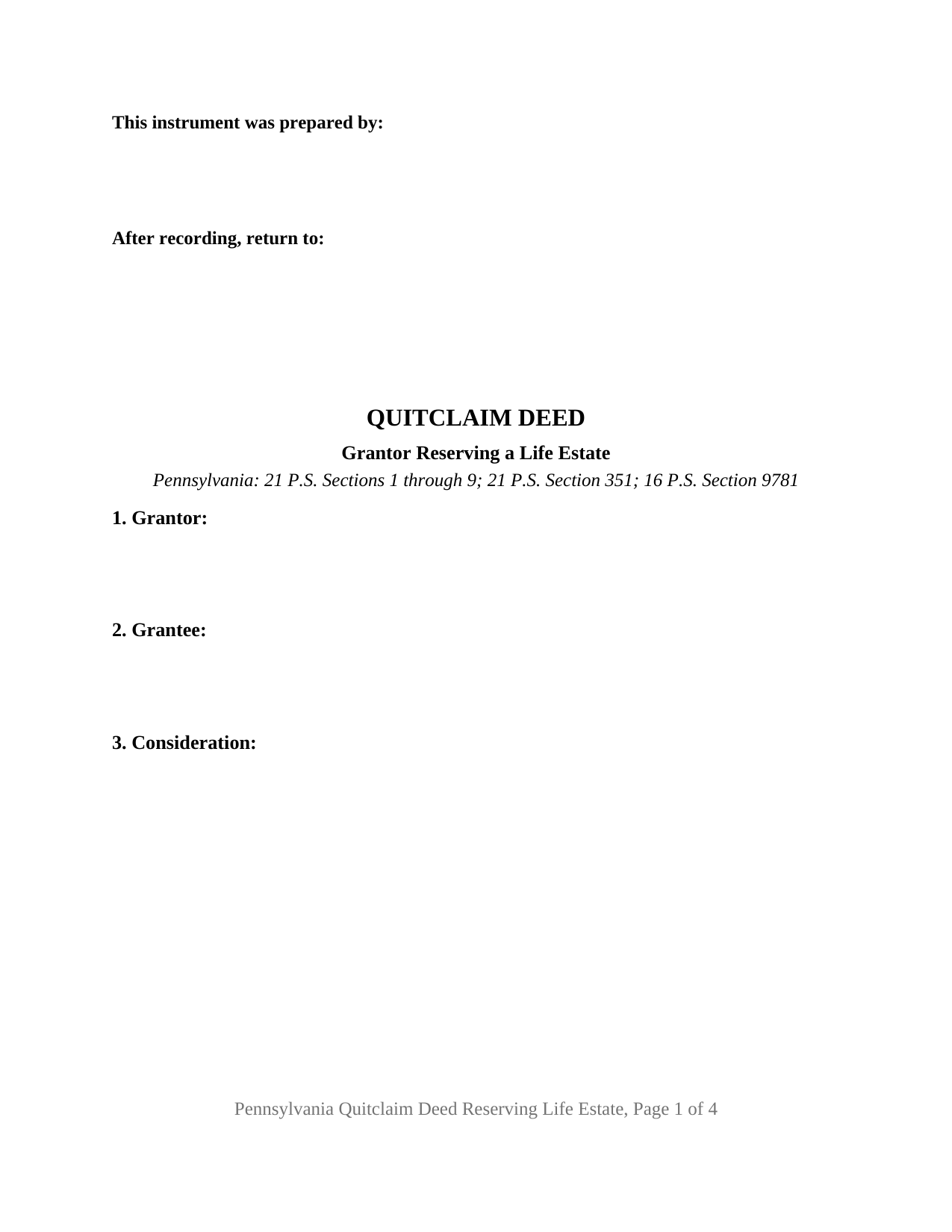
Lycoming County Quitclaim Deed (Reserving Life Estate) Form
Fill in the blank Quitclaim Deed (Reserving Life Estate) form formatted to comply with all Pennsylvania recording and content requirements.
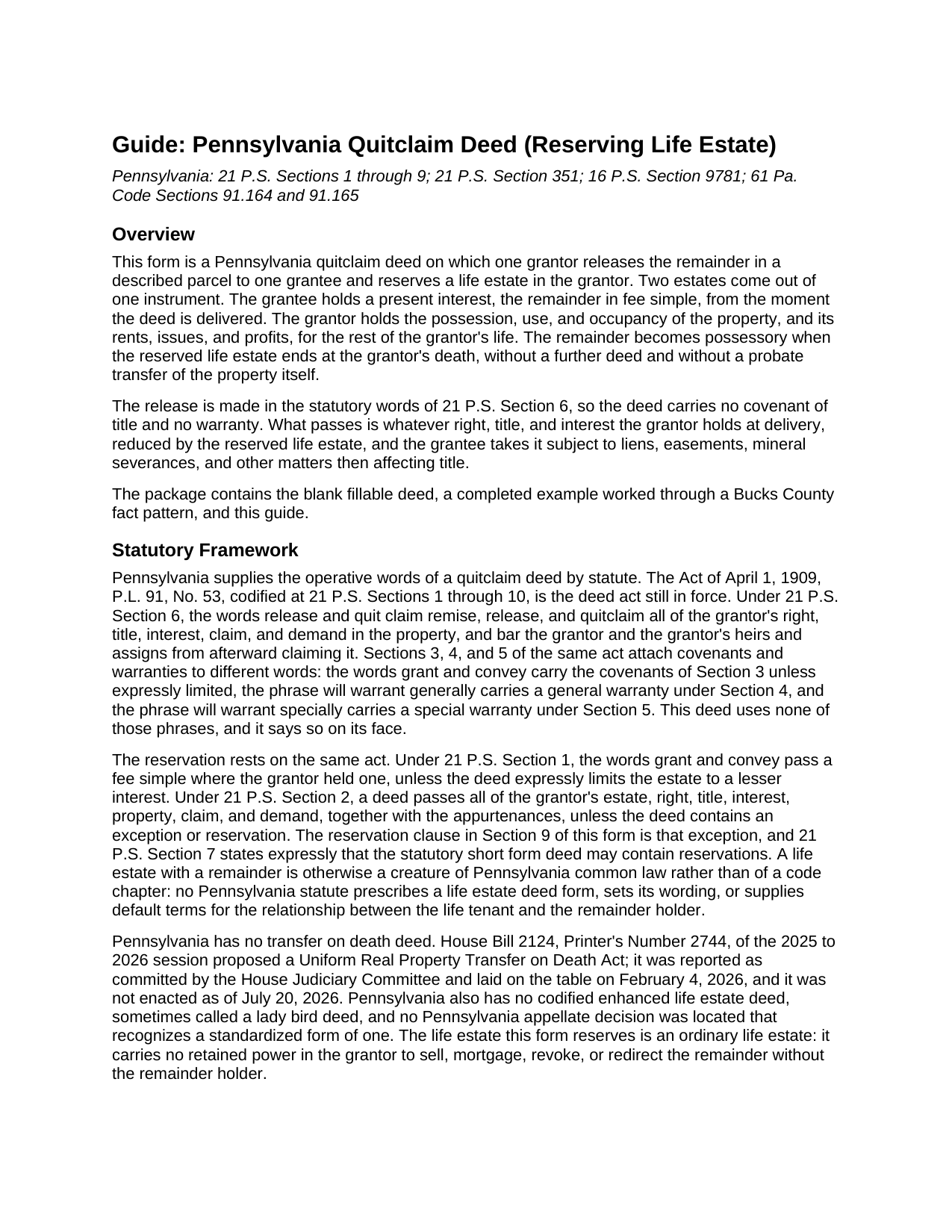
Lycoming County Quitclaim Deed (Reserving Life Estate) Guide
Line by line guide explaining every blank on the Quitclaim Deed (Reserving Life Estate) form.
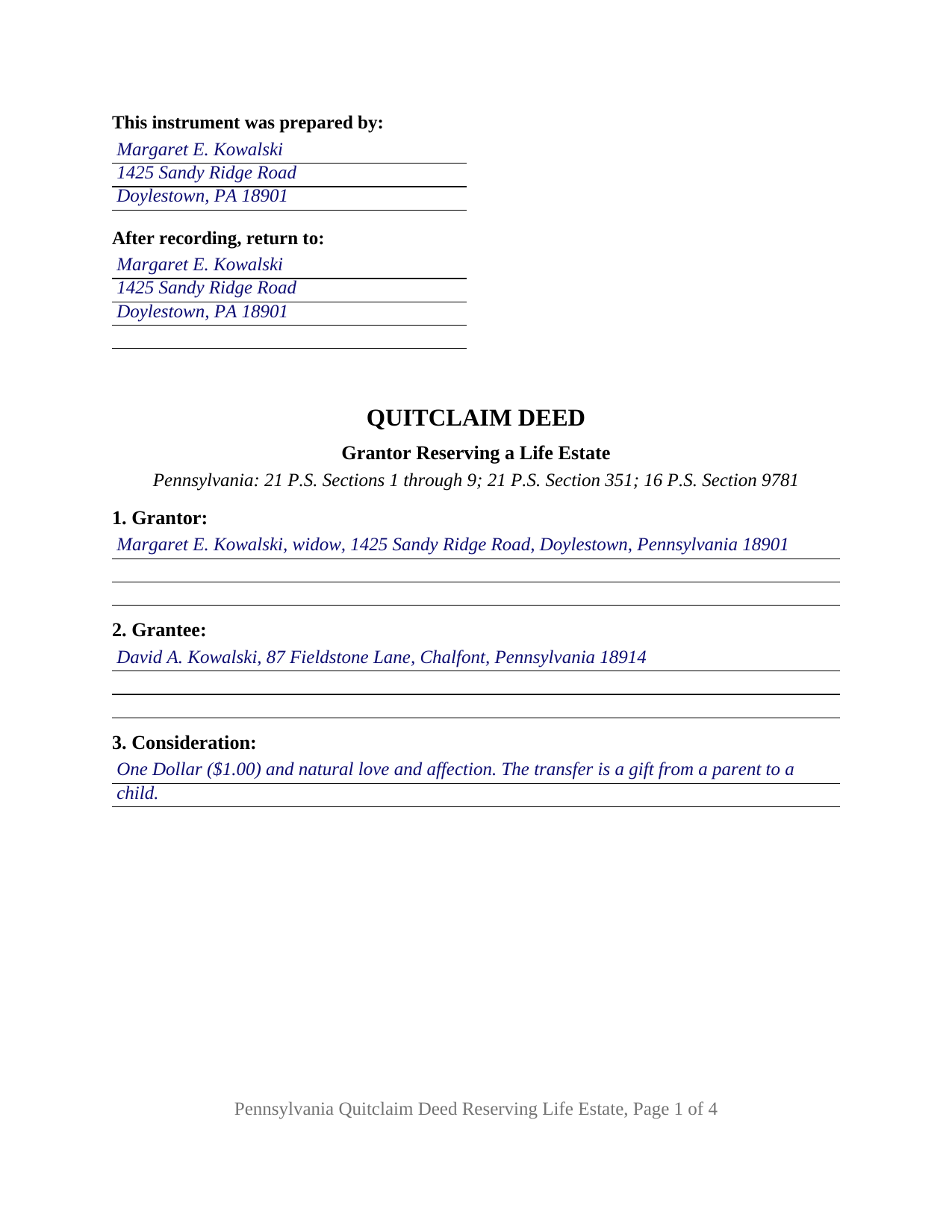
Lycoming County Completed Example of the Quitclaim Deed (Reserving Life Estate) Document
Example of a properly completed Pennsylvania Quitclaim Deed (Reserving Life Estate) document for reference.
All 3 documents above included • One-time purchase • No recurring fees
Immediate Download • Secure Checkout
Additional Pennsylvania and Lycoming County documents included at no extra charge:
Where to Record Your Documents
Register and Recorder - County Courthouse
Williamsport, Pennsylvania 17701
Hours: 8:30am-5:00pm Monday through Friday
Phone: (570) 327-2263
Recording Tips for Lycoming County:
- Bring your driver's license or state-issued photo ID
- Ensure all signatures are in blue or black ink
- Ask for certified copies if you need them for other transactions
- Ask if they accept credit cards - many offices are cash/check only
- Check that your notary's commission hasn't expired
Cities and Jurisdictions in Lycoming County
Properties in any of these areas use Lycoming County forms:
- Antes Fort
- Cammal
- Cedar Run
- Cogan Station
- Hughesville
- Jersey Mills
- Jersey Shore
- Lairdsville
- Linden
- Montgomery
- Montoursville
- Muncy
- Picture Rocks
- Ralston
- Slate Run
- Trout Run
- Unityville
- Waterville
- Williamsport
Hours, fees, requirements, and more for Lycoming County
How do I get my forms?
Forms are available for immediate download after payment. The Lycoming County forms will be in your account ready to download to your computer. An account is created for you during checkout if you don't have one. Forms are NOT emailed.
Are these forms guaranteed to be recordable in Lycoming County?
Yes. Our form blanks are guaranteed to meet or exceed the applicable formatting requirements used for recording in Lycoming County, including margin requirements, font requirements, and other layout standards. This guarantee applies to formatting, not to the legal sufficiency of information entered by the user or the suitability of a form for a particular transaction.
Can I reuse these forms?
Yes. You can reuse the forms for your personal use. For example, if you have multiple properties in Lycoming County you only need to order once.
What do I need to use these forms?
The forms are PDFs that you fill out on your computer. The free Adobe Acrobat Reader is recommended, and most PDF apps also work. You do NOT enter your property information online - you download the blank forms and complete them privately on your own computer.
Are there any recurring fees?
No. This is a one-time purchase. Nothing to cancel, no memberships, no recurring fees.
How much does it cost to record in Lycoming County?
Recording fees in Lycoming County vary. Contact the recorder's office at (570) 327-2263 for current fees.
Questions answered? Let's get started!
One Pennsylvania deed, two estates. On this quitclaim deed the grantor releases the remainder in the described property and reserves a life estate, so the right to occupy the parcel and take its rents stays with the grantor while the grantee holds a present interest that becomes possessory at the grantor's death. One grantor keeps that estate, one grantee takes the remainder in fee simple, and no warranty travels with it.
The life estate the grantor keeps
Section 9 is where the deed does its distinctive work. The grantor excepts and reserves, for the term of the grantor's natural life, a life estate in the property with its possession, use, and occupancy and its rents, issues, and profits, ending at the grantor's death. A blank in the same section takes any further terms the parties agree on, an allocation of real estate taxes, insurance premiums, and ordinary repairs among them, which matters because Pennsylvania has no statute assigning those charges between a life tenant and a remainder holder on a deed created life estate. The reservation carries no power to undo the deed: the remainder is a present interest from delivery, and a later sale or mortgage of the whole fee takes both of them signing together.
Where the deed act leaves room for a reservation
The 1909 deed act supplies both halves. Its release words come from 21 P.S. Section 6, and 21 P.S. Section 2 carries a grantor's entire estate to the grantee unless the deed contains an exception or reservation, which is what this one contains; Section 7 confirms that the short form deed may include reservations. No covenant rides along, because the deed prints no grant and convey language and states that it makes no general warranty under Section 4 and no special warranty under Section 5. The life estate is a common law estate: no Pennsylvania statute prescribes its wording, and the Commonwealth has enacted no transfer on death deed.
A remainder valued by factor rather than by price
Realty transfer tax here reaches the remainder, not the retained estate, and one regulation says how to measure it. Under 61 Pa. Code Section 91.165 the value of a life estate or remainder interest is the consideration paid for it; where that consideration is absent, nominal, or below actual monetary worth, the taxable value becomes the computed value of the whole parcel multiplied by the remainder factor for the measuring life, taken from factors the Department of Revenue publishes in the Pennsylvania Bulletin. Example 3 of that regulation walks the identical pattern: a grantor conveying a remainder for less than monetary worth and retaining the life estate. Where grantor and grantee are family members listed in 61 Pa. Code Section 91.193(b)(6), the transaction is excluded, and the REV-183 Statement of Value carries the explanation.
One grantor, one grantee, one measuring life
The architecture is narrow. One grantor block names the record owner, one grantee block names the party taking the remainder, one signature line with a printed name and date carries the execution, and one acknowledgment certificate prints the wording of 57 Pa.C.S. Section 316, so the deed acknowledges before a notarial officer in any state, or remotely under 57 Pa.C.S. Section 306.1. Patterns of this shape recur in Pennsylvania record rooms: an owner releasing the remainder in a long held home to an adult child while keeping occupancy for life, and an owner of farmland passing the remainder to the next generation while keeping the farm income. The measuring life the form prints is the grantor's own; an estate measured by another person's life, and a life estate reserved to two people, follow arrangements this quit claim deed does not print.
What the Pennsylvania recording counter looks for
Recording protects the grantee's remainder against later purchasers, mortgagees, and judgment creditors (21 P.S. Section 351). The deed closes with the certificate of the grantee's precise residence and complete post office address, which 16 P.S. Section 9781 makes a condition of recording, and it carries a parcel identifier entry for the ordinance counties. Its prepared by and return to blocks sit at the top left of page one, leaving the stamp area clear.
The download holds the blank deed as a fillable PDF, a completed example following a Bucks County owner who reserves a life estate, and a plain language guide to the twelve sections, notarization, the transfer tax factors, and county recording. The materials describe Pennsylvania law in general terms and are not legal advice.
Important: Your property must be located in Lycoming County to use these forms. Documents should be recorded at the county recording office listed above.
This Quitclaim Deed (Reserving Life Estate) meets all recording requirements specific to Lycoming County.
Our Promise
The documents you receive here are guaranteed to meet or exceed the applicable Lycoming County recording format requirements. If there is a rejection caused by our formatting, we will correct the issue or refund your payment. This guarantee applies to document formatting only and does not extend to information entered by the user, the selection of the form, or the legal effect of the completed document.
Save Time and Money
Get your Lycoming County Quitclaim Deed (Reserving Life Estate) form done right the first time with Deeds.com Uniform Conveyancing Blanks. At Deeds.com, we understand that your time and money are valuable resources, and we don't want you to face a penalty fee or rejection imposed by a county recorder for submitting nonstandard documents. We constantly review and update our forms to meet rapidly changing state and county recording requirements for roughly 3,500 counties and local jurisdictions.
4.8 out of 5 - ( 4,830 Reviews )
Shirley C. 5 out of 5 stars
I liked that the documents could be filled in on my computer. All the documents came out nice, better than I expected really.
Thank you Shirley, we appreciate your feedback. Have a great day!
Leroy B. 5 out of 5 stars
I have a Timeshare in Florida and started looking to sell it. Just finally downloaded this site, it looks fairly simple. I will start getting more serious soon. Looking forward to working with Deeds.com.
Thank you!
Jean M. 5 out of 5 stars
Very easy to use and easy to download
Thank you, Jean! We’re glad you found the process easy and the download straightforward. That’s exactly what we aim for. We appreciate you taking the time to share your experience!
Owen w. 5 out of 5 stars
Was very pleased with execution of the forms. Easy to understand and was hassle free.
Thank you!
DOYCE F. 5 out of 5 stars
Very helpful.Thank you
Thank you!
John B. 4 out of 5 stars
I purchased the Notice of Completion form because the City of Chula Vista did not have a "fillable" version of this form on their website. The Deeds.com version of this form is somewhat different than the City's version (8 numbered paragraphs vs. 11 numbered paragraphs.) However, it contains the same information in a different format. This form provided more blank space to fill in important items- like a long ownership name- than the version on the City's website. The recorder's office was satisfied with this form as I hand-delivered it to the Recorder's Office and they approved it for recording. Overall, I found this form easy to use and found the extra blank space for writing on the form helpful. My one comment for possible improvement is: it would be even more helpful (particularly for attorney users) to have strike-out capability. I would have liked having the ability to strike-out inapplicable portions of long awkward sentences. Still, I would use this form again.
Your feedback means a lot to us. Thank you.
Karen F. 3 out of 5 stars
Form needs to be gender neutral. Also, while the format prompts for the correct information to be included, more of the form needs to be open for editing and to eliminate unnecessary spacing.
Karen, thank you for your helpful feedback. We appreciate you pointing this out and are reviewing the form to make the language gender neutral, improve editability, and reduce unnecessary spacing so it is easier to complete.
Deana A. 5 out of 5 stars
Great forms and info, easy step-by-step guidance.
Thank you!
Helen M. 5 out of 5 stars
All forms were exactly what I needed. Thank you Immediate, smoothly downloaded and printed.
We appreciate your business and value your feedback. Thank you. Have a wonderful day!
Maria B. 5 out of 5 stars
Deeds.com has excellent customer service and great processing times! I highly recommend their services.
We appreciate your business and value your feedback. Thank you. Have a wonderful day!
Shirley T. 4 out of 5 stars
Quit Claim deed for North Carolina did not include all of the information I needed (two separate notary sections), but I was able to re-create another notary section in Word, and then insert it in the appropriate place after printing both documents. Otherwise, the document worked as described.
Thank you for your feedback. We really appreciate it. Have a great day!
Lorrie P. 5 out of 5 stars
What a wonderful and easy task using deeds.com. I searched on line for the proper procedure to file a quit claim deed. It looked to confusing to do mysellf until I found deeds.com. With their instructions, I was able to fill out all the proper forms and file with the court in two days. Saved me at least a thousand dollars if I had an attorney do the same. Thank you. I will definitely use them again.
Thank you for your feedback. We really appreciate it. Have a great day!
Frank S. 5 out of 5 stars
Pretty easy to register. Menu layout is too follow.
Thank you!
Tarik W. 5 out of 5 stars
Excellent customer service!!!!!
We appreciate your business and value your feedback. Thank you. Have a wonderful day!
Steven H. 5 out of 5 stars
Great Product!!! Used the more commonly known websites before, but never again. It was easy, great examples to follow so that I was sure and confident that I completed the document correctly. Thank You!
Thank you for your feedback. We really appreciate it. Have a great day!