Allegheny County Trustee Deed Form
Last validated August 10, 2026 by our Forms Development TeamFormatted for recording in Allegheny County, for property anywhere in the county: rural and unincorporated areas as well as Allison Park, Bairdford, Bakerstown, Bethel Park, Brackenridge, Braddock, Bradfordwoods, Bridgeville and 52 more.
- 3 documents included
- Immediate PDF download
- Formatting guarantee
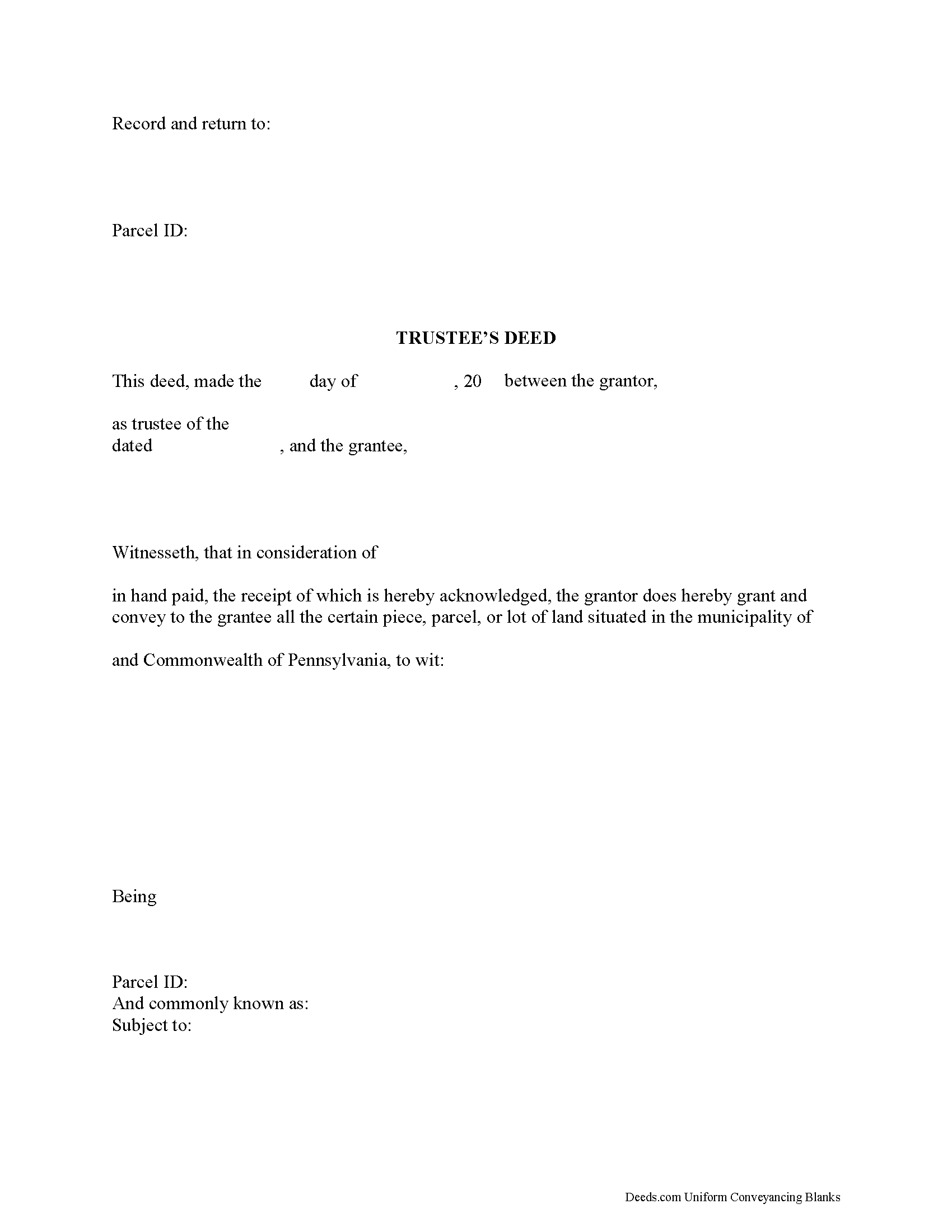
Allegheny County Trustee Deed Form
Fill in the blank form formatted to comply with all recording and content requirements.
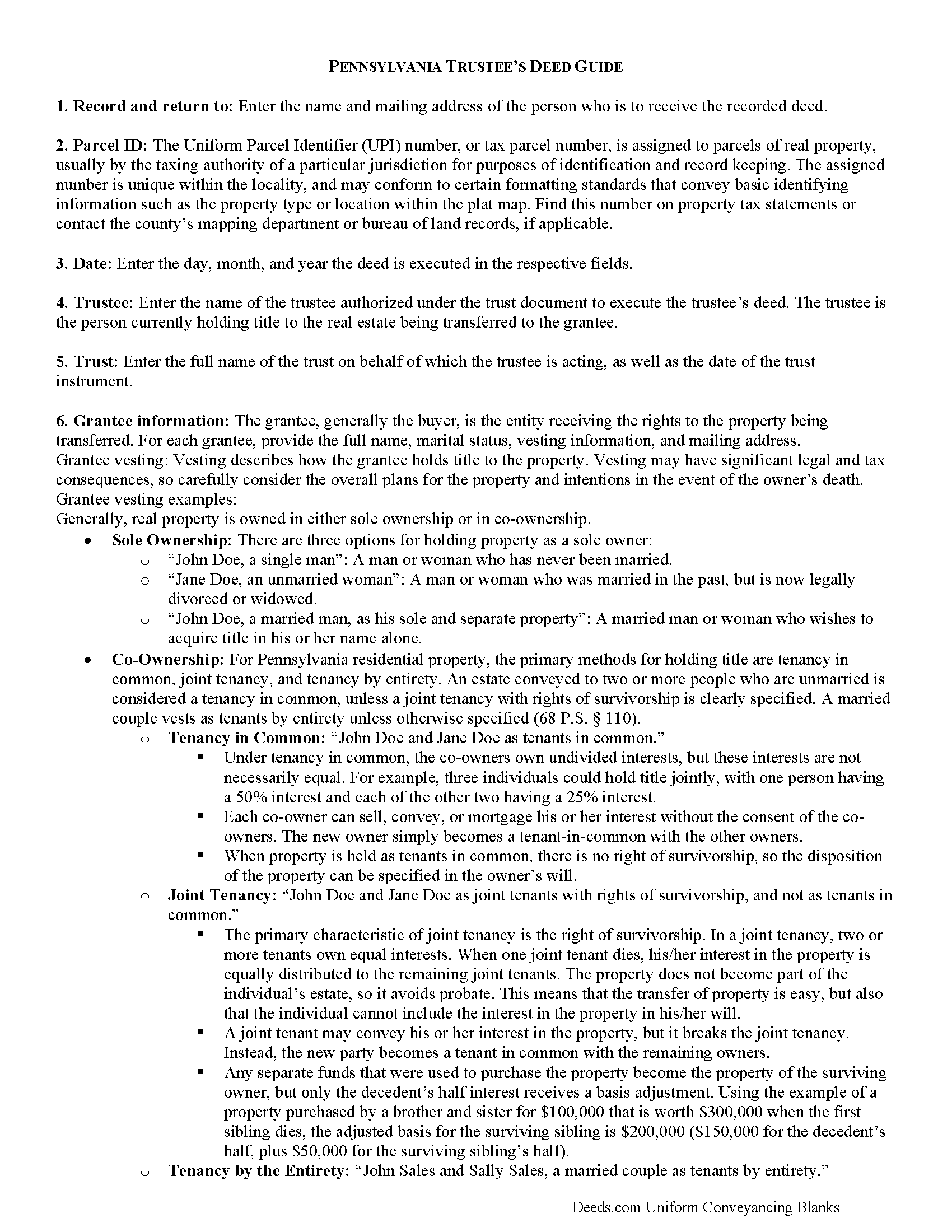
Allegheny County Trustee Deed Guide
Line by line guide explaining every blank on the form.
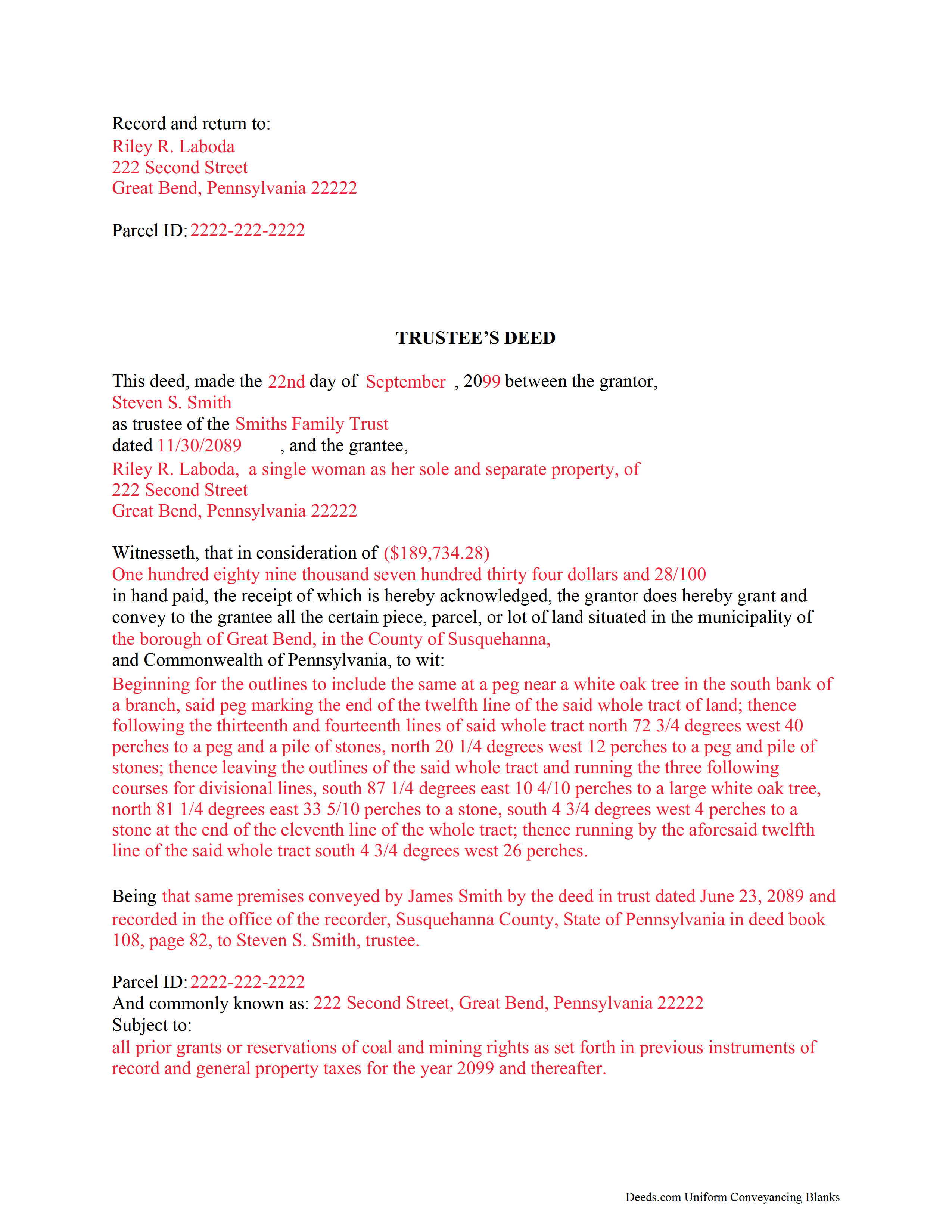
Allegheny County Completed Example of the Trustee Deed Document
Example of a properly completed form for reference.
All 3 documents above included • One-time purchase • No recurring fees
Immediate Download • Secure Checkout
Additional Pennsylvania and Allegheny County documents included at no extra charge:
Where to Record Your Documents
Department of Real Estate - County Office Building
Pittsburgh, Pennsylvania 15219
Hours: 8:30 to 4:30 M-F
Phone: (412) 350-4226
Recording Tips for Allegheny County:
- Bring your driver's license or state-issued photo ID
- Ensure all signatures are in blue or black ink
- Avoid the last business day of the month when possible
- Both spouses typically need to sign if property is jointly owned
- Bring extra funds - fees can vary by document type and page count
Cities and Jurisdictions in Allegheny County
Properties in any of these areas use Allegheny County forms:
- Allison Park
- Bairdford
- Bakerstown
- Bethel Park
- Brackenridge
- Braddock
- Bradfordwoods
- Bridgeville
- Buena Vista
- Bunola
- Carnegie
- Cheswick
- Clairton
- Coraopolis
- Coulters
- Creighton
- Crescent
- Cuddy
- Curtisville
- Dravosburg
- Duquesne
- East Mc Keesport
- East Pittsburgh
- Elizabeth
- Gibsonia
- Glassport
- Glenshaw
- Greenock
- Harwick
- Homestead
- Imperial
- Indianola
- Ingomar
- Leetsdale
- Mc Kees Rocks
- Mckeesport
- Monroeville
- Morgan
- Natrona Heights
- North Versailles
- Oakdale
- Oakmont
- Pitcairn
- Pittsburgh
- Presto
- Rural Ridge
- Russellton
- Sewickley
- South Park
- Springdale
- Sturgeon
- Tarentum
- Turtle Creek
- Verona
- Warrendale
- West Elizabeth
- West Mifflin
- Wexford
- Wildwood
- Wilmerding
Hours, fees, requirements, and more for Allegheny County
How do I get my forms?
Forms are available for immediate download after payment. The Allegheny County forms will be in your account ready to download to your computer. An account is created for you during checkout if you don't have one. Forms are NOT emailed.
Are these forms guaranteed to be recordable in Allegheny County?
Yes. Our form blanks are guaranteed to meet or exceed the applicable formatting requirements used for recording in Allegheny County, including margin requirements, font requirements, and other layout standards. This guarantee applies to formatting, not to the legal sufficiency of information entered by the user or the suitability of a form for a particular transaction.
Can I reuse these forms?
Yes. You can reuse the forms for your personal use. For example, if you have multiple properties in Allegheny County you only need to order once.
What do I need to use these forms?
The forms are PDFs that you fill out on your computer. The free Adobe Acrobat Reader is recommended, and most PDF apps also work. You do NOT enter your property information online - you download the blank forms and complete them privately on your own computer.
Are there any recurring fees?
No. This is a one-time purchase. Nothing to cancel, no memberships, no recurring fees.
How much does it cost to record in Allegheny County?
Recording fees in Allegheny County vary. Contact the recorder's office at (412) 350-4226 for current fees.
Questions answered? Let's get started!
Title 20, Chapter 77 of the Pennsylvania Statutes governs trusts in the State of Pennsylvania.
A trust is a wealth management tool commonly used in estate planning. There are three main parties to a trust: the settlor, who funds the trust by conveying assets into it; the trustee, who administers the trust and controls its assets; and the beneficiary, who has a present or future interest in the trust (P.S. 7703). Note that a sole trustee cannot also be the sole beneficiary (P.S. 7732(a)(5)).
Under a trust, the acting trustee manages the trust as directed by the settlor. This arrangement works, in part, because the trustee holds what amounts to a proxy title to the trust's assets. If the trust contains real property that the settlor wishes to sell, the trustee executes and records a document called a trustee's deed to transfer the title to the grantee/buyer -- the settlor is not identified in the transaction.
In most cases, trustee's deeds are modified quitclaim or special warranty deeds. Quitclaim deeds contain no warranties of title, and special warranty deeds only offer the grantee protection against title claims originating while grantor controlled the property. Generally, a trustee uses a quitclaim deed if the settlor and grantee are close relatives (spouses, parent to child, etc.). A trustee of a living trust might also use a quitclaim deed to transfer property out of the trust and to himself as an individual. Third-party purchasers might require a special warranty deed in order to obtain a mortgage or title insurance.
Besides fulfilling the requirements for all instruments affecting real property in the State of Pennsylvania (tax parcel number, legal description, prior deed information, certificate of residence, and so on), the trustee's deed names the trustee as the grantor and gives the date and the name of the trust under which the trustee is acting. A certificate of trust is sometimes included to verify the trust's existence and the trustee's authority to act on behalf of the trust. As with other instruments, the deed must be signed and acknowledged in the presence of a notary, then recorded in the county where the property is situated.
Trust law can be thorny, and each situation is unique. Consult an attorney with specific questions or for complicated circumstances.
(Pennsylvania TD Package includes form, guidelines, and completed example)
Important: Your property must be located in Allegheny County to use these forms. Documents should be recorded at the county recording office listed above.
This Trustee Deed meets all recording requirements specific to Allegheny County.
Our Promise
The documents you receive here are guaranteed to meet or exceed the applicable Allegheny County recording format requirements. If there is a rejection caused by our formatting, we will correct the issue or refund your payment. This guarantee applies to document formatting only and does not extend to information entered by the user, the selection of the form, or the legal effect of the completed document.
Save Time and Money
Get your Allegheny County Trustee Deed form done right the first time with Deeds.com Uniform Conveyancing Blanks. At Deeds.com, we understand that your time and money are valuable resources, and we don't want you to face a penalty fee or rejection imposed by a county recorder for submitting nonstandard documents. We constantly review and update our forms to meet rapidly changing state and county recording requirements for roughly 3,500 counties and local jurisdictions.
4.8 out of 5 - ( 4,819 Reviews )
Judy K. 5 out of 5 stars
Your customer service is superb. I ordered the wrong form, and you were so quick to resolve my problem. I will be using your site again.
We appreciate your business and value your feedback. Thank you. Have a wonderful day!
MICHAEL H. 5 out of 5 stars
Smooth and efficient. Great site for what you may need.
We’re always here to help. Thank you for your feedback.
Dallas S. 5 out of 5 stars
Very easy
Thank you!
James U. 5 out of 5 stars
Fonts for all fields are not the same. Collin County has a specified size it wants in all fields. Other than that every thing was fine.
Thank you!
David R. 5 out of 5 stars
Very straightfoward and simple process. The submission of my artifact was completed within a half hour. The best part for me was the coverage/service-area that it included my jurisdiction
We are delighted to have been of service. Thank you for the positive review!
Jerry O. 2 out of 5 stars
Everything I needed including detailed instructions to transfer the deed on my house from me alone to me and my wife as joint owners with right of survivorship. Formatting was compliant and blanks for all information required were provided in all the right places. 5 stars
We appreciate your business and value your feedback. Thank you. Have a wonderful day!
Susan S. 4 out of 5 stars
Great forms, easy to understand and use (the guide helped a lot). Recorded with no issues. Will be back when needed.
We appreciate your business and value your feedback. Thank you. Have a wonderful day!
Jenny B. 5 out of 5 stars
Thank you! Will use you again in the future.
We appreciate your business and value your feedback. Thank you. Have a wonderful day!
jennifer e. 5 out of 5 stars
EXCELLENT, PROMPT SERVICE. I will definitely use again .HIGHLY RECOMMEND.
Thank you for your feedback. We really appreciate it. Have a great day!
Christopher B. 5 out of 5 stars
Record retrieval by staff is very prompt!!! Great customer service for sure!
Thank you for your feedback. We really appreciate it. Have a great day!
Suzanne D. 5 out of 5 stars
Information found, thank you. I own Ground Rent on property and needed to know name of property owner and address for mailing bill.
Thank you!
Maria M. 5 out of 5 stars
EASY, PAINLESS, LOVED THE USER FRIENDLY INSTRUCTIONS
Thank you for your feedback. We really appreciate it. Have a great day!
Pamela W. 5 out of 5 stars
This was so easy! Doing it this way saved me a bundle. I used the example form to make sure mine was correct. I would highly recommend this to anyone.
Thanks Pamela. We're glad the completed example was helpful.
Dirmarcus S. 5 out of 5 stars
I say I really do love Deed.com! Super easy to navigate and easy to get what you need for paperwork without spending a lot of money
Thank you for your positive words! We’re thrilled to hear about your experience.
Alfred M. 5 out of 5 stars
It was a simple process and easily understood the process was seamless and I would highly recommend this to anyone looking to do this.
Thank you for your feedback. We really appreciate it. Have a great day!