Calhoun County General Durable Power of Attorney Form
Last validated October 19, 2026 by our Forms Development TeamFormatted for recording in Calhoun County, for property anywhere in the county: rural and unincorporated areas as well as Cameron, Saint Matthews.
- 4 documents included
- Immediate PDF download
- Formatting guarantee
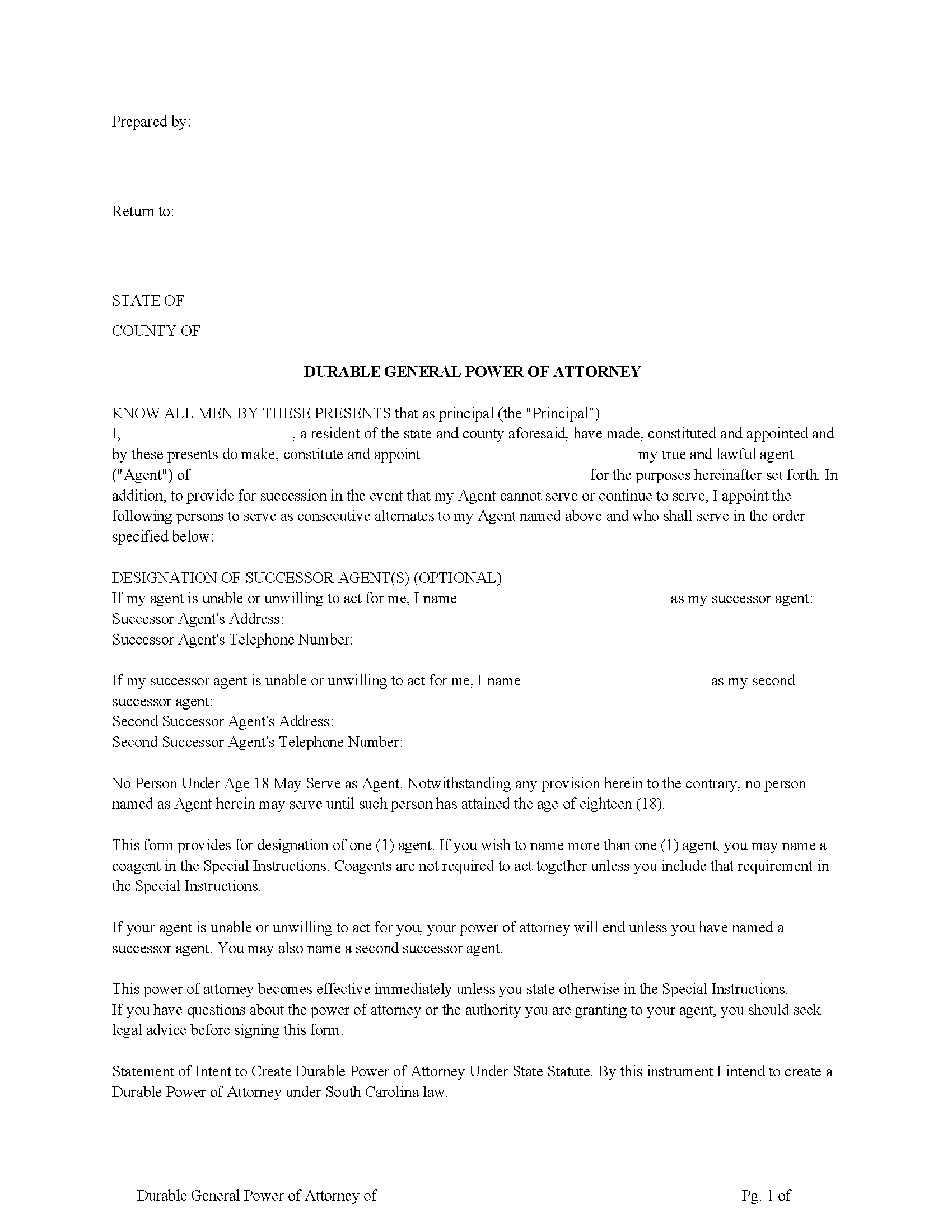
Calhoun County Power of Attorney Form
Fill in the blank form formatted to comply with all recording and content requirements.
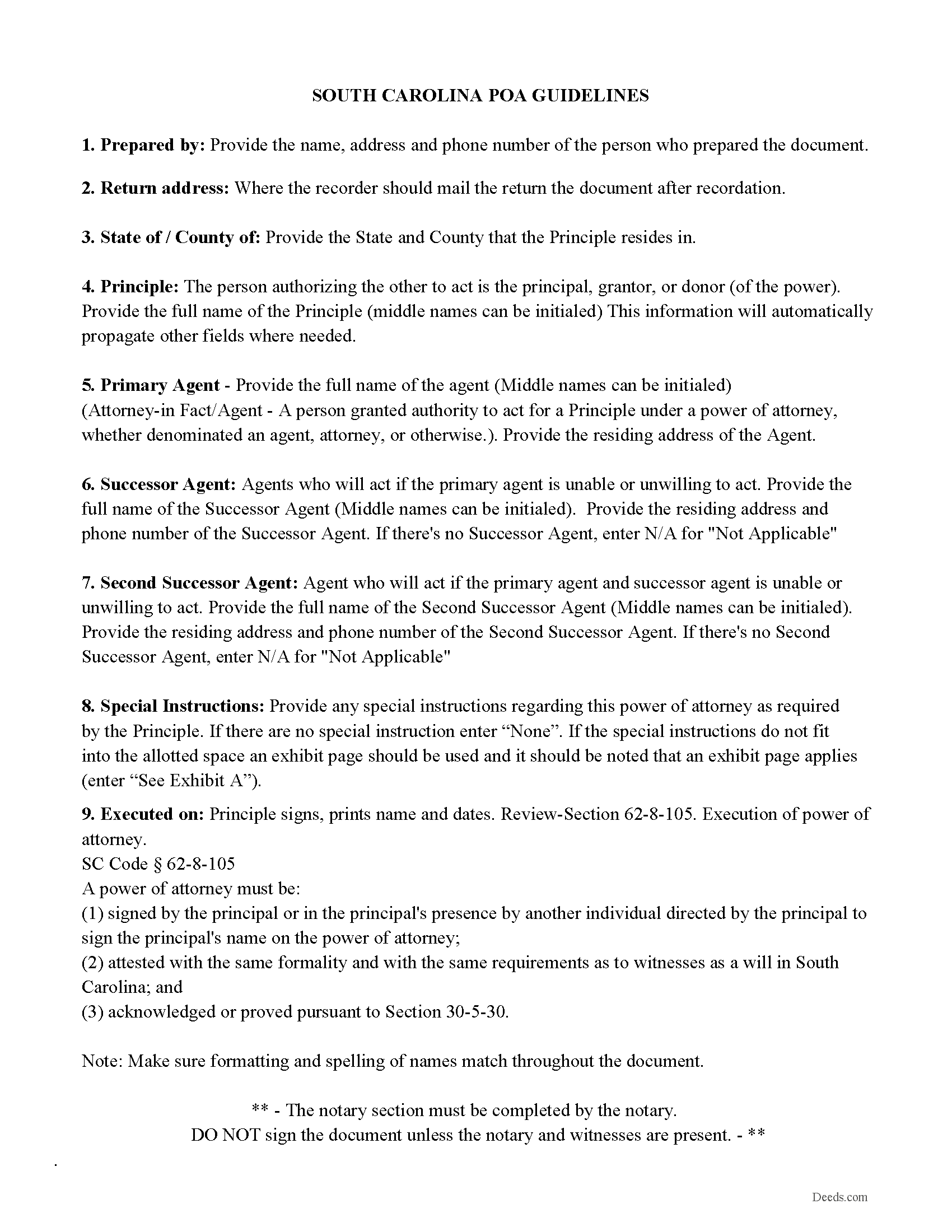
Calhoun County Power of Attorney Guidelines
Line by line guide explaining every blank on the form.
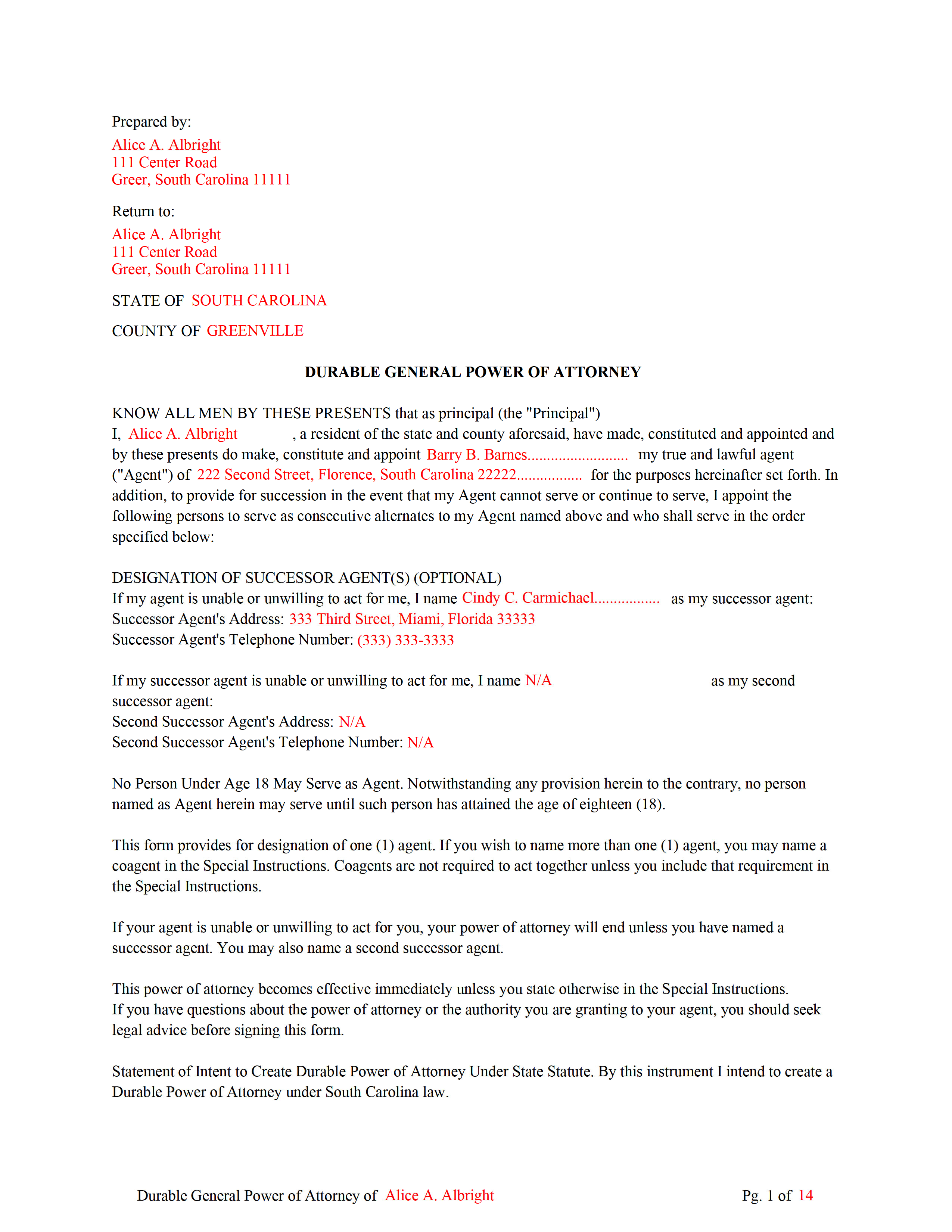
Calhoun County Completed Example of the Power of Attorney
Example of a properly completed form for reference.
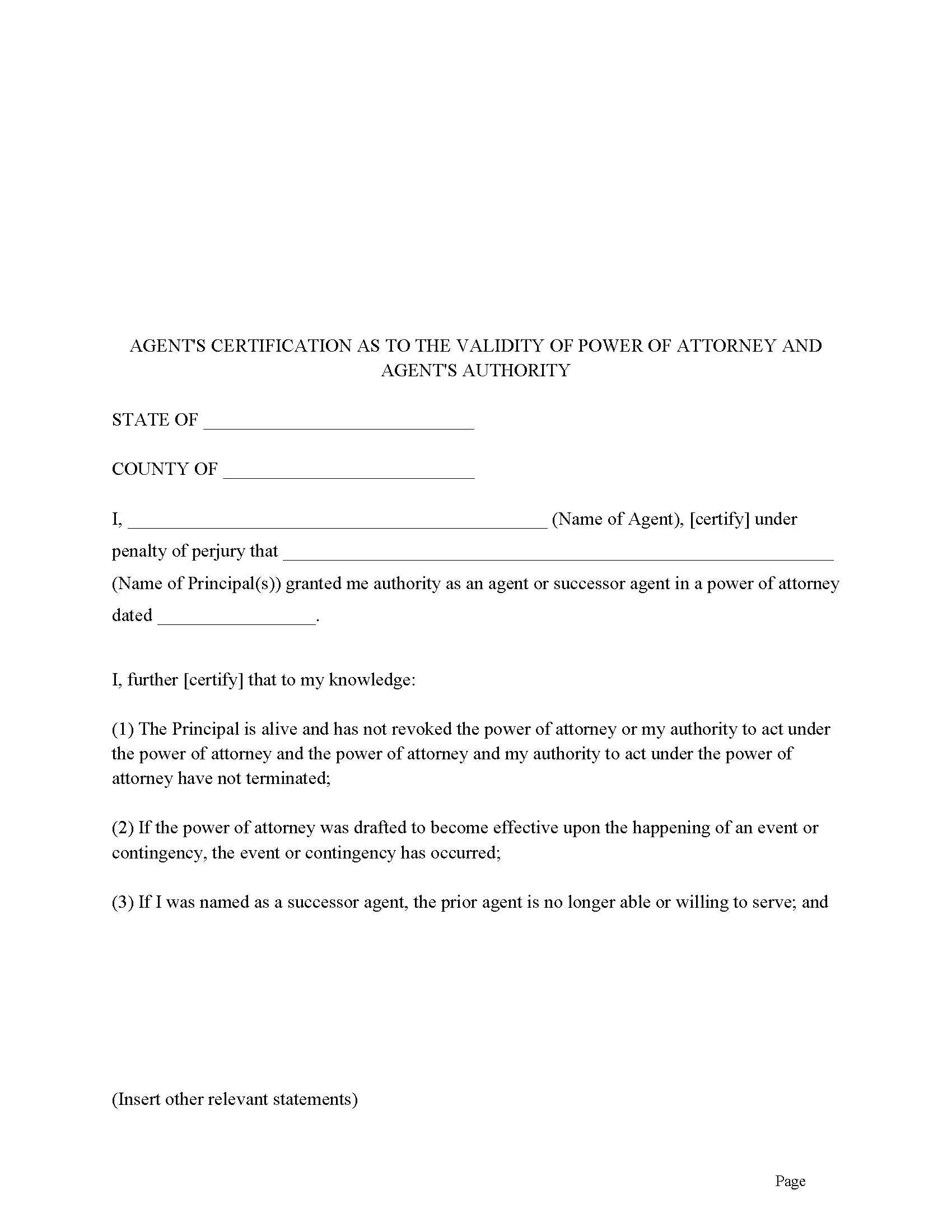
Calhoun County Agents Certification Form
Agent certifies he/she is authorized to act. Often required by third parties.
All 4 documents above included • One-time purchase • No recurring fees
Immediate Download • Secure Checkout
Additional South Carolina and Calhoun County documents included at no extra charge:
Where to Record Your Documents
Calhoun County Clerk of Court
St. Matthews, South Carolina 29135
Hours: 9:00 to 5:00 M-F
Phone: 803-874-3524
Recording Tips for Calhoun County:
- Bring your driver's license or state-issued photo ID
- Ensure all signatures are in blue or black ink
- Ask for certified copies if you need them for other transactions
- Ask if they accept credit cards - many offices are cash/check only
- Check that your notary's commission hasn't expired
Cities and Jurisdictions in Calhoun County
Properties in any of these areas use Calhoun County forms:
- Cameron
- Saint Matthews
Hours, fees, requirements, and more for Calhoun County
How do I get my forms?
Forms are available for immediate download after payment. The Calhoun County forms will be in your account ready to download to your computer. An account is created for you during checkout if you don't have one. Forms are NOT emailed.
Are these forms guaranteed to be recordable in Calhoun County?
Yes. Our form blanks are guaranteed to meet or exceed the applicable formatting requirements used for recording in Calhoun County, including margin requirements, font requirements, and other layout standards. This guarantee applies to formatting, not to the legal sufficiency of information entered by the user or the suitability of a form for a particular transaction.
Can I reuse these forms?
Yes. You can reuse the forms for your personal use. For example, if you have multiple properties in Calhoun County you only need to order once.
What do I need to use these forms?
The forms are PDFs that you fill out on your computer. The free Adobe Acrobat Reader is recommended, and most PDF apps also work. You do NOT enter your property information online - you download the blank forms and complete them privately on your own computer.
Are there any recurring fees?
No. This is a one-time purchase. Nothing to cancel, no memberships, no recurring fees.
How much does it cost to record in Calhoun County?
Recording fees in Calhoun County vary. Contact the recorder's office at 803-874-3524 for current fees.
Questions answered? Let's get started!
This is a comprehensive 14 page South Carolina General Power of Attorney Form formatted for recording at a County level.
Power Not Affected by Principal's Incapacity.
This Power of Attorney is durable as provided by S.C. Code Ann. 62-8-104 which means that it is not terminated by the principal's incapacity. "Incapacity" means inability of an individual to manage property or business affairs because the individual: (A) has an impairment in the ability to receive and evaluate information or make or communicate decisions even with the use of technological assistance; or (B) is: (i) missing; (ii) detained, including incarcerated in a penal system; or (iii) outside the United States and unable to return.
I specifically direct my Agent to defer to and abide by any Health Care Power of Attorney, Durable Power of Attorney for Health Care, "Living Will" or Declaration of a Desire for A Natural Death [hereinafter "Declaration"] executed by me. My Agent shall in no way interfere with, impede, or act contrary to my wishes, intention, and directives in such instrument or instruments. In the event any decisions or matter within the scope of the Agent's authority granted herein should directly conflict with the authority of directives of any of the aforementioned instruments executed by me, then any such instrument or instruments shall control, supersede, and take priority over any such conflicting decisions or matter within the scope of authority granted herein.
Incidentals
Pursuant to S.C. Code Ann 62-8-108, l hereby nominate my Agent as my conservator or guardian for consideration by the court if protective proceedings for the estate or person are begun after the execution of this power of attorney. My Agent shall be eligible to serve in other fiduciary capacities, for me or my benefit, including but not limited to serve as trustee and/or committee. I hereby nominate, constitute and appoint my Agent to act in any or all of the aforementioned capacities and serve without bond. The appointment of a guardian and/or conservator shall not terminate any authority granted or matters within the scope of this Durable Power of Attorney.
(South Carolina GDPOA Package includes form, guidelines, and completed example)
Important: Your property must be located in Calhoun County to use these forms. Documents should be recorded at the county recording office listed above.
This General Durable Power of Attorney meets all recording requirements specific to Calhoun County.
Our Promise
The documents you receive here are guaranteed to meet or exceed the applicable Calhoun County recording format requirements. If there is a rejection caused by our formatting, we will correct the issue or refund your payment. This guarantee applies to document formatting only and does not extend to information entered by the user, the selection of the form, or the legal effect of the completed document.
Save Time and Money
Get your Calhoun County General Durable Power of Attorney form done right the first time with Deeds.com Uniform Conveyancing Blanks. At Deeds.com, we understand that your time and money are valuable resources, and we don't want you to face a penalty fee or rejection imposed by a county recorder for submitting nonstandard documents. We constantly review and update our forms to meet rapidly changing state and county recording requirements for roughly 3,500 counties and local jurisdictions.
4.8 out of 5 - ( 4,828 Reviews )
Catherine S. 3 out of 5 stars
Description of document could have been better
Thank you!
Patrick A. 5 out of 5 stars
Real value. Excellent forms, guidance & samples. Included Homestead Exemption form & info are also valuable & greatly appreciated.
Thank you for your feedback. We really appreciate it. Have a great day!
Peter L. 3 out of 5 stars
Waiting for response to questions about TOD deed. Language doesn't accommodate more than one Grantor and user cannot edit language.
Peter, thank you for your feedback. We're sorry our form didn't meet your needs. We've issued a full refund for your order. Please note that our forms are designed for common transfer scenarios, and we're unable to provide legal advice or guidance on how to complete them. If your situation involves multiple grantors or other complexities, we'd recommend consulting with a local real estate attorney who can ensure your deed is properly drafted for your specific circumstances. We wish you the best.
Joan S. 5 out of 5 stars
Thanks for providing this service. We had searched for weeks for the correct documents. It might help clients to find you soon if the banks and mortgage companies can refer clients to you. They require the forms but offer no direct source to obtain them. You are 5 star in every way.
Thank you!
Jo G. 5 out of 5 stars
The form was easy enough to purchase but I ended up not needing it. No fault of Deeds.com, but it was of no value to me.
Thank you for your feedback. We really appreciate it. Have a great day!
Alma S. 5 out of 5 stars
I like the service very much, it's easy and fast, I'm really happy with the service.
Thank you!
Linda D. 5 out of 5 stars
very efficient and easy to use online platform. I reviewed several different sites before I settle on this one. Took my deed to the courthouse today and recorded it with no problems.
We appreciate your business and value your feedback. Thank you. Have a wonderful day!
Constance R. 5 out of 5 stars
It was very easy to e-file. I liked it.
Thank you for your feedback. We really appreciate it. Have a great day!
Nanc T. 5 out of 5 stars
Great experience, highly recommend.
Thank you for your positive words! We’re thrilled to hear about your experience.
LAWRENCE P. 4 out of 5 stars
How about a single button zip download of the files displayed instead of downloading them one at a time?
Thank you for your feedback. We really appreciate it. Have a great day!
Kathryn S. 5 out of 5 stars
So quick. So easy. Worth every penny!
Thank you for your feedback. We really appreciate it. Have a great day!
Ed H. 5 out of 5 stars
I filled out the Kansas form and presented it to the Clerk of Deeds in Rawlins Co and there were no problems and no expensive attorney involved for a simple transaction.
Your feedback is greatly appreciated. Thank you for taking the time to share your experience!
Tiffany W. 5 out of 5 stars
Exactly what I needed and with the help of ChatGPT who needs a damn lawyer for anything.
We’re glad to hear things went well. Thank you for the review.
yourr m. 1 out of 5 stars
Did not tell me how to obtain the deed to America, I am now sad that I cannot own America
Sorry to have caused your sadness, we do hope that you day gets better.
Stephanie P. 5 out of 5 stars
So far Deeds.com has done everything they say they'll do and very promptly.
Thank you for your feedback. We really appreciate it. Have a great day!