Calhoun County Memorandum of Contract Form
Last validated September 23, 2026 by our Forms Development TeamFormatted for recording in Calhoun County, for property anywhere in the county: rural and unincorporated areas as well as Cameron, Saint Matthews.
- 3 documents included
- Immediate PDF download
- Formatting guarantee
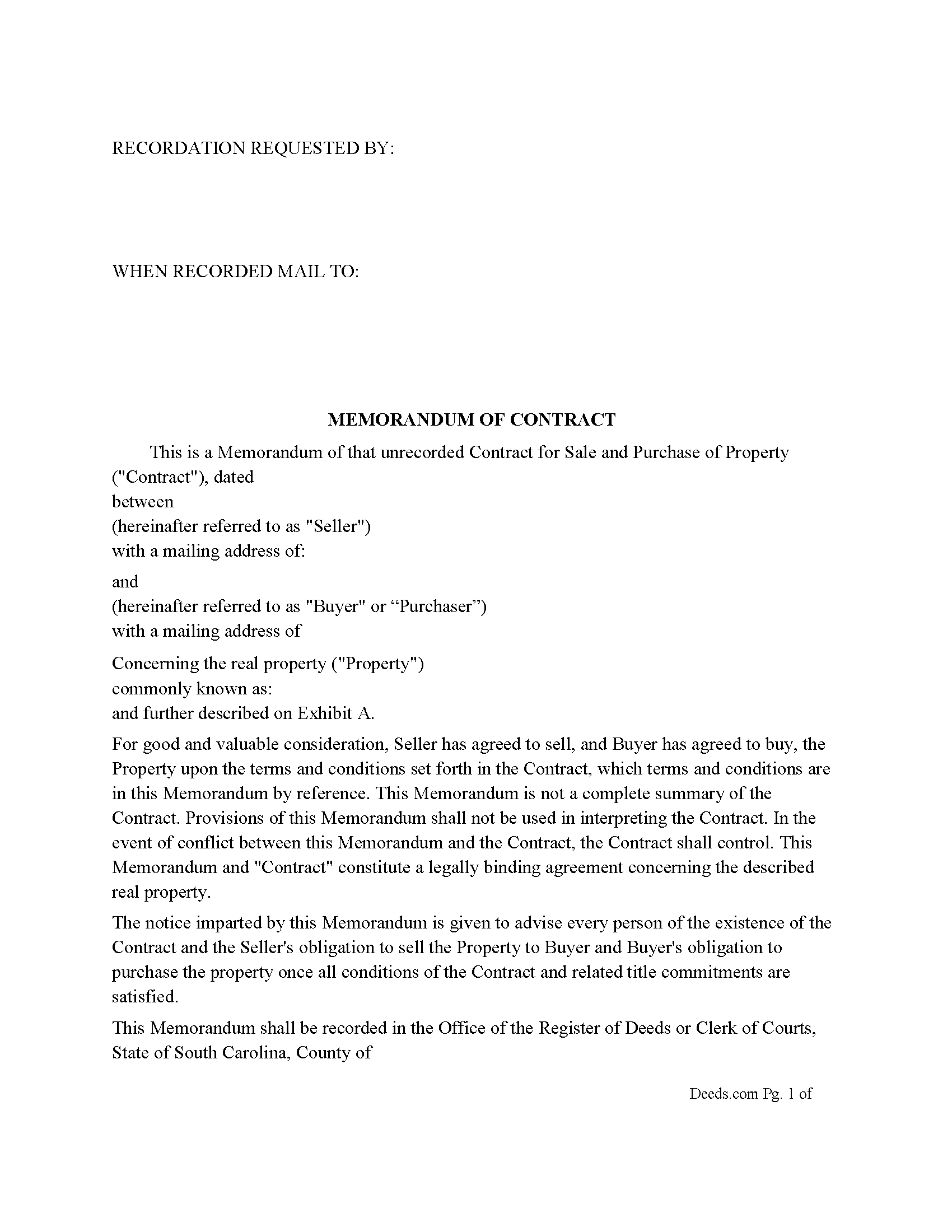
Calhoun County Memorandum of Contract Form
Fill in the blank Memorandum of Contract form formatted to comply with all South Carolina recording and content requirements.
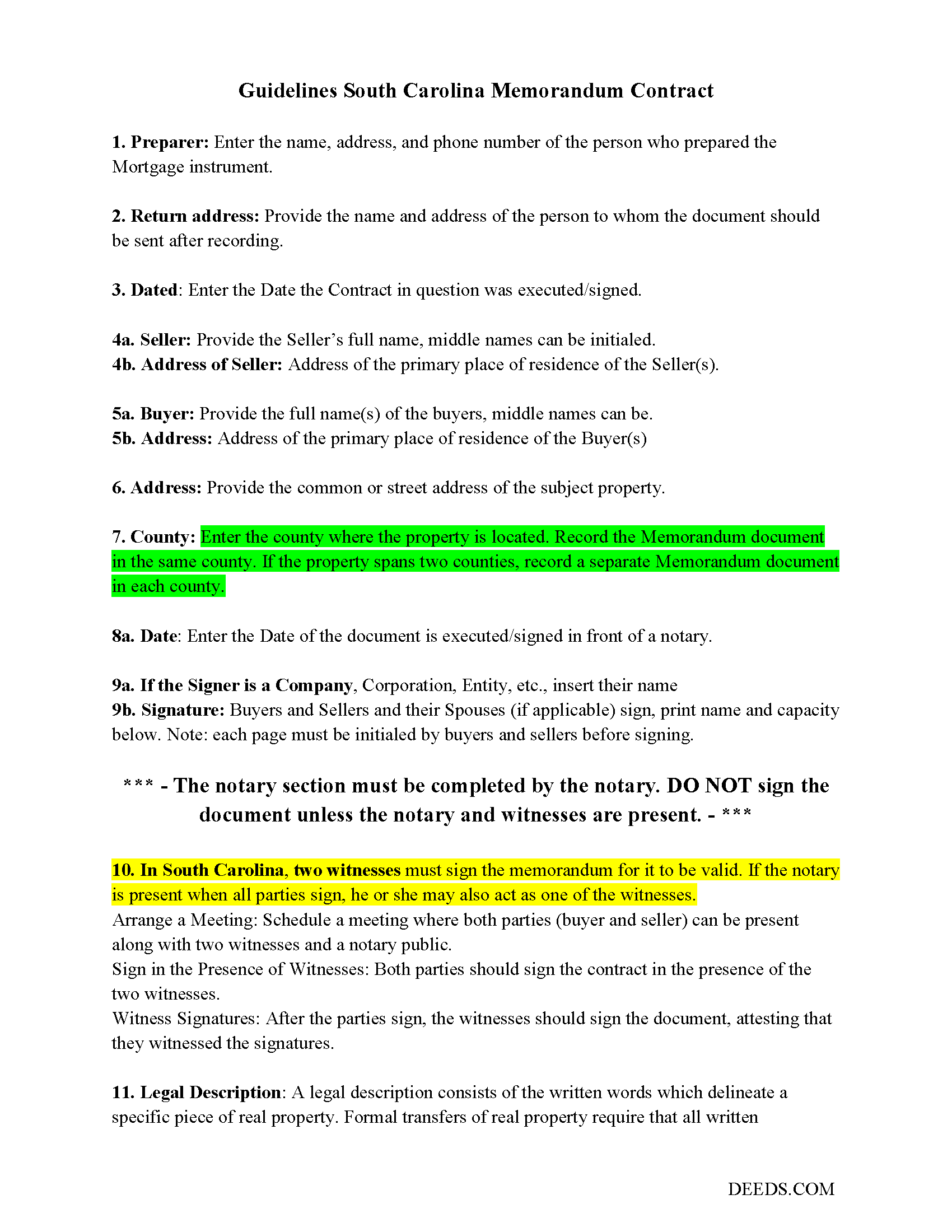
Calhoun County Memorandum of Contract Guide
Line by line guide explaining every blank on the Memorandum of Contract form.
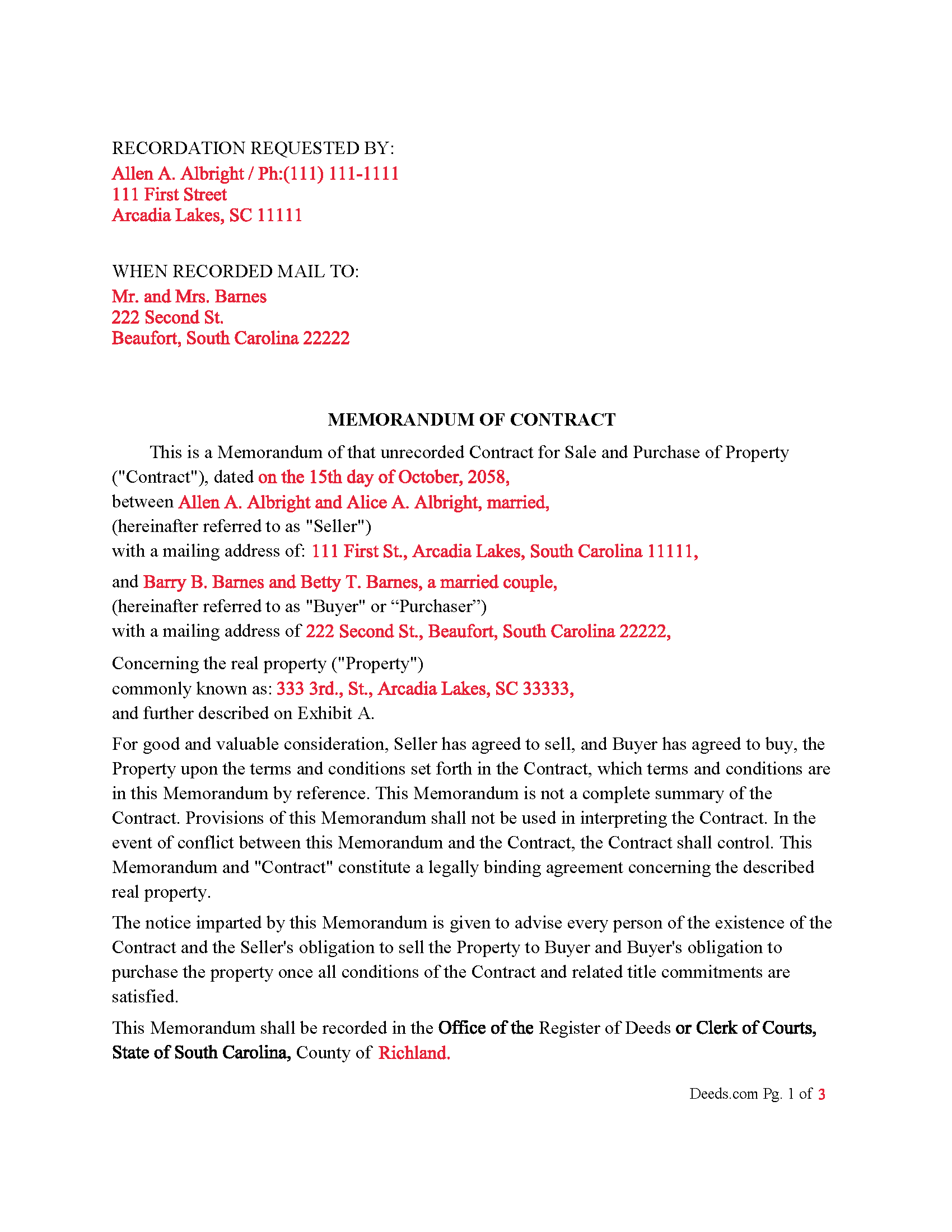
Calhoun County Completed Example of the Memorandum of Contract Document
Example of a properly completed South Carolina Memorandum of Contract document for reference.
All 3 documents above included • One-time purchase • No recurring fees
Immediate Download • Secure Checkout
Additional South Carolina and Calhoun County documents included at no extra charge:
Where to Record Your Documents
Calhoun County Clerk of Court
St. Matthews, South Carolina 29135
Hours: 9:00 to 5:00 M-F
Phone: 803-874-3524
Recording Tips for Calhoun County:
- Bring your driver's license or state-issued photo ID
- Ensure all signatures are in blue or black ink
- Recording fees may differ from what's posted online - verify current rates
- Request a receipt showing your recording numbers
- Ask about accepted payment methods when you call ahead
Cities and Jurisdictions in Calhoun County
Properties in any of these areas use Calhoun County forms:
- Cameron
- Saint Matthews
Hours, fees, requirements, and more for Calhoun County
How do I get my forms?
Forms are available for immediate download after payment. The Calhoun County forms will be in your account ready to download to your computer. An account is created for you during checkout if you don't have one. Forms are NOT emailed.
Are these forms guaranteed to be recordable in Calhoun County?
Yes. Our form blanks are guaranteed to meet or exceed the applicable formatting requirements used for recording in Calhoun County, including margin requirements, font requirements, and other layout standards. This guarantee applies to formatting, not to the legal sufficiency of information entered by the user or the suitability of a form for a particular transaction.
Can I reuse these forms?
Yes. You can reuse the forms for your personal use. For example, if you have multiple properties in Calhoun County you only need to order once.
What do I need to use these forms?
The forms are PDFs that you fill out on your computer. The free Adobe Acrobat Reader is recommended, and most PDF apps also work. You do NOT enter your property information online - you download the blank forms and complete them privately on your own computer.
Are there any recurring fees?
No. This is a one-time purchase. Nothing to cancel, no memberships, no recurring fees.
How much does it cost to record in Calhoun County?
Recording fees in Calhoun County vary. Contact the recorder's office at 803-874-3524 for current fees.
Questions answered? Let's get started!
A Memorandum of Contract acts as a public notice of a land contract, contract for deed, or other buy-sell purchase agreement affecting real estate, without revealing all the contract terms. This document ensures that the essential details of the agreement are on record while maintaining confidentiality of the complete terms. A recorded Memorandum of Contract, can secure the parties interests in the subject property and provide notice to potential buyers or creditors, safeguarding against any future disputes regarding the property's title.
In South Carolina, the recording of such documents is governed by the South Carolina Code of Laws, Title 30 - Public Records, Chapter 5
Recording Generally. Although the statutes do not specifically mention a "Memorandum of Contract," they outline the requirements for recording any documents that impact the title to real property. These guidelines help protect the interests of all parties involved by ensuring transparency and proper documentation in real estate transactions.
Relevant Statutes
Title 30 - Public Records
Chapter 5 - Recording Generally
Section 30-5-30. Requirements for recording of instruments.
This section outlines the general requirements for recording any instrument affecting real estate.
Text: No deed, contract, or other instrument in writing required by law to be recorded shall be recorded unless it has been executed in the presence of, and subscribed by, two or more credible witnesses, or acknowledged by the grantor, or proved in accordance with the provisions of law.
Section 30-5-35. Indexing of real property instruments.
This section discusses the indexing of recorded instruments, which is essential for public notice.
Text: All instruments conveying an interest in real property or any interest therein shall be indexed in the grantor and grantee indexes in the office of the register of deeds or clerk of court in the county where the real property is located.
Section 30-5-40. Recording of documents affecting title to real property.
This section specifies the types of documents that can be recorded.
Text: Any deed, contract, or other instrument in writing which conveys, encumbers, assigns, or affects title to real estate or any interest therein, and which is required by law to be recorded, shall be recorded in the office of the register of deeds or clerk of court in the county where the real estate is situated.
Important: Your property must be located in Calhoun County to use these forms. Documents should be recorded at the county recording office listed above.
This Memorandum of Contract meets all recording requirements specific to Calhoun County.
Our Promise
The documents you receive here are guaranteed to meet or exceed the applicable Calhoun County recording format requirements. If there is a rejection caused by our formatting, we will correct the issue or refund your payment. This guarantee applies to document formatting only and does not extend to information entered by the user, the selection of the form, or the legal effect of the completed document.
Save Time and Money
Get your Calhoun County Memorandum of Contract form done right the first time with Deeds.com Uniform Conveyancing Blanks. At Deeds.com, we understand that your time and money are valuable resources, and we don't want you to face a penalty fee or rejection imposed by a county recorder for submitting nonstandard documents. We constantly review and update our forms to meet rapidly changing state and county recording requirements for roughly 3,500 counties and local jurisdictions.
4.8 out of 5 - ( 4,830 Reviews )
Nancy J. 5 out of 5 stars
It is helpful that an example of filled out form is included.
We appreciate your business and value your feedback. Thank you. Have a wonderful day!
Mark J. 4 out of 5 stars
Straightforward, no issues.
Thank you!
DEBORAH H. 5 out of 5 stars
This is my fourth try, and I hope my form is complete and acceptable.
Your feedback is greatly appreciated. Thank you for taking the time to share your experience!
Shawn S. 5 out of 5 stars
Listen, I love your services. It's been such a convenience utilizing it.
We appreciate your business and value your feedback. Thank you. Have a wonderful day!
Mary Ann H. 5 out of 5 stars
Great service! Good documents. Easy to use! Thank you!
We appreciate your business and value your feedback. Thank you. Have a wonderful day!
Mark S. 5 out of 5 stars
Excellent service, quick and very efficient! Thanks for your great service!
We appreciate your business and value your feedback. Thank you. Have a wonderful day!
Robert H. 5 out of 5 stars
Just what I needed to file in Orange County. East to use and reasonably priced. Will use again if needed.
We appreciate your business and value your feedback. Thank you. Have a wonderful day!
Jose R. 5 out of 5 stars
User friendly. Smooth transaction. I saved a lot of time
Thank you for taking the time to leave your feedback Jose, we really appreciate it. Have a fantastic day!
Debbi B. 4 out of 5 stars
The deeds were a very reasonable price. However, it was made to seem like it was part of Jefferson County, and I didn't love the deceptiveness.
Debbi, we understand that you came away with the impression that Deeds.com was part of Jefferson County, but we respectfully disagree with the characterization of our website as deceptive. Deeds.com is an independent document provider and does not represent itself as affiliated with Jefferson County or any other government agency. Jefferson County is identified because customers need forms and recording information appropriate for the correct jurisdiction. If a particular page or statement caused confusion, please contact Deeds.com Customer Care so we can review it.
Teresa T. 5 out of 5 stars
amazingly fast! Thank you!
We appreciate your business and value your feedback. Thank you. Have a wonderful day!
Laurie B. 5 out of 5 stars
easy to use, good experience
Thank you!
Patricia C. 4 out of 5 stars
I found there were a large number of documents available to download. The file naming on the PDFs could be more descriptive, and it would be nice to be able to download a complete set with one click.
Thank you for your feedback. We really appreciate it. Have a great day!
Frank G B. 5 out of 5 stars
site is very helpful and easy to use.
We appreciate your business and value your feedback. Thank you. Have a wonderful day!
Lila L. 5 out of 5 stars
Everyone was very responsive and helpful. Thank you. I give you a 5!!
We appreciate your business and value your feedback. Thank you. Have a wonderful day!
Ronald R. 5 out of 5 stars
first tinme use, good buy=t expensive
Thank you!