Calhoun County Quitclaim Deed (Trustee Grantee) Form
Last validated October 7, 2026 by our Forms Development TeamFormatted for recording in Calhoun County, for property anywhere in the county: rural and unincorporated areas as well as Cameron, Saint Matthews.
- 3 documents included
- Immediate PDF download
- Formatting guarantee
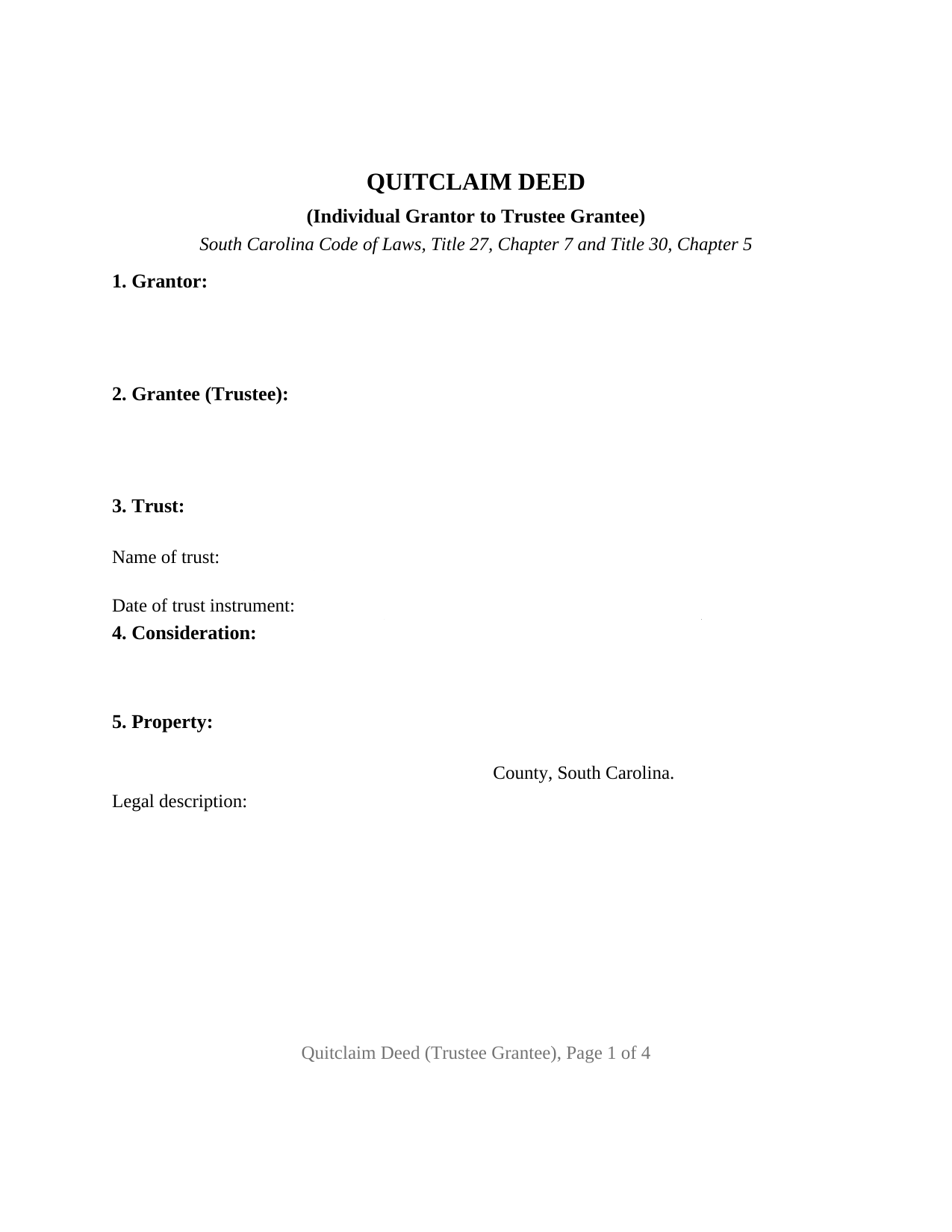
Calhoun County Quitclaim Deed (Trustee Grantee) Form
Fill in the blank Quitclaim Deed (Trustee Grantee) form formatted to comply with all South Carolina recording and content requirements.
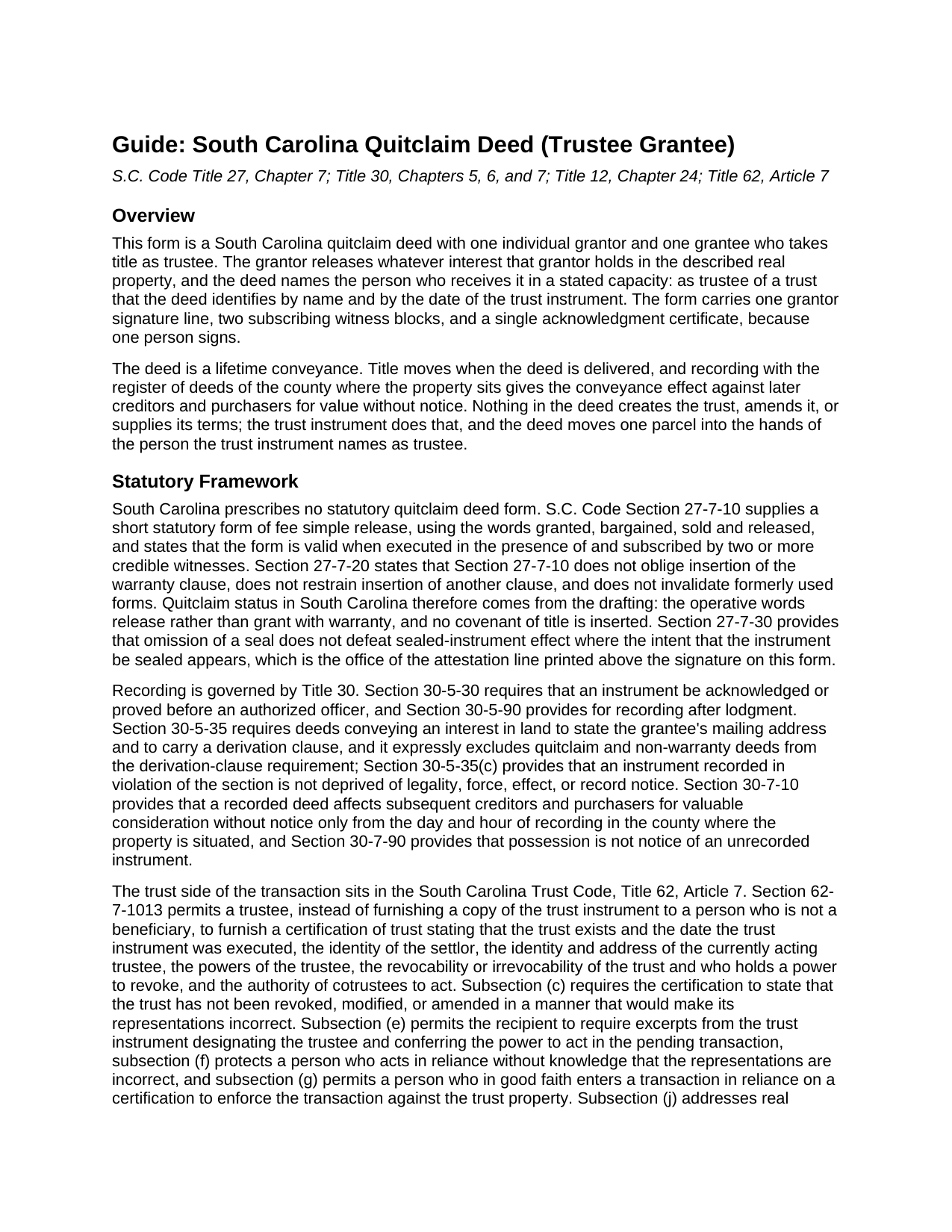
Calhoun County Quitclaim Deed (Trustee Grantee) Guide
Line by line guide explaining every blank on the Quitclaim Deed (Trustee Grantee) form.
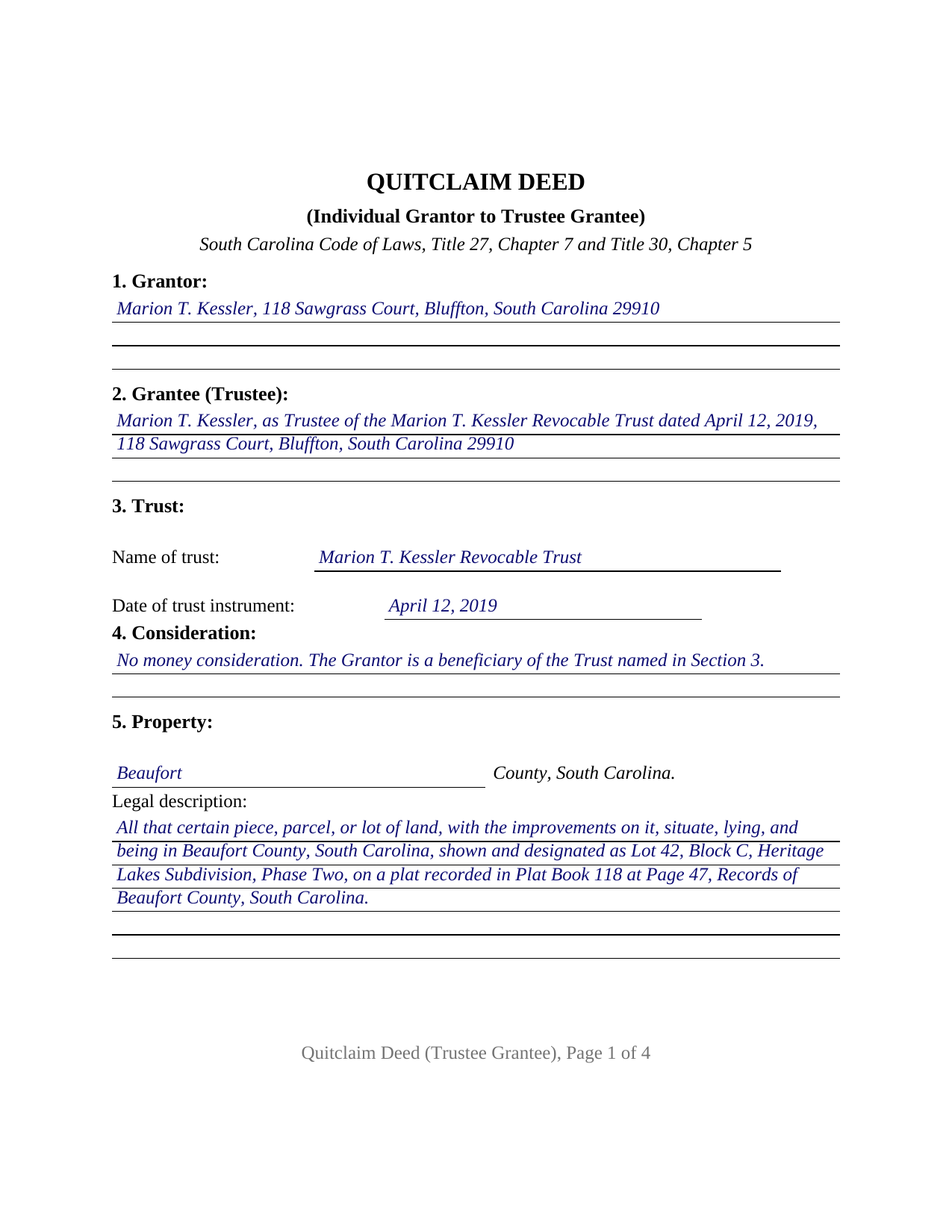
Calhoun County Completed Example of the Quitclaim Deed (Trustee Grantee) Document
Example of a properly completed South Carolina Quitclaim Deed (Trustee Grantee) document for reference.
All 3 documents above included • One-time purchase • No recurring fees
Immediate Download • Secure Checkout
Additional South Carolina and Calhoun County documents included at no extra charge:
Where to Record Your Documents
Calhoun County Clerk of Court
St. Matthews, South Carolina 29135
Hours: 9:00 to 5:00 M-F
Phone: 803-874-3524
Recording Tips for Calhoun County:
- Bring your driver's license or state-issued photo ID
- Ensure all signatures are in blue or black ink
- Make copies of your documents before recording - keep originals safe
- Recorded documents become public record - avoid including SSNs
- Recording fees may differ from what's posted online - verify current rates
Cities and Jurisdictions in Calhoun County
Properties in any of these areas use Calhoun County forms:
- Cameron
- Saint Matthews
Hours, fees, requirements, and more for Calhoun County
How do I get my forms?
Forms are available for immediate download after payment. The Calhoun County forms will be in your account ready to download to your computer. An account is created for you during checkout if you don't have one. Forms are NOT emailed.
Are these forms guaranteed to be recordable in Calhoun County?
Yes. Our form blanks are guaranteed to meet or exceed the applicable formatting requirements used for recording in Calhoun County, including margin requirements, font requirements, and other layout standards. This guarantee applies to formatting, not to the legal sufficiency of information entered by the user or the suitability of a form for a particular transaction.
Can I reuse these forms?
Yes. You can reuse the forms for your personal use. For example, if you have multiple properties in Calhoun County you only need to order once.
What do I need to use these forms?
The forms are PDFs that you fill out on your computer. The free Adobe Acrobat Reader is recommended, and most PDF apps also work. You do NOT enter your property information online - you download the blank forms and complete them privately on your own computer.
Are there any recurring fees?
No. This is a one-time purchase. Nothing to cancel, no memberships, no recurring fees.
How much does it cost to record in Calhoun County?
Recording fees in Calhoun County vary. Contact the recorder's office at 803-874-3524 for current fees.
Questions answered? Let's get started!
The grantee on this South Carolina quitclaim deed takes in a capacity rather than in an individual right. One person is named as trustee, the trust that person serves is identified by name and date, and the interest released comes to rest on terms the deed points to but does not contain. One individual signs as grantor; the trustee signs nothing.
A grantee named in a capacity
Trustee title is one of the ownership forms South Carolina recognizes on the receiving side of a deed. Record title stands in the trustee according to the deed and the trust relationship, and no survivorship among beneficiaries arises merely because a trustee holds the paper. The grantee section is built for that entry: trustee name, capacity, and the mailing address Section 30-5-35 of the South Carolina Code requires on a deed conveying land, with a short separate section for the trust's name and the date of its instrument. Those same two trust facts open a certification of trust under Section 62-7-1013, which subsection (j) has executed and acknowledged for recording where the land lies, as a separate document not part of this package.
Deed stamps stop following the recital
South Carolina charges a deed recording fee, the charge counties call deed stamps, measured against the realty's value. On a transfer into a trust the measure changes: Section 12-24-30 provides that where realty is transferred to a trust, value means fair market value, less any lien that existed before the transfer and remains after it, so a nominal recital does not set the figure. The exemption that reaches a funding transfer sits instead in Section 12-24-40(8), for a deed transferring realty to a trust as a trust beneficiary, or so as to become one, where nothing is paid beyond beneficiary interest in the trust or the increase in value of the grantor's interest. The affidavit of value Section 12-24-70 calls for then carries the exemption reason in place of an amount, as a separate recorded document not included here.
Reappraisal and the four percent ratio
Section 12-37-3150 counts a conveyance to a trust among the events that make a parcel an assessable transfer of interest, then lifts two of them: a conveyance by the settlor or the settlor's spouse, or both, where the sole present beneficiaries are the settlor or that spouse, and a conveyance of property already carrying the special four percent ratio where the sole present beneficiaries are the settlor's children. Section 12-43-220(c)(1) keeps the four percent legal residence ratio available for trust-held residential property when the income beneficiary occupies the home and the trustee certifies the occupancy to the assessor.
The trustee grantee configuration
One grantor releases, so the form carries one signature line with a printed name and date, two subscribing witness blocks answering the two witness practice South Carolina statutes and county registers of deeds describe, and a single acknowledgment certificate. Above the signature sits the traditional attestation line, SIGNED, SEALED AND DELIVERED in the presence of, the clause Section 27-7-30 reads for sealed instrument effect. A sole owner moving a parcel from that owner's individual name to the trustee of a living trust, and an owner releasing a remaining fractional interest to the trustee who already holds the rest of the same parcel, present the pattern this deed recites. The form recites exactly one individual grantor and one grantee taking as trustee; a release by two record owners, a release running to a grantee who takes individually, and a trustee conveying property back out of a trust each follow a different signing pattern than the one printed here.
What the record asks for
A quit claim deed, also called a non-warranty deed, promises nothing about title, and Section 30-5-35 leaves such deeds outside its derivation clause, so the prior instrument entry stays optional. County intake still wants the legal description and the parcel's tax map number, each with its own section, and recording any deed costs fifteen dollars under Section 8-21-310. From the day and hour of recording, Section 30-7-10 measures the deed against later creditors and purchasers for value without notice.
Three files come with the purchase: the trustee grantee quitclaim deed as a blank fillable PDF, a completed example worked through on a Beaufort County fact pattern, and a plain language guide that takes the eleven sections in order and treats the trust entries, the signing, the fee and exemption arithmetic, and recording. Nothing here is legal advice; it describes South Carolina law in general terms.
Important: Your property must be located in Calhoun County to use these forms. Documents should be recorded at the county recording office listed above.
This Quitclaim Deed (Trustee Grantee) meets all recording requirements specific to Calhoun County.
Our Promise
The documents you receive here are guaranteed to meet or exceed the applicable Calhoun County recording format requirements. If there is a rejection caused by our formatting, we will correct the issue or refund your payment. This guarantee applies to document formatting only and does not extend to information entered by the user, the selection of the form, or the legal effect of the completed document.
Save Time and Money
Get your Calhoun County Quitclaim Deed (Trustee Grantee) form done right the first time with Deeds.com Uniform Conveyancing Blanks. At Deeds.com, we understand that your time and money are valuable resources, and we don't want you to face a penalty fee or rejection imposed by a county recorder for submitting nonstandard documents. We constantly review and update our forms to meet rapidly changing state and county recording requirements for roughly 3,500 counties and local jurisdictions.
4.8 out of 5 - ( 4,828 Reviews )
Derrell S. 5 out of 5 stars
I like the simplicity of your site and the reasonable charge for your services but for some reason you were unable to fulfill my order. Would appreciate knowing why. Derrell Sweem
Thank you for your feedback. We really appreciate it. Have a great day!
Beverly D. 5 out of 5 stars
Deeds.com was a great experience in helping me get some important documents recorded.I would recommend them to anyone wanting documents recorded in a timely manner.
We appreciate your business and value your feedback. Thank you. Have a wonderful day!
Robert O. 5 out of 5 stars
A very easy site to use and got the documents that I needed without any problems. Would highly recommend this site.
Thank you Robert, Have a great day!
Pat G. 5 out of 5 stars
Found correct form right away, easy to download and print. Thank you!
Thank you!
Feng T. 5 out of 5 stars
Professional product, with clear instructions that gave me high confidence in the accuracy my document. The sample form was super useful. I highly recommend and will reuse Deed.com
Thank you for your feedback. We really appreciate it. Have a great day!
Cody M. 5 out of 5 stars
They respond fast, the process is simple, and it's obviously convenient. I'm not sure what else there is to say, other than it's I would say a reasonable fee to pay them to do it.
Thank you for your positive words! We’re thrilled to hear about your experience.
Robert D. 5 out of 5 stars
These forms made it so easy to update the property deed and the instructions and sample filled out form were most helpful. You might want to add some brief information on when or why to use the Acknowledgment in Individual Capacity notary form. In my case the notary was required to use it but also filled in the brief notarize section on the Affidavit as well. She said the one on the Affidavit had some value because it showed she had witnessed the my signature. But this was only after I suggested both be filled in as she initially thought to just strike through it and just use the Acknowledgment in Individual Capacity form.
Thank you for your feedback. We really appreciate it. Have a great day!
Mary G. 5 out of 5 stars
Deeds.com was a fast and easy site to use the staff answered my questions online efficiently
Thank you!
Hilda R. 5 out of 5 stars
It very convenient and fast. Thank you Hilda Reyes
Thanks so much Hilda, have a great day!
Roger M. 5 out of 5 stars
EASY. WORKED WITH PROBLEMS.
Thank you!
Heidi J. 3 out of 5 stars
The form was useful, however the formatting is terrible once completed. A lot of white space with no option to remove extra spacing or to improve the overall formatting.
Thank you for your feedback, Heidi. We’re glad to hear the form itself was useful. We also understand your concern about the formatting and extra spacing once completed. Our forms are designed to meet strict county recording requirements, which can sometimes result in additional white space. That said, we’re always working to improve usability and presentation without compromising acceptance. Your input helps us identify where refinements are possible, and we’ll keep it in mind as we continue updating our templates.
Gary G. 5 out of 5 stars
My first time dealing with this company and fully satisfied with the product and service.
Thanks, Gary. We really appreciate you giving us a shot. Glad to hear the product and service delivered for you, and we’re happy to have earned your trust.
Diane G. 3 out of 5 stars
easy to use
Thank you!
Jennifer H. 5 out of 5 stars
Deeds.com is amazing. It made finding out how to file legal documents worry free and easily understood. Thank You
Thank you for your feedback. We really appreciate it. Have a great day!
Michael M. 5 out of 5 stars
Amazing time saver, fantastic resource if you have an idea of what you are looking for and you can read. No one is going to hold your hand so be prepared to do the research yourself... it is DIY after all.
Thanks for the kind words Michael. Have a wonderful day.