Calhoun County Warranty Deed (Two Grantors) Form
Last validated October 9, 2026 by our Forms Development TeamFormatted for recording in Calhoun County, for property anywhere in the county: rural and unincorporated areas as well as Cameron, Saint Matthews.
- 3 documents included
- Immediate PDF download
- Formatting guarantee
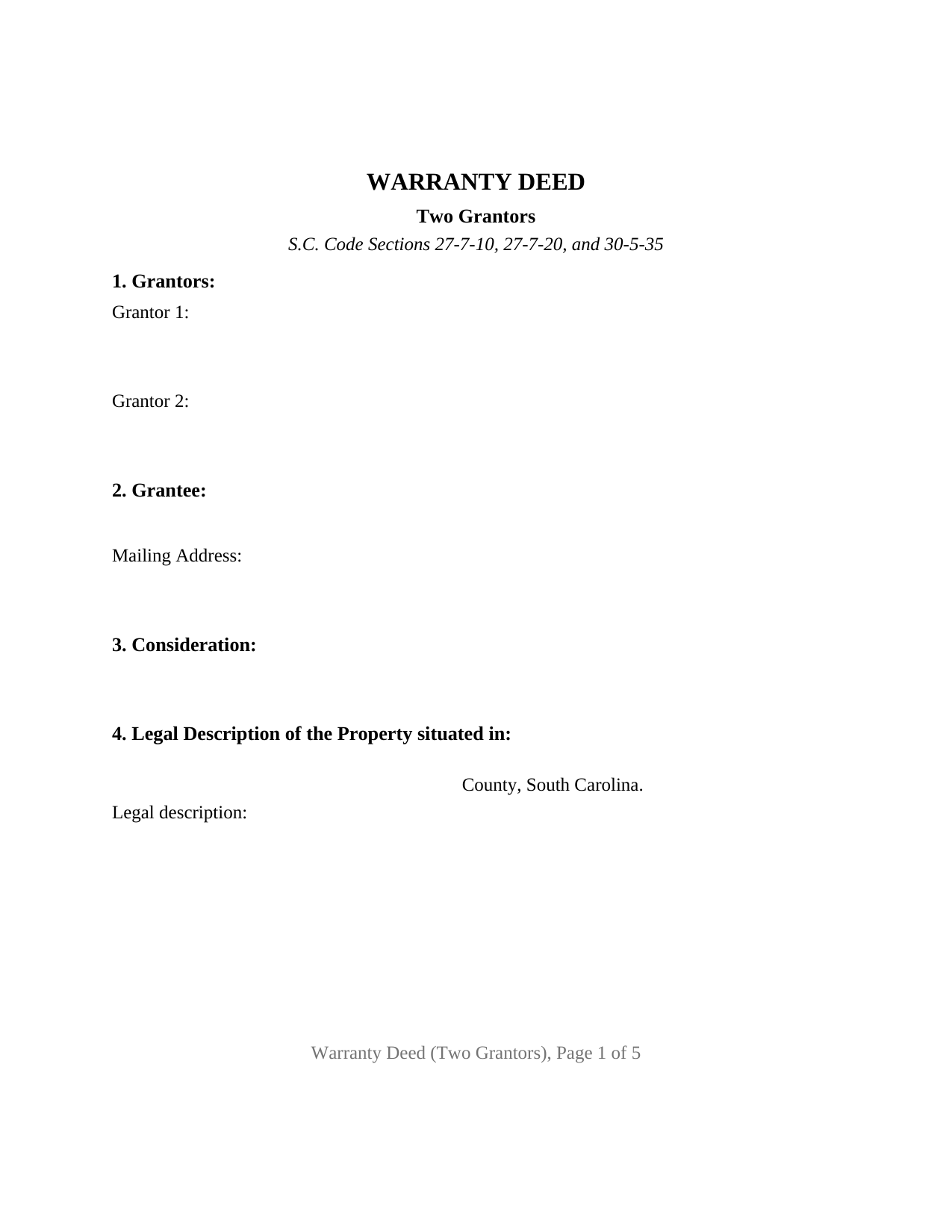
Calhoun County Warranty Deed (Two Grantors) Form
Fill in the blank Warranty Deed (Two Grantors) form formatted to comply with all South Carolina recording and content requirements.
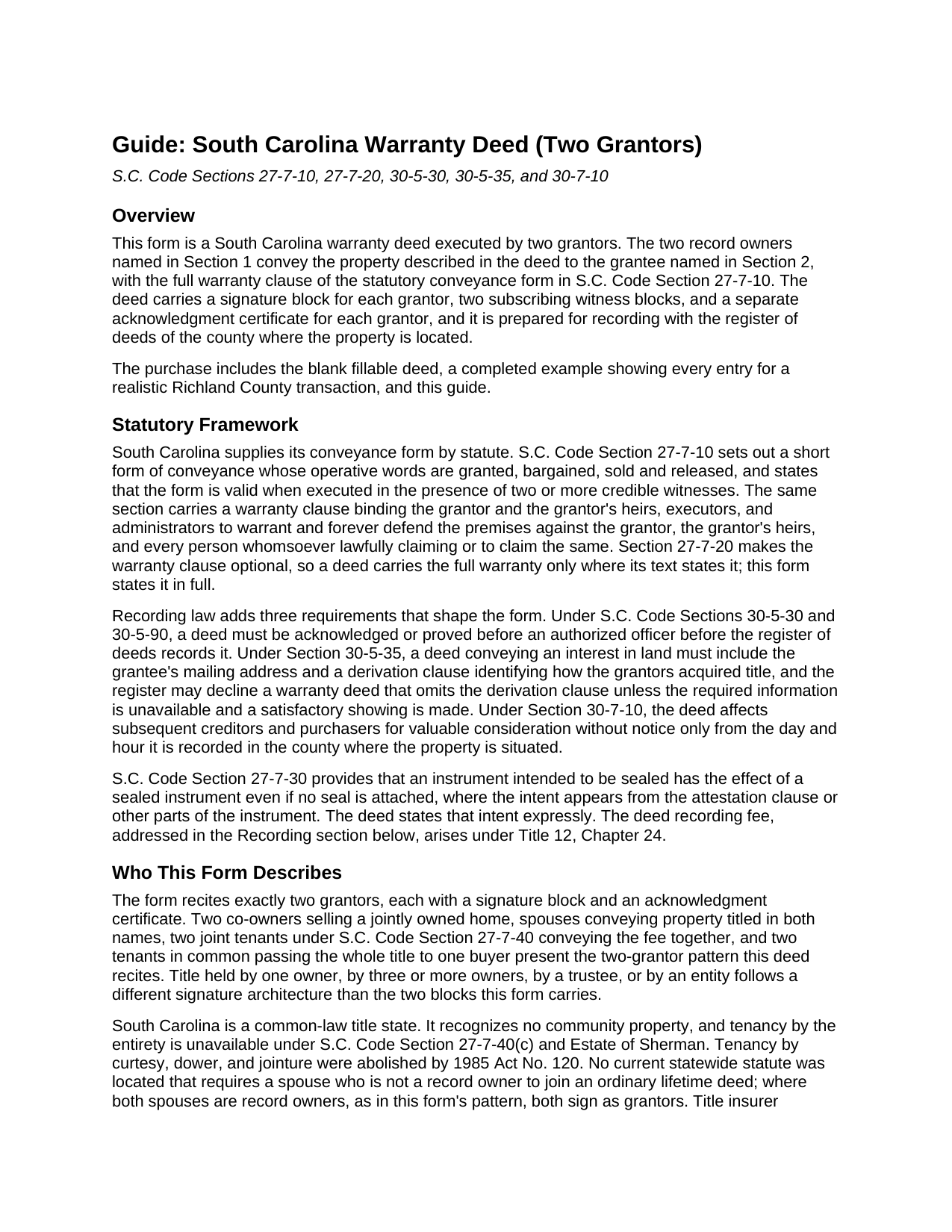
Calhoun County Warranty Deed (Two Grantors) Guide
Line by line guide explaining every blank on the Warranty Deed (Two Grantors) form.
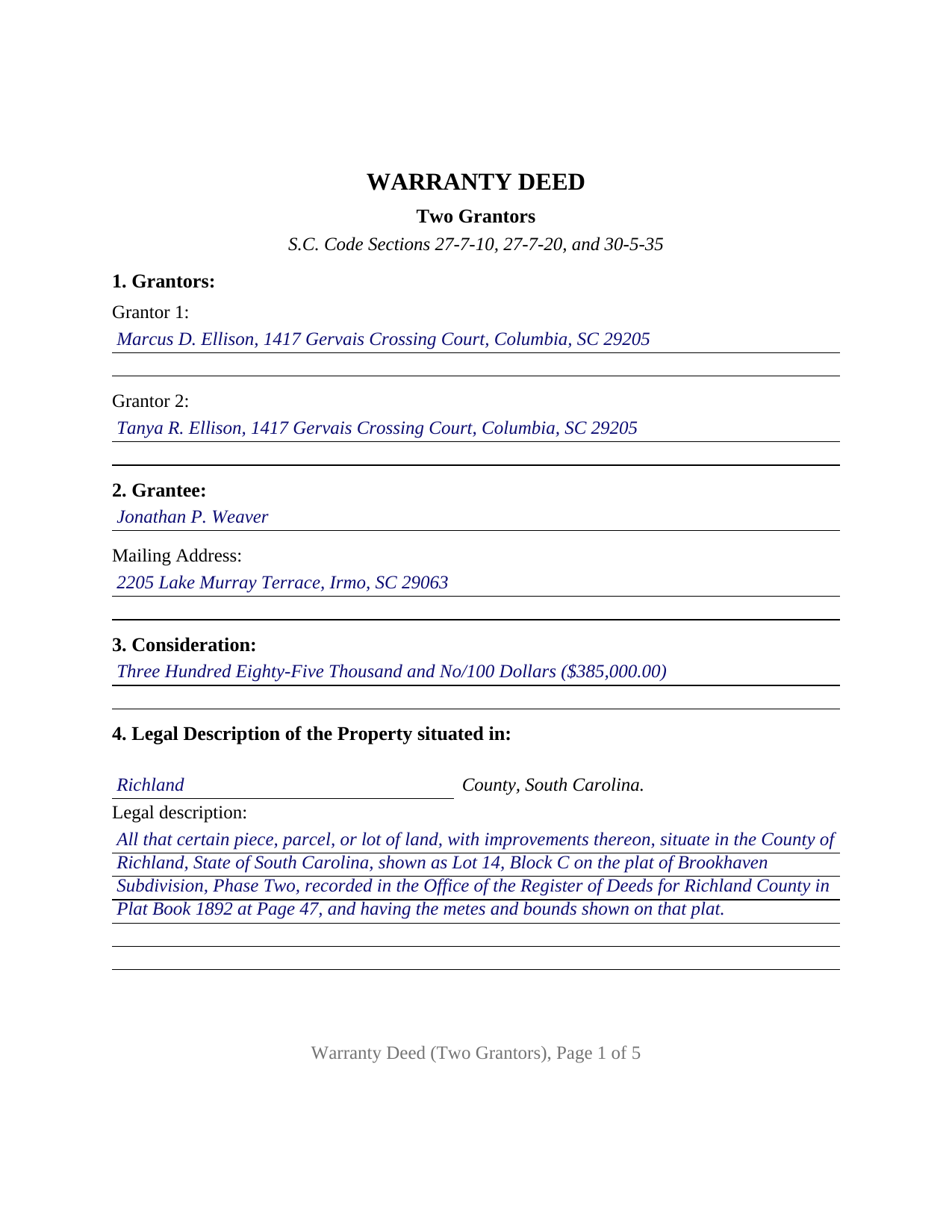
Calhoun County Completed Example of the Warranty Deed (Two Grantors) Document
Example of a properly completed South Carolina Warranty Deed (Two Grantors) document for reference.
All 3 documents above included • One-time purchase • No recurring fees
Immediate Download • Secure Checkout
Additional South Carolina and Calhoun County documents included at no extra charge:
Where to Record Your Documents
Calhoun County Clerk of Court
St. Matthews, South Carolina 29135
Hours: 9:00 to 5:00 M-F
Phone: 803-874-3524
Recording Tips for Calhoun County:
- Bring your driver's license or state-issued photo ID
- Ensure all signatures are in blue or black ink
- Check that your notary's commission hasn't expired
- Documents must be on 8.5 x 11 inch white paper
- Double-check legal descriptions match your existing deed
Cities and Jurisdictions in Calhoun County
Properties in any of these areas use Calhoun County forms:
- Cameron
- Saint Matthews
Hours, fees, requirements, and more for Calhoun County
How do I get my forms?
Forms are available for immediate download after payment. The Calhoun County forms will be in your account ready to download to your computer. An account is created for you during checkout if you don't have one. Forms are NOT emailed.
Are these forms guaranteed to be recordable in Calhoun County?
Yes. Our form blanks are guaranteed to meet or exceed the applicable formatting requirements used for recording in Calhoun County, including margin requirements, font requirements, and other layout standards. This guarantee applies to formatting, not to the legal sufficiency of information entered by the user or the suitability of a form for a particular transaction.
Can I reuse these forms?
Yes. You can reuse the forms for your personal use. For example, if you have multiple properties in Calhoun County you only need to order once.
What do I need to use these forms?
The forms are PDFs that you fill out on your computer. The free Adobe Acrobat Reader is recommended, and most PDF apps also work. You do NOT enter your property information online - you download the blank forms and complete them privately on your own computer.
Are there any recurring fees?
No. This is a one-time purchase. Nothing to cancel, no memberships, no recurring fees.
How much does it cost to record in Calhoun County?
Recording fees in Calhoun County vary. Contact the recorder's office at 803-874-3524 for current fees.
Questions answered? Let's get started!
Two record owners, two signature blocks, and an acknowledgment certificate for each: this fillable South Carolina Warranty Deed is configured for exactly two grantors who join in a single conveyance and warrant the title together under the statutory form of S.C. Code Section 27-7-10. Spouses selling a home titled in both names, two joint tenants closing out a survivorship title in a sale, and two tenants in common passing the whole parcel to a single buyer present the two-grantor pattern this deed recites.
Built around a pair of signers
The form's architecture follows its signature count from the first section to the last. Section 1 carries a labeled entry for each grantor with name and mailing address; the execution section carries a signature block for each grantor over a printed name and date; and the notary pages carry a separate acknowledgment certificate for each grantor, so the certificate count matches the signer count. Two subscribing witness blocks round out the South Carolina pattern, since the statutory conveyance form is executed in the presence of two credible witnesses and recording law requires the deed to be acknowledged or proved before the register of deeds accepts it. The completed example shows both grantors signing at one ceremony before the same two witnesses and one notary. The form recites exactly two record owners; title standing in a single name, in three or more names, or in a trustee or company follows a different signature architecture than the paired blocks here.
Joint and several covenants
The operative section performs the conveyance in the wording of South Carolina Code Section 27-7-10, the granted, bargained, sold and released form, and carries the statutory warranty clause in full, binding the grantors and their heirs, executors, and administrators to warrant and forever defend the property against every person whomsoever lawfully claiming it. Two sentences do work specific to this configuration: the deed states that each grantor conveys that grantor's entire right, title, and interest, and that the covenants are the joint and several undertakings of both grantors, so the warranty runs against both signers together rather than against each for half. The deed also declares the parties' intent that it operate as a sealed instrument, the intent Section 27-7-30 gives effect even where no physical seal is attached.
Content the register of deeds checks
South Carolina puts unusual content requirements on a warranty deed, and the form gives each its own home. A numbered section holds the derivation of title under Section 30-5-35, the entry naming the prior deed's grantor and recording date, or the decedent and probate court where the two owners inherited; the same statute makes the grantee's mailing address required deed content, so the grantee section pairs the name with an address entry. A tax map number blank accompanies the legal description because the large county recording offices list the TMS number among their deed requirements. Page geometry follows the strictest published county intake rules in the state's largest counties: the first page holds its top 1.5 inches open, and every page holds its bottom 1.5 inches open, for recording stamps.
Deed stamps on a two-owner sale
At recording, the county collects the statewide $15 recording charge and the deed recording fee, the charge county schedules call deed stamps, at $1.85 for each $500 of the property's value under Section 12-24-10. The grantors are primarily liable for the fee under Section 12-24-20, a point with practical weight when two sellers split closing costs, and a responsible person connected with the transaction signs the affidavit of value under Section 12-24-70. The guide runs the arithmetic on the example's $385,000 sale, a fee of $1,424.50, and lists the statutory exemptions, including transfers between spouses under federal Section 1041. Once recorded, the deed takes priority from the day and hour of recording under Section 30-7-10.
Inside the download
The package contains the blank two-grantor warranty deed as a fillable PDF, a completed example filled out for a realistic Richland County sale by two owners, and a plain language guide that walks through each section, the witness and notary pattern for two signers, and the recording and fee steps. The materials are informational and are not legal advice; a South Carolina attorney can apply the law to a specific transaction.
Important: Your property must be located in Calhoun County to use these forms. Documents should be recorded at the county recording office listed above.
This Warranty Deed (Two Grantors) meets all recording requirements specific to Calhoun County.
Our Promise
The documents you receive here are guaranteed to meet or exceed the applicable Calhoun County recording format requirements. If there is a rejection caused by our formatting, we will correct the issue or refund your payment. This guarantee applies to document formatting only and does not extend to information entered by the user, the selection of the form, or the legal effect of the completed document.
Save Time and Money
Get your Calhoun County Warranty Deed (Two Grantors) form done right the first time with Deeds.com Uniform Conveyancing Blanks. At Deeds.com, we understand that your time and money are valuable resources, and we don't want you to face a penalty fee or rejection imposed by a county recorder for submitting nonstandard documents. We constantly review and update our forms to meet rapidly changing state and county recording requirements for roughly 3,500 counties and local jurisdictions.
4.8 out of 5 - ( 4,828 Reviews )
Roderick S. 2 out of 5 stars
It all started out well, then I was abruptly told that I would have to submit the documents directly to the recording office. No explanation was offered and I wasted a lot of time on your website for nothing. Very disappointing, as the concept of e-recording is what is needed in 2026.
We reviewed your order and our support messages. The document uploaded for recording was a very low-quality scan that did not meet the county’s eRecording image requirements. Our staff asked that a clearer scan be uploaded, but the same image was submitted again.
Because the document could not be processed electronically, we advised recording it directly with the county recorder’s office.
E-recording systems require clear, legible document images that meet county standards. When those requirements cannot be met, recording directly with the recorder is often the fastest option.
Debby R. 5 out of 5 stars
Very easy to use
Thank you!
Kevin C. 2 out of 5 stars
I like your service, but the error message I received yesterday was confusing. It said that Utah County does not record cover pages, so I should either remove the cover page or change the “order“ of the documents being submitted. This is ambiguous. I examined my package and it looked like the cover page was already being submitted separately, as a supporting document at the end, and there was no way to explicitly change the ordering of the submitted documents, that is up to your service. So I removed the cover page. But that makes me nervous, how will they know where to route it when it is done? So now I’m not sure if it was submitted correctly.
Thank you for the review, Kevin, and for laying out exactly what you saw.
The message you received ("Utah County does not accept cover pages for recording. Please remove or reorder to the back. Thank you.") came directly from the Utah County Recorder. We pass recorder rejection notes along as written, and we agree it was ambiguous. Rejection notes from recording offices often are, since they are written for people who file in that county every day.
Supporting documents always travel behind the main document they belong to, so there was nothing for you to reorder, and by your description the cover page was already at the back. With the cover page removed, the package matched what the recorder's note asked for.
On routing: nothing is mailed back with e-recording. The recorder records the document image, adds the recording information, and returns the recorded copy electronically through the e-recording system to us. It then appears on your package in your account and you get a message from us. A cover page plays no part in that, so leaving it out did not affect where your document goes.
Janet R. 5 out of 5 stars
The site was easy to navigate...all the information needed to fill in the forms was included, which was very helpful and a pleasant surprise...form completed in short order...made taking care of business quick and easy...Thanks for the thoughtful and excellent help, I will share the link with others and I will use the site again...Thanks
We appreciate your business and value your feedback. Thank you. Have a wonderful day!
Diane S. 5 out of 5 stars
Money well spent. I used the example and filled out with no problem.
We appreciate your business and value your feedback. Thank you. Have a wonderful day!
WAYNE C. 5 out of 5 stars
Wonderful forms, been coming here for years (since 2012) for my deed forms and they have never failed.
We appreciate your business and value your feedback. Thank you. Have a wonderful day!
Phillip S. 4 out of 5 stars
I used the Oklahoma Gift Deed transferring property intra-family, and found it easy to complete. I could not find an Oklahoma Affidavit for the new law re citizenship verification, 60 O.S. Sec 121 and found it at another site that was not a fill in online. Oh well. Site was easy to navigate.
We are motivated by your feedback to continue delivering excellence. Thank you!
Robert M. 1 out of 5 stars
Ultimately, it directed me to the wrong form. Not very helpful. I had to turn to a title company to get my issue addressed.
Our website makes documents available to you. It does not direct you as to which one to use. We are glad that you sought the assistance it sounds like you needed. Have a wonderful day
Barbara S. 5 out of 5 stars
I had an issue due to the fact that I had many beneficiaries. I was and still am not sure how to handle this. We do have Adobe Pro and can modify the form, if needed. But I would like to talk to your organization for more information.
While we are unable to assist you specifically with completing the document we can note that this is addressed in the guide. Information that does not fit in the available space should be included in an exhibit page.
Ben C. 5 out of 5 stars
Easy and Quick,Thanks
Thank you for your feedback. We really appreciate it. Have a great day!
Kerrin S. 5 out of 5 stars
Wow, this was so easy & helpful. I didn't get it finished in time for recording, so I'm still waiting on that part, but the rest was simple and straight-forward. Thanks!
Thank you!
Daniel W. 5 out of 5 stars
They are amazing. So fast and friendly.
We appreciate your business and value your feedback. Thank you. Have a wonderful day!
DEBBY G. 5 out of 5 stars
I was so confused on how to complete the form. But I followed the instructions and used the example and got it done.
Thank you for your feedback. We really appreciate it. Have a great day!
Dianne C. 5 out of 5 stars
Love it
Thank you!
Alex Q. 5 out of 5 stars
The best people to work with! Thank you for all you do. We send documents from all states to Deeds.com to record for us. They are professional, keep us updated and always notify us if there is an issue with one of our documents prior to sending to recording and that saves us money and time! Thank you!!
Thanks for the kind words Alex. We appreciate you!