Sully County Quitclaim Deed (Divorce) Form
Last validated October 23, 2026 by our Forms Development TeamFormatted for recording in Sully County, for property anywhere in the county: rural and unincorporated areas as well as Agar, Onida.
- 3 documents included
- Immediate PDF download
- Formatting guarantee
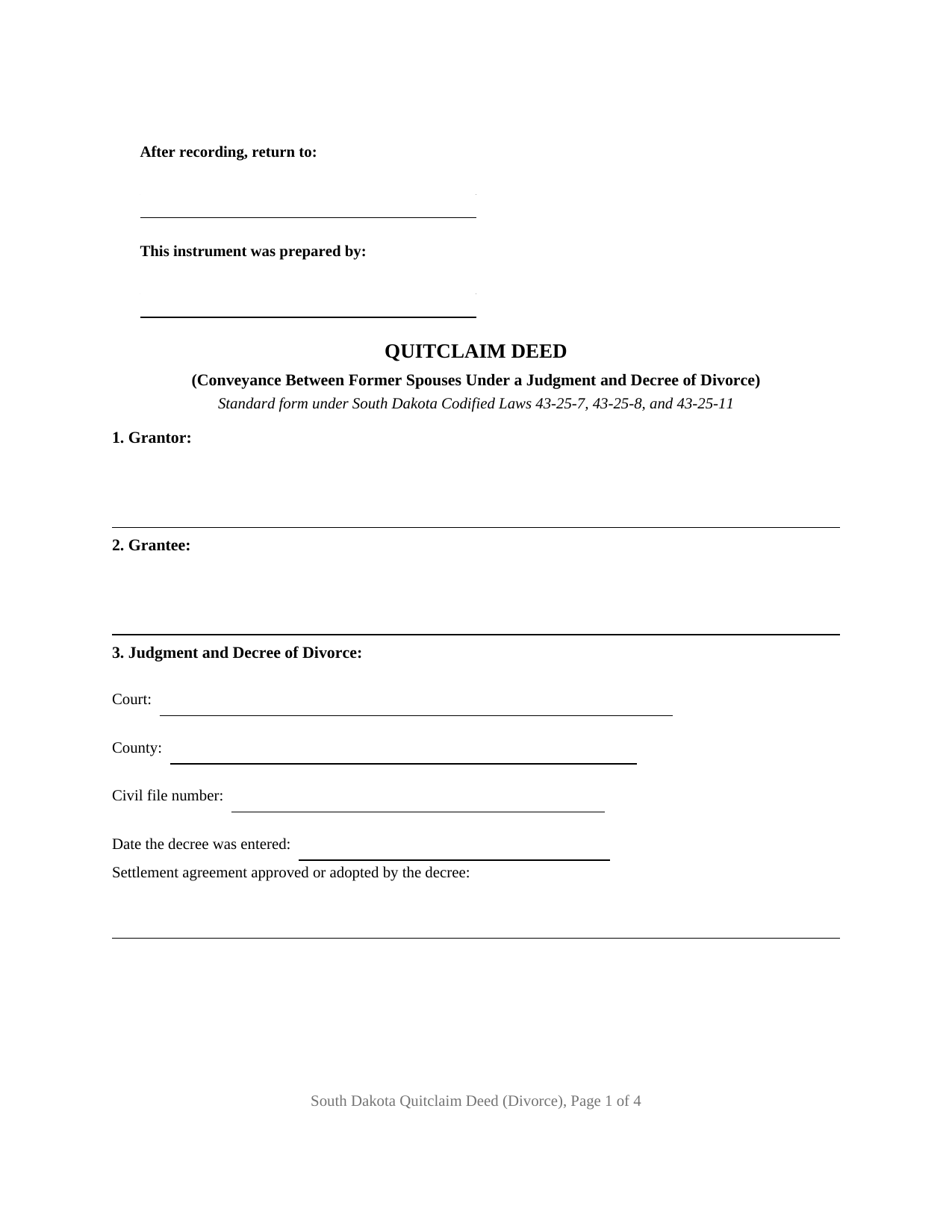
Sully County Quitclaim Deed (Divorce) Form
Fill in the blank Quitclaim Deed (Divorce) form formatted to comply with all South Dakota recording and content requirements.
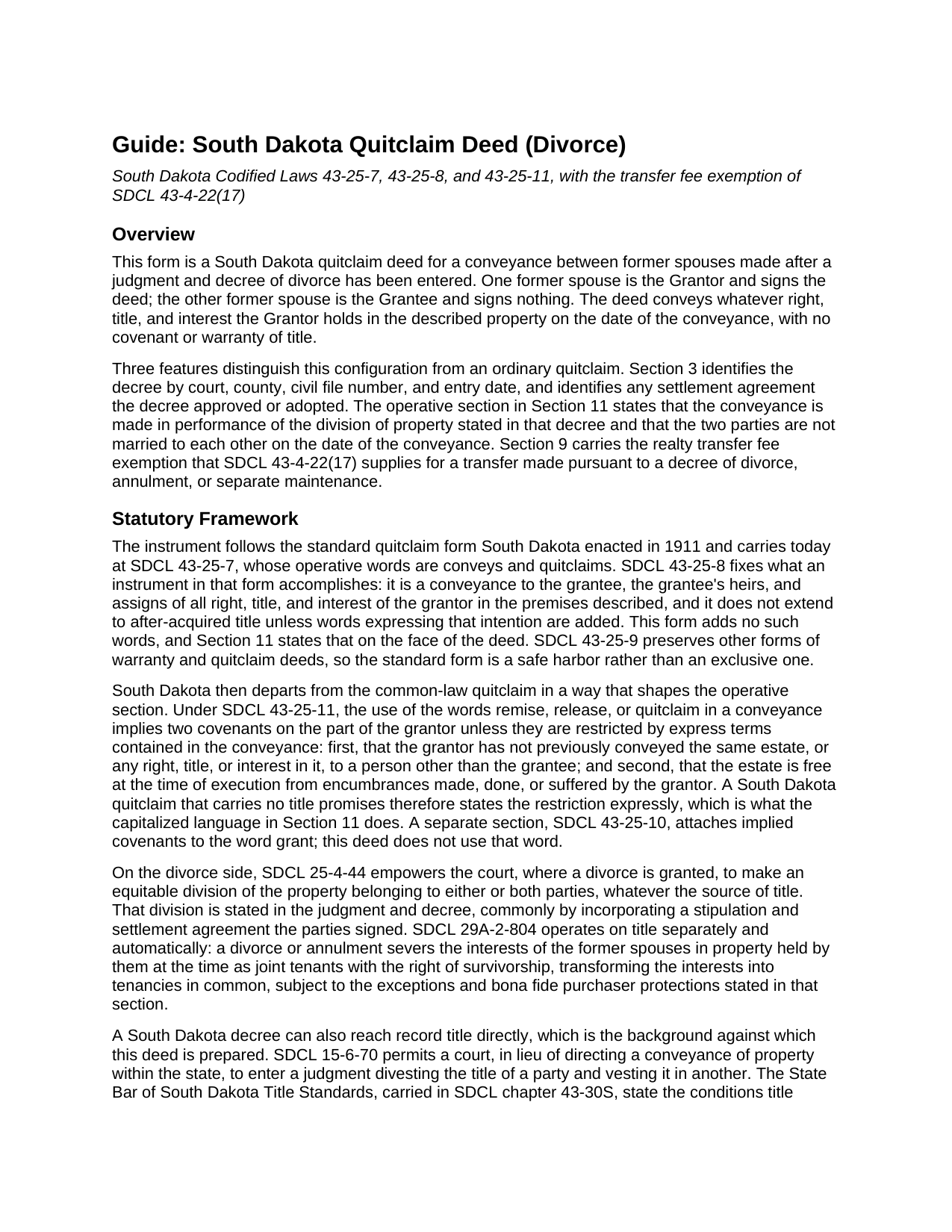
Sully County Quitclaim Deed (Divorce) Guide
Line by line guide explaining every blank on the Quitclaim Deed (Divorce) form.
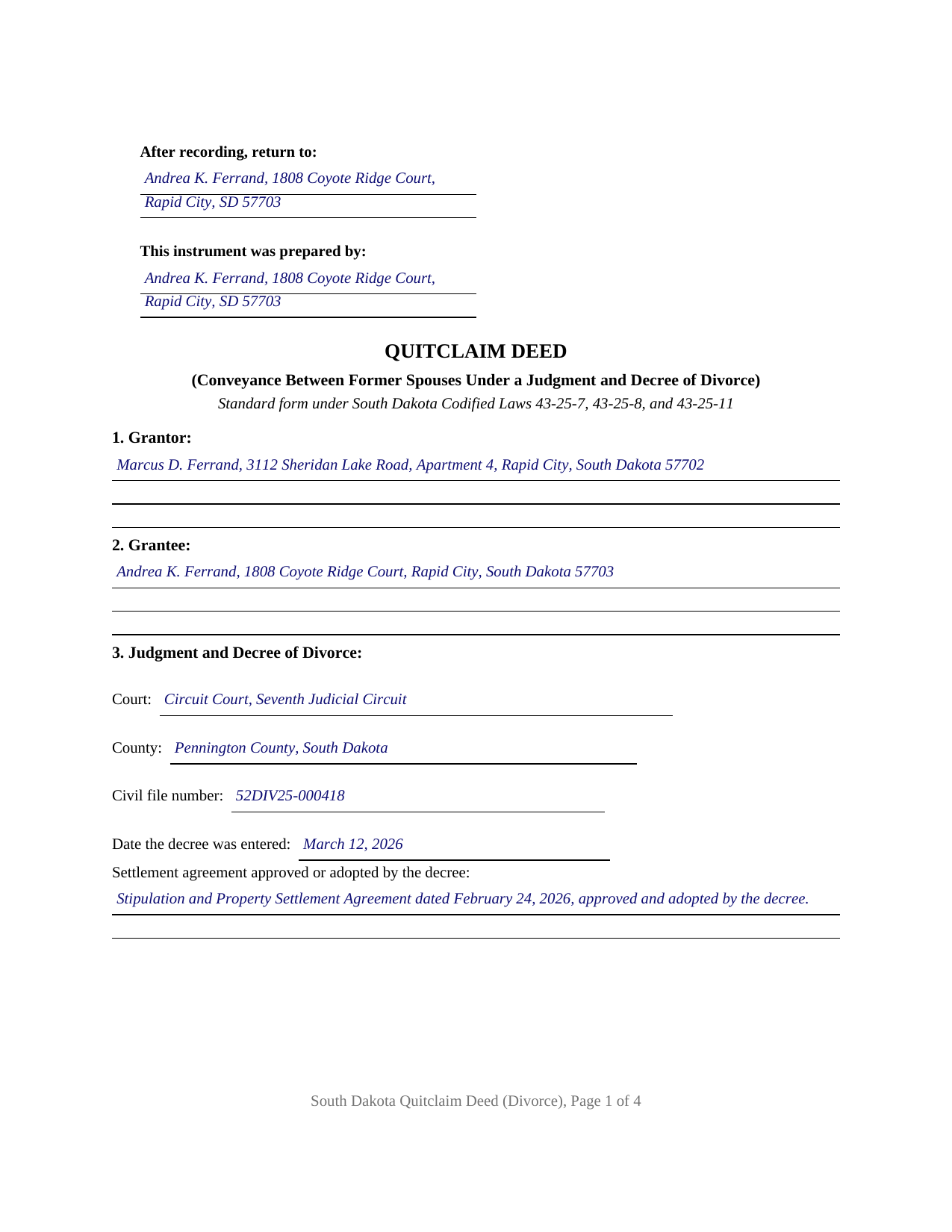
Sully County Completed Example of the Quitclaim Deed (Divorce) Document
Example of a properly completed South Dakota Quitclaim Deed (Divorce) document for reference.
All 3 documents above included • One-time purchase • No recurring fees
Immediate Download • Secure Checkout
Additional South Dakota and Sully County documents included at no extra charge:
Where to Record Your Documents
Sully County Register of Deeds
Onida, South Dakota 57564
Hours: 8:00 to 12:00 & 1:00 to 5:00 M-F
Phone: (605) 258-2331
Recording Tips for Sully County:
- Bring your driver's license or state-issued photo ID
- Ensure all signatures are in blue or black ink
- Recorded documents become public record - avoid including SSNs
- Recording fees may differ from what's posted online - verify current rates
- Request a receipt showing your recording numbers
Cities and Jurisdictions in Sully County
Properties in any of these areas use Sully County forms:
- Agar
- Onida
Hours, fees, requirements, and more for Sully County
How do I get my forms?
Forms are available for immediate download after payment. The Sully County forms will be in your account ready to download to your computer. An account is created for you during checkout if you don't have one. Forms are NOT emailed.
Are these forms guaranteed to be recordable in Sully County?
Yes. Our form blanks are guaranteed to meet or exceed the applicable formatting requirements used for recording in Sully County, including margin requirements, font requirements, and other layout standards. This guarantee applies to formatting, not to the legal sufficiency of information entered by the user or the suitability of a form for a particular transaction.
Can I reuse these forms?
Yes. You can reuse the forms for your personal use. For example, if you have multiple properties in Sully County you only need to order once.
What do I need to use these forms?
The forms are PDFs that you fill out on your computer. The free Adobe Acrobat Reader is recommended, and most PDF apps also work. You do NOT enter your property information online - you download the blank forms and complete them privately on your own computer.
Are there any recurring fees?
No. This is a one-time purchase. Nothing to cancel, no memberships, no recurring fees.
How much does it cost to record in Sully County?
Recording fees in Sully County vary. Contact the recorder's office at (605) 258-2331 for current fees.
Questions answered? Let's get started!
A South Dakota divorce decree can carry title on its own, but only if it says two specific things. Under Standard 12-02 of the State Bar of South Dakota Title Standards, carried in SDCL chapter 43-30S, a divorce judgment is sufficient to vest title where it contains a legal description of the property and a statement by the court that the judgment acts in lieu of a conveyance if the party fails to execute one. A decree carrying neither leaves the transfer to a deed. This fillable quitclaim deed is the appropriate instrument of conveyance that standard points at: one former spouse signs, the decree is named on the face of the instrument, and the division reaches the land records.
The decree sits on the face of the deed
Section 3 identifies the judgment and decree the way a searcher hunts for it: the court, the county, the civil file number, the date of entry, and any stipulation and settlement agreement the decree approved or adopted. Section 11 ties the conveyance to that decree, stating that the deed is made in performance of the division of property the decree states. SDCL 25-4-44 is where the division comes from, letting the court divide property belonging to either or both parties whatever the source of title.
What the divorce already did to the title
Some of the work happens before anyone signs. SDCL 29A-2-804 severs a joint tenancy between spouses when the marriage ends, converting the survivorship interests into a tenancy in common, subject to the exceptions that section carries. A couple who bought a house as joint tenants hold it as tenants in common once the decree is entered. This deed does the remaining work, moving the divested party's undivided interest to the party the decree names, so one name stands in the chain of title where two stood before.
Interest passes, with South Dakota's implied covenants shut off
The operative words come from the standard form of SDCL 43-25-7: conveys and quitclaims. SDCL 43-25-8 measures their reach at the date of the conveyance and leaves later-arriving title behind unless words claiming it are added, which this instrument does not add. Quitclaim words otherwise carry two covenants under SDCL 43-25-11 unless a conveyance restricts them by express terms. Section 11 restricts both in capital letters, so what reaches the receiving former spouse is interest, with no title promises riding along.
One signature, and the reason the homestead statute stays quiet
The form recites one Grantor, one Grantee, one signature block, and one acknowledgment certificate; the Grantee signs nothing. Section 11 recites that the marriage was dissolved by the decree identified in Section 3 and that the two parties are not married to each other on the date of the conveyance. That recital carries weight: SDCL 43-31-17 conditions a homestead conveyance on both spouses concurring and signing, and its predicate is an owner who is married, so the section states no rule for a deed executed after the decree. Patterns appearing in the South Dakota record with this architecture include a decree awarding the marital home to one party while record title stands in both names, and a decree confirming a parcel to the party who brought it into the marriage. A deed prepared before any decree is entered, a conveyance to an outside buyer, and trustee, entity, or agent signers each print a different configuration than this quit claim deed recites.
The line written for divorce in the exemption list
The SDCL 43-4-21 realty transfer fee is collected before recording unless an exemption is claimed, and subdivision (17) of SDCL 43-4-22 is written for this exact transfer: one made pursuant to a decree of divorce, annulment, or separate maintenance, or pursuant to a settlement agreement approved or adopted by such a decree. SDCL 43-4-23 has the claim marked on the instrument, which Section 9 receives. One distinction meets filers at the counter: Department of Revenue guidance lists a divorce decree among the documents needing no certificate of real estate value, but a divorce deed is a deed, and the SDCL 7-9-7 certificate crosses the counter with it carrying the exemption number.
Three files come with the purchase: this divorce quitclaim deed as a blank fillable PDF, a completed example worked through on a Pennington County conveyance following a Rapid City decree, and a plain-language guide to the twelve numbered sections, the signing formalities, and the recording package. The materials are informational and are not legal advice.
Important: Your property must be located in Sully County to use these forms. Documents should be recorded at the county recording office listed above.
This Quitclaim Deed (Divorce) meets all recording requirements specific to Sully County.
Our Promise
The documents you receive here are guaranteed to meet or exceed the applicable Sully County recording format requirements. If there is a rejection caused by our formatting, we will correct the issue or refund your payment. This guarantee applies to document formatting only and does not extend to information entered by the user, the selection of the form, or the legal effect of the completed document.
Save Time and Money
Get your Sully County Quitclaim Deed (Divorce) form done right the first time with Deeds.com Uniform Conveyancing Blanks. At Deeds.com, we understand that your time and money are valuable resources, and we don't want you to face a penalty fee or rejection imposed by a county recorder for submitting nonstandard documents. We constantly review and update our forms to meet rapidly changing state and county recording requirements for roughly 3,500 counties and local jurisdictions.
4.8 out of 5 - ( 4,836 Reviews )
Steve D. 5 out of 5 stars
I requested a property detail report on two houses that I own. The requests were easy to make. After submitting the requests, each report was available for my review within 15 minutes. The reports contained all the information I needed. I am very satisfied with this service.
We appreciate your business and value your feedback. Thank you. Have a wonderful day!
Rhonda E. 5 out of 5 stars
Quick, easy, well-priced, and I have the forms that I need. PDFS download easily and are fillable! Thank you, Deeds.com!
Thank you!
Chanda B. 5 out of 5 stars
So easy to use!
Thank you!
Jill A. 5 out of 5 stars
Finding current forms in one place helps simplify the process. Thank you.
Thank you!
Donna C. 5 out of 5 stars
I was very impressed with the system. Easy to navigate. Took less than 15 minutes to get what I needed.
We appreciate your business and value your feedback. Thank you. Have a wonderful day!
Karen B. 5 out of 5 stars
Completed although having the sample really helped. Now to file.
Thank you for your feedback. We really appreciate it. Have a great day!
Tuesday G. 5 out of 5 stars
This was a great site to use. They responded quickly when needed. And with i 24 hours the deed was filed. Very happy with with site and company! Thank you!
We appreciate your business and value your feedback. Thank you. Have a wonderful day!
Resa J. 5 out of 5 stars
Seamless. Excellent.
Thank you for your feedback Resa. Have a wonderful day!
Charles Z. 5 out of 5 stars
I am very happy with the service and would use again. Super fast, efficient, and very helpful friendly staff. I would recommend and would use again.
Thank you for your feedback. We really appreciate it. Have a great day!
Rosie R. 5 out of 5 stars
LOVE THIS!! I am a REALTORand from time to time I have had to take documents for filing. I'm so glad I invested some time online researching eFiling services. The first few search results that populated required an expensive annual or monthly subscription. Luckily I continued to scroll and found Deeds.com. No annual or monthly subscription required. Just pay per use. I uploaded a ROL late one night and Deed.com had it eFiled the very next morning!!! They keep you updated throughout the process via email notifications which you click on the link provided in the email that directs you to your online portal to view the status and once your documents have been filed you can immediately download the filed of record documents including the receipt from the county in which the documents were filed. SO SIMPLE, CONVENIENT, & QUICK-THANK YOU DEEDS.com!!!
We appreciate your business and value your feedback. Thank you. Have a wonderful day!
Ann W. 5 out of 5 stars
GREAT forms, easy to use and most importantly... compliant. Worth it and then some!
Thank you!
Steven b. 5 out of 5 stars
We used this document in 2018 and it was acceptable to Jackson County Missouri. It worked and is valid. Very happy with the product.
Thanks for the kind words, glad to see you back again. Have a great day!
Katherine D. 5 out of 5 stars
Once I found your site it was very easy to understand, order and copy the forms. It is very helpful that you included an example of a completed form. Thank you. This form helps hundreds of seniors avoid lawyers, probate and the fear of losing their homes.
We appreciate your business and value your feedback. Thank you. Have a wonderful day!
KELLY S. 5 out of 5 stars
very happy. I will use you for all my needed documents thanks for being here
We appreciate your business and value your feedback. Thank you. Have a wonderful day!
Byron G. 5 out of 5 stars
So easy to use. Would recommend.
Thank you for your feedback. We really appreciate it. Have a great day!