Sully County Quitclaim Deed (Trustee Grantee) Form
Last validated October 7, 2026 by our Forms Development TeamFormatted for recording in Sully County, for property anywhere in the county: rural and unincorporated areas as well as Agar, Onida.
- 3 documents included
- Immediate PDF download
- Formatting guarantee
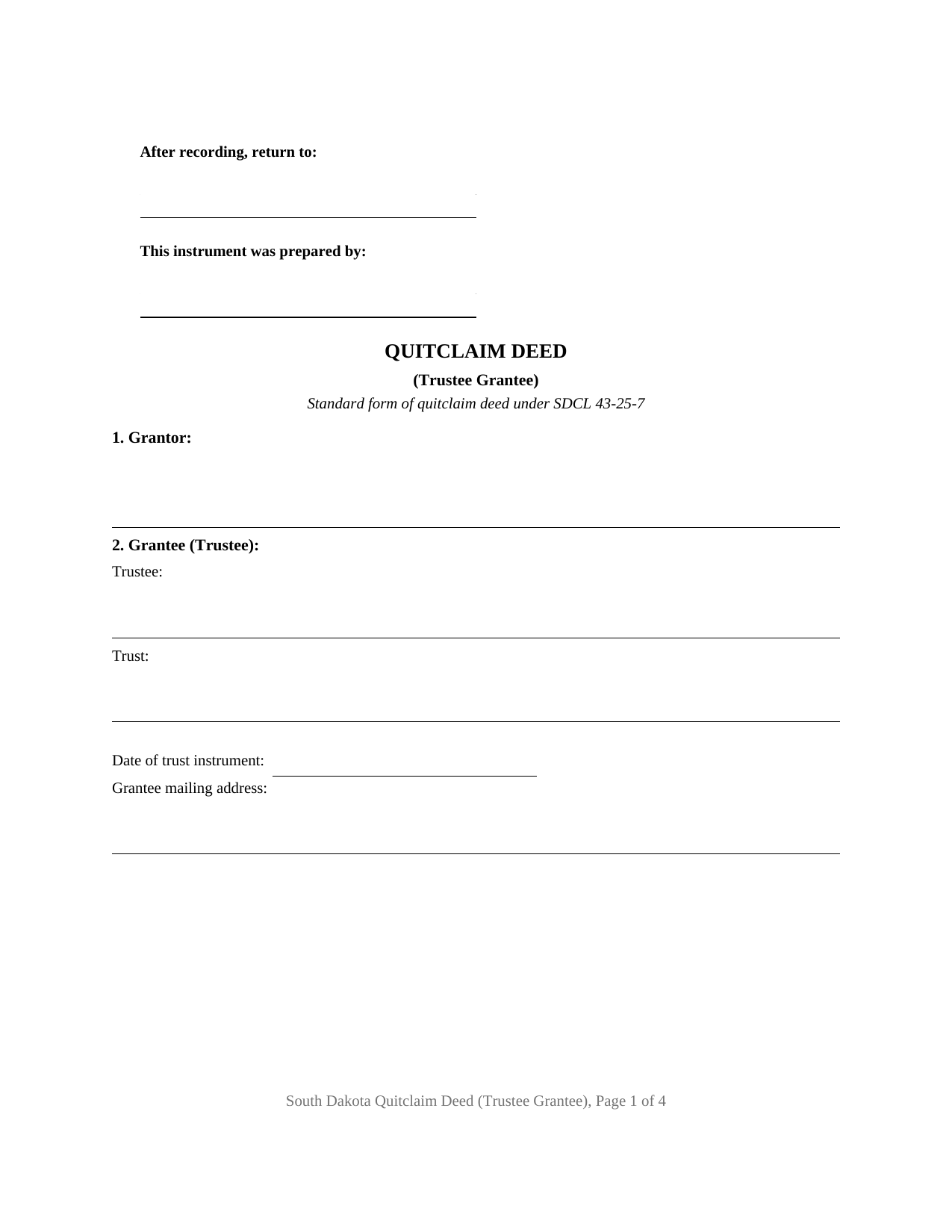
Sully County Quitclaim Deed (Trustee Grantee) Form
Fill in the blank Quitclaim Deed (Trustee Grantee) form formatted to comply with all South Dakota recording and content requirements.
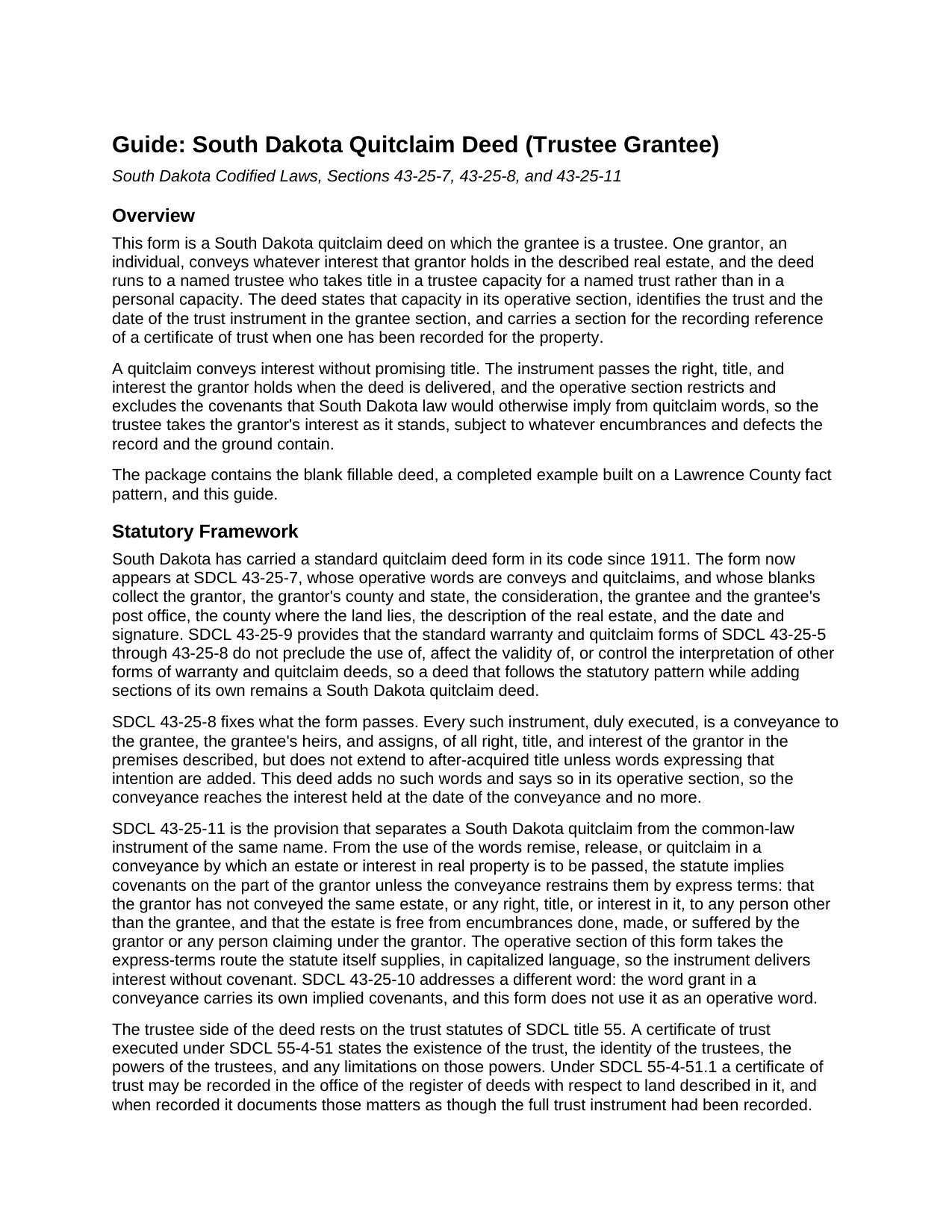
Sully County Quitclaim Deed (Trustee Grantee) Guide
Line by line guide explaining every blank on the Quitclaim Deed (Trustee Grantee) form.
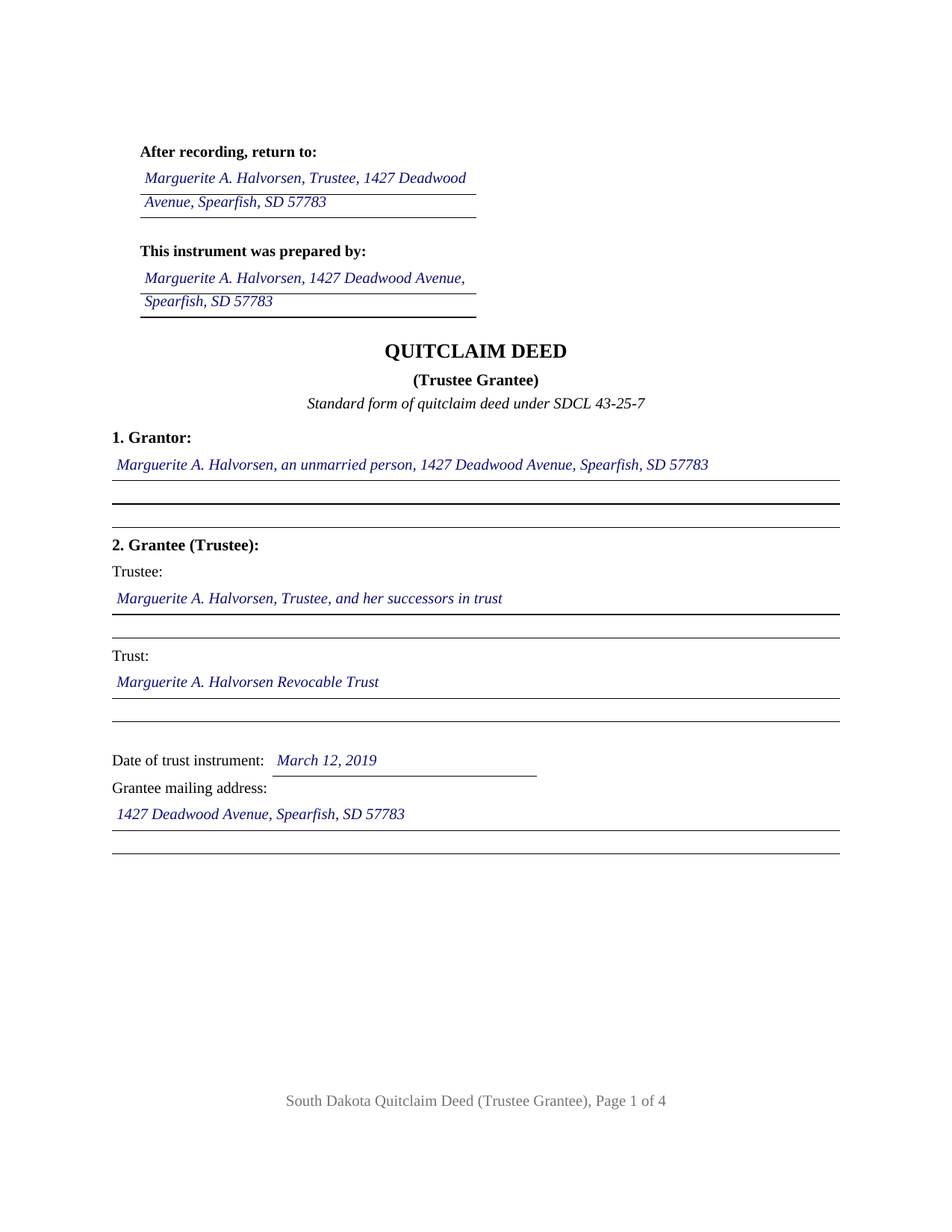
Sully County Completed Example of the Quitclaim Deed (Trustee Grantee) Document
Example of a properly completed South Dakota Quitclaim Deed (Trustee Grantee) document for reference.
All 3 documents above included • One-time purchase • No recurring fees
Immediate Download • Secure Checkout
Additional South Dakota and Sully County documents included at no extra charge:
Where to Record Your Documents
Sully County Register of Deeds
Onida, South Dakota 57564
Hours: 8:00 to 12:00 & 1:00 to 5:00 M-F
Phone: (605) 258-2331
Recording Tips for Sully County:
- Bring your driver's license or state-issued photo ID
- Ensure all signatures are in blue or black ink
- Recording fees may differ from what's posted online - verify current rates
- Request a receipt showing your recording numbers
- Ask about accepted payment methods when you call ahead
Cities and Jurisdictions in Sully County
Properties in any of these areas use Sully County forms:
- Agar
- Onida
Hours, fees, requirements, and more for Sully County
How do I get my forms?
Forms are available for immediate download after payment. The Sully County forms will be in your account ready to download to your computer. An account is created for you during checkout if you don't have one. Forms are NOT emailed.
Are these forms guaranteed to be recordable in Sully County?
Yes. Our form blanks are guaranteed to meet or exceed the applicable formatting requirements used for recording in Sully County, including margin requirements, font requirements, and other layout standards. This guarantee applies to formatting, not to the legal sufficiency of information entered by the user or the suitability of a form for a particular transaction.
Can I reuse these forms?
Yes. You can reuse the forms for your personal use. For example, if you have multiple properties in Sully County you only need to order once.
What do I need to use these forms?
The forms are PDFs that you fill out on your computer. The free Adobe Acrobat Reader is recommended, and most PDF apps also work. You do NOT enter your property information online - you download the blank forms and complete them privately on your own computer.
Are there any recurring fees?
No. This is a one-time purchase. Nothing to cancel, no memberships, no recurring fees.
How much does it cost to record in Sully County?
Recording fees in Sully County vary. Contact the recorder's office at (605) 258-2331 for current fees.
Questions answered? Let's get started!
Almost every deed variant turns on the person signing. This fillable South Dakota quitclaim deed turns on the person receiving: the grantee line names a trustee, who takes for a named trust and not personally, and the conveyancing sentence itself says so. One individual grantor signs, on the standard quitclaim pattern SDCL 43-25-7 has carried since 1911.
Capacity is part of what the deed conveys
A trustee who takes property wears a second hat, and the record has to show which one. Section 9 conveys to the grantee as Trustee of the trust identified in Section 2 and not individually, so the instrument separates the fiduciary holding from the person's own estate instead of leaving a later title examiner to infer it from a name trailed by an abbreviation. The section behind that sentence collects the trustee's name with any successor language, the trust's exact name, and the date of the trust instrument, which is how a South Dakota chain of title tells one trust from the several a family may have signed over the years.
Trust authority sits in a separate recorded instrument
South Dakota keeps the trust's terms off the public record and puts the trustee's authority in a short document instead. A certificate of trust executed under SDCL 55-4-51 states the trust's existence, the trustees, their powers, and any limits on those powers; SDCL 55-4-51.1 lets it be recorded against the land it describes, where it documents those matters as though the whole trust instrument had been recorded, and SDCL 55-4-51.3 supplies a form of certificate for a real property transaction. Because that companion is what a future buyer or lender reads, Section 6 receives the recording reference of a certificate already on record, and the word None where there is none. Any certificate is recorded on its own and is not part of this package.
What a quit claim moves, and what it withholds
The operative words are conveys and quitclaims. Under SDCL 43-25-8 the instrument passes all right, title, and interest the grantor has in the premises described, stopping at the interest held when the deed is made, with no reach into title acquired afterward unless words saying so are added; none are here, and the deed states it. South Dakota then does something unusual. SDCL 43-25-11 reads two covenants into quitclaim words unless express terms restrain them: that this grantor has not already passed the same estate to someone else, and that no encumbrance on it traces to this grantor. Section 9 restrains them in capital letters, so what reaches the trust is interest with no title promises attached.
One grantor, one certificate, no grantee signature
The form recites a single individual grantor with name, marital status, and mailing address, one signature block carrying the printed-name line SDCL 43-28-23 requires, and one notary acknowledgment certificate. The trustee signs nothing: a grantee takes under a South Dakota deed without executing it. Patterns appearing in the record with this architecture include an owner funding a revocable living trust with the family home, and a parcel moved to a trustee named in an estate plan. Two or more record owners, a homestead conveyance where SDCL 43-31-17 calls for both spouses to concur and sign, and a trustee appearing on the grantor side instead each print a different configuration than this deed recites.
At the register of deeds
Thirty dollars covers a deed's first fifty pages under SDCL 7-9-15. The realty transfer fee set by SDCL 43-4-21 is collected before recording unless one of the SDCL 43-4-22 exemptions is claimed on the face of the instrument, which Section 7 receives; subdivision (15) reaches a transfer between a fiduciary and a beneficiary of the fiduciary, or between a fiduciary and a third party, made to accommodate the fiduciary relationship, and the example claims it. A certificate of real estate value under SDCL 7-9-7 travels along as its own Department of Revenue filing. Layout answers to SDCL 43-28-23: three inches reserved atop page one for the stamp, with the return and preparer blocks at its left, an inch elsewhere, ten point type, and the grantee's mailing address.
Three files arrive with the purchase: the blank trustee grantee quit claim deed as a fillable PDF, a completed example filled in for a Lawrence County lot conveyed by its owner to herself as trustee of her own revocable trust, and a plain-language guide to the sections, the signing formalities, and the recording package. The materials are informational and are not legal advice.
Important: Your property must be located in Sully County to use these forms. Documents should be recorded at the county recording office listed above.
This Quitclaim Deed (Trustee Grantee) meets all recording requirements specific to Sully County.
Our Promise
The documents you receive here are guaranteed to meet or exceed the applicable Sully County recording format requirements. If there is a rejection caused by our formatting, we will correct the issue or refund your payment. This guarantee applies to document formatting only and does not extend to information entered by the user, the selection of the form, or the legal effect of the completed document.
Save Time and Money
Get your Sully County Quitclaim Deed (Trustee Grantee) form done right the first time with Deeds.com Uniform Conveyancing Blanks. At Deeds.com, we understand that your time and money are valuable resources, and we don't want you to face a penalty fee or rejection imposed by a county recorder for submitting nonstandard documents. We constantly review and update our forms to meet rapidly changing state and county recording requirements for roughly 3,500 counties and local jurisdictions.
4.8 out of 5 - ( 4,829 Reviews )
Marck G. 5 out of 5 stars
This is an excellent service..thank you
Thank you!
Richard A. 5 out of 5 stars
Great product. It would be better if the document files were not embedded within other files. It made downloading a little confusing. The titles of the forms did not match exactly word for word, which required a lot of back and forth to make sure I had downloaded the proper document. What would be great is if once you download a document, the hyperlink changed color, or somehow denoted the document had been downloaded. Just a suggestion. You have my email address if you have questions. STILL! Five stars for you guys. I would not let that hiccup dissuade me from buying any form package from you guys. Thanks!
Thank you for your feedback. We really appreciate it. Have a great day!
Kim L. 5 out of 5 stars
Got the quit claim forms, amazing really. Easy to understand, looked great when completed, accepted without question for recording. Nice job!
Thank you!
Marion B. 5 out of 5 stars
As far as I know all is in order as far as my transfer on death instrument for Illinois. Thank you so much!
Thank you for your feedback. We really appreciate it. Have a great day!
Justin H. 1 out of 5 stars
Couldn't pull a simple deed for a legal description.
Thank you for your feedback Justin. We do hope that you were able to find something more suitable to your needs elsewhere. Have a wonderful day.
Stephanie G. 5 out of 5 stars
Wonderful. Easier to fill out this form than I thought it would be.
Thank you for your feedback. We really appreciate it. Have a great day!
Aldona P. 5 out of 5 stars
Awesome Job! thank you
We appreciate your business and value your feedback. Thank you. Have a wonderful day!
Charlene H. 5 out of 5 stars
Deeds.com is a wonderful website. I highly recommend them and would use them again in the future.
Thank you, Charlene! We're so glad to hear you had a great experience. We truly appreciate your recommendation and look forward to helping you again in the future.
Elizabeth P. 5 out of 5 stars
Perfect quitclaim form. Easy to fill in with the required information and all the required information has a place (no easy feat in our county!). It is helpful that they include exhibit pages for larger blocks of information (our legal is 2 pages long). Great job folks!
Thank you for the kind words Elizabeth. Have an amazing day!
ALAN C. 5 out of 5 stars
Everything was as advertised, and easily downloaded.
We appreciate your business and value your feedback. Thank you. Have a wonderful day!
Barbara P. 5 out of 5 stars
Easy and fast!
We appreciate your business and value your feedback. Thank you. Have a wonderful day!
IVAN G. 5 out of 5 stars
THIS Guys Save YOU TIME , Efforts and MONEY!!! So easy and secured to use,,NOT to mention FAST!!
We appreciate your business and value your feedback. Thank you. Have a wonderful day!
Robert L. 5 out of 5 stars
Fairly easy to use process and somewhat reasonably priced. Printed guide and sample filled in can be very helpful, too.
Thank you for your feedback. We really appreciate it. Have a great day!
Richard H. 1 out of 5 stars
It was a waste of time. I asked a question via your chat service. I received an acknowledgement that you received the question, that you might or might not answer it, and don't bother to reply to you email, as no one would read it. Confirming my belief that customer service is an oxymoron for most companies. (I doubt this review will ever appear on the site, or anyuhere else.)
Thank you!
Maria H. 5 out of 5 stars
Great job. Helped me through some technical difficulties and got it done!
Thank you for your feedback. We really appreciate it. Have a great day!