Greene County Indemnity Agreement Form
Last validated October 1, 2026 by our Forms Development TeamFormatted for recording in Greene County, for property anywhere in the county: rural and unincorporated areas as well as Afton, Chuckey, Greeneville, Midway, Mohawk, Mosheim.
- 3 documents included
- Immediate PDF download
- Formatting guarantee
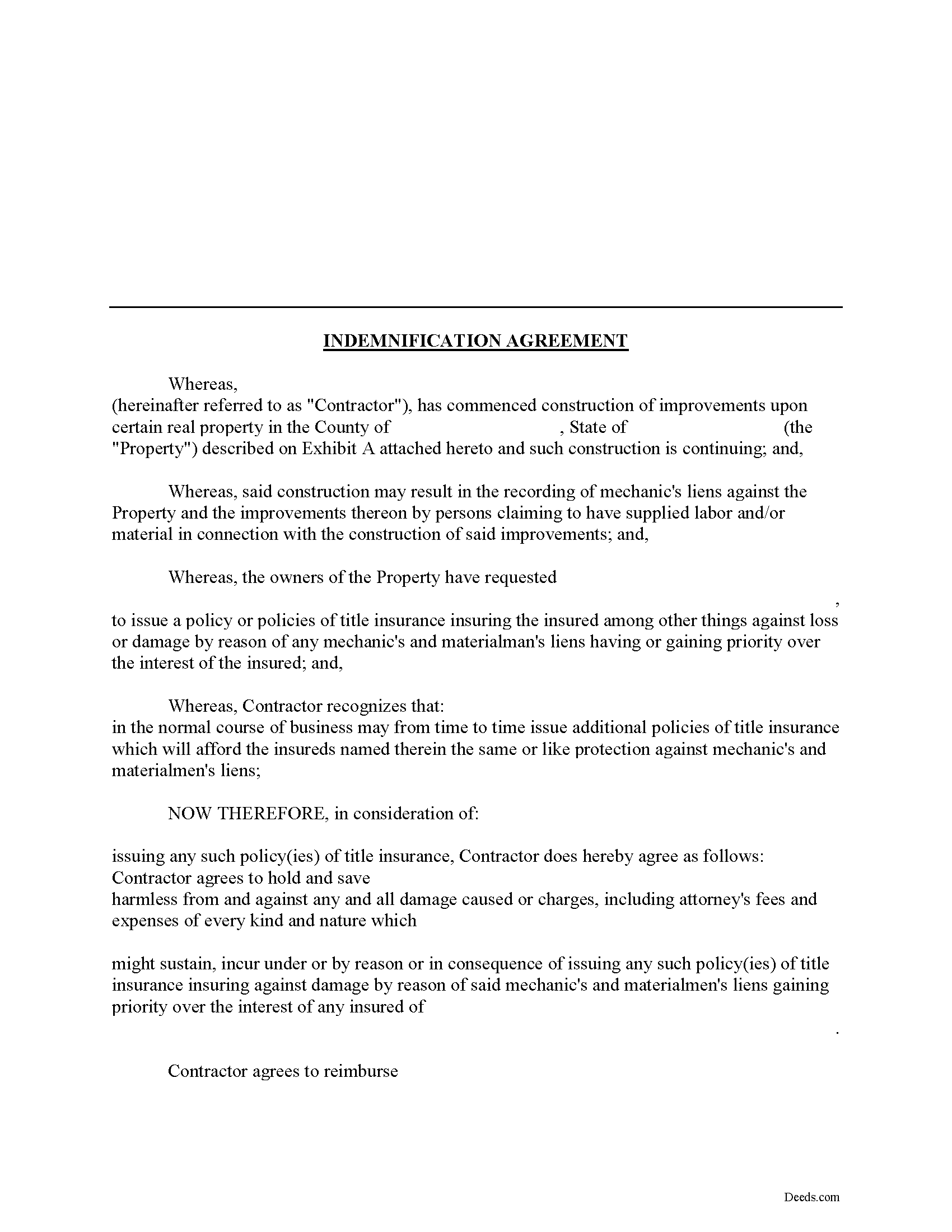
Greene County Indemnity Agreement Form
Fill in the blank Indemnity Agreement form formatted to comply with all Tennessee recording and content requirements.
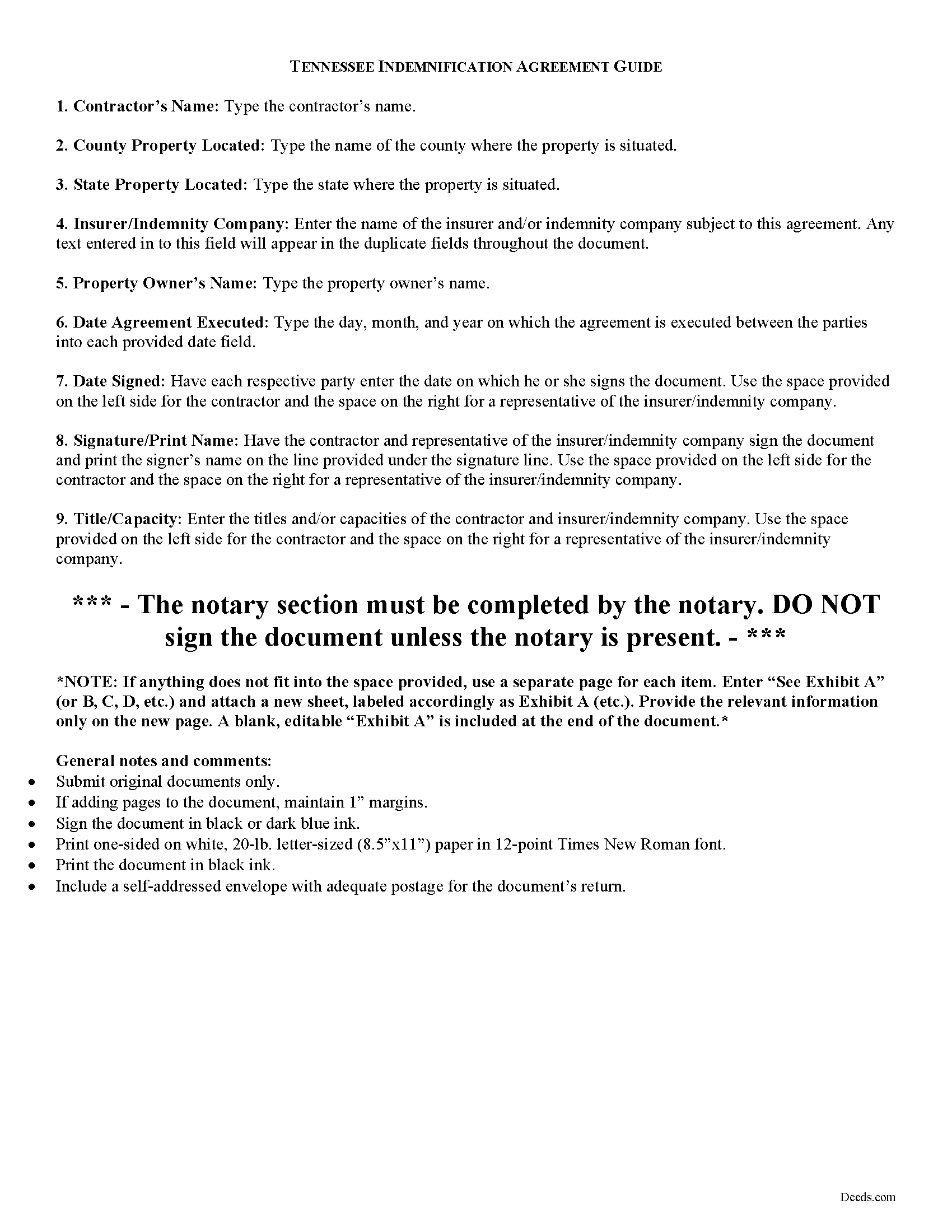
Greene County Indemnity Agreement Guide
Line by line guide explaining every blank on the form.
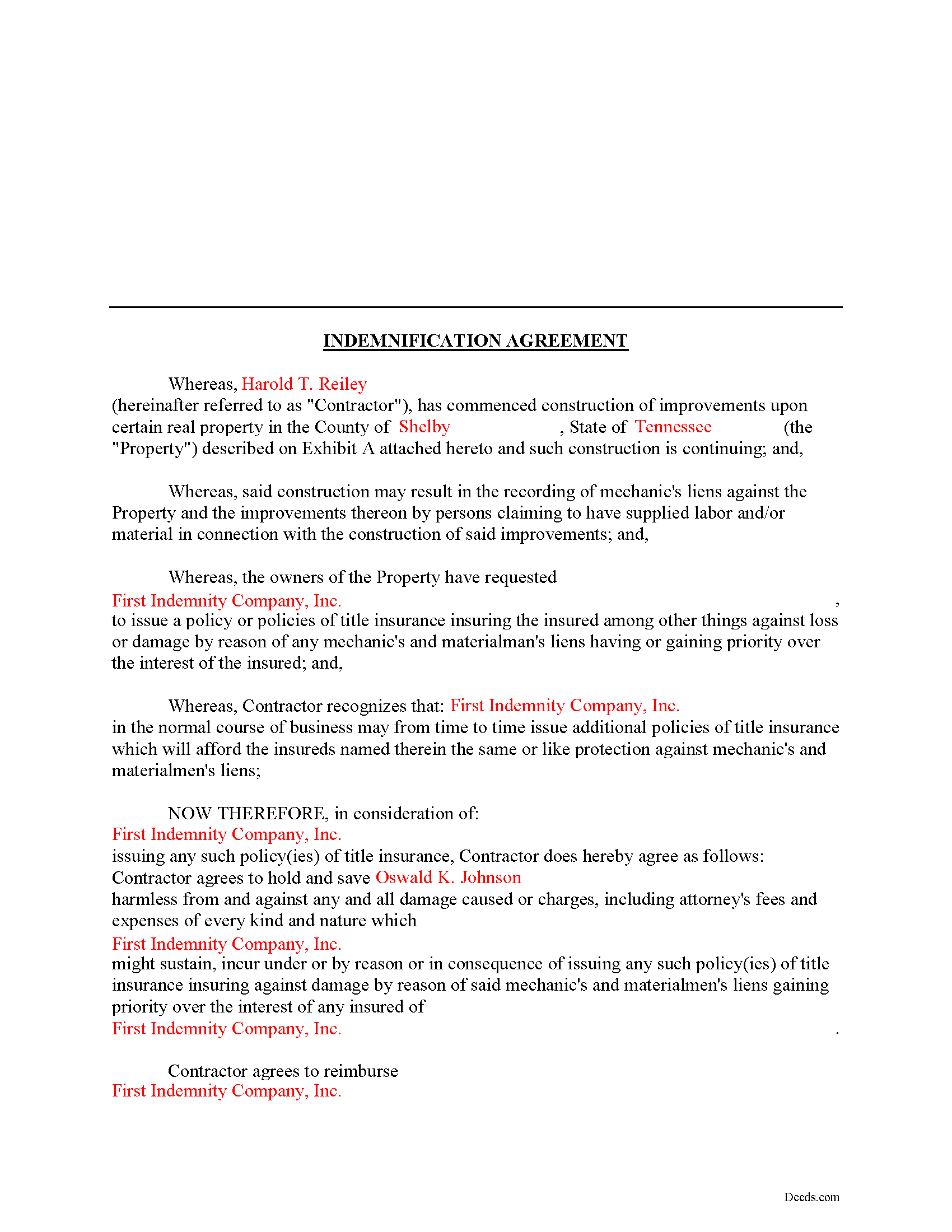
Greene County Completed Example of the Indemnity Agreement Document
Example of a properly completed form for reference.
All 3 documents above included • One-time purchase • No recurring fees
Immediate Download • Secure Checkout
Additional Tennessee and Greene County documents included at no extra charge:
Where to Record Your Documents
Greene County Register of Deeds
Greenville, Tennessee 37745
Hours: 8:00 to 4:30 M-F
Phone: (423) 798-1726
Recording Tips for Greene County:
- Bring your driver's license or state-issued photo ID
- Ensure all signatures are in blue or black ink
- Make copies of your documents before recording - keep originals safe
- Recorded documents become public record - avoid including SSNs
- Recording fees may differ from what's posted online - verify current rates
Cities and Jurisdictions in Greene County
Properties in any of these areas use Greene County forms:
- Afton
- Chuckey
- Greeneville
- Midway
- Mohawk
- Mosheim
Hours, fees, requirements, and more for Greene County
How do I get my forms?
Forms are available for immediate download after payment. The Greene County forms will be in your account ready to download to your computer. An account is created for you during checkout if you don't have one. Forms are NOT emailed.
Are these forms guaranteed to be recordable in Greene County?
Yes. Our form blanks are guaranteed to meet or exceed the applicable formatting requirements used for recording in Greene County, including margin requirements, font requirements, and other layout standards. This guarantee applies to formatting, not to the legal sufficiency of information entered by the user or the suitability of a form for a particular transaction.
Can I reuse these forms?
Yes. You can reuse the forms for your personal use. For example, if you have multiple properties in Greene County you only need to order once.
What do I need to use these forms?
The forms are PDFs that you fill out on your computer. The free Adobe Acrobat Reader is recommended, and most PDF apps also work. You do NOT enter your property information online - you download the blank forms and complete them privately on your own computer.
Are there any recurring fees?
No. This is a one-time purchase. Nothing to cancel, no memberships, no recurring fees.
How much does it cost to record in Greene County?
Recording fees in Greene County vary. Contact the recorder's office at (423) 798-1726 for current fees.
Questions answered? Let's get started!
Using an Indemnity Agreement to Protect from Liens in Tennessee
Property owners can protect themselves from a mechanic's lien on their land by executing an indemnity agreement binding both the contractor and indemnity company. By entering into an agreement, the insurer agrees to pay the contractor any amount that could otherwise be enforced through a lien placed on the property. This way, the contractor will turn to the insurance agency and not the land owner for any deficiency that is owed.
This indemnity agreement is designed to be used by contractors and material providers as well as property owners. Although this form is designed for ease of use, it may not be appropriate in every circumstance. It is always a good idea to consult with an attorney when drafting a contract between two parties.
This article is provided for informational purposes only and should not be relied upon as a substitute for the advice of an attorney. Please speak with an attorney for any questions regarding indemnity agreements.
Important: Your property must be located in Greene County to use these forms. Documents should be recorded at the county recording office listed above.
This Indemnity Agreement meets all recording requirements specific to Greene County.
Our Promise
The documents you receive here are guaranteed to meet or exceed the applicable Greene County recording format requirements. If there is a rejection caused by our formatting, we will correct the issue or refund your payment. This guarantee applies to document formatting only and does not extend to information entered by the user, the selection of the form, or the legal effect of the completed document.
Save Time and Money
Get your Greene County Indemnity Agreement form done right the first time with Deeds.com Uniform Conveyancing Blanks. At Deeds.com, we understand that your time and money are valuable resources, and we don't want you to face a penalty fee or rejection imposed by a county recorder for submitting nonstandard documents. We constantly review and update our forms to meet rapidly changing state and county recording requirements for roughly 3,500 counties and local jurisdictions.
4.8 out of 5 - ( 4,818 Reviews )
Mary S. 5 out of 5 stars
I am so excited to find this site. Thank you
Thank you Mary. We appreciate your enthusiasm, have a great day!
Alain L. 5 out of 5 stars
deeds.com was able to turnaround my document in a matter of hours. I was also surprised at how easy their website was to navigate, considering other websites that offered the same service were so convoluted. Thank you again for the quick turnaround.
Thank you!
Monica S. 5 out of 5 stars
Great forms, thank you so much.
Thank you for your feedback. We really appreciate it. Have a great day!
Ben F. 5 out of 5 stars
My initial review during download and before reading the guide and forms looks promising.
Thank you!
Carol D. 5 out of 5 stars
No review provided.
Thank you!
David S. 5 out of 5 stars
The form was just what I needed for the Circuit Court and Land Records office. The additional information provided was very helpful as well.
We appreciate your business and value your feedback. Thank you. Have a wonderful day!
Linda W. 5 out of 5 stars
Received feedback in a timely manner and got a quick reponse.
Thank you!
Duane L. 4 out of 5 stars
Easy to use with very helpful directions.
Thank you!
Jennifer O. 5 out of 5 stars
Quick, easy, affordable, eliminated the need for a lawyer.
Thank you for your feedback. We really appreciate it. Have a great day!
Juston P. 5 out of 5 stars
The service provided was exactly what I needed. The downloadable deed and supporting documents allowed me to move forward with the days project. Everything I needed to file my documents from two states away and at two in the morning! I highly recommend this site. I found it to be the easiest, most expedient and cost effective method to get up to date legal forms for filing land deeds.
We appreciate your business and value your feedback. Thank you. Have a wonderful day!
Tracey P. 5 out of 5 stars
As always, amazing forms and information. A must have for anyone doing it themselves. Everything is available to make it happen but if you need a lot of hand holding you might want to look into a more full service option.
Thank you for your feedback. We really appreciate it. Have a great day!
Deborah C. 5 out of 5 stars
I would recommend these forms to others.
Thank you!
Clarice O. 5 out of 5 stars
It was very easy plus exactly what I neded.
Thank you!
ELOISA F. 5 out of 5 stars
Once I had everything right;the recording was fast and easy. I was updated at every juncture and apprised of my mistakes in order to fix and record my deed. To improve service: I think that several different examples and scenarios would have helped. If you have different names from your children; birth certificates and marriage certificates are a requirement in Clark County, NV. If you want to add anyone to the deed in a Quit Claim Deed; you have to add yourself as a grantee even if you are the grantor along with the other grantees.
Thank you for your feedback. We really appreciate it. Have a great day!
Jerri S. 5 out of 5 stars
Very helpful. Print out go to court house spent less then 15 minutes there and done! Thanks will use again.
Thank you Jerri, we appreciate your feedback.