Hawkins County Notice of Completion Form
Last validated November 3, 2026 by our Forms Development TeamFormatted for recording in Hawkins County, for property anywhere in the county: rural and unincorporated areas as well as Bulls Gap, Church Hill, Eidson, Mooresburg, Mount Carmel, Rogersville, Surgoinsville.
- 3 documents included
- Immediate PDF download
- Formatting guarantee
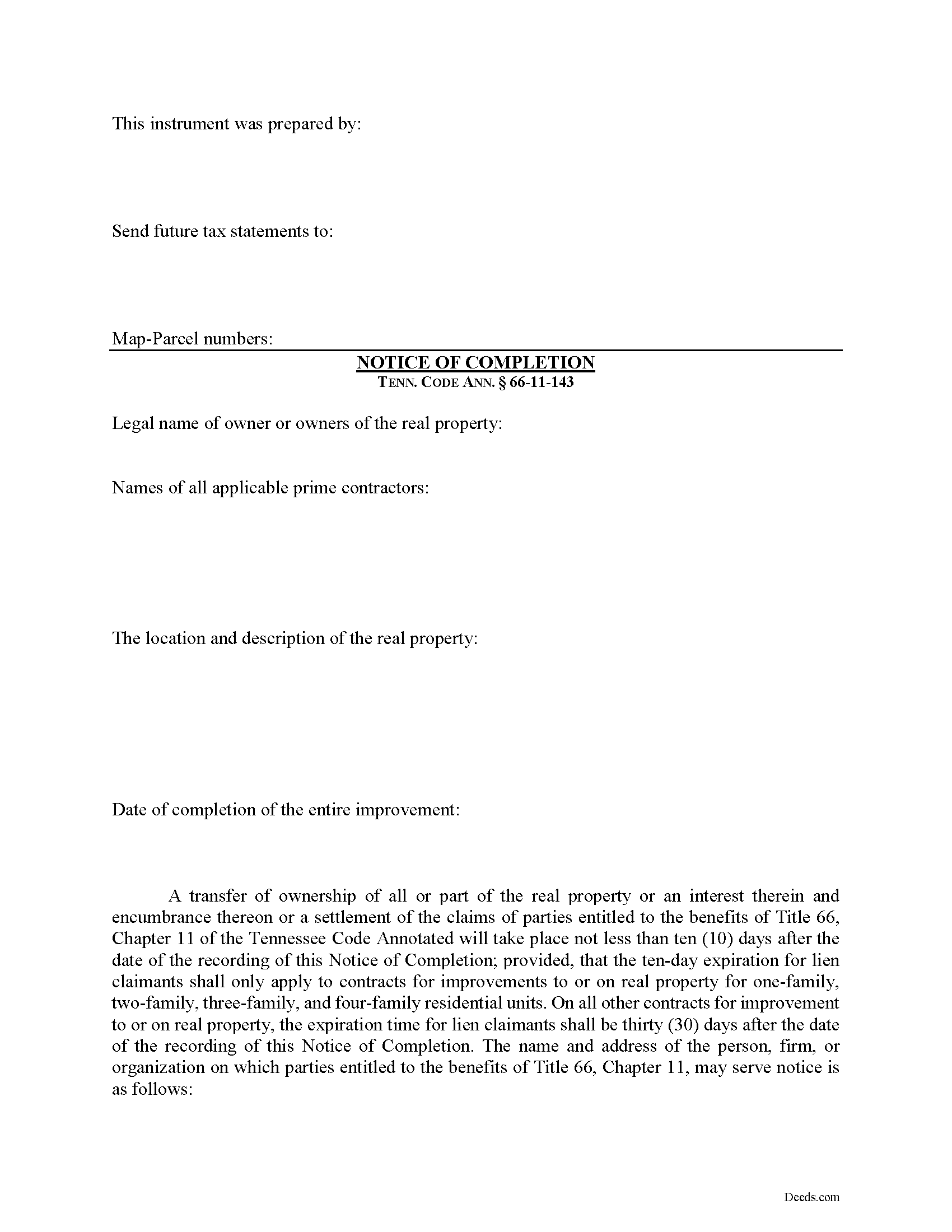
Hawkins County Notice of Completion Form
Fill in the blank Notice of Completion form formatted to comply with all Tennessee recording and content requirements.
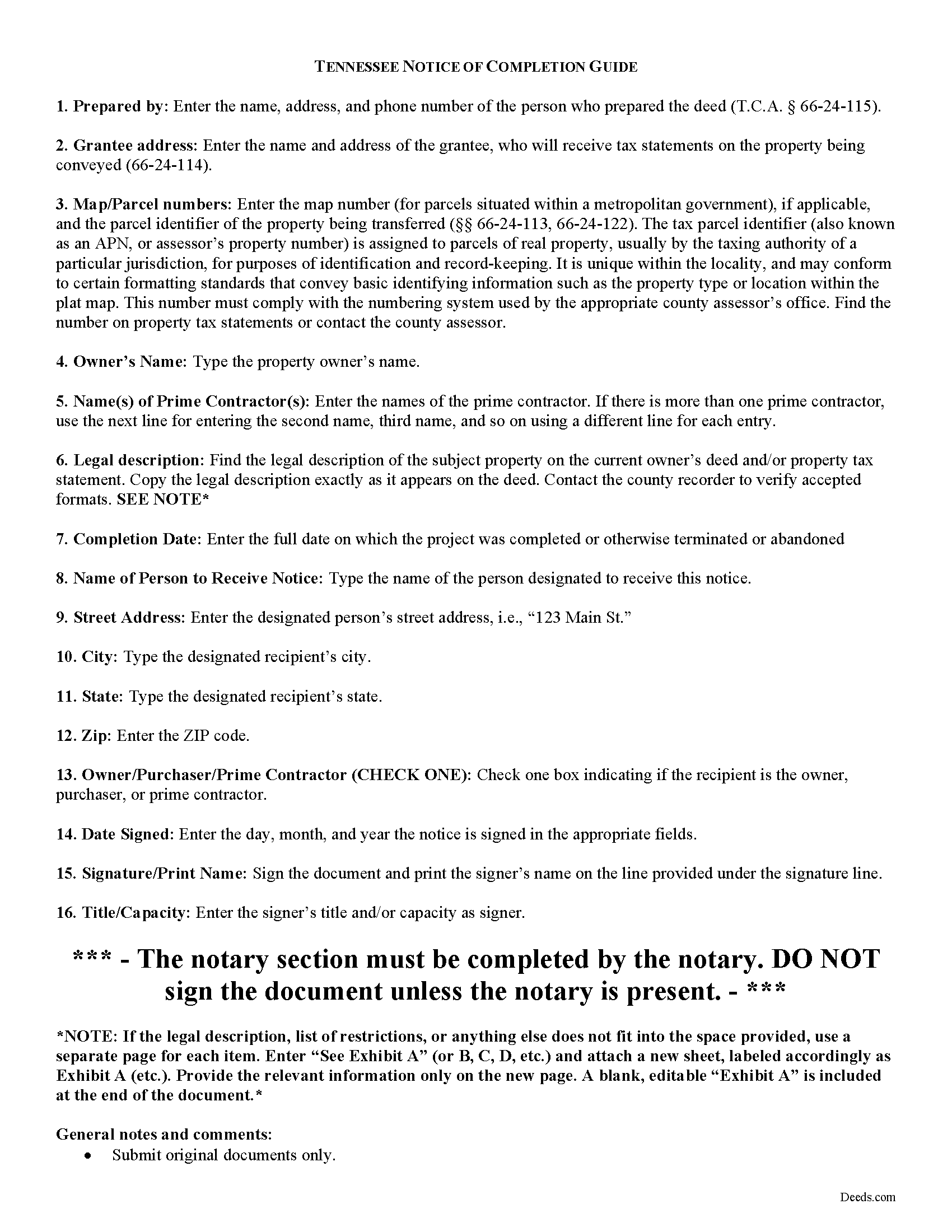
Hawkins County Notice of Completion Guide
Line by line guide explaining every blank on the form.
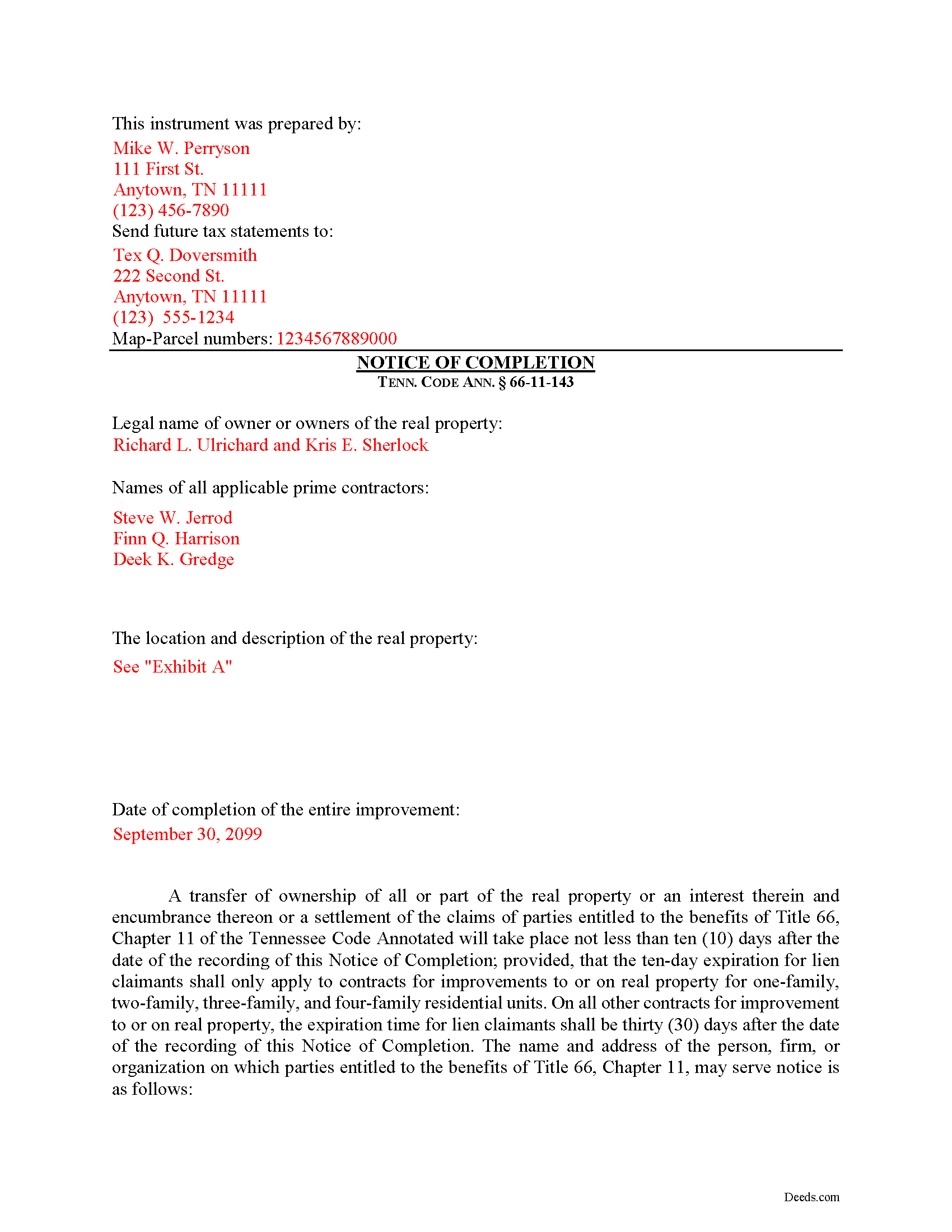
Hawkins County Completed Example of the Notice of Completion Document
Example of a properly completed form for reference.
All 3 documents above included • One-time purchase • No recurring fees
Immediate Download • Secure Checkout
Additional Tennessee and Hawkins County documents included at no extra charge:
Where to Record Your Documents
Hawkins County Register of Deeds
Rogersville, Tennessee 37857
Hours: 8:00 to 4:00 Monday through Friday
Phone: (423) 272-8304 and 272-3091
Recording Tips for Hawkins County:
- Bring your driver's license or state-issued photo ID
- Ensure all signatures are in blue or black ink
- Ask for certified copies if you need them for other transactions
- Ask if they accept credit cards - many offices are cash/check only
- Check that your notary's commission hasn't expired
Cities and Jurisdictions in Hawkins County
Properties in any of these areas use Hawkins County forms:
- Bulls Gap
- Church Hill
- Eidson
- Mooresburg
- Mount Carmel
- Rogersville
- Surgoinsville
Hours, fees, requirements, and more for Hawkins County
How do I get my forms?
Forms are available for immediate download after payment. The Hawkins County forms will be in your account ready to download to your computer. An account is created for you during checkout if you don't have one. Forms are NOT emailed.
Are these forms guaranteed to be recordable in Hawkins County?
Yes. Our form blanks are guaranteed to meet or exceed the applicable formatting requirements used for recording in Hawkins County, including margin requirements, font requirements, and other layout standards. This guarantee applies to formatting, not to the legal sufficiency of information entered by the user or the suitability of a form for a particular transaction.
Can I reuse these forms?
Yes. You can reuse the forms for your personal use. For example, if you have multiple properties in Hawkins County you only need to order once.
What do I need to use these forms?
The forms are PDFs that you fill out on your computer. The free Adobe Acrobat Reader is recommended, and most PDF apps also work. You do NOT enter your property information online - you download the blank forms and complete them privately on your own computer.
Are there any recurring fees?
No. This is a one-time purchase. Nothing to cancel, no memberships, no recurring fees.
How much does it cost to record in Hawkins County?
Recording fees in Hawkins County vary. Contact the recorder's office at (423) 272-8304 and 272-3091 for current fees.
Questions answered? Let's get started!
Protecting Your Property against Lien Claims in Tennessee with a Notice of Completion
Property owners must vigilantly protect against lien claims, especially from a lower-tiered claimant with whom they may not have directly contracted, or even been aware of their participation on the job for which the claim arose.
Tennessee's Property Code 66-11-143(a) offers a tool for this purpose. The owner or purchaser of improved real property, or their agent or attorney may, upon the completion of the improvement, record a Notice of Completion in the office of the register of deeds in the county where the real property is located. The owner or purchaser may also require a person or organization with whom the owner or purchaser has contracted for the improvement to record a notice of completion as well, upon the completion of the improvement. Id.
Along with recording, the owner or purchaser of improved real property or any other authorized party must simultaneously serve a copy of the notice of completion recorded with the register of deeds on the prime contractor and any other entitled parties. Id. Otherwise, the lien rights of the prime contractor who is not served a copy shall not be affected by the notice of completion. Id. The point of this is to make sure all relevant parties understand the status of their lien rights.
Service should be accomplished by registered or certified mail that allows for a return receipt. However, the notice requirement does not apply when the owner, or an entity controlled by the owner, also acts as the general contractor, in furtherance of the improvement to the property. Id.
The notice of completion contains: (1) The legal name of the owner or owners of the real property; (2) The name of the prime contractor or prime contractors; (3) The location and description of the real property; (4) Date of the completion of the improvement; (5) A statement that a transfer of ownership of all or a part of the real property or an interest in the real property and encumbrance on the real property, or a settlement of the claims of parties entitled to the benefits of this part, will take place not less than ten (10) days after the date of the recording of the notice of completion; provided, that the ten-day expiration for lien claimants shall only apply to contracts for improvement to or on real property, for one-family, two-family, three-family and four-family residential units. On all other contracts for improvement to or on real property, the expiration time for lien claimants shall be thirty (30) days after the date of the recording of the notice of completion in the register's office; (6) The name and address of the person, firm, or organization on which parties entitled to the benefits of this chapter may serve notice of claim; (7) Acknowledgment by the person filing the notice, or by that person's agent or attorney; and (8) The name and address of the preparer of the instrument in compliance with Tenn. Prop. Code 66-24-115. Tenn. Prop Code 66-11-143(b).
The register of deeds shall make a permanent record of all notices of completion filed in the office of the register and the records shall be available for public examination. Tenn. Prop Code 66-11-143(c). The register of deeds is also entitled to the fees for the register's services in receiving and maintaining notices of completion. Id. Check with the local office where the notice will be filed to inquire about any fees.
If a remote contractor has served a required notice of nonpayment pursuant to 66-11-145, then any party recording a notice of completion shall simultaneously serve a copy of the notice on the remote contractor. Tenn. Prop Code 66-11-143(d). The remote contractor shall have thirty (30) days from the date of the recording of the notice of completion to serve a written notice in response. Id. The lien rights of a remote contractor who has not been served a copy, shall not be affected by the notice of completion. Id.
Any prime contractor or remote contractor claiming a lien on the property described in the notice of completion, who has not previously registered the person's contract as provided in 66-11-111, or registered a sworn statement as provided in 66-11-112 and served a copy of the registration to the owner, shall serve written notice, to the person, firm or organization and at the address designated for receiving notice of claim, stating the amount of the claim and certifying that the claim does not include any amount owed to the claimant on any other job or under any other contract. Tenn. Prop Code 66-11-143(e)(1).
For improvements to or on real property for one-family, two-family, three-family and four-family residential units, the written notice shall be served not more than ten (10) days from the date of the recording of the notice of completion in the register's office. If the notice is not served within that time, the lien rights of the claimant shall expire. Tenn. Prop Code 66-11-143(e)(2)(A). For all other contracts for improvements to or on real property, the written notice shall be served not more than thirty (30) days from the date of the recording of the notice of completion in the register's office, and if notice is not served within that time, the lien rights of the claimant shall expire. Tenn. Prop Code 66-11-143(e)(2)(B).
The notice is only effective after completion has occurred. Any notice of completion recorded before the completion of the improvement or the demolition is void and of no effect whatsoever. Tenn. Prop Code 66-11-143(f).
This article is provided for informational purposes only and should not be considered legal advice or relied upon as any substitute for speaking with an attorney. Please consult a Tennessee attorney familiar with construction law for any issues regarding mechanic's liens.
Important: Your property must be located in Hawkins County to use these forms. Documents should be recorded at the county recording office listed above.
This Notice of Completion meets all recording requirements specific to Hawkins County.
Our Promise
The documents you receive here are guaranteed to meet or exceed the applicable Hawkins County recording format requirements. If there is a rejection caused by our formatting, we will correct the issue or refund your payment. This guarantee applies to document formatting only and does not extend to information entered by the user, the selection of the form, or the legal effect of the completed document.
Save Time and Money
Get your Hawkins County Notice of Completion form done right the first time with Deeds.com Uniform Conveyancing Blanks. At Deeds.com, we understand that your time and money are valuable resources, and we don't want you to face a penalty fee or rejection imposed by a county recorder for submitting nonstandard documents. We constantly review and update our forms to meet rapidly changing state and county recording requirements for roughly 3,500 counties and local jurisdictions.
4.8 out of 5 - ( 4,846 Reviews )
Carolyn G. 5 out of 5 stars
I was extremely pleased with this experience, which literally took a minimum amount of time. One recommendation: make certain that when documents are uploaded that they have been received in the appropriate file. The lack of clarity caused me to upload twice or three times. Thank you.
Thank you for your feedback. We really appreciate it. Have a great day!
Robyn D. 5 out of 5 stars
Excellent service, knowledgeable and helpful representatives via the messaging service. Reliable information provided by reps, overall excellent experience.
We appreciate your business and value your feedback. Thank you. Have a wonderful day!
Terry C. 4 out of 5 stars
It is a difficult challenge -- trying to take the needless jargon out of legal transactions so ordinary citizens can manage their affairs. Deeds.com hasn't solved all the problems, but has made a super effort to help us achieve self-sufficiency.
We appreciate your business and value your feedback. Thank you. Have a wonderful day!
tim r. 5 out of 5 stars
easy sight and extra forms that I can use any time
We appreciate your business and value your feedback. Thank you. Have a wonderful day!
Virginia K. 5 out of 5 stars
Easy to use instructions and fast service delivery. I was kept up to date on the status of my filing.
Thank you!
VICTOR S. 5 out of 5 stars
Wow! Nice and easy!
Thank you!
Crystal P. 5 out of 5 stars
This service is amazing! We have tried several other online recording services which all disappointed. Deeds.com got all three of our documents recorded same day as invoice payment. Thank you for the quick turn around! We will be using this service often.
We are sincerely grateful for your feedback and are committed to providing the highest quality service. Thank you for your trust in us.
Monica M. 5 out of 5 stars
I was very impressed with the quick responses I received from my questions. Usually when forced to communicate via email, responses aren't received right away. Thank you for being on top of things.
Thank you!
David D. 5 out of 5 stars
Quick, easy, thorough, reasonable price. Much better than trying to contact a paralegal (who do not usually respond quickly, it seems)
We appreciate your business and value your feedback. Thank you. Have a wonderful day!
Kelly Y. 5 out of 5 stars
The document was easy to locate, pay for and download. I hope it will be this easy to process by the County!
Thank you!
Daniel B. 5 out of 5 stars
easy to use and upload.
We are delighted to have been of service. Thank you for the positive review!
Lutz P. 5 out of 5 stars
Your forms are great but I couldn’t use them with my computer and acrobats reader didn’t work. And then my thermal printer would only print 1/3 size pages with no way to fix it. I ordered a new color printer and we’ll see what happens.
Thank you, Lutz. We're glad you like the forms, and we're sorry getting them working turned into such a hassle. That shrunken page is typical of thermal printers: most use narrow receipt or label paper, so a full page gets scaled down to fit, and no setting can change that. Thermal paper also fades over time, which you don't want on a document you're recording, so the new printer is the right call. When it arrives, print on plain white paper with “Actual size” selected in the print settings so the page comes out full size with its margins intact. If Acrobat Reader gives you trouble again, save the form to your computer first and open the saved file in Acrobat Reader rather than in your web browser. Still stuck? Contact our support team and we'll walk you through it.
Dave M. 5 out of 5 stars
Service as needed. A bit expensive.
Thank you for your feedback. We really appreciate it. Have a great day!
Dean S. 5 out of 5 stars
Couldn't be happier, great documents, easy to understand and complete.
We appreciate your business and value your feedback. Thank you. Have a wonderful day!
Heather R. 5 out of 5 stars
Fast and convenient service.
Thank you Heather, we appreciate your feedback.