Tipton County Notice of Mechanics Lien Form
Last validated October 27, 2026 by our Forms Development TeamFormatted for recording in Tipton County, for property anywhere in the county: rural and unincorporated areas as well as Atoka, Brighton, Burlison, Covington, Drummonds, Mason, Munford, Tipton.
- 3 documents included
- Immediate PDF download
- Formatting guarantee
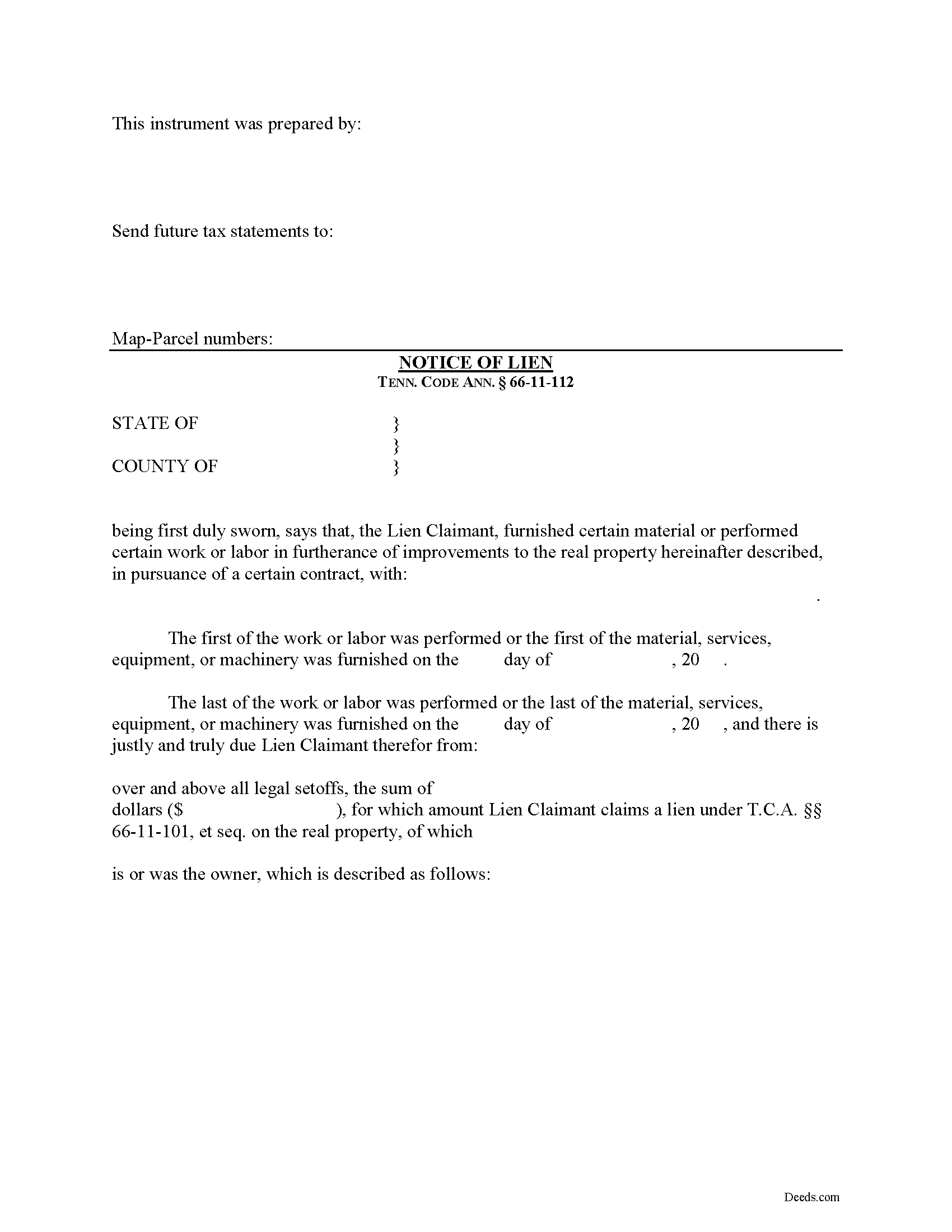
Tipton County Notice of Mechanics Lien Form
Fill in the blank Notice of Mechanics Lien form formatted to comply with all Tennessee recording and content requirements.
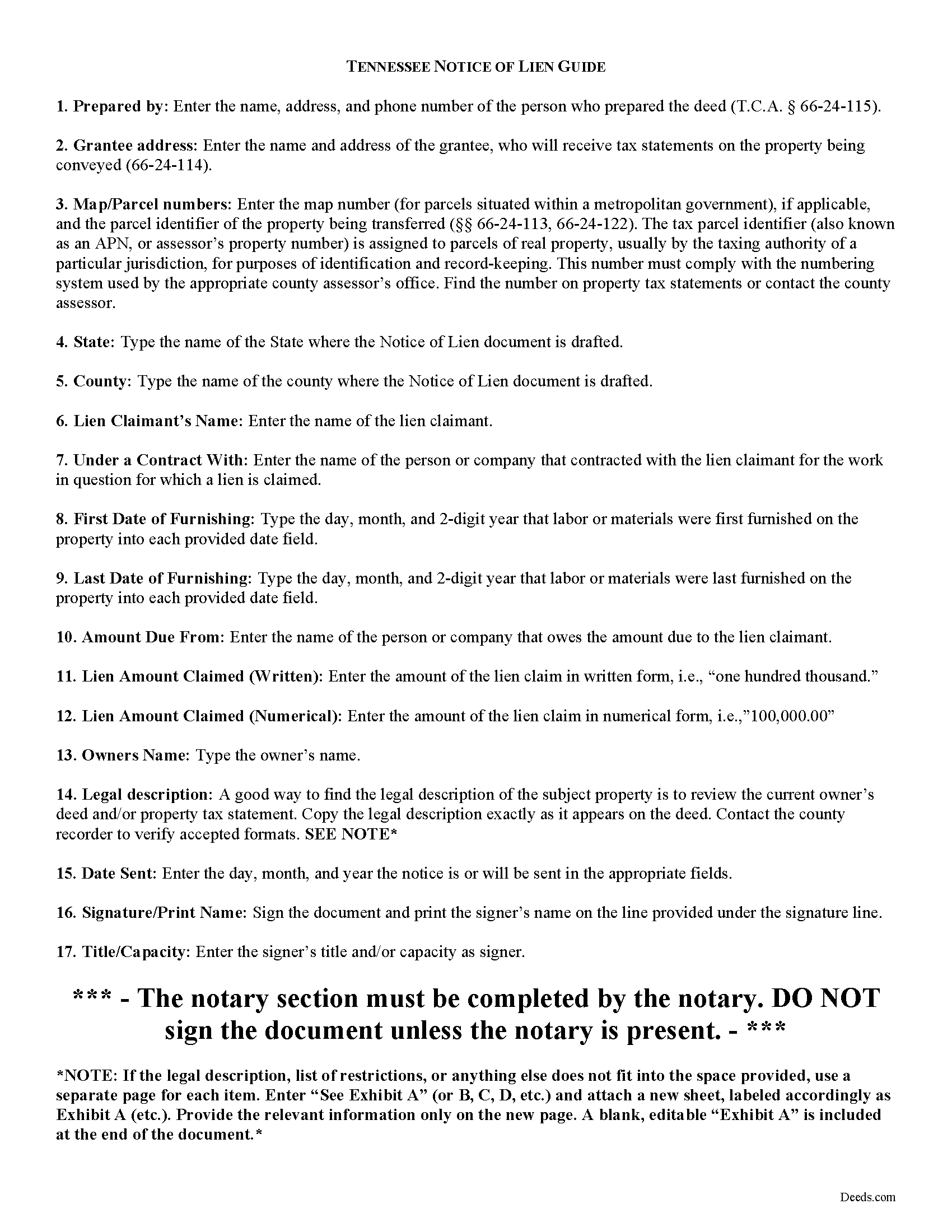
Tipton County Notice of Mechanics Lien Guide
Line by line guide explaining every blank on the form.
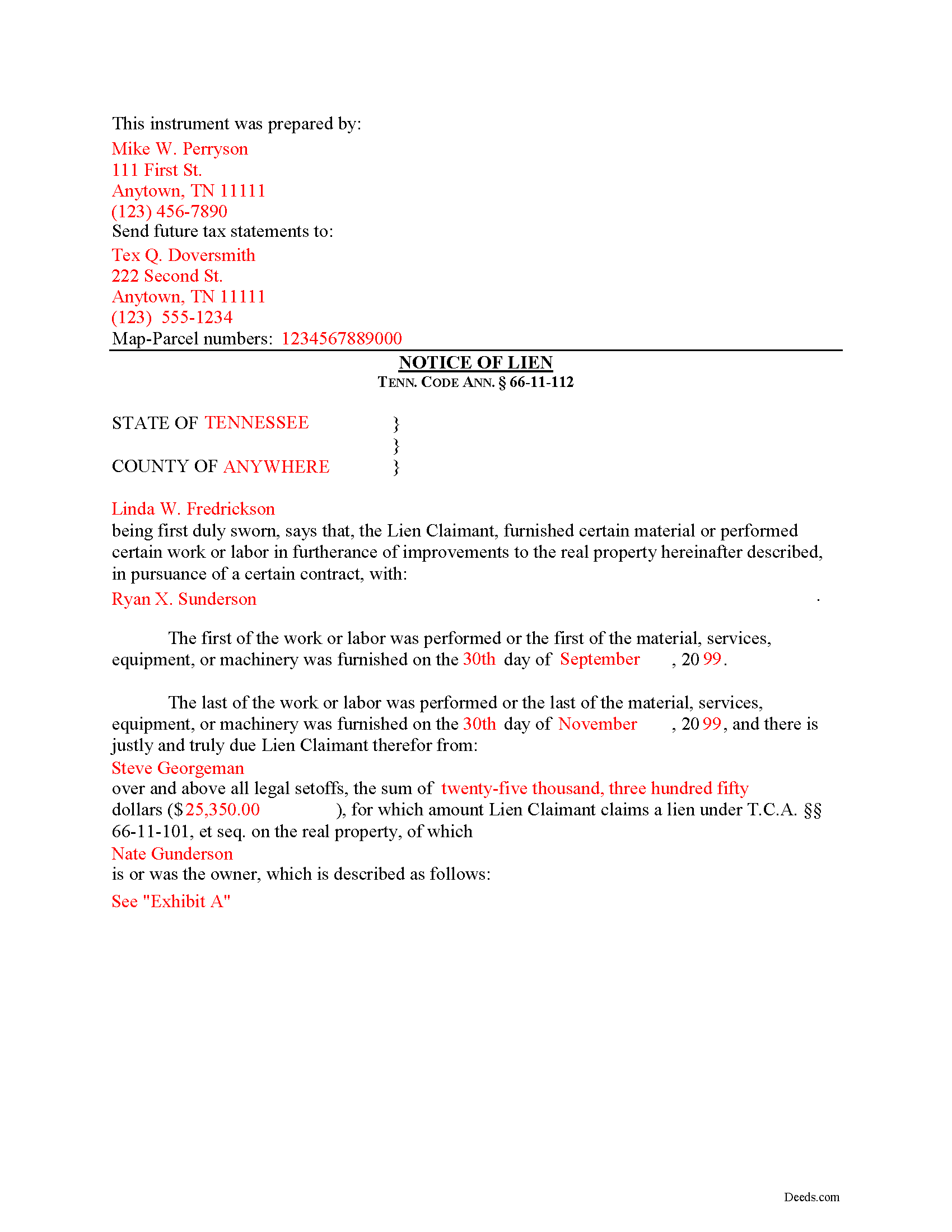
Tipton County Completed Example of the Notice of Mechanics Lien Document
Example of a properly completed form for reference.
All 3 documents above included • One-time purchase • No recurring fees
Immediate Download • Secure Checkout
Additional Tennessee and Tipton County documents included at no extra charge:
Where to Record Your Documents
Tipton County Register of Deeds
Covington, Tennessee 38019
Hours: 8:00am-5:00pm M-F
Phone: (901) 476-0204
Recording Tips for Tipton County:
- Bring your driver's license or state-issued photo ID
- Ensure all signatures are in blue or black ink
- Verify all names are spelled correctly before recording
- White-out or correction fluid may cause rejection
- Ask about their eRecording option for future transactions
Cities and Jurisdictions in Tipton County
Properties in any of these areas use Tipton County forms:
- Atoka
- Brighton
- Burlison
- Covington
- Drummonds
- Mason
- Munford
- Tipton
Hours, fees, requirements, and more for Tipton County
How do I get my forms?
Forms are available for immediate download after payment. The Tipton County forms will be in your account ready to download to your computer. An account is created for you during checkout if you don't have one. Forms are NOT emailed.
Are these forms guaranteed to be recordable in Tipton County?
Yes. Our form blanks are guaranteed to meet or exceed the applicable formatting requirements used for recording in Tipton County, including margin requirements, font requirements, and other layout standards. This guarantee applies to formatting, not to the legal sufficiency of information entered by the user or the suitability of a form for a particular transaction.
Can I reuse these forms?
Yes. You can reuse the forms for your personal use. For example, if you have multiple properties in Tipton County you only need to order once.
What do I need to use these forms?
The forms are PDFs that you fill out on your computer. The free Adobe Acrobat Reader is recommended, and most PDF apps also work. You do NOT enter your property information online - you download the blank forms and complete them privately on your own computer.
Are there any recurring fees?
No. This is a one-time purchase. Nothing to cancel, no memberships, no recurring fees.
How much does it cost to record in Tipton County?
Recording fees in Tipton County vary. Contact the recorder's office at (901) 476-0204 for current fees.
Questions answered? Let's get started!
Filing a Mechanic's Lien Claim in Tennessee
Mechanic's Liens are used to place a block or burden on a property owner's title when a claimant (such as a contractor or materials supplier) has not been paid for labor, materials, or equipment provided. In Tennessee, mechanic's liens are governed under Chapter 11 of the Tennessee Property Code.
In order to preserve the priority of the lien, as it concerns subsequent purchasers or encumbrancers for a valuable consideration without notice of the lien, the lienor, is required to record in the office of the register of deeds of the county where the real property, or any part affected, lies, a sworn statement of the amount for, and a reasonably certain description of the real property on, which the lien is claimed. Tenn. Prop. Code 66-11-112(a).
The recording party shall pay filing fees, and shall be provided a receipt for the filing fees, which amount shall be part of the lien amount. Id. The recordation must be done no later than ninety (90) days after the date the improvement is complete or is abandoned, prior to which time the lien shall be effective as against the purchasers or encumbrancers without the recordation. Id.
The owner must serve thirty (30) days' notice on prime contractors and on all of those lienors who have served notice in accordance with Tenn. Prop. Code 66-11-145 (the notice of non-payment) prior to the owner's transfer of any interest to a subsequent purchaser or encumbrancer for a valuable consideration. Id.
If the sworn statement is not recorded within that time, the lien's priority as to subsequent purchasers or encumbrancers shall be determined as if it attached as of the time the sworn statement is recorded. Id. Therefore, timely recording is of the utmost importance to protect full lien rights.
According to Tennessee Prop. Code 66-11-112(b), a building, structure or improvement is deemed to have been abandoned for purposes of the lien law when there is a cessation of operation for a period of ninety (90) days and an intent on the part of the owner or prime contractor to cease operations permanently, or at least for an indefinite period. If either of these occur, it is time to file your lien.
This article is provided for informational purposes only and should not be considered legal advice or relied upon as any substitute for speaking with an attorney. Please consult a Tennessee attorney familiar with construction law for any issues regarding mechanic's liens.
Important: Your property must be located in Tipton County to use these forms. Documents should be recorded at the county recording office listed above.
This Notice of Mechanics Lien meets all recording requirements specific to Tipton County.
Our Promise
The documents you receive here are guaranteed to meet or exceed the applicable Tipton County recording format requirements. If there is a rejection caused by our formatting, we will correct the issue or refund your payment. This guarantee applies to document formatting only and does not extend to information entered by the user, the selection of the form, or the legal effect of the completed document.
Save Time and Money
Get your Tipton County Notice of Mechanics Lien form done right the first time with Deeds.com Uniform Conveyancing Blanks. At Deeds.com, we understand that your time and money are valuable resources, and we don't want you to face a penalty fee or rejection imposed by a county recorder for submitting nonstandard documents. We constantly review and update our forms to meet rapidly changing state and county recording requirements for roughly 3,500 counties and local jurisdictions.
4.8 out of 5 - ( 4,845 Reviews )
Ricardo C. 5 out of 5 stars
I was pleased with the process. Easy and secure. Great customer service. I will use again for sure
Thank you!
Lynn H. 5 out of 5 stars
A very informative WEB site. It was simple to access the forms I needed for my specific situation. I would highly recommend Deeds.com. I will be back with future needs when they arise! I was left with a very positive impression. Thank you so much!
We appreciate your business and value your feedback. Thank you. Have a wonderful day!
Kathy P. 5 out of 5 stars
I like that the quit claim form was fill in the blank on my computer instead of online, made it so much easier than having to do everything at once, at the mercy of the internet connection. Will refer others here.
We appreciate your business and value your feedback. Thank you. Have a wonderful day!
Allan A. 5 out of 5 stars
Excellent service, communication and done in a timely fashion. Worth the cost for the convenience and safety
Thank you!
Heather R. 5 out of 5 stars
Fast and convenient service.
Thank you Heather, we appreciate your feedback.
Wilma D. 5 out of 5 stars
The certification of trust looks fine to me. I printed it and filled it out and had it notarized today. I have not sent it to the company that wants it yet so that will be the test. They are very picky. If they have any comment I will let you know.
Thank you for your feedback. We really appreciate it. Have a great day!
Mike H. 5 out of 5 stars
Great
Thank you!
Sarjit K. 5 out of 5 stars
excellent
Thank you!
Corinna N. 5 out of 5 stars
The website made it easy to find and print out the documents I needed. The whole process was straightforward and user-friendly. Highly recommend!
We are grateful for your feedback and looking forward to serving you again. Thank you!
Peter F. 5 out of 5 stars
It was outstanding, seriously, I had 3 e mail correspondences asking for information and providing feedback within 2 hours and was ready for submission at that point. I paid the invoice online and by the end of the day I had electronic verification that Registry of Deeds had processed my documents. That work is good stuff ! Pete
Glad we could be of assistance Peter, thank you for the kinds words. Have an amazing day!
Shelby D. 1 out of 5 stars
Not very helpful since I am married and the example provided is for single person. Nevada homestead requires spouse to sign off on quit claim deed but no guidance provided as to where this acknowledgment is placed on template form. There should be example for married person as well. Had to use another service. Waste of $21.
Thank you for your feedback. We really appreciate it. Have a great day!
Julie A. 5 out of 5 stars
This process was so easy. I am pleased with efficiency and ease of it all.
Thank you!
Cecelia S. 5 out of 5 stars
I was looking for a copy of my deed and was able to complete the request and get copy fast.
Thank you!
Ron D. 5 out of 5 stars
No choice since the county does not seem to provide info you supplied.
Thank Ron, have a great day!
DUINA F. 5 out of 5 stars
Fast and Easy
Thank you for your feedback. We really appreciate it. Have a great day!