Unicoi County Notice of Non-Payment Form
Last validated September 28, 2026 by our Forms Development TeamFormatted for recording in Unicoi County, for property anywhere in the county: rural and unincorporated areas as well as Erwin, Flag Pond, Unicoi.
- 3 documents included
- Immediate PDF download
- Formatting guarantee
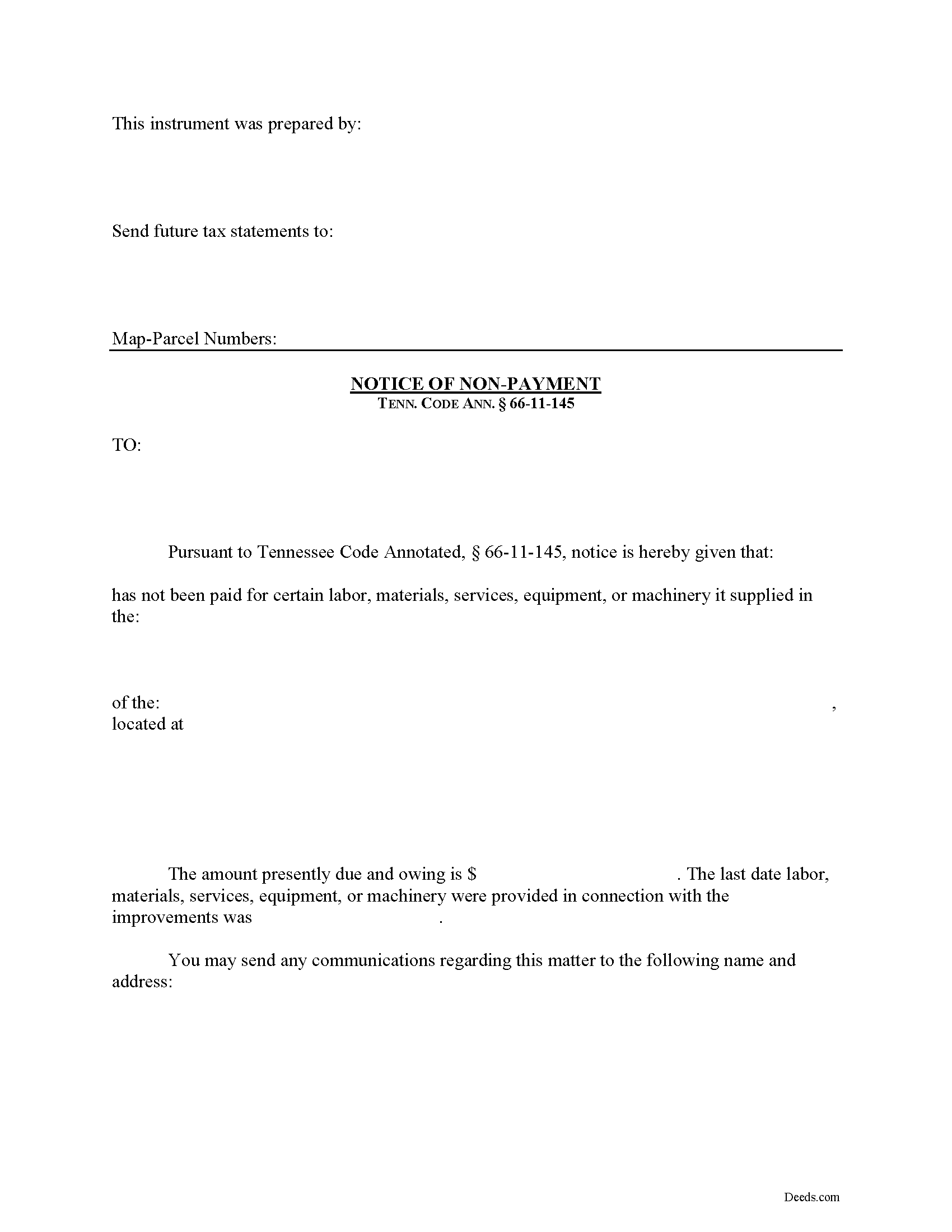
Unicoi County Notice of Non-Payment Form
Fill in the blank Notice of Non-Payment form formatted to comply with all Tennessee recording and content requirements.
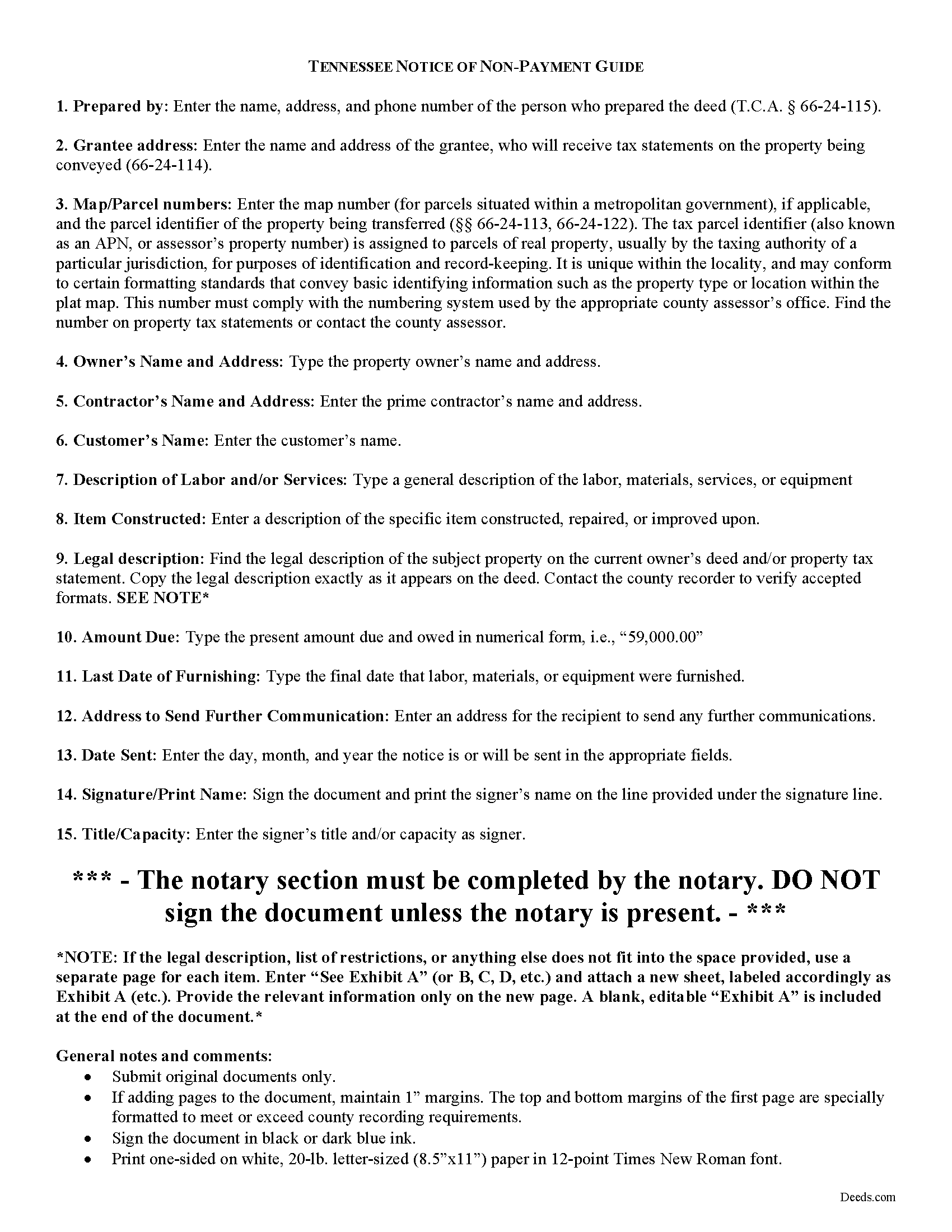
Unicoi County Notice of Non-Payment Guide
Line by line guide explaining every blank on the form.
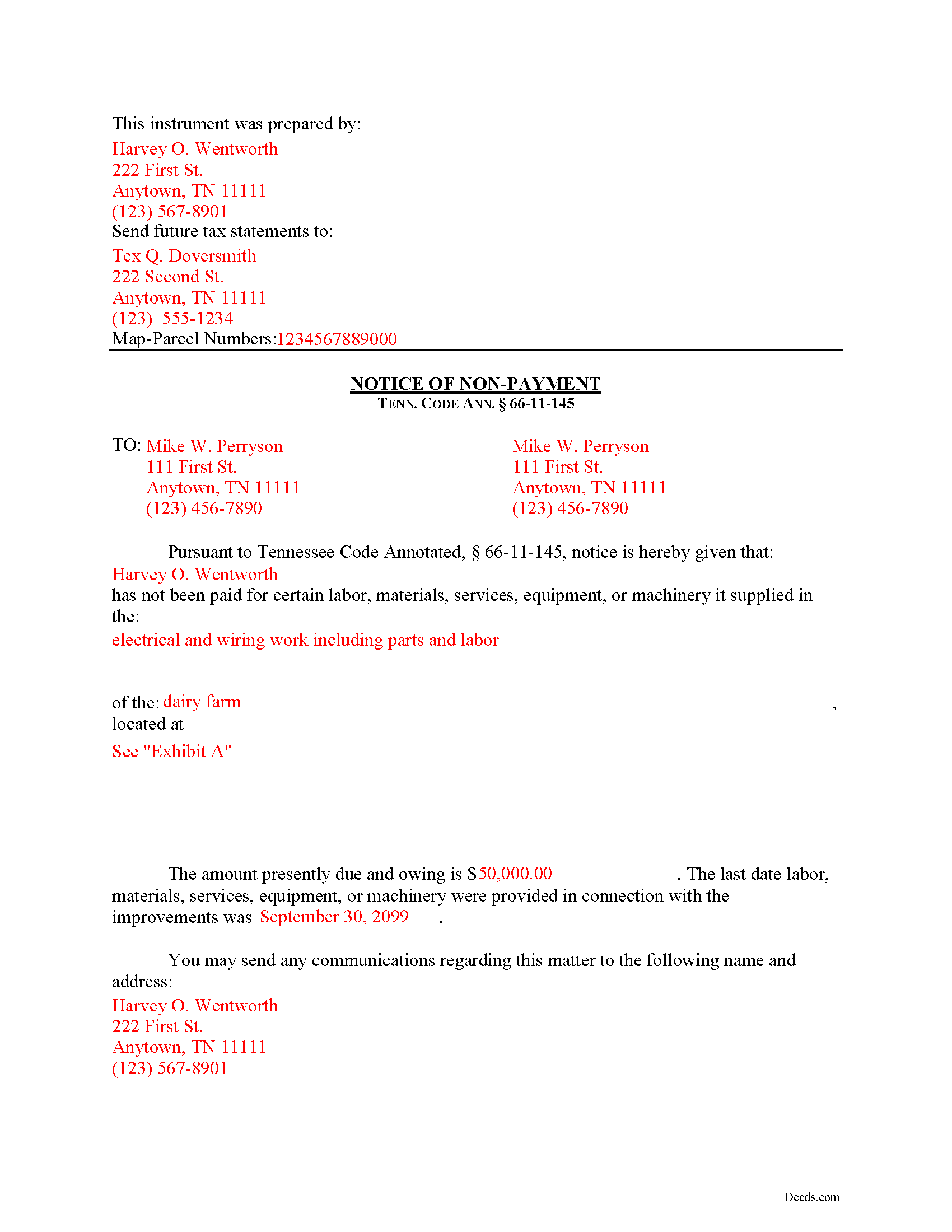
Unicoi County Completed Example of the Notice of Non-Payment Document
Example of a properly completed form for reference.
All 3 documents above included • One-time purchase • No recurring fees
Immediate Download • Secure Checkout
Additional Tennessee and Unicoi County documents included at no extra charge:
Where to Record Your Documents
Unicoi County Register of Deeds
Erwin, Tennessee 37650
Hours: Mon - Fri 9:00 am - 5:00 pm; Sat 9:00 am - 12 noon
Phone: (615) 743-6104
Recording Tips for Unicoi County:
- Bring your driver's license or state-issued photo ID
- Ensure all signatures are in blue or black ink
- Request a receipt showing your recording numbers
- Ask about accepted payment methods when you call ahead
- Ask for certified copies if you need them for other transactions
Cities and Jurisdictions in Unicoi County
Properties in any of these areas use Unicoi County forms:
- Erwin
- Flag Pond
- Unicoi
Hours, fees, requirements, and more for Unicoi County
How do I get my forms?
Forms are available for immediate download after payment. The Unicoi County forms will be in your account ready to download to your computer. An account is created for you during checkout if you don't have one. Forms are NOT emailed.
Are these forms guaranteed to be recordable in Unicoi County?
Yes. Our form blanks are guaranteed to meet or exceed the applicable formatting requirements used for recording in Unicoi County, including margin requirements, font requirements, and other layout standards. This guarantee applies to formatting, not to the legal sufficiency of information entered by the user or the suitability of a form for a particular transaction.
Can I reuse these forms?
Yes. You can reuse the forms for your personal use. For example, if you have multiple properties in Unicoi County you only need to order once.
What do I need to use these forms?
The forms are PDFs that you fill out on your computer. The free Adobe Acrobat Reader is recommended, and most PDF apps also work. You do NOT enter your property information online - you download the blank forms and complete them privately on your own computer.
Are there any recurring fees?
No. This is a one-time purchase. Nothing to cancel, no memberships, no recurring fees.
How much does it cost to record in Unicoi County?
Recording fees in Unicoi County vary. Contact the recorder's office at (615) 743-6104 for current fees.
Questions answered? Let's get started!
Remote Contractor Claims in Tennessee
Remote contractors who have not contracted directly with the owner, must send a special type of notice when they are not paid at time. In Tennessee, that notice is called the "Notice of Non-Payment."
Every remote contractor with respect to an improvement, except one-to-four-family residential units, shall serve, within ninety (90) days of the last day of each month within which work, material, or labor was provided, or machinery furnished and for which the remote contractor intends to claim a lien, a notice of nonpayment to the owner and prime contractor in contractual privity with the remote contractor if its account is, in fact, unpaid. Tenn. Prop. Code 66-11-145(a). Serve the notice via registered or certified US Mail, or any other service with official delivery confirmation.
The notice shall contain the following: (1) The name of the remote contractor and the address to which the owner and the prime contractor in contractual relation with the remote contractor may send communications to the remote contractor; (2) A general description of the work, labor, materials, services, equipment, or machinery provided; (3) The amount owed as of the date of the notice; (4) A statement of the last date the claimant performed work and/or provided labor or materials, services, equipment, or machinery in connection with the improvements; and (5) A description sufficient to identify the real property against which a lien may be claimed. Id.
If a remote contractor fails to provide the notice of nonpayment in compliance with the law, he or she may lose the right to claim a lien (except with regard to a certain amount or percentage of the contract amount retained to guarantee performance of the remote contractor). Tenn. Prop. Code 66-11-145(b). Even though the notice of nonpayment is a required step in the lien process, be aware that it is NOT the same notice required to fulfill a notice of an impending lien, which must be drafted and sent separately. Tenn. Prop. Code 66-11-145(c).
This article is provided for informational purposes only and should not be considered legal advice or relied upon as any substitute for speaking with an attorney. Please consult a Tennessee attorney familiar with construction law for any issues regarding mechanic's liens.
Important: Your property must be located in Unicoi County to use these forms. Documents should be recorded at the county recording office listed above.
This Notice of Non-Payment meets all recording requirements specific to Unicoi County.
Our Promise
The documents you receive here are guaranteed to meet or exceed the applicable Unicoi County recording format requirements. If there is a rejection caused by our formatting, we will correct the issue or refund your payment. This guarantee applies to document formatting only and does not extend to information entered by the user, the selection of the form, or the legal effect of the completed document.
Save Time and Money
Get your Unicoi County Notice of Non-Payment form done right the first time with Deeds.com Uniform Conveyancing Blanks. At Deeds.com, we understand that your time and money are valuable resources, and we don't want you to face a penalty fee or rejection imposed by a county recorder for submitting nonstandard documents. We constantly review and update our forms to meet rapidly changing state and county recording requirements for roughly 3,500 counties and local jurisdictions.
4.8 out of 5 - ( 4,823 Reviews )
Elizabeth J. 5 out of 5 stars
It is very good and I would use the site again.
We appreciate your business and value your feedback. Thank you. Have a wonderful day!
Shannon R. 5 out of 5 stars
Good forms, served the purpose. would not hesitate to use again if needed.
We appreciate your business and value your feedback. Thank you. Have a wonderful day!
Maryel T. 4 out of 5 stars
Good site, had the information I needed. Quicker than I expected. Thanks.
We appreciate your business and value your feedback. Thank you. Have a wonderful day!
Sherry P. 5 out of 5 stars
It would be helpful to have a frequently asked questions section. That would make it easier to know I have the correct form. Sherry
Thank you for your feedback. We really appreciate it. Have a great day!
Dina B. 5 out of 5 stars
The web cite is very easy to navigate through making a document process simple to obtain.
Thank you!
Joan P. 5 out of 5 stars
Thank you for combining all necessary documents in one simple location.
Thank you!
Cindy J. 5 out of 5 stars
I'm stuck in Florida due to family business and needed to file documents in Virginia for other family business. Deeds.com made it easy and efficient and cost effective. I'm so grateful for this service!
Thank you!
Donna B. 5 out of 5 stars
Really liked the quick access to documents. Great service, thanks.
Thank you Donna, we appreciate you taken the time to leave your feedback. Have a great day!
Amy S. 5 out of 5 stars
Easy to use, clear instructions. Perfect for what we needed.
Thank you for choosing our service. We appreciate your review.
Natasha M. 5 out of 5 stars
Your forms, guides, sample deeds and submission process were accessible, easy to understand and simple. I also was pleasantly surprised by the efficiency, professionalism and ease of staff communicating with me after I uploaded the document to ensure the county accepted it. I will continue to use this website to record deeds. Thank you!
Thank you for your feedback. We really appreciate it. Have a great day!
Robert W. 5 out of 5 stars
The forms were as I expected them to be. The guide was very helpful. Overall very good.
Thanks Robert. We appreciate your feedback.
Jana H. 5 out of 5 stars
I love this recording service! They are so fast and let me know in advance if they think something is wrong and will be rejected! They are reasonably priced too!
We appreciate your business and value your feedback. Thank you. Have a wonderful day!
Sandra W. 5 out of 5 stars
I think this is going to be a very resourceful website, really have not had a chance to fully navigate yet. I look forward to accessing more.
Thank you!
Tammie S. 5 out of 5 stars
No review provided.
Thank you for your feedback. We really appreciate it. Have a great day!
John B. 5 out of 5 stars
Fantastic service, easy to use, and supported the entire way through every process. Excellent service!
We are motivated by your feedback to continue delivering excellence. Thank you!