Shelby County Deed Without Warranty (Signed by Attorney-in-Fact) Form
Last validated October 26, 2026 by our Forms Development TeamFormatted for recording in Shelby County, for property anywhere in the county: rural and unincorporated areas as well as Center, Joaquin, Shelbyville, Tenaha, Timpson.
- 3 documents included
- Immediate PDF download
- Formatting guarantee
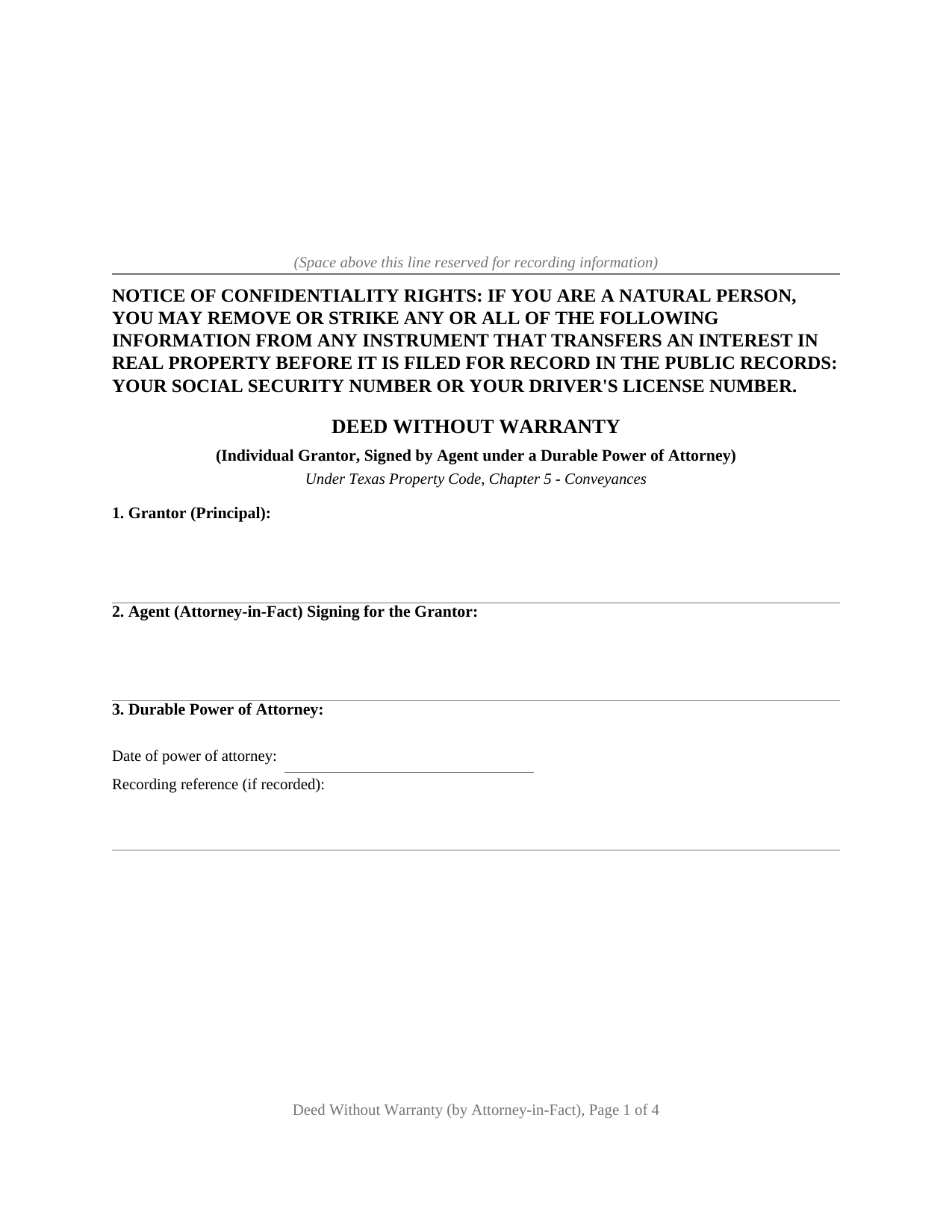
Shelby County Deed Without Warranty (Signed by Attorney-in-Fact) Form
Fill in the blank Deed Without Warranty (Signed by Attorney-in-Fact) form formatted to comply with all Texas recording and content requirements.
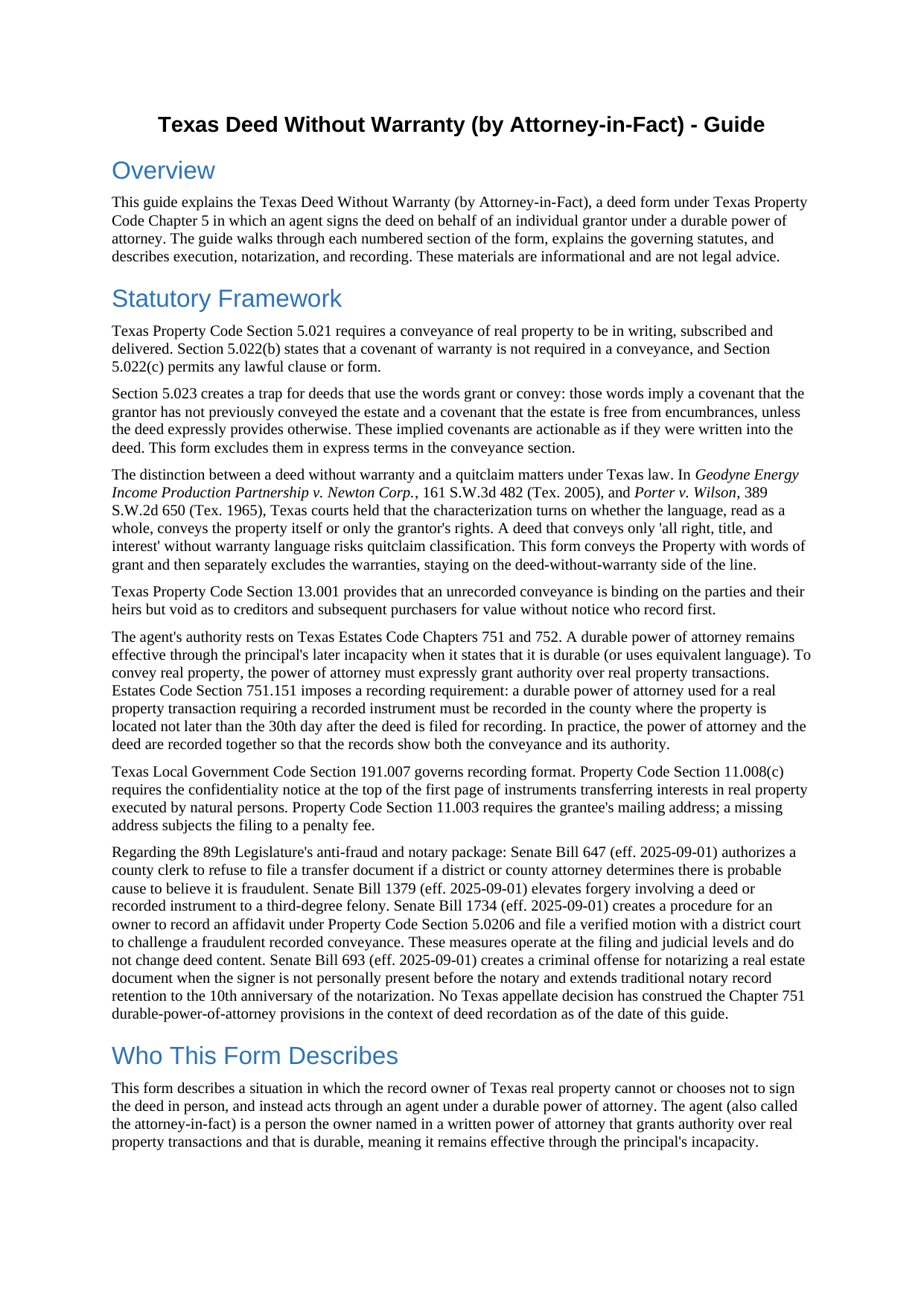
Shelby County Deed Without Warranty (Signed by Attorney-in-Fact) Guide
Line by line guide explaining every blank on the Deed Without Warranty (Signed by Attorney-in-Fact) form.
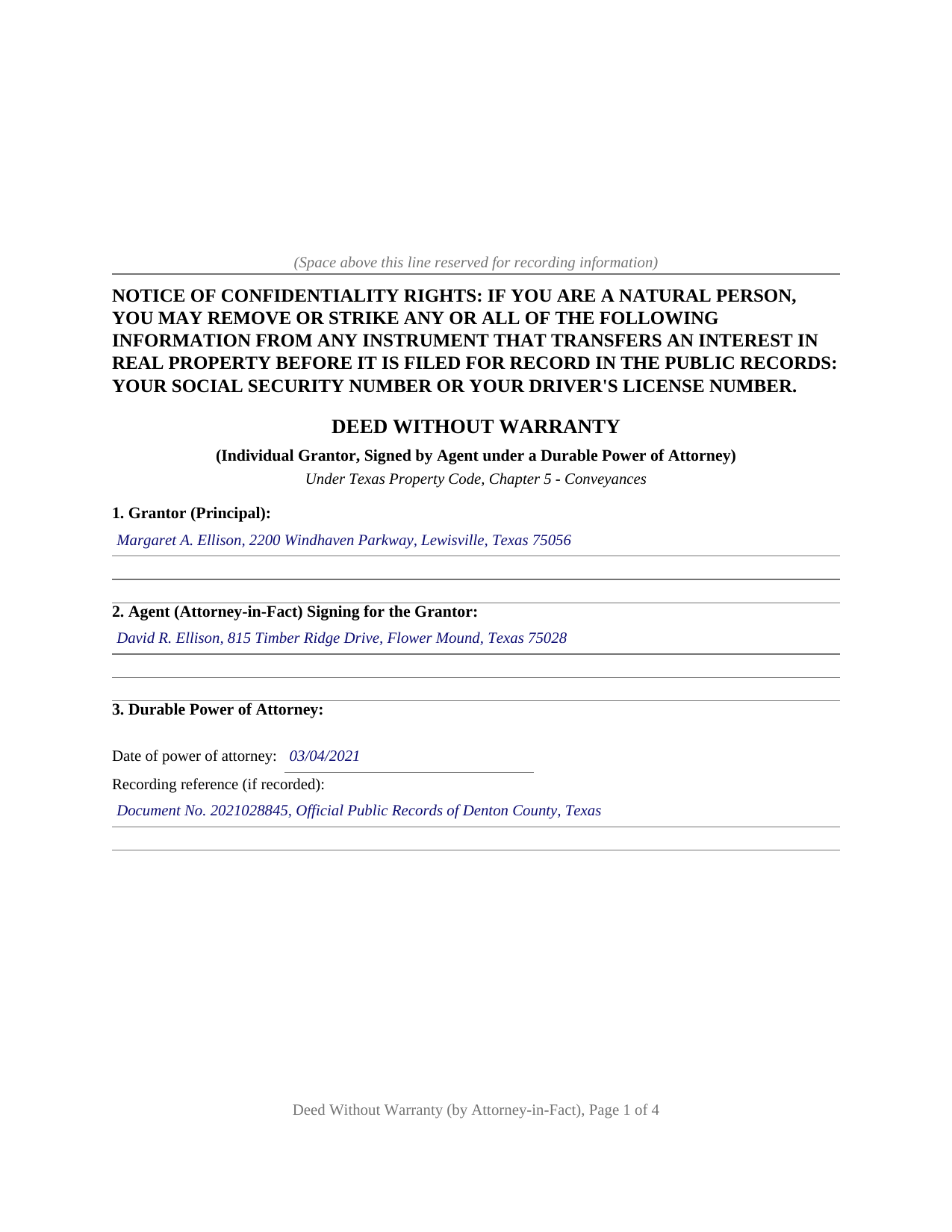
Shelby County Completed Example of the Deed Without Warranty (Signed by Attorney-in-Fact) Document
Example of a properly completed Texas Deed Without Warranty (Signed by Attorney-in-Fact) document for reference.
All 3 documents above included • One-time purchase • No recurring fees
Immediate Download • Secure Checkout
Additional Texas and Shelby County documents included at no extra charge:
Where to Record Your Documents
Shelby County Clerk
Center, Texas 75935
Hours: 8:00 to 4:30 Monday through Friday
Phone: (936) 598-6361
Recording Tips for Shelby County:
- Bring your driver's license or state-issued photo ID
- Ensure all signatures are in blue or black ink
- Ask for certified copies if you need them for other transactions
- Ask if they accept credit cards - many offices are cash/check only
- Check that your notary's commission hasn't expired
Cities and Jurisdictions in Shelby County
Properties in any of these areas use Shelby County forms:
- Center
- Joaquin
- Shelbyville
- Tenaha
- Timpson
Hours, fees, requirements, and more for Shelby County
How do I get my forms?
Forms are available for immediate download after payment. The Shelby County forms will be in your account ready to download to your computer. An account is created for you during checkout if you don't have one. Forms are NOT emailed.
Are these forms guaranteed to be recordable in Shelby County?
Yes. Our form blanks are guaranteed to meet or exceed the applicable formatting requirements used for recording in Shelby County, including margin requirements, font requirements, and other layout standards. This guarantee applies to formatting, not to the legal sufficiency of information entered by the user or the suitability of a form for a particular transaction.
Can I reuse these forms?
Yes. You can reuse the forms for your personal use. For example, if you have multiple properties in Shelby County you only need to order once.
What do I need to use these forms?
The forms are PDFs that you fill out on your computer. The free Adobe Acrobat Reader is recommended, and most PDF apps also work. You do NOT enter your property information online - you download the blank forms and complete them privately on your own computer.
Are there any recurring fees?
No. This is a one-time purchase. Nothing to cancel, no memberships, no recurring fees.
How much does it cost to record in Shelby County?
Recording fees in Shelby County vary. Contact the recorder's office at (936) 598-6361 for current fees.
Questions answered? Let's get started!
When a Texas property owner cannot sign a deed in person, a durable power of attorney lets an agent handle the transaction. This form prepares a deed without warranty for exactly that situation: the grantor's agent, called the attorney-in-fact, signs the deed on the owner's behalf, and the deed itself conveys the property while making no warranty of title.
What the Agent's Signature Means for the Deed
A deed without warranty conveys the property itself, using words of grant, while telling the grantee plainly that no title warranty accompanies the transfer. That combination places this form between a warranty deed, which stands behind the title, and a quitclaim, which releases only whatever the grantor holds. The agent's signature does not change the legal character of the conveyance; it changes only who physically signs. The operative clause grants, sells, and conveys the property through the agent and under the authority of the durable power of attorney, and the without-warranty character of the deed is stated in express terms in the same section.
The Section 5.023 Exclusion
Texas Property Code Section 5.023 provides that the words grant or convey imply two covenants unless the deed expressly provides otherwise: a covenant that the grantor has not already conveyed the estate and a covenant that the estate is free from encumbrances. A deed that says nothing about those covenants can carry them into the transaction regardless of its caption. This form provides otherwise in plain language, excluding both the Section 5.023 implied covenants and any common-law warranty of title, so the words of grant convey the property without importing promises the grantor did not intend to make.
The Power of Attorney in the Chain of Records
Texas Estates Code Section 751.151 requires that a durable power of attorney used for a real property transaction requiring a recorded instrument be recorded in the county where the property sits, not later than the 30th day after the deed is filed. In practice, the power of attorney and the deed go to the county clerk together, so the records show both the conveyance and the authority behind it. The form carries the agent's name and the power of attorney's date and recording reference in its own numbered section, making that connection visible on the face of the deed.
How the Agent Signs
The agent signs in a representative capacity, not as a principal. The conventional signature form is the grantor's name followed by the agent's name and the designation attorney-in-fact. The acknowledgment certificate names the agent as attorney-in-fact on behalf of the principal, which is the form Texas Civil Practice and Remedies Code Section 121.008 supports for a person signing in a representative capacity. The grantor does not sign. The form carries one acknowledgment certificate for the agent, reflecting that the agent is this deed's sole signer.
Included in This Package
The download contains the fillable deed as a blank PDF, a completed example built on a Denton County fact pattern showing an agent conveying an individual's property, and a plain-language guide that covers every section, the power-of-attorney recitals, and the dual-recording requirement at the clerk's office. The materials are informational and are not legal advice.
Important: Your property must be located in Shelby County to use these forms. Documents should be recorded at the county recording office listed above.
This Deed Without Warranty (Signed by Attorney-in-Fact) meets all recording requirements specific to Shelby County.
Our Promise
The documents you receive here are guaranteed to meet or exceed the applicable Shelby County recording format requirements. If there is a rejection caused by our formatting, we will correct the issue or refund your payment. This guarantee applies to document formatting only and does not extend to information entered by the user, the selection of the form, or the legal effect of the completed document.
Save Time and Money
Get your Shelby County Deed Without Warranty (Signed by Attorney-in-Fact) form done right the first time with Deeds.com Uniform Conveyancing Blanks. At Deeds.com, we understand that your time and money are valuable resources, and we don't want you to face a penalty fee or rejection imposed by a county recorder for submitting nonstandard documents. We constantly review and update our forms to meet rapidly changing state and county recording requirements for roughly 3,500 counties and local jurisdictions.
4.8 out of 5 - ( 4,842 Reviews )
Lois B. 5 out of 5 stars
It works pretty well, had trouble with the word December. It printed out Decedmber with weird spacing but I think it will be ok.
Thank you for the feedback. We will take a look at the date field to see if there are any issues. Have a great day!
Jennie P. 5 out of 5 stars
Thank you for the information you sent.
Thank you!
Gary G. 5 out of 5 stars
My first time dealing with this company and fully satisfied with the product and service.
Thanks, Gary. We really appreciate you giving us a shot. Glad to hear the product and service delivered for you, and we’re happy to have earned your trust.
Mary H. 5 out of 5 stars
Easy, convenient, and very reasonably priced. I really appreciate the comprehensive step-by-step instructions to complete the forms. I would recommend their services and will use them again if needed.
We’re glad you had a positive experience. Thank you.
PAUL D. 5 out of 5 stars
Got what I needed and it all was good according to the County Recorder.
We’re glad to hear things went well. Thank you for the review.
Janet P. 5 out of 5 stars
Extremely easy to use. The guide and sample were a great source of reference.
Thank you for your feedback. We really appreciate it. Have a great day!
Anthony L. 5 out of 5 stars
I recently needed an affidavit of death. The form and help tools made it easy to fill out and file. the Recorder accepted this form . Which made the experience painless and easy . All things considered..
We appreciate your business and value your feedback. Thank you. Have a wonderful day!
cora c. 5 out of 5 stars
ALTHOUGH IT TOOK A LITTLE LONGER THAN EXPECTED TO RECEIVE AN INVOICE TO ALLOW ME TO PAY THE REQUIRED FEES AND HAVE MY DOCUMENT SUBMITTED FOR RECORDING, I REALLY APPRECIATED THE SERVICE AND PROMPT RESPONSES TO MY MESSAGES, SEEKING ASSISTANCE. THANK YOU SO MUCH!
We appreciate your business and value your feedback. Thank you. Have a wonderful day!
LINDA S. 5 out of 5 stars
One thing I would suggest that could be changed is the last page because we have a trust and I had to retype that page to include the trust and both trustee's signatures.
Thank you!
JAY R. 5 out of 5 stars
Easy to use service to download all needed forms
Your feedback is valuable to us and helps us improve. Thank you for sharing your thoughts!
George A. M. 5 out of 5 stars
User friendly and fast to use. I was pleased with experience.
We appreciate your business and value your feedback. Thank you. Have a wonderful day!
Allan y. 5 out of 5 stars
I liked the guide and example to follow to fill out the form. Very helpful!!
Thank you!
Deborah C. 5 out of 5 stars
I would recommend these forms to others.
Thank you!
Bernard H. 5 out of 5 stars
The site is clear and easy to submit requests. I will be using again when needed. No problems and a pleasure to deal with.
Thank you for your feedback. We really appreciate it. Have a great day!
Rochelle C. 5 out of 5 stars
Very prompt service. Thank you.
Thank you!