Calhoun County Owelty of Partition Deed Form
Last validated November 20, 2026 by our Forms Development TeamFormatted for recording in Calhoun County, for property anywhere in the county: rural and unincorporated areas as well as Point Comfort, Port Lavaca, Port O Connor, Seadrift.
- 3 documents included
- Immediate PDF download
- Formatting guarantee
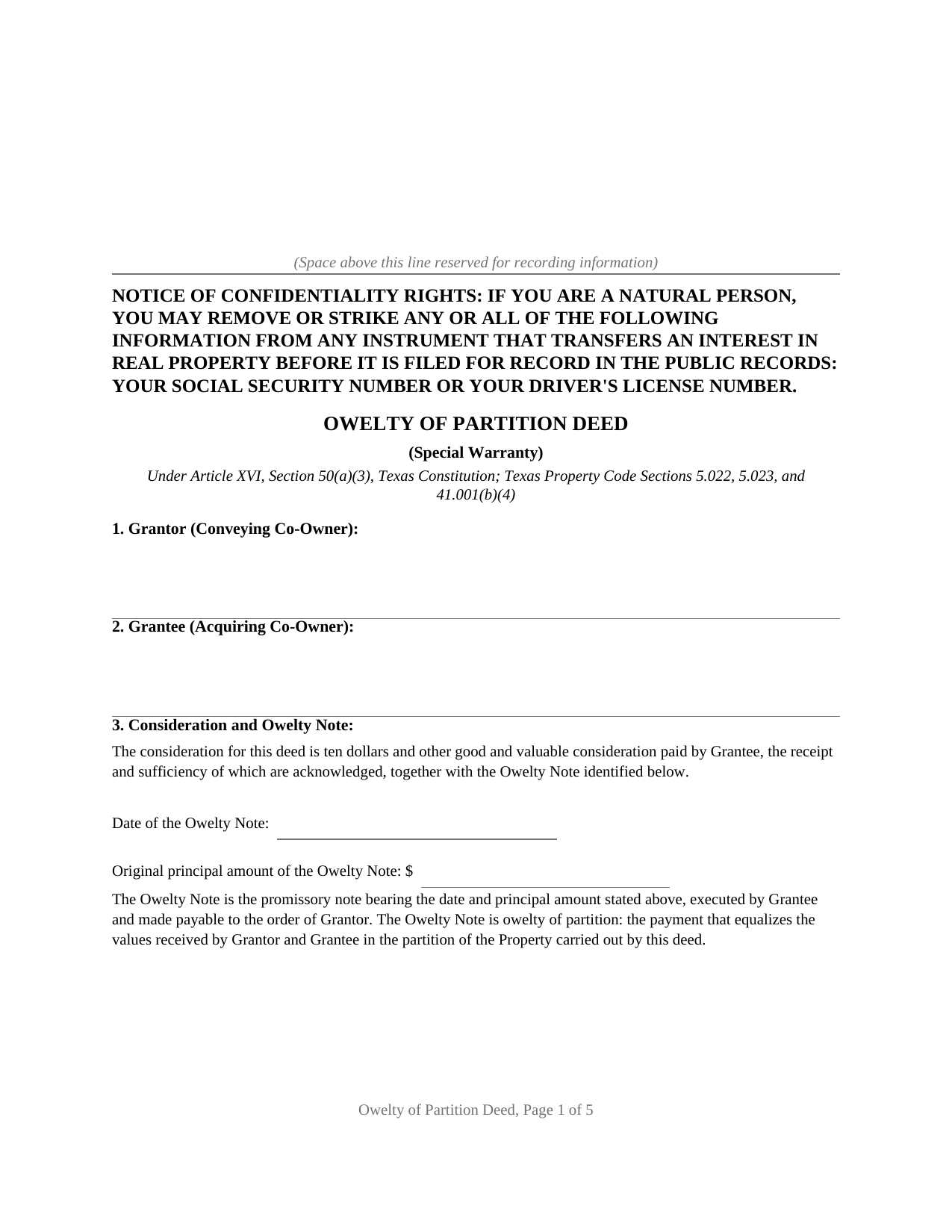
Calhoun County Owelty of Partition Deed Form
Fill in the blank Owelty of Partition Deed form formatted to comply with all Texas recording and content requirements.
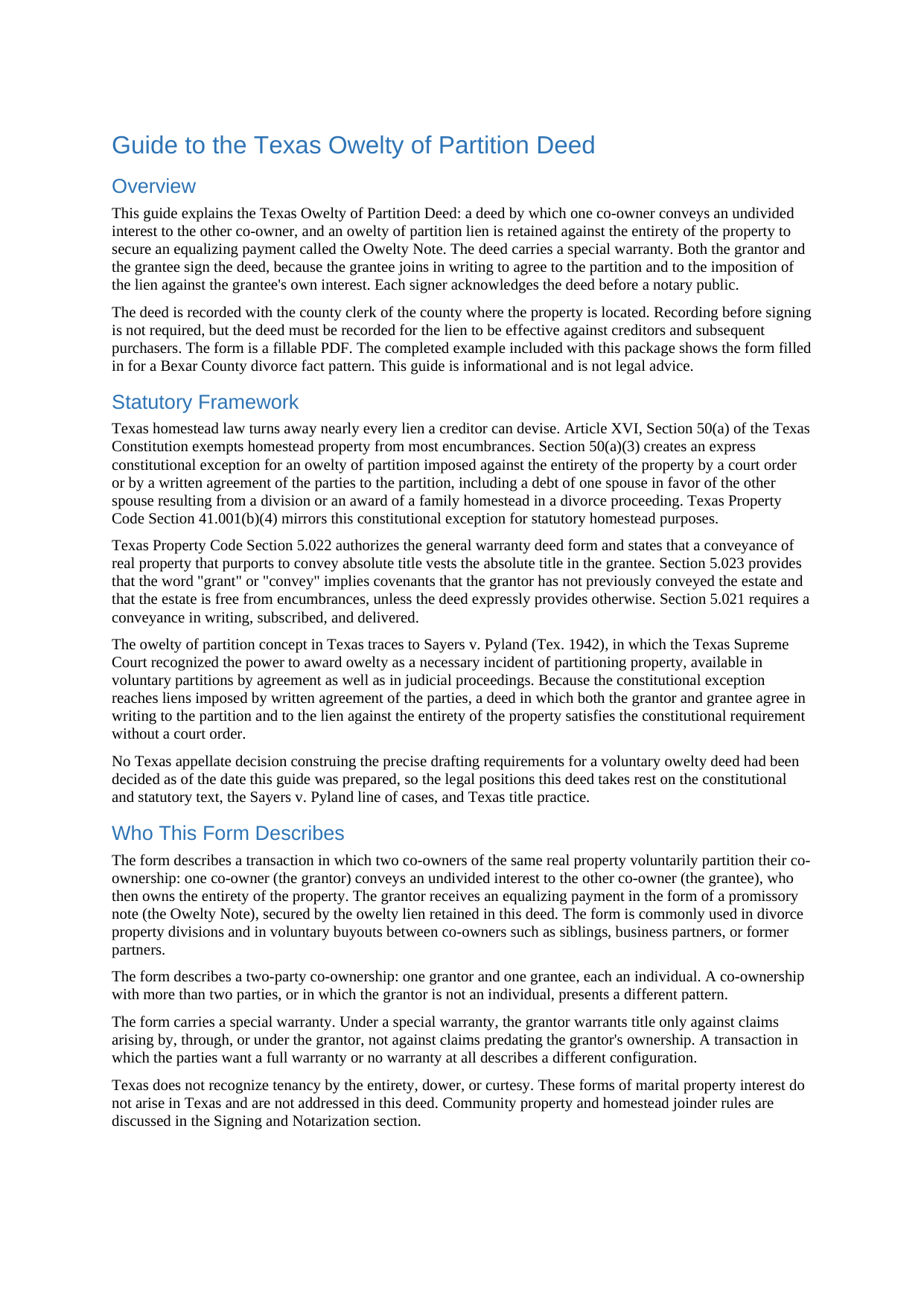
Calhoun County Owelty of Partition Deed Guide
Line by line guide explaining every blank on the Owelty of Partition Deed form.
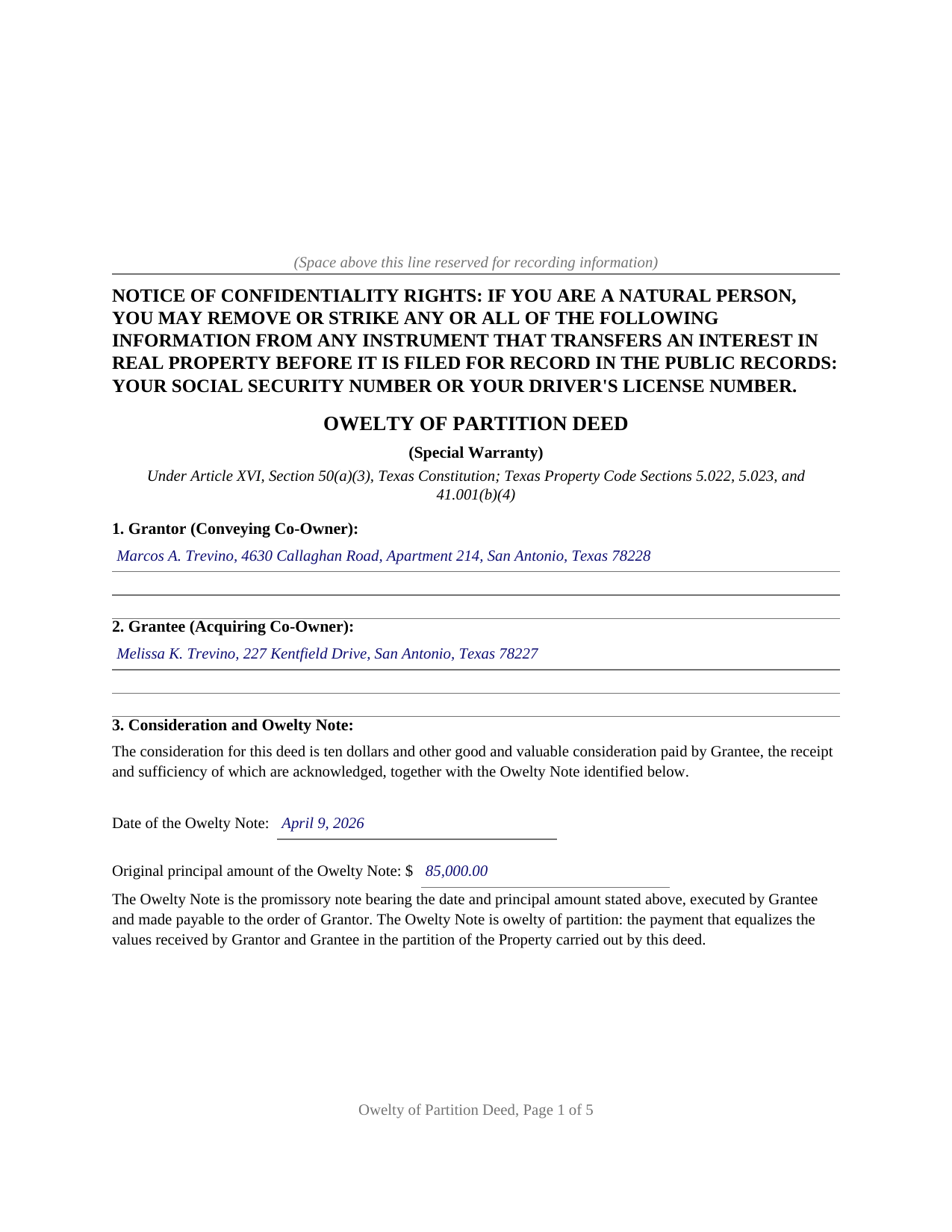
Calhoun County Completed Example of the Owelty of Partition Deed Document
Example of a properly completed Texas Owelty of Partition Deed document for reference.
All 3 documents above included • One-time purchase • No recurring fees
Immediate Download • Secure Checkout
Additional Texas and Calhoun County documents included at no extra charge:
Where to Record Your Documents
Calhoun County Clerk
Port Lavaca, Texas 77979
Hours: Monday - Thursday 8:00 to 5:00 / Friday 8:30 to 5:00
Phone: 361-553-4411
Recording Tips for Calhoun County:
- Bring your driver's license or state-issued photo ID
- Ensure all signatures are in blue or black ink
- Ask if they accept credit cards - many offices are cash/check only
- Check that your notary's commission hasn't expired
- Documents must be on 8.5 x 11 inch white paper
Cities and Jurisdictions in Calhoun County
Properties in any of these areas use Calhoun County forms:
- Point Comfort
- Port Lavaca
- Port O Connor
- Seadrift
Hours, fees, requirements, and more for Calhoun County
How do I get my forms?
Forms are available for immediate download after payment. The Calhoun County forms will be in your account ready to download to your computer. An account is created for you during checkout if you don't have one. Forms are NOT emailed.
Are these forms guaranteed to be recordable in Calhoun County?
Yes. Our form blanks are guaranteed to meet or exceed the applicable formatting requirements used for recording in Calhoun County, including margin requirements, font requirements, and other layout standards. This guarantee applies to formatting, not to the legal sufficiency of information entered by the user or the suitability of a form for a particular transaction.
Can I reuse these forms?
Yes. You can reuse the forms for your personal use. For example, if you have multiple properties in Calhoun County you only need to order once.
What do I need to use these forms?
The forms are PDFs that you fill out on your computer. The free Adobe Acrobat Reader is recommended, and most PDF apps also work. You do NOT enter your property information online - you download the blank forms and complete them privately on your own computer.
Are there any recurring fees?
No. This is a one-time purchase. Nothing to cancel, no memberships, no recurring fees.
How much does it cost to record in Calhoun County?
Recording fees in Calhoun County vary. Contact the recorder's office at 361-553-4411 for current fees.
Questions answered? Let's get started!
Texas homestead law turns away nearly every lien a creditor can devise, and an owelty of partition lien is one of the few it admits. Article XVI, Section 50(a)(3) of the Texas Constitution excepts from homestead protection an owelty of partition imposed against the entirety of the property by a court order or by a written agreement of the parties to the partition, including a debt of one spouse in favor of the other resulting from the award of a family homestead in a divorce. This form prepares the deed built on that exception: one co-owner conveys an undivided interest to the other, and the deed retains an owelty of partition lien against the whole property to secure the equalizing payment.
Equality money, secured by the entire property
Owelty is an old word for the money that makes a division equal. When two owners split co-owned real estate and one keeps property worth more than that owner's share, the difference is owed as owelty, and partition law secures it with a lien on the share of greater value. The Texas Supreme Court described the power to award owelty as a necessary incident of partitioning property in Sayers v. Pyland (1942) and confirmed that the lien can arise in a voluntary partition by agreement, not only in a courtroom. What makes the owelty lien unusual is its reach: it attaches to the entirety of the property, including the interest the paying owner already held, and it holds even where the property is the paying owner's homestead.
Why the grantee signs too
Most deeds carry one signature. This one carries two, and the second is where the lien's constitutional footing lives. The exception reaches a lien imposed by a court order or by a written agreement of the parties to the partition, so the deed is drafted as that written agreement: the grantor conveys the undivided interest with a special warranty, retaining the owelty lien, and the grantee joins to agree in writing to the partition and to the imposition of the lien against the entirety of the property, the grantee's own original interest included. The deed provides a place to identify a divorce decree or separate partition agreement, and it states in capital letters that the lien holds until the owelty note is fully paid, at which time the deed becomes absolute.
The paperwork around the deed
The recorded deed travels with companions: the owelty note that states the payment terms, commonly a deed of trust to secure owelty of partition, and, at payoff, a recorded release of lien. Because a properly imposed owelty lien is valid against a homestead, Texas title and lending practice treats the buyout as secured financing rather than a home equity transaction. The deed records with the county clerk of the county where the property is located and carries the confidentiality notice of Property Code Section 11.008 on its first page.
The download includes the deed as a fillable PDF formatted to Texas recording standards, a completed example filled in for a Bexar County divorce fact pattern, and a plain language guide covering each numbered section, the two signature design, and recording. The materials describe the law in general terms and are not legal advice.
Important: Your property must be located in Calhoun County to use these forms. Documents should be recorded at the county recording office listed above.
This Owelty of Partition Deed meets all recording requirements specific to Calhoun County.
Our Promise
The documents you receive here are guaranteed to meet or exceed the applicable Calhoun County recording format requirements. If there is a rejection caused by our formatting, we will correct the issue or refund your payment. This guarantee applies to document formatting only and does not extend to information entered by the user, the selection of the form, or the legal effect of the completed document.
Save Time and Money
Get your Calhoun County Owelty of Partition Deed form done right the first time with Deeds.com Uniform Conveyancing Blanks. At Deeds.com, we understand that your time and money are valuable resources, and we don't want you to face a penalty fee or rejection imposed by a county recorder for submitting nonstandard documents. We constantly review and update our forms to meet rapidly changing state and county recording requirements for roughly 3,500 counties and local jurisdictions.
4.8 out of 5 - ( 4,865 Reviews )
Dianna K. 5 out of 5 stars
Excellent customer service - couldnt have been any more helpful, with a smile I could hear through the phone!
Thank you!
Marilyn C. 5 out of 5 stars
My document got recorded right away. Thank you! Will use again in the future when needed.
We appreciate your business and value your feedback. Thank you. Have a wonderful day!
Kimberly S. 5 out of 5 stars
Worked very well. Seamless process with helpful directions.
Thank you for your feedback. We really appreciate it. Have a great day!
John B. 5 out of 5 stars
I bought a Quitclaim Deed package for Fayette County, Kentucky, to transfer my house into a Living Trust that I had set up previously. Creating my Quitclaim Deed was pretty straightforward, using the form, the instructions, and the sample Quitclaim Deed. I signed my Quitclaim Deed at a nearby Notary Public, then took it to the Fayette County Clerk's office to be recorded. The clerk there asked me to make two small changes to the Quitclaim Deed, which she let me do in pen on the spot: * In the signature block for the receiver of the property, filled in "Capacity" as "Grantee as Trustee ______________________________ Living Trust". * In the notary's section, changed "were acknowledged before me" to "were acknowledged and sworn to before me".
Thank you for your feedback. We really appreciate it. Have a great day!
Ardith S. 5 out of 5 stars
Very informative and user friendly. Was able to get all information and forms needed without any problems.
We appreciate your business and value your feedback. Thank you. Have a wonderful day!
Robert W. 5 out of 5 stars
Perfect timing. Everything was consistent and timely.
Thank you Robert, we appreciate your feedback.
Tawnya P. 5 out of 5 stars
I can't believe I haven't found Deeds.com sooner. They made my job so much easier!! They make recording documents effortless. I'm so grateful.
Thank you for your feedback. We really appreciate it. Have a great day!
Joy N. 5 out of 5 stars
As a real estate professional, I've had the opportunity to use various legal form providers over the years, but none have matched the quality and user-friendliness of Deeds.com's real estate legal forms. The forms themselves are comprehensive, up-to-date, and in line with current real estate laws and regulations, which is paramount in our field. The clarity and thoroughness of the documentation ensured that I could complete with confidence, knowing that every detail was covered. I wholeheartedly recommend their services and look forward to continuing our partnership.
Your feedback is greatly appreciated. Thank you for taking the time to share your experience!
Willaim B. 5 out of 5 stars
Love Deeds.com They have saved me so much time. Prompt responds to all my questions. Highly recommend
Thank you for choosing our service. We appreciate your review.
Lynn H. 5 out of 5 stars
A very informative WEB site. It was simple to access the forms I needed for my specific situation. I would highly recommend Deeds.com. I will be back with future needs when they arise! I was left with a very positive impression. Thank you so much!
We appreciate your business and value your feedback. Thank you. Have a wonderful day!
Jane E. 5 out of 5 stars
The form was incompatible with my son's new computer. I do not have a printer. We did use your form to type a copy into "word" so he could print it.
Thank you!
Michael S. 5 out of 5 stars
So convenient.
Knowing our customers are happy is our top priority. Thank you for the wonderful feedback!
Joyce S. 5 out of 5 stars
I am very pleased with Deeds.com. I have every form and information I need to meet Legal requirements. Thank You!
Thank you for your feedback. We really appreciate it. Have a great day!
Jerry O. 2 out of 5 stars
Everything I needed including detailed instructions to transfer the deed on my house from me alone to me and my wife as joint owners with right of survivorship. Formatting was compliant and blanks for all information required were provided in all the right places. 5 stars
We appreciate your business and value your feedback. Thank you. Have a wonderful day!
Sonya B. 5 out of 5 stars
Easy to order what I needed.
Thank you!