Calhoun County Easement Deed (Ingress and Egress) Form
Last validated October 19, 2026 by our Forms Development TeamFormatted for recording in Calhoun County, for property anywhere in the county: rural and unincorporated areas as well as Point Comfort, Port Lavaca, Port O Connor, Seadrift.
- 3 documents included
- Immediate PDF download
- Formatting guarantee
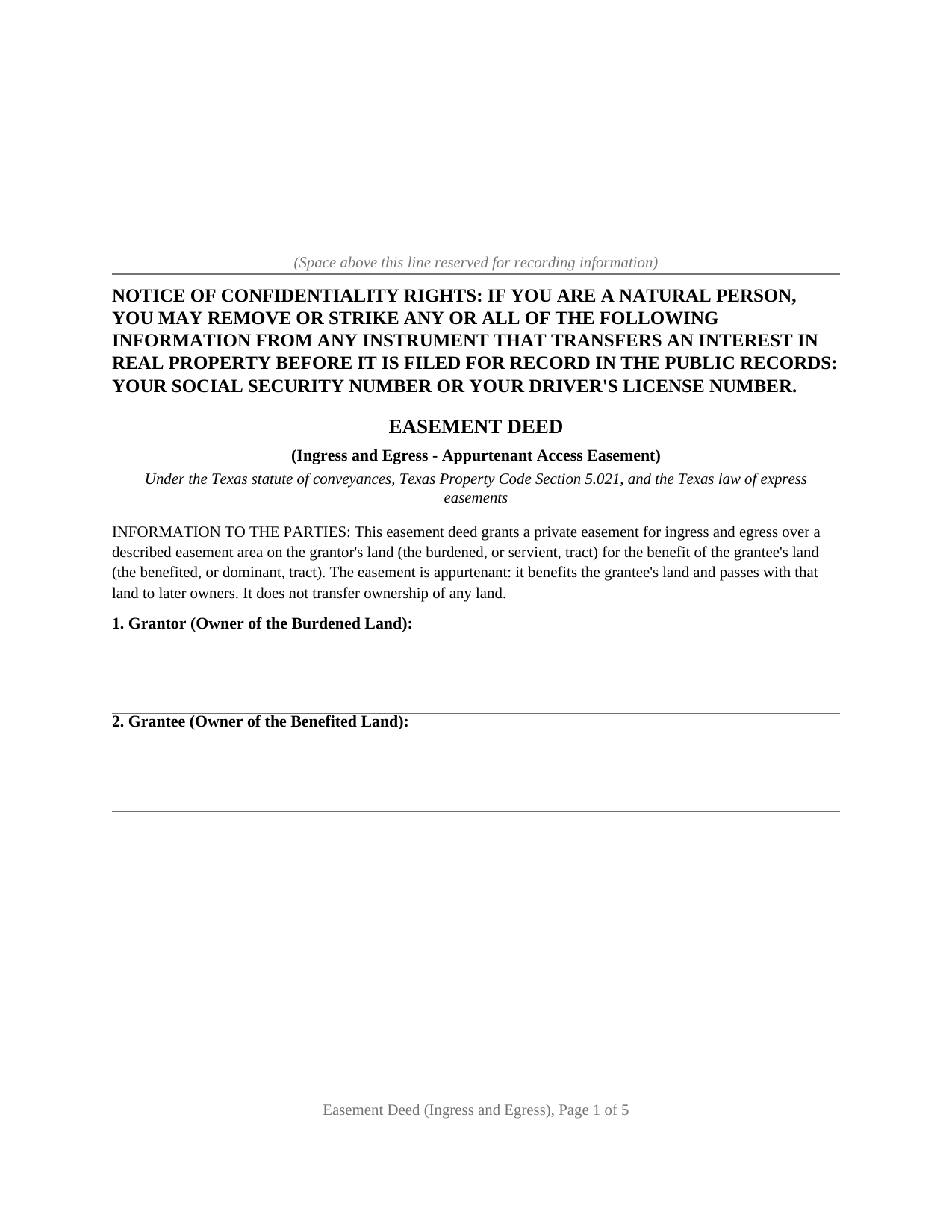
Calhoun County Easement Deed (Ingress and Egress) Form
Fill in the blank Easement Deed (Ingress and Egress) form formatted to comply with all Texas recording and content requirements.
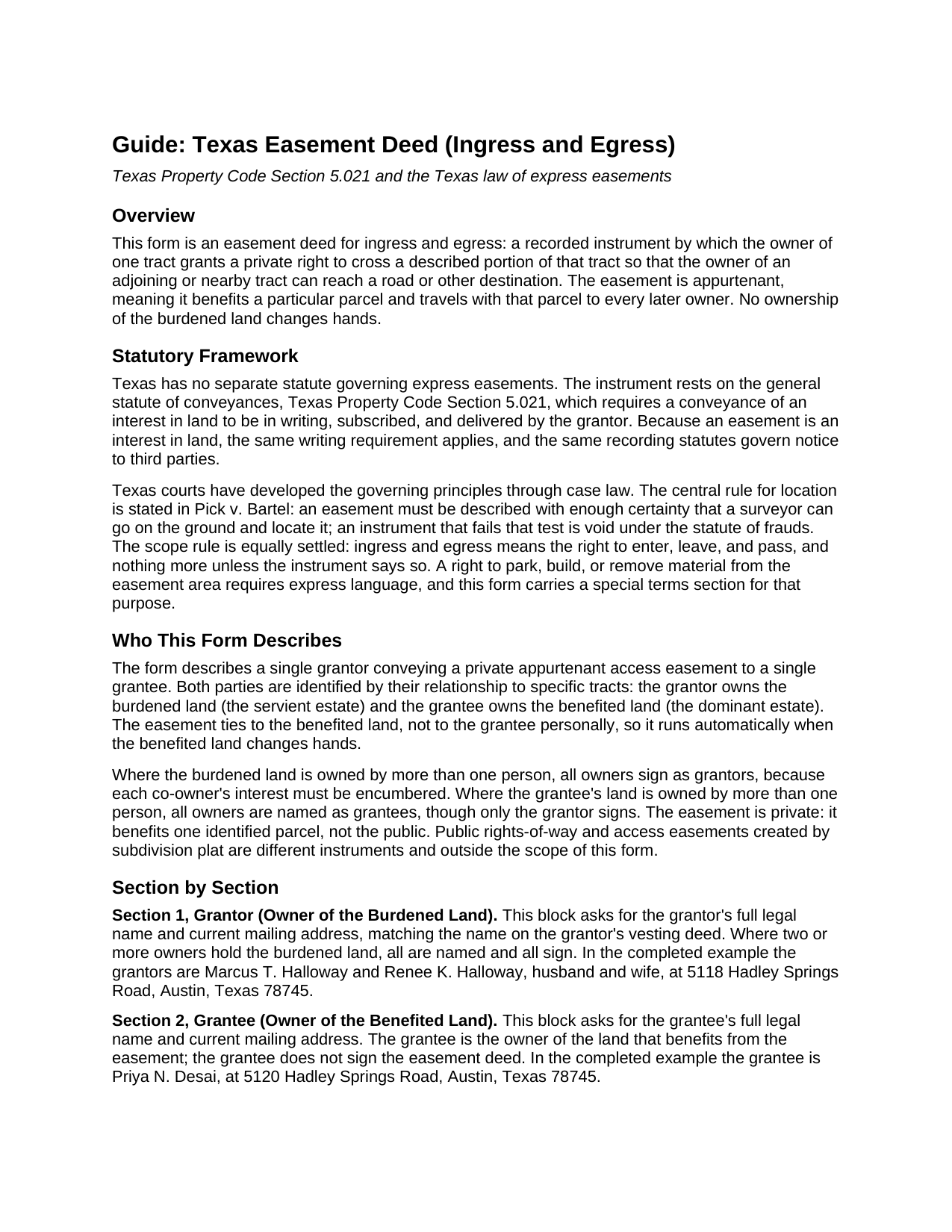
Calhoun County Easement Deed (Ingress and Egress) Guide
Line by line guide explaining every blank on the Easement Deed (Ingress and Egress) form.
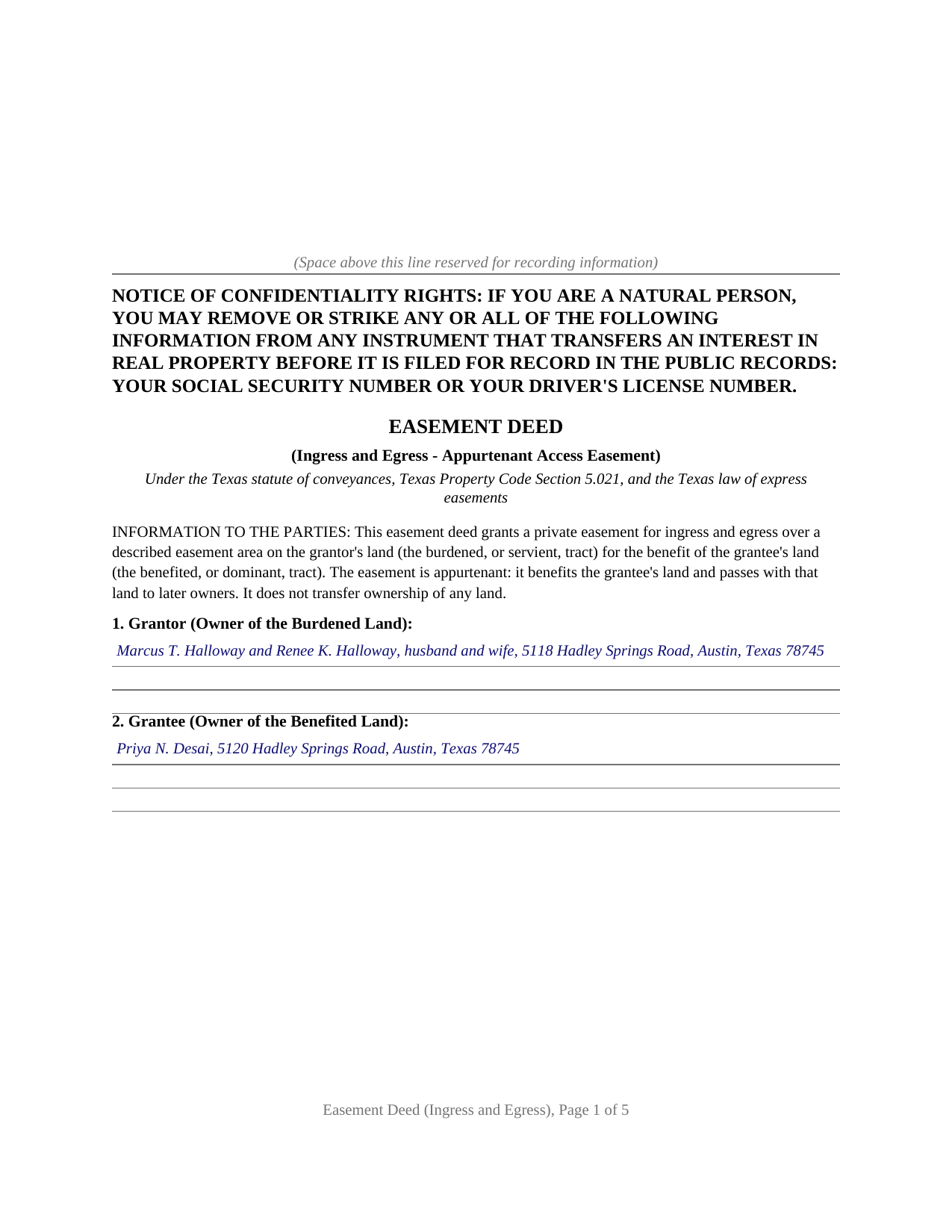
Calhoun County Completed Example of the Easement Deed (Ingress and Egress) Document
Example of a properly completed Texas Easement Deed (Ingress and Egress) document for reference.
All 3 documents above included • One-time purchase • No recurring fees
Immediate Download • Secure Checkout
Additional Texas and Calhoun County documents included at no extra charge:
Where to Record Your Documents
Calhoun County Clerk
Port Lavaca, Texas 77979
Hours: Monday - Thursday 8:00 to 5:00 / Friday 8:30 to 5:00
Phone: 361-553-4411
Recording Tips for Calhoun County:
- Bring your driver's license or state-issued photo ID
- Ensure all signatures are in blue or black ink
- Leave recording info boxes blank - the office fills these
- Make copies of your documents before recording - keep originals safe
- Recorded documents become public record - avoid including SSNs
Cities and Jurisdictions in Calhoun County
Properties in any of these areas use Calhoun County forms:
- Point Comfort
- Port Lavaca
- Port O Connor
- Seadrift
Hours, fees, requirements, and more for Calhoun County
How do I get my forms?
Forms are available for immediate download after payment. The Calhoun County forms will be in your account ready to download to your computer. An account is created for you during checkout if you don't have one. Forms are NOT emailed.
Are these forms guaranteed to be recordable in Calhoun County?
Yes. Our form blanks are guaranteed to meet or exceed the applicable formatting requirements used for recording in Calhoun County, including margin requirements, font requirements, and other layout standards. This guarantee applies to formatting, not to the legal sufficiency of information entered by the user or the suitability of a form for a particular transaction.
Can I reuse these forms?
Yes. You can reuse the forms for your personal use. For example, if you have multiple properties in Calhoun County you only need to order once.
What do I need to use these forms?
The forms are PDFs that you fill out on your computer. The free Adobe Acrobat Reader is recommended, and most PDF apps also work. You do NOT enter your property information online - you download the blank forms and complete them privately on your own computer.
Are there any recurring fees?
No. This is a one-time purchase. Nothing to cancel, no memberships, no recurring fees.
How much does it cost to record in Calhoun County?
Recording fees in Calhoun County vary. Contact the recorder's office at 361-553-4411 for current fees.
Questions answered? Let's get started!
A Texas easement deed for ingress and egress grants a recorded right to cross one owner's land so that a neighboring owner can reach a road. It does not hand over ownership of the strip that gets crossed; it grants a right of passage that attaches to the benefited land and travels with it to every later owner. This form prepares that grant as an appurtenant easement, the kind that ties access to a parcel rather than to a person.
A Right of Passage, Not a Transfer of Land
An easement is a nonpossessory interest: the owner of the burdened land keeps the land and every use of it that does not unreasonably interfere with the right granted. The grantee gets the right to enter, leave, and pass over a defined area, on foot and by vehicle, and nothing more unless the deed says so. Texas courts read ingress and egress narrowly as the right to pass; a right to park or to build has to be spelled out, and this form sets that out in its terms section rather than leaving it to argument later.
Appurtenant: The Access Runs With the Land
The form grants an easement appurtenant, which means it benefits a particular tract, the dominant estate, by burdening another tract, the servient estate. An appurtenant easement attaches to the benefited land and passes automatically when that land is sold, so a buyer of the rear lot inherits the recorded right to cross the front lot. The deed names both tracts for exactly this reason, which also removes any question of whether the access is merely personal.
The Description Has to Locate the Easement
The detail that most often decides whether an access easement holds up is the description of the easement area. Texas courts require that an easement be described with enough certainty that a surveyor can go on the ground and locate it; an easement whose writing gives no way to fix the area is void under the statute of frauds, the rule stated in Pick v. Bartel and applied to strike down vague access easements. The form gives the easement area its own section, separate from the descriptions of the two whole tracts, and the guide explains how a strip is fixed by width, course, and length or by an attached easement plat.
Signing, Homestead, and Co-Owners
The owner of the burdened land signs as grantor, because a grant of an easement is a conveyance under Texas Property Code Section 5.021, which calls for a writing signed and delivered by the grantor. Where the burdened land is the homestead of a married grantor, both spouses sign: Texas Family Code Section 5.001 calls for both spouses to join in an encumbrance of the homestead, and an easement is an encumbrance. The form carries a joining-spouse signature block for that situation and leaves it blank otherwise. Where more than one owner holds the burdened tract, all of them sign.
The completed deed is recorded with the county clerk of the county where the burdened land is located, which protects the easement against a later purchaser of that land who pays value without notice. The package includes the fillable easement deed, a completed example built on a realistic Travis County access arrangement, and a plain-language guide that walks every section. The materials are informational and are not legal advice.
Important: Your property must be located in Calhoun County to use these forms. Documents should be recorded at the county recording office listed above.
This Easement Deed (Ingress and Egress) meets all recording requirements specific to Calhoun County.
Our Promise
The documents you receive here are guaranteed to meet or exceed the applicable Calhoun County recording format requirements. If there is a rejection caused by our formatting, we will correct the issue or refund your payment. This guarantee applies to document formatting only and does not extend to information entered by the user, the selection of the form, or the legal effect of the completed document.
Save Time and Money
Get your Calhoun County Easement Deed (Ingress and Egress) form done right the first time with Deeds.com Uniform Conveyancing Blanks. At Deeds.com, we understand that your time and money are valuable resources, and we don't want you to face a penalty fee or rejection imposed by a county recorder for submitting nonstandard documents. We constantly review and update our forms to meet rapidly changing state and county recording requirements for roughly 3,500 counties and local jurisdictions.
4.8 out of 5 - ( 4,836 Reviews )
J Samuel B. 4 out of 5 stars
Good, but make your PDFs convertible to Word or RTF.
Thank you for your feedback. It helps us continue improving.
Christine L. 5 out of 5 stars
User friendly!
Thank you!
Richard W. 5 out of 5 stars
Very nice web site with available forms. Being out of state we appreciated instruction sheet details. Rick and Jean Weber, Chicago
We appreciate your business and value your feedback. Thank you. Have a wonderful day!
ROBERET D. 5 out of 5 stars
after a poor start was able to get to the forms page and find what I was looking for and every thing worked good. Just getting to the right area was a struggle but we made thanks Bob
Thank you for your feedback. We really appreciate it. Have a great day!
Anita L. 5 out of 5 stars
Found this site very easy to navigate and customer service very supportive and quickly answers any questions you have regarding forms. Best of all you can get the forms you need and only pay for those forms, not tied to some ongoing fee that you must cancel if you have no further need beyond forms you've already purchased.
We appreciate your business and value your feedback. Thank you. Have a wonderful day!
James R. 5 out of 5 stars
Super website. Easy to use and stuff is well organized.
We appreciate your business and value your feedback. Thank you. Have a wonderful day!
Kristine S. 5 out of 5 stars
Thank you! You made the process of filing something unusual very easy and efficiently. I will definitely recommend you and be back for my future recording needs.
We appreciate your business and value your feedback. Thank you. Have a wonderful day!
Deborah C. 5 out of 5 stars
I would recommend these forms to others.
Thank you!
Ben F. 5 out of 5 stars
My initial review during download and before reading the guide and forms looks promising.
Thank you!
Christopher Shawn S. 5 out of 5 stars
Swift and Concise Process!!! I would recommend, as well as, use again!
We appreciate your business and value your feedback. Thank you. Have a wonderful day!
Debra B. 5 out of 5 stars
I was very glad to have this option for filing a form as it would have taken 4 days due to offices being closed to the public during the COVID 19 epidemic. I found the process to be fairly simple and I was able to file the document within 24 hours.
We appreciate your business and value your feedback. Thank you. Have a wonderful day!
Shari W. 5 out of 5 stars
Fast and easy. Great service. Thanks.
Thank you!
Regina A. 5 out of 5 stars
I needed to look for a recorded document and found what I was looking for. Thank you for the great service.
Thank you for your feedback. We really appreciate it. Have a great day!
Della F. 5 out of 5 stars
Always total satisfaction when information is needed. Request for information provided quickly from extremely knowledgeable and courteous personnel.
Thank you!
Jo Anne M. 5 out of 5 stars
good I think
Thank you!