Kerr County Appointment and Acceptance of Successor Trustee (Recordable) Form
Last validated November 16, 2026 by our Forms Development TeamFormatted for recording in Kerr County, for property anywhere in the county: rural and unincorporated areas as well as Center Point, Hunt, Ingram, Kerrville, Mountain Home.
- 3 documents included
- Immediate PDF download
- Formatting guarantee
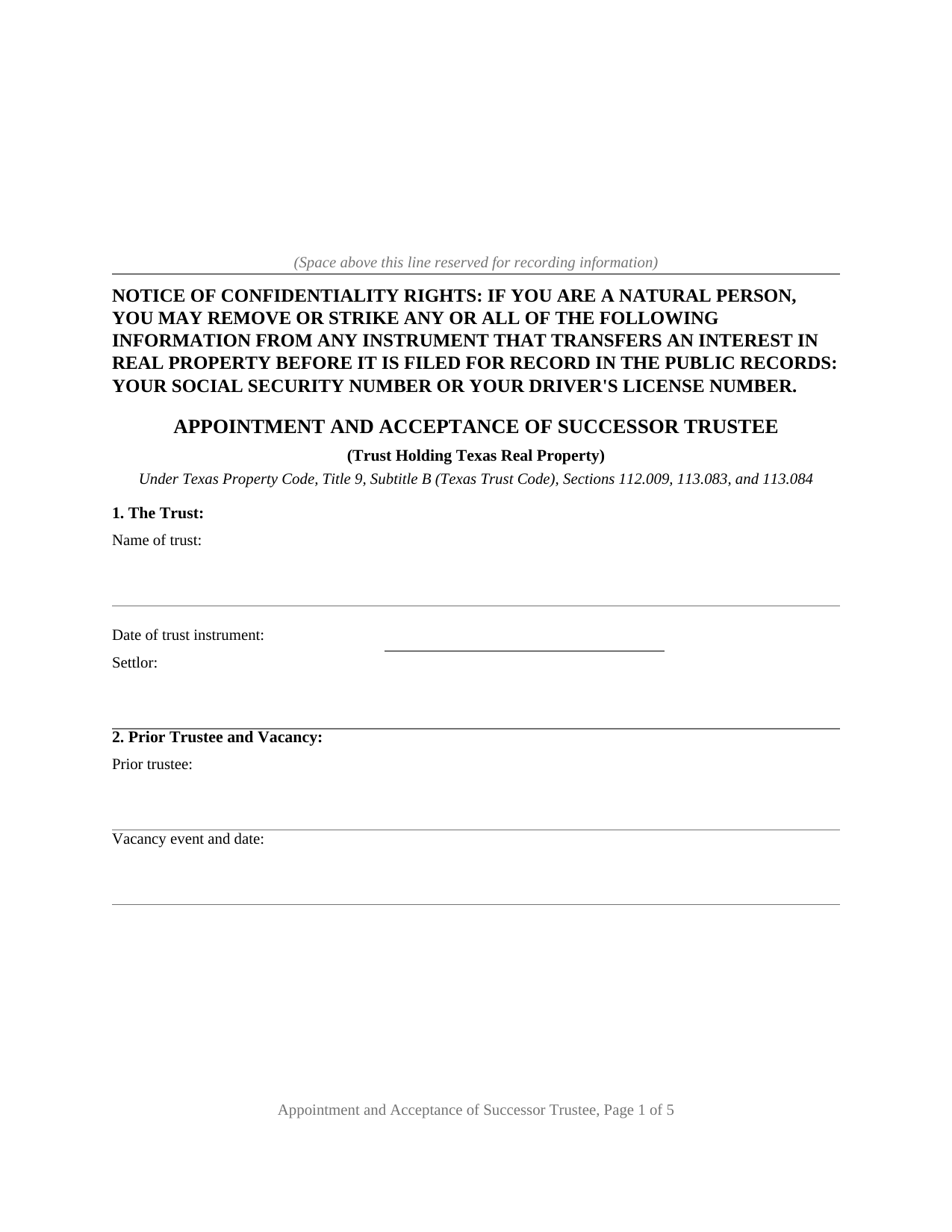
Kerr County Appointment and Acceptance of Successor Trustee (Recordable) Form
Fill in the blank Appointment and Acceptance of Successor Trustee (Recordable) form formatted to comply with all Texas recording and content requirements.
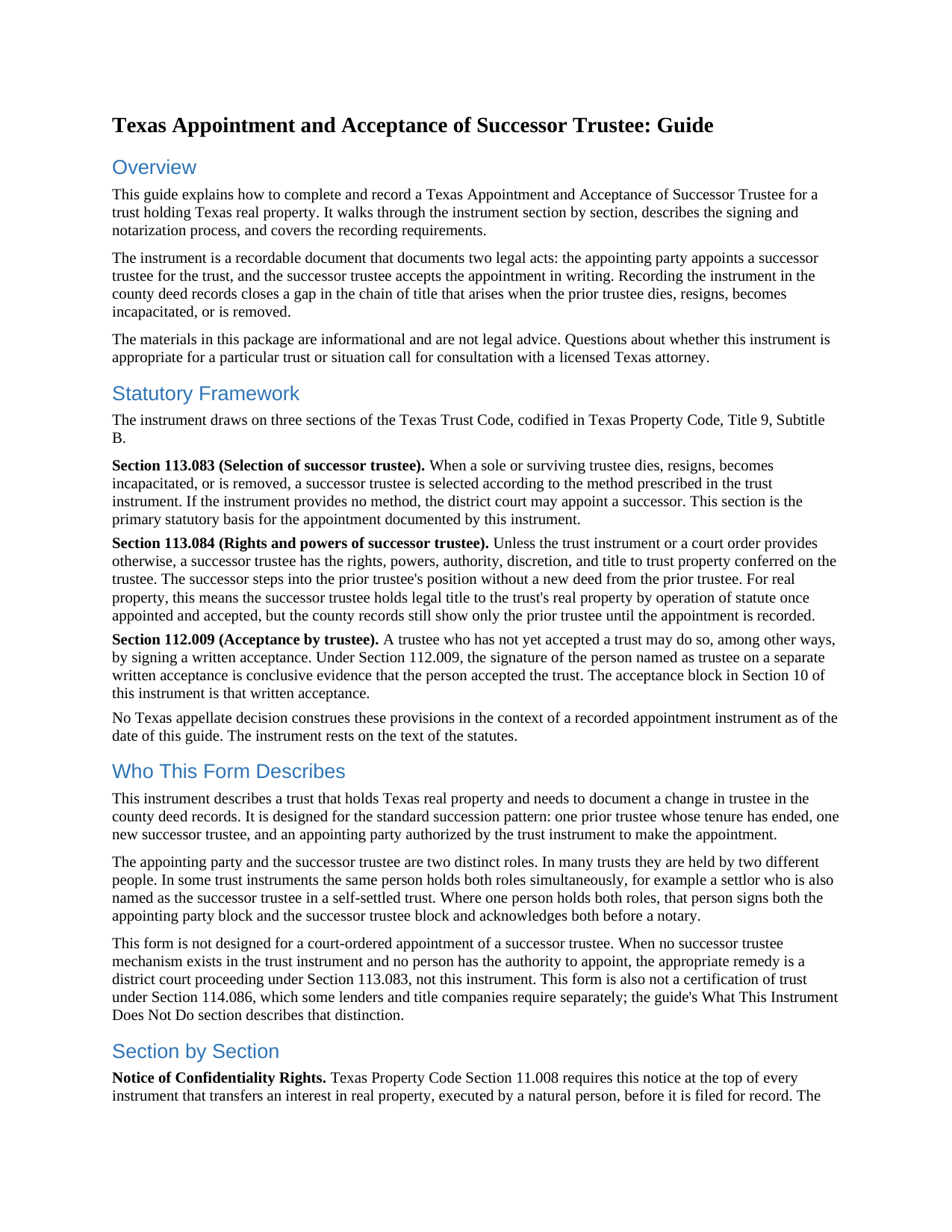
Kerr County Appointment and Acceptance of Successor Trustee (Recordable) Guide
Line by line guide explaining every blank on the Appointment and Acceptance of Successor Trustee (Recordable) form.
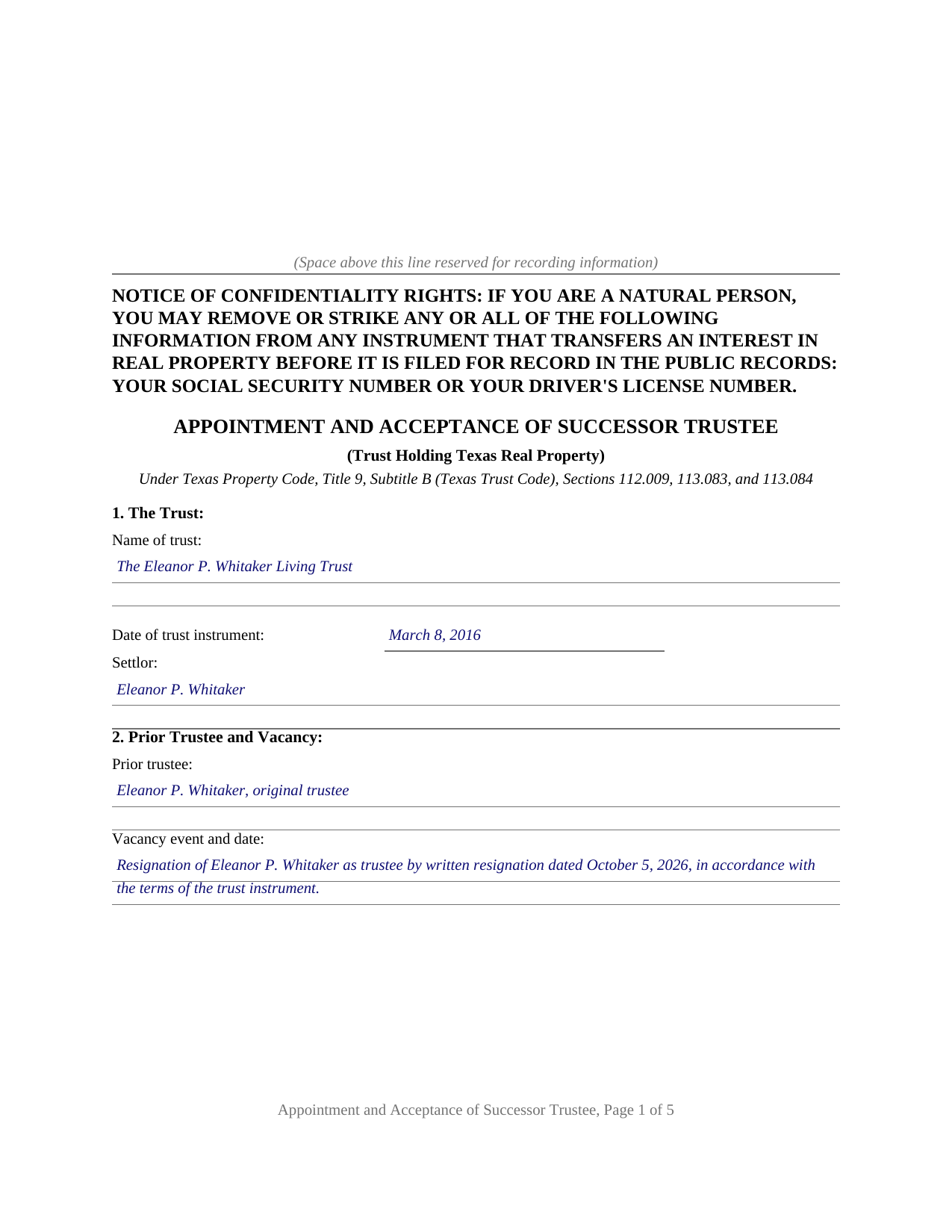
Kerr County Completed Example of the Appointment and Acceptance of Successor Trustee (Recordable) Document
Example of a properly completed Texas Appointment and Acceptance of Successor Trustee (Recordable) document for reference.
All 3 documents above included • One-time purchase • No recurring fees
Immediate Download • Secure Checkout
Additional Texas and Kerr County documents included at no extra charge:
Where to Record Your Documents
Kerr County Clerk
Kerrville, Texas 78028
Hours: Monday-Friday 8am-5pm
Phone: (830) 792-2255
Recording Tips for Kerr County:
- Bring your driver's license or state-issued photo ID
- Ensure all signatures are in blue or black ink
- Recording fees may differ from what's posted online - verify current rates
- Request a receipt showing your recording numbers
- Ask about accepted payment methods when you call ahead
Cities and Jurisdictions in Kerr County
Properties in any of these areas use Kerr County forms:
- Center Point
- Hunt
- Ingram
- Kerrville
- Mountain Home
Hours, fees, requirements, and more for Kerr County
How do I get my forms?
Forms are available for immediate download after payment. The Kerr County forms will be in your account ready to download to your computer. An account is created for you during checkout if you don't have one. Forms are NOT emailed.
Are these forms guaranteed to be recordable in Kerr County?
Yes. Our form blanks are guaranteed to meet or exceed the applicable formatting requirements used for recording in Kerr County, including margin requirements, font requirements, and other layout standards. This guarantee applies to formatting, not to the legal sufficiency of information entered by the user or the suitability of a form for a particular transaction.
Can I reuse these forms?
Yes. You can reuse the forms for your personal use. For example, if you have multiple properties in Kerr County you only need to order once.
What do I need to use these forms?
The forms are PDFs that you fill out on your computer. The free Adobe Acrobat Reader is recommended, and most PDF apps also work. You do NOT enter your property information online - you download the blank forms and complete them privately on your own computer.
Are there any recurring fees?
No. This is a one-time purchase. Nothing to cancel, no memberships, no recurring fees.
How much does it cost to record in Kerr County?
Recording fees in Kerr County vary. Contact the recorder's office at (830) 792-2255 for current fees.
Questions answered? Let's get started!
Legal title to real property held in a Texas trust stands in the name of the trustee. The deed that moved the property into the trust names the trustee of record, and every later search of the county records starts from that name. When that trustee dies, resigns, becomes incapacitated, or is removed, the trust continues and a successor steps in, but the county records still show only the prior trustee. This form prepares the instrument Texas title practice uses to close that gap: a recordable appointment and acceptance of successor trustee for a trust holding Texas real property.
Title Follows the Trustee
Under Section 113.083 of the Texas Trust Code, a successor trustee is selected according to the method, if any, prescribed in the trust instrument, with court appointment available where the instrument supplies none. Section 113.084 then does the quiet work that matters for real estate: unless the trust instrument or a court order provides otherwise, the successor trustee has the rights, powers, authority, discretion, and title to trust property conferred on the trustee. The succession takes effect under the trust instrument and the statute, with no new deed from the old trustee to the new one. What the succession does not do on its own is appear in the county records.
One Instrument, Two Legal Acts
The form performs two acts in a single recordable document. The appointing party, the person the trust instrument authorizes to select a successor, appoints the successor trustee, reciting the trust, the prior trustee, the vacancy event, and the provision relied on. The successor trustee then accepts the trust in writing; under Section 112.009, a signature on a separate written acceptance is conclusive evidence that the person accepted the trust. Each signer acknowledges before a notary, and the acknowledgments are what make the instrument recordable: Property Code Section 12.001 provides that an instrument concerning real property may be recorded once acknowledged.
Recording as Notice, Not Effectiveness
No Texas statute requires an appointment of successor trustee to be recorded, and recording is not what makes it effective. Recording serves the title record. A title company examining the trust property years later, a purchaser tracing the chain of title, and the appraisal district adjusting its rolls all find the succession documented in the same records that hold the vesting deed. The instrument identifies the property by county, legal description, street address, and vesting instrument, so the clerk indexes it where examiners look. The confidentiality notice required by Property Code Section 11.008 appears at the top of the first page, and the layout reserves the customary space on page one for the clerk's recording stamp.
What the Package Prepares
The download includes the blank instrument as a fillable PDF, a completed example showing a realistic Travis County succession from written resignation through acceptance, and a plain language guide that walks through every numbered section: the trust, the prior trustee and the vacancy, the authority for the appointment, the parties, the property, and the operative appointment and acceptance language. The instrument does not convey the property and does not modify the trust; the guide describes those limits, along with the certification of trust that banks and title companies separately request under Property Code Section 114.086. The materials are informational and are not legal advice.
Important: Your property must be located in Kerr County to use these forms. Documents should be recorded at the county recording office listed above.
This Appointment and Acceptance of Successor Trustee (Recordable) meets all recording requirements specific to Kerr County.
Our Promise
The documents you receive here are guaranteed to meet or exceed the applicable Kerr County recording format requirements. If there is a rejection caused by our formatting, we will correct the issue or refund your payment. This guarantee applies to document formatting only and does not extend to information entered by the user, the selection of the form, or the legal effect of the completed document.
Save Time and Money
Get your Kerr County Appointment and Acceptance of Successor Trustee (Recordable) form done right the first time with Deeds.com Uniform Conveyancing Blanks. At Deeds.com, we understand that your time and money are valuable resources, and we don't want you to face a penalty fee or rejection imposed by a county recorder for submitting nonstandard documents. We constantly review and update our forms to meet rapidly changing state and county recording requirements for roughly 3,500 counties and local jurisdictions.
4.8 out of 5 - ( 4,863 Reviews )
Sharon D. 4 out of 5 stars
I found all the forms I needed to complete a Quit Claim Deed on Deeds.com. All the forms are available for download to fill in on my laptop computer. So far the experience has been very good. My only issue would be that the Quit Claim instructions could be more thorough and easier to understand. I am guessing that the State of New Jersey made up the instructions? Unfortunately this has cost me a huge amount of extra time to parse out EXACTLY the terms I need to write on the Quit Claim Deed form. I haven't started the Tax Forms, but hope they will be more straightforward. In general, I DO recommend Deeds.com!
Thanks for the recommendation, Sharon. We appreciate you flagging the New Jersey instructions, and we'll review them with an eye toward making things clearer and more straightforward. Feedback like yours is how we keep improving.
William P. 1 out of 5 stars
VERY difficult to work with. Nice people. But difficult system. Ask for MANY changes. Why dont you do that as a
Sorry to hear of your struggle William. We do hope that you found something more suitable to your needs elsewhere.
Sharon C. 5 out of 5 stars
Easy process considering not too technical savvy!
We appreciate your business and value your feedback. Thank you. Have a wonderful day!
TEDDY Y. 5 out of 5 stars
this experience was made possible with the ease of using your service thank you
Thank you!
Todd J. 5 out of 5 stars
Super Easy!
Thank you!
Karri P. 5 out of 5 stars
Great service and easy to purchase exactly what you want.
We appreciate your business and value your feedback. Thank you. Have a wonderful day!
Jill R. 5 out of 5 stars
So helpful and extremely responsive. Such a convenient way to record deeds.
We appreciate your business and value your feedback. Thank you. Have a wonderful day!
Terralynn J. 5 out of 5 stars
I was very pleased to find ONLINE, Deed Revision Document(s) and their explanation. I ordered these document Forms, downloaded them and Printed them. Now, I will be able to fill them out in the privacy of my home. Instructions were also included, how to file this new Deed, after I complete it and have it Notarized. This has saved me time and emotional stress following the death of my husband. THANK YOU.
We appreciate your business and value your feedback. Thank you. Have a wonderful day!
Robert H. 5 out of 5 stars
Just what I needed to file in Orange County. East to use and reasonably priced. Will use again if needed.
We appreciate your business and value your feedback. Thank you. Have a wonderful day!
tao a. 5 out of 5 stars
excellent. I will this service again.
Thank you!
ALI T. 5 out of 5 stars
It is very easy to use Deeds.Com to perform eRecording. The case staff are very professional and punctual. My eRecording package was completed within a day where it usually takes months. Thank You
We appreciate your business and value your feedback. Thank you. Have a wonderful day!
Christopher M. 5 out of 5 stars
This was so painless and fast!
Thank you Christopher, that means a lot to us.
William K. 5 out of 5 stars
Thanks for the service which was excellent and timely. Instructions were easy to follow and results worth the cost.
Thank you for your feedback. We really appreciate it. Have a great day!
raymond w. 5 out of 5 stars
answeed many questions I had.
Thank you!
Johnette E. 5 out of 5 stars
Easy and quick to use!!
Thank you!