Grand Isle County Easement Deed Form
Last validated October 13, 2026 by our Forms Development TeamFormatted for recording in Grand Isle County, for property anywhere in the county: rural and unincorporated areas as well as Alburgh, Grand Isle, Isle La Motte, North Hero, South Hero.
- 4 documents included
- Immediate PDF download
- Formatting guarantee
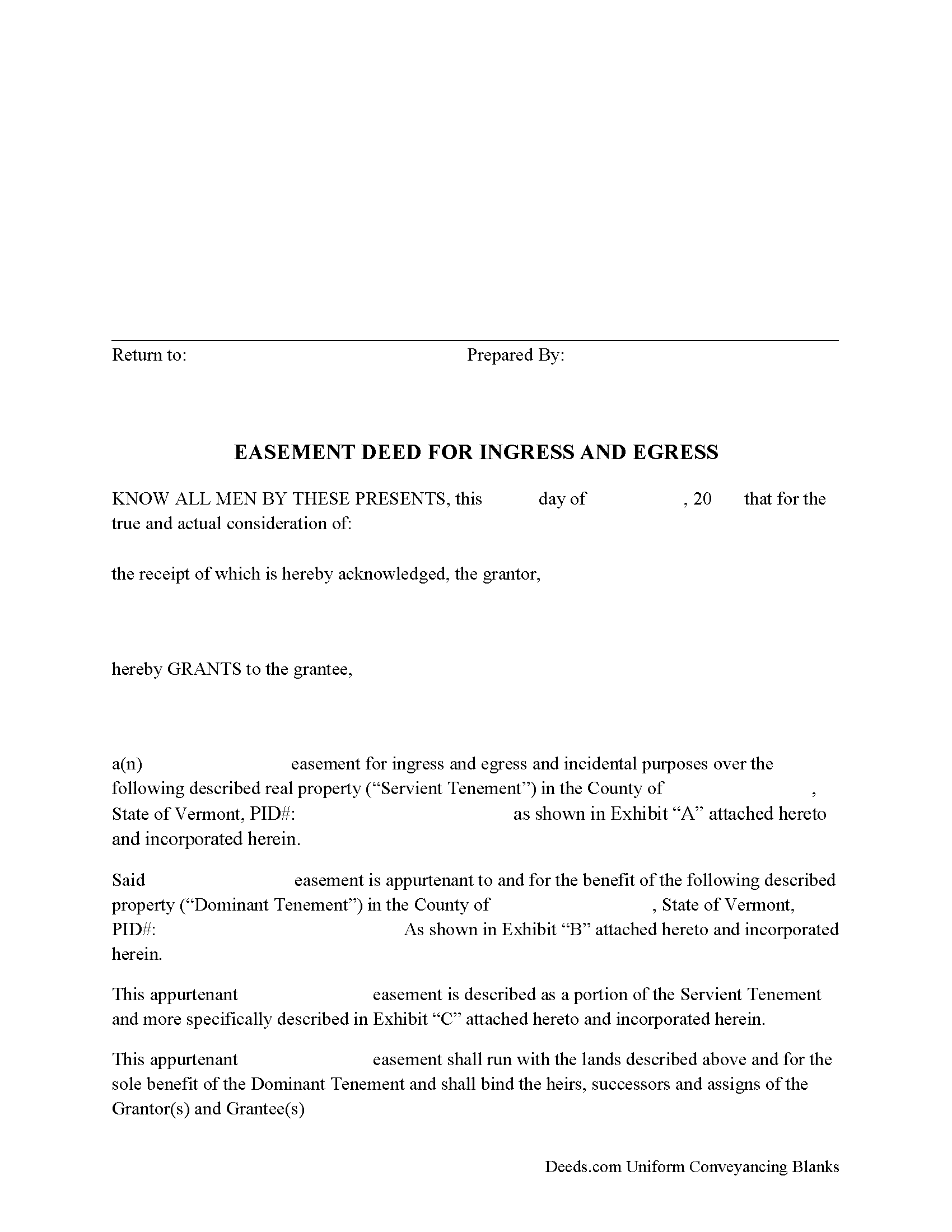
Grand Isle County Easement Deed Form
Fill in the blank form formatted to comply with all recording and content requirements.
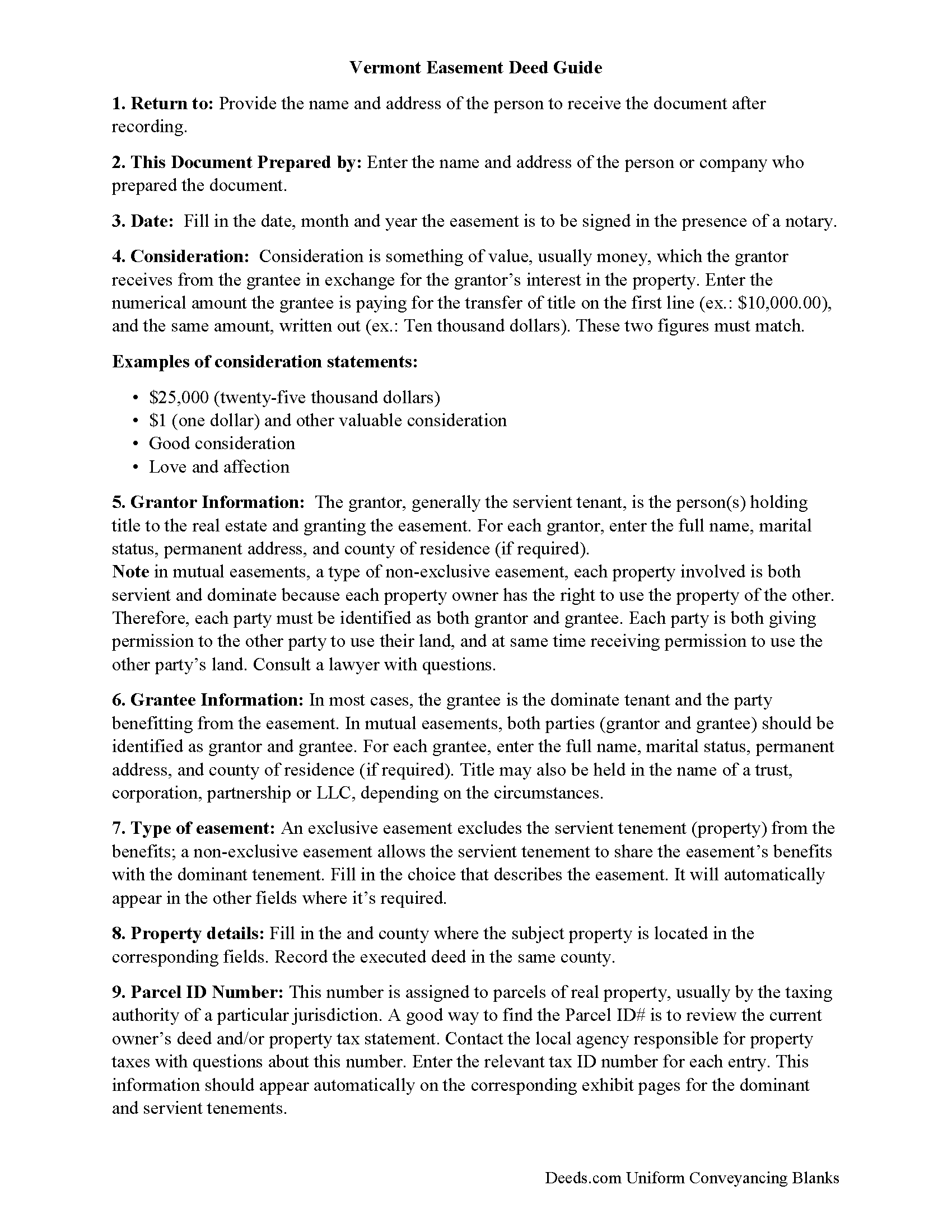
Grand Isle County Easement Deed Guide
Line by line guide explaining every blank on the form.
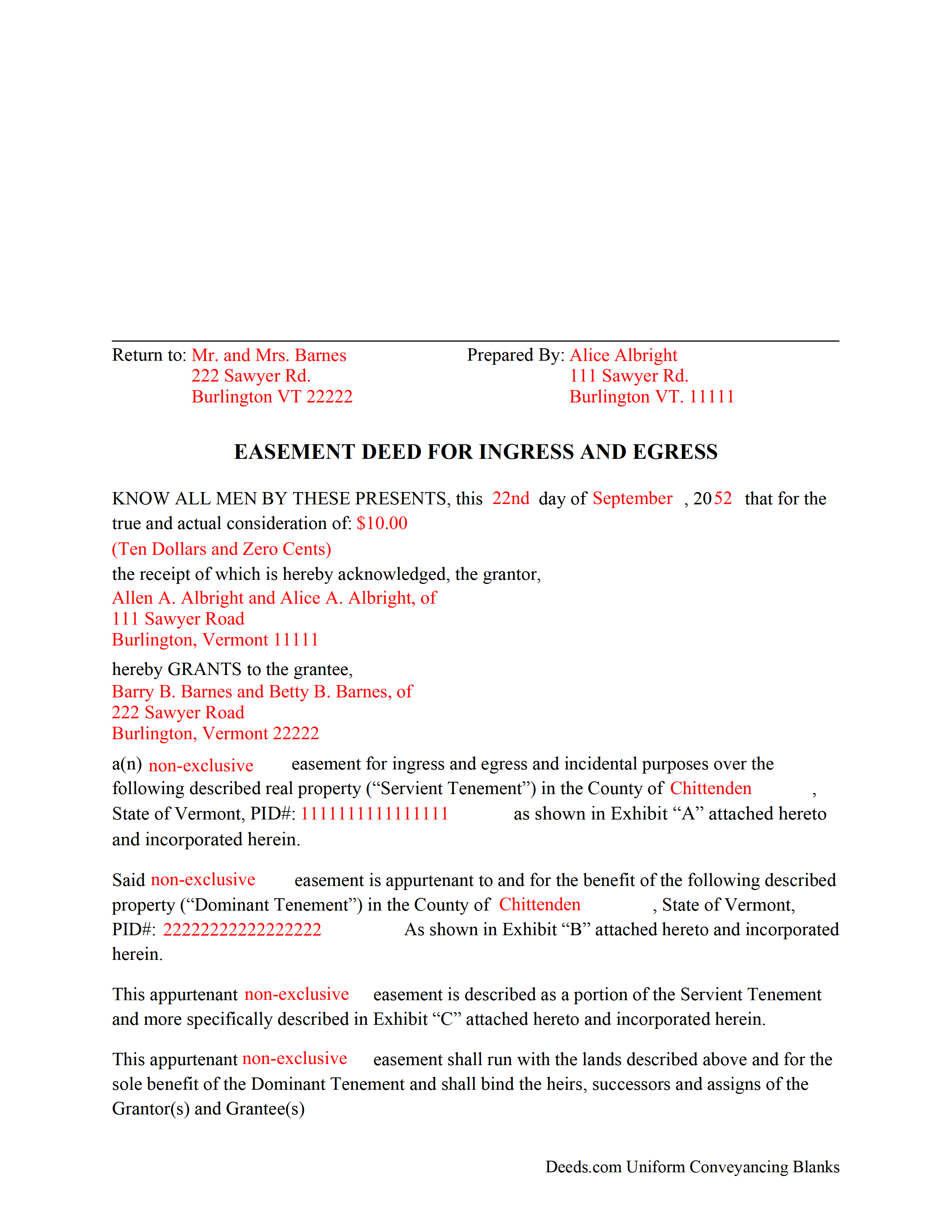
Grand Isle County Completed Example of the Easement Deed Document
Example of a properly completed form for reference.
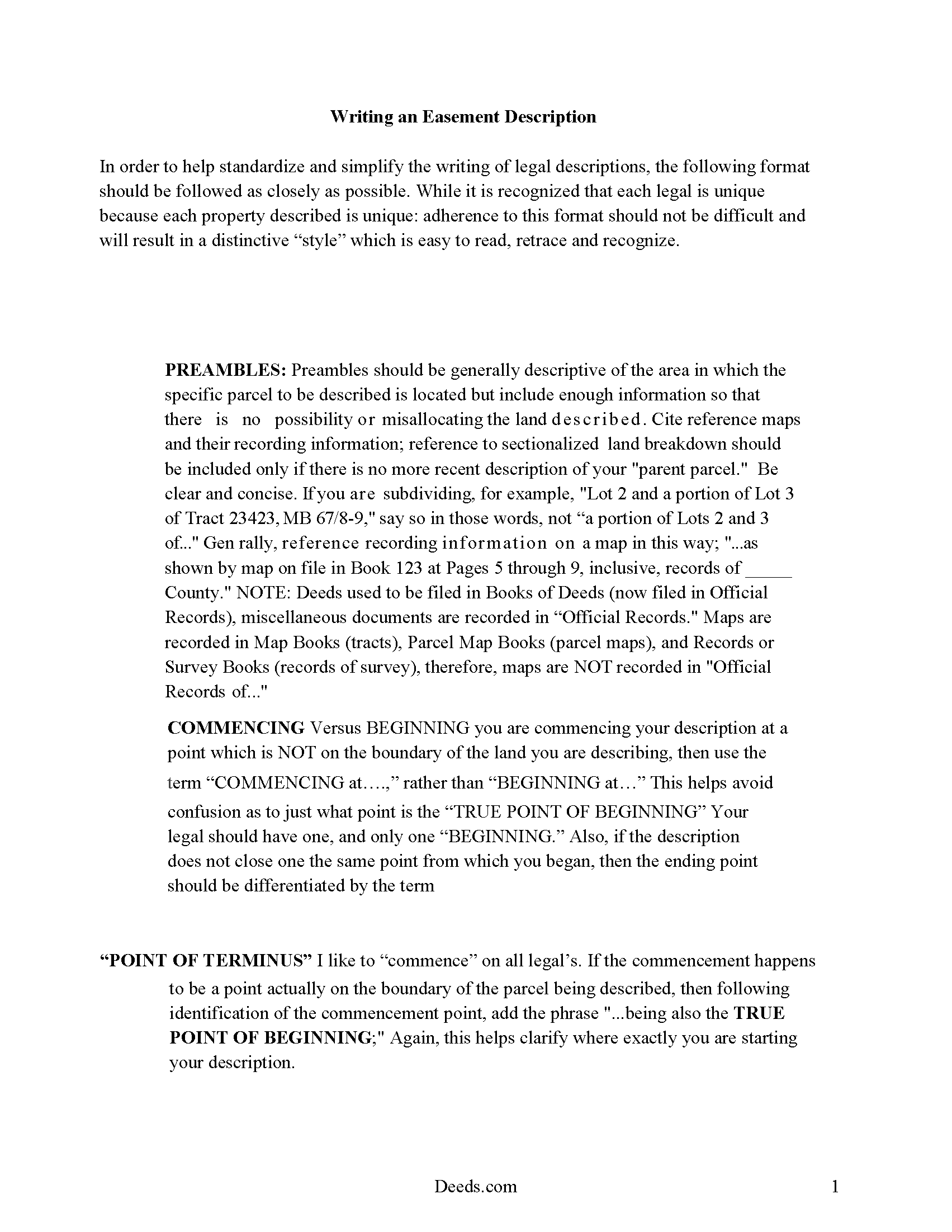
Grand Isle County Vermont Easement Description Guide
A description of the easement is required for the document. These pages show how to write a proper description for a Vermont Easement.
All 4 documents above included • One-time purchase • No recurring fees
Immediate Download • Secure Checkout
Additional Vermont and Grand Isle County documents included at no extra charge:
Where to Record Your Documents
Town Clerk of Alburgh
Alburgh, Vermont 05440
Hours: M-F 9:00 to 5:00
Phone: (802) 796-3468
Town Clerk of Grand Isle
Grand Isle, Vermont 05458-0049
Hours: M-F 8:30 to 3:30; Tu 5:00 to 7:00; Sat 10:00 to 12:00
Phone: (802) 372-8830
Town Clerk of Isle La Motte
Isle La Motte, Vermont 05463
Hours: Tu & Th 7:30 to 3:30; W & F 1:00 to 5:00; Sa 8:00 to 12:00
Phone: (802) 928-3434
Town Clerk of North Hero
North Hero, Vermont 05474
Hours: M, Tu, Th 8:00 to 4:30; W, F, Sat 8:00 to noon
Phone: (802) 372-6926
Town Clerk of South Hero
South Hero, Vermont 05486
Hours: M-W 8:30 to 12 & 1:00 to 4:30; Th 8:30 to 12 & 1:00 to 5:00
Phone: (802) 372-5552
Grand Isle County Clerk
North Hero, Vermont 05474
Hours: Tue only 9:00 to 12:00
Phone: (802) 372-8350 or 928-3275 (home)
Recording Tips for Grand Isle County:
- Bring your driver's license or state-issued photo ID
- Ensure all signatures are in blue or black ink
- Both spouses typically need to sign if property is jointly owned
- Bring extra funds - fees can vary by document type and page count
- Check margin requirements - usually 1-2 inches at top
Cities and Jurisdictions in Grand Isle County
Properties in any of these areas use Grand Isle County forms:
- Alburgh
- Grand Isle
- Isle La Motte
- North Hero
- South Hero
Hours, fees, requirements, and more for Grand Isle County
How do I get my forms?
Forms are available for immediate download after payment. The Grand Isle County forms will be in your account ready to download to your computer. An account is created for you during checkout if you don't have one. Forms are NOT emailed.
Are these forms guaranteed to be recordable in Grand Isle County?
Yes. Our form blanks are guaranteed to meet or exceed the applicable formatting requirements used for recording in Grand Isle County, including margin requirements, font requirements, and other layout standards. This guarantee applies to formatting, not to the legal sufficiency of information entered by the user or the suitability of a form for a particular transaction.
Can I reuse these forms?
Yes. You can reuse the forms for your personal use. For example, if you have multiple properties in Grand Isle County you only need to order once.
What do I need to use these forms?
The forms are PDFs that you fill out on your computer. The free Adobe Acrobat Reader is recommended, and most PDF apps also work. You do NOT enter your property information online - you download the blank forms and complete them privately on your own computer.
Are there any recurring fees?
No. This is a one-time purchase. Nothing to cancel, no memberships, no recurring fees.
How much does it cost to record in Grand Isle County?
Recording fees in Grand Isle County vary. Contact the recorder's office at (802) 796-3468 for current fees.
Questions answered? Let's get started!
An easement can be created by a grant or deed, by implication, or by prescription. An easement created by a deed should be in writing and should define the terms and scope of the agreement. This type of real property instrument creates a non-possessory interest in land that allows one person to use another's property for a specific purpose.
As an interest in real property, an easement deed in Vermont is required to be signed and acknowledged by the grantor before recording can take place. The acknowledgment of a deed in Vermont can be taken before a town clerk, notary public, master, county clerk, or judge or register of probate. Acknowledgments taken before a notary public will be valid without an official seal being affixed to the notary's signature (27 V.S.A. Statute 341a). Vermont recognizes acknowledgments taken out of state if the acknowledgments are taken according to the laws of such state (379).
Real estate documents in Vermont are recorded in the town or city where the property is located. This is different from many other states that have a county recording system. Recording an easement deed will impart constructive notice of the contents of the instrument. Unless an easement deed is acknowledged and recorded, it will not be effective to hold such lands against any person but the grantor and his or her heirs (342).
(Vermont ED Package includes form, guidelines, and completed example)
Important: Your property must be located in Grand Isle County to use these forms. Documents should be recorded at the county recording office listed above.
This Easement Deed meets all recording requirements specific to Grand Isle County.
Our Promise
The documents you receive here are guaranteed to meet or exceed the applicable Grand Isle County recording format requirements. If there is a rejection caused by our formatting, we will correct the issue or refund your payment. This guarantee applies to document formatting only and does not extend to information entered by the user, the selection of the form, or the legal effect of the completed document.
Save Time and Money
Get your Grand Isle County Easement Deed form done right the first time with Deeds.com Uniform Conveyancing Blanks. At Deeds.com, we understand that your time and money are valuable resources, and we don't want you to face a penalty fee or rejection imposed by a county recorder for submitting nonstandard documents. We constantly review and update our forms to meet rapidly changing state and county recording requirements for roughly 3,500 counties and local jurisdictions.
4.8 out of 5 - ( 4,836 Reviews )
L. Candace H. 5 out of 5 stars
So far it's been good & informative. I have not chosen forms for download but I like the site. Thanks
Thank you!
Raymond N. 4 out of 5 stars
The process of obtaining the forms that I wanted was very easy and the cost reasonable. The site is easy to follow and explains everything. Thank you for being here.
We appreciate your business and value your feedback. Thank you. Have a wonderful day!
Phyllis R Q. 5 out of 5 stars
So far so good, I did not know the convenience I would have from my seat to file a legal document! Awesome Service!
Thank you!
Ryan B. 5 out of 5 stars
This was a very quick and convenient way to complete one of the tasks for my divorce that I imagined would be extremely difficult. Thank you deeds.com for making a difficult situation bearable.
We appreciate your business and value your feedback. Thank you. Have a wonderful day!
Timmy S. 5 out of 5 stars
The form gave me a perfect place to start. I was looking for something regarding time-shares, so the form was not perfect, but the register of deeds worked with me to get it right. I would not have even been able to start without the form from deeds.com
Thank you for your feedback. We really appreciate it. Have a great day!
Deabra A. 4 out of 5 stars
Your Quitdeed form was easy to understand with the guidelines provided and an example of an already completed form to see how you should complete your form. The price is reasonable for a do it yourself.
Thank you, Deabra. We’re glad the form and examples made the process clear and that you found it a good value for a do-it-yourself option.
James E. 5 out of 5 stars
Forms were available for immediate download. Examples were helpful in completing form.
We appreciate your business and value your feedback. Thank you. Have a wonderful day!
Dennis M. 1 out of 5 stars
Of little use to me. I did not feel this really help me to do a Quick Claim Deed here in Minnesota on my own. All it showed me is what a complex mess it is to fill out this deed. That, unfortunately, I am going to have to hire a professional to make sure it is done right.
Glad to hear that you are seeking assistance Dennis, that's always best when one is not completely sure of what they are doing. Have a wonderful day.
Doris M G. 5 out of 5 stars
Excellent. Everything has gone well and the deed guide has helped so much. Thank you.
Thank you for your feedback. We really appreciate it. Have a great day!
Tressa P. 5 out of 5 stars
This online service was very easy to use. I highly recommend Deeds.com. The quick response from the representative upon submitting your document is quick. If something needed to be adjusted they will send you message and you can in turn respond right away with a message. The pricing of this service is very reasonable.
Thank you!
Barbara E. 5 out of 5 stars
I'm not sure if KVH is the identity to the person who helped me. I hope it is so you know just how much she helped She was great and very patient with me and with Wayne County Register of Deeds. I'm am really glad I had her on my team in this long endeavor.
Thank you for the kinds words Barbara. We appreciate you.
Suhila C. 5 out of 5 stars
This site is awesome. It has everything I need to purchase and sell (transfer deed ownership) land and property. I cannot wait to get our new land and building for business. Thanks, Suhila
We appreciate your business and value your feedback. Thank you. Have a wonderful day!
Feng T. 5 out of 5 stars
Professional product, with clear instructions that gave me high confidence in the accuracy my document. The sample form was super useful. I highly recommend and will reuse Deed.com
Thank you for your feedback. We really appreciate it. Have a great day!
Michael S. 5 out of 5 stars
I was very impressed. I needed a Grant Deed that would comply with Calif. law. I haven't tried to record it yet, but I think it's spot-on. References to statutes very helpful. I'm a retired Idaho attorney, and my first attempt was politely rejected by the recorder. (documentary transfer fee exemption, etc.)
Thank you!
Jim P. 5 out of 5 stars
Exactly what we were looking for and filled out everything in minutes. Great value!
Thank you!