Fairfax County Corrective Affidavit Form
Last validated September 24, 2026 by our Forms Development TeamFormatted for recording in Fairfax County, for property anywhere in the county or independent city: rural and unincorporated areas as well as Alexandria, Annandale, Burke, Centreville, Chantilly, Clifton, Dunn Loring, Fairfax and 16 more.
- 3 documents included
- Immediate PDF download
- Formatting guarantee
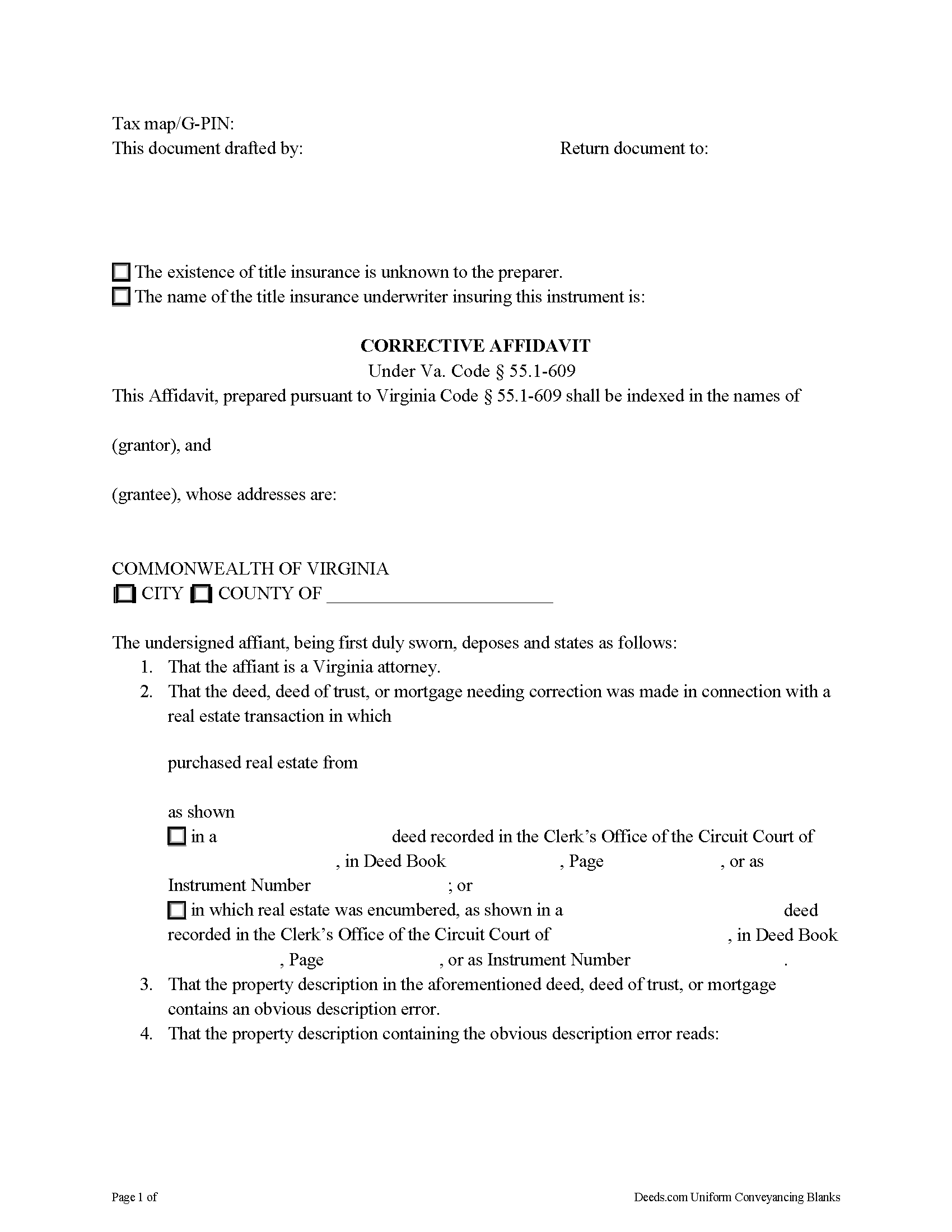
Fairfax County Corrective Affidavit Form
Fill in the blank form formatted to comply with all recording and content requirements.
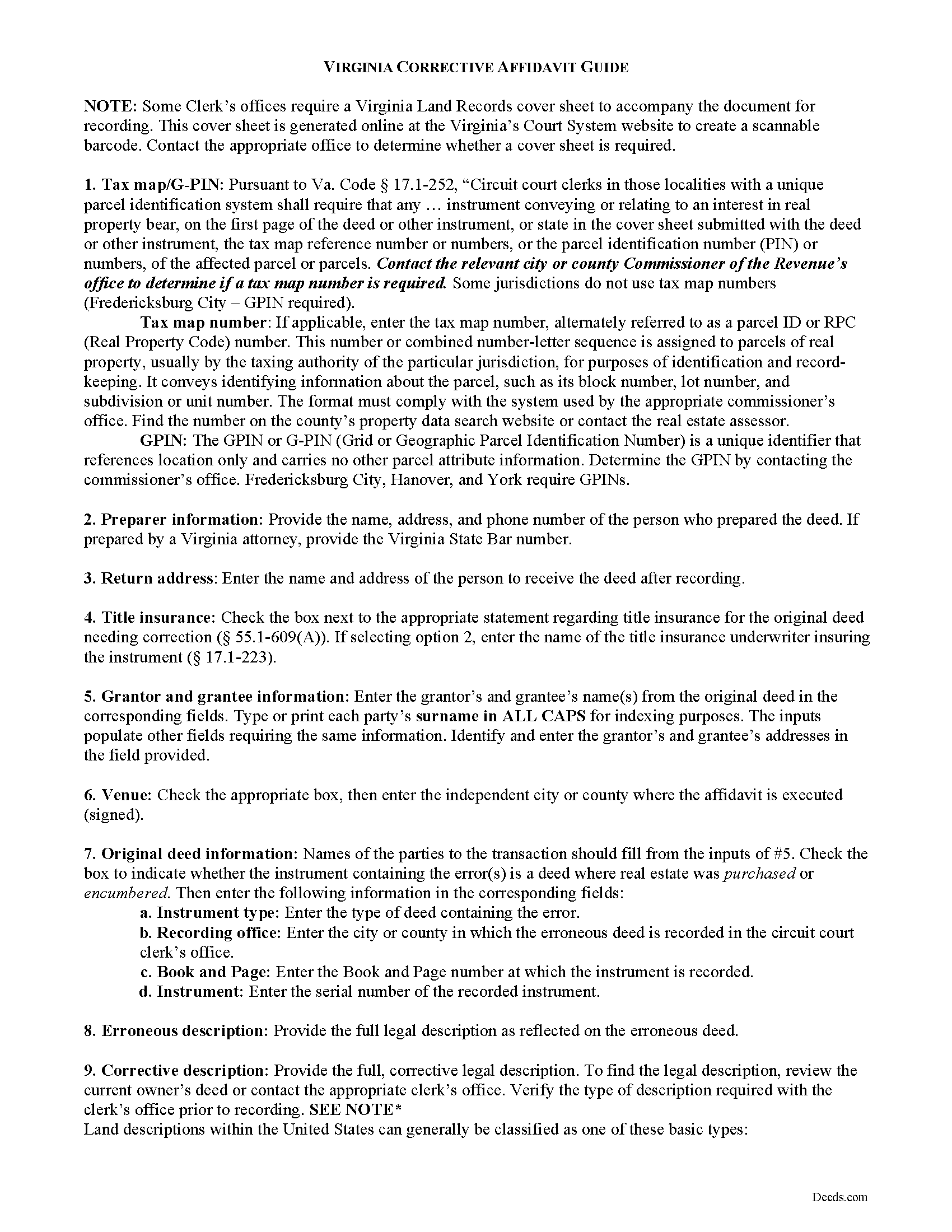
Fairfax County Corrective Affidavit Guide
Line by line guide explaining every blank on the form.
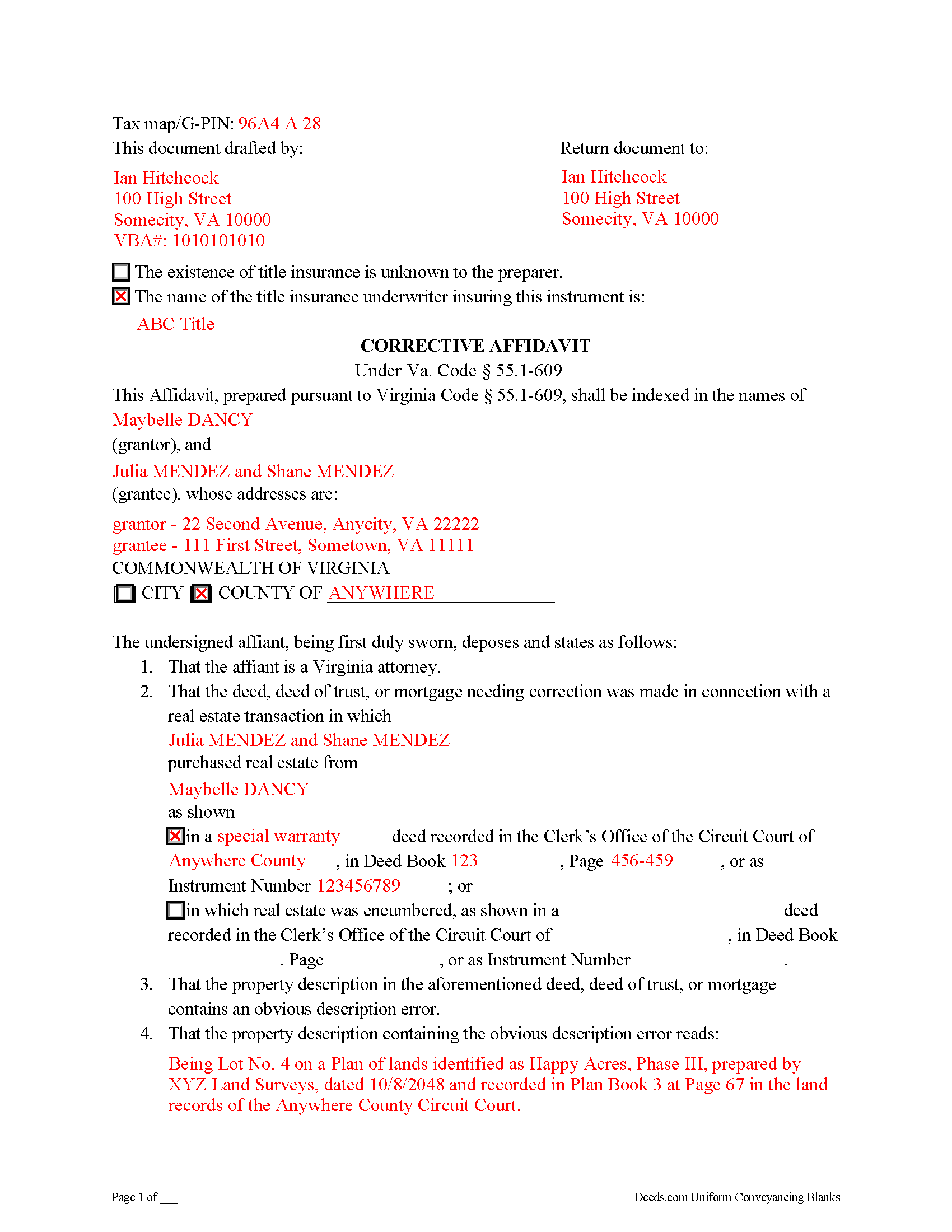
Fairfax County Completed Example of the Corrective Affidavit Document
Example of a properly completed form for reference.
All 3 documents above included • One-time purchase • No recurring fees
Immediate Download • Secure Checkout
Additional Virginia and Fairfax County documents included at no extra charge:
Where to Record Your Documents
Fairfax Circuit Court Clerk: Land Records Division
Fairfax, Virginia 22030
Hours: 8:00 to 4:00 M-F / Recording until 3:00
Phone: (703) 691-7320
Recording Tips for Fairfax County:
- Bring your driver's license or state-issued photo ID
- Ensure all signatures are in blue or black ink
- Both spouses typically need to sign if property is jointly owned
- Bring extra funds - fees can vary by document type and page count
- Check margin requirements - usually 1-2 inches at top
Cities and Jurisdictions in Fairfax County
Properties in any of these areas use Fairfax County forms:
- Alexandria
- Annandale
- Burke
- Centreville
- Chantilly
- Clifton
- Dunn Loring
- Fairfax
- Fairfax Station
- Falls Church
- Fort Belvoir
- Great Falls
- Greenway
- Herndon
- Lorton
- Mc Lean
- Merrifield
- Mount Vernon
- Newington
- Oakton
- Reston
- Springfield
- Vienna
- West Mclean
Hours, fees, requirements, and more for Fairfax County
How do I get my forms?
Forms are available for immediate download after payment. The Fairfax County forms will be in your account ready to download to your computer. An account is created for you during checkout if you don't have one. Forms are NOT emailed.
Are these forms guaranteed to be recordable in Fairfax County?
Yes. Our form blanks are guaranteed to meet or exceed the applicable formatting requirements used for recording in Fairfax County, including margin requirements, font requirements, and other layout standards. This guarantee applies to formatting, not to the legal sufficiency of information entered by the user or the suitability of a form for a particular transaction.
Can I reuse these forms?
Yes. You can reuse the forms for your personal use. For example, if you have multiple properties in Fairfax County you only need to order once.
What do I need to use these forms?
The forms are PDFs that you fill out on your computer. The free Adobe Acrobat Reader is recommended, and most PDF apps also work. You do NOT enter your property information online - you download the blank forms and complete them privately on your own computer.
Are there any recurring fees?
No. This is a one-time purchase. Nothing to cancel, no memberships, no recurring fees.
How much does it cost to record in Fairfax County?
Recording fees in Fairfax County vary. Contact the recorder's office at (703) 691-7320 for current fees.
Questions answered? Let's get started!
A corrective affidavit under Va. Code Section 55.1-609 is a statutory form for correcting an obvious description error in a recorded deed, deed of trust, or mortgage. Note that the affidavit must be executed by an attorney licensed by the Virginia State Bar.
The statutes classify an "obvious description error" as an error transcribing courses and distances; an error incorporating a recorded plat or deed reference; an error in lot number or designation; or an omitted exhibit supplying the legal description of the subject parcel.
The contents of a statutory corrective affidavit include the original grantor's and grantee's names and the place where the original deed was recorded. It includes both the property description containing the error and the corrected property description. The affidavit is signed by a Virginia attorney and notarized.
Prior to recording the affidavit, the attorney delivers a copy to all parties to the deed, deed of trust, or mortgage containing the error and to the title insurance company, if applicable, and gives notice of intent to record the affidavit. If no objection is received within 30 days of receipt of notice, the attorney may record the affidavit. The affidavit should include a copy of the notice sent to the parties and a statement that no objection was received.
In addition to meeting the requirements set forth at 55.1-609, the affidavit must comply with recording standards for documents in the Commonwealth of Virginia. Record the affidavit in the Circuit Court Clerk's office of the county or independent city where the parcel described within the affidavit is situated.
This is a form for an attorney's use only. Contact a Virginia attorney if you think you need this form, or to address your specific situation.
(Virginia CA Package includes form, guidelines, and completed example)
Important: Your property must be located in Fairfax County to use these forms. Documents should be recorded at the county or independent city recording office listed above.
This Corrective Affidavit meets all recording requirements specific to Fairfax County.
Our Promise
The documents you receive here are guaranteed to meet or exceed the applicable Fairfax County recording format requirements. If there is a rejection caused by our formatting, we will correct the issue or refund your payment. This guarantee applies to document formatting only and does not extend to information entered by the user, the selection of the form, or the legal effect of the completed document.
Save Time and Money
Get your Fairfax County Corrective Affidavit form done right the first time with Deeds.com Uniform Conveyancing Blanks. At Deeds.com, we understand that your time and money are valuable resources, and we don't want you to face a penalty fee or rejection imposed by a county recorder for submitting nonstandard documents. We constantly review and update our forms to meet rapidly changing state and county recording requirements for roughly 3,500 counties and local jurisdictions.
4.8 out of 5 - ( 4,851 Reviews )
Anita M. 5 out of 5 stars
This was a very easy process to find the correct documents and download them. The price was also reasonable.
Thank you for your feedback. We really appreciate it. Have a great day!
Gary K. 4 out of 5 stars
Straightforward and pretty easy to use. The only downside is that there is no way to contact them directly. The number on the website is answered only by a voicemail with no return calls. Pricing seems fair compared to other services and much more efficient that filing "over the counter."
Thank you for your feedback. We really appreciate it. Have a great day!
Kirk G. 5 out of 5 stars
Excellent! I will be back!
Thank you!
MARY LACEY M. 5 out of 5 stars
The service provided by the staff at Deeds.com is consistently excellent with prompt replies and smooth recording transactions. I am grateful to have their service available as driving to downtown Phoenix to record documents is always a daunting prospect. Their assistance in recording our firm's documents has been 100% accurate and a pleasure.
Thank you for your positive words! We’re thrilled to hear about your experience.
John B. 5 out of 5 stars
I bought a Quitclaim Deed package for Fayette County, Kentucky, to transfer my house into a Living Trust that I had set up previously. Creating my Quitclaim Deed was pretty straightforward, using the form, the instructions, and the sample Quitclaim Deed. I signed my Quitclaim Deed at a nearby Notary Public, then took it to the Fayette County Clerk's office to be recorded. The clerk there asked me to make two small changes to the Quitclaim Deed, which she let me do in pen on the spot: * In the signature block for the receiver of the property, filled in "Capacity" as "Grantee as Trustee ______________________________ Living Trust". * In the notary's section, changed "were acknowledged before me" to "were acknowledged and sworn to before me".
Thank you for your feedback. We really appreciate it. Have a great day!
Beata K. 5 out of 5 stars
Loved it! Extremely easy to use. Quick and efficient. I was able to officially record my documents within a day.
We appreciate your business and value your feedback. Thank you. Have a wonderful day!
Theresa J. 5 out of 5 stars
I thank you for your service. I received the needed information.
Thank you!
Robert K. 5 out of 5 stars
Very user friendly - I found the affidavit I needed right away together with the guide to filling it out.
Thank you!
willie jr t. 5 out of 5 stars
Awesome! Thanks so so much!
Thank you!
ROBERT B. 5 out of 5 stars
The staff of DEEDS.COM is in a class of excellence all by themselves! From my own personal experience, I had multiple problems with some documents I was submitting. DEEDS.COM stayed with me and held my hand through the project until it was completed! I have never met the staff at DEEDS, but their personal service & professionalism make me feel like part of the DEEDS Family! If I ever need legal documents submitted to government agencies nationwide ever again, THE ONLY STOP ONLINE I WILL MAKE WILL BE DEEDS.COM!
Thank you for your feedback. We really appreciate it. Have a great day!
Tisha J. 5 out of 5 stars
A quick and efficient way to record! Awesome customer service and SUPER FAST turnaround time.!
Thank you!
Robert B. 5 out of 5 stars
Liked the fact that the forms were fill in the blank. Good to have the option of re-doing them if needed, and I needed ;)
Thank you for your feedback. We really appreciate it. Have a great day!
Douglas C. 5 out of 5 stars
Even for a novice like me, this site was easy to use, with very clear & simple options and instructions. I wish every web site was as good!
Thank you for your feedback. We really appreciate it. Have a great day!
Michelle N. 5 out of 5 stars
Great experience
Thank you Michelle.
Bernice L. 5 out of 5 stars
Finally able to print out the forms after a few tries. Honestly, I think it could have been designed a little better. I am almost 80; however, very computer savvy, but finally managed to get what I needed.
Thank you for your feedback. We really appreciate it. Have a great day!