Asotin County Certificate of Trust Form
Last validated October 7, 2026 by our Forms Development TeamFormatted for recording in Asotin County, for property anywhere in the county: rural and unincorporated areas as well as Anatone, Asotin, Clarkston.
- 3 documents included
- Immediate PDF download
- Formatting guarantee
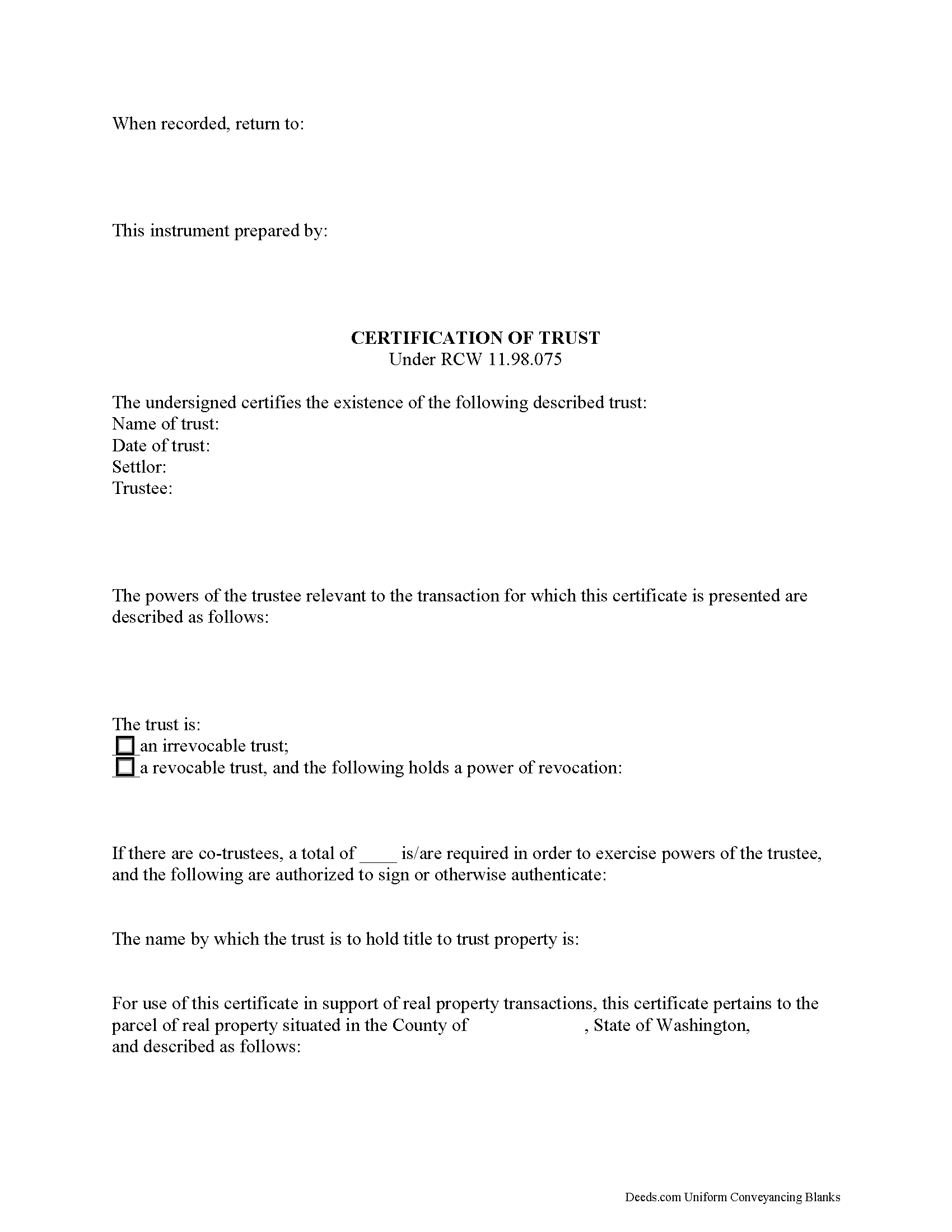
Asotin County Certificate of Trust Form
Fill in the blank form formatted to comply with all recording and content requirements.
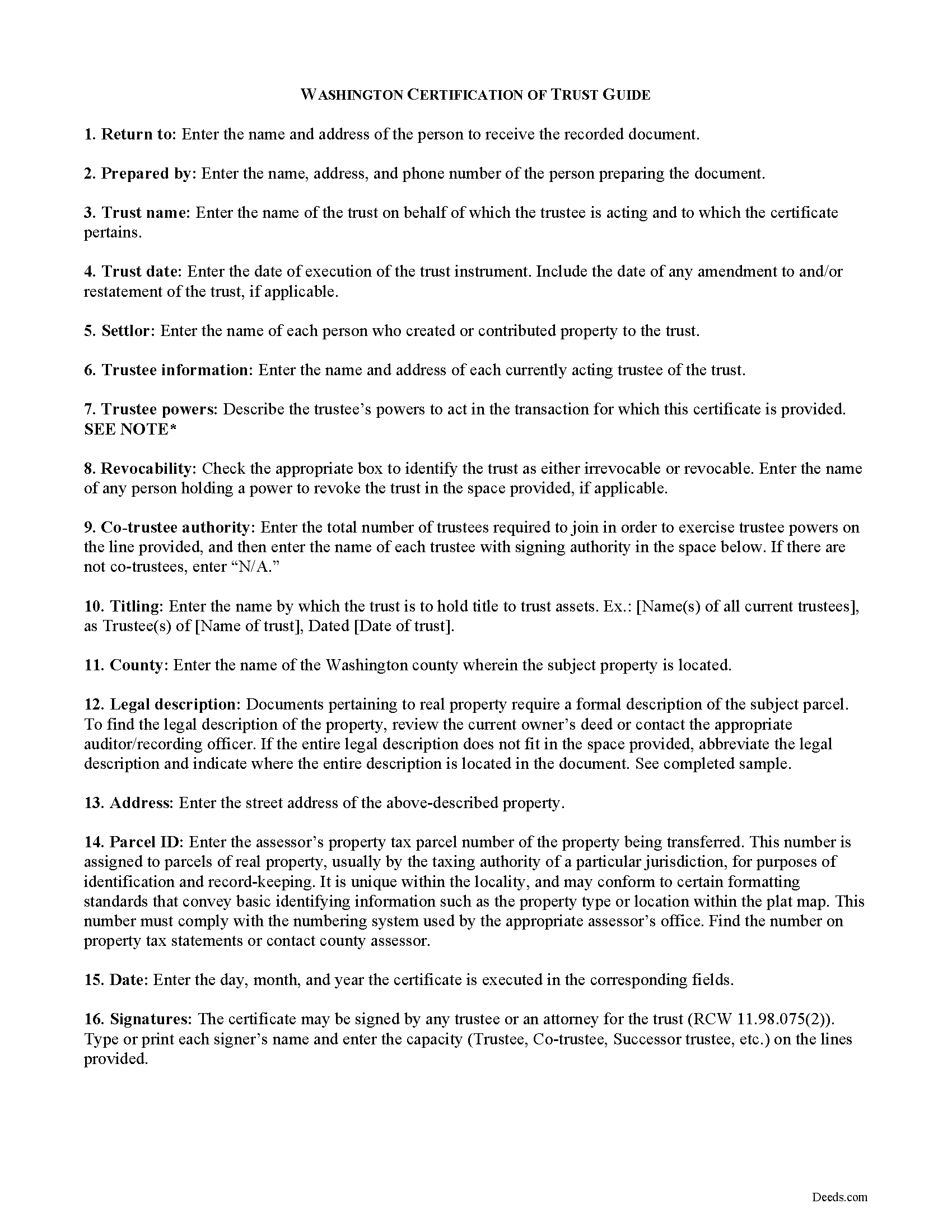
Asotin County Certifciate of Trust Guide
Line by line guide explaining every blank on the form.
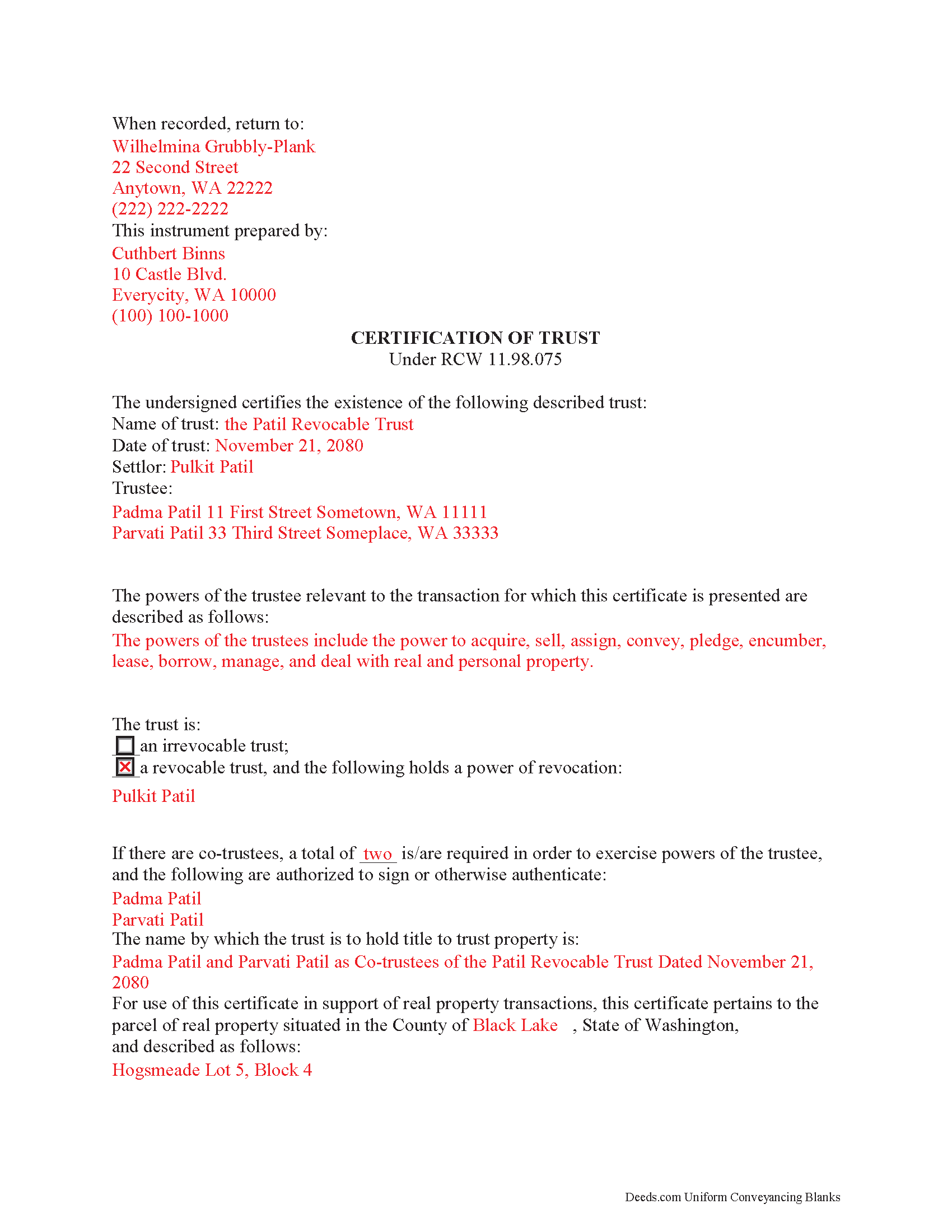
Asotin County Completed Example of the Certificate of Trust Document
Example of a properly completed form for reference.
All 3 documents above included • One-time purchase • No recurring fees
Immediate Download • Secure Checkout
Additional Washington and Asotin County documents included at no extra charge:
Where to Record Your Documents
Asotin County Auditor
Asotin, Washington 99402
Hours: Monday through Friday 7:30am - 4:00pm
Phone: (509) 243-2084
Recording Tips for Asotin County:
- Bring your driver's license or state-issued photo ID
- Ensure all signatures are in blue or black ink
- Avoid the last business day of the month when possible
- Both spouses typically need to sign if property is jointly owned
- Bring extra funds - fees can vary by document type and page count
Cities and Jurisdictions in Asotin County
Properties in any of these areas use Asotin County forms:
- Anatone
- Asotin
- Clarkston
Hours, fees, requirements, and more for Asotin County
How do I get my forms?
Forms are available for immediate download after payment. The Asotin County forms will be in your account ready to download to your computer. An account is created for you during checkout if you don't have one. Forms are NOT emailed.
Are these forms guaranteed to be recordable in Asotin County?
Yes. Our form blanks are guaranteed to meet or exceed the applicable formatting requirements used for recording in Asotin County, including margin requirements, font requirements, and other layout standards. This guarantee applies to formatting, not to the legal sufficiency of information entered by the user or the suitability of a form for a particular transaction.
Can I reuse these forms?
Yes. You can reuse the forms for your personal use. For example, if you have multiple properties in Asotin County you only need to order once.
What do I need to use these forms?
The forms are PDFs that you fill out on your computer. The free Adobe Acrobat Reader is recommended, and most PDF apps also work. You do NOT enter your property information online - you download the blank forms and complete them privately on your own computer.
Are there any recurring fees?
No. This is a one-time purchase. Nothing to cancel, no memberships, no recurring fees.
How much does it cost to record in Asotin County?
Recording fees in Asotin County vary. Contact the recorder's office at (509) 243-2084 for current fees.
Questions answered? Let's get started!
Washington State Certification of Trust
When doing business with a trustee, third parties (such as financial institutions) may request a certification of trust, a statutory document that certifies the existence of a trust and outlines the trustee's powers and authority to act on the trust's behalf. In Washington, the certificate, taken from section 1013 of the Uniform Trust Code, is codified at RCW 11.98.075 as part of the probate and trust law of Washington.
In lieu of presenting parties outside of the trust arrangement (essentially, anyone who is not a trust beneficiary) with the entire trust document, RCW 11.98.075 allows the trustee to supply a certificate of trust containing the essential information about the trust necessary for the transaction at hand, and not "the dispositive terms of the trust" (RCW 11.98.075(4)). This allows the settlor's estate plans to remain private, including the identity of trust beneficiaries.
The certificate requires a statement that the trust exists, along with the name and date of the trust, the identity of the trust's settlor, and the name and address of each current trustee serving the trust. The document also establishes the relevant powers of the trustee to conduct the business at hand. If there are co-trustees, the certificate also outlines how many are required to jointly act in performing trustee powers, and who among them has signing authority. Additional evidence as to the designation of the trustee and the trustee's powers may be requested in the form of excerpts from the trust instrument.
In addition, a certificate of trust also identifies anyone holding a power to revoke the trust, if applicable, and identifies how assets held by the trust are titled. In support of a real property transaction, a certificate may also provide a legal description of the subject property.
The contents of the certificate may be relied on by the recipient as fact, and offers protections for persons relying on the information. The certificate contains a statement to the effect that the representations made within have not been invalidated by any amendments made to or revocation of the trust.
A certificate of trust in Washington may be signed by any trustee or an attorney for the trust in the presence of a notary public. If the certificate is submitted for recording with the appropriate county's land records, it must conform to Washington State recording requirements.
Consult a lawyer with questions regarding certifications of trust in Washington, as each situation is unique.
(Washington COT Package includes form, guidelines, and completed example)
Important: Your property must be located in Asotin County to use these forms. Documents should be recorded at the county recording office listed above.
This Certificate of Trust meets all recording requirements specific to Asotin County.
Our Promise
The documents you receive here are guaranteed to meet or exceed the applicable Asotin County recording format requirements. If there is a rejection caused by our formatting, we will correct the issue or refund your payment. This guarantee applies to document formatting only and does not extend to information entered by the user, the selection of the form, or the legal effect of the completed document.
Save Time and Money
Get your Asotin County Certificate of Trust form done right the first time with Deeds.com Uniform Conveyancing Blanks. At Deeds.com, we understand that your time and money are valuable resources, and we don't want you to face a penalty fee or rejection imposed by a county recorder for submitting nonstandard documents. We constantly review and update our forms to meet rapidly changing state and county recording requirements for roughly 3,500 counties and local jurisdictions.
4.8 out of 5 - ( 4,845 Reviews )
heather i. 5 out of 5 stars
I don't pay very close attention to what I'm doing all the time which leads to mistakes. Deeds.com was helpful in correcting my error and getting me on my way.
Thank you!
Regina W. 5 out of 5 stars
So glad I found this form. Very easy to download and looks like all the instructions are there to correctly fill out my paperwork. Thanks.
We appreciate your business and value your feedback. Thank you. Have a wonderful day!
Joyce S. 5 out of 5 stars
Download very easy. Forms are just what I need. Thanks
Thank you for your feedback. We really appreciate it. Have a great day!
Elizabeth K. 5 out of 5 stars
I found what I needed easily.
We are delighted to have been of service. Thank you for the positive review!
Barbara K. 5 out of 5 stars
Found what I needed quickly, easy website to maneuver. Like having a sample to look at along with instructions.
Thank you for your feedback. We really appreciate it. Have a great day!
Connie P. 5 out of 5 stars
Easy, fast, responsive. My document was filed and posted in just a matter of days.
Your feedback is valuable to us and helps us improve. Thank you for sharing your thoughts!
Mary P. 5 out of 5 stars
Excellent easy to follow instructions.
Great to hear Mary, Have a wonderful day!
DOYCE F. 5 out of 5 stars
Very helpful.Thank you
Thank you!
SHALINI W. 5 out of 5 stars
Exceptionally easy to use. Very user friendly. Would highly recommend.
We appreciate your business and value your feedback. Thank you. Have a wonderful day!
John D. 5 out of 5 stars
Forms were easy to complete, with the instructions that were provided. Very satisfied!
Thank you!
Salvatore R. 5 out of 5 stars
It was fast and easy to find.
Thank you!
Barbara J. 5 out of 5 stars
I haven't actually used any forms yet, but I am very pleased with the simplicity of the website. I love the nmber and variety of forms offered. Thank you for such a great website,
Thank you!
John C. 5 out of 5 stars
So far it's OK but have not filed it with the the county so can't say if it will be what they want
Thank you for your feedback. We really appreciate it. Have a great day!
Rhonda P. 5 out of 5 stars
Very quick and easy! Didn't even have to leave the house and I didn't have to send via USPS which is nice since we are in a pandemic. The convenience of this site is worth the extra money. Would definitely use this site again.
We appreciate your business and value your feedback. Thank you. Have a wonderful day!
Jeffrey M. 5 out of 5 stars
Great service. It had all the forms I needed.
Thank you!