Asotin County Correction Deed Form
Last validated October 22, 2026 by our Forms Development TeamFormatted for recording in Asotin County, for property anywhere in the county: rural and unincorporated areas as well as Anatone, Asotin, Clarkston.
- 3 documents included
- Immediate PDF download
- Formatting guarantee
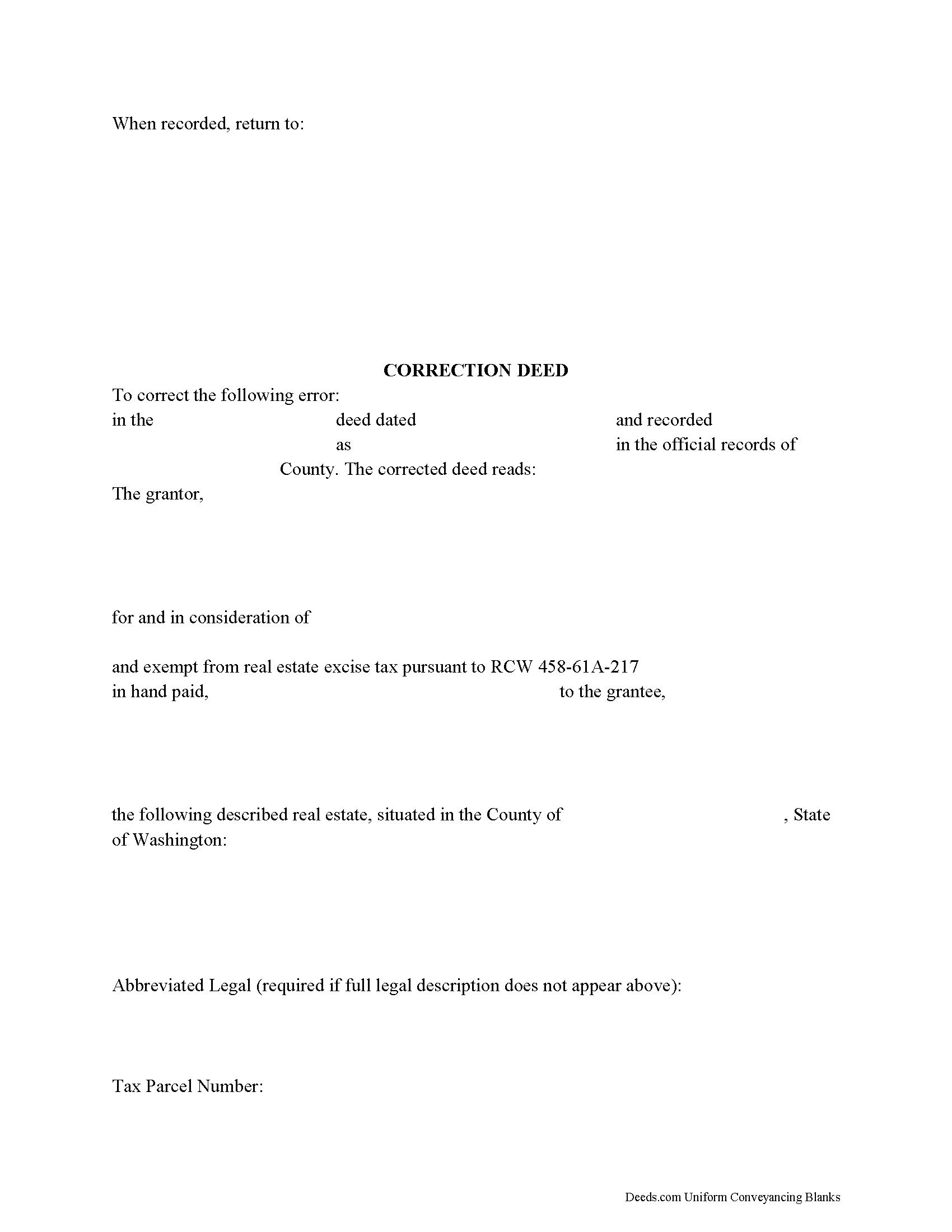
Asotin County Correction Deed Form
Fill in the blank form formatted to comply with all recording and content requirements.
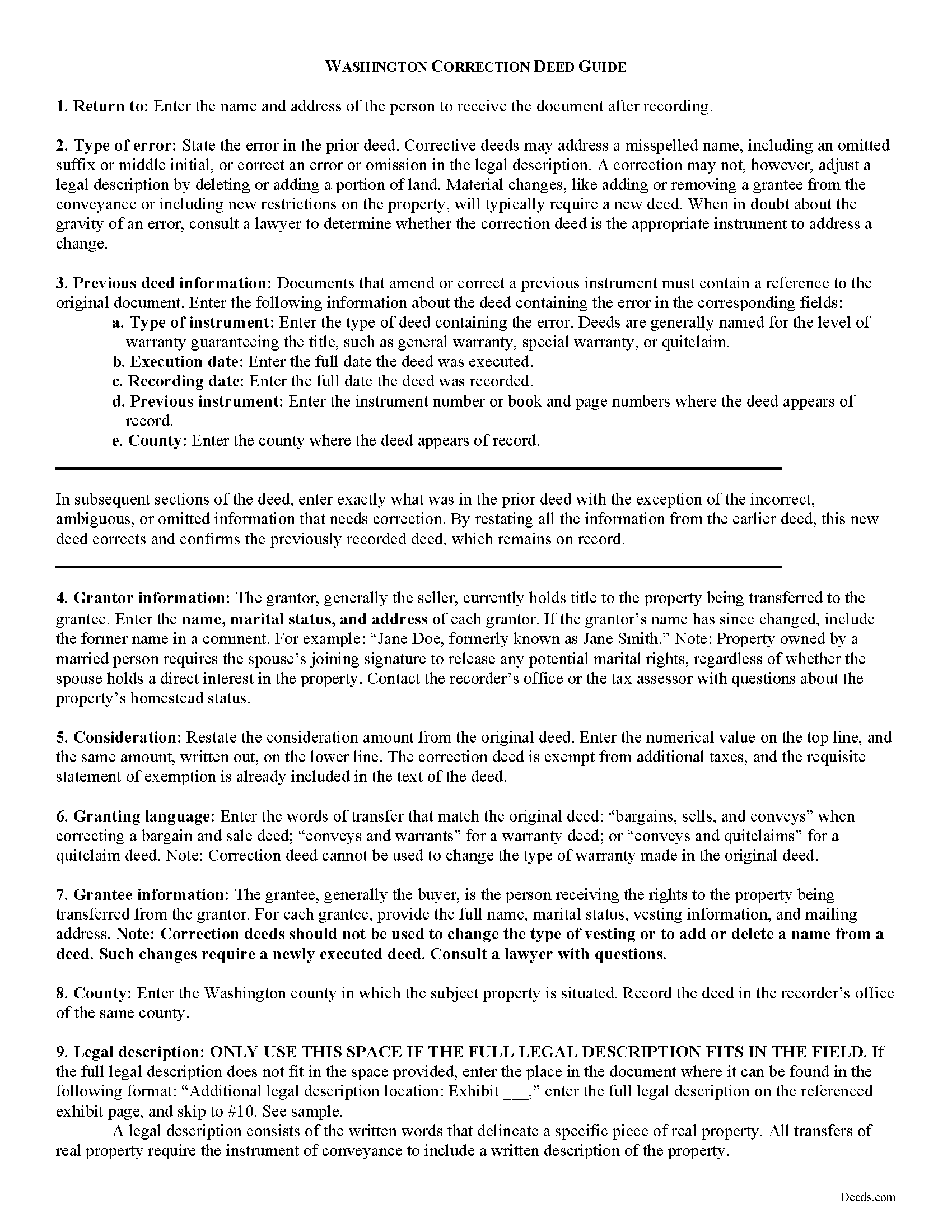
Asotin County Correction Deed Guide
Line by line guide explaining every blank on the form.
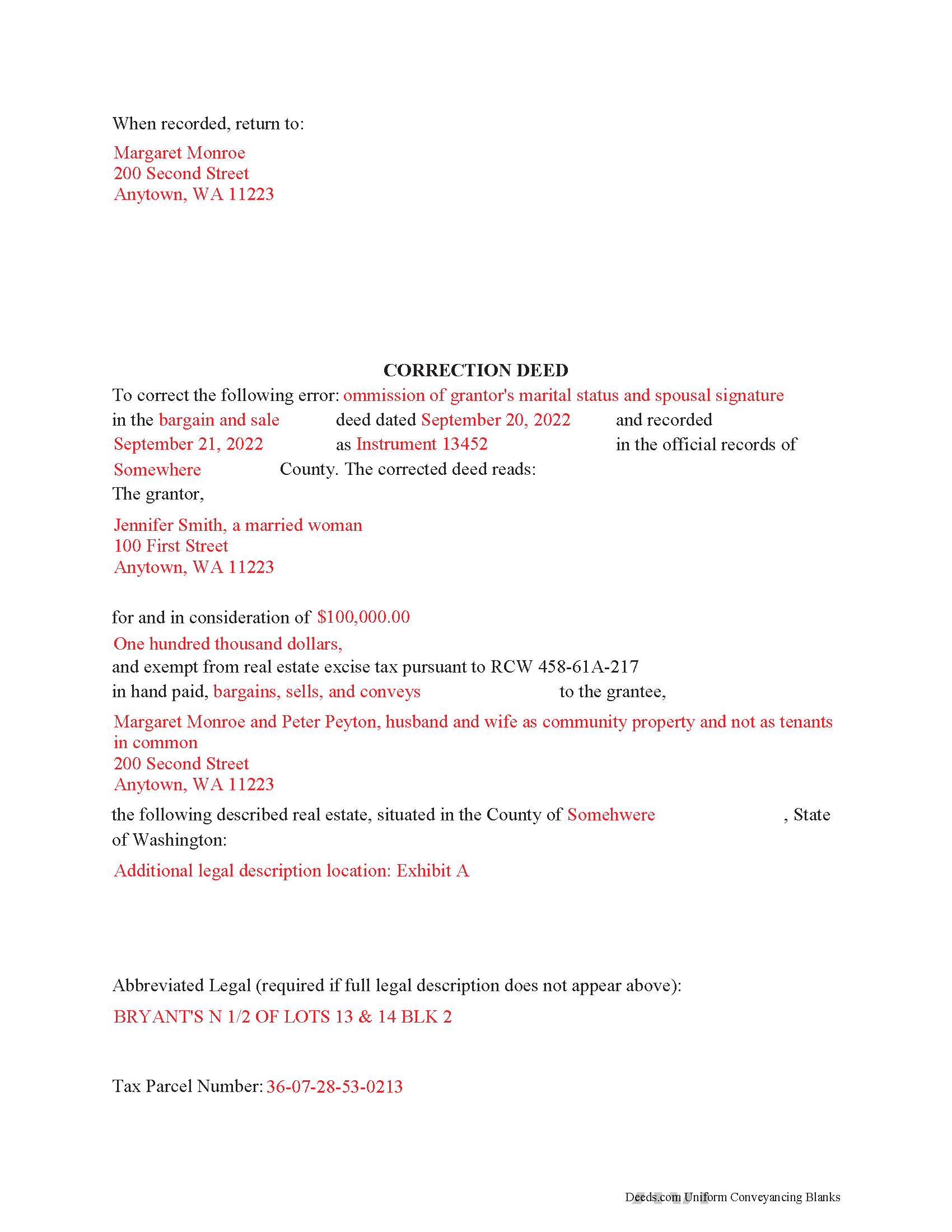
Asotin County Completed Example of the Correction Deed Document
Example of a properly completed form for reference.
All 3 documents above included • One-time purchase • No recurring fees
Immediate Download • Secure Checkout
Additional Washington and Asotin County documents included at no extra charge:
Where to Record Your Documents
Asotin County Auditor
Asotin, Washington 99402
Hours: Monday through Friday 7:30am - 4:00pm
Phone: (509) 243-2084
Recording Tips for Asotin County:
- Bring your driver's license or state-issued photo ID
- Ensure all signatures are in blue or black ink
- White-out or correction fluid may cause rejection
- Ask about their eRecording option for future transactions
- Avoid the last business day of the month when possible
Cities and Jurisdictions in Asotin County
Properties in any of these areas use Asotin County forms:
- Anatone
- Asotin
- Clarkston
Hours, fees, requirements, and more for Asotin County
How do I get my forms?
Forms are available for immediate download after payment. The Asotin County forms will be in your account ready to download to your computer. An account is created for you during checkout if you don't have one. Forms are NOT emailed.
Are these forms guaranteed to be recordable in Asotin County?
Yes. Our form blanks are guaranteed to meet or exceed the applicable formatting requirements used for recording in Asotin County, including margin requirements, font requirements, and other layout standards. This guarantee applies to formatting, not to the legal sufficiency of information entered by the user or the suitability of a form for a particular transaction.
Can I reuse these forms?
Yes. You can reuse the forms for your personal use. For example, if you have multiple properties in Asotin County you only need to order once.
What do I need to use these forms?
The forms are PDFs that you fill out on your computer. The free Adobe Acrobat Reader is recommended, and most PDF apps also work. You do NOT enter your property information online - you download the blank forms and complete them privately on your own computer.
Are there any recurring fees?
No. This is a one-time purchase. Nothing to cancel, no memberships, no recurring fees.
How much does it cost to record in Asotin County?
Recording fees in Asotin County vary. Contact the recorder's office at (509) 243-2084 for current fees.
Questions answered? Let's get started!
Use the corrective deed to correct an error in a previously recorded bargain and sale, warranty, or quitclaim deed in Washington State.
Once a deed has been recorded, it cannot be changed and remains part of the public record. It is possible, however, to amend that record by adding a newly executed deed. The method used depends upon the reasons for changing. For corrections of minor errors or omissions, a new correction deed or re-recording of the original deed will suffice. For larger errors or to include/omit a name from the existing deed, a standard conveyance, such as a warranty or quitclaim deed, may be more appropriate.
When re-recording the existing deed, use a cover sheet to reference the prior recording number, the reason for re-recording and the corrected information. The cover sheet, which is often provided by the county, must contain the following information: return address, document title or titles, reference numbers to other documents (here: the prior deed), names of grantors and grantees, entire or abbreviated legal description, assessor's property tax parcel number or account number.
A cleaner option for amending an error is the correction deed, especially in light of Washington State's strict legibility requirements and zero tolerance for any information spilling onto the margins of the document. By restating all the information from the earlier deed, this new deed of correction will reference and confirm the previously recorded deed, which remains on record. After identifying the type of error and identifying the earlier deed, enter exactly what was in that deed with the exception of the false, ambiguous or omitted information that needs to be corrected.
In both correction scenarios, submit a new excise tax affidavit, which must state the prior excise tax recording number. When filling out the affidavit, use exemption code WAC 458-61A-217, which also calls for "the recorded document number for the prior transaction" and an explanation for the re-recording.
(Washington CD Package includes form, guidelines, and completed example)
Important: Your property must be located in Asotin County to use these forms. Documents should be recorded at the county recording office listed above.
This Correction Deed meets all recording requirements specific to Asotin County.
Our Promise
The documents you receive here are guaranteed to meet or exceed the applicable Asotin County recording format requirements. If there is a rejection caused by our formatting, we will correct the issue or refund your payment. This guarantee applies to document formatting only and does not extend to information entered by the user, the selection of the form, or the legal effect of the completed document.
Save Time and Money
Get your Asotin County Correction Deed form done right the first time with Deeds.com Uniform Conveyancing Blanks. At Deeds.com, we understand that your time and money are valuable resources, and we don't want you to face a penalty fee or rejection imposed by a county recorder for submitting nonstandard documents. We constantly review and update our forms to meet rapidly changing state and county recording requirements for roughly 3,500 counties and local jurisdictions.
4.8 out of 5 - ( 4,853 Reviews )
Nancy R. 5 out of 5 stars
I AM NOT TOO SMART WHEN IT COMES TO COMPUTER STUFF, BUT THIS WEBSITE MADE IT SO VERY EASY & SIMPLE TO ACCOMPLISH THE TASK THAT WAS NEEDED. I FOUND MY STATE, FOUND THE TYPE OF DEED I NEEDED, FILLED IN THE BLANKS, PRINTED IT OUT & THEN GOT THE REQUIRED SIGNATURES WITNESSED & NOTARIZED -- EASY-PEASY! I WILL BE USING DEEDS.COM IN THE FUTURE & WILL CERTAINLY RECOMMEND IT TO FRIENDS & FAMILY. I REALLY APPRECIATED ALL THE OTHER FORMS OF EXPLANATION THEY GIVE YOU AS WELL AS AN EXAMPLE OF HOW YOUR COMPLETED DOCUMENT SHOULD LOOK ONCE YOU'RE FINISHED.
Thank you for your feedback. We really appreciate it. Have a great day!
Cynthia (Cindy) R. 5 out of 5 stars
This has been the most seamless process I have ever experienced. Thank you for addressing my needs so quickly and professionally.
Thank you!
Renee M. 5 out of 5 stars
My sister in law is in a hospital ICU with Covid, so we were trying to get her affairs in order. Deeds.com made this difficult situation so much better by making this process very easy to understand and do.
Glad we could help Renee, hoping the very best for you and your family.
Joe D. 5 out of 5 stars
Complete coverage of deeds, laws, etc.
Thank you!
Paula B. 4 out of 5 stars
I'm transferring a property into a trust and ordered the QuitClaim Deed. Everything was pretty straight forward and user friendly. However, the Additional Information/Instructions for the Preliminary Change of Ownership Report skips from Section "I" to "M" and does not address "K". It would have been very helpful to have an explanation of the difference between the three options in that section. Thank you.
Thank you for your feedback. We really appreciate it. Have a great day!
Scott s. 5 out of 5 stars
Information requested was provided and time to reply was quick!
Thank you!
Lee J. 5 out of 5 stars
Very good so far -- downloading all the forms. So many forms -- I had no idea ....
Thank you for your feedback. We really appreciate it. Have a great day!
Debra D. 5 out of 5 stars
Really good forms, easy to understand and use. The guide was a must have, made the process very simple.
Thank you!
Robert C. 5 out of 5 stars
Amazingly easy process and excellent response time - very impressed!
Thank you!
Rosa D. 5 out of 5 stars
Obtaining a quick claim deed from this website was easy and friendly I must say. Thank you so much.
Thank you for your feedback. We really appreciate it. Have a great day!
Toni C. 4 out of 5 stars
The system was simple to use. The rep that answered my questions could have been a little more forthcoming, but that being said I would use the service again.
Thank you!
Jay T. 5 out of 5 stars
I filled out the deed, had it notarized, and recorded. No problems. I put this off for so long. Once I had the form it was recorded in one day.
Thank you for your feedback. We really appreciate it. Have a great day!
John Q. 5 out of 5 stars
I downloaded the forms, which was very easy, and filled them out with the help of the very helpful instructions! I was able to go down to my court house and file the forms within 24 hours of downloading! I am at peace knowing my son's will avoid a lot of headaches when I pass because my property deed will transfer to them without probate court TOD !!!!
We appreciate your business and value your feedback. Thank you. Have a wonderful day!
Thomas W. 5 out of 5 stars
Very quick and responsive. Faster than finding out by mail if you've done something incorrectly. Very satisfied with offerings and service.
Thank you for your feedback. We really appreciate it. Have a great day!
Earl L. 5 out of 5 stars
Fair!
Thank you!