Spokane County Mechanics Lien Notice to Construction Lender Form
Last validated October 16, 2026 by our Forms Development TeamFormatted for recording in Spokane County, for property anywhere in the county: rural and unincorporated areas as well as Airway Heights, Chattaroy, Cheney, Colbert, Deer Park, Elk, Fairchild Air Force Base, Fairfield and 17 more.
- 3 documents included
- Immediate PDF download
- Formatting guarantee
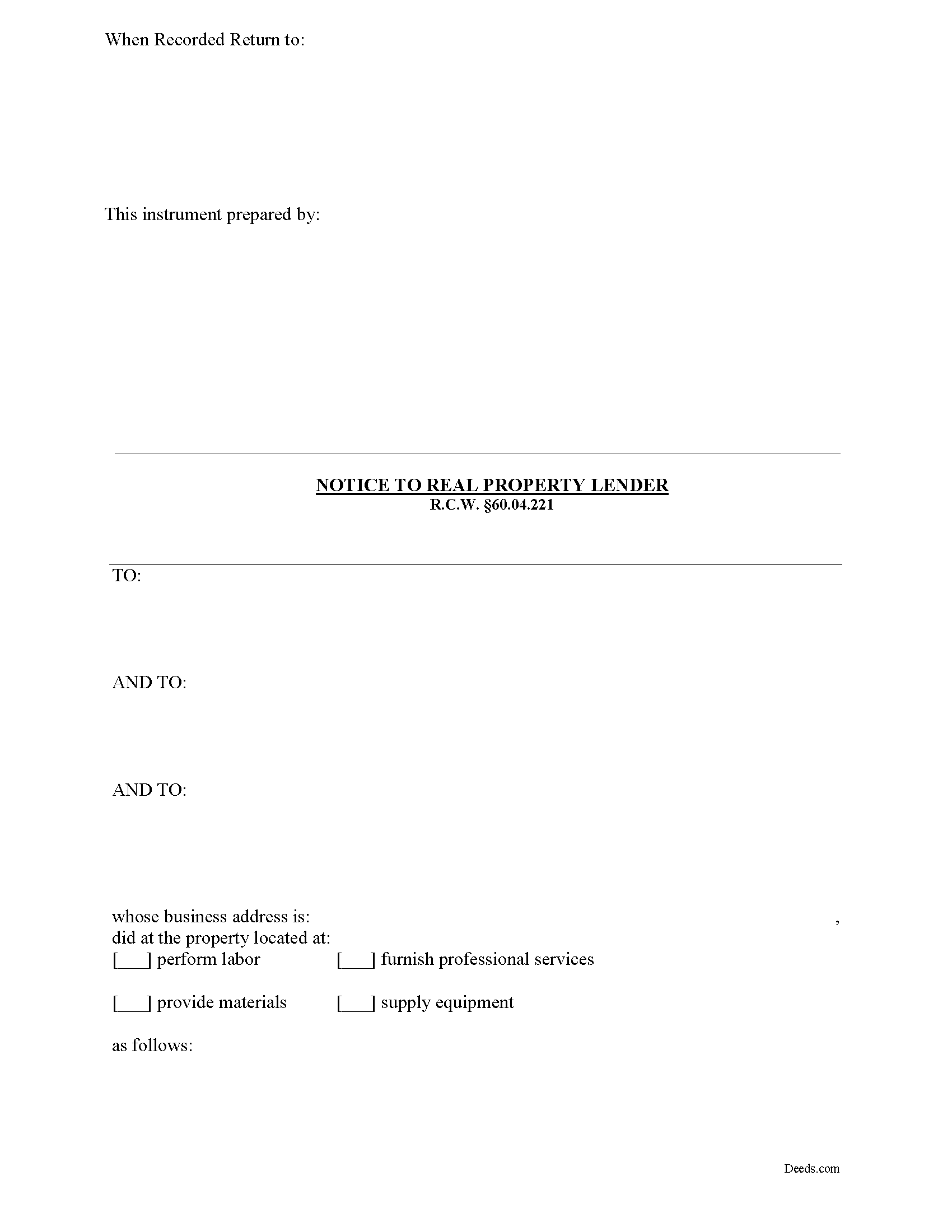
Spokane County Mechanics Lien Notice to Construction Lender Form
Fill in the blank Mechanics Lien Notice to Construction Lender form formatted to comply with all Washington recording and content requirements.
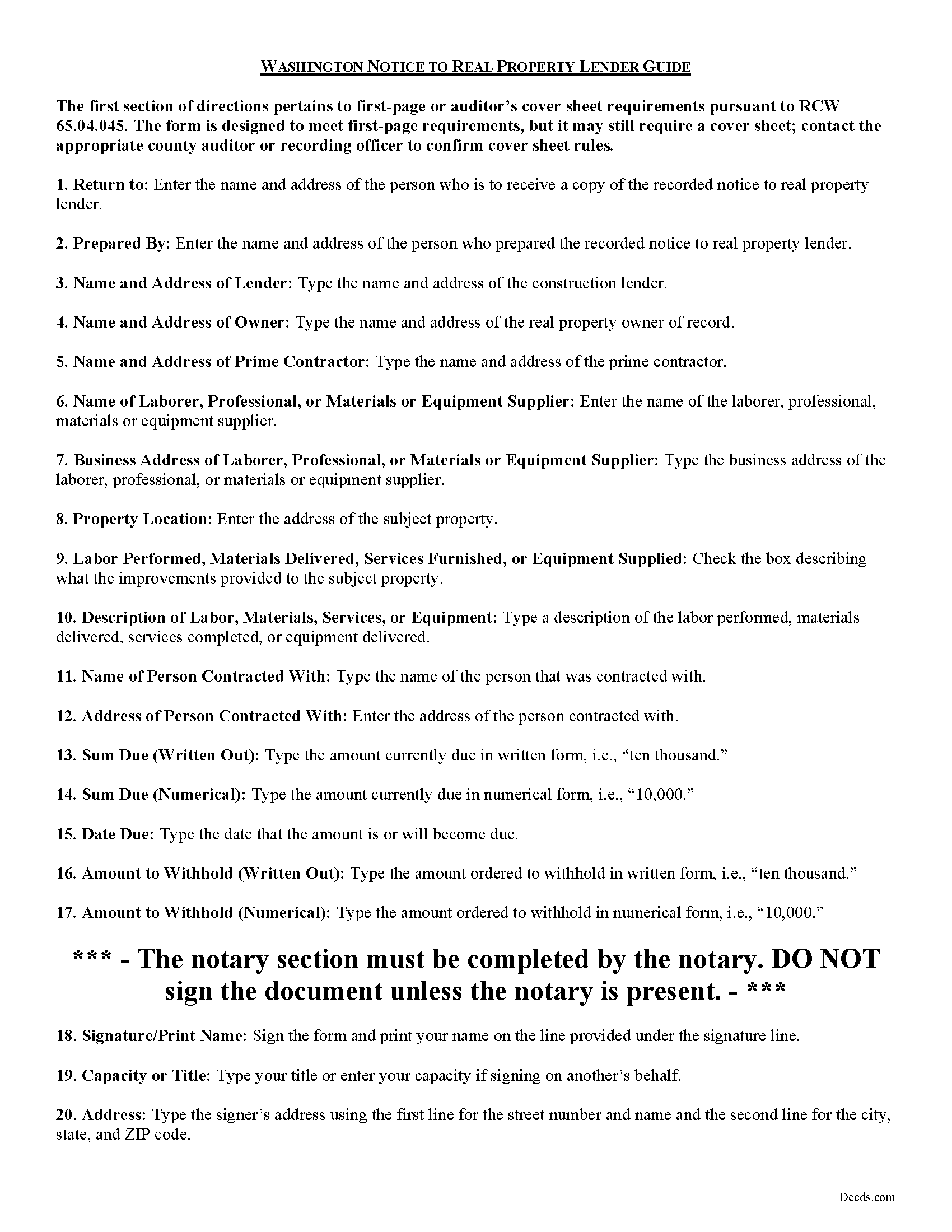
Spokane County Notice to Construction Lender Guide
Line by line guide explaining every blank on the form.
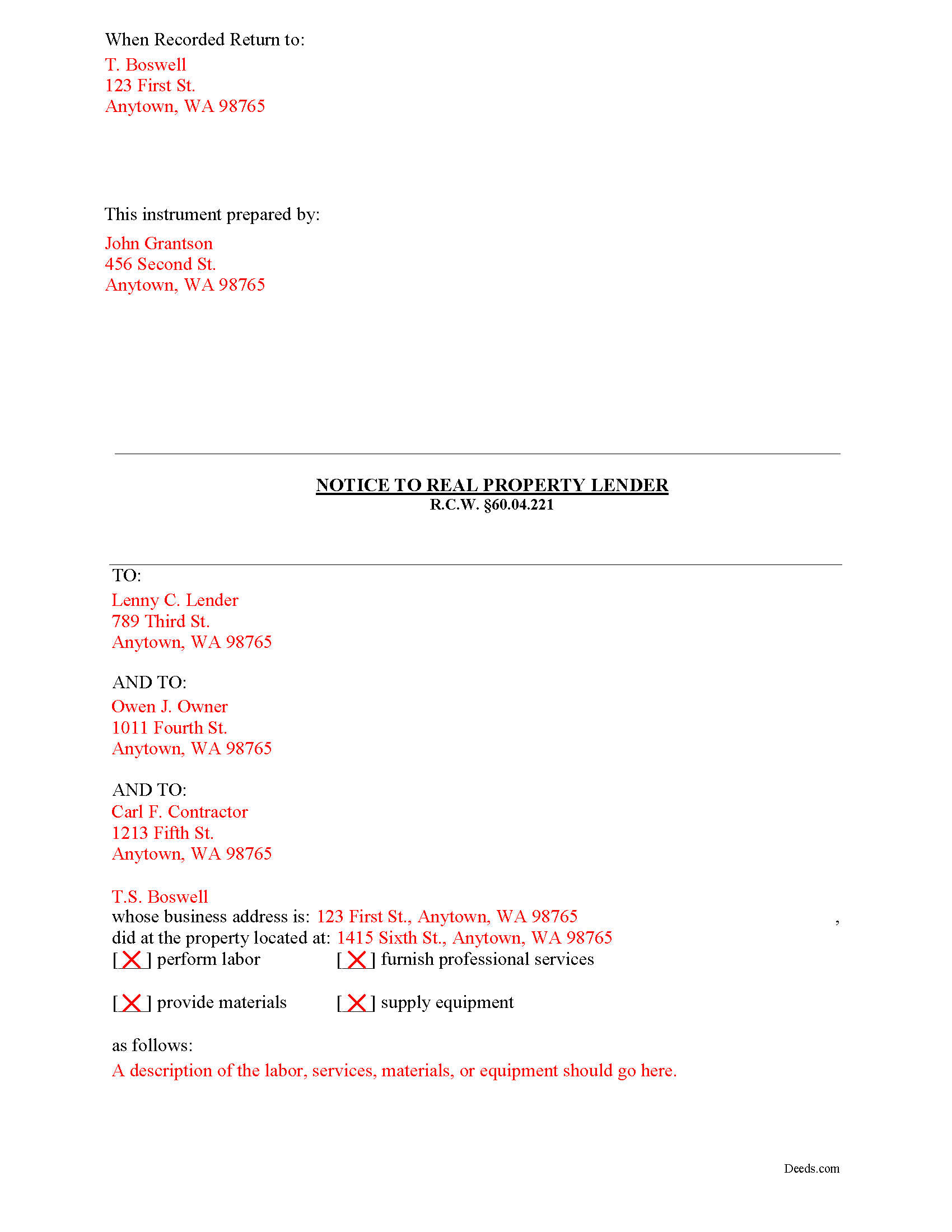
Spokane County Completed Example of the Notice to Construction Lender Document
Example of a properly completed form for reference.
All 3 documents above included • One-time purchase • No recurring fees
Immediate Download • Secure Checkout
Additional Washington and Spokane County documents included at no extra charge:
Where to Record Your Documents
Spokane County Auditor: Recording
Spokane, Washington 99260
Hours: Monday through Thursday 8:30 a.m. to 4:00 p.m; Friday 8:30 am to 1:00pm.
Phone: (509) 477-2270
Recording Tips for Spokane County:
- Bring your driver's license or state-issued photo ID
- Ensure all signatures are in blue or black ink
- Both spouses typically need to sign if property is jointly owned
- Bring extra funds - fees can vary by document type and page count
- Check margin requirements - usually 1-2 inches at top
Cities and Jurisdictions in Spokane County
Properties in any of these areas use Spokane County forms:
- Airway Heights
- Chattaroy
- Cheney
- Colbert
- Deer Park
- Elk
- Fairchild Air Force Base
- Fairfield
- Four Lakes
- Greenacres
- Latah
- Liberty Lake
- Marshall
- Mead
- Medical Lake
- Mica
- Newman Lake
- Nine Mile Falls
- Otis Orchards
- Rockford
- Spangle
- Spokane
- Valleyford
- Veradale
- Waverly
Hours, fees, requirements, and more for Spokane County
How do I get my forms?
Forms are available for immediate download after payment. The Spokane County forms will be in your account ready to download to your computer. An account is created for you during checkout if you don't have one. Forms are NOT emailed.
Are these forms guaranteed to be recordable in Spokane County?
Yes. Our form blanks are guaranteed to meet or exceed the applicable formatting requirements used for recording in Spokane County, including margin requirements, font requirements, and other layout standards. This guarantee applies to formatting, not to the legal sufficiency of information entered by the user or the suitability of a form for a particular transaction.
Can I reuse these forms?
Yes. You can reuse the forms for your personal use. For example, if you have multiple properties in Spokane County you only need to order once.
What do I need to use these forms?
The forms are PDFs that you fill out on your computer. The free Adobe Acrobat Reader is recommended, and most PDF apps also work. You do NOT enter your property information online - you download the blank forms and complete them privately on your own computer.
Are there any recurring fees?
No. This is a one-time purchase. Nothing to cancel, no memberships, no recurring fees.
How much does it cost to record in Spokane County?
Recording fees in Spokane County vary. Contact the recorder's office at (509) 477-2270 for current fees.
Questions answered? Let's get started!
Getting a Construction Lender to Withhold Funds
As part of the construction lien process, you might find it useful to send a notice to the construction lender ordering the lender to withhold distribution of funds from the loan proceeds until you are paid. This is another potential weapon in the lien claimant's arsenal. In some states, this notice is called as a "stop notice" because it instructions the lender to stop payment. The notice can be used as a first step or as an alternative to securing a mechanic's lien.
Any potential lien claimant who has not received a payment within five days after the date required by their contract, invoice, employee benefit plan agreement, or purchase order may give a notice to a construction lender within thirty-five days of the date required for payment of the contract, invoice, employee benefit plan agreement, or purchase order. See R.C.W. 60.04.221(1).
The notice must be signed by the potential lien claimant or some person authorized to act on his or her behalf. R.C.W. 60.04.221(2). The notice must be provided in writing to the lender at the office administering the construction financing, along with a copy given to the owner and the appropriate prime contractor. R.C.W. 60.04.221(3).
Two methods can be used to serve the notice: (1) mailing the notice by certified or registered mail to the lender, owner, and appropriate prime contractor; or (2) delivering or serving the notice personally and obtaining evidence of delivery in the form of a receipt or other acknowledgment signed by the lender, owner, and appropriate prime contractor, or an affidavit of service. Id.
The notice must include the following information: (1) the name of the person, firm, trustee, or corporation filing the notice, (2) the name of the prime contractor, common law agent, or construction agent ordering the same, (3) a common or street address of the real property being improved or the legal description of the real property, and (4) the name, business address, and telephone number of the lien claimant. R.C.W. 60.04.221(4).
After the lender receives a copy of the notice, the lender must then withhold from the next and subsequent draws the amount claimed to be due as stated in the notice. R.C.W. 60.04.221(5). Alternatively, the lender may obtain from the prime contractor or borrower a payment bond for the benefit of the potential lien claimant in an amount sufficient to cover the amount stated in the potential lien claimant's notice. Id. The lender is obligated to withhold amounts only to the extent that sufficient interim or construction financing funds remain undisbursed as of the date the lender receives the notice. Id.
Once the notice is received by the lender, sums that are withheld shall not be disbursed by the lender, except by the written agreement of the potential lien claimant, owner, and prime contractor, or court order. R.C.W. 60.04.221(6).
If the lender fails to abide by the terms of the notice, then the mortgage, deed of trust, or other encumbrance securing the lender will be made secondary to the lien of the potential lien claimant to the extent of the interim or construction financing wrongfully disbursed, but in no event more than the amount stated in the notice plus costs as fixed by the court, including reasonable attorneys' fees. R.C.W. 60.04.221(7).
Use caution in drafting the notice to the lender and ensure the form is accurate. If there are mistakes, any potential lien claimant will be liable for any loss, cost, or expense, including reasonable attorneys' fees and statutory costs, to a party injured thereby arising out of any unjust, excessive, or premature notice that is filed. R.C.W. 60.04.221(8).
This article is provided for informational purposes only and should not be relied upon as a substitute for the advice of an attorney. If you have any questions about the notice to lender document or any other issues related to liens, please consult with a Washington attorney.
Important: Your property must be located in Spokane County to use these forms. Documents should be recorded at the county recording office listed above.
This Mechanics Lien Notice to Construction Lender meets all recording requirements specific to Spokane County.
Our Promise
The documents you receive here are guaranteed to meet or exceed the applicable Spokane County recording format requirements. If there is a rejection caused by our formatting, we will correct the issue or refund your payment. This guarantee applies to document formatting only and does not extend to information entered by the user, the selection of the form, or the legal effect of the completed document.
Save Time and Money
Get your Spokane County Mechanics Lien Notice to Construction Lender form done right the first time with Deeds.com Uniform Conveyancing Blanks. At Deeds.com, we understand that your time and money are valuable resources, and we don't want you to face a penalty fee or rejection imposed by a county recorder for submitting nonstandard documents. We constantly review and update our forms to meet rapidly changing state and county recording requirements for roughly 3,500 counties and local jurisdictions.
4.8 out of 5 - ( 4,831 Reviews )
Frank G B. 5 out of 5 stars
site is very helpful and easy to use.
We appreciate your business and value your feedback. Thank you. Have a wonderful day!
Nikie U. 5 out of 5 stars
This was my first time using this service and it worked smoothly and efficiently and I will definitely use them again.
Thank you for your feedback. We really appreciate it. Have a great day!
Joyce D. 5 out of 5 stars
Good after I figured out the form process. Hopefully I won't be charged for two as I redid the request thinking I might have made a mistake in the first request.
Thank you for your feedback Joyce. We have reviewed your account and there have been no duplicate orders submitted. Have a great day!
SHERRILL B. 5 out of 5 stars
I received prompt attention to the package I submitted. It was submitted promptly the recorders office with a quick turn around for the recorded document. Overall a very pleasant experience.
We are sincerely grateful for your feedback and are committed to providing the highest quality service. Thank you for your trust in us.
Josephine A. 5 out of 5 stars
Being a first timer, I was hesitant at first to use the service. I was genuinely surprised at how easy it is to set up an account, upload my document, and pay the invoice. The next day I downloaded my document duly recorded. Good work, guys!
Thank you for your feedback. We really appreciate it. Have a great day!
Griselle M. 5 out of 5 stars
Great service - it was my first time using the service and really recommend it. Due to COVID-19, my County Recorder's Office is closed and I was able to create the document using their vast templates, notarize it, and upload it into the system. The recording process took about 7 working days which is not bad considering that most people are working remotely. I will share this website and its many resources with my relatives and friends.
Thank you Griselle, glad we could help.
Gloria B. 5 out of 5 stars
Super easy and efficient. One time charge for the form with no commitment to a recurring charge for monthly membership. *****
Thank you for your feedback. We really appreciate it. Have a great day!
Mary Ann H. 5 out of 5 stars
Great service! Good documents. Easy to use! Thank you!
We appreciate your business and value your feedback. Thank you. Have a wonderful day!
Hugh B R. 5 out of 5 stars
Very user friendly and fast. Pleasure using this site.
Thank you for your feedback. We really appreciate it. Have a great day!
Larry T. 5 out of 5 stars
Ordered a 'Gift Deed' form The 'Example' form was most helpful. The actual form was very detailed, and seemed to 'cover all the bases'
We appreciate your business and value your feedback. Thank you. Have a wonderful day!
Constance R. 5 out of 5 stars
It was very easy to e-file. I liked it.
Thank you for your feedback. We really appreciate it. Have a great day!
Emily P. 5 out of 5 stars
Amazing service, thanks for all your help!
Thank you for your feedback. We really appreciate it. Have a great day!
Nancy v. 5 out of 5 stars
Amazing! So easy to get all the forms. Very impressive!
Thank you!
Jennifer C. 5 out of 5 stars
Fast turnaround. Very much appreciated!
Thank you!
Earle T. 5 out of 5 stars
This is an excellent service. And very easy to use.
We appreciate your business and value your feedback. Thank you. Have a wonderful day!