Whatcom County Transfer on Death Affidavit Form
Last validated October 27, 2026 by our Forms Development TeamFormatted for recording in Whatcom County, for property anywhere in the county: rural and unincorporated areas as well as Acme, Bellingham, Blaine, Custer, Deming, Everson, Ferndale, Lummi Island and 5 more.
- 3 documents included
- Immediate PDF download
- Formatting guarantee
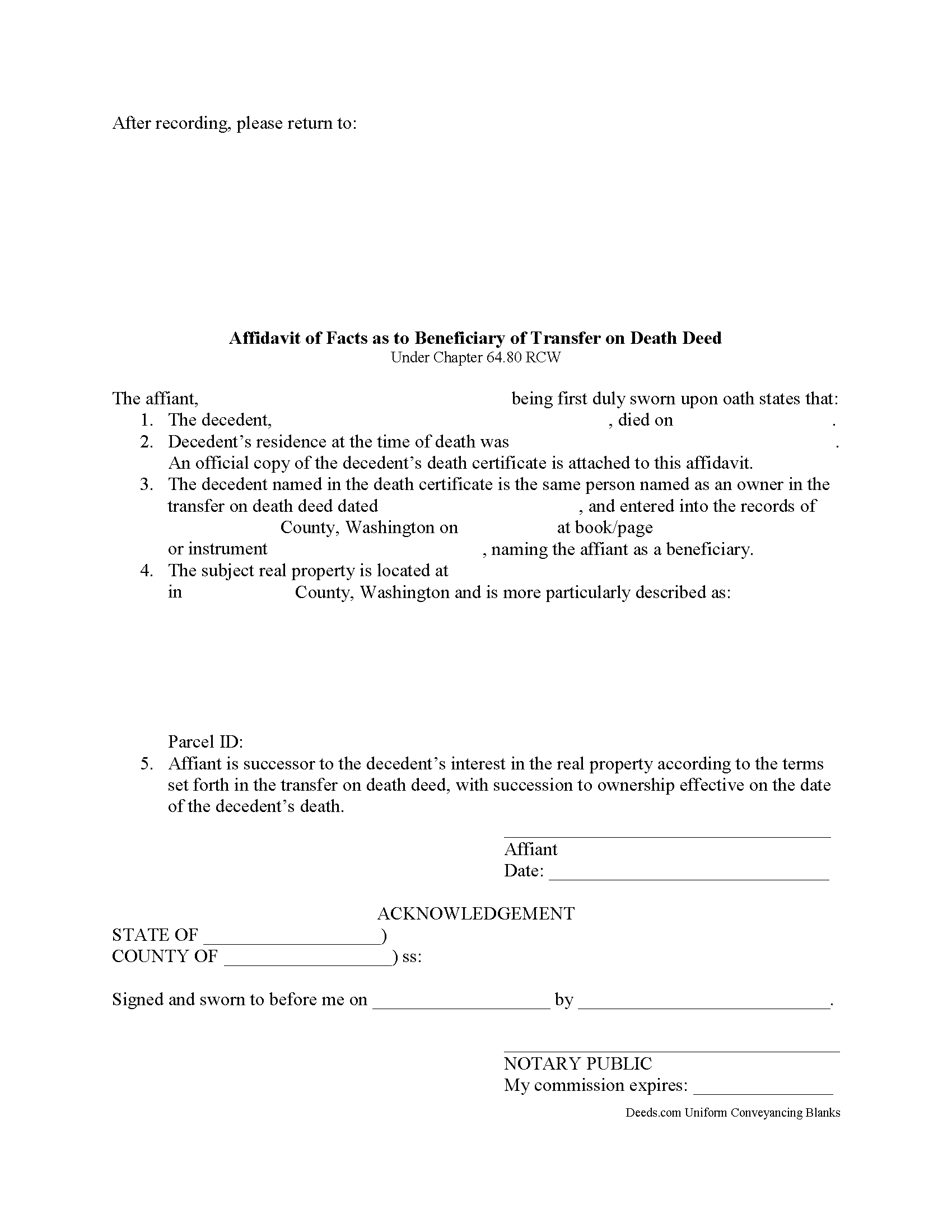
Whatcom County Transfer on Death Affidavit Form
Fill in the blank form formatted to comply with all recording and content requirements.
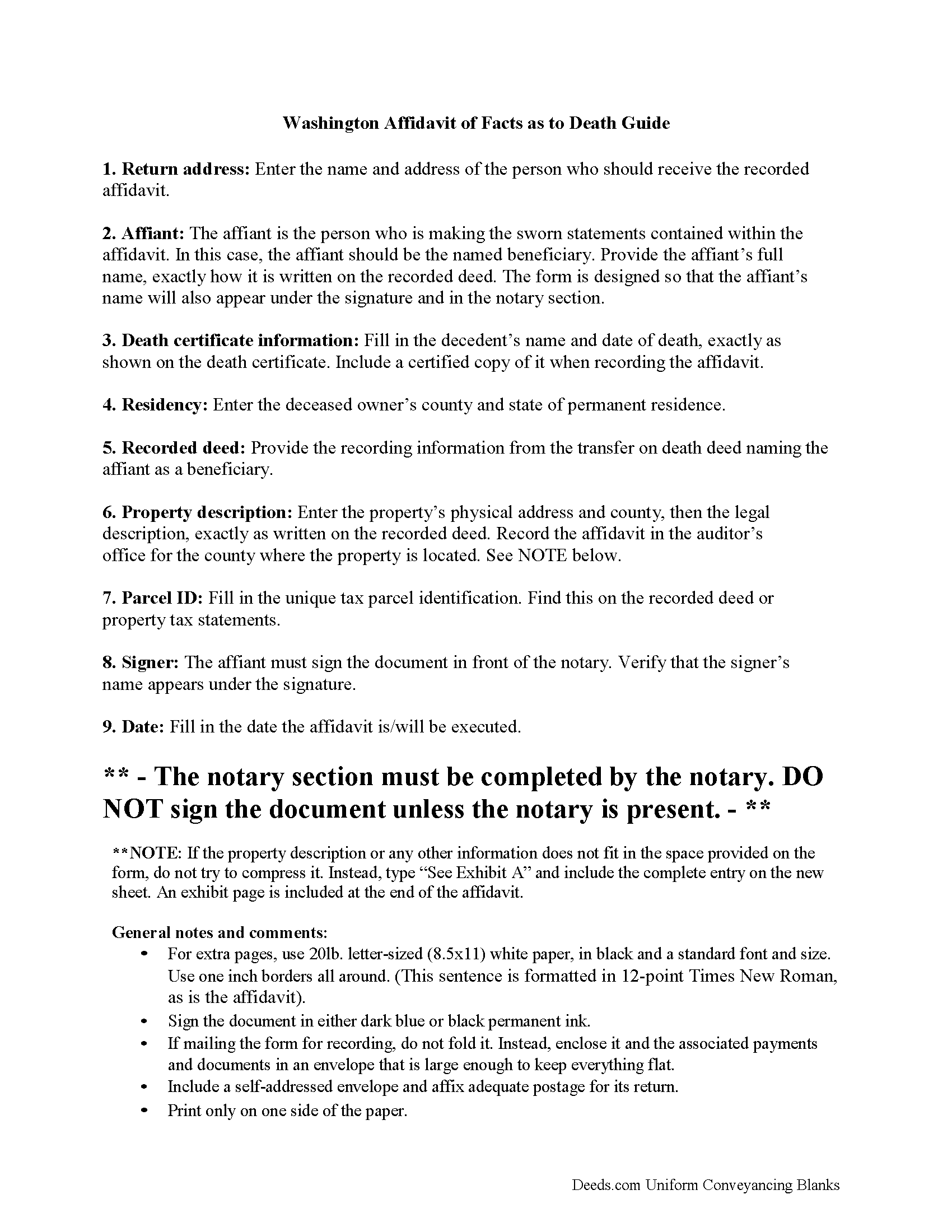
Whatcom County Transfer on Death Affidavit Guide
Line by line guide explaining every blank on the form.
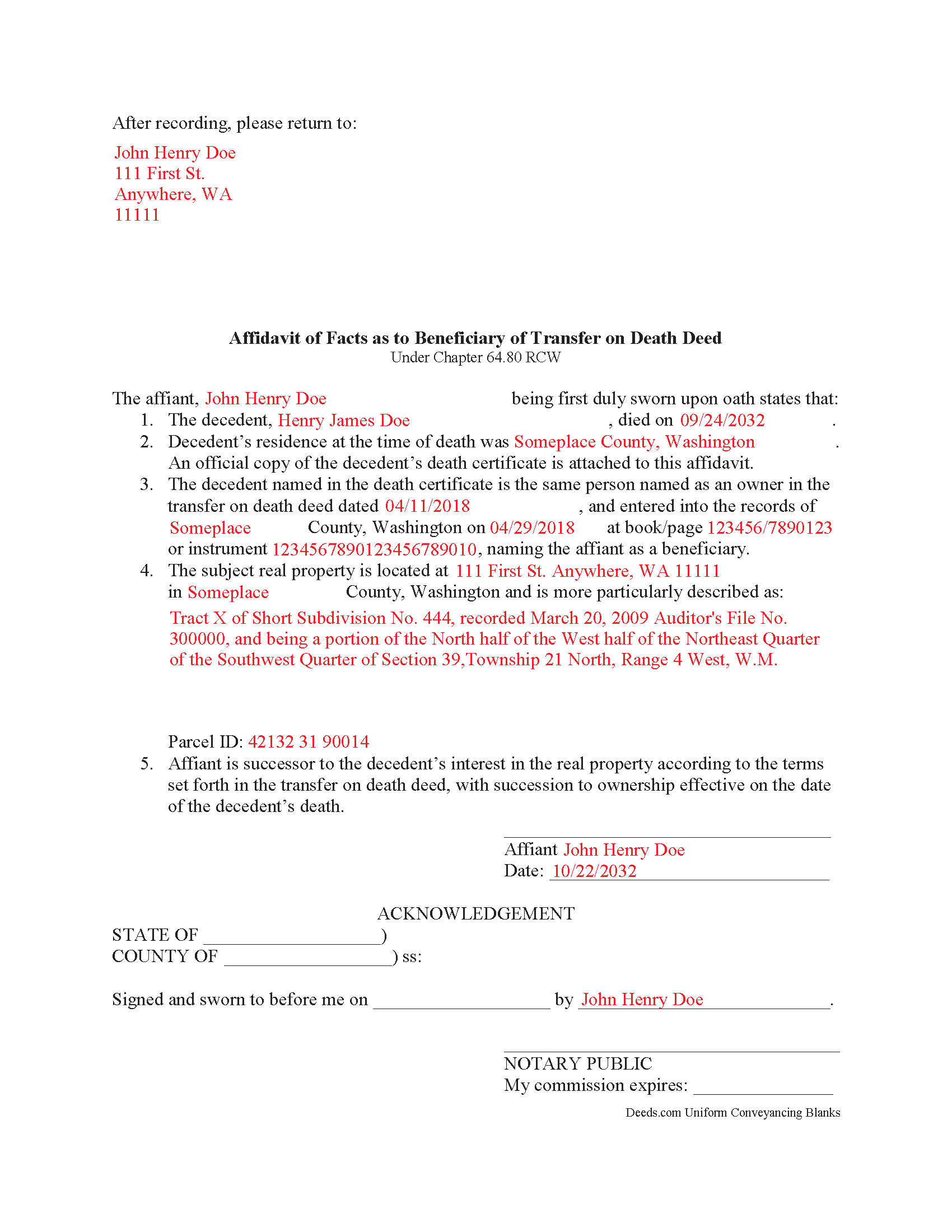
Whatcom County Completed Example of the Transfer on Death Affidavit Document
Example of a properly completed form for reference.
All 3 documents above included • One-time purchase • No recurring fees
Immediate Download • Secure Checkout
Additional Washington and Whatcom County documents included at no extra charge:
Where to Record Your Documents
Whatcom County Auditor: Recording
Bellingham, Washington 98225
Hours: 8:30 to 4:30 M-F
Phone: (360) 778-5100
Recording Tips for Whatcom County:
- Bring your driver's license or state-issued photo ID
- Ensure all signatures are in blue or black ink
- Check margin requirements - usually 1-2 inches at top
- Leave recording info boxes blank - the office fills these
- Make copies of your documents before recording - keep originals safe
Cities and Jurisdictions in Whatcom County
Properties in any of these areas use Whatcom County forms:
- Acme
- Bellingham
- Blaine
- Custer
- Deming
- Everson
- Ferndale
- Lummi Island
- Lynden
- Maple Falls
- Nooksack
- Point Roberts
- Sumas
Hours, fees, requirements, and more for Whatcom County
How do I get my forms?
Forms are available for immediate download after payment. The Whatcom County forms will be in your account ready to download to your computer. An account is created for you during checkout if you don't have one. Forms are NOT emailed.
Are these forms guaranteed to be recordable in Whatcom County?
Yes. Our form blanks are guaranteed to meet or exceed the applicable formatting requirements used for recording in Whatcom County, including margin requirements, font requirements, and other layout standards. This guarantee applies to formatting, not to the legal sufficiency of information entered by the user or the suitability of a form for a particular transaction.
Can I reuse these forms?
Yes. You can reuse the forms for your personal use. For example, if you have multiple properties in Whatcom County you only need to order once.
What do I need to use these forms?
The forms are PDFs that you fill out on your computer. The free Adobe Acrobat Reader is recommended, and most PDF apps also work. You do NOT enter your property information online - you download the blank forms and complete them privately on your own computer.
Are there any recurring fees?
No. This is a one-time purchase. Nothing to cancel, no memberships, no recurring fees.
How much does it cost to record in Whatcom County?
Recording fees in Whatcom County vary. Contact the recorder's office at (360) 778-5100 for current fees.
Questions answered? Let's get started!
Transferring a Washington Real Estate Title to a Transfer on Death Beneficiary
The Revised Statutes of Washington set out the rules for transfer on death deeds at Chapter 64.80. Property transferred in this way is not passed in a will; instead, the named beneficiary's share is conveyed as a function of law, but not until after the property owner dies.
To perfect the title, RCW 82.45.197(7) discusses recording a certified copy of the owner's death certificate. Otherwise, the deceased owner's name would remain on the title. This inaccuracy can create confusion during a title search and slow down the transfer process. In addition, outdated information might interfere with property tax billing, possibly leading to fees and/or penalties.
By executing and recording an affidavit of facts as to death to accompany the death certificate the beneficiary can clarify the intended outcome of the transfer. This action keeps property records up-to-date, verifies interests and rights to the title, and ensures smoother transfers in the future.
Each circumstance is unique, so please contact an attorney with questions or for complex situations.
(Washington TODA Package includes form, guidelines, and completed example)
Important: Your property must be located in Whatcom County to use these forms. Documents should be recorded at the county recording office listed above.
This Transfer on Death Affidavit meets all recording requirements specific to Whatcom County.
Our Promise
The documents you receive here are guaranteed to meet or exceed the applicable Whatcom County recording format requirements. If there is a rejection caused by our formatting, we will correct the issue or refund your payment. This guarantee applies to document formatting only and does not extend to information entered by the user, the selection of the form, or the legal effect of the completed document.
Save Time and Money
Get your Whatcom County Transfer on Death Affidavit form done right the first time with Deeds.com Uniform Conveyancing Blanks. At Deeds.com, we understand that your time and money are valuable resources, and we don't want you to face a penalty fee or rejection imposed by a county recorder for submitting nonstandard documents. We constantly review and update our forms to meet rapidly changing state and county recording requirements for roughly 3,500 counties and local jurisdictions.
4.8 out of 5 - ( 4,842 Reviews )
Annie R. 5 out of 5 stars
Excellent service. Documents easy to understand and use.
We appreciate your business and value your feedback. Thank you. Have a wonderful day!
Matt G. 4 out of 5 stars
The process went smoothly and gave me what I needed. As an improvement, I would recommend that deeds.com sends an email when there is a new message in the portal. I didn't get any updates and had to log in to track progress each time.
Thank you for your feedback. We really appreciate it. Have a great day!
Raecita H. 5 out of 5 stars
This was the first time I had ever had to fill out a Warranty Deed, so if it was not for your example form on how to fill one out, I would be still be here completely lost. I had originally gone to another site for a Warranty Deed & they wanted double the amount of your price & their website had no examples forms. I am so happy with your site & service. Thank you for giving us the opportunity to be able to download the forms as much as we need to because as many mistakes I made,I had to print quite a few to be able to get it done right.
We appreciate your business and value your feedback. Thank you. Have a wonderful day!
Karri P. 5 out of 5 stars
Great service and easy to purchase exactly what you want.
We appreciate your business and value your feedback. Thank you. Have a wonderful day!
Johnna G. 5 out of 5 stars
Fantastic experience. Deeds.com worked with me on any corrections required by the county. Filing was super easy.
We appreciate your business and value your feedback. Thank you. Have a wonderful day!
william l H. 5 out of 5 stars
Just downloaded package , fast and quick and all the info i will need to complete my deed. Thanks again.
We appreciate your business and value your feedback. Thank you. Have a wonderful day!
sonja E. 5 out of 5 stars
It's very easy to find your way around on deeds.com, Excellent layout on this website and user friendly!
Thank you!
James V. 5 out of 5 stars
Easy, quick and very proficient. I am glad I used Deeds.
Thank you!
Deborah C. 5 out of 5 stars
Good organization and guidance.
Thank you!
James J. 4 out of 5 stars
The form itself was very good and easy to use. The only problem I had was the Sample they provided. Using a different name in every spot doesnt help determine what goes where. Using "Theodore Rockafeller" as Lien Claimant in one spot and Jebediah Finklestein in another then Harvey Johnson in the last spot is confusing if you really need a helpful sample.
Thank you for your feedback James. We will have staff review the completed example to see if we can make it more helpful. Have a great day!
Earl L. 5 out of 5 stars
Fair!
Thank you!
Gail W. 5 out of 5 stars
Easy to use!!
Thank you!
Margaret C. 4 out of 5 stars
I recieved my document in a reasonable amount of time. I thought being a member i would be able to look up more than 1 document but it keeps asking me for more money. I requested help, asking if I need to pay for each document but have not yet been answered. I appreciate the fact I got 1 document I needed quickly.
Thank you!
Chad R. 5 out of 5 stars
a refreshing web based legal form site Thanks I will recommend to friend
Thank you!
Terrence R. 5 out of 5 stars
So far so good I was able to find the documents I needed.
We appreciate your business and value your feedback. Thank you. Have a wonderful day!