Braxton County Certification of Trust Form
Last validated October 19, 2026 by our Forms Development TeamFormatted for recording in Braxton County, for property anywhere in the county: rural and unincorporated areas as well as Burnsville, Copen, Exchange, Flatwoods, Frametown, Gassaway, Heaters, Little Birch and 2 more.
- 3 documents included
- Immediate PDF download
- Formatting guarantee
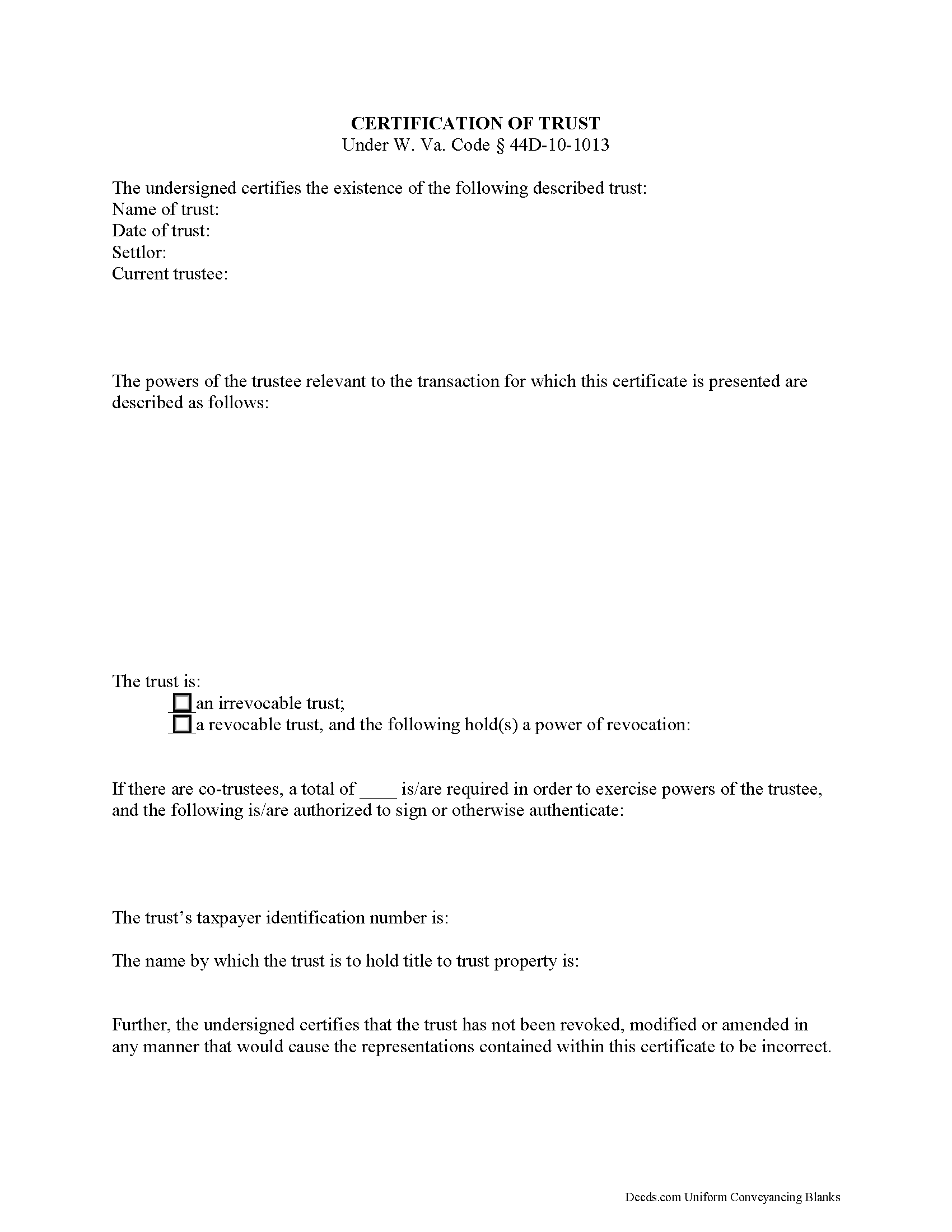
Braxton County Certificate of Trust Form
Fill in the blank form formatted to comply with all recording and content requirements.
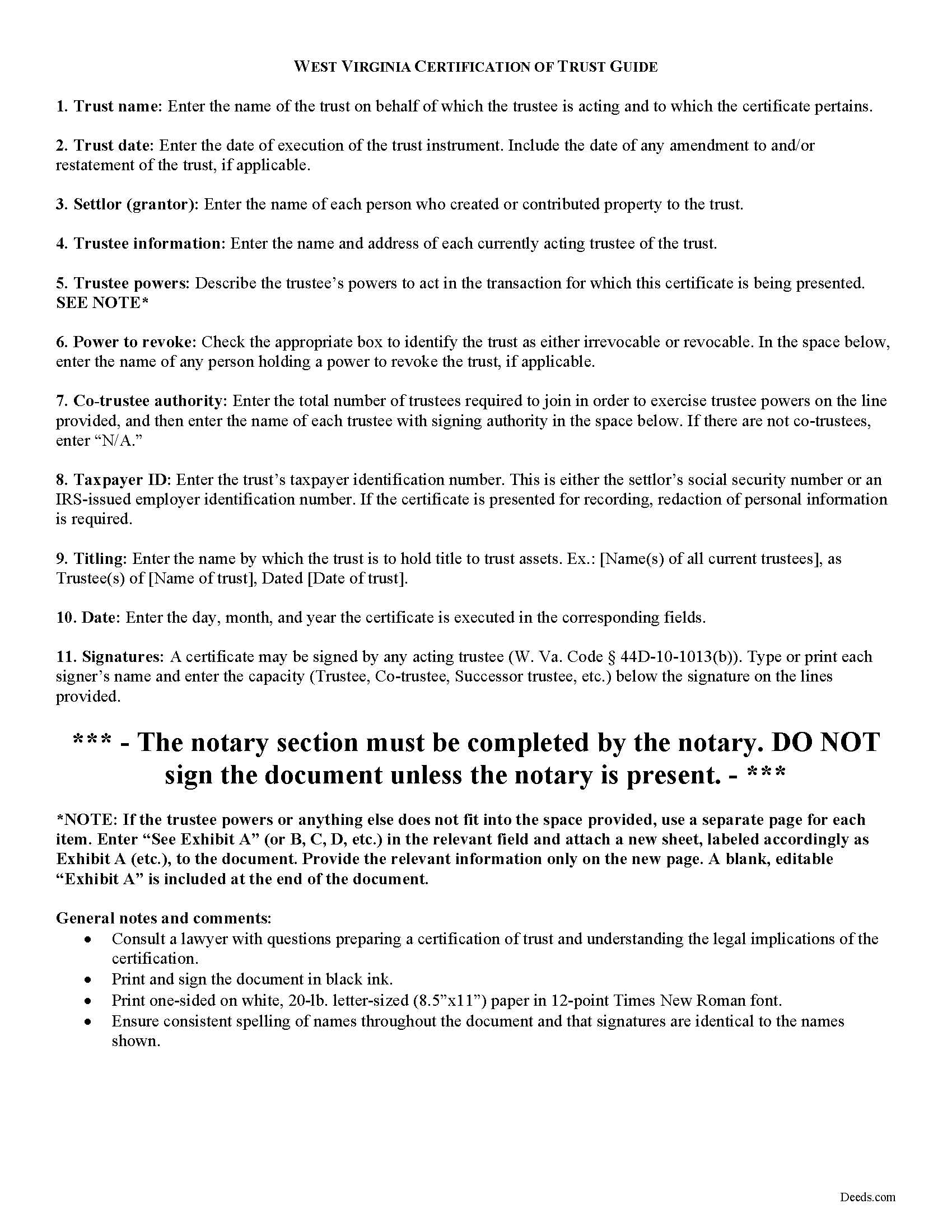
Braxton County Certificate of Trust Guide
Line by line guide explaining every blank on the form.
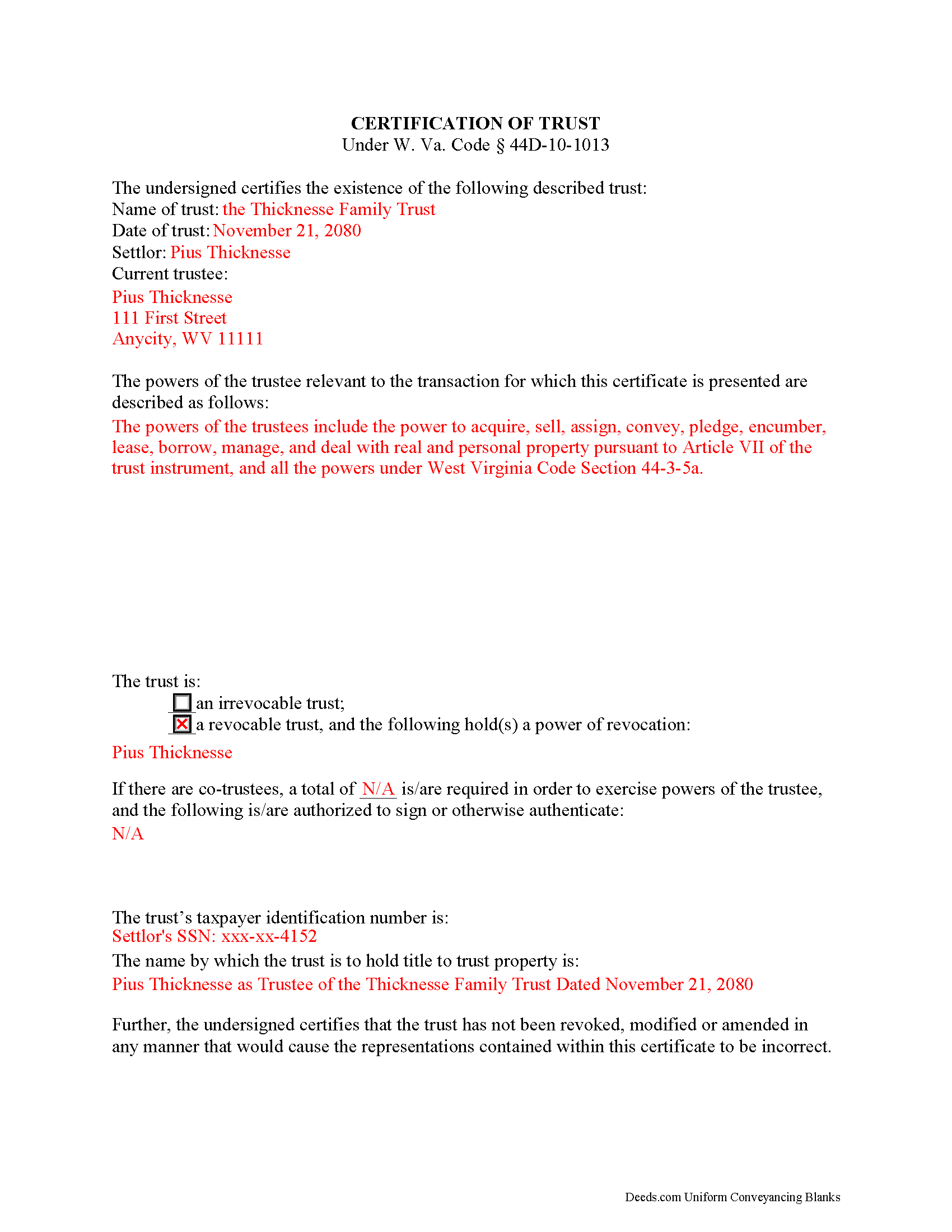
Braxton County Completed Example of the Certificate of Trust Document
Example of a properly completed form for reference.
All 3 documents above included • One-time purchase • No recurring fees
Immediate Download • Secure Checkout
Additional West Virginia and Braxton County documents included at no extra charge:
Where to Record Your Documents
Braxton County Clerk
Sutton, West Virginia 26601-1313
Hours: 8:00 to 4:00 M-F
Phone: (304) 765-2833
Recording Tips for Braxton County:
- Bring your driver's license or state-issued photo ID
- Ensure all signatures are in blue or black ink
- Documents must be on 8.5 x 11 inch white paper
- Double-check legal descriptions match your existing deed
- Verify all names are spelled correctly before recording
Cities and Jurisdictions in Braxton County
Properties in any of these areas use Braxton County forms:
- Burnsville
- Copen
- Exchange
- Flatwoods
- Frametown
- Gassaway
- Heaters
- Little Birch
- Napier
- Sutton
Hours, fees, requirements, and more for Braxton County
How do I get my forms?
Forms are available for immediate download after payment. The Braxton County forms will be in your account ready to download to your computer. An account is created for you during checkout if you don't have one. Forms are NOT emailed.
Are these forms guaranteed to be recordable in Braxton County?
Yes. Our form blanks are guaranteed to meet or exceed the applicable formatting requirements used for recording in Braxton County, including margin requirements, font requirements, and other layout standards. This guarantee applies to formatting, not to the legal sufficiency of information entered by the user or the suitability of a form for a particular transaction.
Can I reuse these forms?
Yes. You can reuse the forms for your personal use. For example, if you have multiple properties in Braxton County you only need to order once.
What do I need to use these forms?
The forms are PDFs that you fill out on your computer. The free Adobe Acrobat Reader is recommended, and most PDF apps also work. You do NOT enter your property information online - you download the blank forms and complete them privately on your own computer.
Are there any recurring fees?
No. This is a one-time purchase. Nothing to cancel, no memberships, no recurring fees.
How much does it cost to record in Braxton County?
Recording fees in Braxton County vary. Contact the recorder's office at (304) 765-2833 for current fees.
Questions answered? Let's get started!
The certification of trust is part of the Uniform Trust Code, codified in West Virginia at 44D-10-1013, and provides protection for parties doing business with trustees. The document "need not contain the dispositive terms of a trust" ( 44D-10-1013(d)) and, in West Virginia, is generally not recorded with land records. Rather, the certification is presented to third parties such as banks or other financial institutions doing business with a trustee.
Executed by any trustee, the certificate contains only the pertinent information required for the business at hand and is a basic summary of the trust instrument. It states that the trust exists and that it has not been revoked or modified in a way that would invalidate the information presented within. In addition, it requires the name of each settlor and acting trustee; the trustee's relevant powers; the name of anyone having a power to revoke the trust; the trust's taxpayer identification number; and the name by which the trust vests title to property. The form also details the signing authority of co-trustees, if applicable.
Each situation is unique, so contact an attorney with questions about the certification of trust or any other issue relating to trusts in West Virginia.
(West Virginia COT Package includes form, guidelines, and completed example)
Important: Your property must be located in Braxton County to use these forms. Documents should be recorded at the county recording office listed above.
This Certification of Trust meets all recording requirements specific to Braxton County.
Our Promise
The documents you receive here are guaranteed to meet or exceed the applicable Braxton County recording format requirements. If there is a rejection caused by our formatting, we will correct the issue or refund your payment. This guarantee applies to document formatting only and does not extend to information entered by the user, the selection of the form, or the legal effect of the completed document.
Save Time and Money
Get your Braxton County Certification of Trust form done right the first time with Deeds.com Uniform Conveyancing Blanks. At Deeds.com, we understand that your time and money are valuable resources, and we don't want you to face a penalty fee or rejection imposed by a county recorder for submitting nonstandard documents. We constantly review and update our forms to meet rapidly changing state and county recording requirements for roughly 3,500 counties and local jurisdictions.
4.8 out of 5 - ( 4,828 Reviews )
Joe S. 5 out of 5 stars
Easy to use, reasonable price and excellent customer service! I would not hesitate to use Deeds.com again.
We appreciate your business and value your feedback. Thank you. Have a wonderful day!
JOY W. 5 out of 5 stars
Really great resource to use in a time that can be very stressful. Downloading was very simple and the instructions provided were detailed and easy to follow. I was grateful to have found this.
Thank you for your review, Joy. We’re glad the process was straightforward and helpful when you needed it most.
Kristie B. 1 out of 5 stars
Horrible. As an agent, trying to find a simple answer was never accomplished.
Sorry to hear that Kristie. We do hope that you found what you were looking for elsewhere.
Frank K. 5 out of 5 stars
One thing I suggest is use the nomenclature Borrower / Lender / instead of Mortgatator / Mortgatee… Had to google which is which ? !
Thank you for your feedback. We really appreciate it. Have a great day!
Darrell S. 5 out of 5 stars
Easy to follow forms, and the attached go-by and instructions made it easy to complete.
We appreciate your business and value your feedback. Thank you. Have a wonderful day!
Robin F. 5 out of 5 stars
Very Convenient and easy to use
We appreciate your business and value your feedback. Thank you. Have a wonderful day!
Trent D. 5 out of 5 stars
You Guys are Fantastic and the service you all provide. Is PRICELESS!
We appreciate your business and value your feedback. Thank you. Have a wonderful day!
Patricia C. 5 out of 5 stars
The website works fine. The process of changing my Mineral Deed is sure more expensive in Texas. But I appreciate the convenience of the website and the pages of directions.
We appreciate your business and value your feedback. Thank you. Have a wonderful day!
Joyce D. 5 out of 5 stars
Good after I figured out the form process. Hopefully I won't be charged for two as I redid the request thinking I might have made a mistake in the first request.
Thank you for your feedback Joyce. We have reviewed your account and there have been no duplicate orders submitted. Have a great day!
CHRISTIN P. 3 out of 5 stars
Did not use site; too expensive.
Thank you for your feedback. We really appreciate it. Have a great day!
Kevin M. 5 out of 5 stars
Maricopa County Recorders office directed to use Deeds.com for all forms, etc. Easily found the Warranty Deed form, instructions & sample form I was looking for.
Thank you!
James S. 4 out of 5 stars
The forms download was quick and easy. The example deed was excellent. However, the payment method should include PayPal, not just credit cards.
Thank you for your feedback James, we appreciate it.
Monique C. 5 out of 5 stars
Very quick and efficient service! I will continue to use them for future reference.
Thank you!
Robert F. 5 out of 5 stars
Came with all the paperwork that I needed plus a lot more paperwork than what I needed. Covered all the bases! The instructions were a big help. Easy fill in the blanks. Had no problem filing the paperwork afterword at the County Clerks office. Definitely worth the $20.
Thanks Robert. We appreciate you taking the time to give us your feedback. Have a fantastic day!
Ted D. 5 out of 5 stars
Very good/user friendly
Thank you!