Calhoun County Memorandum of Trust Form
Last validated October 13, 2026 by our Forms Development TeamFormatted for recording in Calhoun County, for property anywhere in the county: rural and unincorporated areas as well as Arnoldsburg, Big Bend, Big Springs, Chloe, Grantsville, Millstone, Mount Zion, Munday and 1 more.
- 3 documents included
- Immediate PDF download
- Formatting guarantee
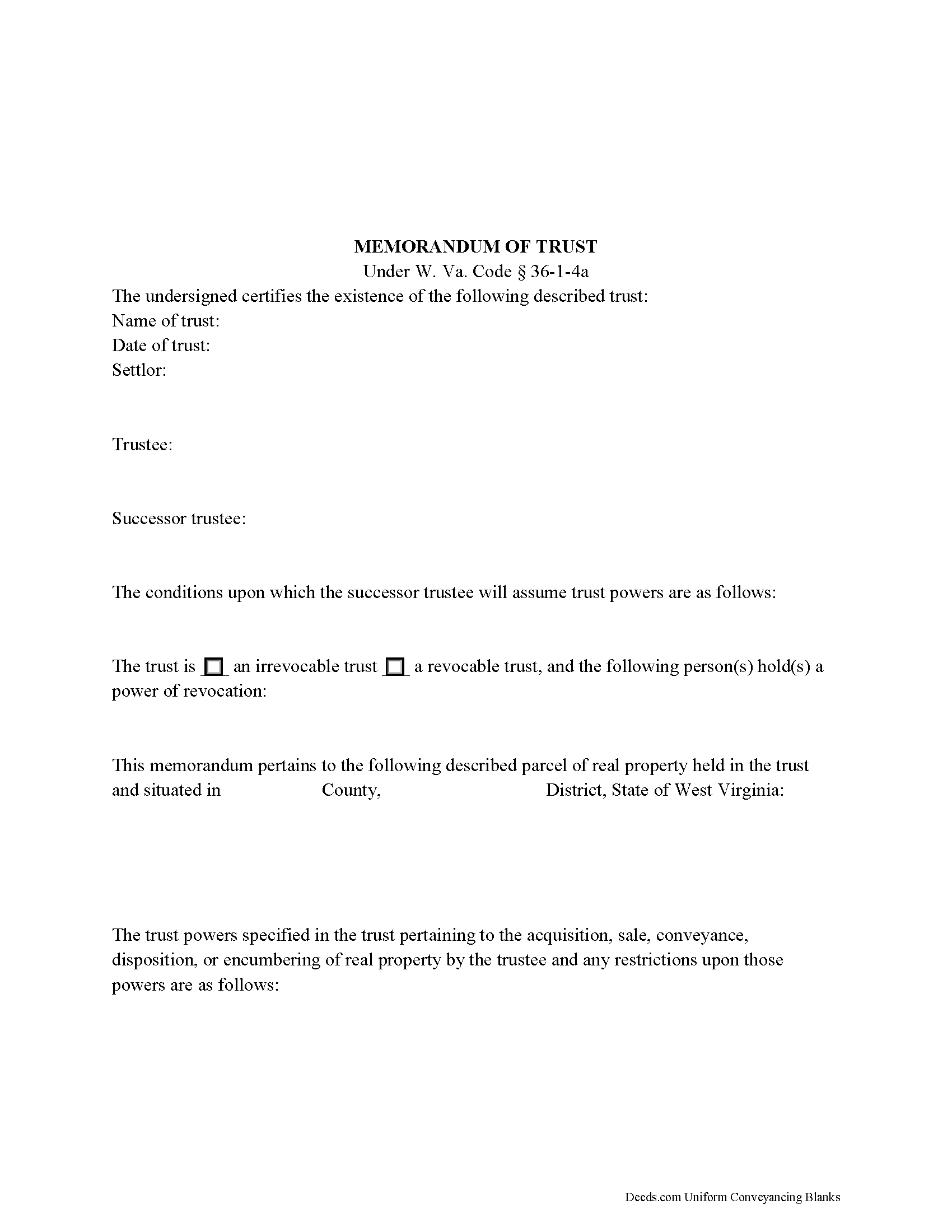
Calhoun County Memorandum of Trust Form
Fill in the blank form formatted to comply with all recording and content requirements.
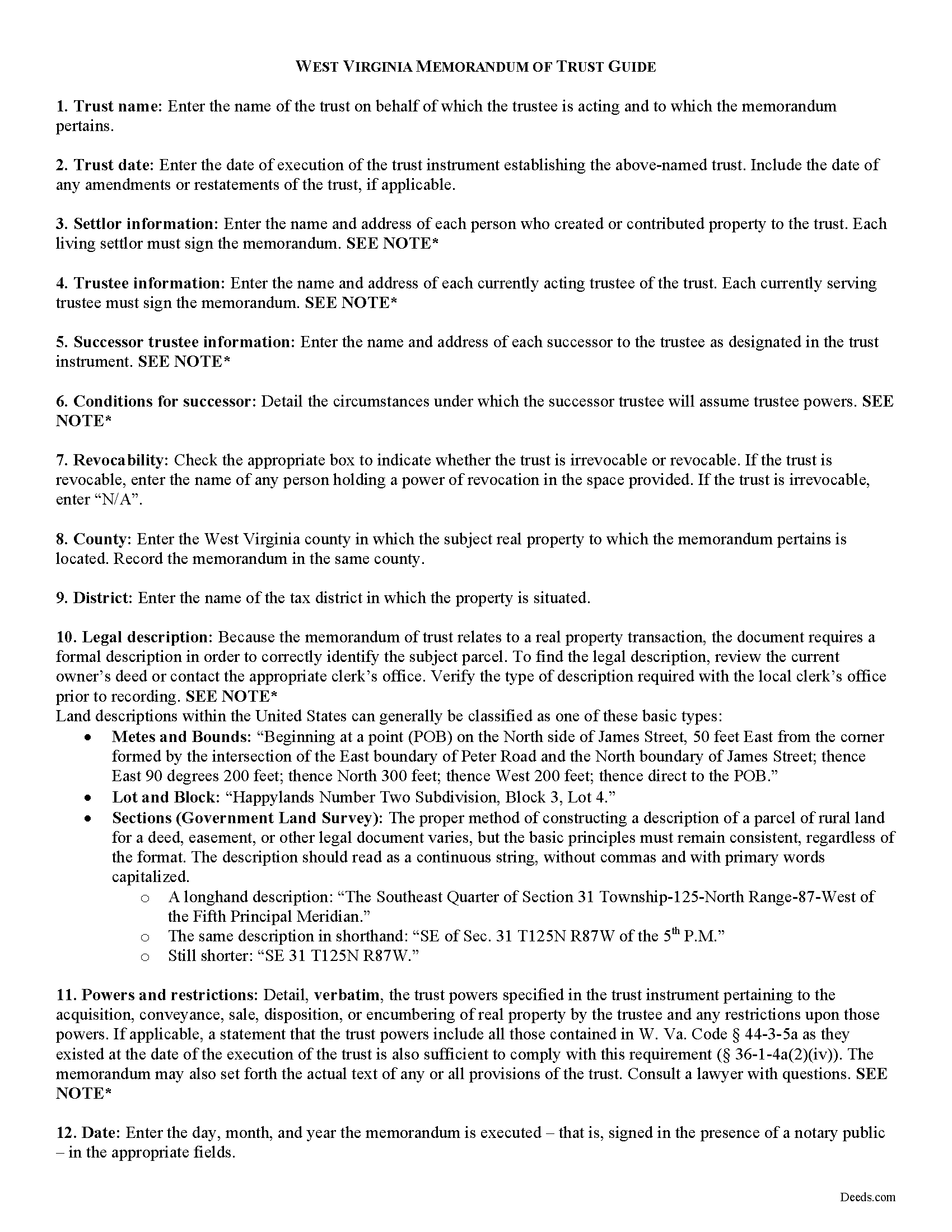
Calhoun County Memorandum of Trust Guide
Line by line guide explaining every blank on the form.
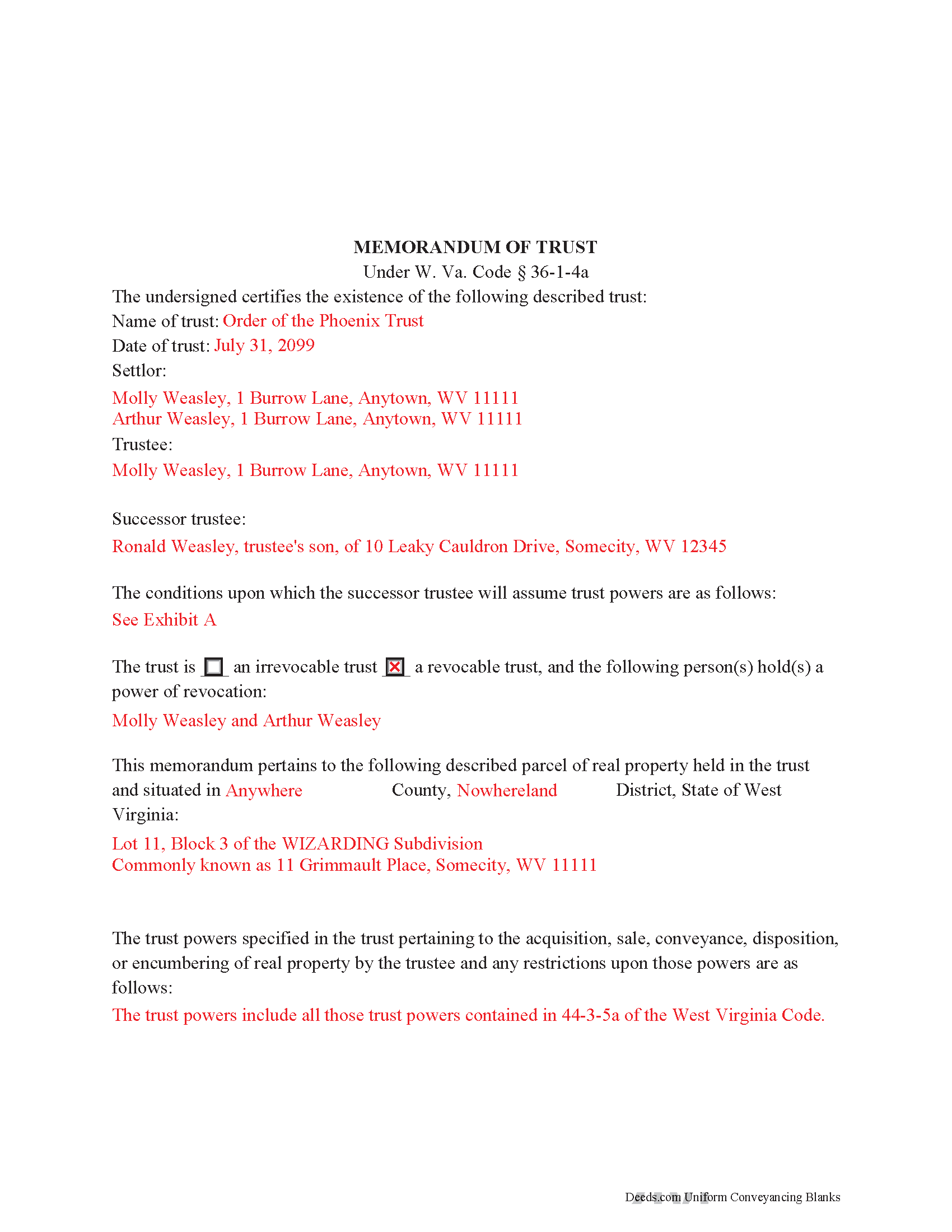
Calhoun County Completed Example of the Memorandum of Trust Document
Example of a properly completed form for reference.
All 3 documents above included • One-time purchase • No recurring fees
Immediate Download • Secure Checkout
Additional West Virginia and Calhoun County documents included at no extra charge:
Where to Record Your Documents
Calhoun County Clerk
Grantsville, West Virginia 26147
Hours: 8:00 to 4:00 M-F
Phone: (304) 354-6725
Recording Tips for Calhoun County:
- Bring your driver's license or state-issued photo ID
- Ensure all signatures are in blue or black ink
- Double-check legal descriptions match your existing deed
- Verify all names are spelled correctly before recording
- White-out or correction fluid may cause rejection
Cities and Jurisdictions in Calhoun County
Properties in any of these areas use Calhoun County forms:
- Arnoldsburg
- Big Bend
- Big Springs
- Chloe
- Grantsville
- Millstone
- Mount Zion
- Munday
- Orma
Hours, fees, requirements, and more for Calhoun County
How do I get my forms?
Forms are available for immediate download after payment. The Calhoun County forms will be in your account ready to download to your computer. An account is created for you during checkout if you don't have one. Forms are NOT emailed.
Are these forms guaranteed to be recordable in Calhoun County?
Yes. Our form blanks are guaranteed to meet or exceed the applicable formatting requirements used for recording in Calhoun County, including margin requirements, font requirements, and other layout standards. This guarantee applies to formatting, not to the legal sufficiency of information entered by the user or the suitability of a form for a particular transaction.
Can I reuse these forms?
Yes. You can reuse the forms for your personal use. For example, if you have multiple properties in Calhoun County you only need to order once.
What do I need to use these forms?
The forms are PDFs that you fill out on your computer. The free Adobe Acrobat Reader is recommended, and most PDF apps also work. You do NOT enter your property information online - you download the blank forms and complete them privately on your own computer.
Are there any recurring fees?
No. This is a one-time purchase. Nothing to cancel, no memberships, no recurring fees.
How much does it cost to record in Calhoun County?
Recording fees in Calhoun County vary. Contact the recorder's office at (304) 354-6725 for current fees.
Questions answered? Let's get started!
The memorandum of trust, codified under the Estates and Trusts chapter of the West Virginia Code at 36-1-4a is executed jointly by all acting trustees and living settlors of a trust. It is recorded in the land records with an acquisition and/or conveyance of real property by a trust in order to maintain a clear account for potential title examinations.
A memorandum contains a statement that the trust exists and the date of the trust; the names of each settlor, current trustee, and successor trustee; the conditions under which the successor assumes trustee powers; and whether or not the trust is revocable. The form also requires a verbatim accounting of the trustee's powers "relative to the acquisition, sale, disposition, or encumbering of real property ... or the conveyance or disposition of real property," depending on the situation, and any restrictions on those powers (W. Va. Code 36-1-4a(a)(2)(iv)). Due to the nature of the transaction for which the memorandum is recorded, a legal description of the subject property is also required. The memorandum may also include the entire text "of any or all of the provisions of the trust" ( 36-1-4a(b)).
Each case is unique, so contact an attorney with questions about this form or anything else relating to trusts in West Virginia.
(West Virginia MOT Package includes form, guidelines, and completed example)
Important: Your property must be located in Calhoun County to use these forms. Documents should be recorded at the county recording office listed above.
This Memorandum of Trust meets all recording requirements specific to Calhoun County.
Our Promise
The documents you receive here are guaranteed to meet or exceed the applicable Calhoun County recording format requirements. If there is a rejection caused by our formatting, we will correct the issue or refund your payment. This guarantee applies to document formatting only and does not extend to information entered by the user, the selection of the form, or the legal effect of the completed document.
Save Time and Money
Get your Calhoun County Memorandum of Trust form done right the first time with Deeds.com Uniform Conveyancing Blanks. At Deeds.com, we understand that your time and money are valuable resources, and we don't want you to face a penalty fee or rejection imposed by a county recorder for submitting nonstandard documents. We constantly review and update our forms to meet rapidly changing state and county recording requirements for roughly 3,500 counties and local jurisdictions.
4.8 out of 5 - ( 4,829 Reviews )
Robin B. 5 out of 5 stars
Nice and easy
Thank you!
RICHARD MANUEL F. 5 out of 5 stars
I never could even think to solve an important issue involving even overseas individuals without even a lawyer within 24 h. This service works for real and I'll keep using it from now for any future needs, referring to and proposing it as a legitimate, trusted real Optimus service. I'm extremely satisfied and being a Public Official myself I got to say that these guys have really impressed me!
Thank you!
Benjamin A. 4 out of 5 stars
This method seems simple for me to complete. Wish me luck.
Thank you for your feedback. We really appreciate it. Have a great day!
Ann K. 5 out of 5 stars
I ordered a Quit Claim Deed for my county. Once I read the detailed instructions and filled it out I submitted it to the local Register of Deeds and it was filed on the spot while I waited! Thank you, you made a difficult and expensive task easy (for a laymen with no knowledge) at little expense. Highly recommend your site!!!
Thank you for your feedback. We really appreciate it. Have a great day!
Roger W. 5 out of 5 stars
Documents were provided quickly and as promised. Very Satisfied.
Thank you for your feedback. We really appreciate it. Have a great day!
Viola G. 4 out of 5 stars
Some of the forms I ordered didn't have enough space for all of the information, but were useful as a guide for creating what I needed. Now I'll be trying the e-recording to see how that goes.
Thank you!
tamica l. 5 out of 5 stars
Excellent Service! Fast and friendly. Thank you will use again!
Thank you!
Joice W G. 4 out of 5 stars
Easy to use and able to individualize, which was important since I needed to print more than one doc. I just wish I had an option for a less expensive purchase - seemed like a lot for just a couple docs.
We appreciate your business and value your feedback. Thank you. Have a wonderful day!
Thomas M. 5 out of 5 stars
The process of finding exactly what was needed was pretty painless.
We appreciate your business and value your feedback. Thank you. Have a wonderful day!
ROBERT K. 5 out of 5 stars
It was so easy to obtain the necessary documents.
Thank you for your feedback. We really appreciate it. Have a great day!
Kyle E. 5 out of 5 stars
Works great thank you for saving us driving time!!
We appreciate your business and value your feedback. Thank you. Have a wonderful day!
Danny A. 5 out of 5 stars
This app is a fast and convenient way to download documents you need.
Thank you!
Elizabeth P. 5 out of 5 stars
Perfect quitclaim form. Easy to fill in with the required information and all the required information has a place (no easy feat in our county!). It is helpful that they include exhibit pages for larger blocks of information (our legal is 2 pages long). Great job folks!
Thank you for the kind words Elizabeth. Have an amazing day!
William M. 5 out of 5 stars
On multiple tries, I could not get validation mail through my Yahoo email address. I tried Gmail, worked the first time. The rest of the process was super easy and fast.
Thank you!
Evelyn T. 5 out of 5 stars
Easy to follow; user friendly.
We appreciate your business and value your feedback. Thank you. Have a wonderful day!