Calhoun County Transfer on Death Revocation Form
Last validated September 11, 2026 by our Forms Development TeamFormatted for recording in Calhoun County, for property anywhere in the county: rural and unincorporated areas as well as Arnoldsburg, Big Bend, Big Springs, Chloe, Grantsville, Millstone, Mount Zion, Munday and 1 more.
- 3 documents included
- Immediate PDF download
- Formatting guarantee
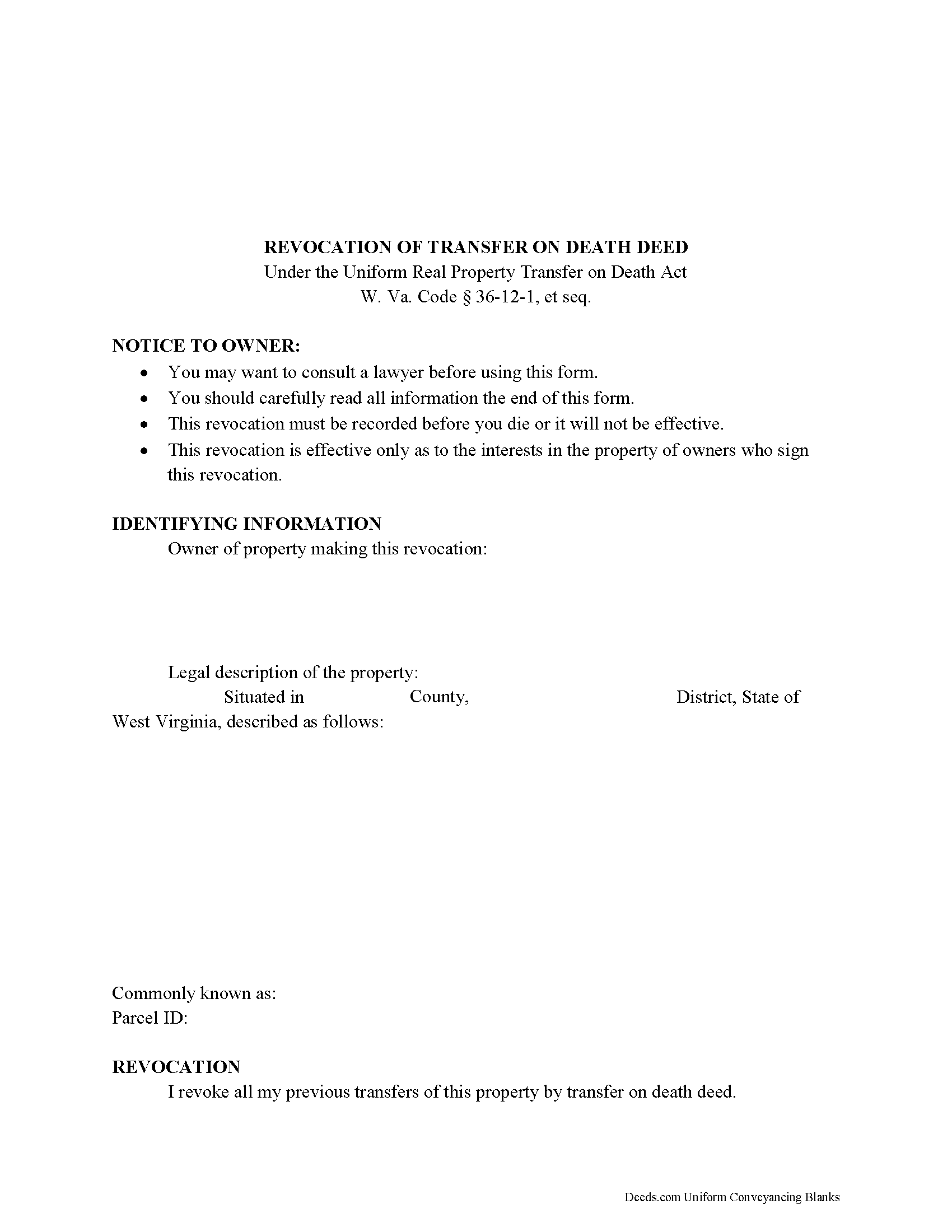
Calhoun County Transfer on Death Revocation Form
Fill in the blank form formatted to comply with all recording and content requirements.
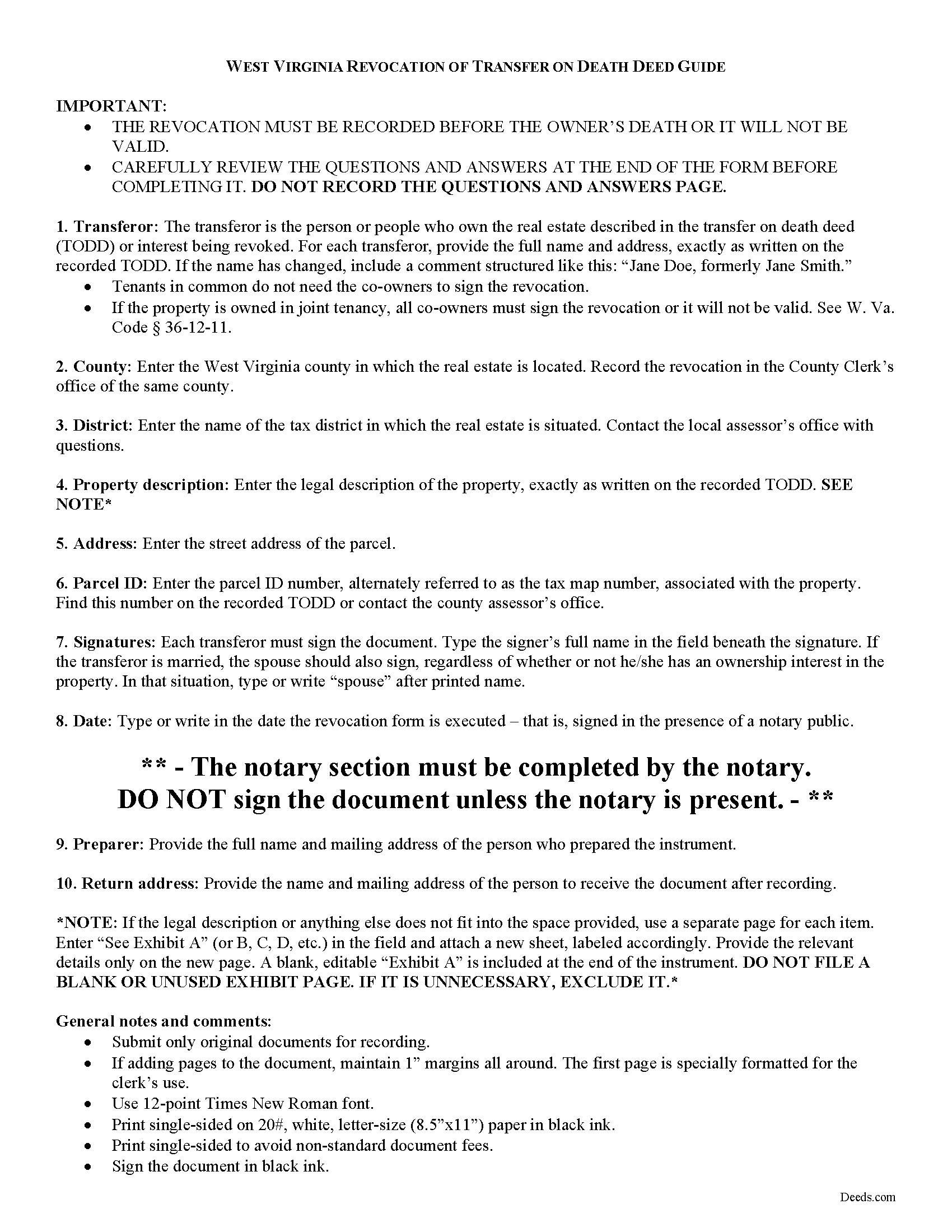
Calhoun County Transfer on Death Revocation Guide
Line by line guide explaining every blank on the form.
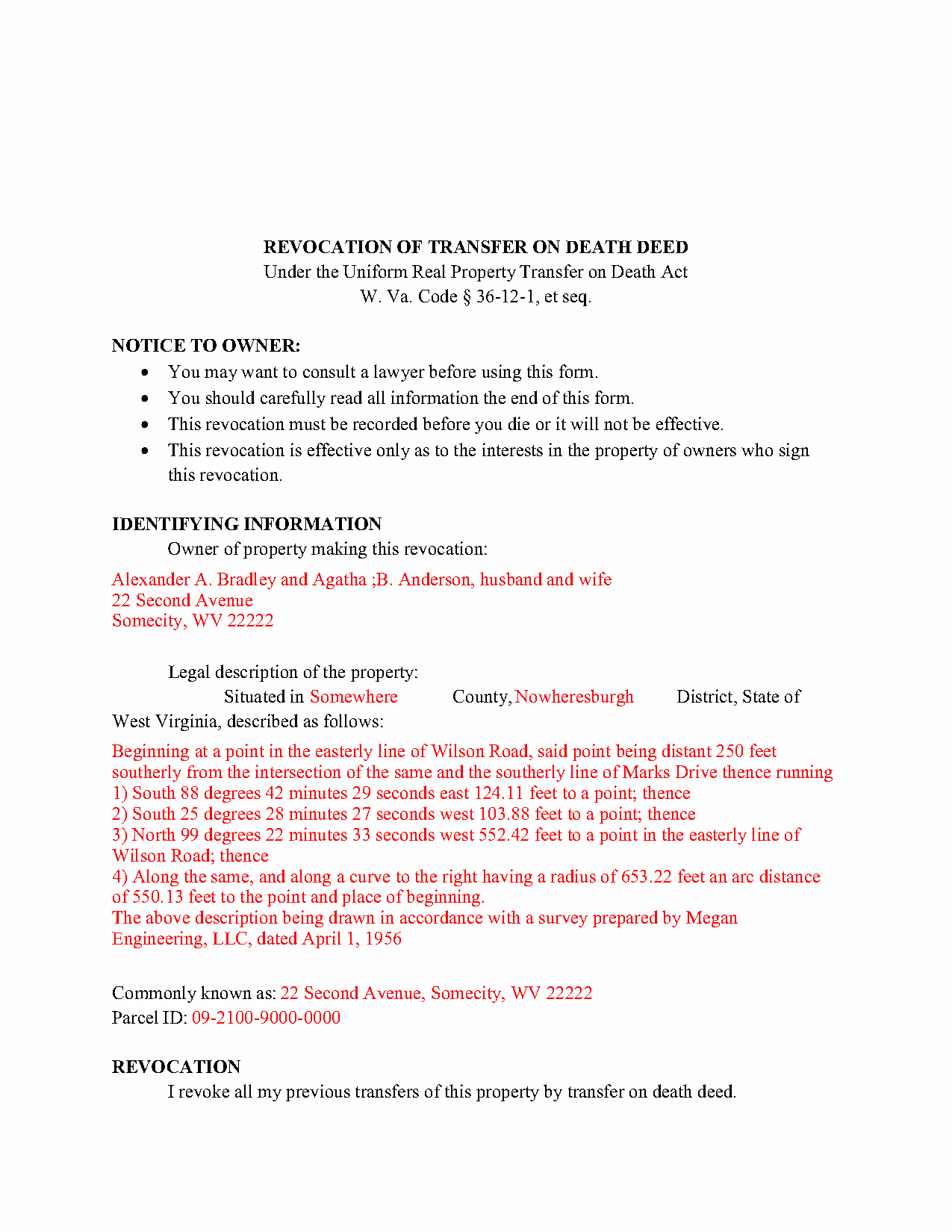
Calhoun County Completed Example of the Transfer on Death Revocation Document
Example of a properly completed form for reference.
All 3 documents above included • One-time purchase • No recurring fees
Immediate Download • Secure Checkout
Additional West Virginia and Calhoun County documents included at no extra charge:
Where to Record Your Documents
Calhoun County Clerk
Grantsville, West Virginia 26147
Hours: 8:00 to 4:00 M-F
Phone: (304) 354-6725
Recording Tips for Calhoun County:
- Bring your driver's license or state-issued photo ID
- Ensure all signatures are in blue or black ink
- Recorded documents become public record - avoid including SSNs
- Recording fees may differ from what's posted online - verify current rates
- Request a receipt showing your recording numbers
Cities and Jurisdictions in Calhoun County
Properties in any of these areas use Calhoun County forms:
- Arnoldsburg
- Big Bend
- Big Springs
- Chloe
- Grantsville
- Millstone
- Mount Zion
- Munday
- Orma
Hours, fees, requirements, and more for Calhoun County
How do I get my forms?
Forms are available for immediate download after payment. The Calhoun County forms will be in your account ready to download to your computer. An account is created for you during checkout if you don't have one. Forms are NOT emailed.
Are these forms guaranteed to be recordable in Calhoun County?
Yes. Our form blanks are guaranteed to meet or exceed the applicable formatting requirements used for recording in Calhoun County, including margin requirements, font requirements, and other layout standards. This guarantee applies to formatting, not to the legal sufficiency of information entered by the user or the suitability of a form for a particular transaction.
Can I reuse these forms?
Yes. You can reuse the forms for your personal use. For example, if you have multiple properties in Calhoun County you only need to order once.
What do I need to use these forms?
The forms are PDFs that you fill out on your computer. The free Adobe Acrobat Reader is recommended, and most PDF apps also work. You do NOT enter your property information online - you download the blank forms and complete them privately on your own computer.
Are there any recurring fees?
No. This is a one-time purchase. Nothing to cancel, no memberships, no recurring fees.
How much does it cost to record in Calhoun County?
Recording fees in Calhoun County vary. Contact the recorder's office at (304) 354-6725 for current fees.
Questions answered? Let's get started!
The West Virginia legislature voted to join with numerous other states and adopt the Uniform Real Property Transfer on Death Act (URPTODA). The law is found at 36-12-1 et seq in the Code of West Virginia, and went into effect on June 5, 2014. This act allows owners of real property in the state to control the distribution of what is often their most significant asset, their real estate, by executing and recording a transfer on death deed (TODD).
Revocation is an important feature of transfer on death deeds because it allows the owner/transferor to easily respond to a change in circumstances. This option is the reason that TODDs do not require consideration or notice (36-12-10). At 36-12-11, the statute outlines the three methods available for changing or revoking a recorded transfer on death deed, by executing and recording:
- A new TODD
- A revocation form
- An inter vivos deed that expressly revokes all or part of the TODD
To preserve a clear chain of title, it makes sense to file a revocation form when cancelling a previously recorded transfer on death deed because it will add an end point for the potential transfer. As a result, future title searches prior to selling or mortgaging the property should be simpler.
Since each situation is unique, contact an attorney with specific questions or for complex circumstances.
(West Virginia Revocation of TOD Package includes form, guidelines, and completed example)
Important: Your property must be located in Calhoun County to use these forms. Documents should be recorded at the county recording office listed above.
This Transfer on Death Revocation meets all recording requirements specific to Calhoun County.
Our Promise
The documents you receive here are guaranteed to meet or exceed the applicable Calhoun County recording format requirements. If there is a rejection caused by our formatting, we will correct the issue or refund your payment. This guarantee applies to document formatting only and does not extend to information entered by the user, the selection of the form, or the legal effect of the completed document.
Save Time and Money
Get your Calhoun County Transfer on Death Revocation form done right the first time with Deeds.com Uniform Conveyancing Blanks. At Deeds.com, we understand that your time and money are valuable resources, and we don't want you to face a penalty fee or rejection imposed by a county recorder for submitting nonstandard documents. We constantly review and update our forms to meet rapidly changing state and county recording requirements for roughly 3,500 counties and local jurisdictions.
4.8 out of 5 - ( 4,823 Reviews )
Heather T. 5 out of 5 stars
Thank you for making this so easy
Thank you!
David B. 5 out of 5 stars
I'm not sure how a forms web-site could be so, but I find deeds.com to be sweet.
Thank you for your feedback. We really appreciate it. Have a great day!
Linley S. 5 out of 5 stars
This website is extremely easy to use and provides exactly what is needed to record things. I am very appreciative of this service, especially when I can't get to the court right now due to them being closed due to COVID-19 right now. Thank you!
Thank you Linley, glad we are able to help.
Santo W. 5 out of 5 stars
Quality platform! Five Stars for sure and easy to navigate!
We appreciate your comments and your trust in us. Thank you.
Kenneth R. 5 out of 5 stars
Easy to use and saves money.
Thank you!
Joe D. 5 out of 5 stars
Complete coverage of deeds, laws, etc.
Thank you!
Elliot B. 5 out of 5 stars
Outstanding forms and the recording service made a short day of what I needed to do. Will be back for the next one, thanks!
Thank you for your feedback. We really appreciate it. Have a great day!
kevin d. 5 out of 5 stars
the quitclaim form worked well with the Nevada Recorders office. Tried other vendors, theirs were rejected.
We appreciate your business and value your feedback. Thank you. Have a wonderful day!
Lenore H. 5 out of 5 stars
I was very pleased with the service I received yesterday at the recorders office. no complaints at all. Served promptly and efficiently.
Thank you!
Alfred M. 5 out of 5 stars
It was a simple process and easily understood the process was seamless and I would highly recommend this to anyone looking to do this.
Thank you for your feedback. We really appreciate it. Have a great day!
JACQUELINE R. 5 out of 5 stars
We have been waiting for a Title Company to put a release of Lien together for the past 3 months. I figured it was taking way to long and decided to use template here instead. In less than hour I was able to add all the information on the template and provide forms to our Seller to use. We were buying and he didnt think they were necessary. But I refused to pay him in full until he agreed to sign papers at the bank, and of course in front of a notary. We turned around and filed the Release of lien paperwork at County Clerks office, we officially own our house. Thank you!
Thank you for your feedback. We really appreciate it. Have a great day!
Karen C. 5 out of 5 stars
Quick and easy download. Got everything I needed. I would recommend deeds.com
We appreciate your business and value your feedback. Thank you. Have a wonderful day!
James D. 5 out of 5 stars
I had a satisfying experience very informative and easy to navigate.
Thank you!
Todd B. 5 out of 5 stars
very quick and easy
Thank you!
Nancy O. 5 out of 5 stars
Outstanding forms and service. Liked that the main deed forms were PDF so I could fill them out on my laptop, in my own time, instead of some online Q/A auto populate system. Guide was helpful, as was the completed sample. Used the erecording service to file the deed, amazing.
Thank you for your wonderful review Nancy! Our team takes pride in providing helpful resources, and we are pleased that the guide and completed sample were beneficial to you throughout the process. Making the deed filing journey smoother for our users is always our top priority.