Calhoun County Certification of Trust Form
Last validated October 5, 2026 by our Forms Development TeamFormatted for recording in Calhoun County, for property anywhere in the county: rural and unincorporated areas as well as Arnoldsburg, Big Bend, Big Springs, Chloe, Grantsville, Millstone, Mount Zion, Munday and 1 more.
- 3 documents included
- Immediate PDF download
- Formatting guarantee
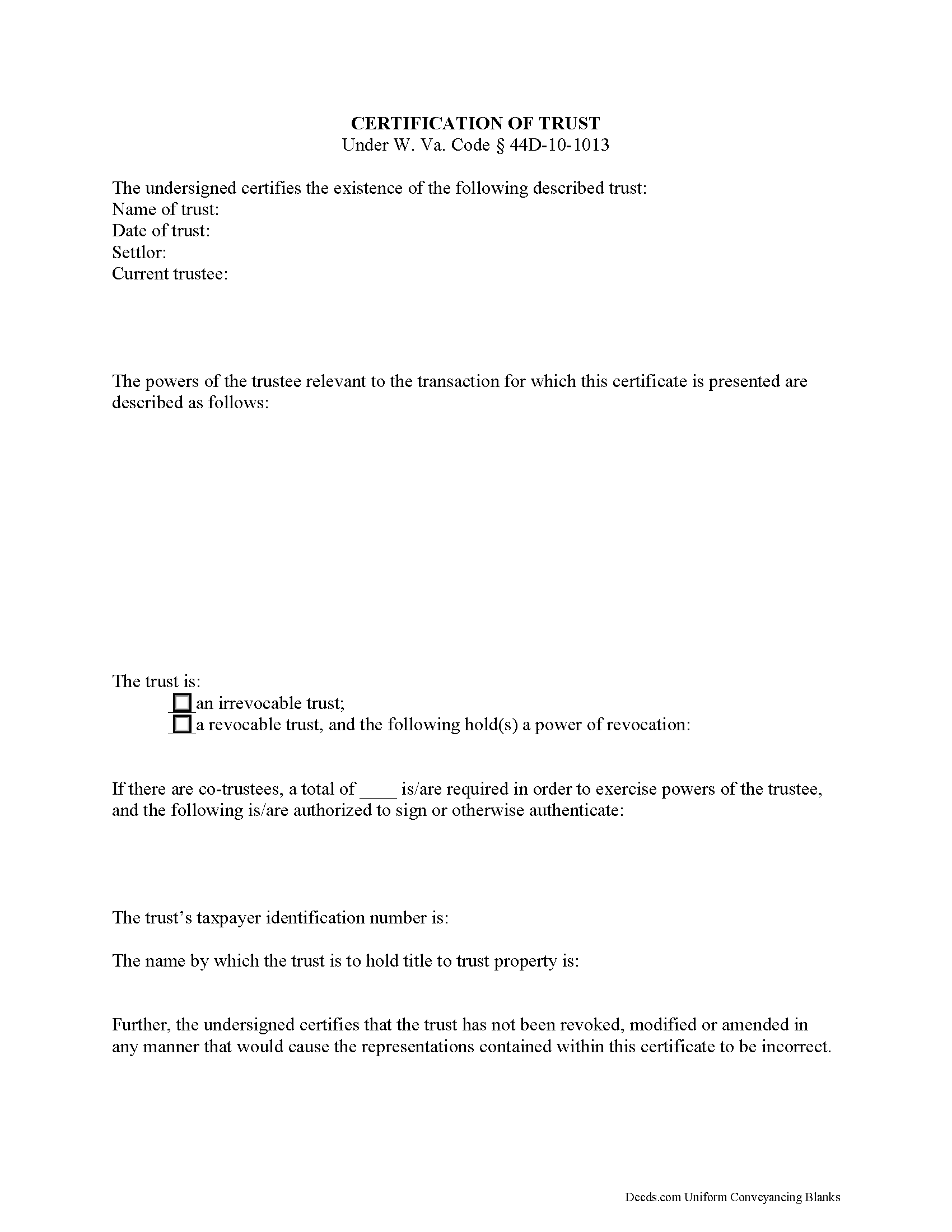
Calhoun County Certificate of Trust Form
Fill in the blank form formatted to comply with all recording and content requirements.
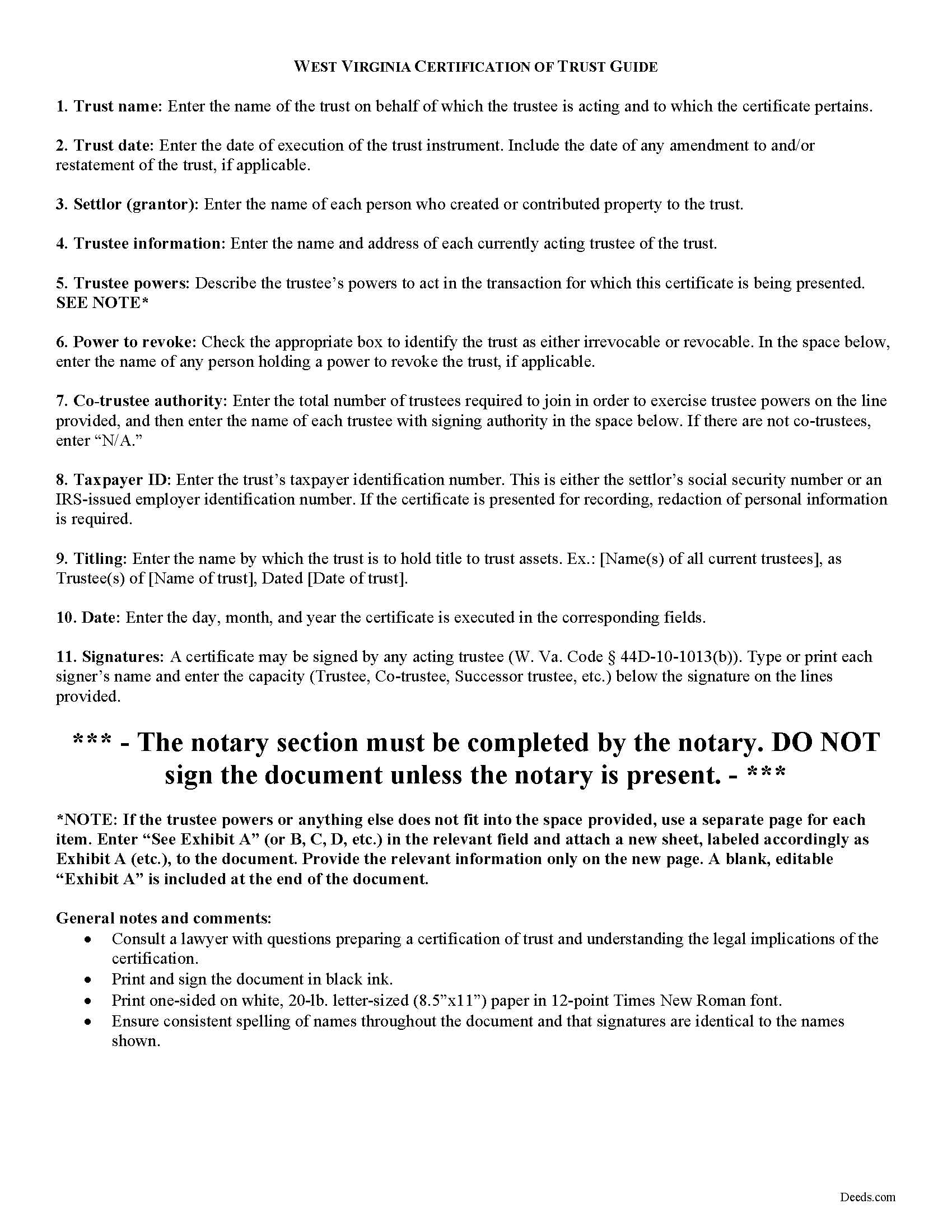
Calhoun County Certificate of Trust Guide
Line by line guide explaining every blank on the form.
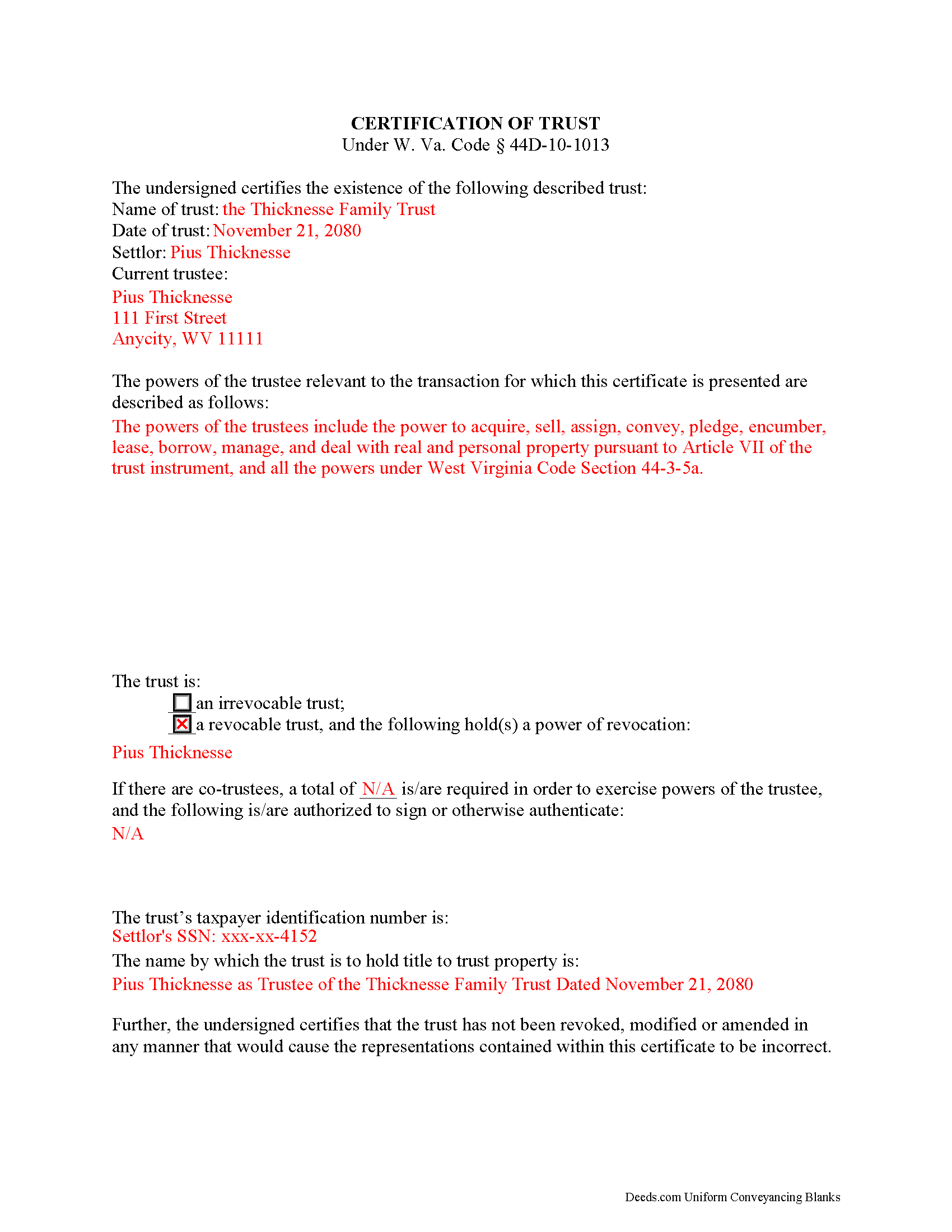
Calhoun County Completed Example of the Certificate of Trust Document
Example of a properly completed form for reference.
All 3 documents above included • One-time purchase • No recurring fees
Immediate Download • Secure Checkout
Additional West Virginia and Calhoun County documents included at no extra charge:
Where to Record Your Documents
Calhoun County Clerk
Grantsville, West Virginia 26147
Hours: 8:00 to 4:00 M-F
Phone: (304) 354-6725
Recording Tips for Calhoun County:
- Bring your driver's license or state-issued photo ID
- Ensure all signatures are in blue or black ink
- Documents must be on 8.5 x 11 inch white paper
- Double-check legal descriptions match your existing deed
- Verify all names are spelled correctly before recording
Cities and Jurisdictions in Calhoun County
Properties in any of these areas use Calhoun County forms:
- Arnoldsburg
- Big Bend
- Big Springs
- Chloe
- Grantsville
- Millstone
- Mount Zion
- Munday
- Orma
Hours, fees, requirements, and more for Calhoun County
How do I get my forms?
Forms are available for immediate download after payment. The Calhoun County forms will be in your account ready to download to your computer. An account is created for you during checkout if you don't have one. Forms are NOT emailed.
Are these forms guaranteed to be recordable in Calhoun County?
Yes. Our form blanks are guaranteed to meet or exceed the applicable formatting requirements used for recording in Calhoun County, including margin requirements, font requirements, and other layout standards. This guarantee applies to formatting, not to the legal sufficiency of information entered by the user or the suitability of a form for a particular transaction.
Can I reuse these forms?
Yes. You can reuse the forms for your personal use. For example, if you have multiple properties in Calhoun County you only need to order once.
What do I need to use these forms?
The forms are PDFs that you fill out on your computer. The free Adobe Acrobat Reader is recommended, and most PDF apps also work. You do NOT enter your property information online - you download the blank forms and complete them privately on your own computer.
Are there any recurring fees?
No. This is a one-time purchase. Nothing to cancel, no memberships, no recurring fees.
How much does it cost to record in Calhoun County?
Recording fees in Calhoun County vary. Contact the recorder's office at (304) 354-6725 for current fees.
Questions answered? Let's get started!
The certification of trust is part of the Uniform Trust Code, codified in West Virginia at 44D-10-1013, and provides protection for parties doing business with trustees. The document "need not contain the dispositive terms of a trust" ( 44D-10-1013(d)) and, in West Virginia, is generally not recorded with land records. Rather, the certification is presented to third parties such as banks or other financial institutions doing business with a trustee.
Executed by any trustee, the certificate contains only the pertinent information required for the business at hand and is a basic summary of the trust instrument. It states that the trust exists and that it has not been revoked or modified in a way that would invalidate the information presented within. In addition, it requires the name of each settlor and acting trustee; the trustee's relevant powers; the name of anyone having a power to revoke the trust; the trust's taxpayer identification number; and the name by which the trust vests title to property. The form also details the signing authority of co-trustees, if applicable.
Each situation is unique, so contact an attorney with questions about the certification of trust or any other issue relating to trusts in West Virginia.
(West Virginia COT Package includes form, guidelines, and completed example)
Important: Your property must be located in Calhoun County to use these forms. Documents should be recorded at the county recording office listed above.
This Certification of Trust meets all recording requirements specific to Calhoun County.
Our Promise
The documents you receive here are guaranteed to meet or exceed the applicable Calhoun County recording format requirements. If there is a rejection caused by our formatting, we will correct the issue or refund your payment. This guarantee applies to document formatting only and does not extend to information entered by the user, the selection of the form, or the legal effect of the completed document.
Save Time and Money
Get your Calhoun County Certification of Trust form done right the first time with Deeds.com Uniform Conveyancing Blanks. At Deeds.com, we understand that your time and money are valuable resources, and we don't want you to face a penalty fee or rejection imposed by a county recorder for submitting nonstandard documents. We constantly review and update our forms to meet rapidly changing state and county recording requirements for roughly 3,500 counties and local jurisdictions.
4.8 out of 5 - ( 4,828 Reviews )
Kimberly W. 5 out of 5 stars
Thank you for making this process so convenient.
Thank you for your feedback. We really appreciate it. Have a great day!
Steven N. 5 out of 5 stars
I was introduced to Deeds.com from my title company. I wanted the title company to do a courtesy recording for me and they suggested Deeds.com. Best suggestion in a while. The interface to use the website was seemlessly easy. The communication with the service staff was thorough and prompt. After the initial verification process (which the photo app was a little tricky), everything was easy. Will use them again.
Your feedback is greatly appreciated. Thank you for taking the time to share your experience!
Maria S. 3 out of 5 stars
The paperwork/forms are fine, but there isn't enough explanation for me to figure out how to file the extra forms (which I do need in my case). The main form, Deed Upon Death is fine. I think the price is pretty high for these forms. I wouldn't have purchased it because there are places to get them for much cheaper (about 6 dollars), but this site had the extra forms I wanted (property in a trust and another form). Unfortunately these were included as a "courtesy" and there are no instructions for them. So three stars for being clear about what was in the package, having the right forms that I need, but instructions for putting them to use and price took a couple of stars off. Downloading was easy and once you download you can type the info into the PDF--that makes working with the forms much easier.
Thank you for the feedback Maria. Regarding the supplement documents, it is best to get assistance from the agency that requires them. These are not legal documents, they should provide full support and guidance for them.
Steve B. 5 out of 5 stars
Good format. Timely response. Adding a photo of the property would be a good improvement.
Thank you for your feedback. We really appreciate it. Have a great day!
MARY LACEY M. 5 out of 5 stars
The service provided by the staff at Deeds.com is consistently excellent with prompt replies and smooth recording transactions. I am grateful to have their service available as driving to downtown Phoenix to record documents is always a daunting prospect. Their assistance in recording our firm's documents has been 100% accurate and a pleasure.
Thank you for your positive words! We’re thrilled to hear about your experience.
Donna B. 5 out of 5 stars
Really liked the quick access to documents. Great service, thanks.
Thank you Donna, we appreciate you taken the time to leave your feedback. Have a great day!
Linda W. 5 out of 5 stars
Received feedback in a timely manner and got a quick reponse.
Thank you!
Michael C. 3 out of 5 stars
No Search feature on the site? How do I look for forms?
Thank you for your feedback. We really appreciate it. Have a great day!
Fred A. 5 out of 5 stars
Very nice forms offer, very thoughtful to include other related forms that may be necessary. The site was easy to use, and very fast. Thank You.
Thank you!
Rod G. 5 out of 5 stars
You guys have it DOWN!! You made it easy to navigate your site and services. You explained things effectively. You are helpful and fast. NO WAY would even entertain using a different deed/ document recording service. I'll be back! Thank you. Rod
We appreciate your business and value your feedback. Thank you. Have a wonderful day!
Jennifer A M. 5 out of 5 stars
Great service; very easy and simple, especially as an individual that needed only one (1) document recorded with my municipality.
Thank you!
Lynnette P. 5 out of 5 stars
The site was easy to navigate, which was great. The communication with the agents was quick and helped me get my forms processed correctly.
Thank you, Lynnette. We’re glad everything moved quickly and stayed clear from start to finish. We’ll be sure to pass the kind words along to the team.
Susan L. 5 out of 5 stars
Instructions easy to follow, example form was a big help.
We appreciate your business and value your feedback. Thank you. Have a wonderful day!
William G M. 5 out of 5 stars
This site is very easy to use.
Thank you!
Karen G. 5 out of 5 stars
easy to complete. directions and forms where great!!
Thank you for your feedback. We really appreciate it. Have a great day!