Wayne County Quitclaim Deed (Corrective) Form
Last validated October 21, 2026 by our Forms Development TeamFormatted for recording in Wayne County, for property anywhere in the county: rural and unincorporated areas as well as Ceredo, Crum, Dunlow, East Lynn, Fort Gay, Genoa, Huntington, Kenova and 6 more.
- 3 documents included
- Immediate PDF download
- Formatting guarantee
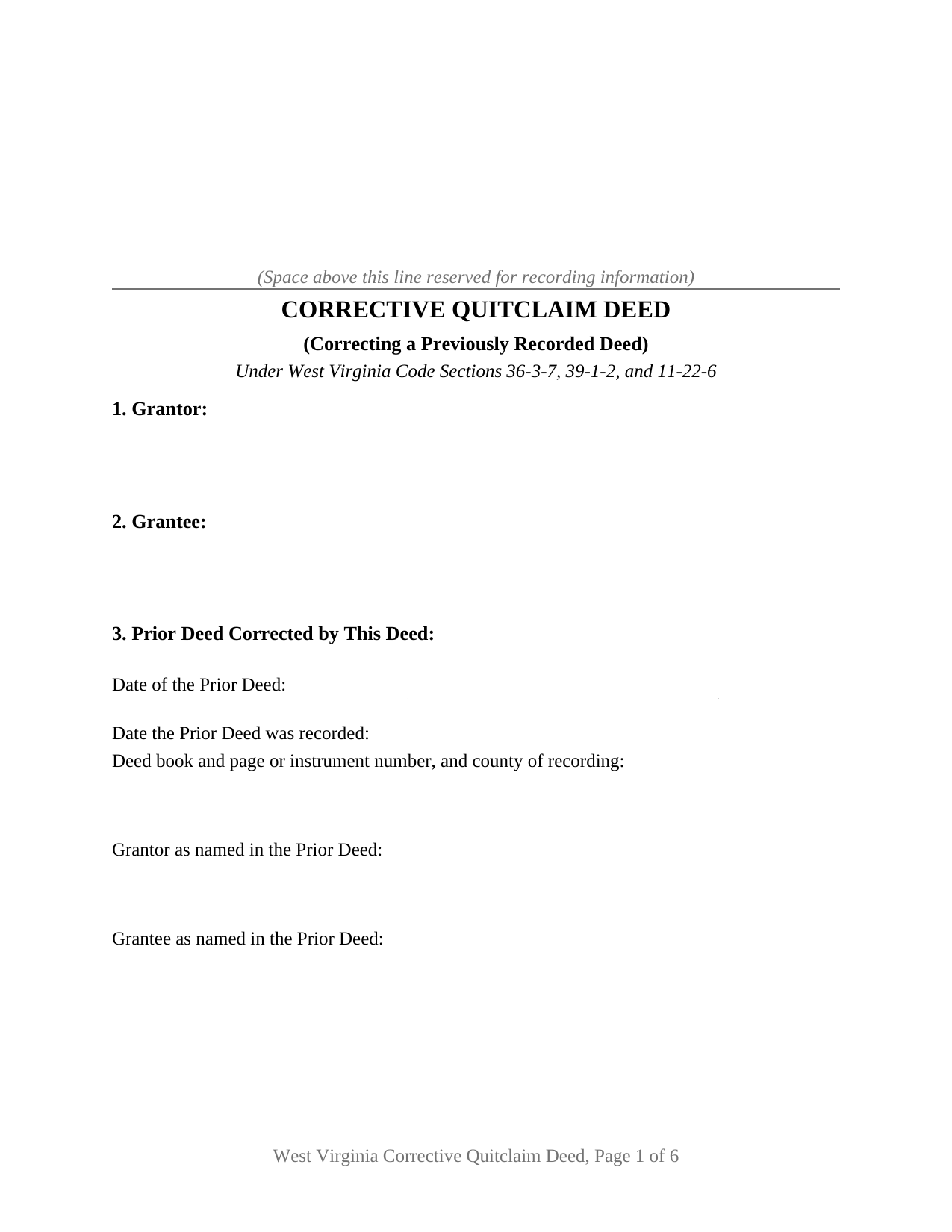
Wayne County Quitclaim Deed (Corrective) Form
Fill in the blank Quitclaim Deed (Corrective) form formatted to comply with all West Virginia recording and content requirements.
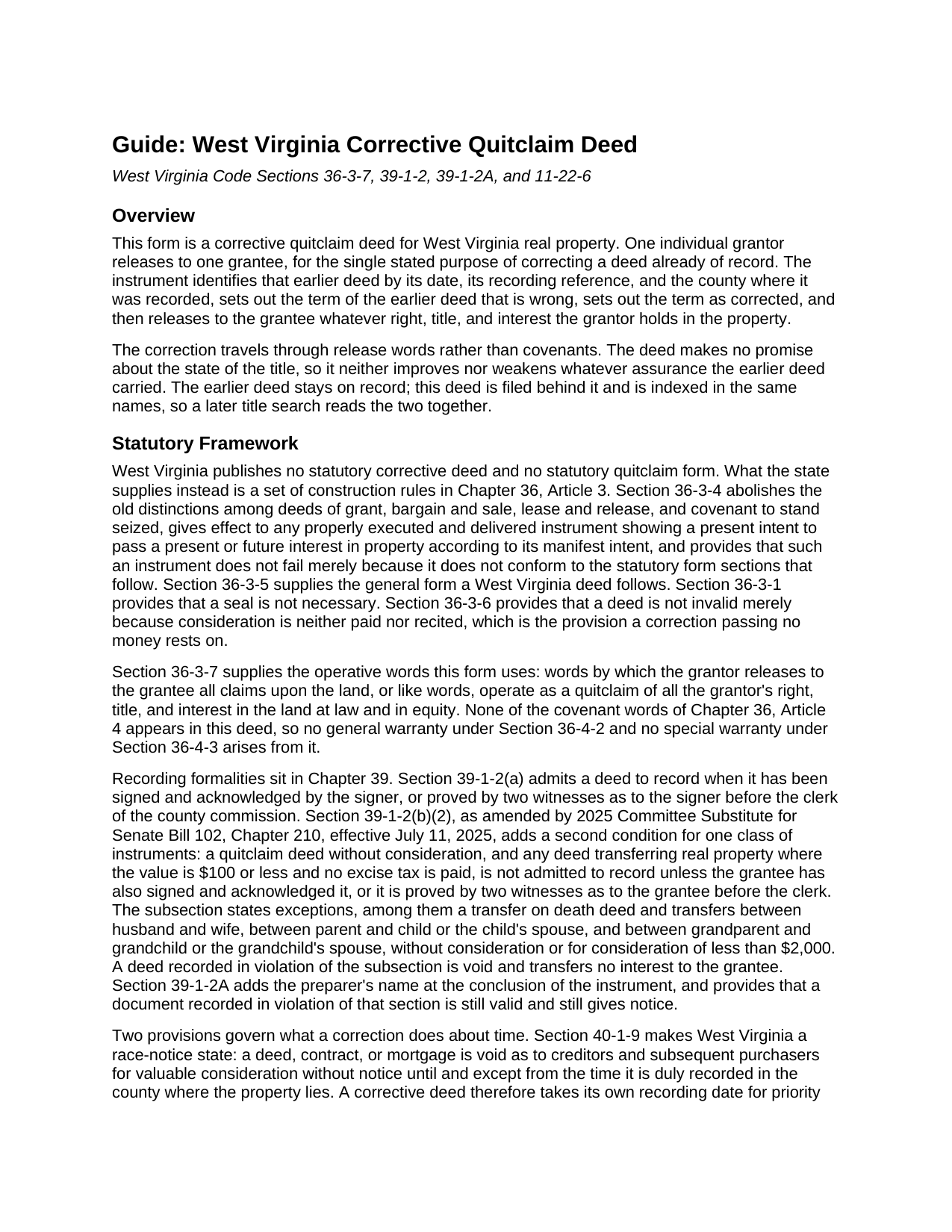
Wayne County Quitclaim Deed (Corrective) Guide
Line by line guide explaining every blank on the Quitclaim Deed (Corrective) form.
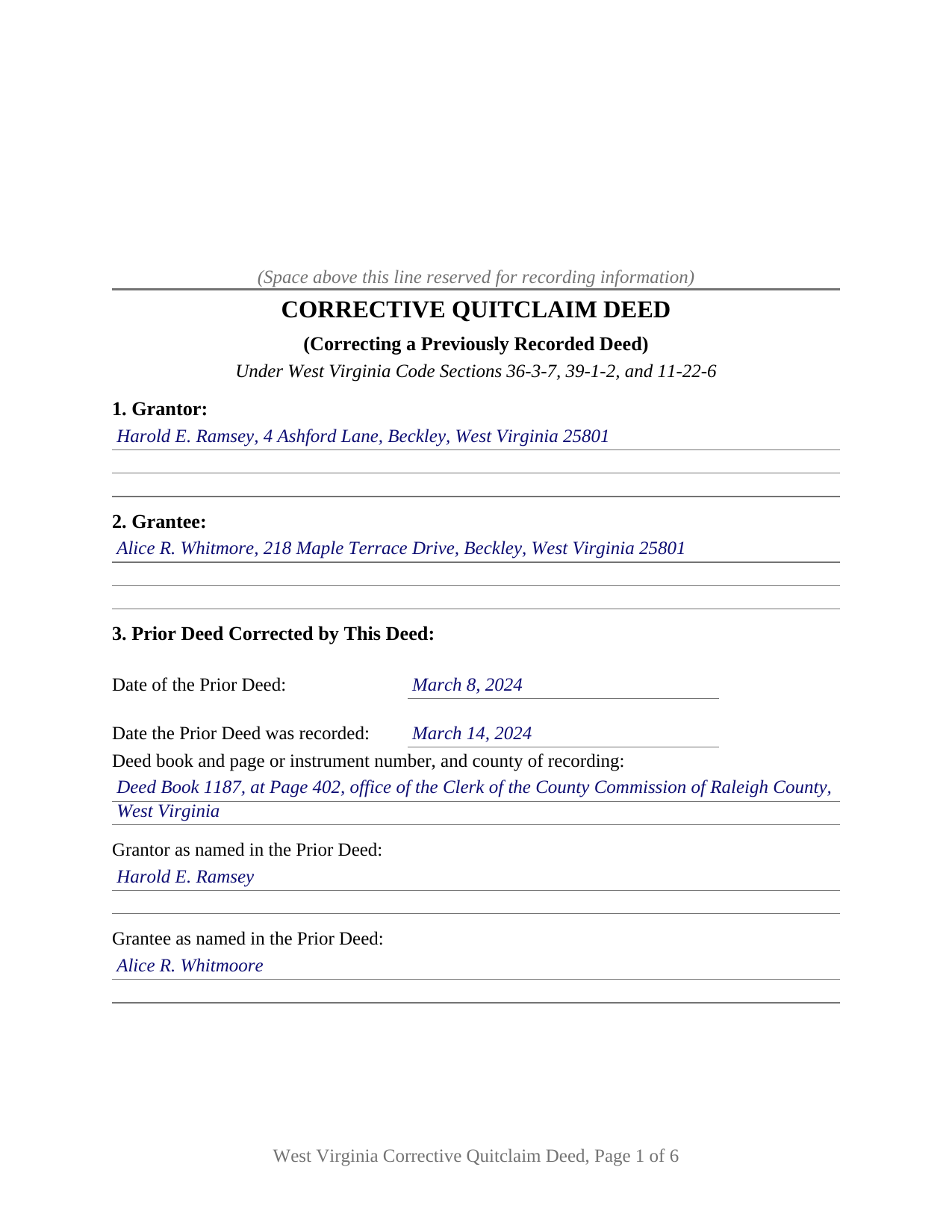
Wayne County Completed Example of the Quitclaim Deed (Corrective) Document
Example of a properly completed West Virginia Quitclaim Deed (Corrective) document for reference.
All 3 documents above included • One-time purchase • No recurring fees
Immediate Download • Secure Checkout
Additional West Virginia and Wayne County documents included at no extra charge:
Where to Record Your Documents
Wayne County Clerk
Wayne, West Virginia 25570
Hours: 8:00 to 4:00 M-W, F; Th until 7:00
Phone: (304) 272-6362
Recording Tips for Wayne County:
- Bring your driver's license or state-issued photo ID
- Ensure all signatures are in blue or black ink
- Avoid the last business day of the month when possible
- Both spouses typically need to sign if property is jointly owned
- Bring extra funds - fees can vary by document type and page count
Cities and Jurisdictions in Wayne County
Properties in any of these areas use Wayne County forms:
- Ceredo
- Crum
- Dunlow
- East Lynn
- Fort Gay
- Genoa
- Huntington
- Kenova
- Kiahsville
- Lavalette
- Prichard
- Shoals
- Wayne
- Wilsondale
Hours, fees, requirements, and more for Wayne County
How do I get my forms?
Forms are available for immediate download after payment. The Wayne County forms will be in your account ready to download to your computer. An account is created for you during checkout if you don't have one. Forms are NOT emailed.
Are these forms guaranteed to be recordable in Wayne County?
Yes. Our form blanks are guaranteed to meet or exceed the applicable formatting requirements used for recording in Wayne County, including margin requirements, font requirements, and other layout standards. This guarantee applies to formatting, not to the legal sufficiency of information entered by the user or the suitability of a form for a particular transaction.
Can I reuse these forms?
Yes. You can reuse the forms for your personal use. For example, if you have multiple properties in Wayne County you only need to order once.
What do I need to use these forms?
The forms are PDFs that you fill out on your computer. The free Adobe Acrobat Reader is recommended, and most PDF apps also work. You do NOT enter your property information online - you download the blank forms and complete them privately on your own computer.
Are there any recurring fees?
No. This is a one-time purchase. Nothing to cancel, no memberships, no recurring fees.
How much does it cost to record in Wayne County?
Recording fees in Wayne County vary. Contact the recorder's office at (304) 272-6362 for current fees.
Questions answered? Let's get started!
A deed already stamped by the clerk of the county commission cannot be edited. West Virginia's land records run chronologically, so a mistake found after recording is answered by a second instrument filed behind the first, and this Corrective Quitclaim Deed is that second instrument. It identifies the earlier deed by date, book and page, and county, sets the wrong term beside the corrected one, and releases the same interest again to the same grantee.
Why the second deed says so little
West Virginia publishes no statutory correction deed and no statutory quitclaim form. W. Va. Code Section 36-3-7 works instead: words releasing to the grantee all claims upon the land operate as a quitclaim of everything the grantor holds at law and in equity. Section 9 pairs those release words with one stated purpose, correcting the deed identified in Section 3 in the respect stated in Section 4, and with a printed line that no covenant of Chapter 36, Article 4 is made or implied. Section 36-3-6 supplies the money answer, providing that a deed is not invalid merely because consideration is neither paid nor recited.
The correction an attorney makes instead
One class of error never reaches a deed at all. Since 2020, W. Va. Code Section 36-3-11 has allowed an obvious description error in a recorded deed, deed of trust, or mortgage to be fixed by a corrective affidavit of a West Virginia attorney, after notice to the parties and a 30 day objection window. That affidavit is prepared and recorded separately and is not included here. Its narrowness leaves room for a deed: a misspelled party name, a dropped reservation, a prior book and page pointing at the wrong instrument, and any description problem that is not obvious.
What a correction cannot back-date
A corrective deed takes its own place in line. Under Section 40-1-9 an instrument is void as to lien creditors and later purchasers for value without notice until it is duly recorded, so priority runs from the day this deed reaches the record, and only the Section 36-3-11 affidavit relates back. Nor does any deed bind a person who never signed it. Where the parties disagree, the route is reformation in circuit court, and in Smith v. Smith the Supreme Court of Appeals held that reforming a clear and unambiguous deed takes a mistake of fact, mutual to both parties, shown by clear and convincing evidence.
One grantor, one grantee, and the signature a free correction attracts
The form recites one individual grantor, one grantee, one prior deed, and one correction to it. Section 10 carries the grantor's signature above an acknowledgment certificate in the short form of Section 39-4-16. Section 11 carries a second signature line with a certificate of its own for the grantee, because since July 11, 2025 W. Va. Code Section 39-1-2(b)(2) has barred from the record a quitclaim passing no consideration where the grantee has not signed and acknowledged it, subject to the transfer on death and close family exceptions listed there, and a deed recorded against that rule is void. A correction between unrelated parties, passing no money, sits outside every listed exception, the pattern the completed example works through. A misspelled grantee name carried through a caption and a signature block, and a source of title reference reading wrong against the prior instrument, both present the single correction pattern this deed recites. Corrections executed by two record grantors, by a company, by a trustee, or by an agent run through blocks this form does not draw.
The deed West Virginia's tax rule names outright
The transfer tax rule names this instrument outright. The State Tax Department's legislative rule, 110 CSR 22 at Section 2.6.1.13, places a quit claim or corrective deed without consideration outside the definition of a taxable document, and adds that either kind carrying consideration over one hundred dollars is taxable. Section 12 prints the declaration of consideration or value that Section 11-22-6 puts on the instrument, with its own line for the exemption ground, which is what the clerk reads before deciding whether stamps are due. The Sales Listing Form required with every recorded document comes from the clerk and is completed separately.
This package delivers the corrective quit claim deed as a fillable PDF, a completed example worked through a Raleigh County name correction, and a guide that walks the twelve numbered sections, the two certificates, and the recording package. The materials are informational and are not legal advice.
Important: Your property must be located in Wayne County to use these forms. Documents should be recorded at the county recording office listed above.
This Quitclaim Deed (Corrective) meets all recording requirements specific to Wayne County.
Our Promise
The documents you receive here are guaranteed to meet or exceed the applicable Wayne County recording format requirements. If there is a rejection caused by our formatting, we will correct the issue or refund your payment. This guarantee applies to document formatting only and does not extend to information entered by the user, the selection of the form, or the legal effect of the completed document.
Save Time and Money
Get your Wayne County Quitclaim Deed (Corrective) form done right the first time with Deeds.com Uniform Conveyancing Blanks. At Deeds.com, we understand that your time and money are valuable resources, and we don't want you to face a penalty fee or rejection imposed by a county recorder for submitting nonstandard documents. We constantly review and update our forms to meet rapidly changing state and county recording requirements for roughly 3,500 counties and local jurisdictions.
4.8 out of 5 - ( 4,832 Reviews )
Heather A. 5 out of 5 stars
quick response to e-mail. the forms are easy to use, fully explained.
Thank you for your feedback Heather, glad we could help.
Darrell G. 5 out of 5 stars
Very easy to work with.
Thank you!
Joseph D. 5 out of 5 stars
Exellent and easy! Thqanks!
Thank you for your feedback. We really appreciate it. Have a great day!
Sol B. 5 out of 5 stars
Got me all the info I was looking for Thanks you deeds.com
Thank you!
Jan O. 5 out of 5 stars
This was so easy and just what I needed.
Thank you for your feedback. We really appreciate it. Have a great day!
Vickey W. 5 out of 5 stars
Your company was great, you all walked me through every step of the process. With the pandemic and the inability to go into the DC Recorder of Deeds office. I look forward to working with you in the future.
Thank you for your feedback. We really appreciate it. Have a great day!
DONNA F. 5 out of 5 stars
very easy and fast thank you would recommend
We appreciate your business and value your feedback. Thank you. Have a wonderful day!
William C. 5 out of 5 stars
Excellent, easy to use. Technically accurate in all information offered.
Thank you!
Jennifer M P. 5 out of 5 stars
Locating the deed I needed was not too hard. I love that you can download and complete it on your time frame.
Thank you!
Norma G. 5 out of 5 stars
Very fast response!
We appreciate your business and value your feedback. Thank you. Have a wonderful day!
Lois B. 5 out of 5 stars
It works pretty well, had trouble with the word December. It printed out Decedmber with weird spacing but I think it will be ok.
Thank you for the feedback. We will take a look at the date field to see if there are any issues. Have a great day!
Dianne C. 5 out of 5 stars
Love it
Thank you!
Monica U. 5 out of 5 stars
Thank You. Good Service. Questions were answered.
Thank you for your feedback. We really appreciate it. Have a great day!
Omid B. 5 out of 5 stars
Super efficient, extremely responsive , and above all quick turnaround. Thank you! Will definitely use your services again!
Thank you!
GINA G. 5 out of 5 stars
Excelente service!
Thank you!