Mineral County Special Warranty Deed Form
Last validated October 2, 2026 by our Forms Development TeamFormatted for recording in Mineral County, for property anywhere in the county: rural and unincorporated areas as well as Burlington, Elk Garden, Fort Ashby, Keyser, New Creek, Piedmont, Ridgeley, Wiley Ford.
- 3 documents included
- Immediate PDF download
- Formatting guarantee
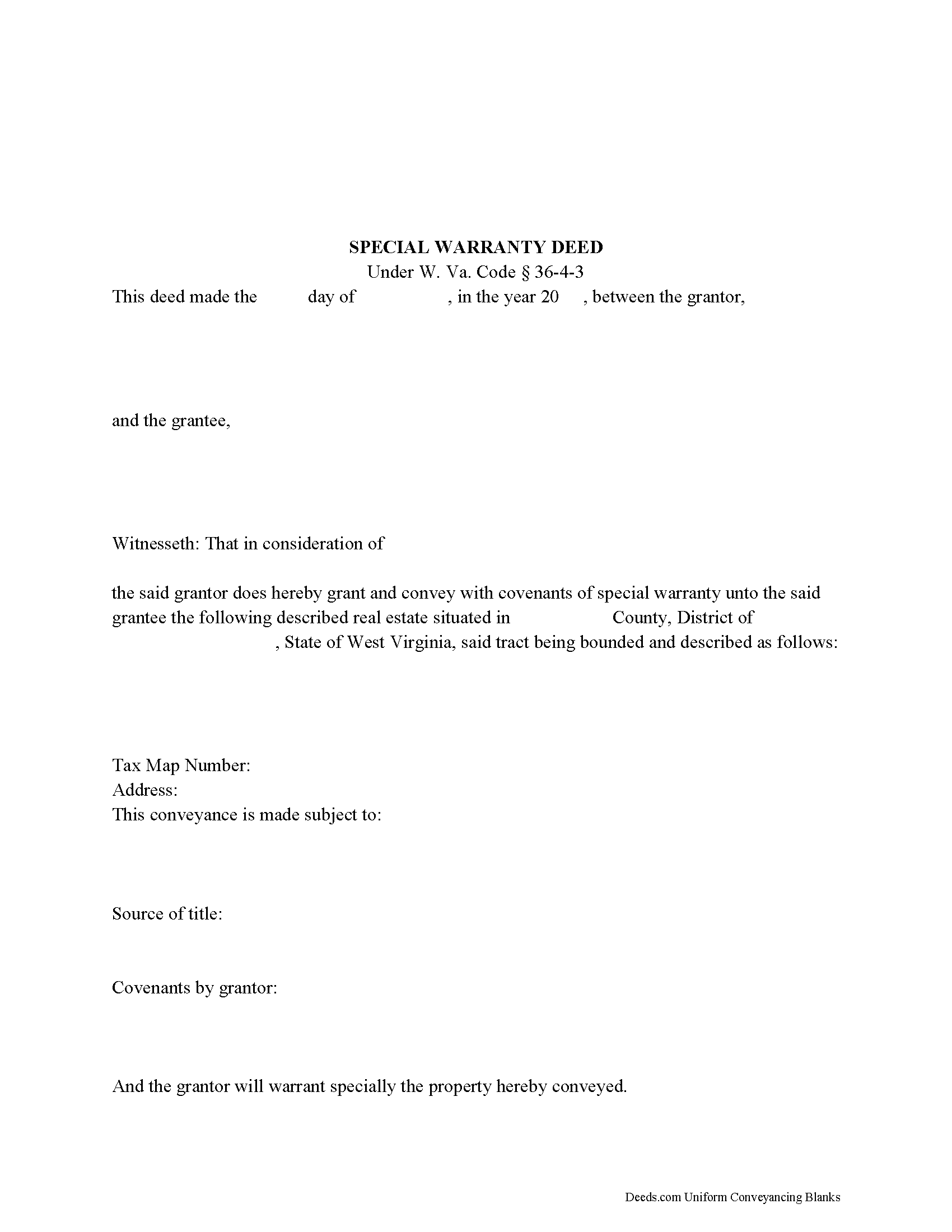
Mineral County Special Warranty Deed Form
Fill in the blank form formatted to comply with all recording and content requirements.
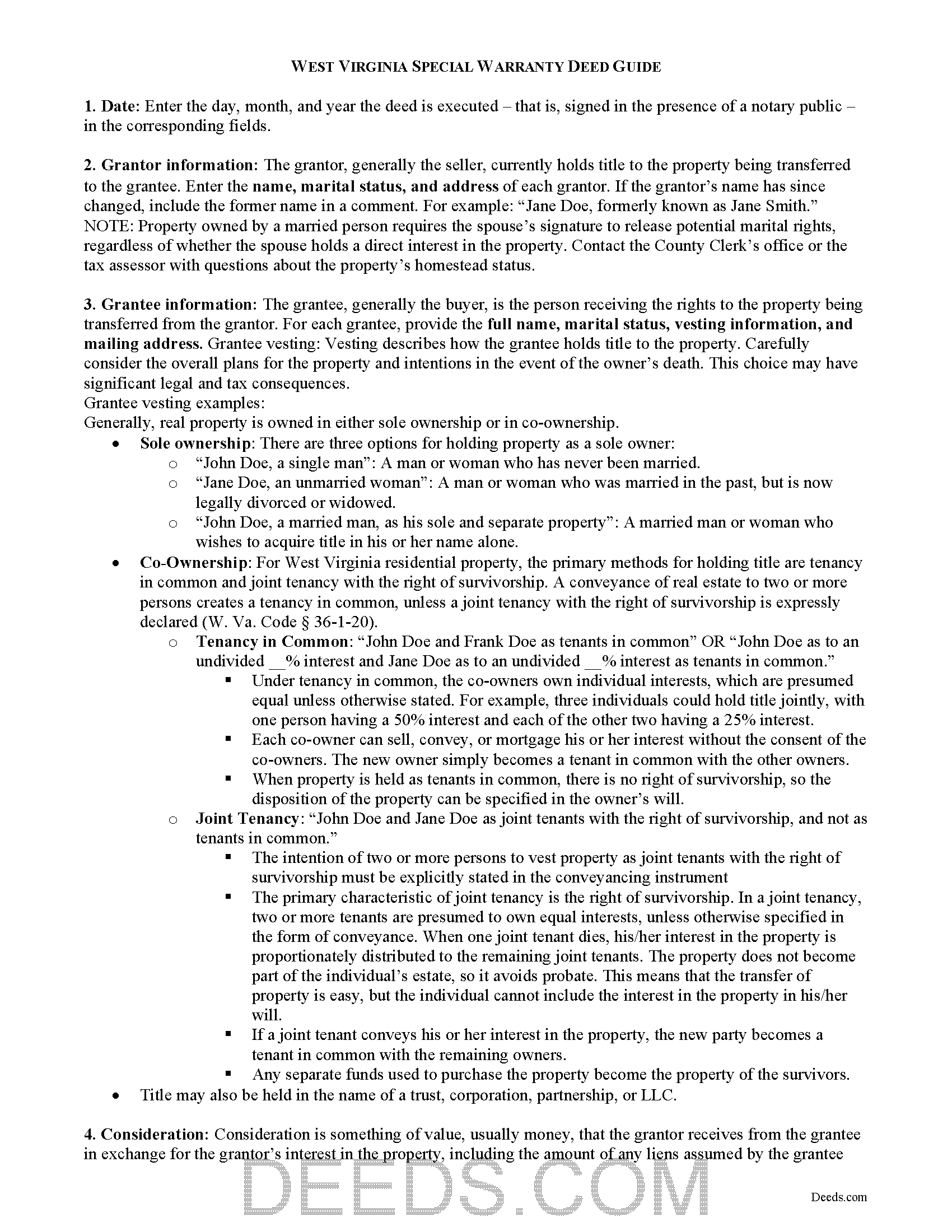
Mineral County Special Warranty Deed Guide
Line by line guide explaining every blank on the form.
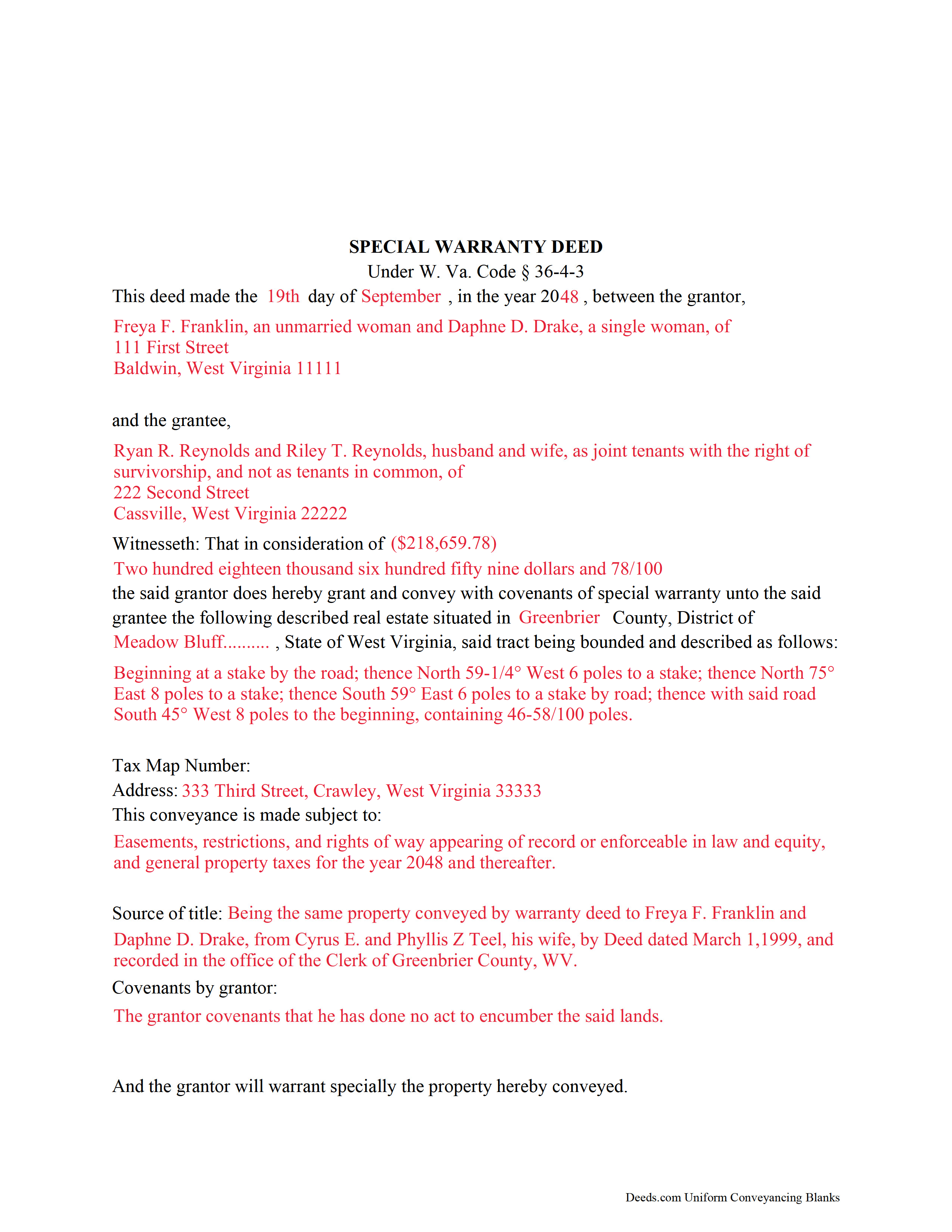
Mineral County Completed Example of the Special Warranty Deed Document
Example of a properly completed form for reference.
All 3 documents above included • One-time purchase • No recurring fees
Immediate Download • Secure Checkout
Additional West Virginia and Mineral County documents included at no extra charge:
Where to Record Your Documents
Mineral County Clerk
Keyser, West Virginia 26726
Hours: 8:00 to 4:30 M-F
Phone: 304-788-3924
Recording Tips for Mineral County:
- Bring your driver's license or state-issued photo ID
- Ensure all signatures are in blue or black ink
- Leave recording info boxes blank - the office fills these
- Make copies of your documents before recording - keep originals safe
- Recorded documents become public record - avoid including SSNs
Cities and Jurisdictions in Mineral County
Properties in any of these areas use Mineral County forms:
- Burlington
- Elk Garden
- Fort Ashby
- Keyser
- New Creek
- Piedmont
- Ridgeley
- Wiley Ford
Hours, fees, requirements, and more for Mineral County
How do I get my forms?
Forms are available for immediate download after payment. The Mineral County forms will be in your account ready to download to your computer. An account is created for you during checkout if you don't have one. Forms are NOT emailed.
Are these forms guaranteed to be recordable in Mineral County?
Yes. Our form blanks are guaranteed to meet or exceed the applicable formatting requirements used for recording in Mineral County, including margin requirements, font requirements, and other layout standards. This guarantee applies to formatting, not to the legal sufficiency of information entered by the user or the suitability of a form for a particular transaction.
Can I reuse these forms?
Yes. You can reuse the forms for your personal use. For example, if you have multiple properties in Mineral County you only need to order once.
What do I need to use these forms?
The forms are PDFs that you fill out on your computer. The free Adobe Acrobat Reader is recommended, and most PDF apps also work. You do NOT enter your property information online - you download the blank forms and complete them privately on your own computer.
Are there any recurring fees?
No. This is a one-time purchase. Nothing to cancel, no memberships, no recurring fees.
How much does it cost to record in Mineral County?
Recording fees in Mineral County vary. Contact the recorder's office at 304-788-3924 for current fees.
Questions answered? Let's get started!
Special warranty deeds are commonly used to convey real property in West Virginia. A statutory form for conveying real property is codified at West Virginia Code Section 36-3-5. When a deed contains words of special warranty under Section 36-4-3, the grantor promises to warrant and defend the property for the grantee against the claims and demands of the grantor and all persons claiming by, through, or under the grantor.
The warranty is limited to the time the grantor held title and does not guarantee the quality of the title past the grantor's ownership. Therefore, a special warranty deed offers less protection for the buyer than a general warranty deed.
In addition to the covenant of warranty, a special warranty deed can include additional statutory covenants under W. Va. Code Chapter 36, Article 4, including right to convey, quiet possession, a special covenant against encumbrances, and a covenant of further assurances.
To be valid and to provide a quality public record, both the grantor and grantee must be named in the section of the deed that details the words and terms of conveyance (conveyancing clause). In addition, the property must be able to be identified by inclusion of a legal description, including the district in which the parcel is located.
The granting party must sign the deed in the presence of a notary public. Property owned by a married person requires the spouse's signature because of potential marital rights, regardless of whether the spouse holds a direct interest in the property.
A special warranty deed in this state is void as to creditors and subsequent purchasers for valuable consideration without notice until it is recorded in the county where the property is located (W. Va. Code 40-1-9). To record a special warranty deed with a county clerk in West Virginia, the instrument must meet state and county requirements of form and content for documents pertaining to an interest in real property. All recorded deeds must be accompanied by a Sales Listing Form.
Deeds recorded in West Virginia are subject to a transfer tax based on the purchase price (consideration) listed on the deed, or, if no consideration is listed, the fair market value of the property. For deeds having no consideration, a Declaration of Consideration or Value is required.
If the grantor is not a West Virginia resident, tax withholding pursuant to W. Va. Code Section 11-21-71b is also required.
Consult a lawyer with questions about special warranty deeds or for any other issues related to transferring real property in West Virginia.
(West Virginia SWD Package includes form, guidelines, and completed example)
Important: Your property must be located in Mineral County to use these forms. Documents should be recorded at the county recording office listed above.
This Special Warranty Deed meets all recording requirements specific to Mineral County.
Our Promise
The documents you receive here are guaranteed to meet or exceed the applicable Mineral County recording format requirements. If there is a rejection caused by our formatting, we will correct the issue or refund your payment. This guarantee applies to document formatting only and does not extend to information entered by the user, the selection of the form, or the legal effect of the completed document.
Save Time and Money
Get your Mineral County Special Warranty Deed form done right the first time with Deeds.com Uniform Conveyancing Blanks. At Deeds.com, we understand that your time and money are valuable resources, and we don't want you to face a penalty fee or rejection imposed by a county recorder for submitting nonstandard documents. We constantly review and update our forms to meet rapidly changing state and county recording requirements for roughly 3,500 counties and local jurisdictions.
4.8 out of 5 - ( 4,828 Reviews )
Johnathan D. 5 out of 5 stars
Very helpful and quick responses
Thank you!
Scott O. 5 out of 5 stars
Very efficient and surprisingly quick.
Thank you for your feedback. We really appreciate it. Have a great day!
Ingrid K. 5 out of 5 stars
Prompt efficient service.
Thank you!
Linda M. 5 out of 5 stars
The form I purchased along with the instructions and completed sample were easy to use. I downloaded them on my iPad. I had to also download the free adobe reader app from the App Store. I had no problem getting the beneficiary deed recorded at the recorder’s office. I am pleased with my purchase.
Thanks so much for the kind words, Linda! Glad the sample and instructions made the process smooth, and that tip about the Adobe Reader app for iPad is genuinely helpful for other customers too. Congrats on getting the deed recorded!
Joseph E. 5 out of 5 stars
At first I didn't trust all the 5 star reviews. So, I contacted lawyers to check their prices. The price being well over one hundred dollars made my mind up. I gave it a go, the form isn't hard and the directions are easy to follow. 5/5
Thank you for your feedback. We really appreciate it. Have a great day!
Teri B. 5 out of 5 stars
Glad to have all of the helpful extra information, even though they don't answer all questions for all situations. So, I accessed public records and asked questions at the auditor's office. Also, on my Mac computer, filling out the actual deed form is a challenge because the screen jumps to the last page everytime I try to type a few letters or hit the return key, so I'm rollling back up to the first 2 pages after most keystrokes. A bit annoying. Overall, happy to have these form options are available! There is really no need to wait and pay for an attorney when all the information needed is available via public records. Fill in the blanks!
Thanks so much for the feedback Teri. There are known issues between Adobe and Mac, we try to work around them as much as possible. Have a wonderful day!
Russell L. 5 out of 5 stars
Your Personal Representative's Deed and example for the state of PA were extremely helpful. Exactly what I needed! Two feedback comments: 1. Valuation Factors/Short List in my download is an outdated table dated July 2020. The PA Dept of Revenue website has a more current table dated June 2021. (Maybe same for Valuation Factors/Long List, which I didn't use.) 2. Notarization section on deed page 3 has a gender-related input needed, which confused the Notary Public representative where I live in the state of CO. Notary input the word she to apply to my wife, but wasn't clear to him if the gender input applied to the Grantor or the Notary. He assumed Grantor. Also in our non-binary world, some might find that wording offensive. Thanks again for your documents. Russ Lewis
Thank you!
RONALD L W. 5 out of 5 stars
Easy access of downloadable forms for use by Pennsylvania, Allegheny County residents.
Thank you for your feedback. We really appreciate it. Have a great day!
David L. 4 out of 5 stars
It was a very easy to use application. I can only give it four stars because I have yet to receive confirmation from the county that my application was acceptable, ie., format, font, etc. I believe it will be fine.
Thank you for your feedback. We really appreciate it. Have a great day!
Suzanne A. 5 out of 5 stars
The purchase and download from Deeds.com were pleasantly straightforward. The actual of filing not so obvious in our case.
Your insights are invaluable to us and help us strive for better service. Thank you for taking the time to share your thoughts.
Mary G. 5 out of 5 stars
Deeds.com was a fast and easy site to use the staff answered my questions online efficiently
Thank you!
SUZANNE W. 5 out of 5 stars
Very quick and efficient. Received recorded document within hours after beginning the process. Very reasonable fees. Highly recommended!
Thank you!
Dennis E. 5 out of 5 stars
Easy to complete form. Examples were very helpful in using correct verbiage for form. Also way less expensive than the $500 an attorney wanted to charge me for doing the very same thing!!!
Thanks Dennis, we appreciate you taking the time to leave your feedback.
Joseph T. 5 out of 5 stars
I downloaded the wrong form, how do I change this, or can I?
Sorry to hear that. As a one time courtesy we have canceled your order and payment for the documents you ordered in error. Have a great day.
Frank C. 5 out of 5 stars
It was easy
Thank you Frank.