Mineral County Easement Deed Form
Last validated October 7, 2026 by our Forms Development TeamFormatted for recording in Mineral County, for property anywhere in the county: rural and unincorporated areas as well as Burlington, Elk Garden, Fort Ashby, Keyser, New Creek, Piedmont, Ridgeley, Wiley Ford.
- 4 documents included
- Immediate PDF download
- Formatting guarantee
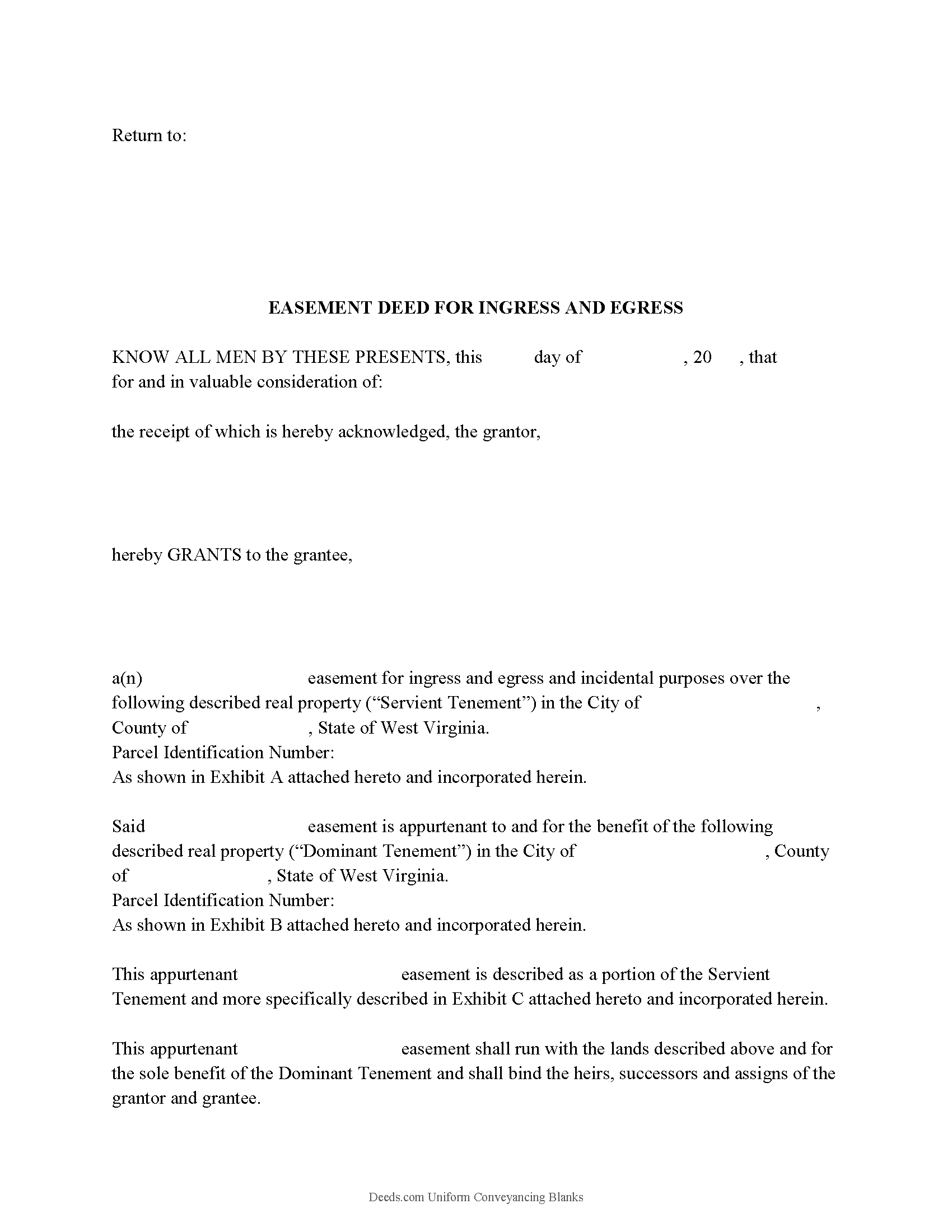
Mineral County Easement Deed Form
Fill in the blank form formatted to comply with all recording and content requirements.
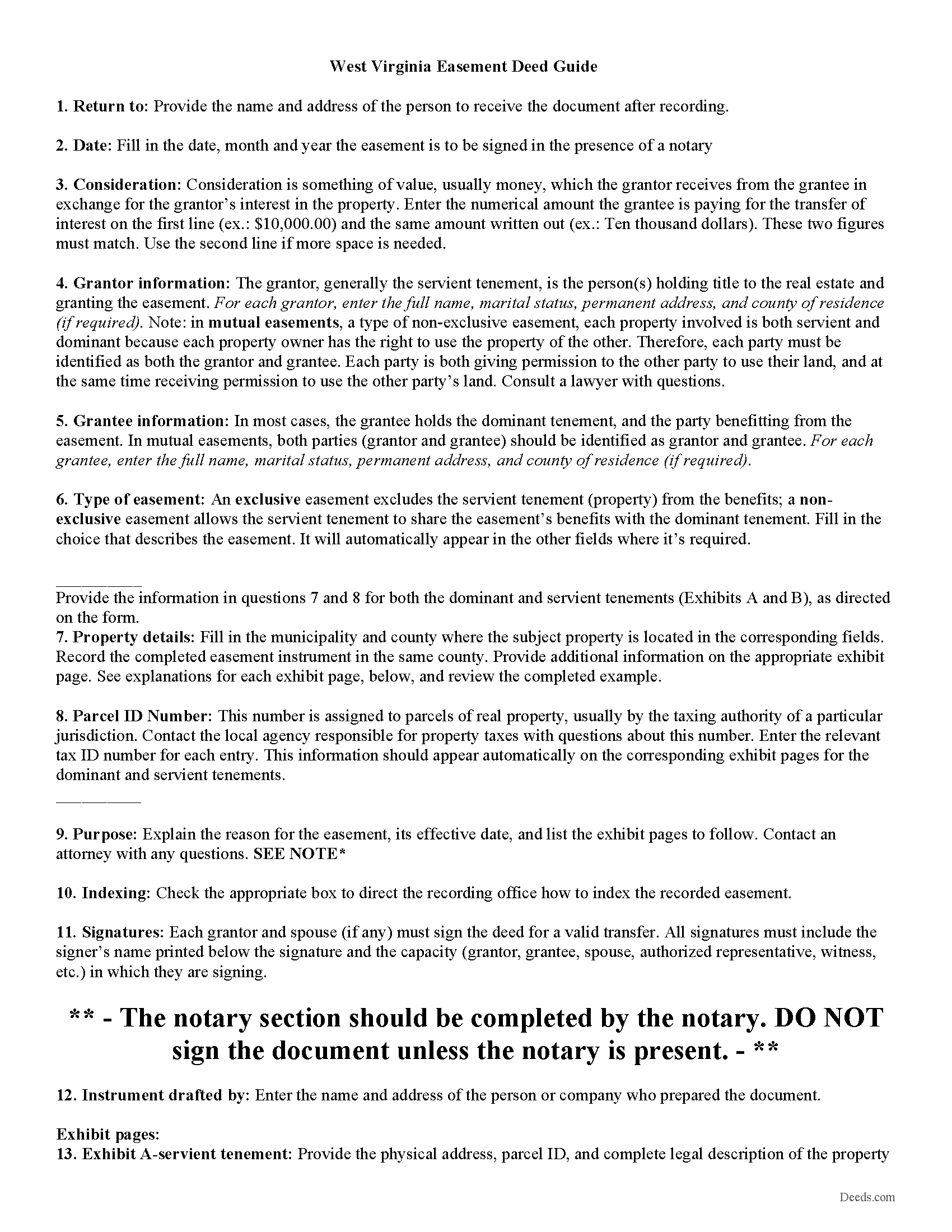
Mineral County Easement Deed Guide
Line by line guide explaining every blank on the form.
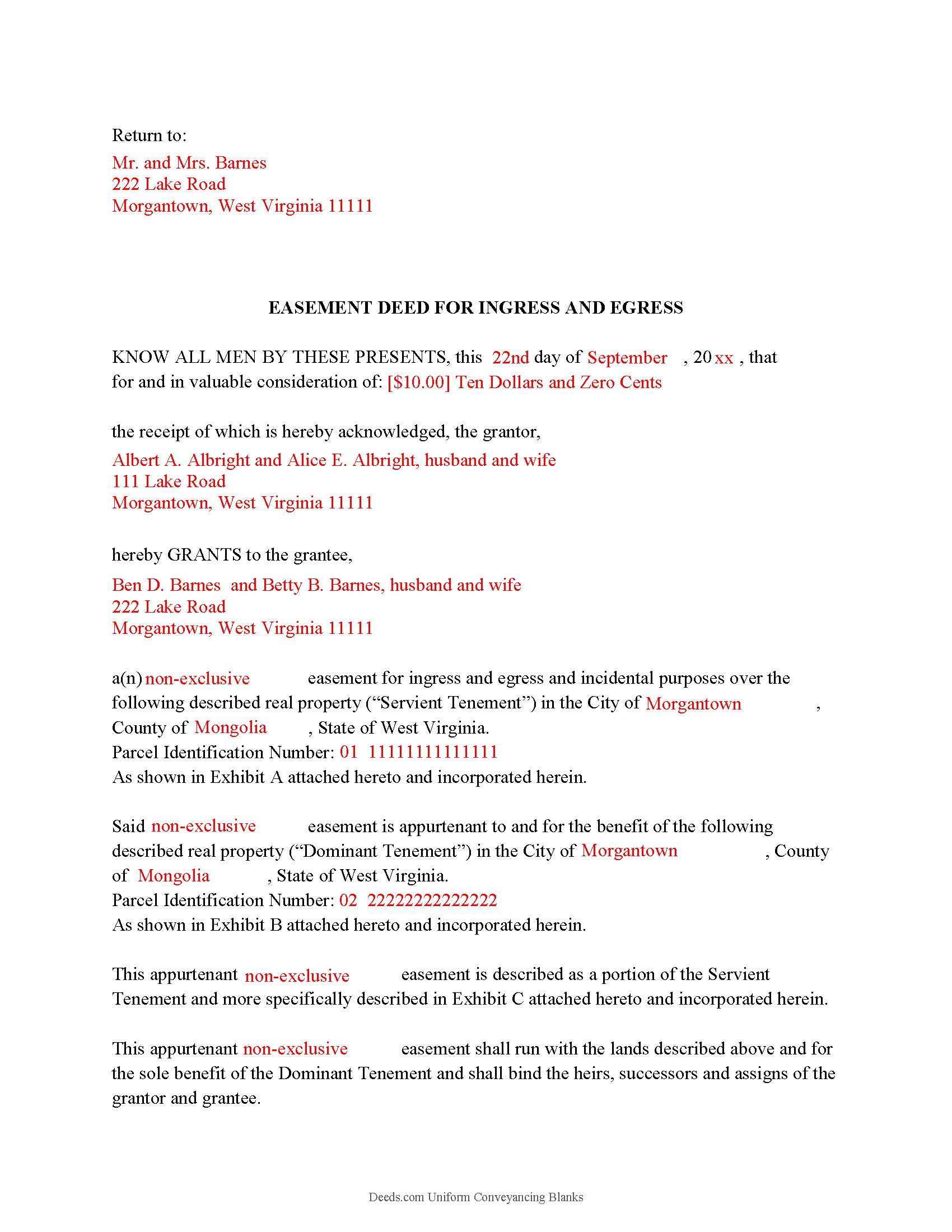
Mineral County Completed Example of the Easement Deed Document
Example of a properly completed West Virginia Easement Deed document for reference.
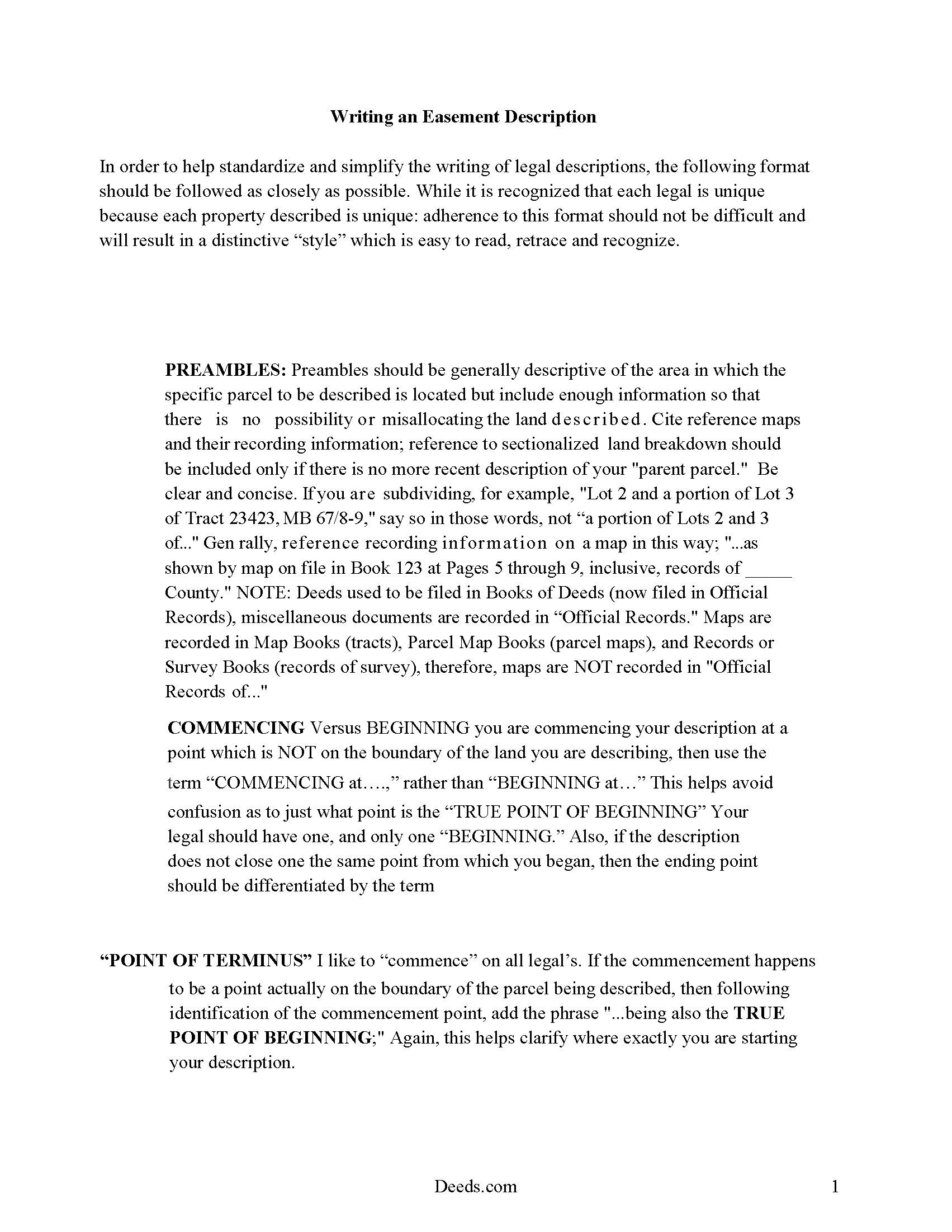
Mineral County Guide to writing an Easement Description
A Description of the Easement will be required. This will show how to write an acceptable description for a Right of Way Easement, which gives access, to and from - point A to point B.
All 4 documents above included • One-time purchase • No recurring fees
Immediate Download • Secure Checkout
Additional West Virginia and Mineral County documents included at no extra charge:
Where to Record Your Documents
Mineral County Clerk
Keyser, West Virginia 26726
Hours: 8:00 to 4:30 M-F
Phone: 304-788-3924
Recording Tips for Mineral County:
- Bring your driver's license or state-issued photo ID
- Ensure all signatures are in blue or black ink
- Documents must be on 8.5 x 11 inch white paper
- Double-check legal descriptions match your existing deed
- Verify all names are spelled correctly before recording
Cities and Jurisdictions in Mineral County
Properties in any of these areas use Mineral County forms:
- Burlington
- Elk Garden
- Fort Ashby
- Keyser
- New Creek
- Piedmont
- Ridgeley
- Wiley Ford
Hours, fees, requirements, and more for Mineral County
How do I get my forms?
Forms are available for immediate download after payment. The Mineral County forms will be in your account ready to download to your computer. An account is created for you during checkout if you don't have one. Forms are NOT emailed.
Are these forms guaranteed to be recordable in Mineral County?
Yes. Our form blanks are guaranteed to meet or exceed the applicable formatting requirements used for recording in Mineral County, including margin requirements, font requirements, and other layout standards. This guarantee applies to formatting, not to the legal sufficiency of information entered by the user or the suitability of a form for a particular transaction.
Can I reuse these forms?
Yes. You can reuse the forms for your personal use. For example, if you have multiple properties in Mineral County you only need to order once.
What do I need to use these forms?
The forms are PDFs that you fill out on your computer. The free Adobe Acrobat Reader is recommended, and most PDF apps also work. You do NOT enter your property information online - you download the blank forms and complete them privately on your own computer.
Are there any recurring fees?
No. This is a one-time purchase. Nothing to cancel, no memberships, no recurring fees.
How much does it cost to record in Mineral County?
Recording fees in Mineral County vary. Contact the recorder's office at 304-788-3924 for current fees.
Questions answered? Let's get started!
An easement deed can be created to allow one person the right to use another's land for a specific purpose. An easement is a non-possessory interest in land. Unless an exception is made, every deed conveying real property in West Virginia will be construed to include all buildings, privileges, and appurtenances of every kind belonging to the lands conveyed (36-3-10). Any real estate deed or instrument in this state that initially grants or reserves an easement or right-of-way should describe the easement or right-of-way by metes and bounds, or by specification of the centerline of the easement, or by reference to an attached drawing or plat which may not require a survey (36-3-5a).
In order to be admitted to record in West Virginia, an easement deed must be signed by the grantor and acknowledged or proved by two witnesses (39-1-2). An easement deed must have a certificate of acknowledgment attached to the deed or written on it that has been made before the president of a county court, a justice of the peace, notary public, recorder, or clerk of any court within the United States (39-1-3). Easement deeds can be acknowledged in West Virginia or in another state. If an easement deed is acknowledged before a notary in a state other than West Virginia, the notary should certify the acknowledgment under his official seal (39-1-10).
Until an easement deed is recorded in the county where the property subject to the easement is located, the easement deed will be void as to creditors and subsequent purchasers for valuable consideration without notice (40-1-9). Any such deed that is duly admitted to record in one county where the real estate is located will be void as to creditors and purchasers in respect to other real estate in other counties until the deed is duly admitted to record in the county where other real estate may be situated (40-1-10).
(West Virginia ED Package includes form, guidelines, and completed example)
Important: Your property must be located in Mineral County to use these forms. Documents should be recorded at the county recording office listed above.
This Easement Deed meets all recording requirements specific to Mineral County.
Our Promise
The documents you receive here are guaranteed to meet or exceed the applicable Mineral County recording format requirements. If there is a rejection caused by our formatting, we will correct the issue or refund your payment. This guarantee applies to document formatting only and does not extend to information entered by the user, the selection of the form, or the legal effect of the completed document.
Save Time and Money
Get your Mineral County Easement Deed form done right the first time with Deeds.com Uniform Conveyancing Blanks. At Deeds.com, we understand that your time and money are valuable resources, and we don't want you to face a penalty fee or rejection imposed by a county recorder for submitting nonstandard documents. We constantly review and update our forms to meet rapidly changing state and county recording requirements for roughly 3,500 counties and local jurisdictions.
4.8 out of 5 - ( 4,828 Reviews )
Sharon H. 5 out of 5 stars
I was able to print the deed and follow the instructions and sample deed quite easily. Thank you
We appreciate your business and value your feedback. Thank you. Have a wonderful day!
Julie K. 4 out of 5 stars
The process for obtaining document itself was easy, and the included guide and example are great! I do have an issue with the format itself, though. The form has pre-defined text boxes, which cannot be altered without partially rebuilding the entire document. For the 'property description' field on the Mineral Deed form, the text box is not large enough for the rather lengthy legal description entered on my original plat. Fortunately, I have a copy of Adobe Pro, so I have been able to re-build the doc to accommodate this short-coming.
Thank you for taking the time to provide feedback on our legal form. We're pleased to hear that you found the process for obtaining the document and the included guide beneficial.
We understand and appreciate your concern regarding the formatting and size limitations of certain fields, especially the 'property description' field. Our forms are designed to adhere to specific formatting requirements that are often mandated for legal compliance. Making direct alterations to the document can result in them becoming non-conforming, which is why we advise customers to use an exhibit page when their legal description is extensive or does not fit.
JESSICA B. 5 out of 5 stars
easy to move through the site and create an account.
Thank you!
Tonya B. 5 out of 5 stars
Easy process. Thanks for making this resource available.
We appreciate your business and value your feedback. Thank you. Have a wonderful day!
Philip B. 5 out of 5 stars
Pleased with the results, except for the "notice of confidentiality rights" above the QUIT CLAIM DEED headline. Is it needed to be included on the form or can it be removed ? How can it be removed, I do not see a reason for it to be on the print out copy. Thank you.
Thank you!
Susie k. 5 out of 5 stars
No complaints
Thank you!
Christopher G. 5 out of 5 stars
Great service and very easy to complete
Thank you for your feedback. We really appreciate it. Have a great day!
Dawn Y. 1 out of 5 stars
Obtaining a copy of a deed is FAR too expensive.
Thank you for your feedback Dawn. Have a wonderful day.
Judy H. 5 out of 5 stars
great response to my question.
We are delighted to have been of service. Thank you for the positive review!
Elaine F. 5 out of 5 stars
Document was easy to use and edit. It was accurate in referring to the appropriate statutes. Would use deeds.com again.
Your satisfaction is important to us. Thank you for the feedback.
Julia M. 5 out of 5 stars
I live in AZ and have an existing beneficiary deed on my property. I needed to know the process of revoking a beneficiary deed. Your site was very helpful by providing the correct form and instructions for recording it. Thank you!
Your satisfaction with our services is of utmost importance to us. Thank you for letting us know how we did!
James S. 5 out of 5 stars
easy to use
Thank you James.
BARRY D. 5 out of 5 stars
Could not have been easier. Instructions were clear. Guidelines and example were clearly written. Erecording worked fast and let me skip a dreaded trip downtown to be ignored by government employees who hate their jobs.
Thank you for your positive words! We’re thrilled to hear about your experience.
Miljana K. 5 out of 5 stars
I was on several sites but this was the easiest and cost effective. No bait and switch like on several sites where you get a "free trial" and then they started billing you monthly for legal services. Excellent.
We appreciate your business and value your feedback. Thank you. Have a wonderful day!
Anitra C. 5 out of 5 stars
This was so easy and the instructions were great.
We appreciate your business and value your feedback. Thank you. Have a wonderful day!