Washington County Transfer on Death Deed Form
Last validated October 16, 2026 by our Forms Development TeamFormatted for recording in Washington County, for property anywhere in the county: rural and unincorporated areas as well as Allenton, Colgate, Germantown, Hartford, Hubertus, Jackson, Kewaskum, Newburg and 3 more.
- 3 documents included
- Immediate PDF download
- Formatting guarantee
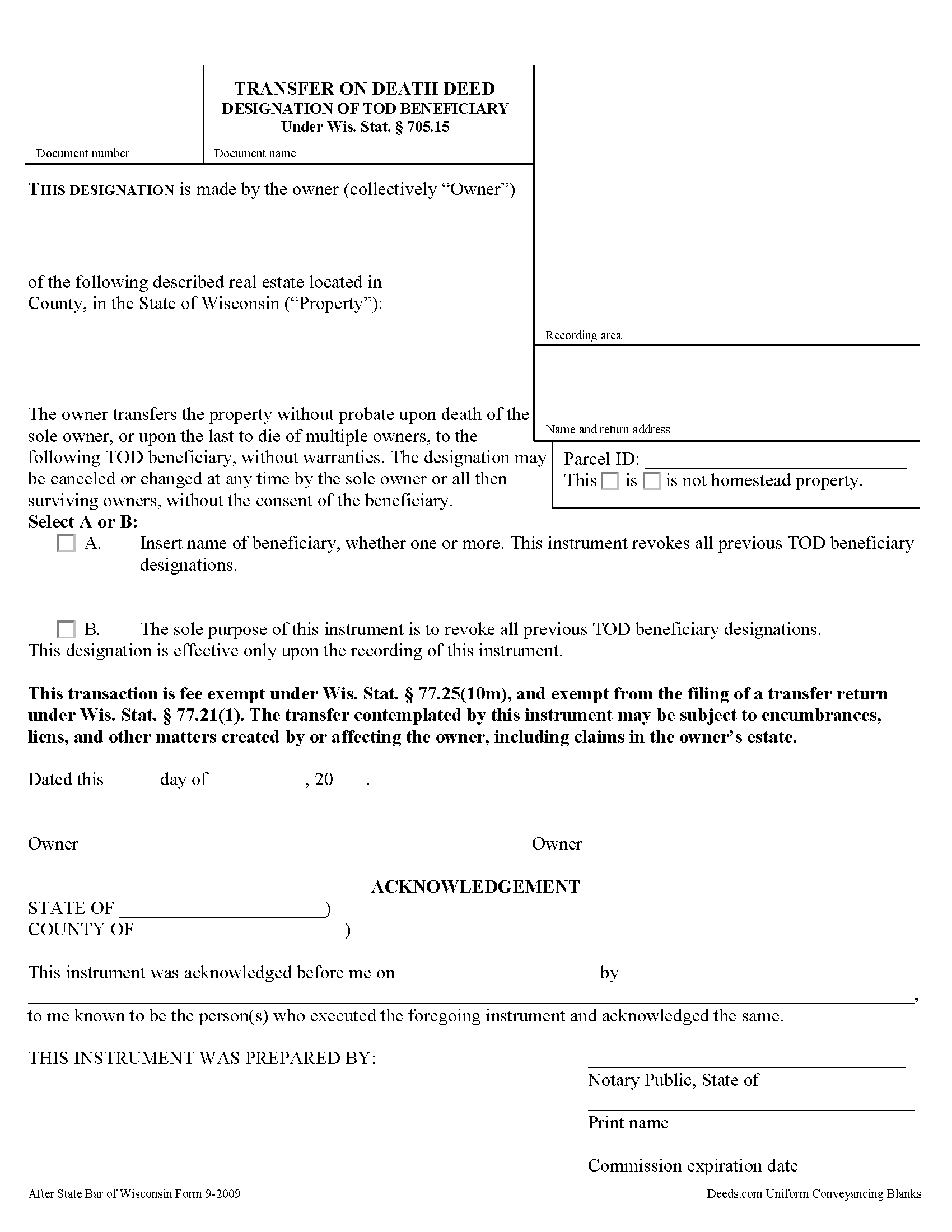
Washington County Transfer on Death Deed Form
Fill in the blank form formatted to comply with all recording and content requirements.
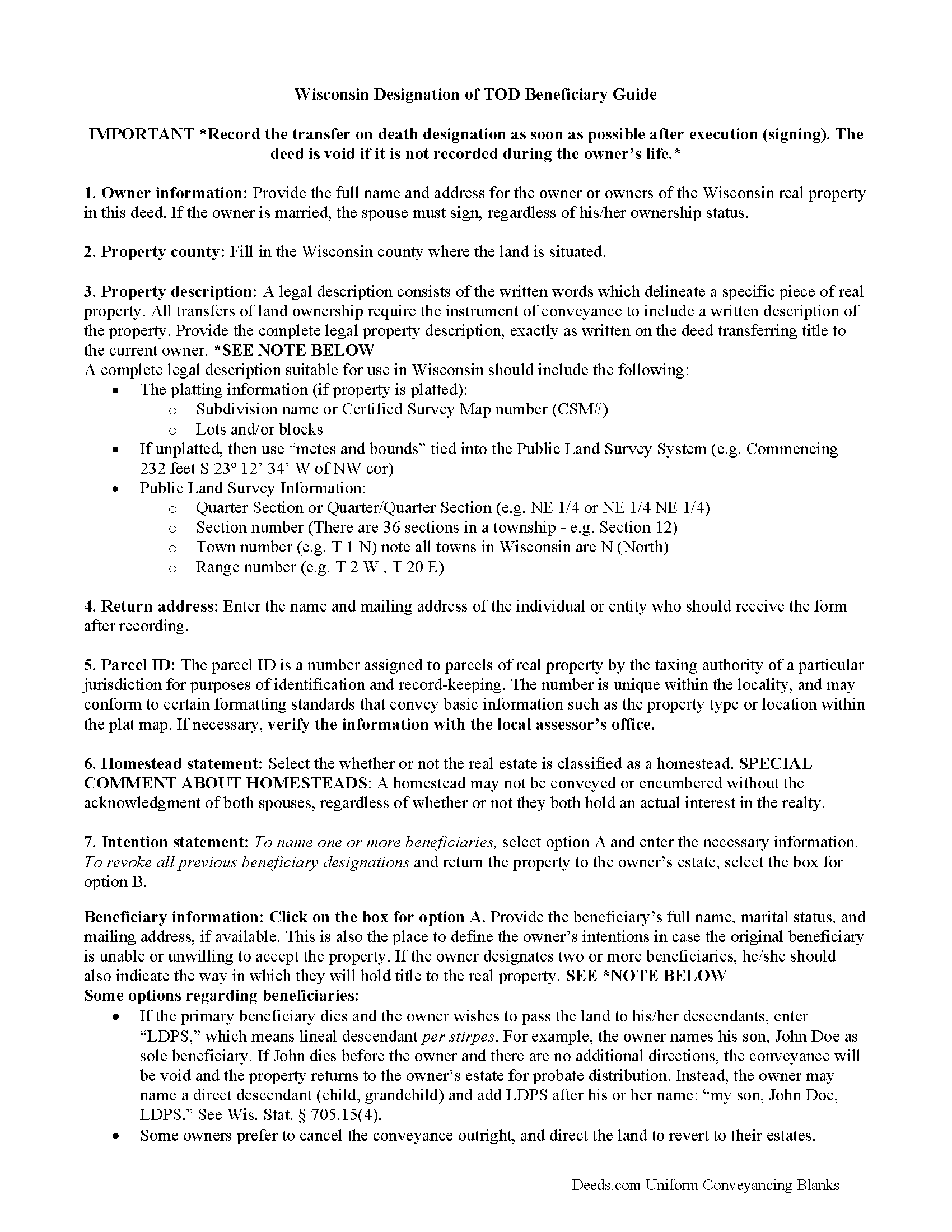
Washington County Transfer on Death Deed Guide
Line by line guide explaining every blank on the form.
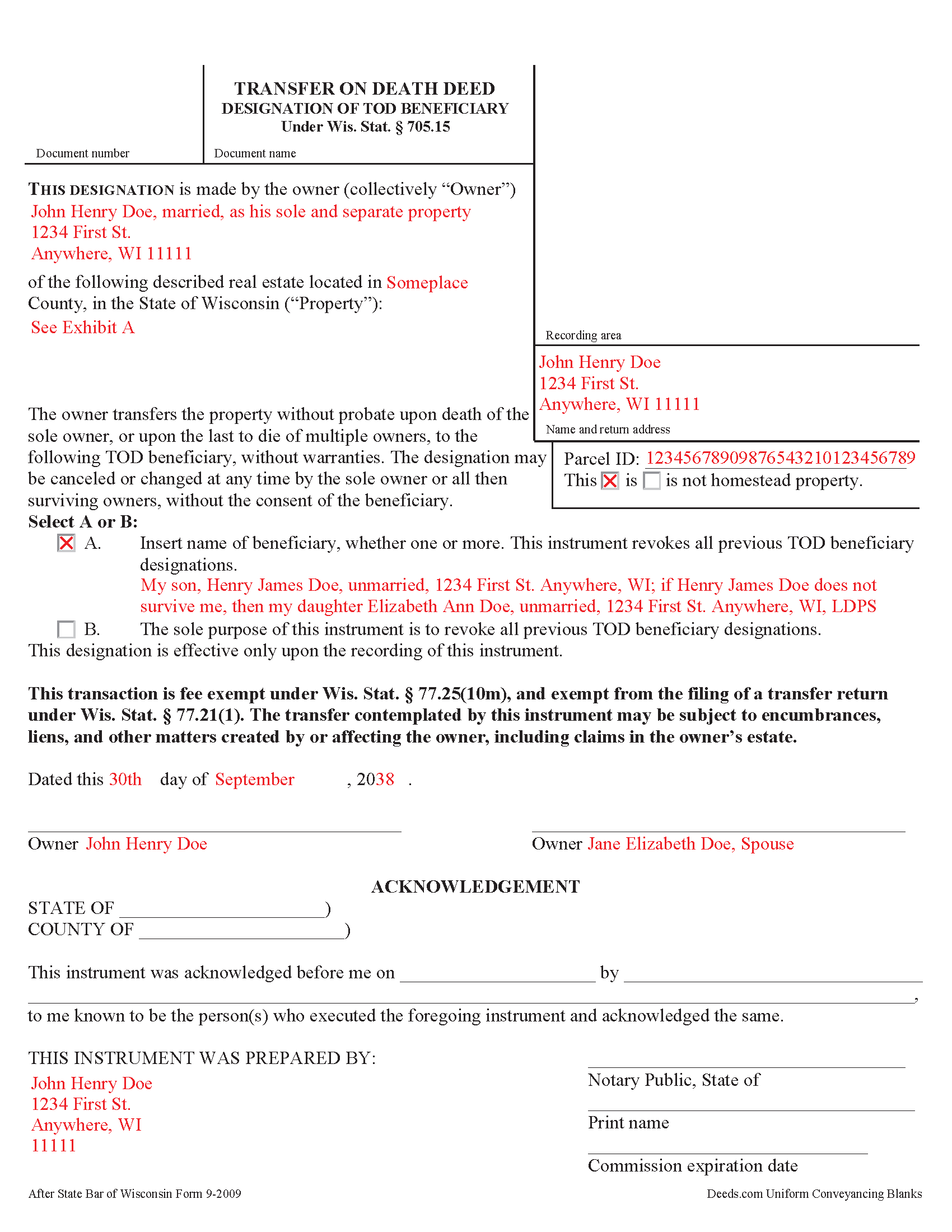
Washington County Completed Example of the Transfer on Death Deed Document
Example of a properly completed form for reference.
All 3 documents above included • One-time purchase • No recurring fees
Immediate Download • Secure Checkout
Additional Wisconsin and Washington County documents included at no extra charge:
Where to Record Your Documents
Washington County Register of Deeds
West Bend, Wisconsin 53095-7986
Hours: 8:00am to 4:30pm M-F
Phone: 262-335-4318
Recording Tips for Washington County:
- Bring your driver's license or state-issued photo ID
- Ensure all signatures are in blue or black ink
- Ask about accepted payment methods when you call ahead
- Ask for certified copies if you need them for other transactions
- Ask if they accept credit cards - many offices are cash/check only
Cities and Jurisdictions in Washington County
Properties in any of these areas use Washington County forms:
- Allenton
- Colgate
- Germantown
- Hartford
- Hubertus
- Jackson
- Kewaskum
- Newburg
- Richfield
- Slinger
- West Bend
Hours, fees, requirements, and more for Washington County
How do I get my forms?
Forms are available for immediate download after payment. The Washington County forms will be in your account ready to download to your computer. An account is created for you during checkout if you don't have one. Forms are NOT emailed.
Are these forms guaranteed to be recordable in Washington County?
Yes. Our form blanks are guaranteed to meet or exceed the applicable formatting requirements used for recording in Washington County, including margin requirements, font requirements, and other layout standards. This guarantee applies to formatting, not to the legal sufficiency of information entered by the user or the suitability of a form for a particular transaction.
Can I reuse these forms?
Yes. You can reuse the forms for your personal use. For example, if you have multiple properties in Washington County you only need to order once.
What do I need to use these forms?
The forms are PDFs that you fill out on your computer. The free Adobe Acrobat Reader is recommended, and most PDF apps also work. You do NOT enter your property information online - you download the blank forms and complete them privately on your own computer.
Are there any recurring fees?
No. This is a one-time purchase. Nothing to cancel, no memberships, no recurring fees.
How much does it cost to record in Washington County?
Recording fees in Washington County vary. Contact the recorder's office at 262-335-4318 for current fees.
Questions answered? Let's get started!
Under Wisconsin Statutes section 705.15, owners of real property in Wisconsin may designate one or more people to gain ownership of their property outside of the probate process. The transfer on death deed form contains the designation and must be recorded, DURING THE OWNER'S NATURAL LIFE, for validity.
By executing and recording a transfer on death beneficiary designation, the owner retains absolute control over the real estate, and may sell, mortgage, or use the property in any legal manner, and change or revoke the beneficiary designation without penalty or obligation to inform the beneficiary.
Because the transfer does not occur until after the owner's death, there is no transfer tax due when recording the deed under 77.21(1) and 77.25(10m). While the change in ownership happens as a function of law when the owner dies, when the beneficiary claims the land, he or she must record form TOD-110 to make the transfer official and enter the updated information into the public records.
Wisconsin's transfer on death deeds are useful estate planning tools. Even so, carefully consider the potential impact of a non-probate transfer of property on taxes, as well as eligibility for local, state, and federal benefits. Each case is unique, so contact an attorney with questions or for complex situations.
(Wisconsin TODD Package includes form, guidelines, and completed example)
Important: Your property must be located in Washington County to use these forms. Documents should be recorded at the county recording office listed above.
This Transfer on Death Deed meets all recording requirements specific to Washington County.
Our Promise
The documents you receive here are guaranteed to meet or exceed the applicable Washington County recording format requirements. If there is a rejection caused by our formatting, we will correct the issue or refund your payment. This guarantee applies to document formatting only and does not extend to information entered by the user, the selection of the form, or the legal effect of the completed document.
Save Time and Money
Get your Washington County Transfer on Death Deed form done right the first time with Deeds.com Uniform Conveyancing Blanks. At Deeds.com, we understand that your time and money are valuable resources, and we don't want you to face a penalty fee or rejection imposed by a county recorder for submitting nonstandard documents. We constantly review and update our forms to meet rapidly changing state and county recording requirements for roughly 3,500 counties and local jurisdictions.
4.8 out of 5 - ( 4,832 Reviews )
Gloria B. 5 out of 5 stars
Super easy and efficient. One time charge for the form with no commitment to a recurring charge for monthly membership. *****
Thank you for your feedback. We really appreciate it. Have a great day!
Willie P. 5 out of 5 stars
got the forms needed plus all the information needed to fill them out.
We appreciate your business and value your feedback. Thank you. Have a wonderful day!
Bruce H. 5 out of 5 stars
The forms were easy to download, no problem great site
Thank you for your feedback. We really appreciate it. Have a great day!
Phyllis C. 3 out of 5 stars
So far So Good. Ill come back and re review after it is all finished. I have downloaded all the documents. next I need to fill them out.
Thank you!
Raecita H. 5 out of 5 stars
This was the first time I had ever had to fill out a Warranty Deed, so if it was not for your example form on how to fill one out, I would be still be here completely lost. I had originally gone to another site for a Warranty Deed & they wanted double the amount of your price & their website had no examples forms. I am so happy with your site & service. Thank you for giving us the opportunity to be able to download the forms as much as we need to because as many mistakes I made,I had to print quite a few to be able to get it done right.
We appreciate your business and value your feedback. Thank you. Have a wonderful day!
Dennis K. 5 out of 5 stars
Easily downloaded and filled out form for quit claim deed was approved as soon as i dropped it off.
Thank you for your feedback. We really appreciate it. Have a great day!
Diane D. 5 out of 5 stars
. I purchased 3 different items yesterday. Truthfully, it was a bit annoying, I could not figure out how to put them in a cart and had to do 3 transactions. I'm in the process of reviewing my purchases. Thank you! .
Thank you for your feedback. We really appreciate it. Have a great day!
Kirsten Z. 5 out of 5 stars
Thank you! Including the Guide and completed example was especially helpful.
Thank you for your feedback. We really appreciate it. Have a great day!
Charles B. 5 out of 5 stars
The support received was far above expectations.
We are grateful for your feedback and looking forward to serving you again. Thank you!
Deanna K. 5 out of 5 stars
Great service. Prompt and great communication tools. Affordably priced.
We appreciate your business and value your feedback. Thank you. Have a wonderful day!
Elbert M. 5 out of 5 stars
I found The blank documents easy to use and the instructions informative and simple to follow. Thanks
Thank you for your feedback. We really appreciate it. Have a great day!
David P. 1 out of 5 stars
re: Transfer Upon Death Deed For Valencia County, NM, why not have ONE button to download all necessary forms? Individual buttons are tedious.
Thank you for your feedback David. The short answer is because not everyone needs all the forms. We will look into adding an option for downloading all the provided documents at once.
Dennis D. 5 out of 5 stars
Heard about this service from a lawyer who said their offic used it quite a bit.
Thank you for your feedback. We really appreciate it. Have a great day!
CAROLYN H. 5 out of 5 stars
Thanks. Was simple and easy to use.
Thank you!
Jolene K. 5 out of 5 stars
The forms were easy to download and use. I'm satisfied with it. The sample and the instructions were very helpful.
Thank you!