Saint Clair County Quitclaim Deed (Reserving Life Estate) Form
Last validated October 9, 2026 by our Forms Development TeamFormatted for recording in Saint Clair County, for property anywhere in the county: rural and unincorporated areas as well as Ashville, Cook Springs, Cropwell, Margaret, Moody, Odenville, Pell City, Ragland and 4 more.
- 3 documents included
- Immediate PDF download
- Formatting guarantee
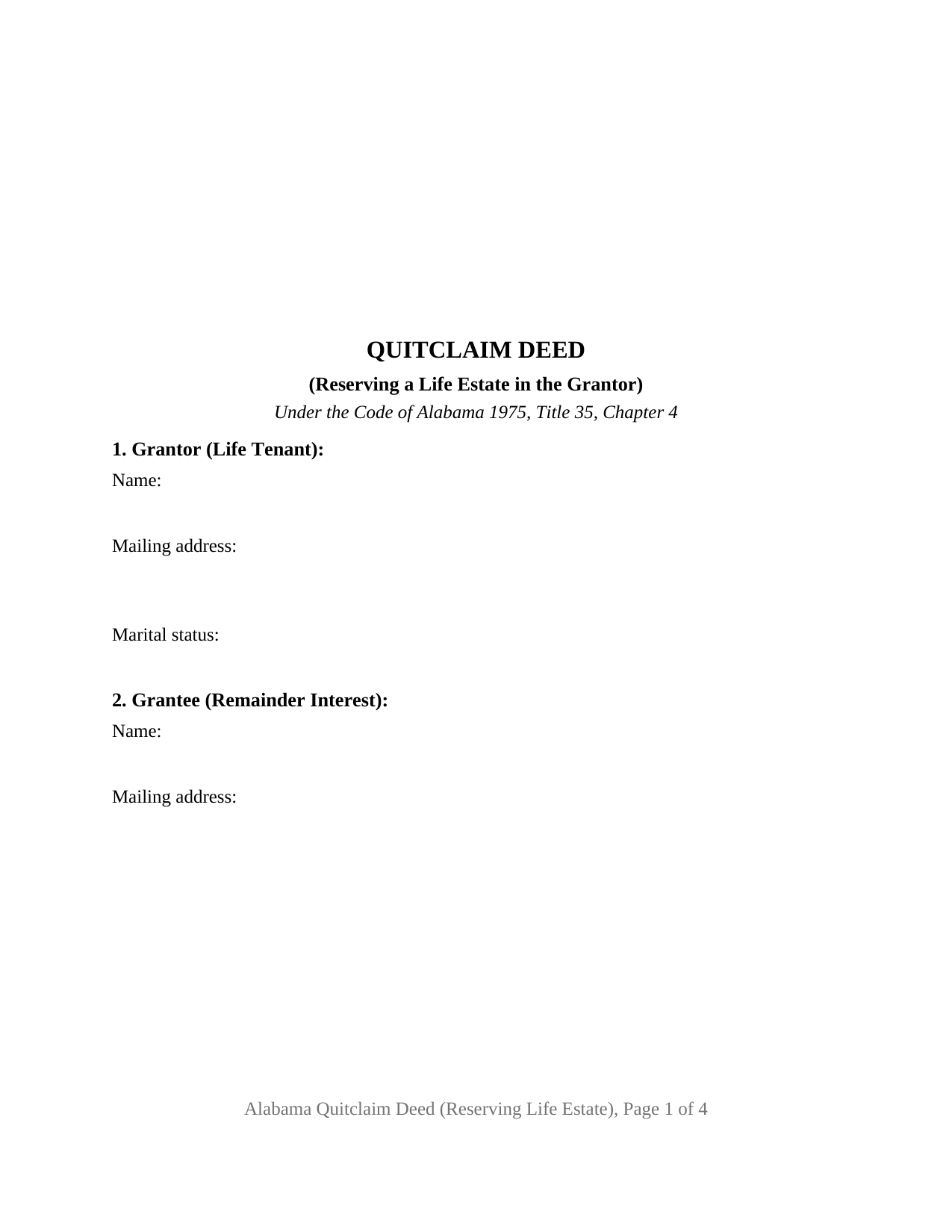
Saint Clair County Quitclaim Deed (Reserving Life Estate) Form
Fill in the blank Quitclaim Deed (Reserving Life Estate) form formatted to comply with all Alabama recording and content requirements.
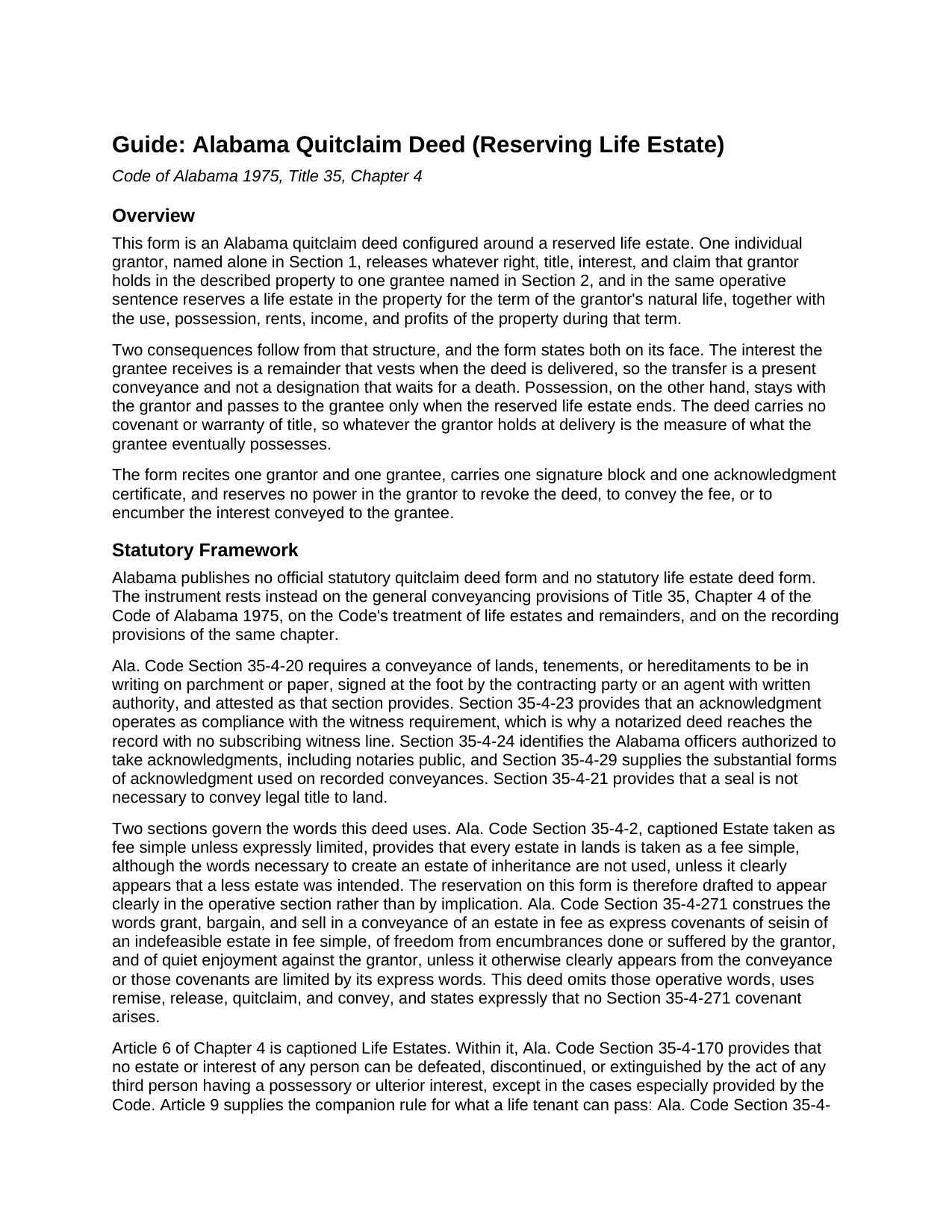
Saint Clair County Quitclaim Deed (Reserving Life Estate) Guide
Line by line guide explaining every blank on the Quitclaim Deed (Reserving Life Estate) form.
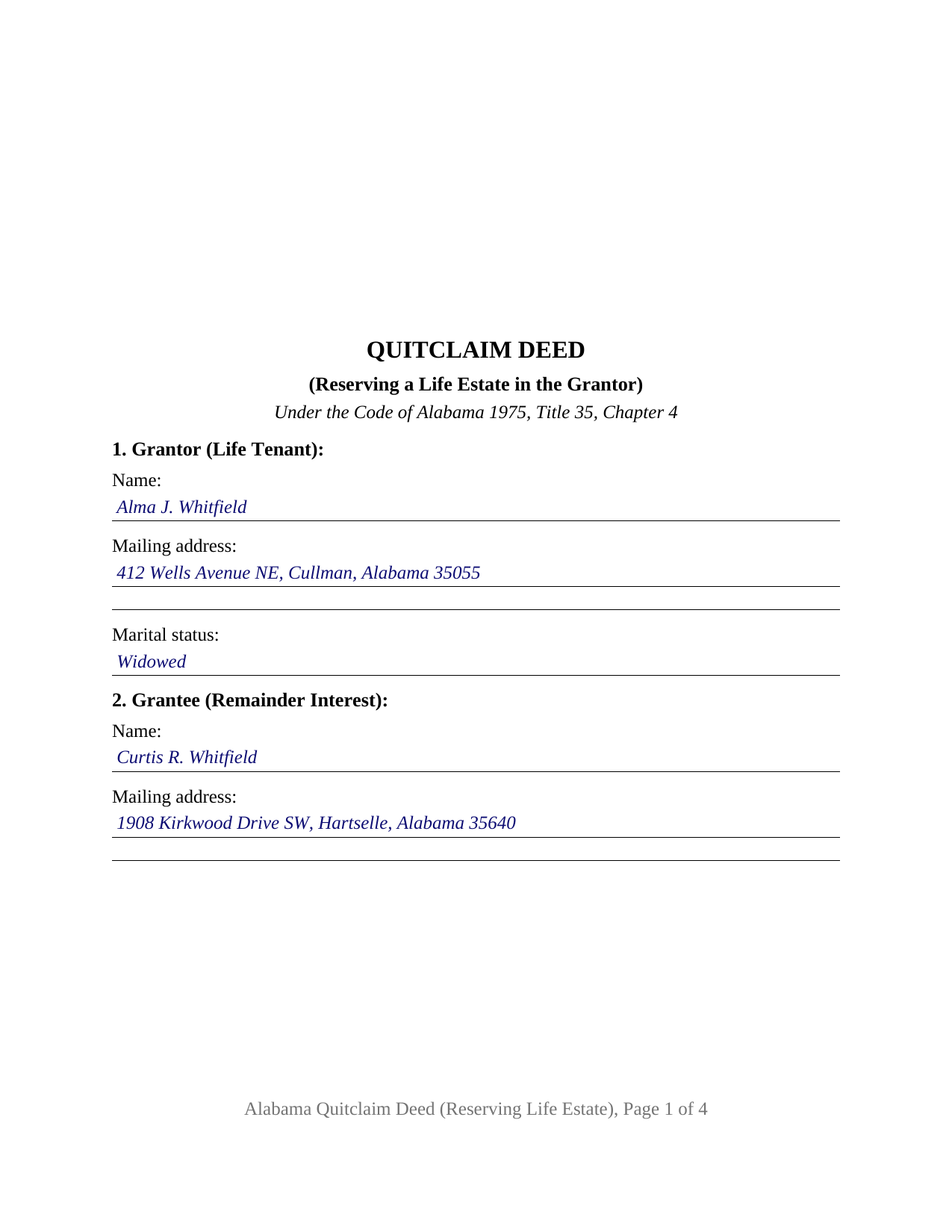
Saint Clair County Completed Example of the Quitclaim Deed (Reserving Life Estate) Document
Example of a properly completed Alabama Quitclaim Deed (Reserving Life Estate) document for reference.
All 3 documents above included • One-time purchase • No recurring fees
Immediate Download • Secure Checkout
Additional Alabama and Saint Clair County documents included at no extra charge:
Where to Record Your Documents
St. Clair County Probate Office
Ashville, Alabama 35953
Hours: 8:00am - 4:30pm M-F
Phone: (205) 594-2120
Pell City Probate Office
Pell City, Alabama 35125
Hours: 8:00am - 4:30pm M-F
Phone: (205) 338-9449
Recording Tips for Saint Clair County:
- Bring your driver's license or state-issued photo ID
- Ensure all signatures are in blue or black ink
- Ask for certified copies if you need them for other transactions
- Ask if they accept credit cards - many offices are cash/check only
- Check that your notary's commission hasn't expired
Cities and Jurisdictions in Saint Clair County
Properties in any of these areas use Saint Clair County forms:
- Ashville
- Cook Springs
- Cropwell
- Margaret
- Moody
- Odenville
- Pell City
- Ragland
- Riverside
- Springville
- Steele
- Wattsville
Hours, fees, requirements, and more for Saint Clair County
How do I get my forms?
Forms are available for immediate download after payment. The Saint Clair County forms will be in your account ready to download to your computer. An account is created for you during checkout if you don't have one. Forms are NOT emailed.
Are these forms guaranteed to be recordable in Saint Clair County?
Yes. Our form blanks are guaranteed to meet or exceed the applicable formatting requirements used for recording in Saint Clair County, including margin requirements, font requirements, and other layout standards. This guarantee applies to formatting, not to the legal sufficiency of information entered by the user or the suitability of a form for a particular transaction.
Can I reuse these forms?
Yes. You can reuse the forms for your personal use. For example, if you have multiple properties in Saint Clair County you only need to order once.
What do I need to use these forms?
The forms are PDFs that you fill out on your computer. The free Adobe Acrobat Reader is recommended, and most PDF apps also work. You do NOT enter your property information online - you download the blank forms and complete them privately on your own computer.
Are there any recurring fees?
No. This is a one-time purchase. Nothing to cancel, no memberships, no recurring fees.
How much does it cost to record in Saint Clair County?
Recording fees in Saint Clair County vary. Contact the recorder's office at (205) 594-2120 for current fees.
Questions answered? Let's get started!
The grantor who signs this deed steps out of the title and stays in the house. The Alabama Quitclaim Deed (Reserving Life Estate) releases one individual owner's interest in Alabama real property to a single grantee and, in the same sentence, reserves to that owner a life estate for the term of the owner's natural life, with the use, possession, rents, and income that go with it. No covenant or warranty of title travels with the release.
A remainder that vests now, possession that waits
Two interests come out of one sentence. What the grantee receives is a remainder, and it vests when the deed is delivered, a present conveyance rather than a designation that ripens at a death. What the grantor keeps is the right to occupy the property until that reserved estate ends. The deed prints both halves and adds a third: the grantor reserves no power to revoke it, to convey the fee, or to encumber what the grantee now owns. Deeds marketed elsewhere as enhanced life estate deeds reserve those powers; no Alabama statute authorizing one was located, and this form reserves none.
The reservation has to be plain on the page
Alabama presumes the larger estate. Under Ala. Code Section 35-4-2, every estate in lands is taken as a fee simple, although the words that create an estate of inheritance are absent, unless it clearly appears that a less estate was intended. A reserved life estate is that lesser estate, so the deed states the reservation in its operative section rather than by inference. Its release words are remise, release, quitclaim, and convey, and the deed states that no covenant arises under Ala. Code Section 35-4-271, which reads title covenants into a different set of operative words.
What the life tenant can sign afterward
Alabama answers in the Code. A conveyance by a tenant for life purporting to pass a greater interest than the tenant holds does not forfeit the life estate; it passes what the tenant could lawfully convey (Ala. Code Section 35-4-232). A warranty by a tenant for life is void as against those in remainder or reversion (Section 35-4-270). And no person's estate can be defeated, discontinued, or extinguished by the act of a third person holding a possessory or ulterior interest, except as the Code especially provides (Section 35-4-170). Together they put a sale free of the reservation, during the grantor's life, in the hands of two signers.
Configured for one owner and one remainder holder
Section 1 takes the grantor's name, mailing address, and the marital status Ala. Code Section 35-4-73 keeps in the recording gate. Section 2 takes the grantee's name and address under a heading naming the remainder interest. Section 9 carries a single signature line, and one certificate, worded from the individual acknowledgment form of Ala. Code Section 35-4-29, closes the instrument. A widowed owner putting the residence in an adult child's name while keeping the right to live there, and an owner deeding farm acreage to a niece while keeping its rents for life, present the pattern this deed recites. The form is not set up for two grantors, an entity or fiduciary grantor, a signer acting under a power of attorney, or a life estate measured by another person's life; a married grantor conveying homestead property meets a two signature condition under Ala. Code Section 6-10-3 that this form does not carry, and the deed prints that condition in capital letters.
Why this one belongs in the record early
Possession is the ordinary outward sign that title has moved, and here it stays put, so the record carries the news. Ala. Code Section 35-4-90 leaves an unrecorded conveyance void as to purchasers, mortgagees, and judgment creditors without notice, and Ala. Code Section 35-4-91 speaks to instruments creating estates in lands in remainder or reversion after an estate for life. The judge of probate measures the Section 40-22-1 tax against the value of the interest conveyed, the remainder, not the whole fee, and takes Alabama's sales value information on Department of Revenue Form RT-1.
Searches for this deed run to quit claim deed, quick claim deed, and life estate deed. Three files download: the blank fillable PDF, a completed example worked through a Cullman County transfer, and a guide covering every entry, the reservation language, and the certificate. Nothing here is legal advice; these pages state Alabama law generally, and how it lands on one home and one family belongs with an Alabama attorney.
Important: Your property must be located in Saint Clair County to use these forms. Documents should be recorded at the county recording office listed above.
This Quitclaim Deed (Reserving Life Estate) meets all recording requirements specific to Saint Clair County.
Our Promise
The documents you receive here are guaranteed to meet or exceed the applicable Saint Clair County recording format requirements. If there is a rejection caused by our formatting, we will correct the issue or refund your payment. This guarantee applies to document formatting only and does not extend to information entered by the user, the selection of the form, or the legal effect of the completed document.
Save Time and Money
Get your Saint Clair County Quitclaim Deed (Reserving Life Estate) form done right the first time with Deeds.com Uniform Conveyancing Blanks. At Deeds.com, we understand that your time and money are valuable resources, and we don't want you to face a penalty fee or rejection imposed by a county recorder for submitting nonstandard documents. We constantly review and update our forms to meet rapidly changing state and county recording requirements for roughly 3,500 counties and local jurisdictions.
4.8 out of 5 - ( 4,839 Reviews )
Sarah C. 5 out of 5 stars
Great, but I'd like to see the actual filings/documents in my account, PDF, not only the blank forms. Thank you.
Thank you for your feedback. We really appreciate it. Have a great day!
BRIAN B. 5 out of 5 stars
This site makes filing documents so easy and effortless. The response time is phenomenally fast, which saves time and frustration. Thank you!
We appreciate your business and value your feedback. Thank you. Have a wonderful day!
LEVELL H. 5 out of 5 stars
I was very pleased with the ease in use of the forms. I suggest making sure the sample copy is totally aligned with the exact same parts. I was a little confused about the portion "Subject to.." It was easy to make corrections, additions, etc because the page remained open, and I didn't have to re=open the forms continuously.
Thank you!
Hanne R. 5 out of 5 stars
excellent
Thank you!
Lisa A. 5 out of 5 stars
I am so thankful for the time saved by using Deeds.com. Not having to run downtown and stand in line is awesome!
We are delighted to have been of service. Thank you for the positive review!
Carolyn M. 5 out of 5 stars
Very helpful and informative. The online site walked you through step by step and if you had a question, which I did, I called with my question. Thanks again.
Thank you!
Richard C. 5 out of 5 stars
There was not much info available but what you produced confirmed what I needed to know.
Thank you for your feedback. We really appreciate it. Have a great day!
Stephanie B. 5 out of 5 stars
Site is SO easy to use. Thank you for such a valuable resource.
Thank you for your feedback. We really appreciate it. Have a great day!
Alexis B. 5 out of 5 stars
Highly Pleased- Strongly Recommend Deeds.com Long review... sorry:-) Originally I was very skeptical due to the enormous amount of the scams going on now days and the number of online sources that "claim" to provide you with deed forms for free or for a few. Nothing that you need and want done is free. There is always a cost. So luckily I came across deeds.com. This was the only site that appeared to be simple, to the point, and made no crazy promises. So before selecting this site, I did a little more checking around/price checking to ensure I am getting the best price for the product I needed. I even checked Staples and Amazon to find that they do indeed sell these forms but I do not think the products they provide are specific for my state and county. They claim their forms provided are for all states but my state is specific and I prefer to have forms provided by Deeds.com that is based on Indiana statute that Deed.com clearly identifies on each form. Deeds.com price of $20 seemed a little high at first but when I saw the products provided, the $20 cost is more than reasonable and fair. You not only get the deed form specific for my state and my specific "county" but also the other various/supplemental forms that may be required. Being familiar with my state and knowing how tedious and anal my state is on everything, I was pleasantly please to see the info and extra supplemental forms provided. For example, a person new to the State who recently had property deeded to them, would not necessarily know about the Homestead tax exemption provided if property is your primary residents, over 65 exemption etc. I would highly recommend this site for anyone needing these documents because Deeds.com has you covered on any and all forms/info you could ever need! A bonus is that there is one flat fee and not monthly cost that you have to worry about canceling later unless you superficially select a monthly package. I love the fact that Deeds.com is nothing fancy. There is not a bunch of elaborate graphics etc. They only provide what you need and what they provide is very accurate. Deeds.com has a customer for life.
Thank you so much Alexis. We appreciate you, have a fantastic day.
RONNIE C. 5 out of 5 stars
Excellent service and the time the documents send back to me was also excellent
Thank you!
Warren R. 4 out of 5 stars
Nice service at a fair price. Website is not very user oriented. Messages accumulate in the messages area but are not emailed to the client. If you used the service regularly, it would be more understandable but for a first time or occasional user, the site can be time consuming.
Thank you!
Carole L. 5 out of 5 stars
Perfectly easy, perfectly complete! I had no problems with downloading these forms. I have been a paralegal for 20 years and came up on a situation where I was not familiar with the forms. Deeds.com saved my life and allowed me to get the documents done and done right. I will keep deeds.com on my list of favorites!
Thank you Carole. Glad we could help. We appreciate you taking the time to leave your review.
Charles D. 5 out of 5 stars
The included instructions and example made the document easy to complete. And the additional documents for no additional charge were nice.
Thank you for your feedback. We really appreciate it. Have a great day!
Theodore K. 2 out of 5 stars
This does the job but we are not able to save this in our account and if you don't pay for Adobe and only have Adobe reader, I cannot save any information on the form online in my account. I do understand why they do this because they would lose money. A huge issue is that when I got to the end of the document and was adding an Exhibit A, as I typed, the page kept jumping back up the to top and I couldn't see what I was typing. I had to type a little then scroll back down and when I would type more, it would jump up again. This was a real problem.
Thank you for your feedback. We really appreciate it. Have a great day!
Sandra M. 5 out of 5 stars
The forms were easy to use but there was a software issue that made it impossible to get the county name to appear on the form in the correct place. It made the deed look a little sloppy
Thank you!