Saint Clair County Quitclaim Deed (Trustee Grantor) Form
Last validated July 28, 2026 by our Forms Development TeamFormatted for recording in Saint Clair County, for property anywhere in the county: rural and unincorporated areas as well as Ashville, Cook Springs, Cropwell, Margaret, Moody, Odenville, Pell City, Ragland and 4 more.
- 3 documents included
- Immediate PDF download
- Formatting guarantee
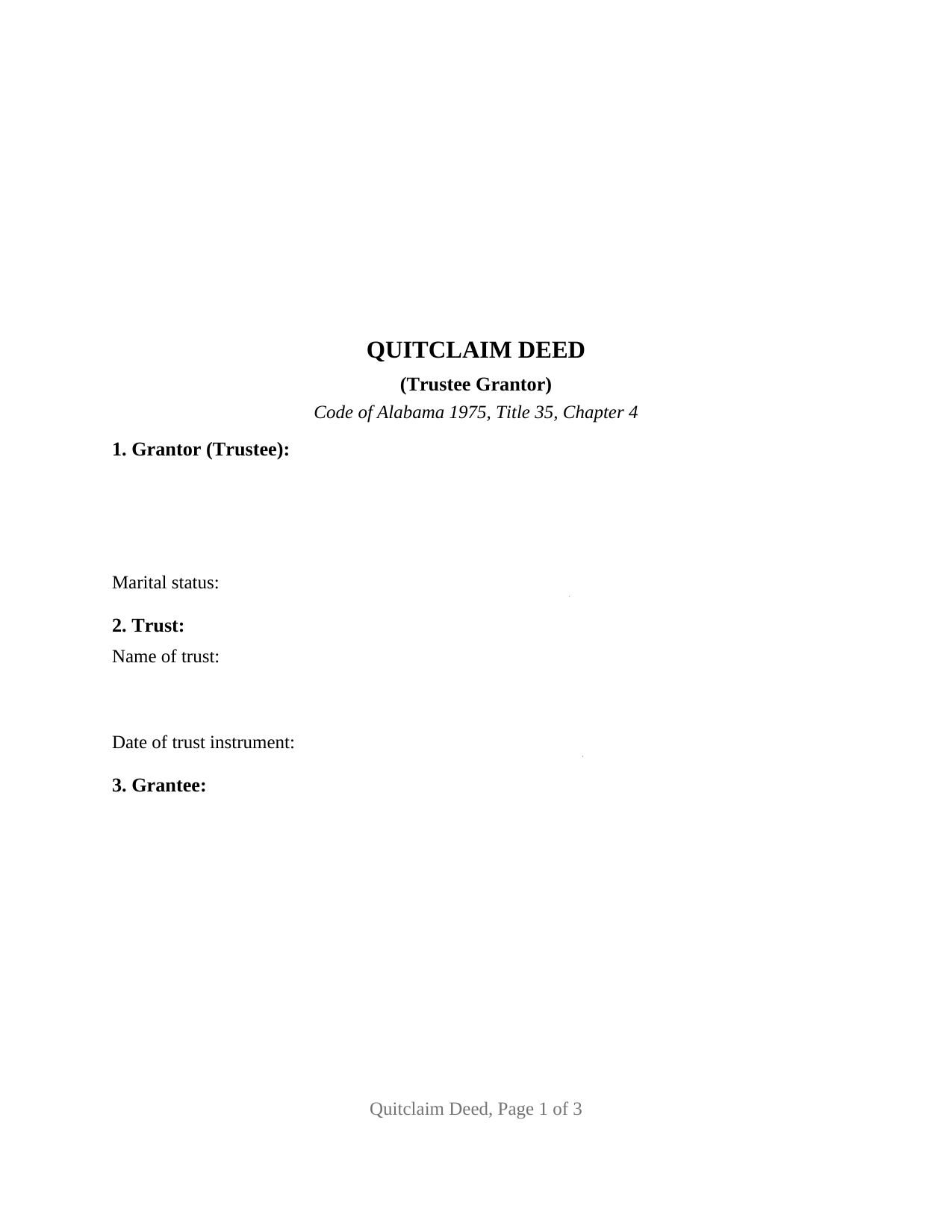
Saint Clair County Quitclaim Deed (Trustee Grantor) Form
Fill in the blank Quitclaim Deed (Trustee Grantor) form formatted to comply with all Alabama recording and content requirements.
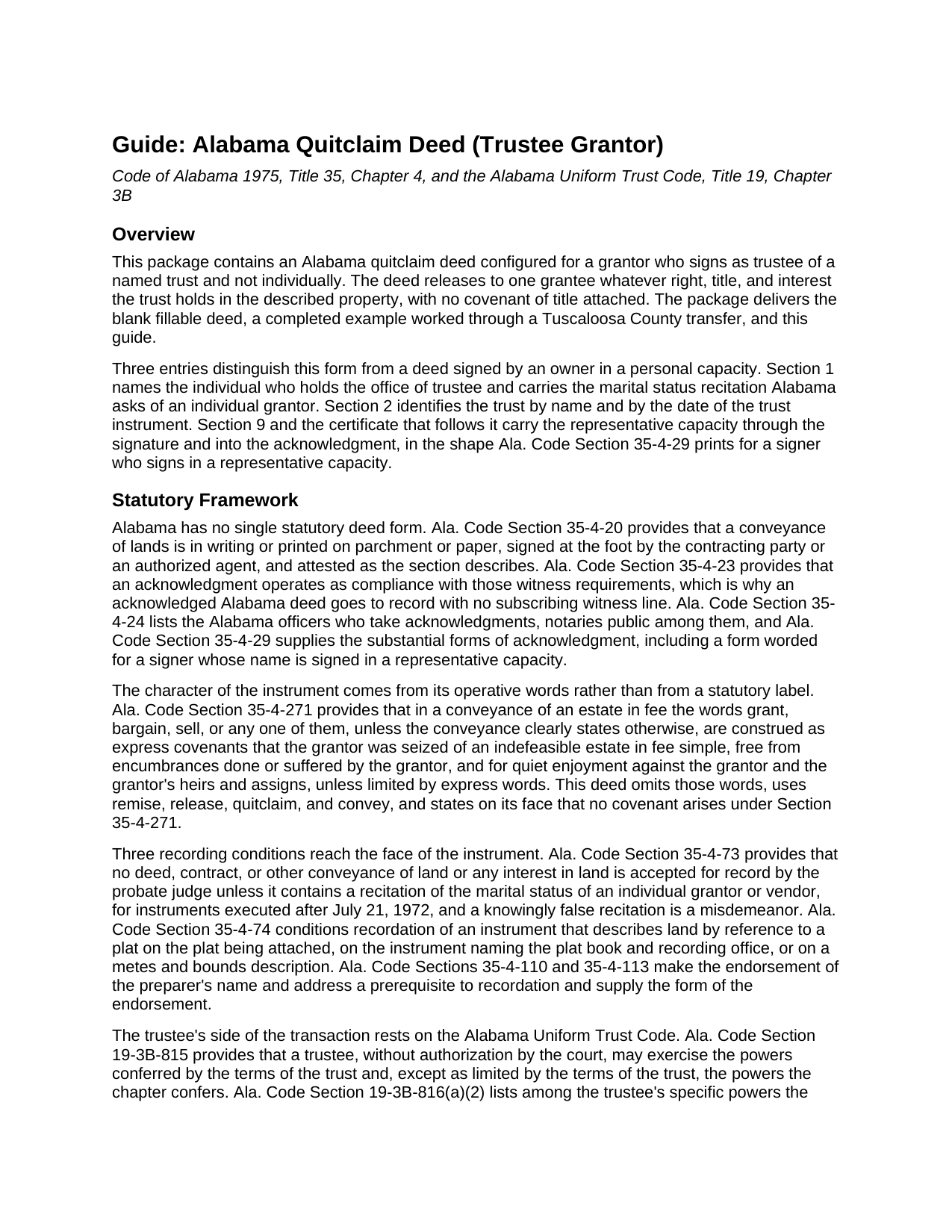
Saint Clair County Quitclaim Deed (Trustee Grantor) Guide
Line by line guide explaining every blank on the Quitclaim Deed (Trustee Grantor) form.
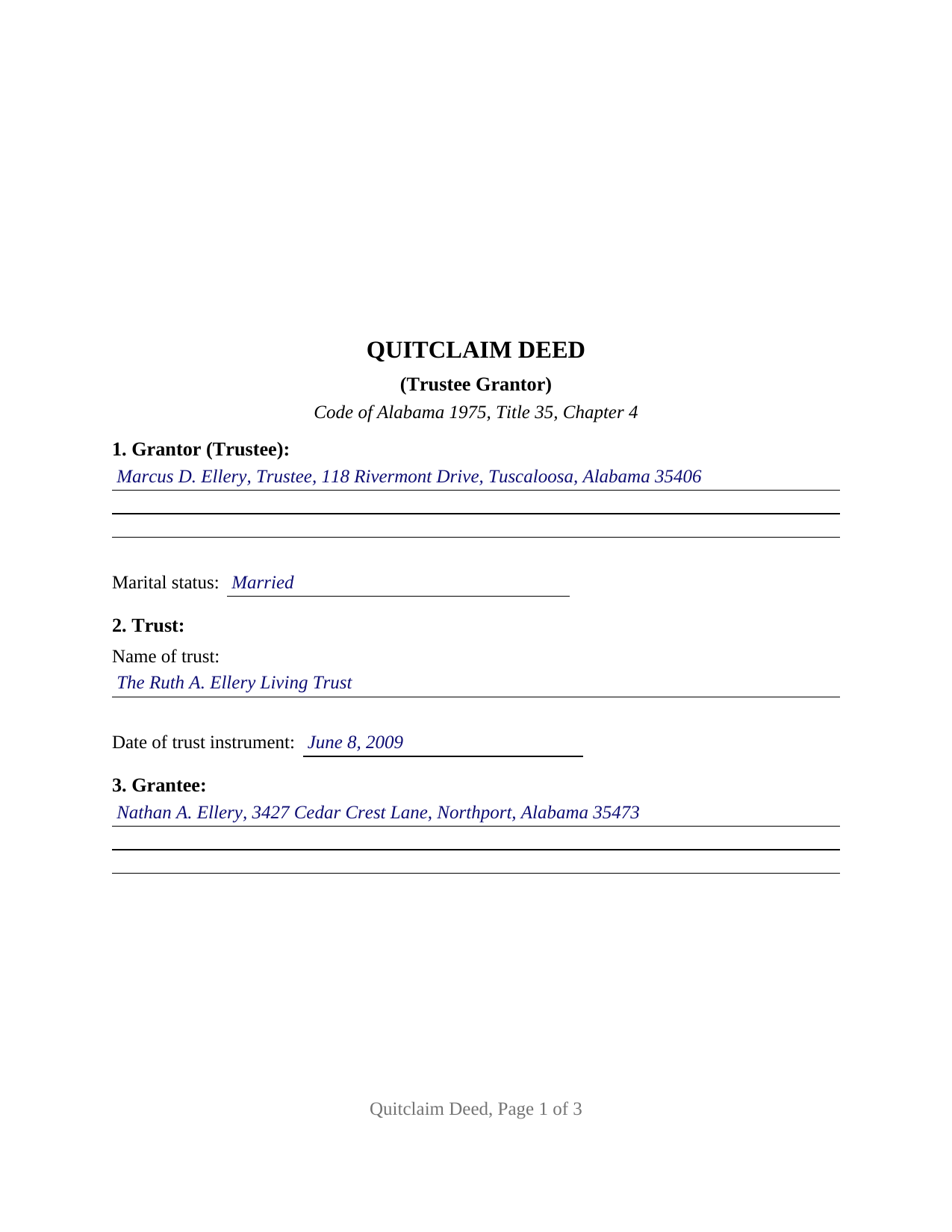
Saint Clair County Completed Example of the Quitclaim Deed (Trustee Grantor) Document
Example of a properly completed Alabama Quitclaim Deed (Trustee Grantor) document for reference.
All 3 documents above included • One-time purchase • No recurring fees
Immediate Download • Secure Checkout
Additional Alabama and Saint Clair County documents included at no extra charge:
Where to Record Your Documents
St. Clair County Probate Office
Ashville, Alabama 35953
Hours: 8:00am - 4:30pm M-F
Phone: (205) 594-2120
Pell City Probate Office
Pell City, Alabama 35125
Hours: 8:00am - 4:30pm M-F
Phone: (205) 338-9449
Recording Tips for Saint Clair County:
- Bring your driver's license or state-issued photo ID
- Ensure all signatures are in blue or black ink
- Ask for certified copies if you need them for other transactions
- Ask if they accept credit cards - many offices are cash/check only
- Check that your notary's commission hasn't expired
Cities and Jurisdictions in Saint Clair County
Properties in any of these areas use Saint Clair County forms:
- Ashville
- Cook Springs
- Cropwell
- Margaret
- Moody
- Odenville
- Pell City
- Ragland
- Riverside
- Springville
- Steele
- Wattsville
Hours, fees, requirements, and more for Saint Clair County
How do I get my forms?
Forms are available for immediate download after payment. The Saint Clair County forms will be in your account ready to download to your computer. An account is created for you during checkout if you don't have one. Forms are NOT emailed.
Are these forms guaranteed to be recordable in Saint Clair County?
Yes. Our form blanks are guaranteed to meet or exceed the applicable formatting requirements used for recording in Saint Clair County, including margin requirements, font requirements, and other layout standards. This guarantee applies to formatting, not to the legal sufficiency of information entered by the user or the suitability of a form for a particular transaction.
Can I reuse these forms?
Yes. You can reuse the forms for your personal use. For example, if you have multiple properties in Saint Clair County you only need to order once.
What do I need to use these forms?
The forms are PDFs that you fill out on your computer. The free Adobe Acrobat Reader is recommended, and most PDF apps also work. You do NOT enter your property information online - you download the blank forms and complete them privately on your own computer.
Are there any recurring fees?
No. This is a one-time purchase. Nothing to cancel, no memberships, no recurring fees.
How much does it cost to record in Saint Clair County?
Recording fees in Saint Clair County vary. Contact the recorder's office at (205) 594-2120 for current fees.
Questions answered? Let's get started!
The signature line on this deed carries an office. The Alabama Quitclaim Deed (Trustee Grantor) is drafted for a grantor who signs as trustee of a named trust and not individually, releasing to one grantee whatever interest the trust holds in Alabama real property, without warranty. That capacity runs through the instrument: Section 2 names the trust and its date, the operative words move the trust's interest rather than the signer's own, and the acknowledgment is worded for a representative signer.
The certificate Alabama prints for a representative signer
Ala. Code Section 35-4-29 supplies more than one substantial form of acknowledgment. Beside the familiar individual wording sits a representative capacity form: the officer certifies that the person whose name as the stated capacity is signed to the conveyance, known to the officer and informed of its contents, executed it in that capacity on the day it bears date. The certificate here carries that substance, and its wide blank takes the signer's name with the office and the trust. Because an acknowledgment satisfies the attestation requirement of Ala. Code Section 35-4-20 (Section 35-4-23), no subscribing witness signs beneath it.
Where the trustee's authority actually lives
The deed identifies the trust and stops; its terms stay with the trustee. Under Ala. Code Section 19-3B-815 a trustee exercises the powers the terms of the trust confer and, except as those terms limit them, the powers the Alabama Uniform Trust Code confers; Section 19-3B-816(a) lists the power to sell property at public or private sale and to sign and deliver instruments useful to exercising it. Where a buyer or title examiner wants the facts on paper, Ala. Code Section 19-3B-1013 describes the certification of trust a trustee may furnish instead of the trust instrument, prepared separately and no part of this package.
A marital status line on a fiduciary deed
Ala. Code Section 35-4-73 keeps a deed out of the record unless it recites the marital status of an individual grantor or vendor, for instruments executed after July 21, 1972. The signer here is an individual whatever office that person holds, so the entry sits in Section 1. Title stands in the trustee's name for the trust rather than a married person's, so the form carries no spouse signature block; the guide sets out the homestead rule of Ala. Code Section 6-10-3 and the question it leaves open where a residence sits in a settlor's revocable trust.
Configured for one trustee and one grantee
Section 1 takes the trustee's name, address, and marital status; Section 2 the trust name and the date of the trust instrument; Section 9 one signature line captioned for a grantor signing as trustee, and one certificate closes the deed. A successor trustee deeding a parcel to the beneficiary a trust names at the settlor's death, a trustee winding up a terminating trust, and a trustee releasing whatever interest a trust may still hold where its name clouds a chain of title present the pattern this deed recites. The form is not set up for co-trustees who both sign, for a grantor conveying in a personal capacity, or for a grantee who takes as trustee.
Release words, and one trip to the probate office
Alabama reads covenants into operative words: under Ala. Code Section 35-4-271, a fee conveyance using grant, bargain, or sell carries express covenants of an indefeasible fee, of freedom from encumbrances the grantor caused or permitted, and of quiet enjoyment, unless the deed limits them. This instrument omits those words, remises, releases, quitclaims, and conveys, and states that no Section 35-4-271 covenant arises. It goes to the judge of probate where the land lies, and an unrecorded conveyance is void against purchasers, mortgagees, and judgment creditors without notice (Ala. Code Section 35-4-90). That office collects the deed tax measured by the value conveyed (Ala. Code Section 40-22-1) with Alabama's sales value information, commonly on Department of Revenue Form RT-1.
Page one leaves its top three inches open for the stamp, and the preparer endorsement Ala. Code Sections 35-4-110 and 35-4-113 make a recording prerequisite is printed in the instrument. Buyers reach this Alabama quitclaim deed as a trustee's deed, a quit claim deed, or a quick claim deed. The download delivers the blank fillable PDF, a completed example set in Tuscaloosa County, and a guide covering every entry, the capacity language, and the certificate. These pages describe Alabama law generally and are not legal advice; an Alabama attorney can read them against a particular trust and title.
Important: Your property must be located in Saint Clair County to use these forms. Documents should be recorded at the county recording office listed above.
This Quitclaim Deed (Trustee Grantor) meets all recording requirements specific to Saint Clair County.
Our Promise
The documents you receive here are guaranteed to meet or exceed the applicable Saint Clair County recording format requirements. If there is a rejection caused by our formatting, we will correct the issue or refund your payment. This guarantee applies to document formatting only and does not extend to information entered by the user, the selection of the form, or the legal effect of the completed document.
Save Time and Money
Get your Saint Clair County Quitclaim Deed (Trustee Grantor) form done right the first time with Deeds.com Uniform Conveyancing Blanks. At Deeds.com, we understand that your time and money are valuable resources, and we don't want you to face a penalty fee or rejection imposed by a county recorder for submitting nonstandard documents. We constantly review and update our forms to meet rapidly changing state and county recording requirements for roughly 3,500 counties and local jurisdictions.
4.8 out of 5 - ( 4,837 Reviews )
Patricia G. 5 out of 5 stars
Very easy to order and download all the promised forms and instructions
We appreciate your business and value your feedback. Thank you. Have a wonderful day!
Maria H. 5 out of 5 stars
Great job. Helped me through some technical difficulties and got it done!
Thank you for your feedback. We really appreciate it. Have a great day!
Richard E. 4 out of 5 stars
Very easy. I copied each doc separately. Is there a way to copy the all docs at once into a folder? Thanks for being there. Rich
Thank you for the feedback Richard. Currently there is no way to download all of the documents at once but we'll definitely look into it. Have a great day!
brian t. 5 out of 5 stars
The docs were precise and accurate for my specific needs. I greatly appreciated the accompanying forms and instructional guidance to help make the use of the forms direct and easy to complete. Equally important, I was not suckered in to get a great price for the docs I needed only to be led to expensive subscriptions or additional fees. Very impressive and professional site.
Thank you for your feedback. We really appreciate it. Have a great day!
Joanne K. 5 out of 5 stars
I haven't used the forms yet, but was at the county recorders office and they looked at it and said it looked fine. The instructions were easy to read and the forms easy to complete and save for a next time, if there is need.
Thank you for your feedback. We really appreciate it. Have a great day!
Betty B. 5 out of 5 stars
Thank you . I appreciate your assistance Once again thanks
Thank you!
Joyce S. 5 out of 5 stars
So happy, great forms made everything a breeze.
Thank you for your feedback. We really appreciate it. Have a great day!
Sheilah C. 5 out of 5 stars
So far very good. I will know more when I complete the forms and submit them.
Thank you!
Stephen M. 5 out of 5 stars
The process to record took five minutes of my time, and within 45 minutes, my document was recorded! Simple, efficient and affordable! Thanks!
Thank you for your feedback. We really appreciate it. Have a great day!
JAMES D. 5 out of 5 stars
Slick as can be and so convenient. Worked like a charm
Thank you for your feedback. We really appreciate it. Have a great day!
Gretchen R. 5 out of 5 stars
I can't think of any suggestions for improvement. The documents I needed were readily available. Thank you
We appreciate your business and value your feedback. Thank you. Have a wonderful day!
Janice H. 5 out of 5 stars
Thank you, easy to fill out forms. Now I can relax, knowing that this is done.
We appreciate your business and value your feedback. Thank you. Have a wonderful day!
Janice W. 5 out of 5 stars
So easy to follow the directions and get what you need. Simple Quick and Easy.' I am very pleased with the outcome.
Thank you!
Frank S. 5 out of 5 stars
ALL THE DEED DOCUMENTS ARE ALL EXCELLENT AND ADDITIONAL DOCUMENTS REGARDING COMPLETING THE DOCUMENTS!!! EXCELLENT!!
Your feedback is greatly appreciated. Thank you for taking the time to share your experience!
Frankie A. 4 out of 5 stars
Deeds.com recorded documents for me without any issue. It's a good service and provides a lot of assistance on its web site. However, I asked for a printed receipt (i.e. an pdf copy of one), but after a staff provided me with an obvious answer, they simply ignored my follow up requests. I also asked a simple formatting question that they should have been able to answer; instead, they passed the buck and referred me to the recorder, which currently is a very time-consuming venture. They also have no telephone number for any issue. Generally, the service saves me the time and effort of physically recording a document, but when you think about $19.00 per recording seems like a steep price for the services rendered.
We appreciate your feedback Frankie. We are glad that we were able to submit your documents as requested. Sorry to hear that we let you down in other areas. We do encourage you to shop around for services that may better suit your needs. Have a wonderful day.