Pinal County Unconditional Waiver upon Final Payment Form
Last validated October 7, 2026 by our Forms Development TeamFormatted for recording in Pinal County, for property anywhere in the county: rural and unincorporated areas as well as Apache Junction, Arizona City, Bapchule, Casa Grande, Coolidge, Eloy, Florence, Kearny and 11 more.
- 3 documents included
- Immediate PDF download
- Formatting guarantee
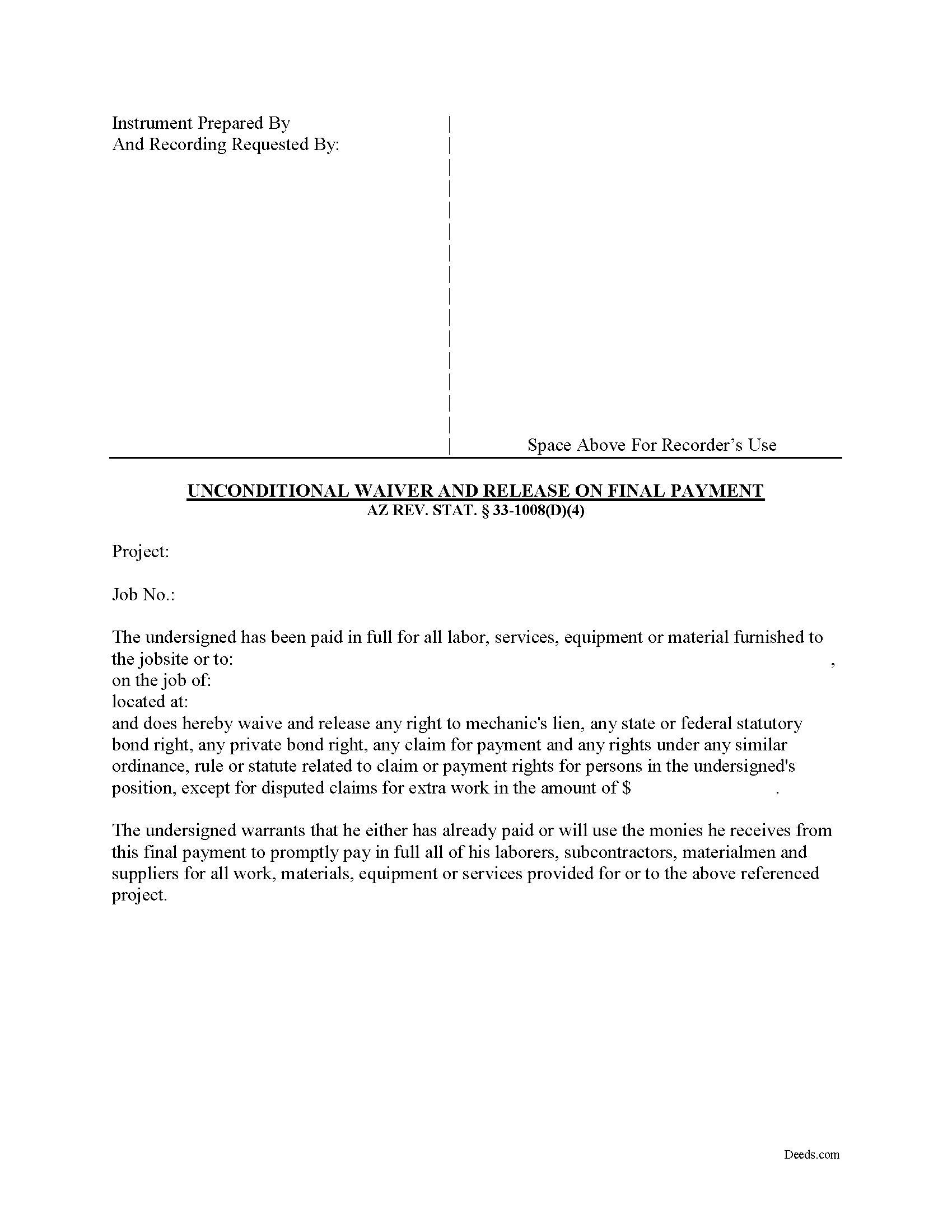
Pinal County Unconditional Waiver upon Final Payment Form
Fill in the blank form formatted to comply with all recording and content requirements.
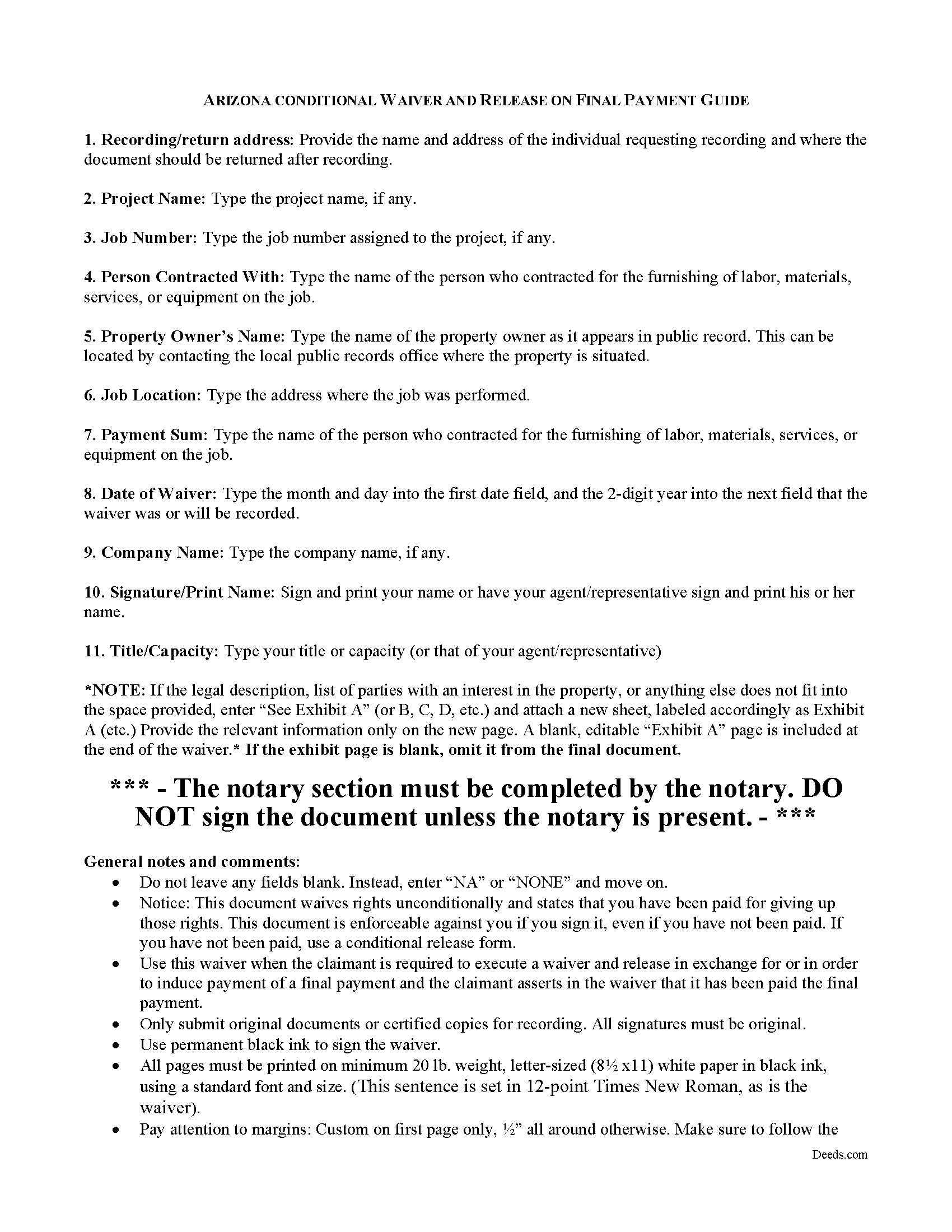
Pinal County Unconditional Waiver upon Final Payment Guide
Line by line guide explaining every blank on the form.
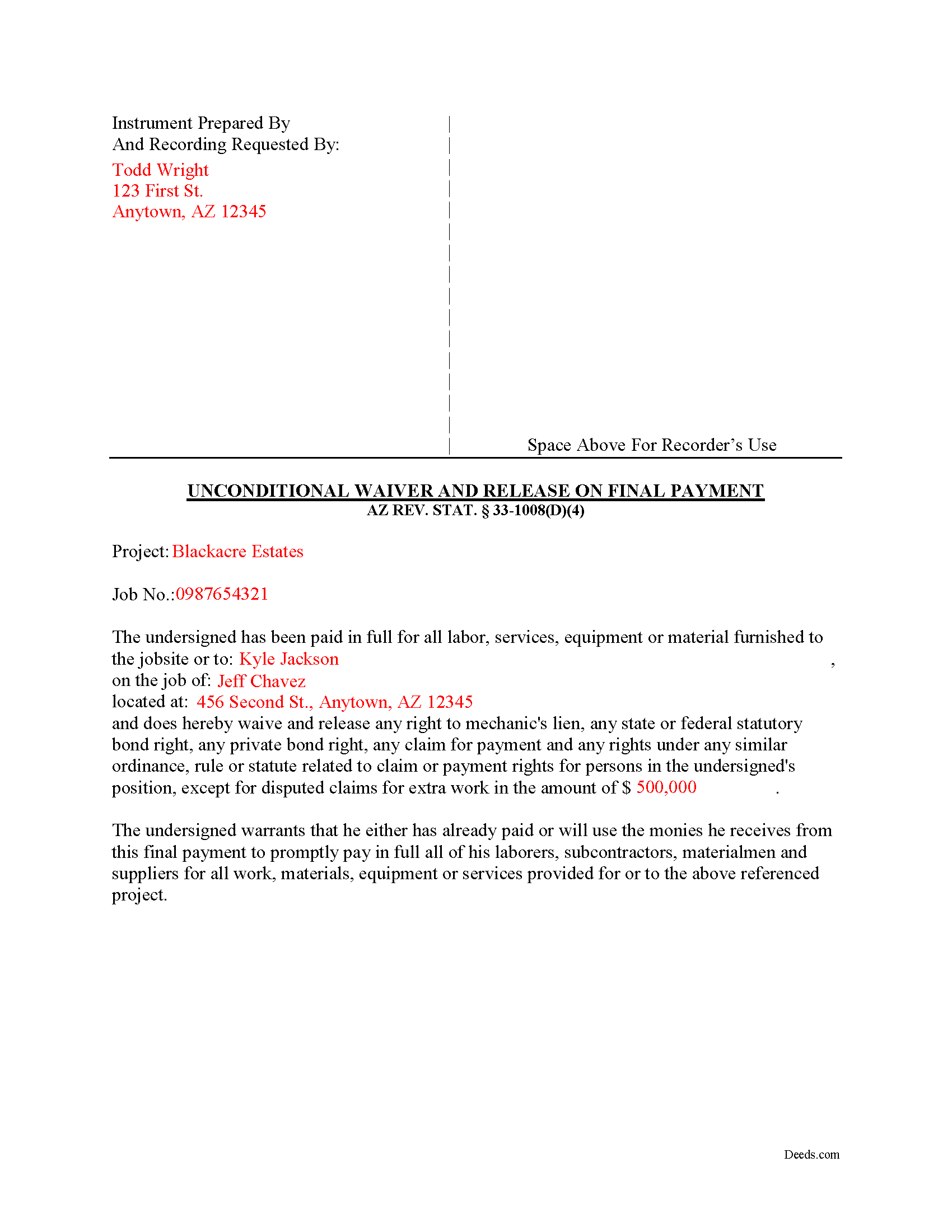
Pinal County Completed Example of the Unconditional Waiver upon Final Payment Document
Example of a properly completed form for reference.
All 3 documents above included • One-time purchase • No recurring fees
Immediate Download • Secure Checkout
Additional Arizona and Pinal County documents included at no extra charge:
Where to Record Your Documents
County Recorder: Main Office
Florence, Arizona 85132
Hours: 8:00am to 5:00pm Monday - Friday
Phone: 520-866-6830
Apache Junction Office
Apache Junction, Arizona 85119
Hours: 8:00am to 4:30pm M-F
Phone: (520) 866-6830
Casa Grande Office
Casa Grande, Arizona 85122
Hours: 8:30am - 4:30pm M-F
Phone: (520) 866-6830
Recording Tips for Pinal County:
- Bring your driver's license or state-issued photo ID
- Ensure all signatures are in blue or black ink
- Recording fees may differ from what's posted online - verify current rates
- Request a receipt showing your recording numbers
- Ask about accepted payment methods when you call ahead
Cities and Jurisdictions in Pinal County
Properties in any of these areas use Pinal County forms:
- Apache Junction
- Arizona City
- Bapchule
- Casa Grande
- Coolidge
- Eloy
- Florence
- Kearny
- Mammoth
- Maricopa
- Oracle
- Picacho
- Queen Creek
- Red Rock
- Sacaton
- San Manuel
- Stanfield
- Superior
- Valley Farms
Hours, fees, requirements, and more for Pinal County
How do I get my forms?
Forms are available for immediate download after payment. The Pinal County forms will be in your account ready to download to your computer. An account is created for you during checkout if you don't have one. Forms are NOT emailed.
Are these forms guaranteed to be recordable in Pinal County?
Yes. Our form blanks are guaranteed to meet or exceed the applicable formatting requirements used for recording in Pinal County, including margin requirements, font requirements, and other layout standards. This guarantee applies to formatting, not to the legal sufficiency of information entered by the user or the suitability of a form for a particular transaction.
Can I reuse these forms?
Yes. You can reuse the forms for your personal use. For example, if you have multiple properties in Pinal County you only need to order once.
What do I need to use these forms?
The forms are PDFs that you fill out on your computer. The free Adobe Acrobat Reader is recommended, and most PDF apps also work. You do NOT enter your property information online - you download the blank forms and complete them privately on your own computer.
Are there any recurring fees?
No. This is a one-time purchase. Nothing to cancel, no memberships, no recurring fees.
How much does it cost to record in Pinal County?
Recording fees in Pinal County vary. Contact the recorder's office at 520-866-6830 for current fees.
Questions answered? Let's get started!
Lien waivers are part of the Arizona mechanic's lien process.
The waiver, given by a contractor, subcontractor, materials supplier or other party to the construction project (the claimant) acknowledging receipt of payment and waiving any future lien rights to the owner's property. Lien waivers are governed under Arizona Revised Statute 33-1008.
In Arizona, lien waivers require strict compliance with the statute and any document purported to waive a lien must follow the statutory format. AZ REV. STAT. 33-1008(A). Any contract or other form attempting to waive lien rights is void as a matter of law. Id. Additionally, lien waivers filed in the state require evidence of actual payment when the waiver is conditioned on receipt of payment. Id.
There are two classifications of lien waivers: conditional and unconditional.
Within either class, there are subcategories of "partial" and "final" waivers. A conditional waiver is effective only when payment is received, usually verified by a check clearing the bank. So, an unconditional waiver given after the final payment releases the claimant's right to lien, regardless of whether or not any check used to pay the bill clears the bank.
The waiver must contain
- details identifying the job/project,
- the amount and type of payment, including the name of the person who wrote any checks,
- the property owner,
- the location and a description of the work,
- relevant dates,
- and the claimant's signature. 33-1008(D)(4).
This article is provided for informational purposes only and should not be relied on as a substitute for the advice of an attorney. Please contact an Arizona attorney with questions about mechanic's lien waivers.
Important: Your property must be located in Pinal County to use these forms. Documents should be recorded at the county recording office listed above.
This Unconditional Waiver upon Final Payment meets all recording requirements specific to Pinal County.
Our Promise
The documents you receive here are guaranteed to meet or exceed the applicable Pinal County recording format requirements. If there is a rejection caused by our formatting, we will correct the issue or refund your payment. This guarantee applies to document formatting only and does not extend to information entered by the user, the selection of the form, or the legal effect of the completed document.
Save Time and Money
Get your Pinal County Unconditional Waiver upon Final Payment form done right the first time with Deeds.com Uniform Conveyancing Blanks. At Deeds.com, we understand that your time and money are valuable resources, and we don't want you to face a penalty fee or rejection imposed by a county recorder for submitting nonstandard documents. We constantly review and update our forms to meet rapidly changing state and county recording requirements for roughly 3,500 counties and local jurisdictions.
4.8 out of 5 - ( 4,836 Reviews )
Mary K. 5 out of 5 stars
I love this site already! Even though I have not executed my downloads, the documents are so professionally written, and the extras are great. I am impressed with Deeds. Thank you! I will continue to use Deeds as a source for my business and personal needs.
Thank you for your positive words! We’re thrilled to hear about your experience.
Billy A. 5 out of 5 stars
Documents were as described, Will not be able to tell if it works or not.. Will be Dead, but easy enough to fill out.
Thank you for taking a moment to share your thoughts.
Sasa G. 5 out of 5 stars
Great service! Quick & easy!
Thank you for your feedback. We really appreciate it. Have a great day!
Fred A. 5 out of 5 stars
Very nice forms offer, very thoughtful to include other related forms that may be necessary. The site was easy to use, and very fast. Thank You.
Thank you!
David H. 5 out of 5 stars
Thank You the form is easy to use.
Thank you!
Sol B. 5 out of 5 stars
Got me all the info I was looking for Thanks you deeds.com
Thank you!
Michael F. 5 out of 5 stars
I'm not too bright and I made a mess of things when I tried to create my own deed. It was lucky that I found the forms here after so many of my personal failures. It's good that the pros know what they are doing.
Such kind words Michael, thank you.
Tom D. 5 out of 5 stars
I have one suggestion and couple of question I would think that most TOD's would be from married couples. It would be real helpful to have a example of the I(we) block for married couples. Why would I check or not check the "property is registered (torrents)" Do I need a notarized signature of the Grantee
Thank you for your feedback. We really appreciate it. Have a great day!
Mark W. 5 out of 5 stars
Easy, simple and fast. I am familiar with deeds in my state and these looked correct. The common missed document of TRANSFER OF REAL ESTATE VALUE document was also included. Kudos on being complete.
Thanks Mark, we really appreciate your feedback.
Donna T. 5 out of 5 stars
Very clear instructions. All documents were easy to download and print.
Thank you for your feedback. We really appreciate it. Have a great day!
Soledad T. 5 out of 5 stars
It's Great!!!
Thank you!
Roger S. 1 out of 5 stars
status was canceled. said i needed to record directly. would be 5 stars if it worked.
Sorry for the inconvenience Roger. Unfortunately, not all jurisdictions in the country have progressed to the point of being able to accept all document types for e-recording.
Susan C. 5 out of 5 stars
Hi When and how will I get the copy of my deed ? Thanks
Thanks for reaching out. Looks like the document you ordered has been available for you to download from your account since January 15, 2019 at 11:46 am.
Edward M. 5 out of 5 stars
Thank you for your excellence form services. I can download all the forms easily. If you have the guide on how to fill out all of those forms, that more helpful for me. I don't know how the use E-Recording? Can you tell me how? If my friends ask me about the legal forms services, I will tell them to use your Website. If I wrote some words wrong, please correct them before display publicly.
Thank you for your feedback. We really appreciate it. Have a great day!
Kate J. 5 out of 5 stars
Easy to use.
Thank you!