Little River County Substitute of Trustee for Deed of Trust Form
Last validated October 12, 2026 by our Forms Development TeamFormatted for recording in Little River County, for property anywhere in the county: rural and unincorporated areas as well as Alleene, Ashdown, Foreman, Ogden, Wilton, Winthrop.
- 3 documents included
- Immediate PDF download
- Formatting guarantee
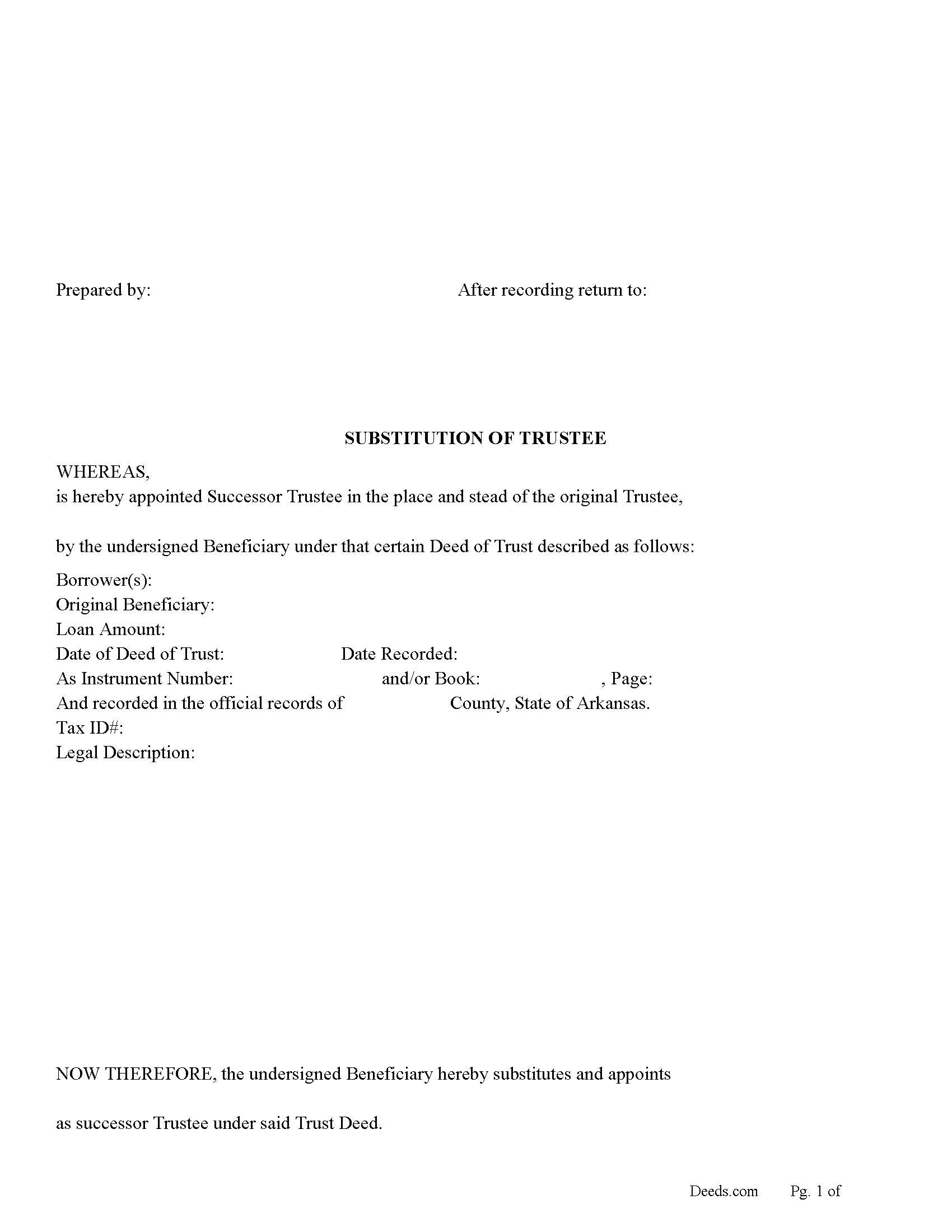
Little River County Substitution of Trustee for Deed of Trust Form
Fill in the blank form formatted to comply with all recording and content requirements.
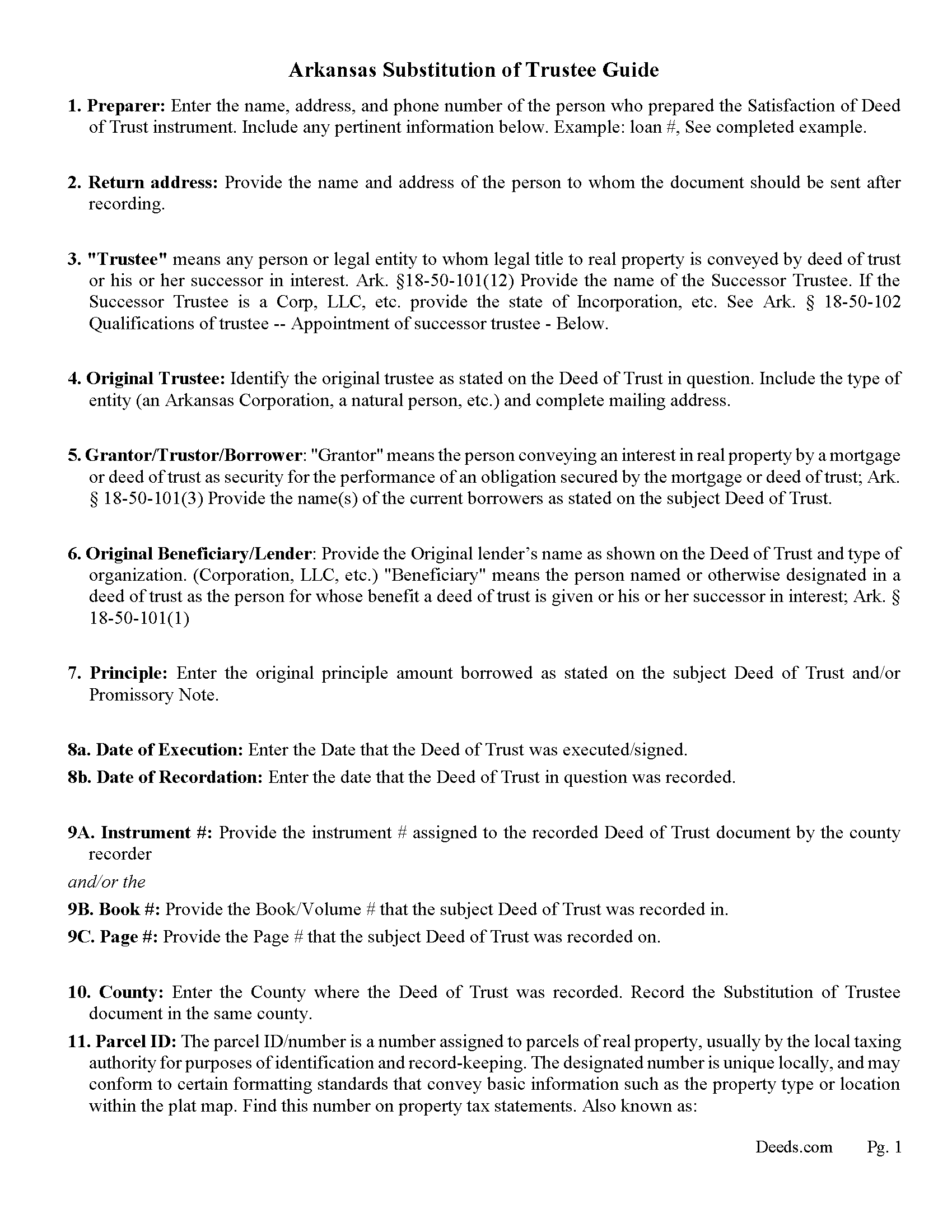
Little River County Substitution of Trustee Guidelines
Line by line guide explaining every blank on the form.
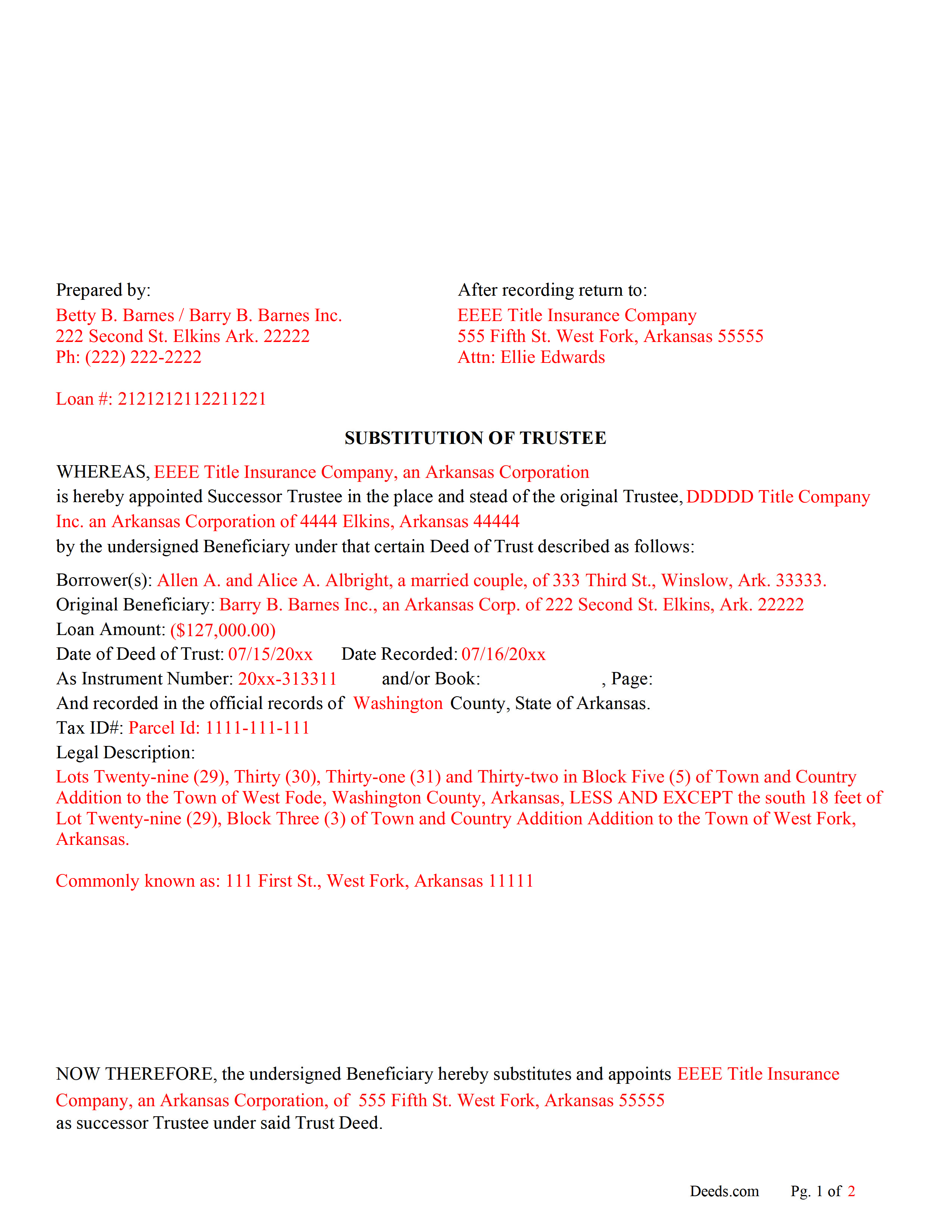
Little River County Completed Example of the Substitution of Trustee Document
Example of a properly completed form for reference.
All 3 documents above included • One-time purchase • No recurring fees
Immediate Download • Secure Checkout
Additional Arkansas and Little River County documents included at no extra charge:
Where to Record Your Documents
Little River County Circuit Clerk
Ashdown, Arkansas 71822
Hours: 8:00am to 4:30pm M-F
Phone: (870) 898-7211
Recording Tips for Little River County:
- Bring your driver's license or state-issued photo ID
- Ensure all signatures are in blue or black ink
- Documents must be on 8.5 x 11 inch white paper
- Double-check legal descriptions match your existing deed
- Verify all names are spelled correctly before recording
Cities and Jurisdictions in Little River County
Properties in any of these areas use Little River County forms:
- Alleene
- Ashdown
- Foreman
- Ogden
- Wilton
- Winthrop
Hours, fees, requirements, and more for Little River County
How do I get my forms?
Forms are available for immediate download after payment. The Little River County forms will be in your account ready to download to your computer. An account is created for you during checkout if you don't have one. Forms are NOT emailed.
Are these forms guaranteed to be recordable in Little River County?
Yes. Our form blanks are guaranteed to meet or exceed the applicable formatting requirements used for recording in Little River County, including margin requirements, font requirements, and other layout standards. This guarantee applies to formatting, not to the legal sufficiency of information entered by the user or the suitability of a form for a particular transaction.
Can I reuse these forms?
Yes. You can reuse the forms for your personal use. For example, if you have multiple properties in Little River County you only need to order once.
What do I need to use these forms?
The forms are PDFs that you fill out on your computer. The free Adobe Acrobat Reader is recommended, and most PDF apps also work. You do NOT enter your property information online - you download the blank forms and complete them privately on your own computer.
Are there any recurring fees?
No. This is a one-time purchase. Nothing to cancel, no memberships, no recurring fees.
How much does it cost to record in Little River County?
Recording fees in Little River County vary. Contact the recorder's office at (870) 898-7211 for current fees.
Questions answered? Let's get started!
There are many reasons why a Substitute Trustee is needed, some include: original trustee is no longer available or can't act, the lender wants to change the trustee, property needs to foreclosed on and a different trustee is required, etc. This form is used by the current beneficiary/lender to appoint a new trustee for a Deed of Trust.
Arkansas Statutes State:
(b)(1) The beneficiary may appoint a successor trustee at any time by filing a substitution of trustee for record with the recorder of the county in which the trust property is situated.
(2) The new trustee shall succeed to all the power, duties, authority, and title of the original trustee and any previous successor trustee.
(3) The beneficiary may, by express provision in the substitution of a trustee, ratify and confirm actions taken on its behalf by the new trustee prior to the recording of the substitution of the trustee. Ark Statute 18-50-102(b)
(c) The substitution shall identify the deed of trust by stating the names of the original parties thereto, the date of recordation, and the book and page where recorded or the recorder's document number. The substitution shall also state the name of the new trustee and shall be executed and duly acknowledged by all the beneficiaries or their successors in interest.
Ark Statute 18-50-102(c) - Qualifications of trustee -- Appointment of successor trustee.
(Arkansas Substitution of Trustee Package includes form, guidelines, and completed example) For use in Arkansas only.
Important: Your property must be located in Little River County to use these forms. Documents should be recorded at the county recording office listed above.
This Substitute of Trustee for Deed of Trust meets all recording requirements specific to Little River County.
Our Promise
The documents you receive here are guaranteed to meet or exceed the applicable Little River County recording format requirements. If there is a rejection caused by our formatting, we will correct the issue or refund your payment. This guarantee applies to document formatting only and does not extend to information entered by the user, the selection of the form, or the legal effect of the completed document.
Save Time and Money
Get your Little River County Substitute of Trustee for Deed of Trust form done right the first time with Deeds.com Uniform Conveyancing Blanks. At Deeds.com, we understand that your time and money are valuable resources, and we don't want you to face a penalty fee or rejection imposed by a county recorder for submitting nonstandard documents. We constantly review and update our forms to meet rapidly changing state and county recording requirements for roughly 3,500 counties and local jurisdictions.
4.8 out of 5 - ( 4,828 Reviews )
Tammy A. 5 out of 5 stars
I transferred my property to my child when I moved to another state. I don't know what I would have done without Deeds.com. I was able to find all of the forms and instructions for the state where the property was located. Highly recommend!
Thank you, Tammy. We’re honored to have been part of such an important transition for you. We’re glad the forms and state-specific instructions made the process clear and manageable. We truly appreciate your recommendation!
Carl T. 5 out of 5 stars
Awesome! Quick service and well worth the very minimal fee for the convenience of being able to quickly record my mothers will without having to leave the house. Also, our court is currently closed due to Covid. So happy to have found Deeds.com
We appreciate your business and value your feedback. Thank you. Have a wonderful day!
Linda B. 5 out of 5 stars
Very simple, fast and efficient.
We appreciate your business and value your feedback. Thank you. Have a wonderful day!
Philip B. 5 out of 5 stars
Pleased with the results, except for the "notice of confidentiality rights" above the QUIT CLAIM DEED headline. Is it needed to be included on the form or can it be removed ? How can it be removed, I do not see a reason for it to be on the print out copy. Thank you.
Thank you!
kathy d. 5 out of 5 stars
very easy make sense instructions. Thank you.
Thank you for your feedback Kathy. Have an amazing day!
James M. 5 out of 5 stars
Clear and easy instructions! Prompt notices of steps and status. Great job! I wish all counties in all states were this easy!
Thank you for your feedback. We really appreciate it. Have a great day!
Audra W. 5 out of 5 stars
Excellent source for obtaining documents and instructions.
Thank you!
Angela D. 5 out of 5 stars
The only problem I had was that it doesn't let you create a file for all documents to go into as one. Mahalo Angie
Thank you for your feedback. We really appreciate it. Have a great day!
Michael H. 4 out of 5 stars
Found documents I needed quickly and at a reasonable price. MH
Thank you for your feedback. We really appreciate it. Have a great day!
gene h. 5 out of 5 stars
Had used website while working as Land Rep for major oil company (retired 2.5 years ago). Recently had need to do some online research and went back to Deeds.com to find needed documents. Same as before, website provides a great service at a great price.
Thank you for your feedback. We really appreciate it. Have a great day!
Mark S. 5 out of 5 stars
The forms were easy to fill in and file. I've never filed anything like this before and the forms made it extremely easy. Thank you so much!
Thank you for your feedback. We really appreciate it. Have a great day!
Cynthia H. 5 out of 5 stars
No review provided.
Thank you!
Celestine U. 5 out of 5 stars
Very well done
Thank you!
Craig H. 5 out of 5 stars
Worked exactly like it was supposed to. No glitches
Thank you for your feedback. We really appreciate it. Have a great day!
Thelma S. 5 out of 5 stars
So easy to navigate.
Thank you!