Little River County Personal Representative Deed Form
Last validated September 28, 2026 by our Forms Development TeamFormatted for recording in Little River County, for property anywhere in the county: rural and unincorporated areas as well as Alleene, Ashdown, Foreman, Ogden, Wilton, Winthrop.
- 3 documents included
- Immediate PDF download
- Formatting guarantee
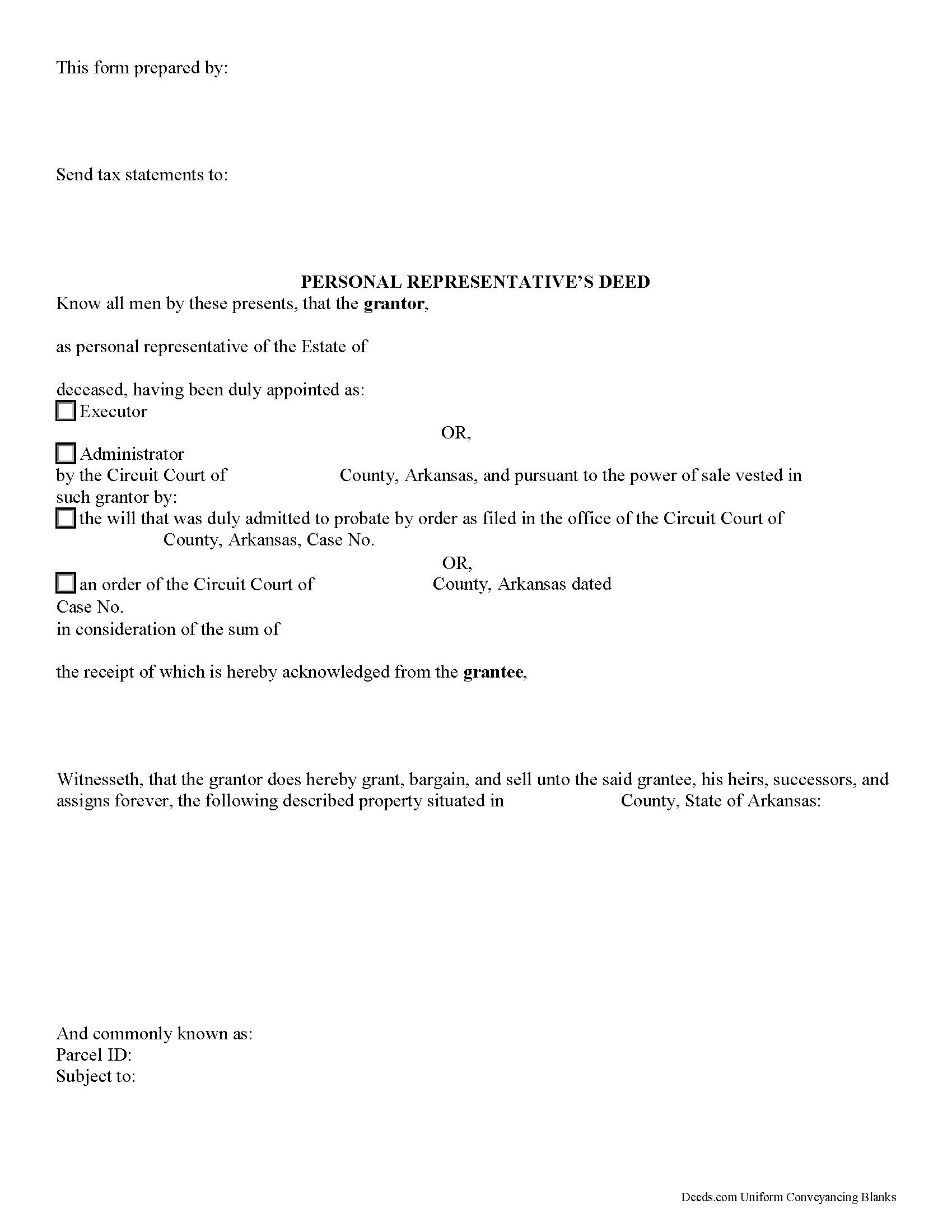
Little River County Personal Representative Deed Form
Fill in the blank form formatted to comply with all recording and content requirements.
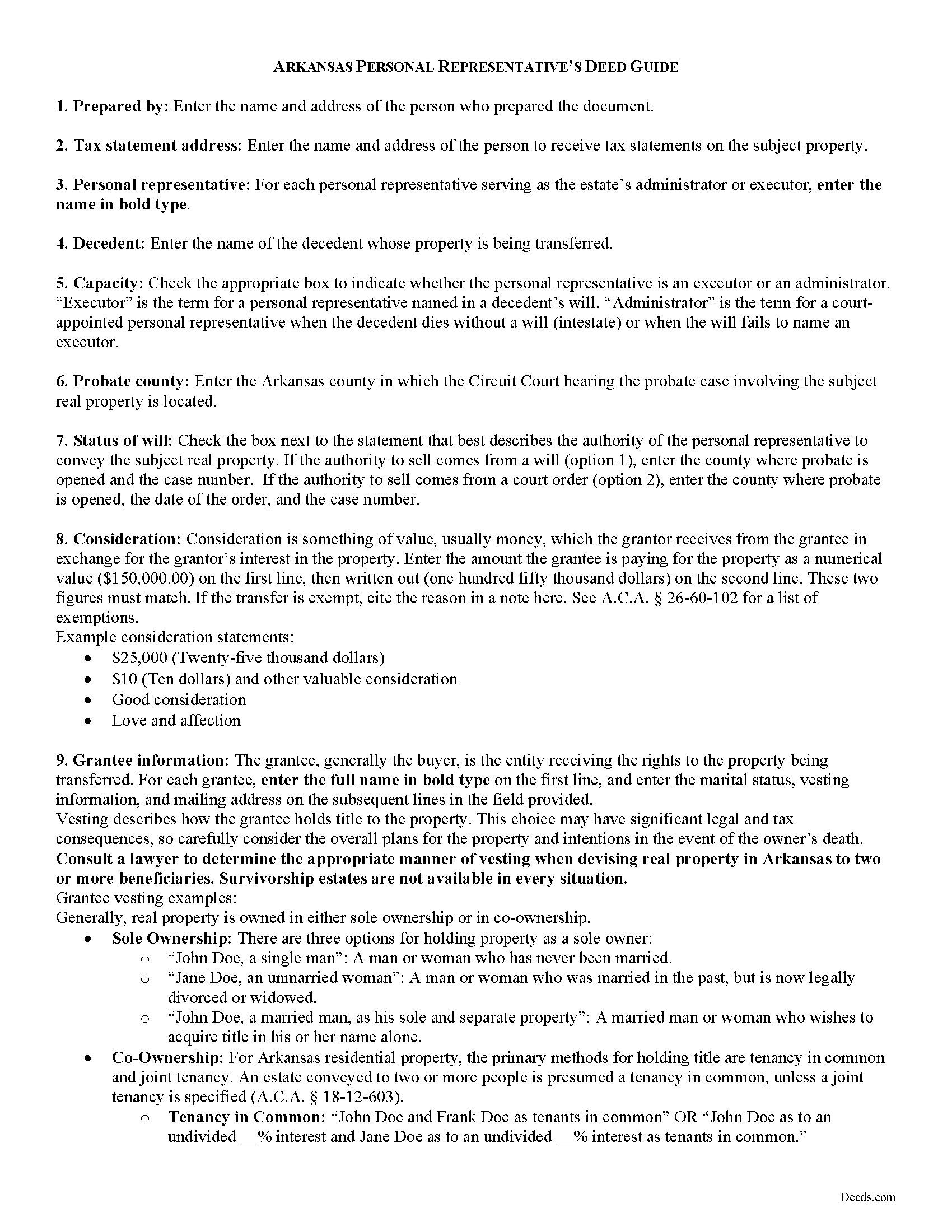
Little River County Personal Representative Deed Guide
Line by line guide explaining every blank on the form.
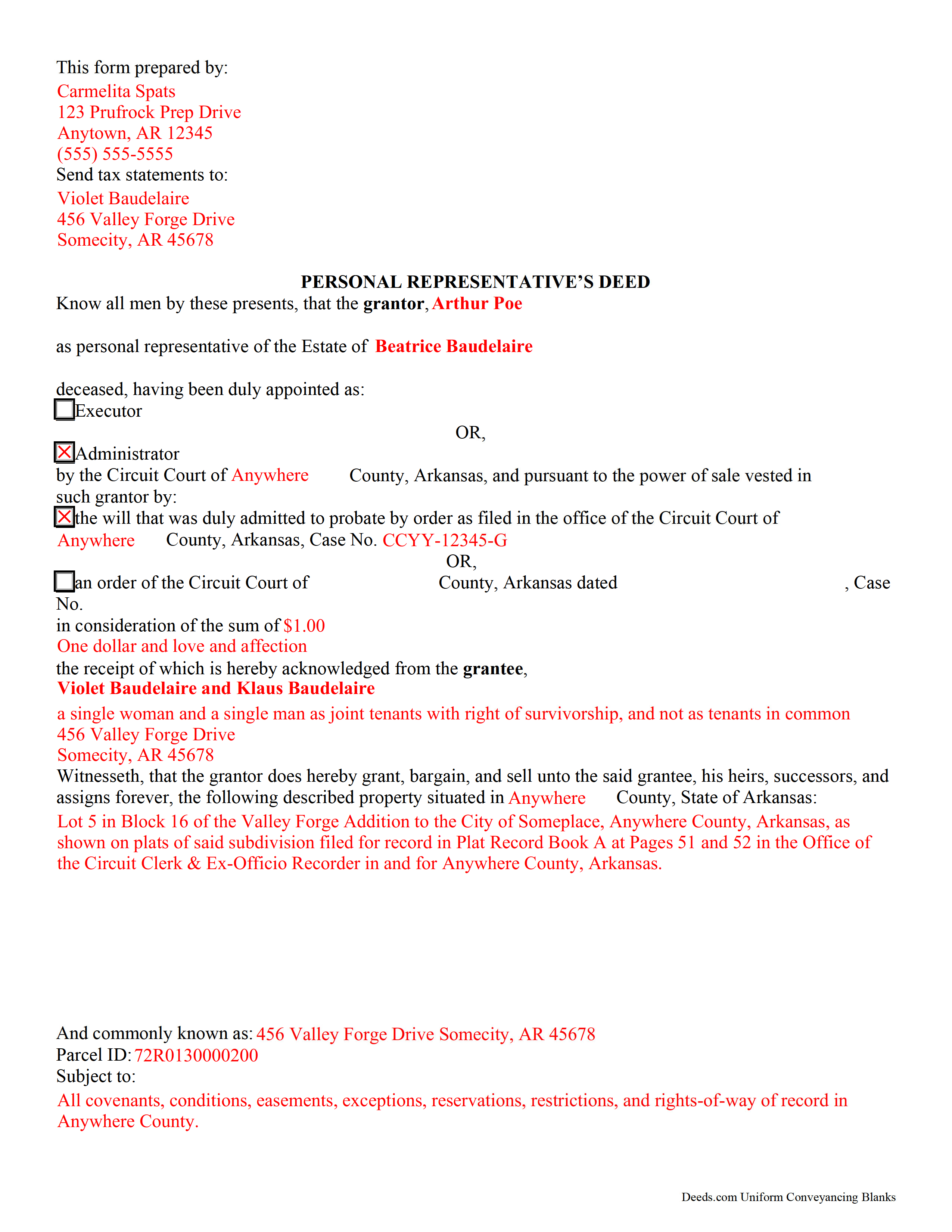
Little River County Completed Example of the Personal Representative Deed Document
Example of a properly completed form for reference.
All 3 documents above included • One-time purchase • No recurring fees
Immediate Download • Secure Checkout
Additional Arkansas and Little River County documents included at no extra charge:
Where to Record Your Documents
Little River County Circuit Clerk
Ashdown, Arkansas 71822
Hours: 8:00am to 4:30pm M-F
Phone: (870) 898-7211
Recording Tips for Little River County:
- Bring your driver's license or state-issued photo ID
- Ensure all signatures are in blue or black ink
- Leave recording info boxes blank - the office fills these
- Make copies of your documents before recording - keep originals safe
- Recorded documents become public record - avoid including SSNs
Cities and Jurisdictions in Little River County
Properties in any of these areas use Little River County forms:
- Alleene
- Ashdown
- Foreman
- Ogden
- Wilton
- Winthrop
Hours, fees, requirements, and more for Little River County
How do I get my forms?
Forms are available for immediate download after payment. The Little River County forms will be in your account ready to download to your computer. An account is created for you during checkout if you don't have one. Forms are NOT emailed.
Are these forms guaranteed to be recordable in Little River County?
Yes. Our form blanks are guaranteed to meet or exceed the applicable formatting requirements used for recording in Little River County, including margin requirements, font requirements, and other layout standards. This guarantee applies to formatting, not to the legal sufficiency of information entered by the user or the suitability of a form for a particular transaction.
Can I reuse these forms?
Yes. You can reuse the forms for your personal use. For example, if you have multiple properties in Little River County you only need to order once.
What do I need to use these forms?
The forms are PDFs that you fill out on your computer. The free Adobe Acrobat Reader is recommended, and most PDF apps also work. You do NOT enter your property information online - you download the blank forms and complete them privately on your own computer.
Are there any recurring fees?
No. This is a one-time purchase. Nothing to cancel, no memberships, no recurring fees.
How much does it cost to record in Little River County?
Recording fees in Little River County vary. Contact the recorder's office at (870) 898-7211 for current fees.
Questions answered? Let's get started!
In Arkansas, the individual who oversees a decedent's estate is called a personal representative. This title is used interchangeably with the terms executor or administrator. One common function of the personal representative is transferring title to real property, as directed by the decedent's will or the circuit court. The document used in these cases is a personal representative's deed.
Personal representative's deeds in Arkansas "do not warrant title to a subsequent grantee, and any subsequent grantee may not assert or claim any warranty of title deriving from" them, though a grantor may customize the deed to include a title warranty through "express use of warranty language" ( 15-12-605).
Consult an attorney with questions regarding probate administration and personal representative's deeds in Arkansas.
(Arkansas Personal Representative Deed Package includes form, guidelines, and completed example)
Important: Your property must be located in Little River County to use these forms. Documents should be recorded at the county recording office listed above.
This Personal Representative Deed meets all recording requirements specific to Little River County.
Our Promise
The documents you receive here are guaranteed to meet or exceed the applicable Little River County recording format requirements. If there is a rejection caused by our formatting, we will correct the issue or refund your payment. This guarantee applies to document formatting only and does not extend to information entered by the user, the selection of the form, or the legal effect of the completed document.
Save Time and Money
Get your Little River County Personal Representative Deed form done right the first time with Deeds.com Uniform Conveyancing Blanks. At Deeds.com, we understand that your time and money are valuable resources, and we don't want you to face a penalty fee or rejection imposed by a county recorder for submitting nonstandard documents. We constantly review and update our forms to meet rapidly changing state and county recording requirements for roughly 3,500 counties and local jurisdictions.
4.8 out of 5 - ( 4,828 Reviews )
Deborah B. 5 out of 5 stars
I was skeptical after experiencing other websites. However not only did we get the form we needed for a fraction of the cost vs going to an attorney, the additional resources (guides and samples) made the completion of the Enhanced Life Quitclaim deed quite simple, quick, and painless. We were having difficulty getting my mom to agree to meeting with an attorney or even considering a Lady Bird deed. Deeds.com gave us the ability to move forward with necessary actions with family members walking my mom through the steps, explaining the process and giving her plenty of time to find the needed information. She became part of the process which made it easy for her at a time when decision making was hard. We did everything in the comfort of her own home. I can't think of a better experience or service and I would consider Deeds.com for future needs.
Thank you for the kinds words Deborah. We appreciate you taking the time to share your experience.
Thomas N. 5 out of 5 stars
TODD Form would not print surveyor degrees character (superscript "o") in Exhibit A. It also would not print the "Return Address" or "Prepared By" entries with my middle name as your example showed.
Thank you for your feedback. We really appreciate it. Have a great day!
Christopher B. 4 out of 5 stars
The service was simple and easy enough but the UI isn't the easiest on the eyes and the process is a tad strange.
Thank you for your feedback. We really appreciate it. Have a great day!
Julian H. 5 out of 5 stars
I had no issues downloading the template. The price was reasonable and the document was compliant with the law for Alabama Mechanics Liens, which saved me some time and effort. Nice aide. Thanks!
We appreciate your business and value your feedback. Thank you. Have a wonderful day!
Martha D. 5 out of 5 stars
Excellent website. I found exactly what I was looking for!
Thank you!
Camesha Y. 5 out of 5 stars
Was working with a notary client that need to do a deed. We got on this site, ordered the blank forms, he filled them out and we printed them so he could sign. Really clean forms, easy to understand and complete in a hurry. I will be letting all my clients know about this site.
That's terrific Camesha, glad to hear. Have a great day!
RONNIE C. 5 out of 5 stars
Excellent service and the time the documents send back to me was also excellent
Thank you!
Shelly S. 4 out of 5 stars
was fairly easy to work through the forms but needed better information on what goes on a few of the lines
Thank you for your feedback. We really appreciate it. Have a great day!
Darius M. 5 out of 5 stars
I receive the specific legal forms that I needed as well as a guide on how to fill out the form. Very pleased. I saved $300.00 in lawyers fees by filling out the Quickclaim deed myself.
Thank you for your feedback. We really appreciate it. Have a great day!
Raymond C. 5 out of 5 stars
Fast and relaible service every time. I wouldn't use any other service. I love deeds.com
Thank you for your feedback. We really appreciate it. Have a great day!
Brad T. 5 out of 5 stars
I didn't spend a lot of time there but seems to be a good site with a valuable service.
Thank you!
Paul F. 5 out of 5 stars
Excellent - no reservations. I used them on a Sunday and had my info on Monday. Not only did they execute the order flawlessly, the fixed my screw up* immediately. *I hit refresh before the "secured" page transmitted, so I created (2) two orders of the same item.
Thanks for the review Paul, glad you were happy with the service and staff. Our staff is pretty good at catching the few duplicate orders that get through.
Jodi W. 1 out of 5 stars
Absolutely horrible service and experience. Would not recommend to anyone. If there was an option to select a zero star rating I would have. I am sure this review will not be posted.
Thank you for your feedback Jodi.
Marisela S. 5 out of 5 stars
This is my first time and your service appears to be very user-friendly; however, since I am new to this service, I'm not sure if my e-filings were received as I've not heard anything back nor have I received any type of confirmation of receipt.
Thank you for your feedback. We really appreciate it. Have a great day!
Sheryl Kae Y. 4 out of 5 stars
Really good forms, no complaints.
We appreciate your business and value your feedback. Thank you. Have a wonderful day!