Tulare County Affidavit of Death of Joint Tenant Form
Last validated October 21, 2026 by our Forms Development TeamFormatted for recording in Tulare County, for property anywhere in the county: rural and unincorporated areas as well as Alpaugh, Badger, California Hot Springs, Camp Nelson, Cutler, Dinuba, Ducor, Earlimart and 26 more.
- 3 documents included
- Immediate PDF download
- Formatting guarantee
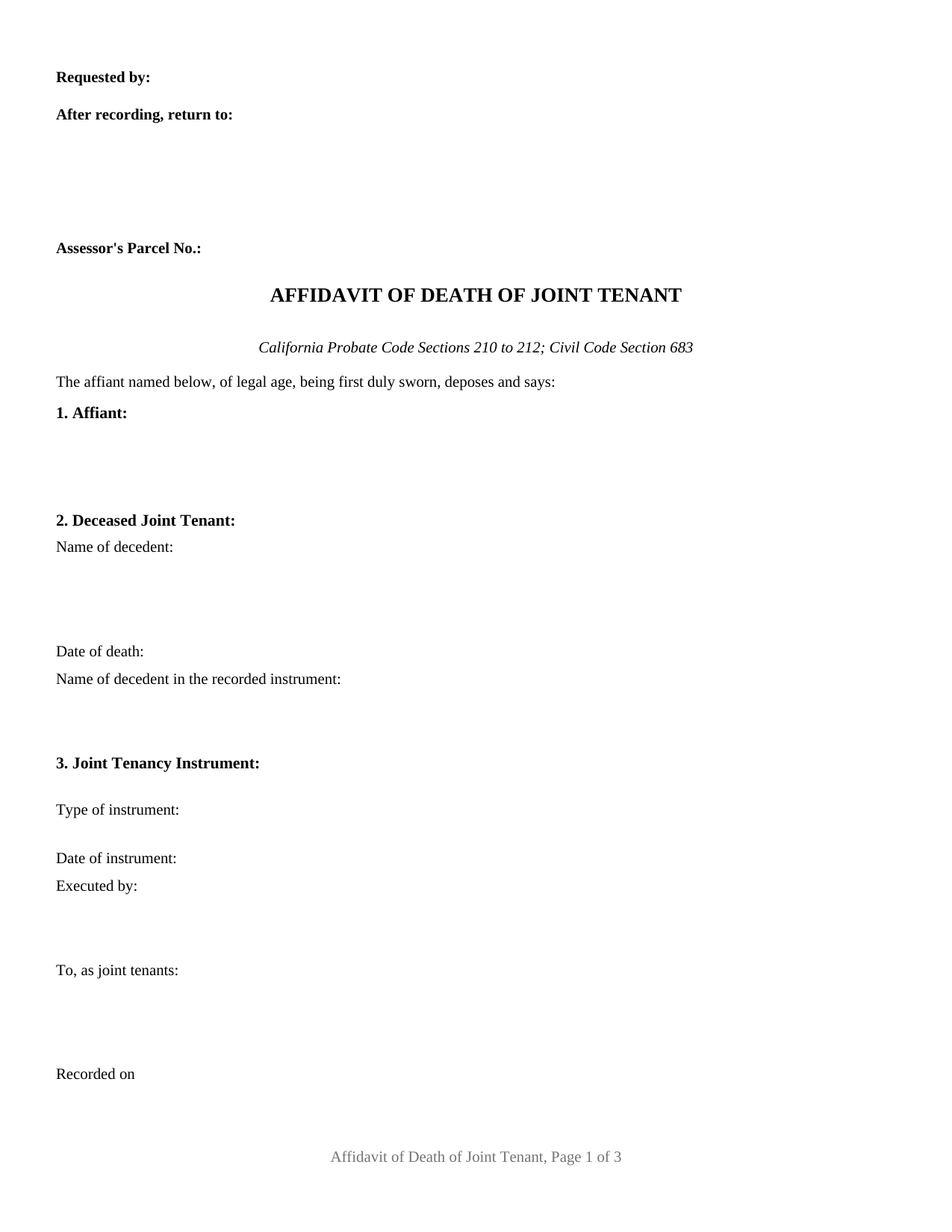
Tulare County Affidavit of Death of Joint Tenant Form
Fill in the blank Affidavit of Death of Joint Tenant form formatted to comply with all California recording and content requirements.
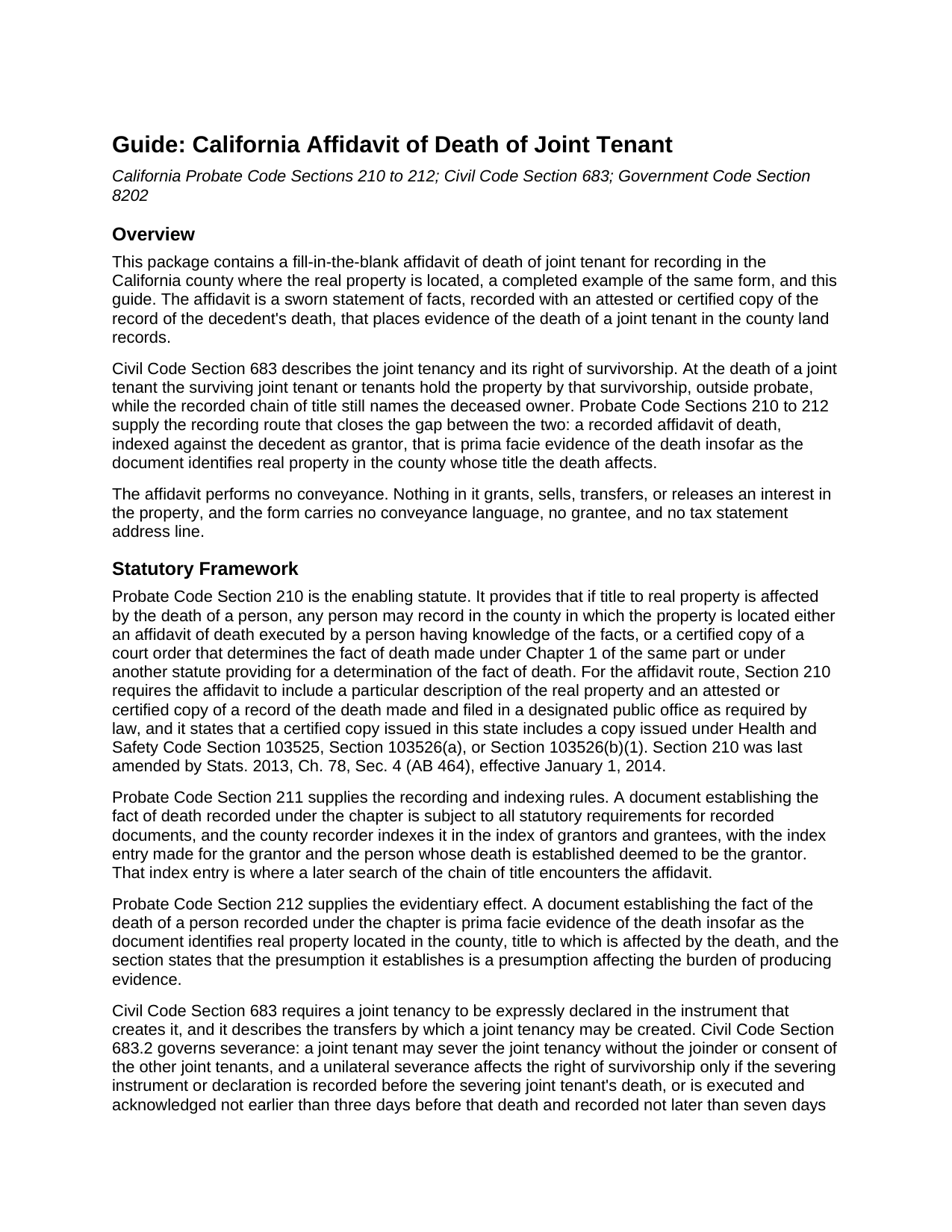
Tulare County Affidavit of Death of Joint Tenant Guide
Line by line guide explaining every blank on the Affidavit of Death of Joint Tenant form.
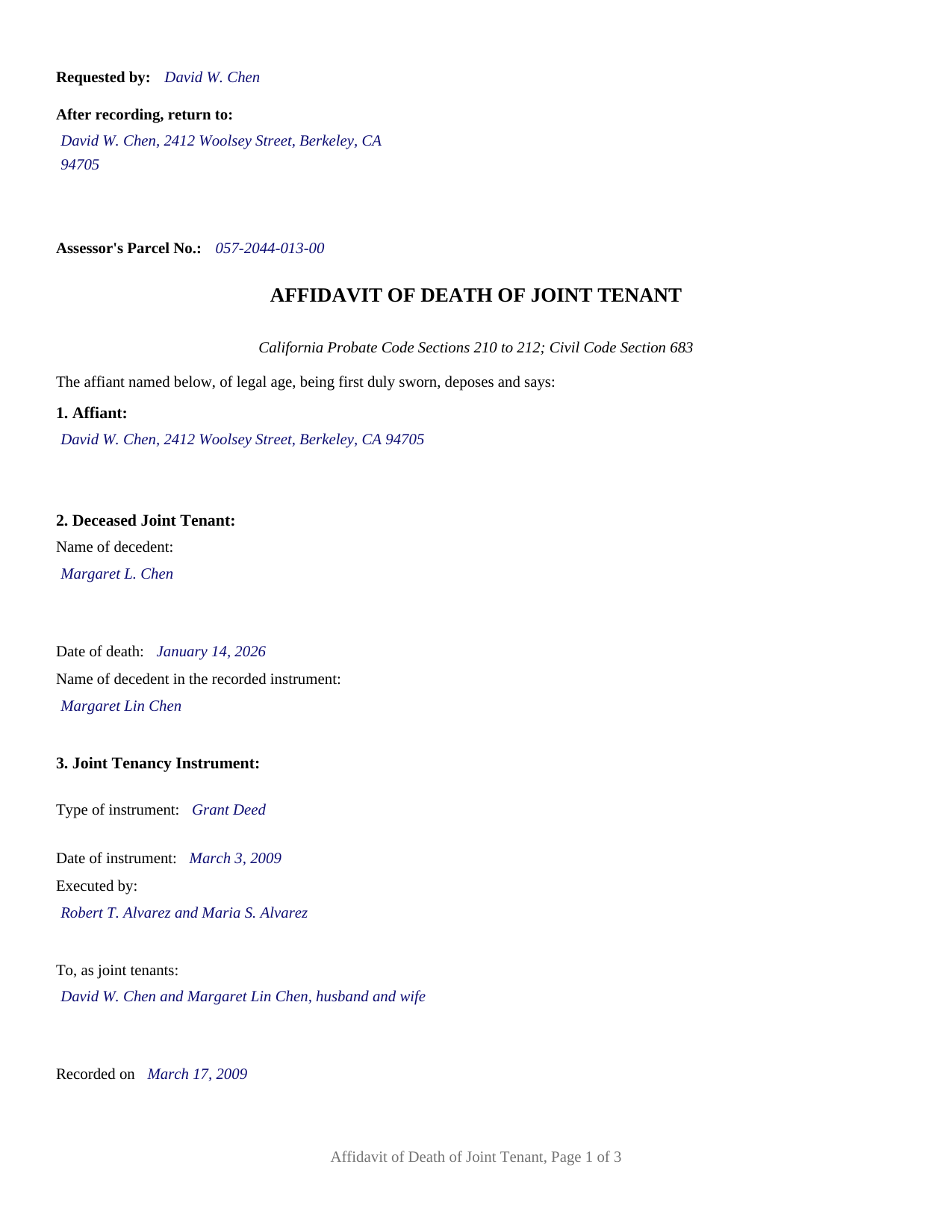
Tulare County Completed Example of the Affidavit of Death of Joint Tenant Document
Example of a properly completed California Affidavit of Death of Joint Tenant document for reference.
All 3 documents above included • One-time purchase • No recurring fees
Immediate Download • Secure Checkout
Additional California and Tulare County documents included at no extra charge:
Where to Record Your Documents
Tulare County Clerk-Recorder
Visalia, California 93291
Hours: 8:00am to 3:30pm / Recording until 3:00pm / Phone until 5:00pm
Phone: (559) 636-5050
Recording Tips for Tulare County:
- Bring your driver's license or state-issued photo ID
- Ensure all signatures are in blue or black ink
- Both spouses typically need to sign if property is jointly owned
- Bring extra funds - fees can vary by document type and page count
- Check margin requirements - usually 1-2 inches at top
Cities and Jurisdictions in Tulare County
Properties in any of these areas use Tulare County forms:
- Alpaugh
- Badger
- California Hot Springs
- Camp Nelson
- Cutler
- Dinuba
- Ducor
- Earlimart
- Exeter
- Farmersville
- Goshen
- Ivanhoe
- Kaweah
- Kings Canyon National Pk
- Lemon Cove
- Lindsay
- Orosi
- Pixley
- Porterville
- Posey
- Richgrove
- Sequoia National Park
- Springville
- Strathmore
- Sultana
- Terra Bella
- Three Rivers
- Tipton
- Traver
- Tulare
- Visalia
- Waukena
- Woodlake
- Yettem
Hours, fees, requirements, and more for Tulare County
How do I get my forms?
Forms are available for immediate download after payment. The Tulare County forms will be in your account ready to download to your computer. An account is created for you during checkout if you don't have one. Forms are NOT emailed.
Are these forms guaranteed to be recordable in Tulare County?
Yes. Our form blanks are guaranteed to meet or exceed the applicable formatting requirements used for recording in Tulare County, including margin requirements, font requirements, and other layout standards. This guarantee applies to formatting, not to the legal sufficiency of information entered by the user or the suitability of a form for a particular transaction.
Can I reuse these forms?
Yes. You can reuse the forms for your personal use. For example, if you have multiple properties in Tulare County you only need to order once.
What do I need to use these forms?
The forms are PDFs that you fill out on your computer. The free Adobe Acrobat Reader is recommended, and most PDF apps also work. You do NOT enter your property information online - you download the blank forms and complete them privately on your own computer.
Are there any recurring fees?
No. This is a one-time purchase. Nothing to cancel, no memberships, no recurring fees.
How much does it cost to record in Tulare County?
Recording fees in Tulare County vary. Contact the recorder's office at (559) 636-5050 for current fees.
Questions answered? Let's get started!
When a California joint tenant dies, the survivorship built into the title does its work at the moment of death: the deceased owner's interest passes to the surviving joint tenant by operation of law, outside probate. The county land records, though, still show the deceased owner on title. The California Affidavit of Death of Joint Tenant is the one-page sworn statement that closes that gap. Recorded with an attested or certified copy of the death record in the county where the property sits, it places evidence of the death in the chain of title, so the record matches what the law already did.
Prima facie evidence in the county index
The affidavit rests on Probate Code Sections 210 to 212. Section 210 permits any person having knowledge of the facts to record an affidavit of death in the county where the property is located when title to real property is affected by a death; the statute requires a particular description of the real property and an attached attested or certified copy of the record of death. Section 211 directs the county recorder to index the recorded affidavit in the index of grantors and grantees, with the decedent deemed the grantor, which is exactly where a later title search looks. Section 212 then gives the recorded affidavit its force: it is prima facie evidence of the death insofar as it identifies real property in the county whose title the death affects. Title examiners, insurers, and buyers rely on that recorded evidence when the survivor later sells, refinances, or passes the property on.
What the affidavit recites
The core of the document is an identification. Names drift between records: the person on the death certificate and the grantee on a deed recorded decades earlier are often the same human being under slightly different names. The affidavit states, under oath, that the decedent named in the attached death record is the same person named as one of the joint tenants in a described recorded instrument, and it sets out that instrument by type, date, parties, and recording reference, together with the full legal description of the property and the assessor's parcel number. The affiant is most often the surviving joint tenant, but Probate Code Section 210 accepts the sworn statement of any person who knows the facts. Where two or more joint tenants survive, title continues in the survivors, and the same pattern serves each later death in turn.
A sworn statement, not a conveyance
Nothing is granted, sold, or transferred by the affidavit, and that shapes how it is executed and what it costs. Because it is sworn, the certificate on the form is the statutory California jurat under Government Code Section 8202, with the boxed notice, the satisfactory-evidence language, and the oath taken before a notary; the affiant signs in the notary's presence. Because nothing is sold, no documentary transfer tax is due, and transfers occurring by reason of death are exempt under Revenue and Taxation Code Section 11930. The separate property tax reporting still applies: Revenue and Taxation Code Section 480(b) calls for a change in ownership statement within 150 days after the date of death, and county recording counters commonly pair the affidavit with a Preliminary Change of Ownership Report. The affidavit is recorded in the county where the land lies, on letter-size pages with the top of the first page reserved for the recorder's use; base recording fees, the seventy-five dollar Building Homes and Jobs Act fee with its statutory exemptions, and any county fraud-prosecution fee vary by county.
This package contains the fillable affidavit of death of joint tenant form built to California recording standards, a completed example showing a realistic Alameda County fact pattern, and a guide that walks through each section, the certified death certificate attachment, the jurat, and the recording and assessor filings step by step. The materials are informational and are not legal advice; a California attorney can address how the survivorship rules apply to a particular title.
Important: Your property must be located in Tulare County to use these forms. Documents should be recorded at the county recording office listed above.
This Affidavit of Death of Joint Tenant meets all recording requirements specific to Tulare County.
Our Promise
The documents you receive here are guaranteed to meet or exceed the applicable Tulare County recording format requirements. If there is a rejection caused by our formatting, we will correct the issue or refund your payment. This guarantee applies to document formatting only and does not extend to information entered by the user, the selection of the form, or the legal effect of the completed document.
Save Time and Money
Get your Tulare County Affidavit of Death of Joint Tenant form done right the first time with Deeds.com Uniform Conveyancing Blanks. At Deeds.com, we understand that your time and money are valuable resources, and we don't want you to face a penalty fee or rejection imposed by a county recorder for submitting nonstandard documents. We constantly review and update our forms to meet rapidly changing state and county recording requirements for roughly 3,500 counties and local jurisdictions.
4.8 out of 5 - ( 4,837 Reviews )
Doris M G. 5 out of 5 stars
Excellent. Everything has gone well and the deed guide has helped so much. Thank you.
Thank you for your feedback. We really appreciate it. Have a great day!
Elaine L. 5 out of 5 stars
5 STAR, THIS WAS A GREAT EXPERIENCE, FAST VERY RESOURCEFUL TOOL TO PROVIDE FOR MY CLIENTS. Thank you
Thank you!
Michael D. 1 out of 5 stars
I did not like the size of the Warranty Deed form which took 2 pages to print. It should be no larger than 8 1/2 by 14 inches. I did not like that I could not reformat it to be smaller, could not eliminate unused lines, could not delete the excessive 4 signature lines, could not copy or paste into text editor. Very unsatisfactory rating.
Thank you for your feedback Michael. Unfortunately we don't make the requirements, we only make the documents to be compliant with the requirements. Have a great day!
Rebecca V. 5 out of 5 stars
The staff is Great to work with, Thank You
Thank you!
Virginia S. 5 out of 5 stars
It was simple and I appreciate the site.
Thank you for your kind words and for choosing us.
Edwin M. 5 out of 5 stars
Good marks from me. Keep up the good work !
Thank you!
Georgiana I. 5 out of 5 stars
The deed itself was easy. I did notice that although the website says that the deed would exempt the house from probate, the deed clearly states that it might not. I hope that "might " is the operative word here.
Thank you for your feedback. We really appreciate it. Have a great day!
Robert W. 5 out of 5 stars
Exactly what I needed. Thank you
Thank you!
Sandrs T. 4 out of 5 stars
It would be good to be able to print several documents at 1 time by highlighting them in the list without having to do one document at a time.
Thank you for your feedback. We really appreciate it. Have a great day!
James B. 5 out of 5 stars
Does everything I expected it to do. Very helpful. It is in compliance with applicable Nevada State regulations
Thank you for your feedback. We really appreciate it. Have a great day!
JUDITH-DIAN W. 5 out of 5 stars
I didn't have any problem downloading and filling out the form on my computer and printing it yesterday. I didn't know what to put for "Source of Title". I called the county recording office; they didn't know either and said to leave it blank. I got the form notarized at my bank and took it in to the recording office. They checked it, accepted it, I paid a fee, and it's done. So easy. My children will appreciate that I've done this. Added note: You do have one typo on your form--you left out 'at'. It should read: "You should carefully read all information at the end of this form."
Thank you for your feedback. We really appreciate it. Have a great day!
Eileen B. 5 out of 5 stars
I was quoted $525 to do the exact same thing from Deeds.com for only $25. Seems like a no brainer to me!
Thank you for your feedback. We really appreciate it. Have a great day!
Roxanne C. 5 out of 5 stars
I love that this service is available. Uploading my document took no time at all. I love that we have an option of upload our documentsinsread of going in to file.
Thank you for your feedback. We really appreciate it. Have a great day!
Tracey T. 5 out of 5 stars
Lots of great information. Might need to view it again but found it very helpful!
Thank you!
Jeanne A. 5 out of 5 stars
great forms, nice that they are fillable pdfs, easy to use, no issues. thanks.
Thank you for your feedback. We really appreciate it. Have a great day!