Sacramento County Certificate of Trust Form
Last validated November 4, 2026 by our Forms Development TeamFormatted for recording in Sacramento County, for property anywhere in the county: rural and unincorporated areas as well as Antelope, Carmichael, Citrus Heights, Courtland, Elk Grove, Elverta, Fair Oaks, Folsom and 16 more.
- 3 documents included
- Immediate PDF download
- Formatting guarantee
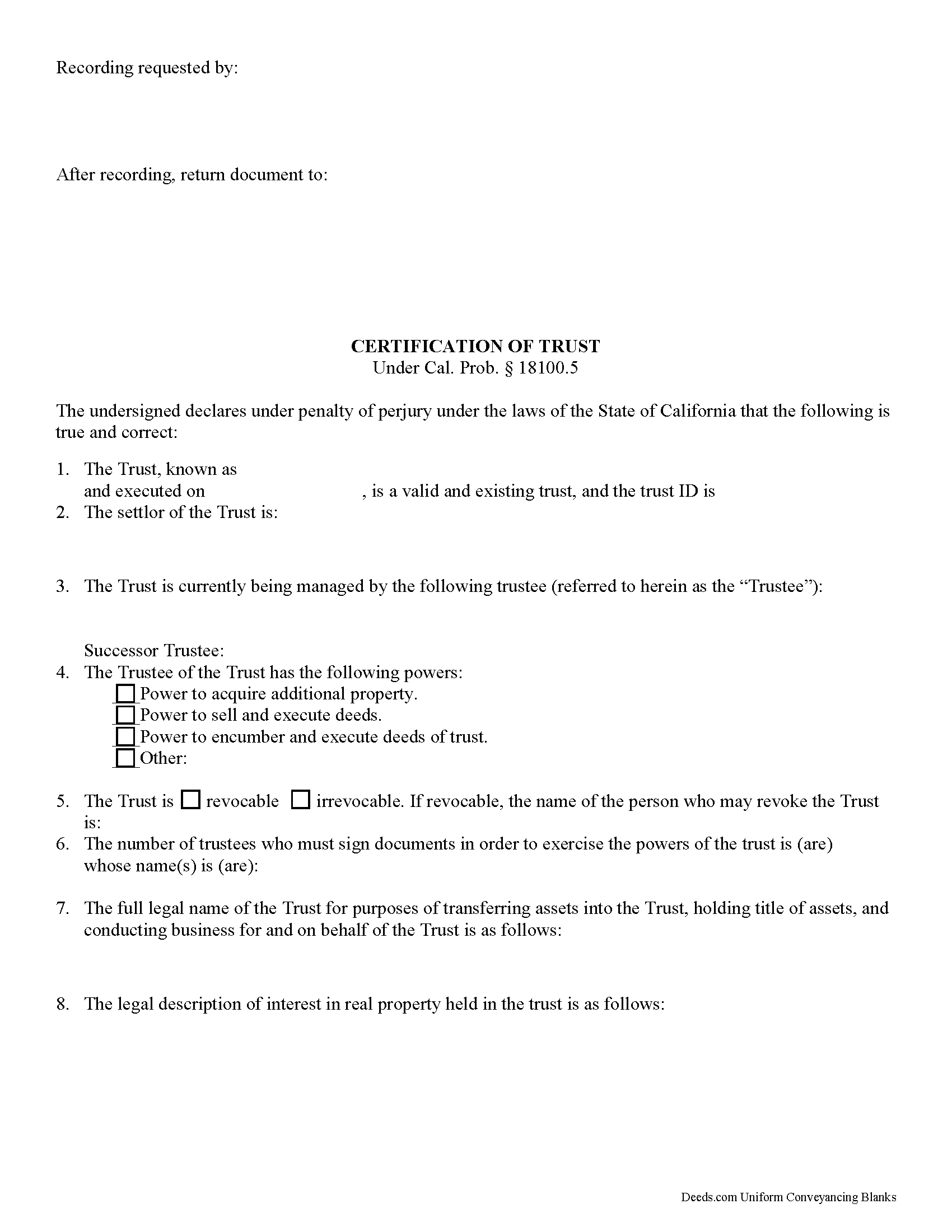
Sacramento County Certificate of Trust Form
Fill in the blank form formatted to comply with all recording and content requirements.
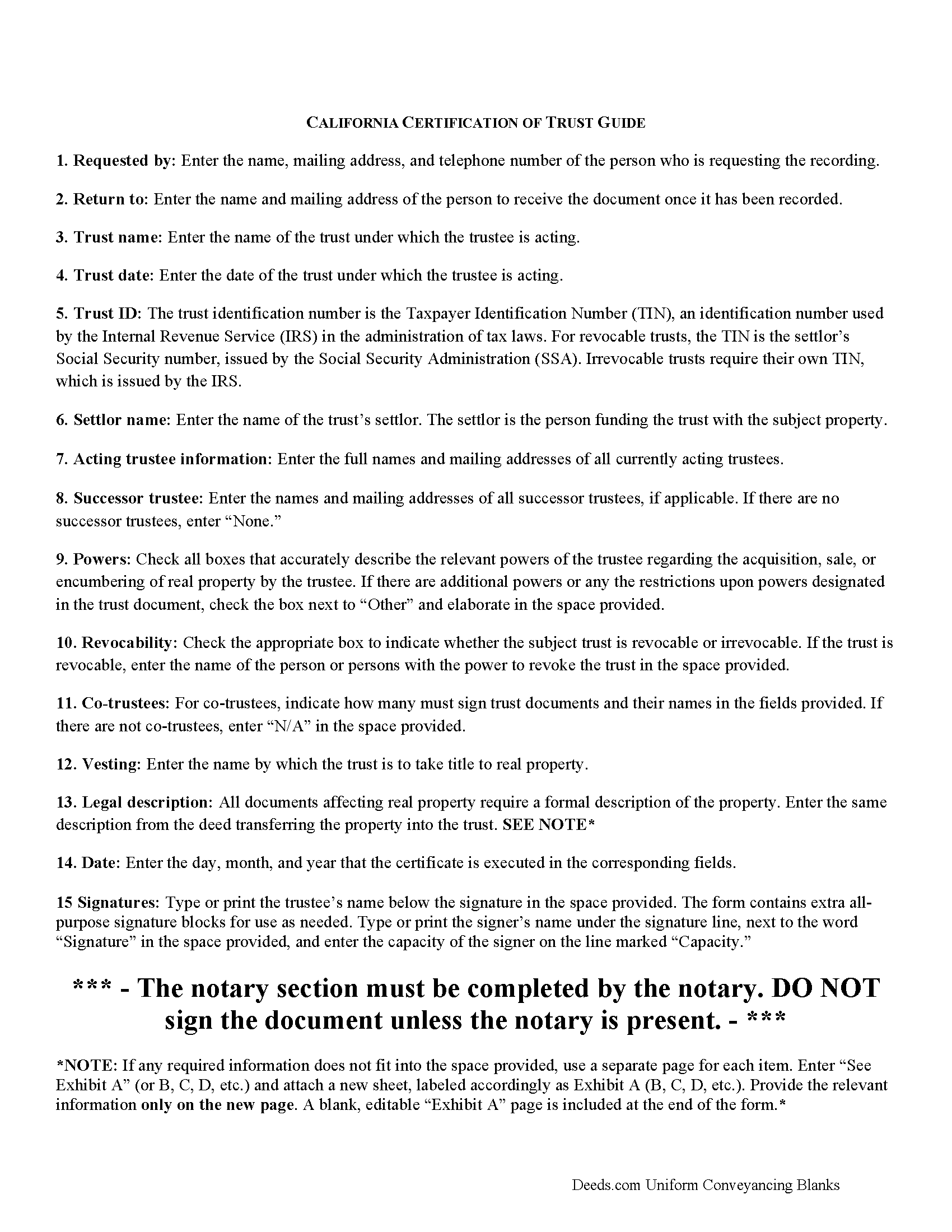
Sacramento County Certificate of Trust Guide
Line by line guide explaining every blank on the form.
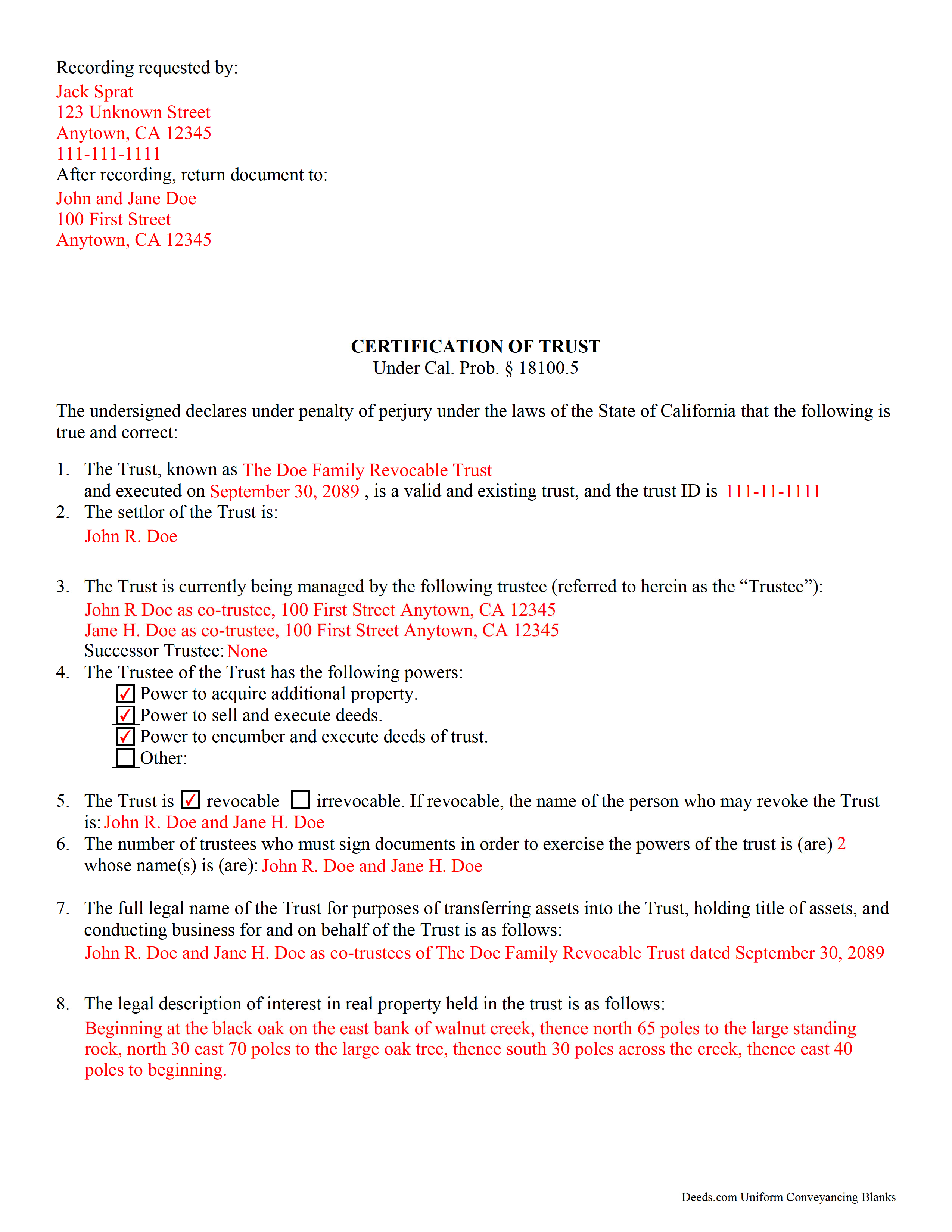
Sacramento County Completed Example of the Certificate of Trust Document
Example of a properly completed form for reference.
All 3 documents above included • One-time purchase • No recurring fees
Immediate Download • Secure Checkout
Additional California and Sacramento County documents included at no extra charge:
Where to Record Your Documents
Clerk / Recorder-Main Office
Sacramento, California 95864
Hours: Mon-Fri 8:00am - 5:00pm / Same-day Recording until 3:00pm
Phone: (916) 874-6334
County Service Center - South
Sacramento, California 95828
Hours: Mon-Fri 9:00am - 4:00pm / No same-day recording
Phone: (916) 874-6334
Recording Tips for Sacramento County:
- Bring your driver's license or state-issued photo ID
- Ensure all signatures are in blue or black ink
- Recorded documents become public record - avoid including SSNs
- Recording fees may differ from what's posted online - verify current rates
- Request a receipt showing your recording numbers
Cities and Jurisdictions in Sacramento County
Properties in any of these areas use Sacramento County forms:
- Antelope
- Carmichael
- Citrus Heights
- Courtland
- Elk Grove
- Elverta
- Fair Oaks
- Folsom
- Galt
- Herald
- Hood
- Isleton
- Mather
- Mcclellan
- North Highlands
- Orangevale
- Rancho Cordova
- Represa
- Rio Linda
- Ryde
- Sacramento
- Sloughhouse
- Walnut Grove
- Wilton
Hours, fees, requirements, and more for Sacramento County
How do I get my forms?
Forms are available for immediate download after payment. The Sacramento County forms will be in your account ready to download to your computer. An account is created for you during checkout if you don't have one. Forms are NOT emailed.
Are these forms guaranteed to be recordable in Sacramento County?
Yes. Our form blanks are guaranteed to meet or exceed the applicable formatting requirements used for recording in Sacramento County, including margin requirements, font requirements, and other layout standards. This guarantee applies to formatting, not to the legal sufficiency of information entered by the user or the suitability of a form for a particular transaction.
Can I reuse these forms?
Yes. You can reuse the forms for your personal use. For example, if you have multiple properties in Sacramento County you only need to order once.
What do I need to use these forms?
The forms are PDFs that you fill out on your computer. The free Adobe Acrobat Reader is recommended, and most PDF apps also work. You do NOT enter your property information online - you download the blank forms and complete them privately on your own computer.
Are there any recurring fees?
No. This is a one-time purchase. Nothing to cancel, no memberships, no recurring fees.
How much does it cost to record in Sacramento County?
Recording fees in Sacramento County vary. Contact the recorder's office at (916) 874-6334 for current fees.
Questions answered? Let's get started!
California Certification of Trust
In California, the certification of trust is governed by Probate Code Section 18100.5.
A certificate of trust is used by an acting trustee or trustees of a trust to prove to financial institutions or other third parties that he/she/they has/have the authority to act on behalf of the trust. The certificate is used in lieu of the full trust document to keep nonessential information about the trust, such as the identities of trust beneficiaries, confidential.
The certificate verifies the existence of the trust and presents the pertinent details of the trust, such as the settlor, the trustee, the powers granted to the trustee, and, in the case that there are co-trustees, the number and identity of persons required to sign legal documents dealing with the trust. The certificate also specifies how the trust will vest title to real property.
Like all documents affecting real estate, the certification requires a legal description of the real property subject to the trust. In California, the certification also must include the trust's taxpayer ID, a number that is either the SSN of the settlor (in the case of revocable trusts) or an EIN assigned by the IRS (in the case of irrevocable trusts).
Trust law can quickly become complicated, and each case is unique, so contact a lawyer with any questions that arise.
(California Certificate of Trust Package includes form, guidelines, and completed example)
Important: Your property must be located in Sacramento County to use these forms. Documents should be recorded at the county recording office listed above.
This Certificate of Trust meets all recording requirements specific to Sacramento County.
Our Promise
The documents you receive here are guaranteed to meet or exceed the applicable Sacramento County recording format requirements. If there is a rejection caused by our formatting, we will correct the issue or refund your payment. This guarantee applies to document formatting only and does not extend to information entered by the user, the selection of the form, or the legal effect of the completed document.
Save Time and Money
Get your Sacramento County Certificate of Trust form done right the first time with Deeds.com Uniform Conveyancing Blanks. At Deeds.com, we understand that your time and money are valuable resources, and we don't want you to face a penalty fee or rejection imposed by a county recorder for submitting nonstandard documents. We constantly review and update our forms to meet rapidly changing state and county recording requirements for roughly 3,500 counties and local jurisdictions.
4.8 out of 5 - ( 4,857 Reviews )
Robert C. 2 out of 5 stars
Not easy to navigate as a first time user. I printed the first page but lost the link to the second page.
Thank you for taking the time to provide us with your valuable feedback. I'm sorry to hear that you've encountered difficulties with our website's navigation, particularly as a first-time user.
Furthermore, your comments about the website's navigation have been taken into account. We continually strive to improve our website and make it as intuitive and user-friendly as possible. Your feedback is crucial for us in achieving this goal.
Thank you again for your feedback. If you have any other suggestions or need further assistance, please don't hesitate to contact us.
Lisa W. 5 out of 5 stars
The easiest thing to use ever. Amazing and extremely prompt support. They get the job done with all the information you might need
We appreciate your business and value your feedback. Thank you. Have a wonderful day!
Clarence F. 5 out of 5 stars
very easy to use !!!
We appreciate your business and value your feedback. Thank you. Have a wonderful day!
bruce t. 5 out of 5 stars
Much good information provided. Forms easy to use. Price is a bargain.
We appreciate your business and value your feedback. Thank you. Have a wonderful day!
Gary S. 5 out of 5 stars
Easy to use. Very helpful
Thank you!
James J. 5 out of 5 stars
I couldn't be more pleased or more impressed with the e-recording services I received from deeds.com and from my service representative, KVH. I was able to record documents in approximately half a dozen different counties easily and seamlessly, with a minimum of fuss. The turn around time was incredibly fast. The pricing was incredibly reasonable. I know I have alternatives because, in the past, I have used a competitor service for my recording needs. I won't do that again -- this was an exceptional experience. Thank you for your help!
We appreciate your business and value your feedback. Thank you. Have a wonderful day!
Kevin C. 2 out of 5 stars
I like your service, but the error message I received yesterday was confusing. It said that Utah County does not record cover pages, so I should either remove the cover page or change the “order“ of the documents being submitted. This is ambiguous. I examined my package and it looked like the cover page was already being submitted separately, as a supporting document at the end, and there was no way to explicitly change the ordering of the submitted documents, that is up to your service. So I removed the cover page. But that makes me nervous, how will they know where to route it when it is done? So now I’m not sure if it was submitted correctly.
Thank you for the review, Kevin, and for laying out exactly what you saw.
The message you received ("Utah County does not accept cover pages for recording. Please remove or reorder to the back. Thank you.") came directly from the Utah County Recorder. We pass recorder rejection notes along as written, and we agree it was ambiguous. Rejection notes from recording offices often are, since they are written for people who file in that county every day.
Supporting documents always travel behind the main document they belong to, so there was nothing for you to reorder, and by your description the cover page was already at the back. With the cover page removed, the package matched what the recorder's note asked for.
On routing: nothing is mailed back with e-recording. The recorder records the document image, adds the recording information, and returns the recorded copy electronically through the e-recording system to us. It then appears on your package in your account and you get a message from us. A cover page plays no part in that, so leaving it out did not affect where your document goes.
Priscilla M. 5 out of 5 stars
Instructions are easy to follow which make filling out the forms easy and simple. I would definitely recommend Deeds.com.
Thank you!
Isaac T. 5 out of 5 stars
Had no problem getting my forms. It was quick,easy, and reasonable priced. Will use again if needed
We appreciate your business and value your feedback. Thank you. Have a wonderful day!
Mark S. 5 out of 5 stars
Quick and easy. Had what I was searching for. Simple to pay and download.
Thank you!
Paula S. 5 out of 5 stars
The document form was easily retrieved and the sample provided was extremely helpful and no problems were encountered when presenting the completed document to the county. I am grateful for this website and the help and confidence it gave me to complete this task
We appreciate your comments and your trust in us. Thank you.
Pam G. 5 out of 5 stars
Loved the ease of use, the very helpful instructions, and samples to go along with the documents I needed to create.
Your feedback is valuable to us and helps us improve. Thank you for sharing your thoughts!
Leslie C. 5 out of 5 stars
I recently purchased online DIY legal forms, and I must say I was thoroughly impressed. The documents provided were accurate, comprehensive, and precisely what I needed. The accompanying guide was clear, instructive, and really bridged the gap for someone like me who isn't well-versed in legal jargon. What stood out the most, however, was the inclusion of the example. It served as a practical reference and made the entire process so much more approachable. Being able to see a filled-out sample made all the difference. Overall, this product has been invaluable in helping me navigate legal processes on my own.
Thank you for your feedback. We really appreciate it. Have a great day!
W J C. 5 out of 5 stars
Good documents. Very helpful.
Thank you!
Kathleen T. 5 out of 5 stars
Perfect in every way, the guide was a big help in a few areas that I had questions on. Overall the average person should have no issues with the forms.
We appreciate your business and value your feedback. Thank you. Have a wonderful day!