Contra Costa County Full Release of Memorandum and Notice of Agreement Form
Last validated October 15, 2026 by our Forms Development TeamFormatted for recording in Contra Costa County, for property anywhere in the county: rural and unincorporated areas as well as Alamo, Antioch, Bethel Island, Brentwood, Byron, Canyon, Clayton, Concord and 22 more.
- 3 documents included
- Immediate PDF download
- Formatting guarantee
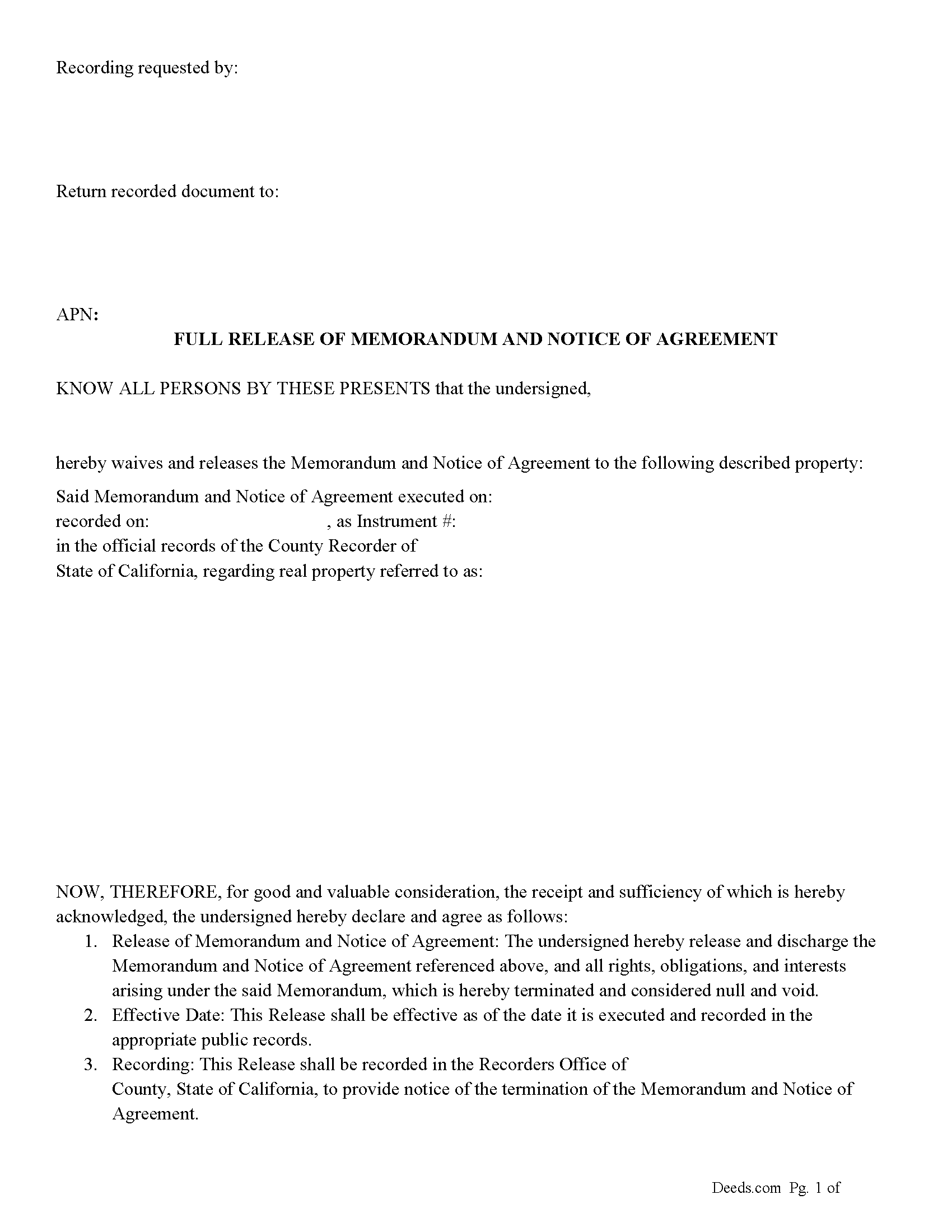
Contra Costa County Full Release of Memorandum and Notice of Agreement Form
Fill in the blank Full Release of Memorandum and Notice of Agreement form formatted to comply with all California recording and content requirements.
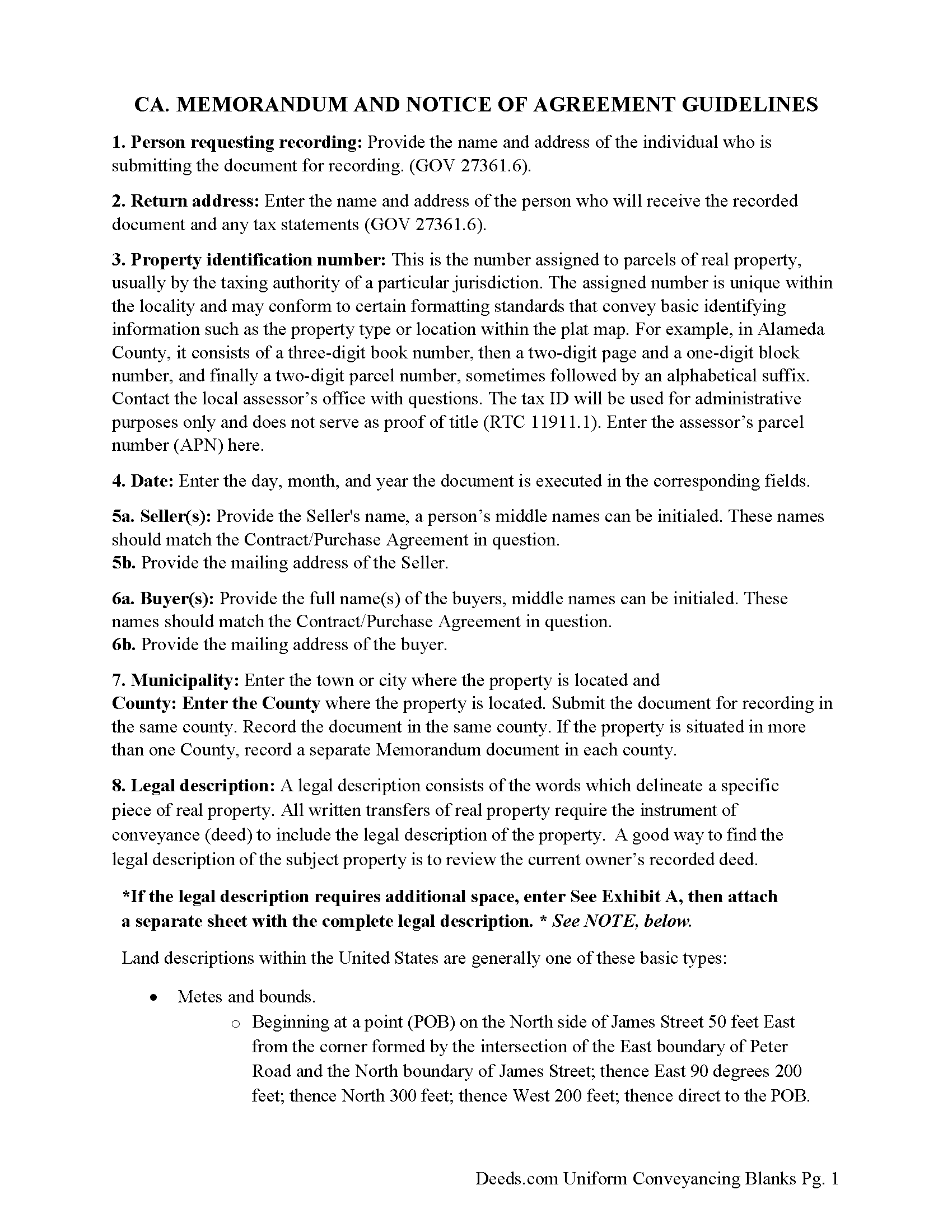
Contra Costa County Full Release of Memorandum and Notice of Agreement Guide
Line by line guide explaining every blank on the Full Release of Memorandum and Notice of Agreement form.
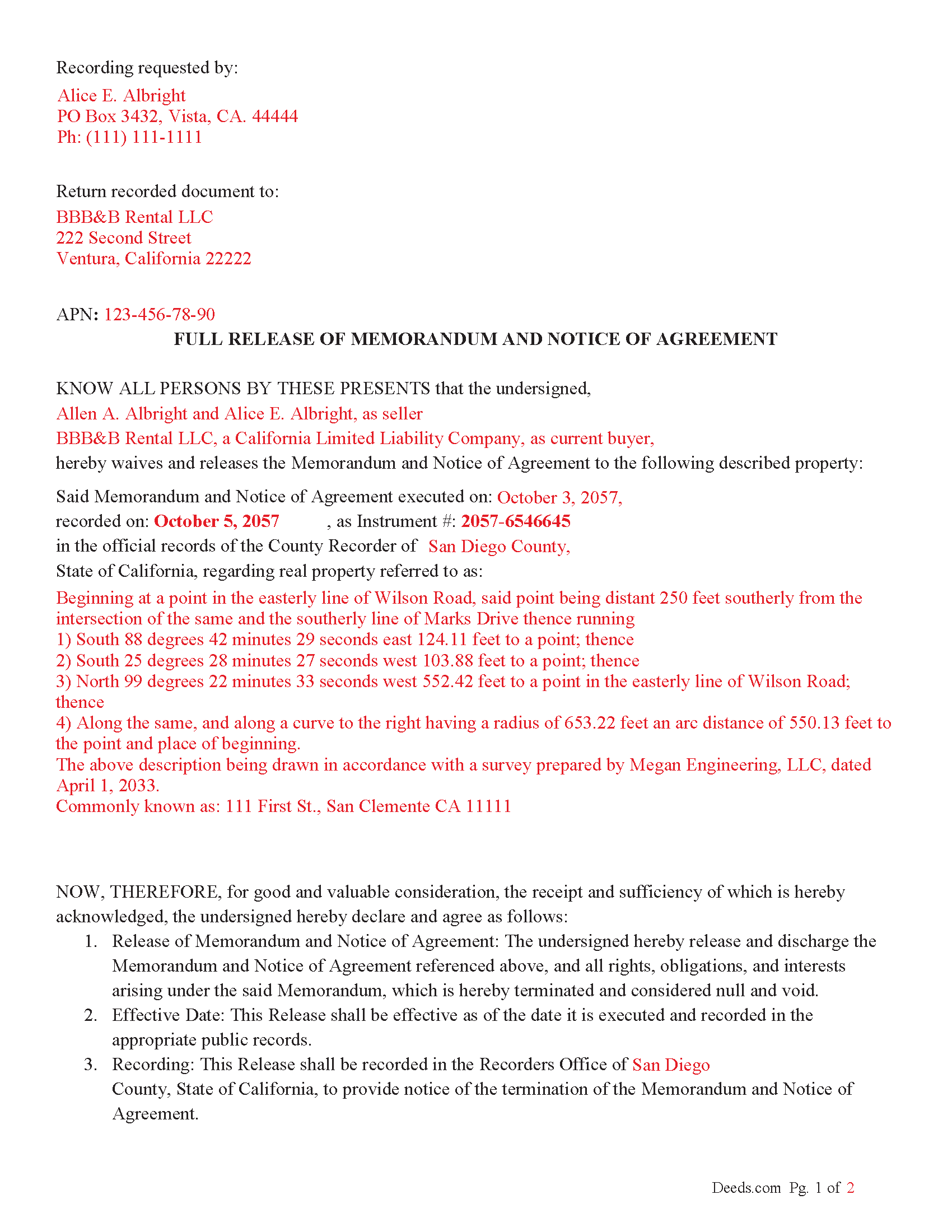
Contra Costa County Completed Example of the Full Release of Memorandum and Notice of Agreement Document
Example of a properly completed California Full Release of Memorandum and Notice of Agreement document for reference.
All 3 documents above included • One-time purchase • No recurring fees
Immediate Download • Secure Checkout
Additional California and Contra Costa County documents included at no extra charge:
Where to Record Your Documents
Contra Costa Clerk-Recorder
Martinez, California 94553
Hours: 8:00 AM to 4:00 PM Monday through Friday
Phone: (925) 335-7910
Recording Tips for Contra Costa County:
- Bring your driver's license or state-issued photo ID
- Ensure all signatures are in blue or black ink
- Recorded documents become public record - avoid including SSNs
- Recording fees may differ from what's posted online - verify current rates
- Request a receipt showing your recording numbers
Cities and Jurisdictions in Contra Costa County
Properties in any of these areas use Contra Costa County forms:
- Alamo
- Antioch
- Bethel Island
- Brentwood
- Byron
- Canyon
- Clayton
- Concord
- Crockett
- Danville
- Diablo
- Discovery Bay
- El Cerrito
- El Sobrante
- Hercules
- Knightsen
- Lafayette
- Martinez
- Moraga
- Oakley
- Orinda
- Pinole
- Pittsburg
- Pleasant Hill
- Port Costa
- Richmond
- Rodeo
- San Pablo
- San Ramon
- Walnut Creek
Hours, fees, requirements, and more for Contra Costa County
How do I get my forms?
Forms are available for immediate download after payment. The Contra Costa County forms will be in your account ready to download to your computer. An account is created for you during checkout if you don't have one. Forms are NOT emailed.
Are these forms guaranteed to be recordable in Contra Costa County?
Yes. Our form blanks are guaranteed to meet or exceed the applicable formatting requirements used for recording in Contra Costa County, including margin requirements, font requirements, and other layout standards. This guarantee applies to formatting, not to the legal sufficiency of information entered by the user or the suitability of a form for a particular transaction.
Can I reuse these forms?
Yes. You can reuse the forms for your personal use. For example, if you have multiple properties in Contra Costa County you only need to order once.
What do I need to use these forms?
The forms are PDFs that you fill out on your computer. The free Adobe Acrobat Reader is recommended, and most PDF apps also work. You do NOT enter your property information online - you download the blank forms and complete them privately on your own computer.
Are there any recurring fees?
No. This is a one-time purchase. Nothing to cancel, no memberships, no recurring fees.
How much does it cost to record in Contra Costa County?
Recording fees in Contra Costa County vary. Contact the recorder's office at (925) 335-7910 for current fees.
Questions answered? Let's get started!
In California, a "Release of Memorandum and Notice of Agreement' is a legal document used to terminate or release a previously recorded "Memorandum of Contract" (or Memorandum of Agreement) related to real property. This release document essentially removes the contractual notice recorded in county records, releasing any claims, rights, or interests initially claimed in the Memorandum of Agreement. Here's a breakdown of the key aspects, statutes, and guidelines involved:
Key Points
1. Purpose of Memorandum of Contract:
A Memorandum of Contract is often recorded in real estate transactions to publicly record that a contract exists for the property. It typically doesn't disclose the full details of the contract but serves as notice to third parties.
Recording this memorandum protects the buyer's or tenant's interest against third parties by establishing a public record of the contract.
2. Purpose of Release of Memorandum of Contract:
When the obligations or interests under the original contract have been fulfilled, or the contract is canceled or terminated, a "Release of Memorandum of Contract" is filed.
This release formally withdraws the recorded notice, which may be necessary to clear title issues for future property sales or transfers.
Statutory Guidelines and Procedures
California Civil Code and Code of Civil Procedure
Recording Statutes: California's recording laws generally fall under the California Civil Code (Sections 1213 to 1227) and Government Code (Sections 27201 et seq.). These statutes require that real property documents, including memoranda and releases, be recorded with the county recorder’s office where the property is located.
Acknowledgment and Notarization: As with many documents affecting real property, a Release of Memorandum of Contract typically requires acknowledgment before a notary public (Civil Code Section 1185). The notarized document is then suitable for recording.
Key Steps and Considerations
Drafting and Execution: The parties who originally signed the Memorandum of Contract are often the ones who execute the release. The release should specifically reference the original Memorandum of Contract by date and recording information.
Recordation Requirements: The Release of Memorandum of Contract should meet all local county recorder’s formatting requirements, which can vary but often include standard margins, font sizes, and page numbering.
Effect of Recording: Once recorded, the release removes the notice of the original contract from the county records, effectively clearing any encumbrances related to that contract from the title.
California Code of Civil Procedure
Enforcement and Quiet Title Actions: Under California Code of Civil Procedure Section 760.010 et seq., if there is a dispute regarding an improperly recorded or unreleased Memorandum of Contract, parties can seek court relief through a quiet title action or specific performance.
Important: Your property must be located in Contra Costa County to use these forms. Documents should be recorded at the county recording office listed above.
This Full Release of Memorandum and Notice of Agreement meets all recording requirements specific to Contra Costa County.
Our Promise
The documents you receive here are guaranteed to meet or exceed the applicable Contra Costa County recording format requirements. If there is a rejection caused by our formatting, we will correct the issue or refund your payment. This guarantee applies to document formatting only and does not extend to information entered by the user, the selection of the form, or the legal effect of the completed document.
Save Time and Money
Get your Contra Costa County Full Release of Memorandum and Notice of Agreement form done right the first time with Deeds.com Uniform Conveyancing Blanks. At Deeds.com, we understand that your time and money are valuable resources, and we don't want you to face a penalty fee or rejection imposed by a county recorder for submitting nonstandard documents. We constantly review and update our forms to meet rapidly changing state and county recording requirements for roughly 3,500 counties and local jurisdictions.
4.8 out of 5 - ( 4,828 Reviews )
KRISSA O. 5 out of 5 stars
Smooth process, no issues.
Thank you!
Jacqueline G. 5 out of 5 stars
I'm 84 and not all that smart when it comes to what a Lawyer usually helps you with, but I took a chance to see if I could do this. Walla, I was able to do it. I was helping my son who had a stroke a few years ago and the transaction went well. Thank you.
Thank you for your feedback Jacqueline. We appreciate you.
Maureen M. 5 out of 5 stars
Easy to use and download. Will use in the future, if ever needed.
Thank you for your feedback. We really appreciate it. Have a great day!
Timothy C. 5 out of 5 stars
Very easy to use, guides are also nice to have. thank you.
Thank you for your feedback. We really appreciate it. Have a great day!
Lauren W. 4 out of 5 stars
I took a chance and downloaded the Beneficiary Deed form -- would have liked to have been able to see the form before I paid, but I took a chance as everywhere else I looked online wanted me to fill out form online and then pay $30+ for each deed. I'm doing several, so I was glad to be able to just download the blank form that appears to be one I can directly type into on my computer. Yay! Would use your site again if needed. Thanks!
We appreciate your business and value your feedback. Thank you. Have a wonderful day!
James T. 5 out of 5 stars
Very easy to use. Straightforward and informative
Thank you for your feedback. We really appreciate it. Have a great day!
Melinda L. 5 out of 5 stars
Easy to find what I needed and a good price. Very satisfied.
Thank you for your feedback. We really appreciate it. Have a great day!
Renee M. 5 out of 5 stars
My sister in law is in a hospital ICU with Covid, so we were trying to get her affairs in order. Deeds.com made this difficult situation so much better by making this process very easy to understand and do.
Glad we could help Renee, hoping the very best for you and your family.
Brenda G. 5 out of 5 stars
So far have only done the download, will come back with further review at a later date.
Thank you!
Sharom B. 5 out of 5 stars
Easy to navigate site and download forms to PC!
We appreciate your business and value your feedback. Thank you. Have a wonderful day!
Tracey P. 5 out of 5 stars
As always, amazing forms and information. A must have for anyone doing it themselves. Everything is available to make it happen but if you need a lot of hand holding you might want to look into a more full service option.
Thank you for your feedback. We really appreciate it. Have a great day!
Margarette S. 5 out of 5 stars
I found your website easy to use and very informative.
Thank you for your feedback. We really appreciate it. Have a great day!
Brenda E. 5 out of 5 stars
This is a great tool to use. It makes recording documents so easy and convenient. The website is very user-friendly. The only suggestion I would have is if the website could email me directly when I have a message so I don't have to keep checking back to see if my document is ready.
Thank you for your feedback. We really appreciate it. Have a great day!
ARTHEMEASE B. 5 out of 5 stars
You made a very confusing process very easy. Your response was timely. I will definitely use you again.
We appreciate your business and value your feedback. Thank you. Have a wonderful day!
Jeannine W. 5 out of 5 stars
prompt, efficient service.
We appreciate your business and value your feedback. Thank you. Have a wonderful day!