Contra Costa County Affidavit of Surviving Spouse Form
Last validated October 12, 2026 by our Forms Development TeamFormatted for recording in Contra Costa County, for property anywhere in the county: rural and unincorporated areas as well as Alamo, Antioch, Bethel Island, Brentwood, Byron, Canyon, Clayton, Concord and 22 more.
- 3 documents included
- Immediate PDF download
- Formatting guarantee
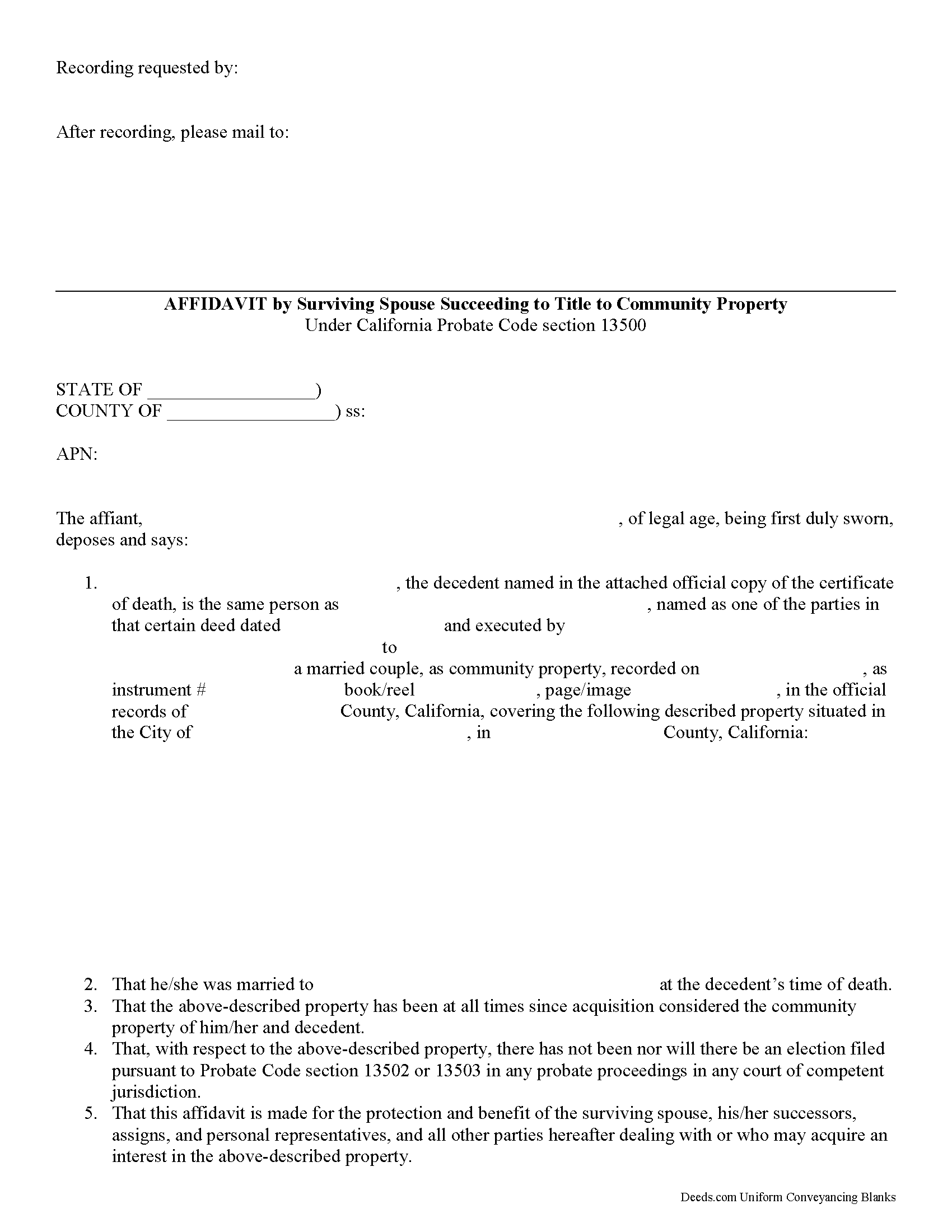
Contra Costa County Affidavit of Surviving Spouse Form
Fill in the blank form formatted to comply with all recording and content requirements.
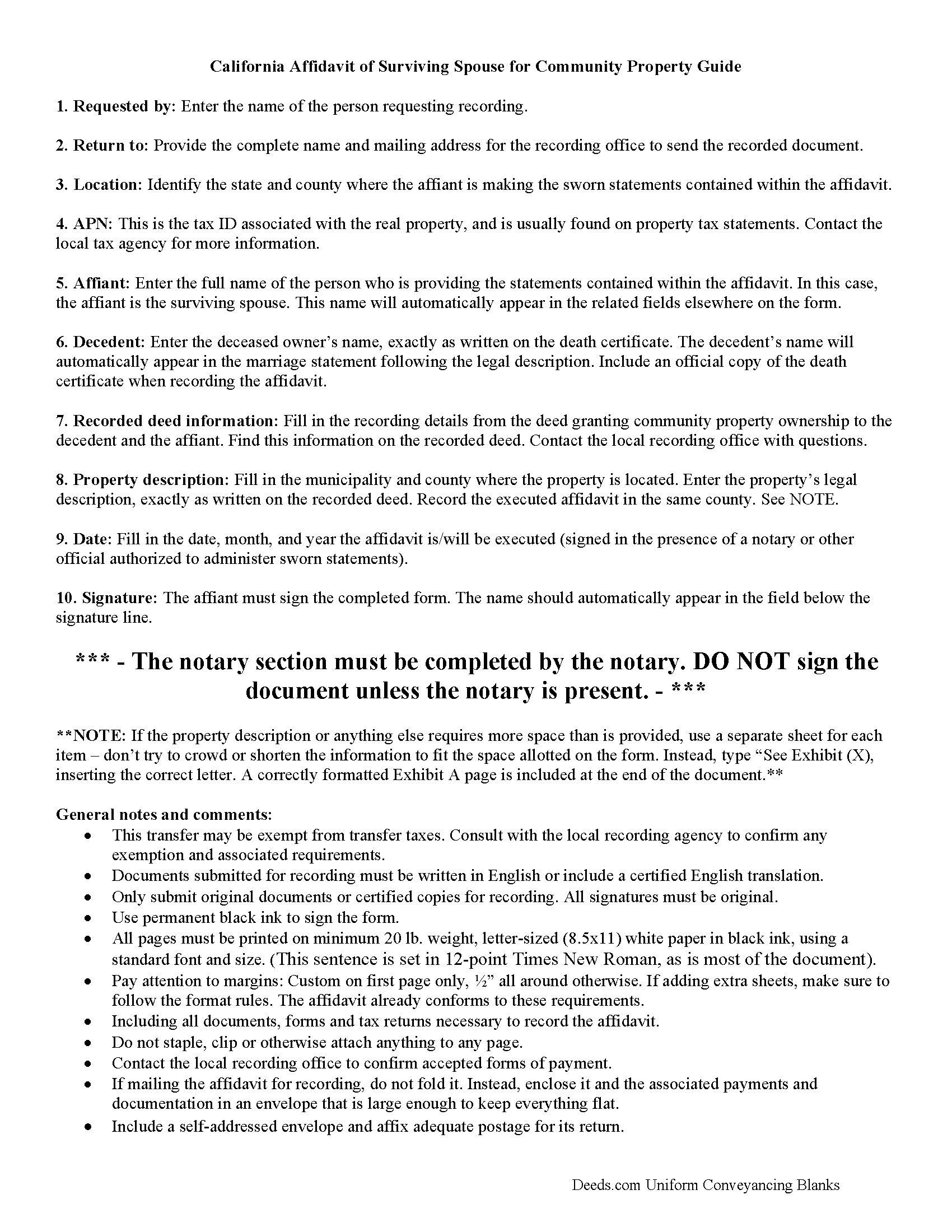
Contra Costa County Affidavit of Surviving Spouse Guide
Line by line guide explaining every blank on the form.
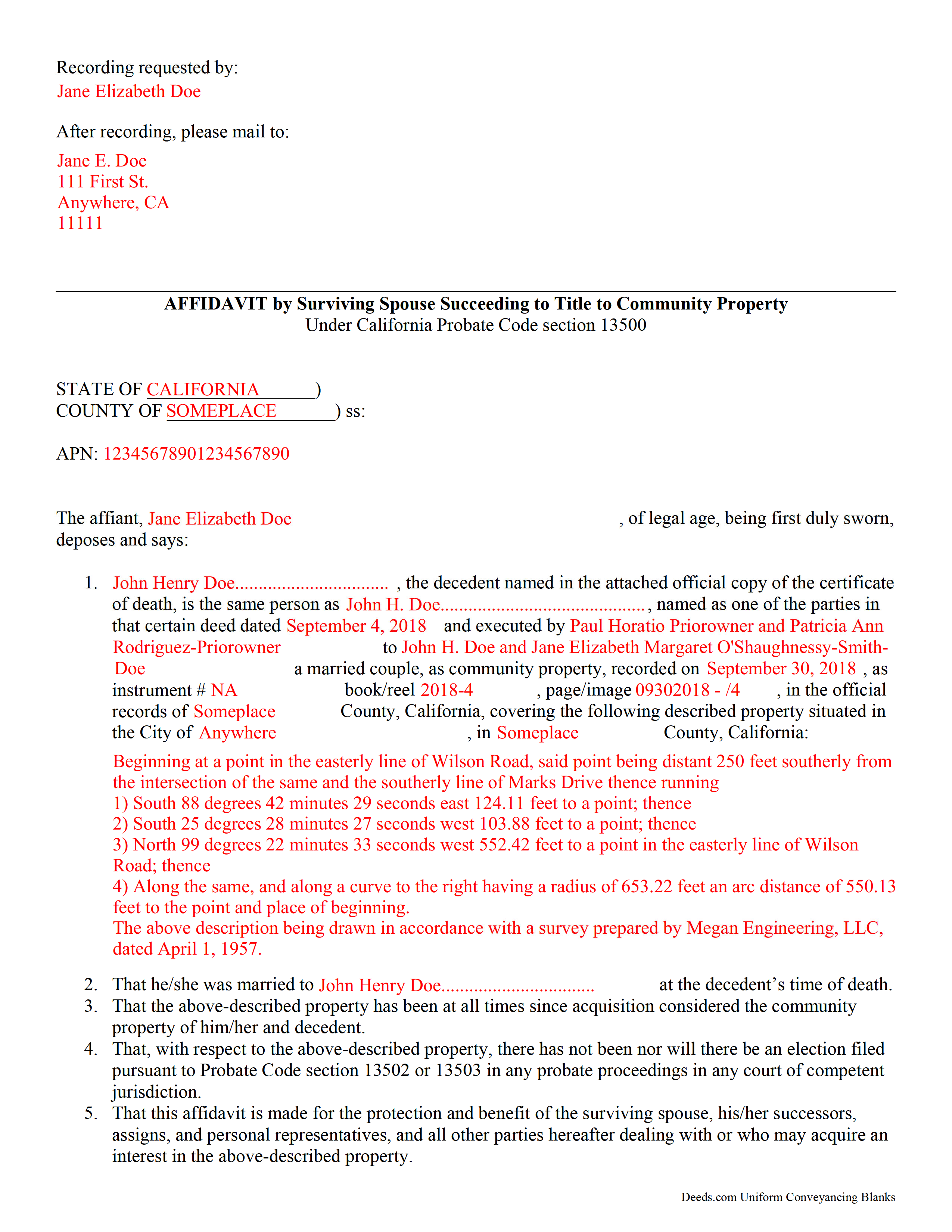
Contra Costa County Completed Example of the Affidavit of Surviving Spouse Document
Example of a properly completed form for reference.
All 3 documents above included • One-time purchase • No recurring fees
Immediate Download • Secure Checkout
Additional California and Contra Costa County documents included at no extra charge:
Where to Record Your Documents
Contra Costa Clerk-Recorder
Martinez, California 94553
Hours: 8:00 AM to 4:00 PM Monday through Friday
Phone: (925) 335-7910
Recording Tips for Contra Costa County:
- Bring your driver's license or state-issued photo ID
- Ensure all signatures are in blue or black ink
- Recorded documents become public record - avoid including SSNs
- Recording fees may differ from what's posted online - verify current rates
- Request a receipt showing your recording numbers
Cities and Jurisdictions in Contra Costa County
Properties in any of these areas use Contra Costa County forms:
- Alamo
- Antioch
- Bethel Island
- Brentwood
- Byron
- Canyon
- Clayton
- Concord
- Crockett
- Danville
- Diablo
- Discovery Bay
- El Cerrito
- El Sobrante
- Hercules
- Knightsen
- Lafayette
- Martinez
- Moraga
- Oakley
- Orinda
- Pinole
- Pittsburg
- Pleasant Hill
- Port Costa
- Richmond
- Rodeo
- San Pablo
- San Ramon
- Walnut Creek
Hours, fees, requirements, and more for Contra Costa County
How do I get my forms?
Forms are available for immediate download after payment. The Contra Costa County forms will be in your account ready to download to your computer. An account is created for you during checkout if you don't have one. Forms are NOT emailed.
Are these forms guaranteed to be recordable in Contra Costa County?
Yes. Our form blanks are guaranteed to meet or exceed the applicable formatting requirements used for recording in Contra Costa County, including margin requirements, font requirements, and other layout standards. This guarantee applies to formatting, not to the legal sufficiency of information entered by the user or the suitability of a form for a particular transaction.
Can I reuse these forms?
Yes. You can reuse the forms for your personal use. For example, if you have multiple properties in Contra Costa County you only need to order once.
What do I need to use these forms?
The forms are PDFs that you fill out on your computer. The free Adobe Acrobat Reader is recommended, and most PDF apps also work. You do NOT enter your property information online - you download the blank forms and complete them privately on your own computer.
Are there any recurring fees?
No. This is a one-time purchase. Nothing to cancel, no memberships, no recurring fees.
How much does it cost to record in Contra Costa County?
Recording fees in Contra Costa County vary. Contact the recorder's office at (925) 335-7910 for current fees.
Questions answered? Let's get started!
Transferring California Community Property to the Surviving Spouse
Section 100(a) of the California Probate Code states that when a married person dies, one-half of the couple's community property belongs to the surviving spouse and the other half stays in the decedent's name, ostensibly for probate distribution. For transfers occurring after July 1, 2001, California property owners gained the option to hold title as community property with the right of survivorship. By vesting this way, the remaining spouse acquires the deceased spouse's portion of the shared property without the need for probate (Cal Civ Code 682.1(a)).
The surviving spouse files an affidavit (a statement of facts, made under oath), along with an official copy of the death certificate, at the recording office for the county where the property is located. The content may vary depending on the circumstances, but it generally contains the names of both spouses, a formal legal description of the shared real estate, and the recording information for the deed transferring ownership to the couple, confirming their intention to hold title as community property. Note that the right of survivorship is not automatic with community property -- it must be written on the face of the deed. To alleviate any questions about the survivorship status, consider including an official copy of the recorded deed.
The affidavit should also confirm, among other things, that the co-owners were married when the decedent died, that there are no probate actions related to the property, and that the surviving spouse is submitting the affidavit to ensure clear title. A clear title is important because it makes future transactions involving the real estate less complicated.
Each case is unique, so contact an attorney with specific questions or for complex situations.
(California Affidavit of Surviving Spouse Package includes form, guidelines, and completed example)
Important: Your property must be located in Contra Costa County to use these forms. Documents should be recorded at the county recording office listed above.
This Affidavit of Surviving Spouse meets all recording requirements specific to Contra Costa County.
Our Promise
The documents you receive here are guaranteed to meet or exceed the applicable Contra Costa County recording format requirements. If there is a rejection caused by our formatting, we will correct the issue or refund your payment. This guarantee applies to document formatting only and does not extend to information entered by the user, the selection of the form, or the legal effect of the completed document.
Save Time and Money
Get your Contra Costa County Affidavit of Surviving Spouse form done right the first time with Deeds.com Uniform Conveyancing Blanks. At Deeds.com, we understand that your time and money are valuable resources, and we don't want you to face a penalty fee or rejection imposed by a county recorder for submitting nonstandard documents. We constantly review and update our forms to meet rapidly changing state and county recording requirements for roughly 3,500 counties and local jurisdictions.
4.8 out of 5 - ( 4,828 Reviews )
Kay Y. 5 out of 5 stars
Fast and easy service.
Your words of encouragement and feedback are greatly appreciated. They motivate us to maintain high standards in our service.
Cheryl S. 5 out of 5 stars
quick response
Thank you!
Ginger C. 5 out of 5 stars
So far so good. Thank you for your prompt responses. Much appreciated.
Thank you!
Stephanie S. 5 out of 5 stars
I received my information almost immediately. I read a few more things on the website and then refreshed and it was there! SO much easier than having to go to the office myself - thanks!!
Thank you!
Alan K. 5 out of 5 stars
The instructions and example for filling out the form were very clear and detailed making the whole process fairly easy. An attorney I talked to wanted $200 to fill out this simple form. I haven't tried to file it yet but I will let you know if there are any issues. Really a great deal. $20 vs $200.
We appreciate your business and value your feedback. Thank you. Have a wonderful day!
Billy G. 5 out of 5 stars
Bought the wrong form and they refunded my money Honest company
Your feedback is greatly appreciated. Thank you for taking the time to share your experience!
Alfred M. 5 out of 5 stars
It was a simple process and easily understood the process was seamless and I would highly recommend this to anyone looking to do this.
Thank you for your feedback. We really appreciate it. Have a great day!
Joanne H. 5 out of 5 stars
easy to download and use. this document. thank you
Thank you!
Philippe B. 1 out of 5 stars
I purchased a Quit Claim Deed package a couple weeks ago. The included guide unfortunately didn't answer all the questions about my specific case of how to fill it out, so I sent them a couple questions on Sept 8. It's now the 23rd, and still no reply. The form is a useless waste of money if I don't know how to fill it out in a legally-accurate way.
We certainly do not want you to waste your money Philippe, to that end your order and payment has been canceled. We do hope that you seek the advice of a legal professional familiar with your specific situation. It should go without saying but just to be clear, our do it yourself forms do not include legal representation for $19. Have a wonderful day.
Arthur M. 5 out of 5 stars
Efficient and easy to use. Thanks.
Thank you!
Donna B. 5 out of 5 stars
Really liked the quick access to documents. Great service, thanks.
Thank you Donna, we appreciate you taken the time to leave your feedback. Have a great day!
Shane S. 5 out of 5 stars
Great forms, exactly what I needed. Easy to understand. No problems recording. Thanks!
Thank you!
James T. 5 out of 5 stars
Very easy to use. Straightforward and informative
Thank you for your feedback. We really appreciate it. Have a great day!
Alexander H. 4 out of 5 stars
As an experienced attorney new to estate planning, I attest that this website and its documents were very helpful. Their documents including everything one needed to know and was very comprehensive.
We appreciate your business and value your feedback. Thank you. Have a wonderful day!
TAMARA B. 5 out of 5 stars
Great service
We appreciate your business and value your feedback. Thank you. Have a wonderful day!