El Dorado County Grant Deed (Trust Transfer) Form
Last validated October 14, 2026 by our Forms Development TeamFormatted for recording in El Dorado County, for property anywhere in the county: rural and unincorporated areas as well as Camino, Coloma, Cool, Diamond Springs, Echo Lake, El Dorado, El Dorado Hills, Garden Valley and 15 more.
- 3 documents included
- Immediate PDF download
- Formatting guarantee
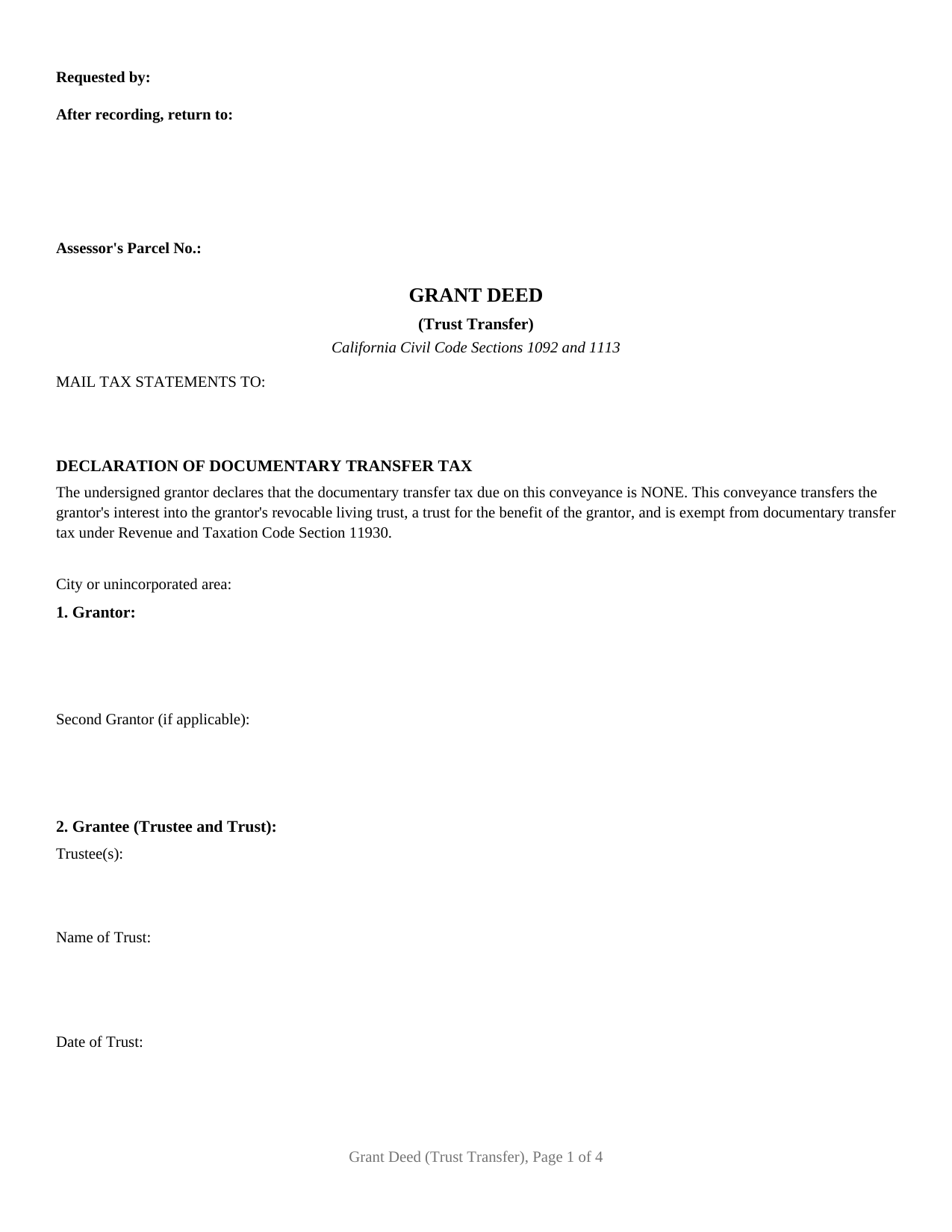
El Dorado County Grant Deed (Trust Transfer) Form
Fill in the blank Grant Deed (Trust Transfer) form formatted to comply with all California recording and content requirements.
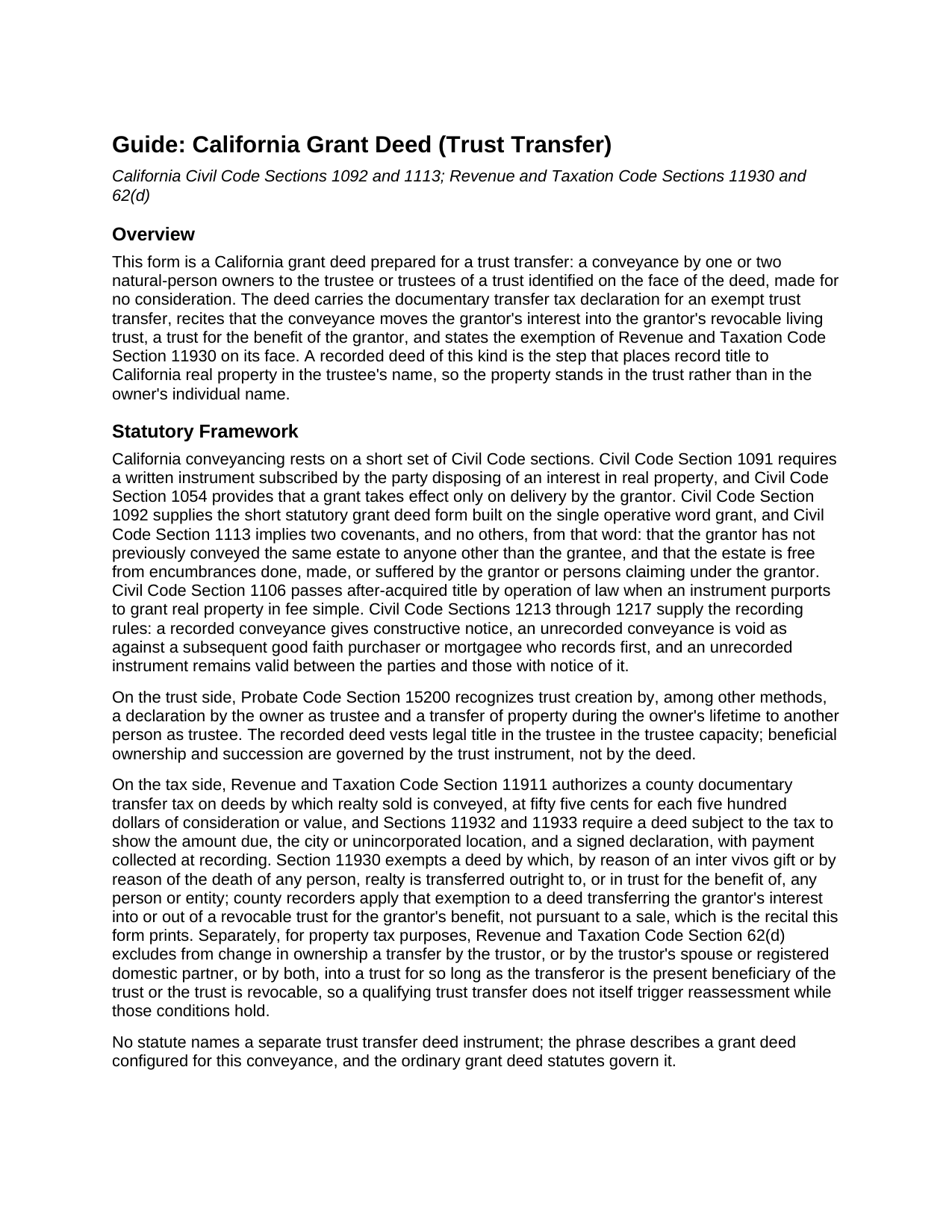
El Dorado County Grant Deed (Trust Transfer) Guide
Line by line guide explaining every blank on the Grant Deed (Trust Transfer) form.
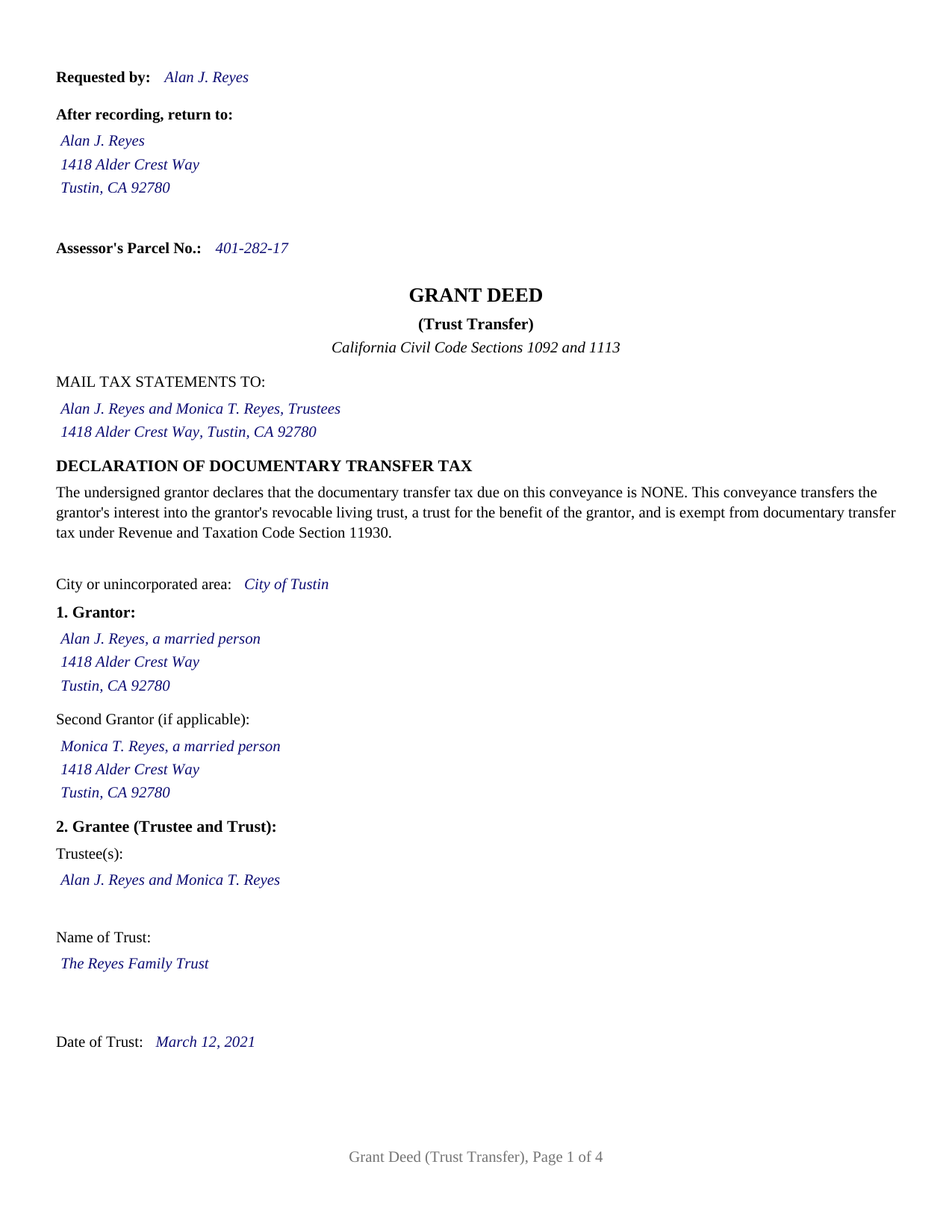
El Dorado County Completed Example of the Grant Deed (Trust Transfer) Document
Example of a properly completed California Grant Deed (Trust Transfer) document for reference.
All 3 documents above included • One-time purchase • No recurring fees
Immediate Download • Secure Checkout
Additional California and El Dorado County documents included at no extra charge:
Where to Record Your Documents
El Dorado Recorder-Clerk
Placerville, California 95667
Hours: 8:00 am to 5:00 pm / Recording until 4:00 pm
Phone: (530) 621-5490 or numbers to the right
South Lake Tahoe Office
South Lake Tahoe, California 96150
Hours: By Appointment
Phone: (530) 621-5490
Recording Tips for El Dorado County:
- Bring your driver's license or state-issued photo ID
- Ensure all signatures are in blue or black ink
- Leave recording info boxes blank - the office fills these
- Make copies of your documents before recording - keep originals safe
- Recorded documents become public record - avoid including SSNs
Cities and Jurisdictions in El Dorado County
Properties in any of these areas use El Dorado County forms:
- Camino
- Coloma
- Cool
- Diamond Springs
- Echo Lake
- El Dorado
- El Dorado Hills
- Garden Valley
- Georgetown
- Greenwood
- Grizzly Flats
- Kyburz
- Lotus
- Mount Aukum
- Pilot Hill
- Placerville
- Pollock Pines
- Rescue
- Shingle Springs
- Somerset
- South Lake Tahoe
- Tahoma
- Twin Bridges
Hours, fees, requirements, and more for El Dorado County
How do I get my forms?
Forms are available for immediate download after payment. The El Dorado County forms will be in your account ready to download to your computer. An account is created for you during checkout if you don't have one. Forms are NOT emailed.
Are these forms guaranteed to be recordable in El Dorado County?
Yes. Our form blanks are guaranteed to meet or exceed the applicable formatting requirements used for recording in El Dorado County, including margin requirements, font requirements, and other layout standards. This guarantee applies to formatting, not to the legal sufficiency of information entered by the user or the suitability of a form for a particular transaction.
Can I reuse these forms?
Yes. You can reuse the forms for your personal use. For example, if you have multiple properties in El Dorado County you only need to order once.
What do I need to use these forms?
The forms are PDFs that you fill out on your computer. The free Adobe Acrobat Reader is recommended, and most PDF apps also work. You do NOT enter your property information online - you download the blank forms and complete them privately on your own computer.
Are there any recurring fees?
No. This is a one-time purchase. Nothing to cancel, no memberships, no recurring fees.
How much does it cost to record in El Dorado County?
Recording fees in El Dorado County vary. Contact the recorder's office at (530) 621-5490 or numbers to the right for current fees.
Questions answered? Let's get started!
California puts one recorded step between signing a living trust and having the trust actually hold the real estate: a deed from the owner to the trustee. This form is that step, a California grant deed configured as a trust transfer deed, conveying property from one or two individual owners to the trustee of the trust named on its face, with the documentary transfer tax exemption of Revenue and Taxation Code Section 11930 and the trust transfer recital printed on the first page. Recorded with the county recorder, it moves record title into the trustee's name so the trust, rather than the individual, holds the property.
Title follows the deed, not the trust binder
A living trust controls only the assets titled in the trustee's name. Probate Code Section 15200 recognizes a trust funded by a lifetime transfer to the trustee, and for real property that transfer is a deed, executed, acknowledged, and recorded like any other California conveyance. Until the deed records, the county index still shows the owner individually, and property standing outside the trust at death is administered outside it. The trust transfer deed exists for exactly this handoff: the grantor and the trustee are usually the same people wearing two hats, the deed changes the name on the title rather than who enjoys the property, and the trust instrument then governs what happens to the property during incapacity and at death.
Two tax recitals, printed rather than improvised
The deed's first page declares that no documentary transfer tax is due and recites the Section 11930 exemption for a conveyance that moves the grantor's interest into the grantor's revocable living trust, a trust for the grantor's benefit, which is the recital California recorders look for on a trust funding deed; the single tax entry left to complete is the city or unincorporated area line that Revenue and Taxation Code Section 11932 requires. Property taxes follow a separate rule with a matching result: under Revenue and Taxation Code Section 62(d), a transfer by the trustor into a trust is excluded from change in ownership for as long as the trust is revocable or the transferor remains its present beneficiary, so a qualifying trust transfer does not itself reset the assessed value. The Preliminary Change of Ownership Report that accompanies the deed under Section 480.3 asks about that trust relationship directly, and the guide walks through the report alongside the recording fees, including how the Government Code Section 27388.1 Building Homes and Jobs Act fee interacts with an untaxed conveyance.
The configuration this deed recites
The form identifies one or two natural-person grantors signing in their individual capacity, and its grantee section is built for the trust: a line for the trustee or trustees, a line for the trust's full name, and a line for the trust's date as shown on its signature page. Two signature blocks follow, each with its own acknowledgment certificate in the complete Civil Code Section 1189 statutory form, boxed notary notice included, so spouses moving community real property into a shared family trust both sign, as Family Code Section 1102 provides, while a single owner funding an individual trust leaves the second block empty. The deed recites a conveyance into the grantor's own revocable living trust; a trustee deeding property out of a trust signs in a trustee capacity this form does not recite, and a transfer into an irrevocable trust for another person's benefit carries tax character the printed recitals do not cover.
Underneath, still a grant deed
The operative word is grant, so the two implied covenants of Civil Code Section 1113 travel with the conveyance: the grantor has not already conveyed the same interest away, and the property is free of encumbrances the grantor created. That matters even between an owner and the owner's own trustee, because the deed enters the permanent county record where later purchasers and title examiners read it. The form reserves the statutory recording space atop page one, carries the requester, return address, and assessor parcel number entries inside it, and prints the mail tax statements entry on the first page as Government Code Section 27321.5 directs.
The purchase delivers the trust transfer deed as a fillable PDF, a completed example showing two Orange County spouses deeding their home to themselves as trustees of a family trust, and a plain language guide to completing, signing, notarizing, and recording the deed. The materials are informational only and are not legal advice; a California attorney or the trust's drafter can confirm how a specific title and trust work together.
Important: Your property must be located in El Dorado County to use these forms. Documents should be recorded at the county recording office listed above.
This Grant Deed (Trust Transfer) meets all recording requirements specific to El Dorado County.
Our Promise
The documents you receive here are guaranteed to meet or exceed the applicable El Dorado County recording format requirements. If there is a rejection caused by our formatting, we will correct the issue or refund your payment. This guarantee applies to document formatting only and does not extend to information entered by the user, the selection of the form, or the legal effect of the completed document.
Save Time and Money
Get your El Dorado County Grant Deed (Trust Transfer) form done right the first time with Deeds.com Uniform Conveyancing Blanks. At Deeds.com, we understand that your time and money are valuable resources, and we don't want you to face a penalty fee or rejection imposed by a county recorder for submitting nonstandard documents. We constantly review and update our forms to meet rapidly changing state and county recording requirements for roughly 3,500 counties and local jurisdictions.
4.8 out of 5 - ( 4,838 Reviews )
Fawn T. 5 out of 5 stars
So easy, forms were great, examples of filled out forms, and instructions guide. Made it way easier, totally worth it!
We appreciate your business and value your feedback. Thank you. Have a wonderful day!
Bruno W. 5 out of 5 stars
Great website. average person needs to care of stuff like this, and presented in a simple direct way. was easy to do. Like best: the sample sheet really made me secure i was doing everything in the right way. My only issue was finding the website. Keep up the good We work. Need more common legal information like this.
Thank you for the kind words, Bruno. We’re glad the sample sheet helped make the process clear and gave you confidence while preparing your documents. Our goal is to present complex legal forms in a straightforward way so people can handle routine filings themselves. We appreciate the feedback and are continuing to expand helpful information and resources on the site.
Joyce M. 5 out of 5 stars
Great website, but not helpful in locating my deed dated 1747.
Thank you for your feedback. We really appreciate it. Have a great day!
Jessi S. 5 out of 5 stars
Delivery of documents was instantaneous once payment is received. Thank you for that. For future clarification to potential users, Deeds.com may want to categorize the type of easement documents that are available. I was needing a 'utility easement' form and received an 'ingress/egress' form. Had I known it was an ingress/egress document, I would not have made the purchase. Outside of this issue, this site is very helpful for the average layperson to hold guardianship over personal interests.
Thank you for your feedback. We really appreciate it. Have a great day!
Thomas D. 5 out of 5 stars
Can I use this for easement in gross ? Like to grant cousins easement to use river front property with riparian rights ?
Sorry, we are unable to give advice on specific legal situations.
Michael D. 5 out of 5 stars
Great service
Thank you!
DAVID K. 5 out of 5 stars
You are definitely the place to go for forms and other things which I need to solve my problems. Thanks for your help.
Thank you!
Keith C. 1 out of 5 stars
not worth anything to me as i could never get notary info on form to print along with other info
Sorry to hear that Keith. We have processed a refund for your order.
Jeffrey W. 5 out of 5 stars
You should add a button to cancel a package. I uploaded a document for e-recording, but wanted to cancel because I got a more clear copy.
Thank you!
Lauren D. 5 out of 5 stars
Prompt and helpful
Thank you!
Stephen F. 5 out of 5 stars
Easy to use. Outstanding interface.
Thank you!
RUTH A. 5 out of 5 stars
I truly appreciate the service that you have for the customers. This very convenient and easy to follow. Thank you very much for this service.
Thank you for your feedback. We really appreciate it. Have a great day!
James J. 5 out of 5 stars
Thank you for service. The deed process was easy to complete. My new deed was accepted by the county clerk and the tax assessors office.
Thank you for your feedback. We really appreciate it. Have a great day!
Terry K. 1 out of 5 stars
Thought from the reviews and claims, it would be able to do our quit claim deed. Maybe for simple situations it works but ours required more room for the description and parcel numbers. Ended up being a total waste of $40.00. Wouldn't buy again. It is no better than the free forms you can find online.
Hi Terry, thanks for the feedback. Your order was canceled and fully refunded. To clarify for other customers: our quitclaim deed package includes an exhibit/attachment page for legal descriptions and parcel numbers that run long, with instructions on when and how to use it, this is a standard approach for multi-page legal descriptions and is accepted by recorders.
SHANE P. 5 out of 5 stars
Easy to use.
Thank you!