Modoc County Quitclaim Deed (Interspousal) Form
Last validated September 25, 2026 by our Forms Development TeamFormatted for recording in Modoc County, for property anywhere in the county: rural and unincorporated areas as well as Adin, Alturas, Canby, Cedarville, Davis Creek, Eagleville, Fort Bidwell, Lake City and 2 more.
- 3 documents included
- Immediate PDF download
- Formatting guarantee
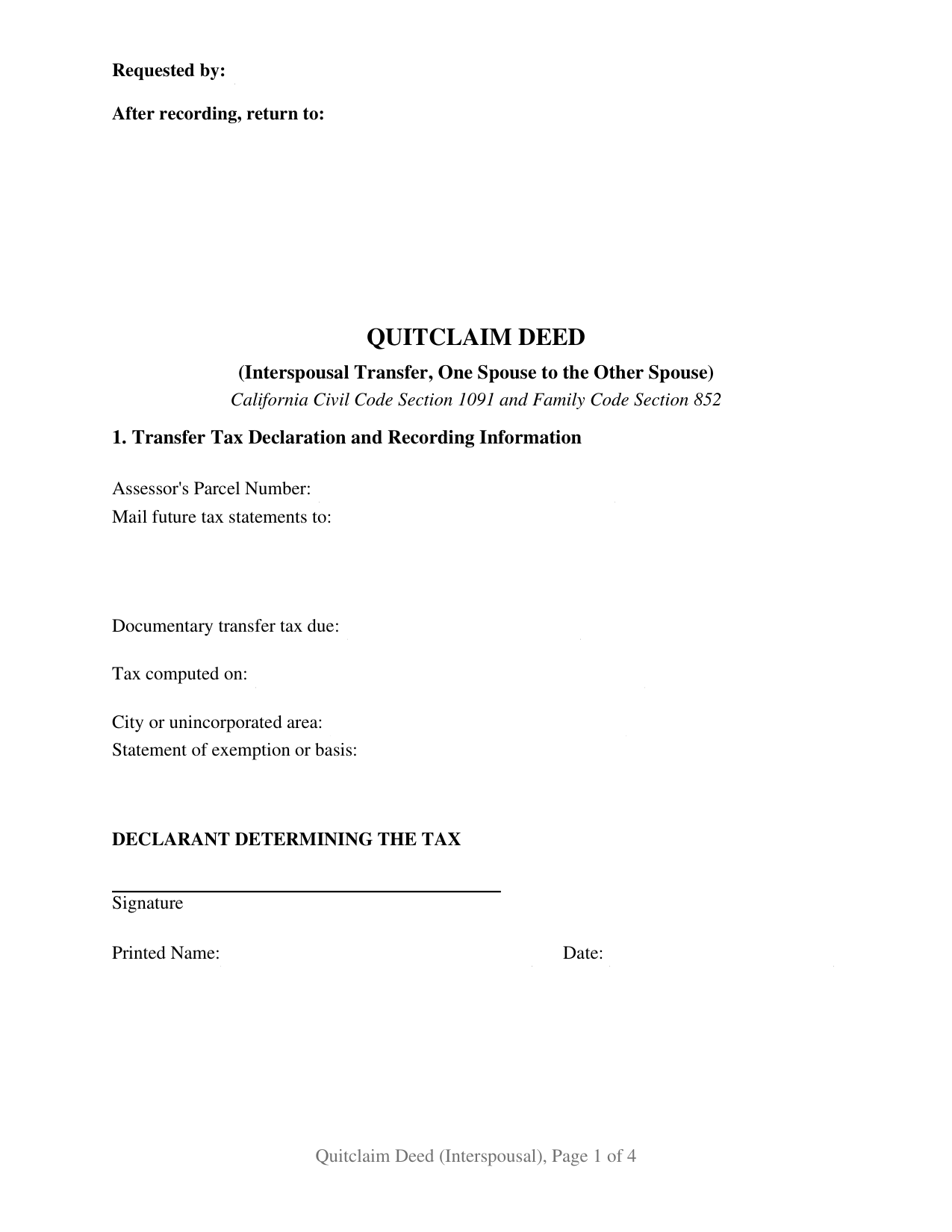
Modoc County Quitclaim Deed (Interspousal) Form
Fill in the blank Quitclaim Deed (Interspousal) form formatted to comply with all California recording and content requirements.
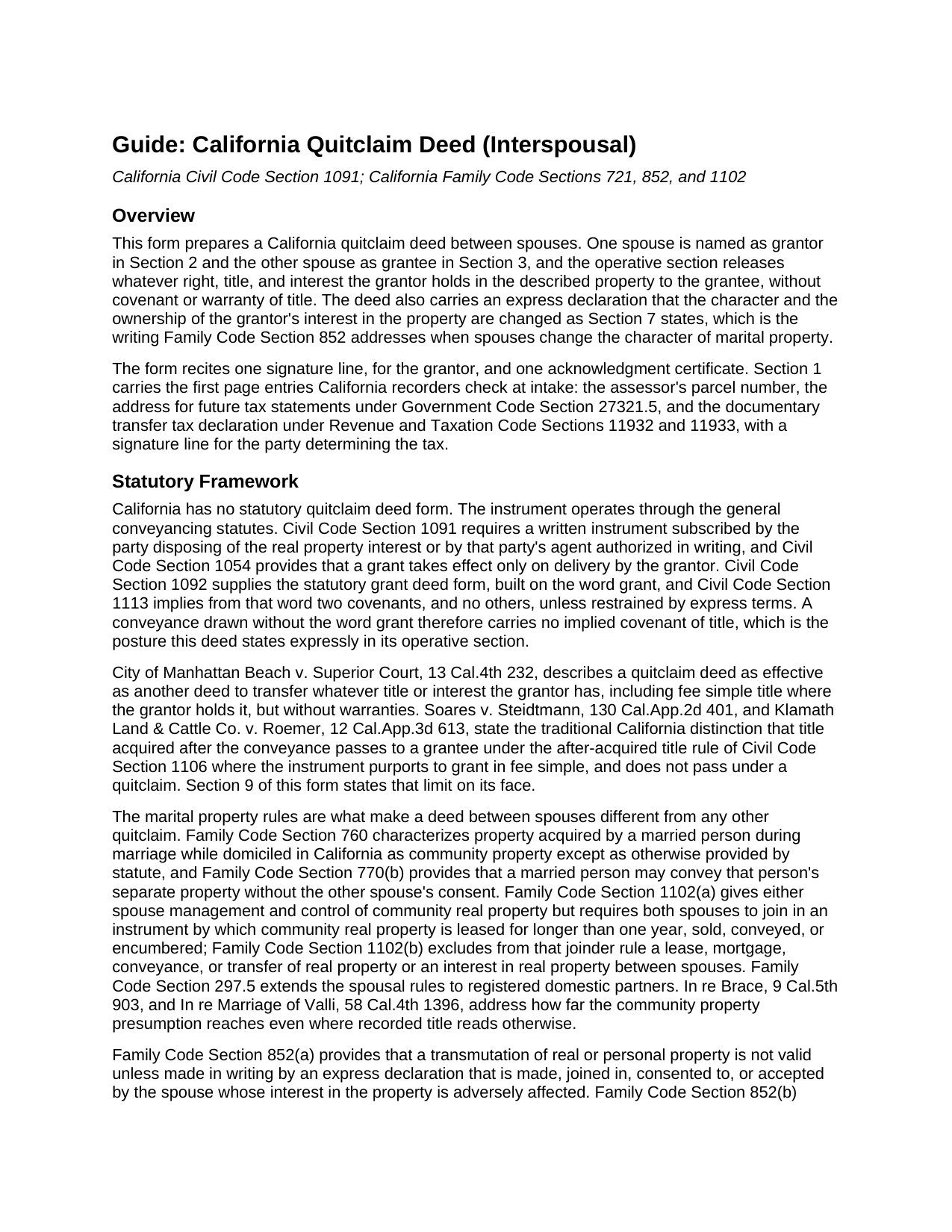
Modoc County Quitclaim Deed (Interspousal) Guide
Line by line guide explaining every blank on the Quitclaim Deed (Interspousal) form.
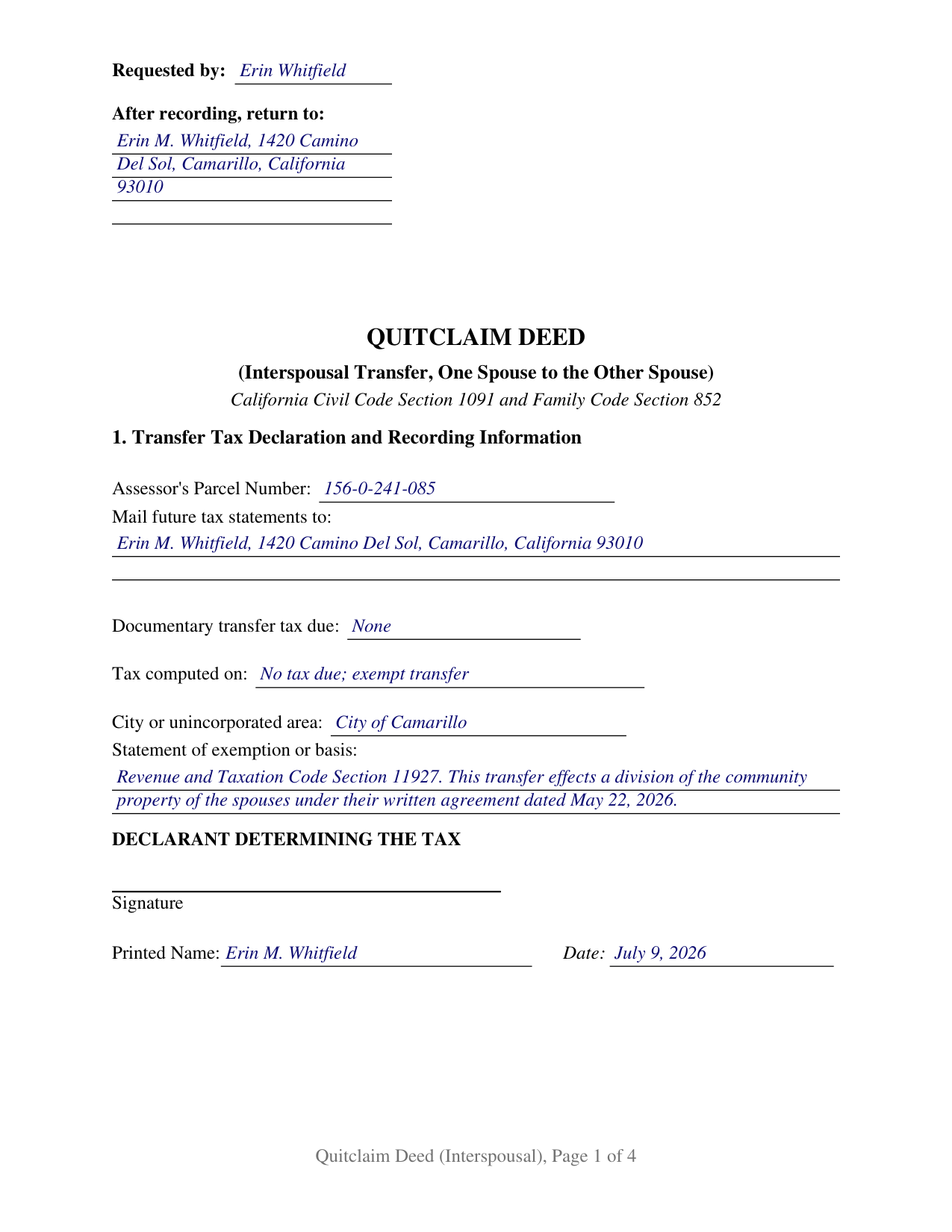
Modoc County Completed Example of the Quitclaim Deed (Interspousal) Document
Example of a properly completed California Quitclaim Deed (Interspousal) document for reference.
All 3 documents above included • One-time purchase • No recurring fees
Immediate Download • Secure Checkout
Additional California and Modoc County documents included at no extra charge:
Where to Record Your Documents
Modoc County Recorder
Alturas, California 96101
Hours: Mon - Fri 8:30 - 12:00, 1:00 - 5:00
Phone: (530) 233-6217
Recording Tips for Modoc County:
- Bring your driver's license or state-issued photo ID
- Ensure all signatures are in blue or black ink
- Ask about accepted payment methods when you call ahead
- Ask for certified copies if you need them for other transactions
- Ask if they accept credit cards - many offices are cash/check only
Cities and Jurisdictions in Modoc County
Properties in any of these areas use Modoc County forms:
- Adin
- Alturas
- Canby
- Cedarville
- Davis Creek
- Eagleville
- Fort Bidwell
- Lake City
- Likely
- Lookout
Hours, fees, requirements, and more for Modoc County
How do I get my forms?
Forms are available for immediate download after payment. The Modoc County forms will be in your account ready to download to your computer. An account is created for you during checkout if you don't have one. Forms are NOT emailed.
Are these forms guaranteed to be recordable in Modoc County?
Yes. Our form blanks are guaranteed to meet or exceed the applicable formatting requirements used for recording in Modoc County, including margin requirements, font requirements, and other layout standards. This guarantee applies to formatting, not to the legal sufficiency of information entered by the user or the suitability of a form for a particular transaction.
Can I reuse these forms?
Yes. You can reuse the forms for your personal use. For example, if you have multiple properties in Modoc County you only need to order once.
What do I need to use these forms?
The forms are PDFs that you fill out on your computer. The free Adobe Acrobat Reader is recommended, and most PDF apps also work. You do NOT enter your property information online - you download the blank forms and complete them privately on your own computer.
Are there any recurring fees?
No. This is a one-time purchase. Nothing to cancel, no memberships, no recurring fees.
How much does it cost to record in Modoc County?
Recording fees in Modoc County vary. Contact the recorder's office at (530) 233-6217 for current fees.
Questions answered? Let's get started!
A quitclaim deed between California spouses carries an extra sentence that an ordinary release does not need. Alongside the words that move one spouse's interest to the other, it declares in writing what the transfer does to the character of the property. This form prepares the interspousal configuration of the California quitclaim deed: one spouse named as grantor, the other spouse named as grantee, and an express declaration of changed character in the operative section.
The Declaration That Family Code Section 852 Looks For
Family Code Section 760 treats what a married person acquires during marriage, while domiciled in the state, as community property except as a statute provides otherwise. Changing that character takes a writing: Family Code Section 852 makes a transmutation invalid unless it is made by an express declaration that is made, joined in, consented to, or accepted by the spouse whose interest is adversely affected. Estate of MacDonald requires no particular words, but requires the writing itself to state that the characterization or ownership is being changed. In re Marriage of Kushesh and Kushesh-Kaviani read an interspousal transfer grant deed as meeting that standard, pointing to the word interspousal, the words transfer and grant, and the statement of how the grantee takes title. A quitclaim leaves the statutory word grant out, so this deed says the rest out loud: Section 9 declares that the character and the ownership of the grantor's interest are changed as Section 7 states, and that the grantor makes, joins in, consents to, and accepts that declaration.
One Conveying Spouse, One Signature Line
Section 2 of the form names the grantor, the spouse conveying, and Section 3 names the grantee, the spouse receiving; the operative section recites the marriage between them. Only the conveying spouse signs, and one California all-purpose acknowledgment certificate follows, with the boxed identity disclaimer Civil Code Section 1189 prints above the venue lines. Two statutes explain the single signature. Family Code Section 1102 requires both spouses to join in a conveyance of community real property, then excludes a transfer of real property between the spouses themselves from that rule. Family Code Section 852 aims its declaration at the spouse whose interest is adversely affected, the grantor here. Spouses dividing the family residence under a written marital settlement agreement, and a spouse stepping off record title so the other holds as sole and separate property, present the asymmetric pattern this deed recites. The form is set up for two spouses, one conveying and one receiving; a grantee who is not the grantor's spouse, and two spouses conveying together to an outside buyer, present grantee and signature patterns outside these blocks.
What Passes, and What Is Promised
Nothing is promised. The instrument, often typed as a quit claim deed, carries no covenant or warranty of title, and Civil Code Section 1113 attaches its two implied covenants only to conveyances using the word grant. The operative section states the traditional California limit as well: only the interest held at delivery passes, and title the grantor picks up afterward does not follow the deed. Section 7 carries the other half of the transfer, the statement of how the grantee holds title, which on a deed of this kind commonly reads as sole and separate property.
Transfer Tax, the Assessor, and the Record
Everything the counter reads before the operative words sits in Section 1: the parcel number the assessor indexes, the mailing address for future tax bills, and the transfer tax lines, closed by a signature from whoever determined the amount. Revenue and Taxation Code Section 11927 exempts a transfer effecting a division of community property in connection with a dissolution or legal separation, conditioned on a written recital signed by either spouse, and Section 11930 covers gifts. Revenue and Taxation Code Section 63 separately excludes interspousal transfers from change in ownership for property tax purposes, which the assessor administers through the Preliminary Change of Ownership Report accompanying the deed. Recording matters twice over here: California follows a race-notice rule, and Family Code Section 852 leaves a real property transmutation ineffective as to third parties without notice until the instrument is recorded.
The package delivers this configuration complete: the interspousal quitclaim deed as a fillable PDF, a completed example worked through a Ventura County division between spouses, and a plain language guide covering each section, the notarization, and the recording steps. The materials describe California law in general terms and are not legal advice about any particular title or marriage.
Important: Your property must be located in Modoc County to use these forms. Documents should be recorded at the county recording office listed above.
This Quitclaim Deed (Interspousal) meets all recording requirements specific to Modoc County.
Our Promise
The documents you receive here are guaranteed to meet or exceed the applicable Modoc County recording format requirements. If there is a rejection caused by our formatting, we will correct the issue or refund your payment. This guarantee applies to document formatting only and does not extend to information entered by the user, the selection of the form, or the legal effect of the completed document.
Save Time and Money
Get your Modoc County Quitclaim Deed (Interspousal) form done right the first time with Deeds.com Uniform Conveyancing Blanks. At Deeds.com, we understand that your time and money are valuable resources, and we don't want you to face a penalty fee or rejection imposed by a county recorder for submitting nonstandard documents. We constantly review and update our forms to meet rapidly changing state and county recording requirements for roughly 3,500 counties and local jurisdictions.
4.8 out of 5 - ( 4,836 Reviews )
LAWRENCE S. 5 out of 5 stars
I am mostly satisfied with my Deeds.Com experience. Not sure if you can do anything about this, but since it is fairly common, I thought the Quit Claim Form would have a section specifically for adding spouse to a deed.
Thank you for your feedback. We really appreciate it. Have a great day!
Giuseppina M. 5 out of 5 stars
Love to work with your company
It was a pleasure serving you. Thank you for the positive feedback!
Jacqueline G. 5 out of 5 stars
I'm 84 and not all that smart when it comes to what a Lawyer usually helps you with, but I took a chance to see if I could do this. Walla, I was able to do it. I was helping my son who had a stroke a few years ago and the transaction went well. Thank you.
Thank you for your feedback Jacqueline. We appreciate you.
Bridgit L. 5 out of 5 stars
I must admit I was a bit hesitant to record a document online, but I am impressed by how quickly the process took from the initial sign-on, uploading and recording! I will definitely use your services again.
We appreciate your business and value your feedback. Thank you. Have a wonderful day!
Rox Ann S. 5 out of 5 stars
Very impressed with how fast the service was. Got what I needed within 20 to 30 minutes.
We appreciate your business and value your feedback. Thank you. Have a wonderful day!
CARMEN R J. 5 out of 5 stars
Thank you intensly
Thank you!
Diane G. 3 out of 5 stars
easy to use
Thank you!
Cathy W. 5 out of 5 stars
Easy to use and fee is reasonable.
Thank you!
Donnajean L. 5 out of 5 stars
The site is user friendly and uncomplicated.
Thank you!
Michael M. 5 out of 5 stars
Received the documents as ordered in a timely fashion. Can't ask for much better than that!
Thank you!
Ma Luisa R. 5 out of 5 stars
Great service and fast
We appreciate your business and value your feedback. Thank you. Have a wonderful day!
Debra C. 5 out of 5 stars
The website is so easy to use. I was able to purchase and download my documents within seconds!
We appreciate your business and value your feedback. Thank you. Have a wonderful day!
John L. 5 out of 5 stars
First time user but very pleased with user friendly service and reasonable cost.
Thank you!
John B. 5 out of 5 stars
Thorough. Thanks!
Thank you!
barbara s. 5 out of 5 stars
you provided the service requested for a reasonable fee
Thank you!