Santa Clara County Quitclaim Deed (LLC Grantor) Form
Last validated October 14, 2026 by our Forms Development TeamFormatted for recording in Santa Clara County, for property anywhere in the county: rural and unincorporated areas as well as Alviso, Campbell, Coyote, Cupertino, Gilroy, Holy City, Los Altos, Los Gatos and 13 more.
- 3 documents included
- Immediate PDF download
- Formatting guarantee
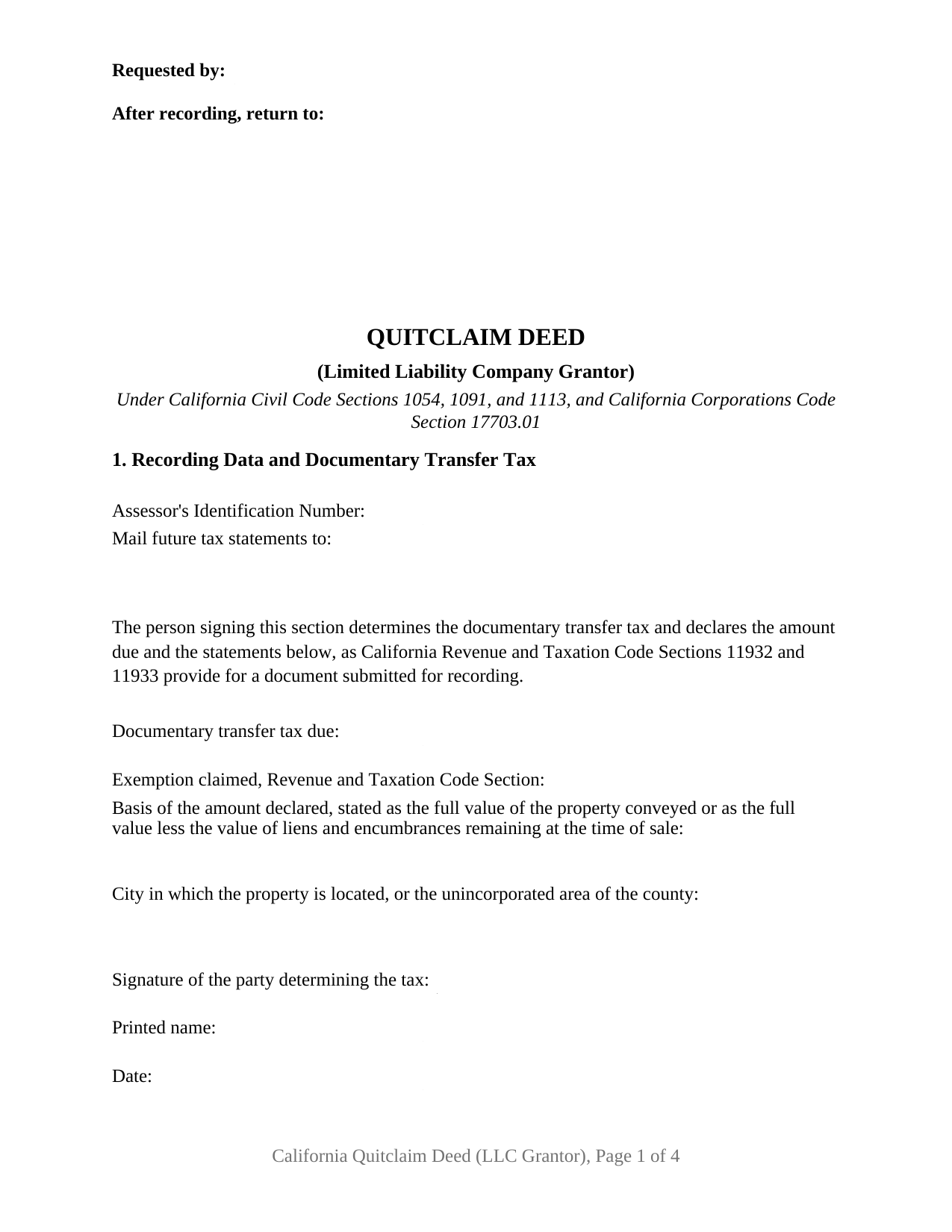
Santa Clara County Quitclaim Deed (LLC Grantor) Form
Fill in the blank Quitclaim Deed (LLC Grantor) form formatted to comply with all California recording and content requirements.
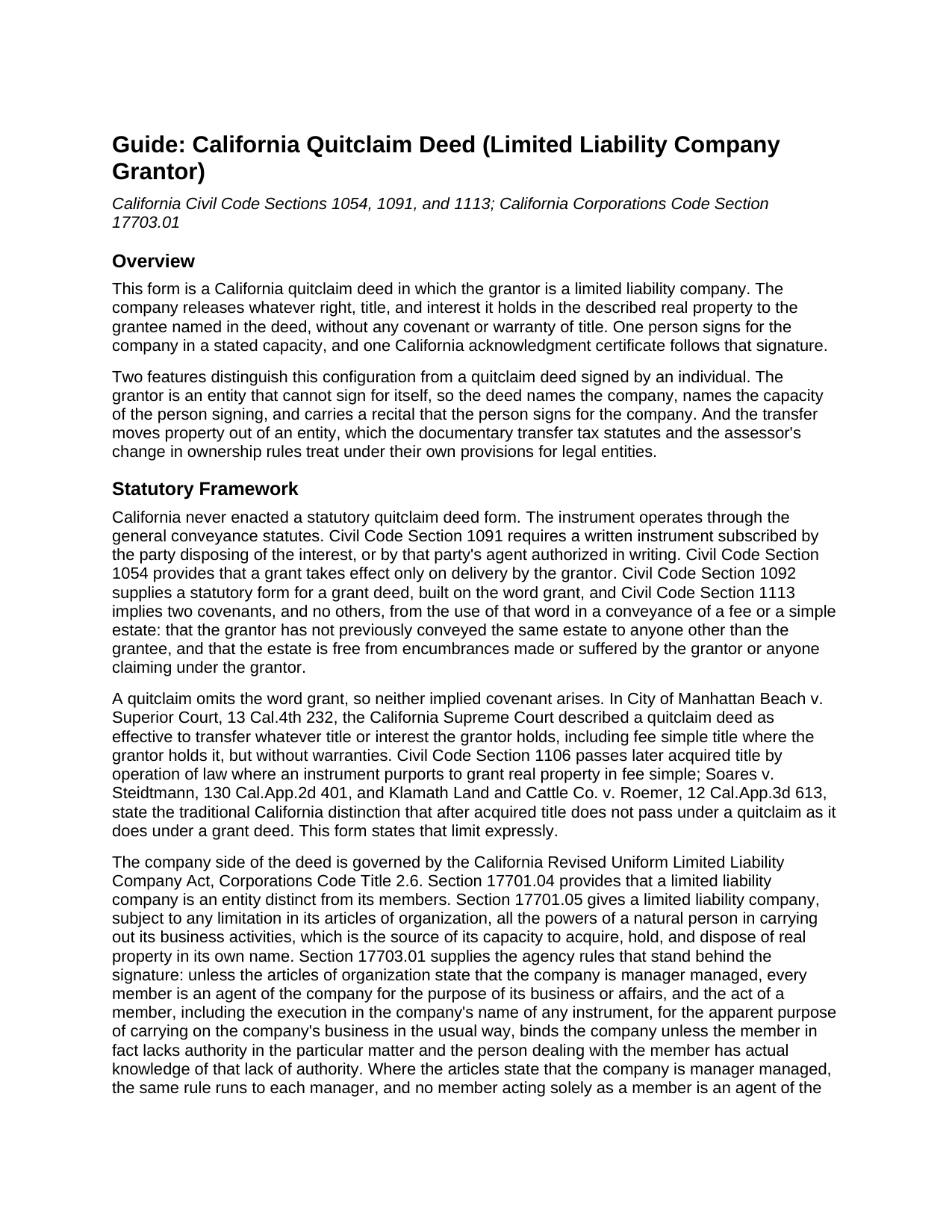
Santa Clara County Quitclaim Deed (LLC Grantor) Guide
Line by line guide explaining every blank on the Quitclaim Deed (LLC Grantor) form.
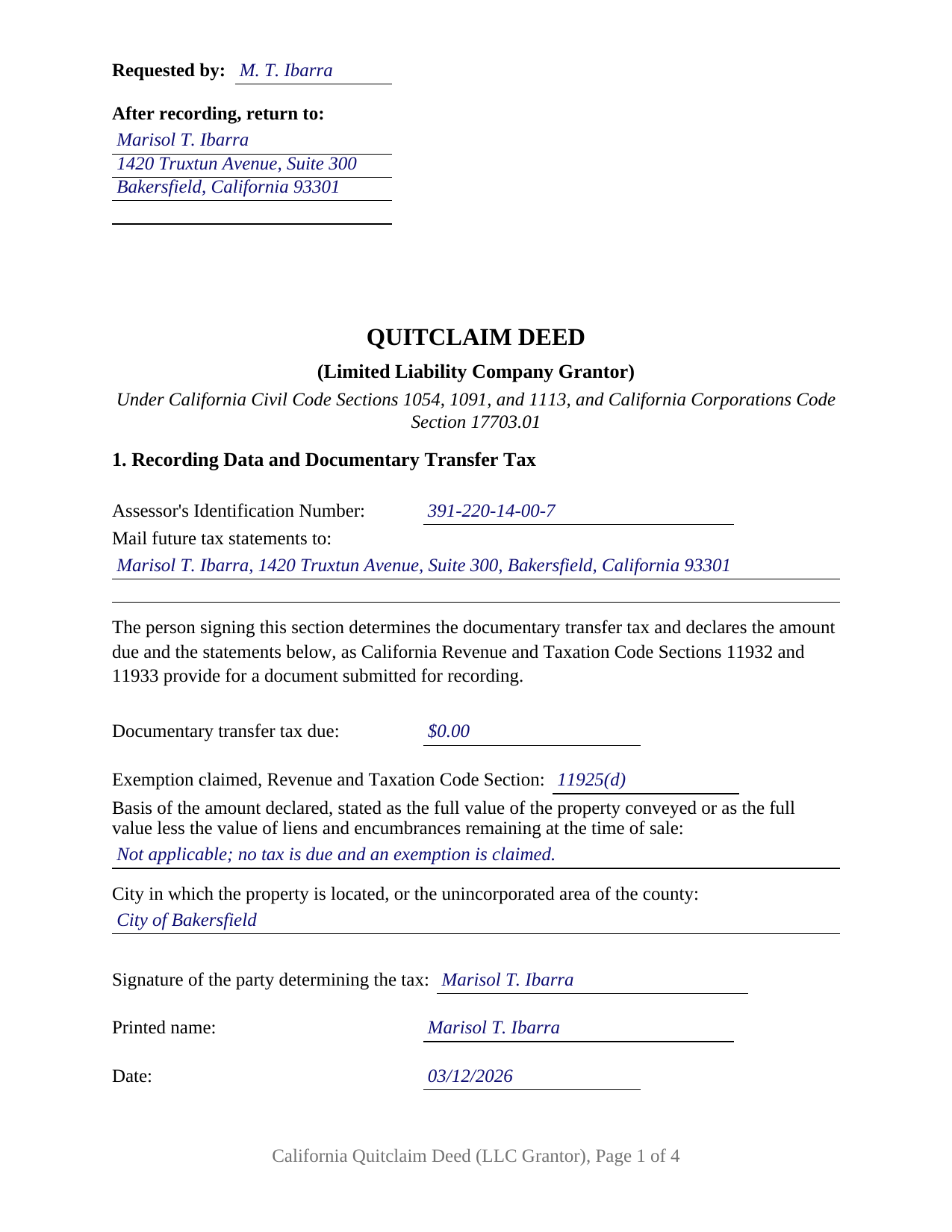
Santa Clara County Completed Example of the Quitclaim Deed (LLC Grantor) Document
Example of a properly completed California Quitclaim Deed (LLC Grantor) document for reference.
All 3 documents above included • One-time purchase • No recurring fees
Immediate Download • Secure Checkout
Additional California and Santa Clara County documents included at no extra charge:
Where to Record Your Documents
County Clerk-Recorder
San Jose, California 95134
Hours: 8:00 a.m. to 4:30 p.m
Phone: (408) 299-5688
Recording Tips for Santa Clara County:
- Bring your driver's license or state-issued photo ID
- Ensure all signatures are in blue or black ink
- Both spouses typically need to sign if property is jointly owned
- Bring extra funds - fees can vary by document type and page count
- Check margin requirements - usually 1-2 inches at top
Cities and Jurisdictions in Santa Clara County
Properties in any of these areas use Santa Clara County forms:
- Alviso
- Campbell
- Coyote
- Cupertino
- Gilroy
- Holy City
- Los Altos
- Los Gatos
- Milpitas
- Morgan Hill
- Mount Hamilton
- Mountain View
- New Almaden
- Palo Alto
- Redwood Estates
- San Jose
- San Martin
- Santa Clara
- Saratoga
- Stanford
- Sunnyvale
Hours, fees, requirements, and more for Santa Clara County
How do I get my forms?
Forms are available for immediate download after payment. The Santa Clara County forms will be in your account ready to download to your computer. An account is created for you during checkout if you don't have one. Forms are NOT emailed.
Are these forms guaranteed to be recordable in Santa Clara County?
Yes. Our form blanks are guaranteed to meet or exceed the applicable formatting requirements used for recording in Santa Clara County, including margin requirements, font requirements, and other layout standards. This guarantee applies to formatting, not to the legal sufficiency of information entered by the user or the suitability of a form for a particular transaction.
Can I reuse these forms?
Yes. You can reuse the forms for your personal use. For example, if you have multiple properties in Santa Clara County you only need to order once.
What do I need to use these forms?
The forms are PDFs that you fill out on your computer. The free Adobe Acrobat Reader is recommended, and most PDF apps also work. You do NOT enter your property information online - you download the blank forms and complete them privately on your own computer.
Are there any recurring fees?
No. This is a one-time purchase. Nothing to cancel, no memberships, no recurring fees.
How much does it cost to record in Santa Clara County?
Recording fees in Santa Clara County vary. Contact the recorder's office at (408) 299-5688 for current fees.
Questions answered? Let's get started!
A limited liability company signs nothing by itself. When one releases an interest in California real property, the recorded page has to carry two identities at once, the company that holds the interest and the person whose hand is on the line, joined by a stated capacity. This form prepares the California quitclaim deed in that configuration: a limited liability company named as grantor, one authorized person signing for it, and no warranty of title of any kind.
The Capacity Line Is Where This Deed Does Its Work
Corporations Code Section 17701.04 makes a limited liability company an entity distinct from its members, and Section 17701.05 gives it, subject to its articles of organization, all the powers of a natural person in carrying out its business activities. Section 17703.01 then supplies the agency that turns one person's signature into the act of the company, and it branches on a single fact: a company is member managed unless its articles of organization state that it is manager managed. In the first case every member is an agent of the company for its business or affairs, and executing an instrument in the company's name binds it; in the second, every manager holds that agency and a member acting solely as a member does not. Section 6 of this deed carries both entries, the signer's capacity and the company's management structure, so the record shows which branch of the statute the signature rests on. The same section adds that an act in contravention of a restriction on authority does not bind the company as to a person with actual knowledge of it.
One Company, One Signature, One Certificate
Section 2 names the company, its jurisdiction of organization, and its mailing address, which places a company organized outside California. Section 8 repeats the company name above a single signature line, with blanks for the printed name, the date, and the title, the customary California entity signature form. One acknowledgment certificate follows, headed by the boxed notice Civil Code Section 1189 places at the top of every certificate taken in this state. Companies present patterns of their own in California's grantor indexes: a company distributing a parcel to its members in the proportions in which they hold membership interests, a company releasing whatever interest it holds to an affiliated entity after a restructuring, and a company clearing a chain of title where an earlier deed reached a superseded name. The form recites one company as grantor. A corporation, a partnership, a trustee, and an individual each sign through a capacity structure other than the blanks here describe, and the grantee section names the party taking from the company.
A Release, Not a Promise
Nothing is warranted. The two covenants Civil Code Section 1113 attaches to a conveyance ride on the word grant, and a quitclaim, often typed as a quit claim deed, does not use it. The operative section states the rest: what passes is the interest the company holds when the deed is delivered, and title acquired later stays outside it.
Transfer Tax on the Way Out of an Entity
Section 1 gathers what the recording counter reads first: the assessor's parcel number, the address for future tax statements that Government Code Section 27321.5 puts on page one, and the documentary transfer tax declaration of Revenue and Taxation Code Sections 11932 and 11933, closed by the signature of whoever determined the tax. Entity transfers have their own exemption. Revenue and Taxation Code Section 11925, subdivision (d), imposes no tax by reason of a transfer between a legal entity and individuals, or between legal entities, that results solely in a change in the method of holding title where the proportional ownership interests in the realty remain the same immediately after the transfer. The guide takes up that provision, the county rate of 55 cents for each 500 dollars, the transfer taxes some charter cities add, and the Preliminary Change of Ownership Report that reaches the assessor with the deed.
Three files ship with this configuration: the fillable quitclaim deed, a completed example filled in for a Kern County transfer from a company to its two members, and a plain language guide that works through each numbered section, the certificate, the fees, and what the recorder checks at intake. All of it describes California law in general terms, and none of it is legal advice about a company or a parcel.
Important: Your property must be located in Santa Clara County to use these forms. Documents should be recorded at the county recording office listed above.
This Quitclaim Deed (LLC Grantor) meets all recording requirements specific to Santa Clara County.
Our Promise
The documents you receive here are guaranteed to meet or exceed the applicable Santa Clara County recording format requirements. If there is a rejection caused by our formatting, we will correct the issue or refund your payment. This guarantee applies to document formatting only and does not extend to information entered by the user, the selection of the form, or the legal effect of the completed document.
Save Time and Money
Get your Santa Clara County Quitclaim Deed (LLC Grantor) form done right the first time with Deeds.com Uniform Conveyancing Blanks. At Deeds.com, we understand that your time and money are valuable resources, and we don't want you to face a penalty fee or rejection imposed by a county recorder for submitting nonstandard documents. We constantly review and update our forms to meet rapidly changing state and county recording requirements for roughly 3,500 counties and local jurisdictions.
4.8 out of 5 - ( 4,828 Reviews )
Paula S. 5 out of 5 stars
The document form was easily retrieved and the sample provided was extremely helpful and no problems were encountered when presenting the completed document to the county. I am grateful for this website and the help and confidence it gave me to complete this task
We appreciate your comments and your trust in us. Thank you.
Kris D. 5 out of 5 stars
The Executor's Guide needs more info about what to put for grantee (estate of deceased or my name as executor?) and the price (something nominal like $10?) before there is a buyer. The guide seems to use only one example.
Thank you for your feedback. We really appreciate it. Have a great day!
Vonnie F. 5 out of 5 stars
This service is very user-friendly and efficient.
Thank you!
Blanche S. 5 out of 5 stars
Thank you I hope I've done it all right!!
Thank you!
Teresa F. 5 out of 5 stars
Great! Received documents to download immediately and was able to do the needed with the information and instructions. Thank you
Thank you!
Vickey W. 5 out of 5 stars
Your company was great, you all walked me through every step of the process. With the pandemic and the inability to go into the DC Recorder of Deeds office. I look forward to working with you in the future.
Thank you for your feedback. We really appreciate it. Have a great day!
Michael T. 5 out of 5 stars
Very easy to find what I was looking for and the cost was reasonable. The documents saved me a lot of time and were easy to use.
Thank you for your feedback. We really appreciate it. Have a great day!
Jerry W. 5 out of 5 stars
Great program and easy to follow instructions.
Thank you for your feedback. We really appreciate it. Have a great day!
Mary C. 5 out of 5 stars
The fillable form was usable but awkward as most of these forms are. The example and guide were both helpful. I'm satisfied with what I received.
Great to hear — thank you for taking the time to write a review.
MARIA G. 5 out of 5 stars
I tried 3 local attorneys and got no where , wrong information, to busy and another one was very rude. One said he'd do it then didn't. I was so stressed and tried a different online form company advertising an in person attorney within hours. They did call back but gave me the wrong answer. I needed a form used in NC and knew about it from the clerk of the court. The deadline was approaching, I looked one more time and found Deeds.com. They have the form and the much need instructions and for less than $30.00. I am so pleased and also relived!
Thank you for your feedback. We really appreciate it. Have a great day!
Gail W. 5 out of 5 stars
Easy to use!!
Thank you!
Ronald W. 5 out of 5 stars
User friendly, but couldn't find the information needed.
Thank you for your feedback. We really appreciate it. Have a great day!
Virginia P. 1 out of 5 stars
Not user friendly despite additional guide. There are other products out there that are superior. A waste of $20.
Sorry to hear that Virginia. Your order and payment has been canceled. We do hope that you find something more suitable to your needs elsewhere. Have a wonderful day.
AJ H. 5 out of 5 stars
What a wonderful service to offer! Very impressed, and grateful for the forms and instructions!
We appreciate your business and value your feedback. Thank you. Have a wonderful day!
Christine S. 5 out of 5 stars
Very good site! I found everything I needed right here on Deeds.com. Excellent quality forms, easy access, perfect delivery, reasonable price
We appreciate your business and value your feedback. Thank you. Have a wonderful day!