Madera County Quitclaim Deed (Married Grantor with Non-Owner Spouse Joinder) Form
Last validated November 16, 2026 by our Forms Development TeamFormatted for recording in Madera County, for property anywhere in the county: rural and unincorporated areas as well as Ahwahnee, Bass Lake, Chowchilla, Coarsegold, Madera, North Fork, O Neals, Oakhurst and 2 more.
- 3 documents included
- Immediate PDF download
- Formatting guarantee
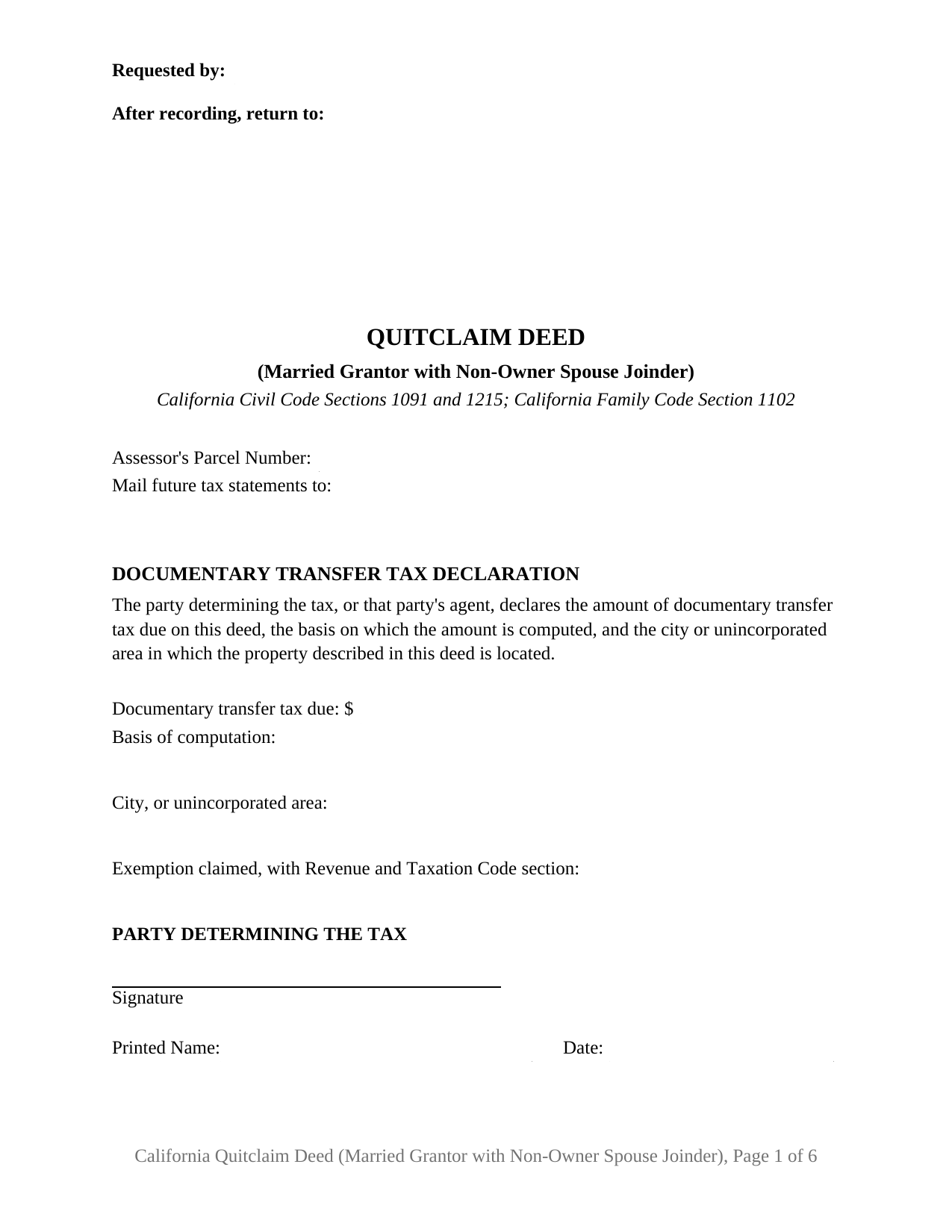
Madera County Quitclaim Deed (Married Grantor with Non-Owner Spouse Joinder) Form
Fill in the blank Quitclaim Deed (Married Grantor with Non-Owner Spouse Joinder) form formatted to comply with all California recording and content requirements.
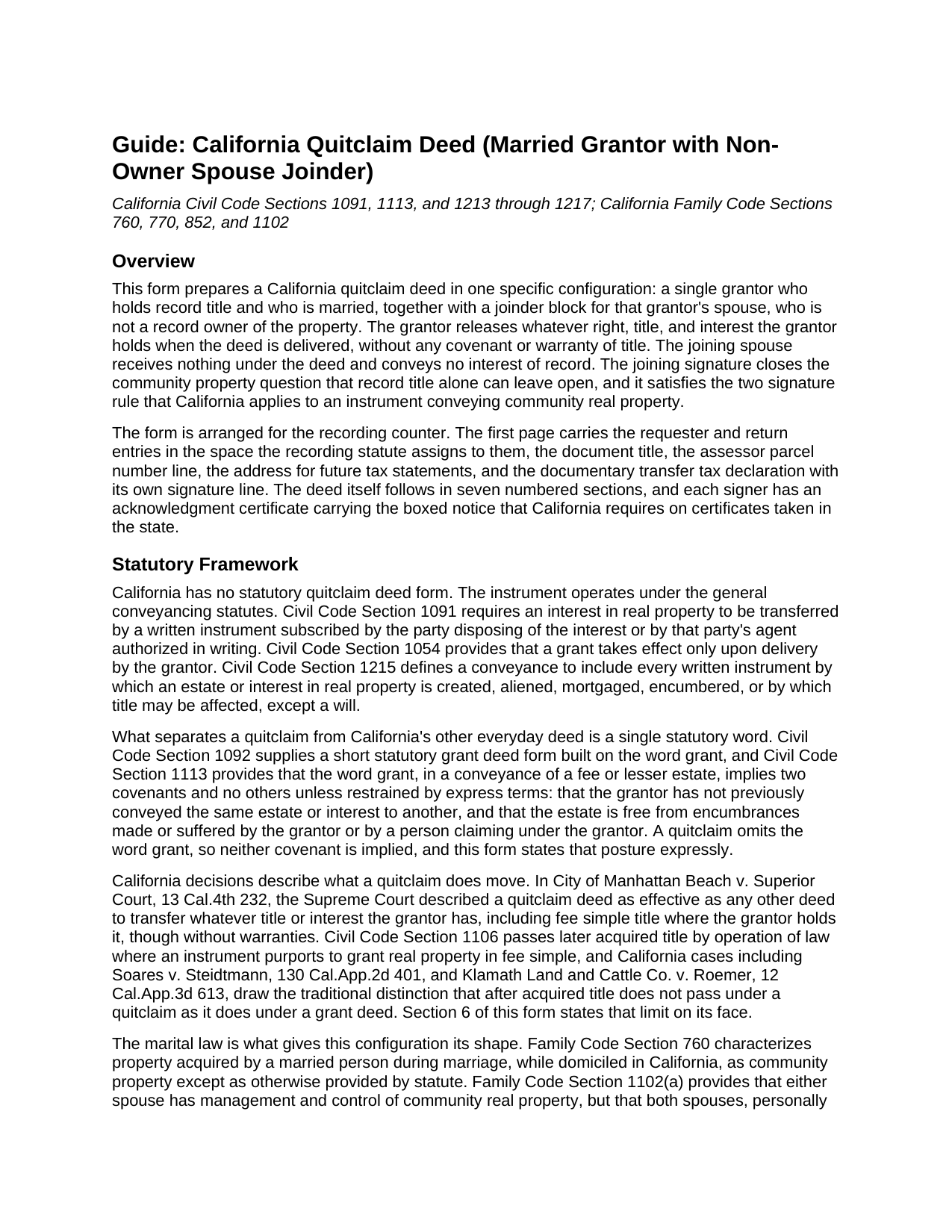
Madera County Quitclaim Deed (Married Grantor with Non-Owner Spouse Joinder) Guide
Line by line guide explaining every blank on the Quitclaim Deed (Married Grantor with Non-Owner Spouse Joinder) form.
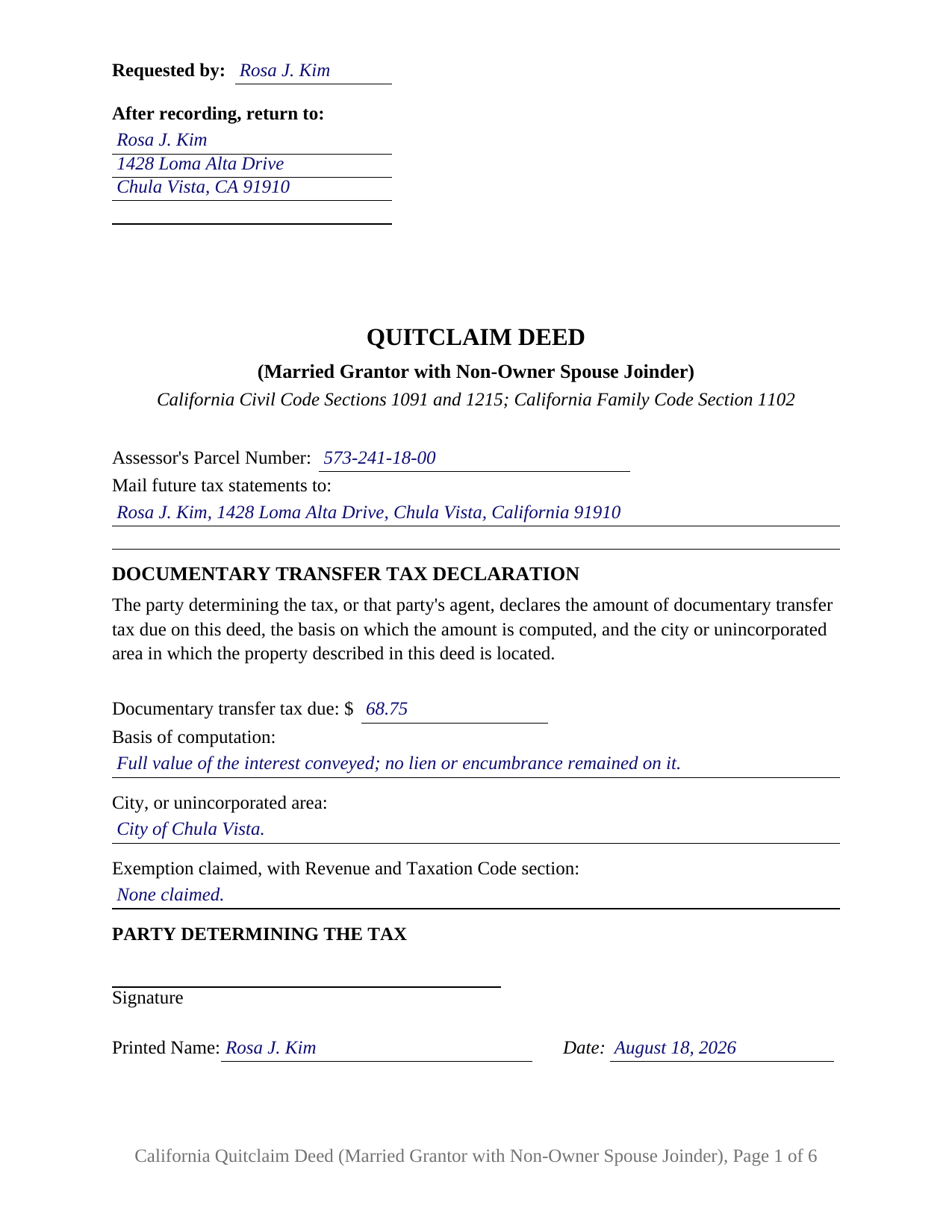
Madera County Completed Example of the Quitclaim Deed (Married Grantor with Non-Owner Spouse Joinder) Document
Example of a properly completed California Quitclaim Deed (Married Grantor with Non-Owner Spouse Joinder) document for reference.
All 3 documents above included • One-time purchase • No recurring fees
Immediate Download • Secure Checkout
Additional California and Madera County documents included at no extra charge:
Where to Record Your Documents
County Recorder
Madera, California 93637-3548
Hours: 8:00 a.m. to 5:00 p.m / Recording until 3:30 pm
Phone: (559) 675-7724
Recording Tips for Madera County:
- Bring your driver's license or state-issued photo ID
- Ensure all signatures are in blue or black ink
- Make copies of your documents before recording - keep originals safe
- Recorded documents become public record - avoid including SSNs
- Recording fees may differ from what's posted online - verify current rates
Cities and Jurisdictions in Madera County
Properties in any of these areas use Madera County forms:
- Ahwahnee
- Bass Lake
- Chowchilla
- Coarsegold
- Madera
- North Fork
- O Neals
- Oakhurst
- Raymond
- Wishon
Hours, fees, requirements, and more for Madera County
How do I get my forms?
Forms are available for immediate download after payment. The Madera County forms will be in your account ready to download to your computer. An account is created for you during checkout if you don't have one. Forms are NOT emailed.
Are these forms guaranteed to be recordable in Madera County?
Yes. Our form blanks are guaranteed to meet or exceed the applicable formatting requirements used for recording in Madera County, including margin requirements, font requirements, and other layout standards. This guarantee applies to formatting, not to the legal sufficiency of information entered by the user or the suitability of a form for a particular transaction.
Can I reuse these forms?
Yes. You can reuse the forms for your personal use. For example, if you have multiple properties in Madera County you only need to order once.
What do I need to use these forms?
The forms are PDFs that you fill out on your computer. The free Adobe Acrobat Reader is recommended, and most PDF apps also work. You do NOT enter your property information online - you download the blank forms and complete them privately on your own computer.
Are there any recurring fees?
No. This is a one-time purchase. Nothing to cancel, no memberships, no recurring fees.
How much does it cost to record in Madera County?
Recording fees in Madera County vary. Contact the recorder's office at (559) 675-7724 for current fees.
Questions answered? Let's get started!
A California quitclaim deed can carry a signature from someone whose name appears nowhere in the chain of title. When the grantor of record is married, the spouse who is not on the title may hold a community interest the record does not show, and the way that interest leaves the property is a joinder written into the same deed. This form prepares the California quitclaim deed in that configuration: one married owner of record as grantor, and a joinder block for that grantor's spouse, who holds nothing of record and takes nothing under it.
Why a Spouse Who Is Not on the Title Signs
California characterizes marital property by how and when it was acquired, not by whose name reached the recorder. Under Family Code Section 760, what a married person picks up while living in this state belongs to the community unless a statute says otherwise, and In re Brace, decided by the California Supreme Court in 2020, held that the shape of recorded title does not by itself answer the characterization question. Family Code Section 1102 then treats a conveyance of community real property as a two spouse act. A release signed by the owner of record alone may reach everything the grantee bargained for, or it may not, and the record does not say which. The joinder settles it in writing.
The One Year Window the Statute Leaves Open
Section 1102 supplies two backstops for an instrument executed by one spouse alone, and neither is the equal of a signature. Subdivision (c)(2) presumes valid the sole deed of the spouse holding record title when it runs to a purchaser or encumbrancer in good faith without knowledge of the marriage relation, a presumption unavailable to a grantee who knows of the marriage. Subdivision (d) bars an action to avoid such an instrument one year after it is filed for record, placing the exposure on a clock rather than ending it. A deed carrying the non-owner spouse's release depends on neither provision.
One Grantor Block, One Joinder Block
Section 1 names the grantor, the married owner who holds record title, and Section 2 names the joining spouse. Section 6 recites the marriage between them, quitclaims the grantor's right, title, and interest to the grantee, and quitclaims whatever interest the joining spouse holds, stating the joinder as the execution by both spouses described in Family Code Section 1102. Two signature lines follow, one apiece, and each signer has an acknowledgment certificate headed by the boxed identity notice California places on certificates taken in the state. An owner who took title before the marriage and releases it to the co-owner of the other half, and a married owner of record who releases an interest while the other spouse stays off the title, present the asymmetric pattern this deed recites: one conveyance, one release, two signatures. The form is not arranged for two owners of record who both convey, and its grantee section names a party other than the two spouses.
A Release Without Covenants
The instrument, often typed as a quit claim deed, says nothing about the condition of the title. California folds its everyday deed promises into a single word: Civil Code Section 1113 implies two covenants and no others from the word grant, and this deed leaves that word out. Each release reaches the interest its signer holds at delivery, and Section 6 states the traditional California rule that title acquired later does not follow a quitclaim.
Two Names in the Recorder's Index
A joinder puts a second executing party on a deed that conveys one owner's interest, and recording law treats that name as data. Government Code Section 27280.5 requires the name of every person executing a document to be legibly signed, typed, or printed at the side of or below the signature, and the printed name blank under each signature line answers it, so the joining spouse is indexed as a signer even while holding no interest of record. On the first page, the documentary transfer tax declaration is measured by the consideration paid for the interest the grantor releases, since the joinder conveys no separate thing of value.
The package includes the deed as a fillable PDF, a completed example worked through a San Diego County release between co-owners, and a plain language guide covering each section, the notarization of both signers, and the county recording steps. It describes California law in general terms and is not legal advice about any particular title or marriage.
Important: Your property must be located in Madera County to use these forms. Documents should be recorded at the county recording office listed above.
This Quitclaim Deed (Married Grantor with Non-Owner Spouse Joinder) meets all recording requirements specific to Madera County.
Our Promise
The documents you receive here are guaranteed to meet or exceed the applicable Madera County recording format requirements. If there is a rejection caused by our formatting, we will correct the issue or refund your payment. This guarantee applies to document formatting only and does not extend to information entered by the user, the selection of the form, or the legal effect of the completed document.
Save Time and Money
Get your Madera County Quitclaim Deed (Married Grantor with Non-Owner Spouse Joinder) form done right the first time with Deeds.com Uniform Conveyancing Blanks. At Deeds.com, we understand that your time and money are valuable resources, and we don't want you to face a penalty fee or rejection imposed by a county recorder for submitting nonstandard documents. We constantly review and update our forms to meet rapidly changing state and county recording requirements for roughly 3,500 counties and local jurisdictions.
4.8 out of 5 - ( 4,867 Reviews )
Crystal P. 5 out of 5 stars
This service is amazing! We have tried several other online recording services which all disappointed. Deeds.com got all three of our documents recorded same day as invoice payment. Thank you for the quick turn around! We will be using this service often.
We are sincerely grateful for your feedback and are committed to providing the highest quality service. Thank you for your trust in us.
Kenny H. 5 out of 5 stars
The forms are extremely helpful. They could use some updating. Promissory note "...in the form of cash, check or money order." is a bit outdated. My note is with my son and we have an automatic bank transfer set up for payments. He could Venmo me. There are many other options and likely to be more changes in the future, so I know this is difficult to maintain.
Thank you for your feedback. We really appreciate it. Have a great day!
Gerald B. 5 out of 5 stars
Thank you so much for the helpful service and quick action! If needed, I will definitely choose Deeds.com again.
We appreciate your business and value your feedback. Thank you. Have a wonderful day!
Roman F. 5 out of 5 stars
You form was good the only thing that did not work was the download to fill it out !!! I use a Mac system and maybe that's what the issue was. I filled it out by hand and it worked for the purpose .
Thanks for the kind words, Roman. Glad the form worked for you. For the fillable fields, the PDF opens best in a dedicated reader like Preview or Adobe Acrobat rather than inside a browser window, which can sometimes flatten them out. We appreciate your business.
Beth O. 5 out of 5 stars
Easy peasy! Thank y'all so much.
Thank you!
COURTNEY K. 5 out of 5 stars
I could not be happier with this service! It was so easy and fast!
Thank you!
Michael D. 5 out of 5 stars
Great service
Thank you!
Keith L. 5 out of 5 stars
Great to have a downloadable form, rather than a cloud solution that gives no guarantee of privacy. Appreciated the sample.......but all of that still left me with open issues about how to tweak the form to serve my particular needs......for example: how to ensure that survivor rights were properly characterized; how far back I should go with the "Source" section + how I should layer my own additions to the chain of ownership, etc. Nonetheless, an overall happy experience. Thank you for your help
Thank you for your feedback. We really appreciate it. Have a great day!
CHARLES S. 5 out of 5 stars
Easy to purchase and a reasonable price. Documents were easy to add information. Examples proved handy.
We appreciate your business and value your feedback. Thank you. Have a wonderful day!
Kathy-Louise A. 5 out of 5 stars
I found the process of downloading and completing the documents very user friendly. Thank you for the Declare Value instructions. It was easy to follow, though a sample of the declaration form would be very useful. I didn't know how to list my "capacity" so I left it blank so the recorder could advise me. Otherwise, thank you so much for being available for people who are capable of completing simple legal tasks without the expense of a lawyer. Thank you, thank you, thank you!!!
Your appreciative words mean the world to us. Thank you.
Wilma M. 5 out of 5 stars
Amazingly easy. Thank you
Thank you!
Carolyn M. 5 out of 5 stars
Very helpful and informative. The online site walked you through step by step and if you had a question, which I did, I called with my question. Thanks again.
Thank you!
Sylvia H. 5 out of 5 stars
Deeds.com really made the process of completing and submitting the Lien application easy. Thank you, and I will be using you whenever I need a real estate document that you carry.
We appreciate your business and value your feedback. Thank you. Have a wonderful day!
George D. 4 out of 5 stars
The TODD form has been notarized and registered with my county Register of Deeds office, so it works just fine. My only quibble is that when I printed it out, it missed part of the last line of the notary's info and the fine print in the bottom corners. When I printed it at 90% scale, it included those things.
Thank you for your feedback. We really appreciate it. Have a great day!
Ronald M. 5 out of 5 stars
Easy to use but can't seem to find LOGOUT control????
Thank you for the feedback Ronald. (The Sign Out control is on the top right of the account page)