San Benito County Quitclaim Deed (Married Grantor with Non-Owner Spouse Joinder) Form
Last validated November 16, 2026 by our Forms Development TeamFormatted for recording in San Benito County, for property anywhere in the county: rural and unincorporated areas as well as Hollister, Paicines, San Juan Bautista, Tres Pinos.
- 3 documents included
- Immediate PDF download
- Formatting guarantee
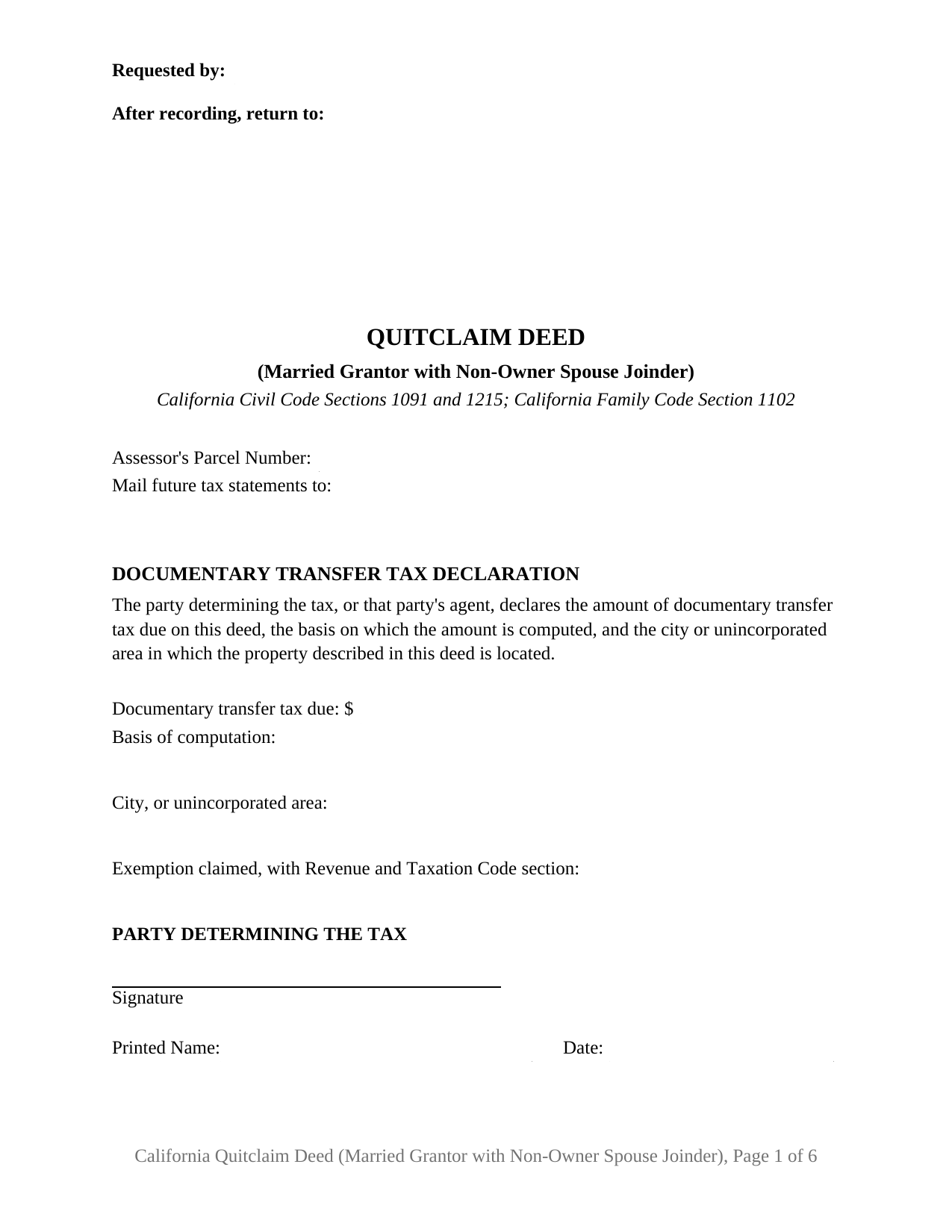
San Benito County Quitclaim Deed (Married Grantor with Non-Owner Spouse Joinder) Form
Fill in the blank Quitclaim Deed (Married Grantor with Non-Owner Spouse Joinder) form formatted to comply with all California recording and content requirements.
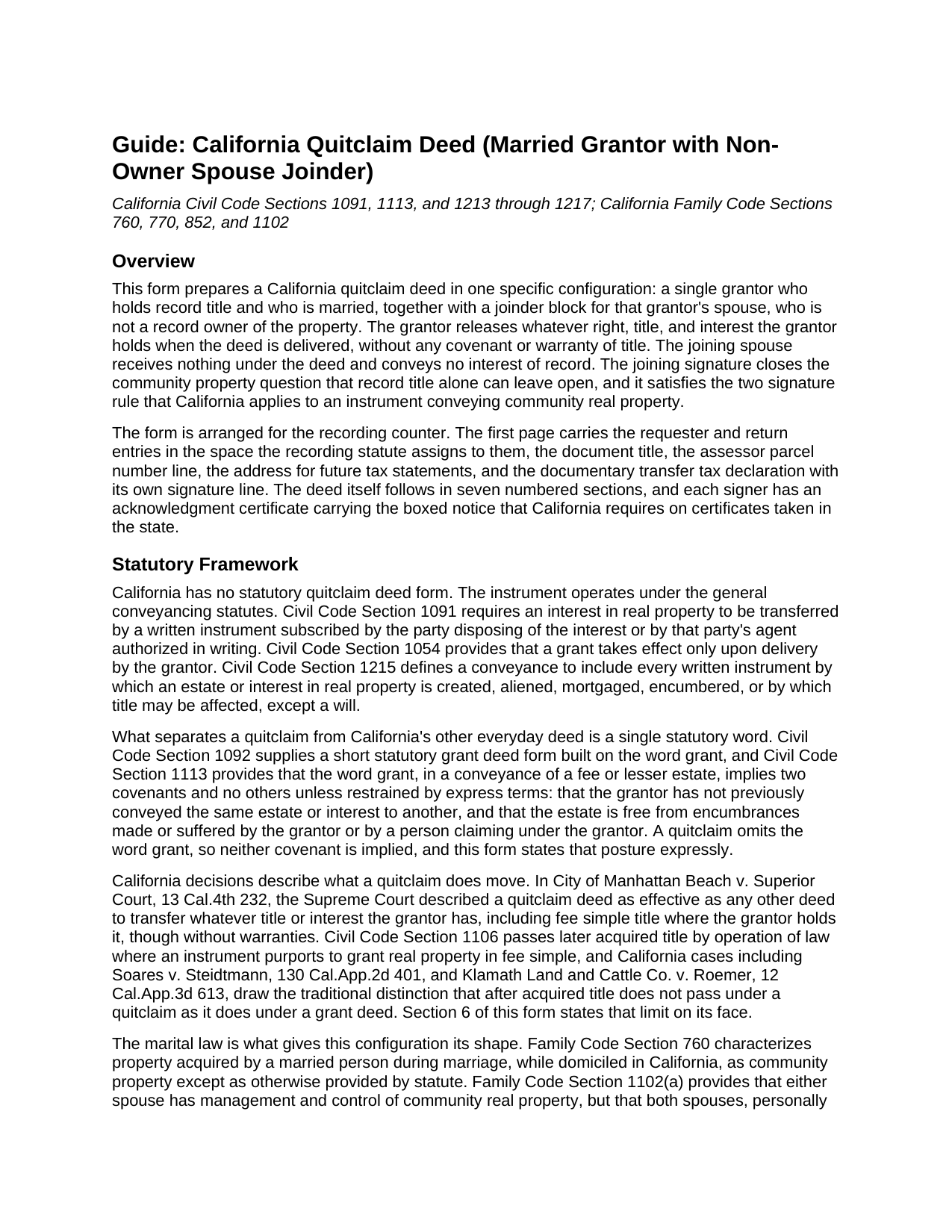
San Benito County Quitclaim Deed (Married Grantor with Non-Owner Spouse Joinder) Guide
Line by line guide explaining every blank on the Quitclaim Deed (Married Grantor with Non-Owner Spouse Joinder) form.
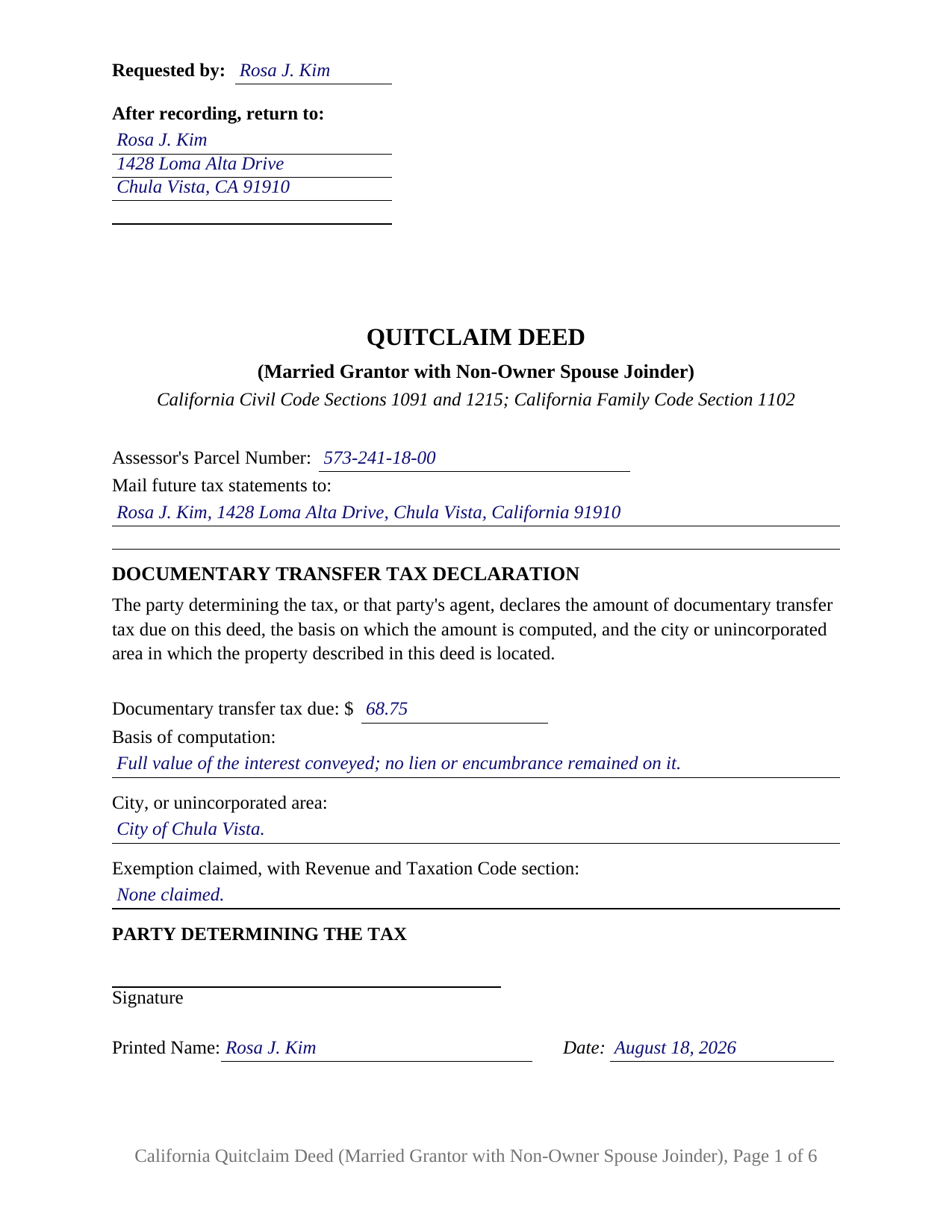
San Benito County Completed Example of the Quitclaim Deed (Married Grantor with Non-Owner Spouse Joinder) Document
Example of a properly completed California Quitclaim Deed (Married Grantor with Non-Owner Spouse Joinder) document for reference.
All 3 documents above included • One-time purchase • No recurring fees
Immediate Download • Secure Checkout
Additional California and San Benito County documents included at no extra charge:
Where to Record Your Documents
County Clerk - Auditor - Recorder
Hollister, California 95023-3843
Hours: 8:00 to 5:00 M-F / Recording: 9:15 to 4:00
Phone: (831) 636-4046
Recording Tips for San Benito County:
- Bring your driver's license or state-issued photo ID
- Ensure all signatures are in blue or black ink
- Recording fees may differ from what's posted online - verify current rates
- Request a receipt showing your recording numbers
- Ask about accepted payment methods when you call ahead
Cities and Jurisdictions in San Benito County
Properties in any of these areas use San Benito County forms:
- Hollister
- Paicines
- San Juan Bautista
- Tres Pinos
Hours, fees, requirements, and more for San Benito County
How do I get my forms?
Forms are available for immediate download after payment. The San Benito County forms will be in your account ready to download to your computer. An account is created for you during checkout if you don't have one. Forms are NOT emailed.
Are these forms guaranteed to be recordable in San Benito County?
Yes. Our form blanks are guaranteed to meet or exceed the applicable formatting requirements used for recording in San Benito County, including margin requirements, font requirements, and other layout standards. This guarantee applies to formatting, not to the legal sufficiency of information entered by the user or the suitability of a form for a particular transaction.
Can I reuse these forms?
Yes. You can reuse the forms for your personal use. For example, if you have multiple properties in San Benito County you only need to order once.
What do I need to use these forms?
The forms are PDFs that you fill out on your computer. The free Adobe Acrobat Reader is recommended, and most PDF apps also work. You do NOT enter your property information online - you download the blank forms and complete them privately on your own computer.
Are there any recurring fees?
No. This is a one-time purchase. Nothing to cancel, no memberships, no recurring fees.
How much does it cost to record in San Benito County?
Recording fees in San Benito County vary. Contact the recorder's office at (831) 636-4046 for current fees.
Questions answered? Let's get started!
A California quitclaim deed can carry a signature from someone whose name appears nowhere in the chain of title. When the grantor of record is married, the spouse who is not on the title may hold a community interest the record does not show, and the way that interest leaves the property is a joinder written into the same deed. This form prepares the California quitclaim deed in that configuration: one married owner of record as grantor, and a joinder block for that grantor's spouse, who holds nothing of record and takes nothing under it.
Why a Spouse Who Is Not on the Title Signs
California characterizes marital property by how and when it was acquired, not by whose name reached the recorder. Under Family Code Section 760, what a married person picks up while living in this state belongs to the community unless a statute says otherwise, and In re Brace, decided by the California Supreme Court in 2020, held that the shape of recorded title does not by itself answer the characterization question. Family Code Section 1102 then treats a conveyance of community real property as a two spouse act. A release signed by the owner of record alone may reach everything the grantee bargained for, or it may not, and the record does not say which. The joinder settles it in writing.
The One Year Window the Statute Leaves Open
Section 1102 supplies two backstops for an instrument executed by one spouse alone, and neither is the equal of a signature. Subdivision (c)(2) presumes valid the sole deed of the spouse holding record title when it runs to a purchaser or encumbrancer in good faith without knowledge of the marriage relation, a presumption unavailable to a grantee who knows of the marriage. Subdivision (d) bars an action to avoid such an instrument one year after it is filed for record, placing the exposure on a clock rather than ending it. A deed carrying the non-owner spouse's release depends on neither provision.
One Grantor Block, One Joinder Block
Section 1 names the grantor, the married owner who holds record title, and Section 2 names the joining spouse. Section 6 recites the marriage between them, quitclaims the grantor's right, title, and interest to the grantee, and quitclaims whatever interest the joining spouse holds, stating the joinder as the execution by both spouses described in Family Code Section 1102. Two signature lines follow, one apiece, and each signer has an acknowledgment certificate headed by the boxed identity notice California places on certificates taken in the state. An owner who took title before the marriage and releases it to the co-owner of the other half, and a married owner of record who releases an interest while the other spouse stays off the title, present the asymmetric pattern this deed recites: one conveyance, one release, two signatures. The form is not arranged for two owners of record who both convey, and its grantee section names a party other than the two spouses.
A Release Without Covenants
The instrument, often typed as a quit claim deed, says nothing about the condition of the title. California folds its everyday deed promises into a single word: Civil Code Section 1113 implies two covenants and no others from the word grant, and this deed leaves that word out. Each release reaches the interest its signer holds at delivery, and Section 6 states the traditional California rule that title acquired later does not follow a quitclaim.
Two Names in the Recorder's Index
A joinder puts a second executing party on a deed that conveys one owner's interest, and recording law treats that name as data. Government Code Section 27280.5 requires the name of every person executing a document to be legibly signed, typed, or printed at the side of or below the signature, and the printed name blank under each signature line answers it, so the joining spouse is indexed as a signer even while holding no interest of record. On the first page, the documentary transfer tax declaration is measured by the consideration paid for the interest the grantor releases, since the joinder conveys no separate thing of value.
The package includes the deed as a fillable PDF, a completed example worked through a San Diego County release between co-owners, and a plain language guide covering each section, the notarization of both signers, and the county recording steps. It describes California law in general terms and is not legal advice about any particular title or marriage.
Important: Your property must be located in San Benito County to use these forms. Documents should be recorded at the county recording office listed above.
This Quitclaim Deed (Married Grantor with Non-Owner Spouse Joinder) meets all recording requirements specific to San Benito County.
Our Promise
The documents you receive here are guaranteed to meet or exceed the applicable San Benito County recording format requirements. If there is a rejection caused by our formatting, we will correct the issue or refund your payment. This guarantee applies to document formatting only and does not extend to information entered by the user, the selection of the form, or the legal effect of the completed document.
Save Time and Money
Get your San Benito County Quitclaim Deed (Married Grantor with Non-Owner Spouse Joinder) form done right the first time with Deeds.com Uniform Conveyancing Blanks. At Deeds.com, we understand that your time and money are valuable resources, and we don't want you to face a penalty fee or rejection imposed by a county recorder for submitting nonstandard documents. We constantly review and update our forms to meet rapidly changing state and county recording requirements for roughly 3,500 counties and local jurisdictions.
4.8 out of 5 - ( 4,858 Reviews )
David Q. 5 out of 5 stars
Very easy...great service.
Thank you!
Michael T. 5 out of 5 stars
Quick, simple and easy.
Thank you!
Paul S. 5 out of 5 stars
Very satisfactory
Thank you!
Michael H. 5 out of 5 stars
Very straightforward website. Helpful in getting county specific documents.
Thank you!
Julie K. 4 out of 5 stars
The process for obtaining document itself was easy, and the included guide and example are great! I do have an issue with the format itself, though. The form has pre-defined text boxes, which cannot be altered without partially rebuilding the entire document. For the 'property description' field on the Mineral Deed form, the text box is not large enough for the rather lengthy legal description entered on my original plat. Fortunately, I have a copy of Adobe Pro, so I have been able to re-build the doc to accommodate this short-coming.
Thank you for taking the time to provide feedback on our legal form. We're pleased to hear that you found the process for obtaining the document and the included guide beneficial.
We understand and appreciate your concern regarding the formatting and size limitations of certain fields, especially the 'property description' field. Our forms are designed to adhere to specific formatting requirements that are often mandated for legal compliance. Making direct alterations to the document can result in them becoming non-conforming, which is why we advise customers to use an exhibit page when their legal description is extensive or does not fit.
Diana L. 5 out of 5 stars
Easy to use but need to go through the courthouse to do what I need to do.
Thank you!
Christina A G. 5 out of 5 stars
It was easy to locate, purchase, and download the documents I needed on the Deeds.com website.
We appreciate your business and value your feedback. Thank you. Have a wonderful day!
Annie R. 5 out of 5 stars
Excellent service. Documents easy to understand and use.
We appreciate your business and value your feedback. Thank you. Have a wonderful day!
Rachel F. 5 out of 5 stars
Easy and can add our own additional language in spaces provided. Thank you!
Thank you Rachel!
Ryan B. 5 out of 5 stars
This was a very quick and convenient way to complete one of the tasks for my divorce that I imagined would be extremely difficult. Thank you deeds.com for making a difficult situation bearable.
We appreciate your business and value your feedback. Thank you. Have a wonderful day!
Virginia W. 5 out of 5 stars
Easy instructions and a example on how to fill out the form.
Thank you for your feedback. We really appreciate it. Have a great day!
Daron S. 5 out of 5 stars
A download in word format would be a lot better than the pdf download.
Thank you for your feedback. We really appreciate it. Have a great day!
Rachel Y. 5 out of 5 stars
I liked the ease of use, however I would love to be able to add multiple APN’s and delete lines that are not applicable
Thank you, Rachel. We’re glad you found the form easy to use, and we appreciate your suggestions about adding multiple APNs and removing inapplicable lines. Feedback like this helps us improve our forms.
Daniel F. 5 out of 5 stars
We have been very happy with all that Deeds have done very timely and helpful
Thank you!
Elizabeth L. 5 out of 5 stars
Used this site and the forms a few times now and always a good experience. It's so nice to be able to download these forms to my computer and work on them there. So many others want you to do everything online, pain in my opinion. Thank you Deeds!
Thank you for your feedback. We really appreciate it. Have a great day!