San Diego County Special Warranty Deed Form
Last validated October 14, 2026 by our Forms Development TeamFormatted for recording in San Diego County, for property anywhere in the county: rural and unincorporated areas as well as Alpine, Bonita, Bonsall, Borrego Springs, Boulevard, Camp Pendleton, Campo, Cardiff By The Sea and 44 more.
- 3 documents included
- Immediate PDF download
- Formatting guarantee
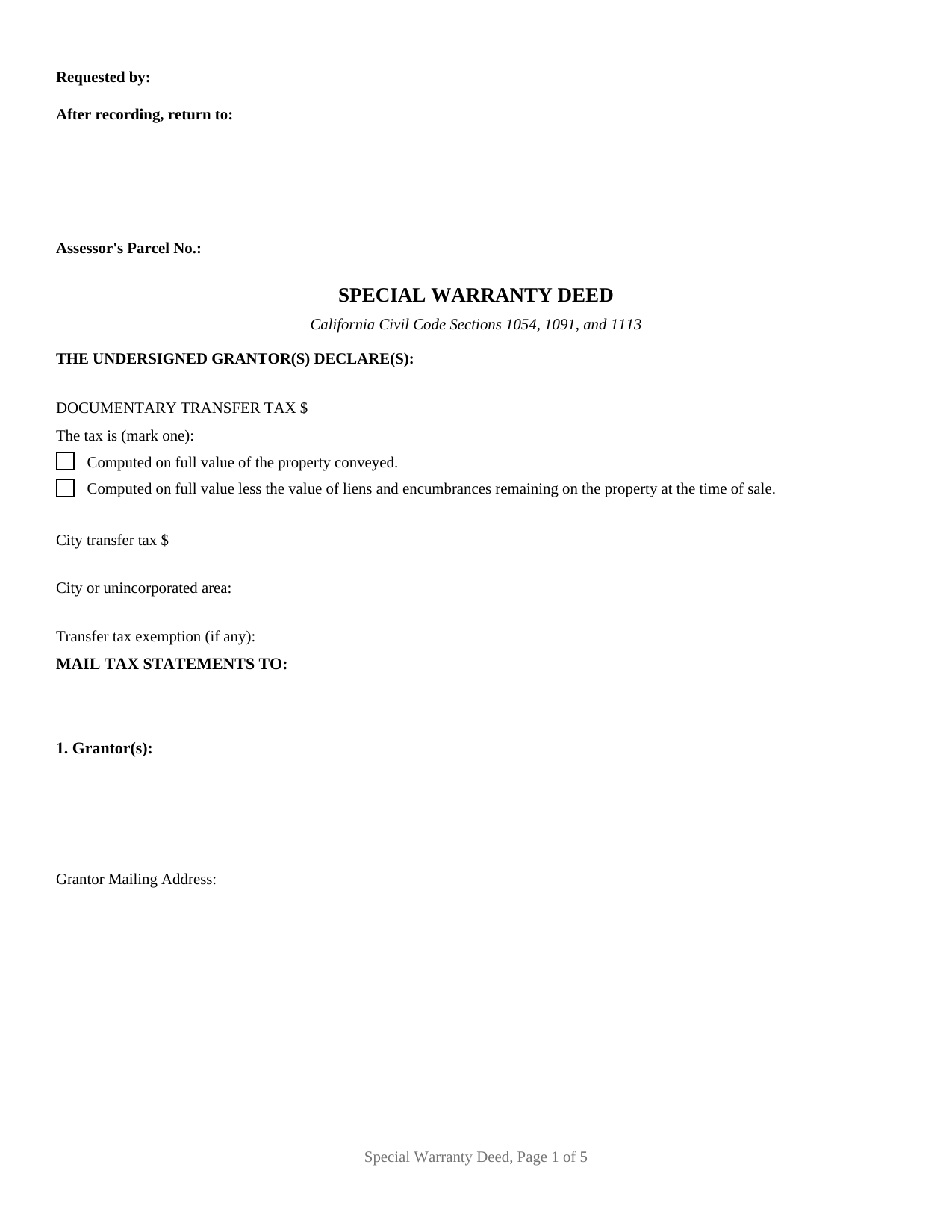
San Diego County Special Warranty Deed Form
Fill in the blank Special Warranty Deed form formatted to comply with all California recording and content requirements.
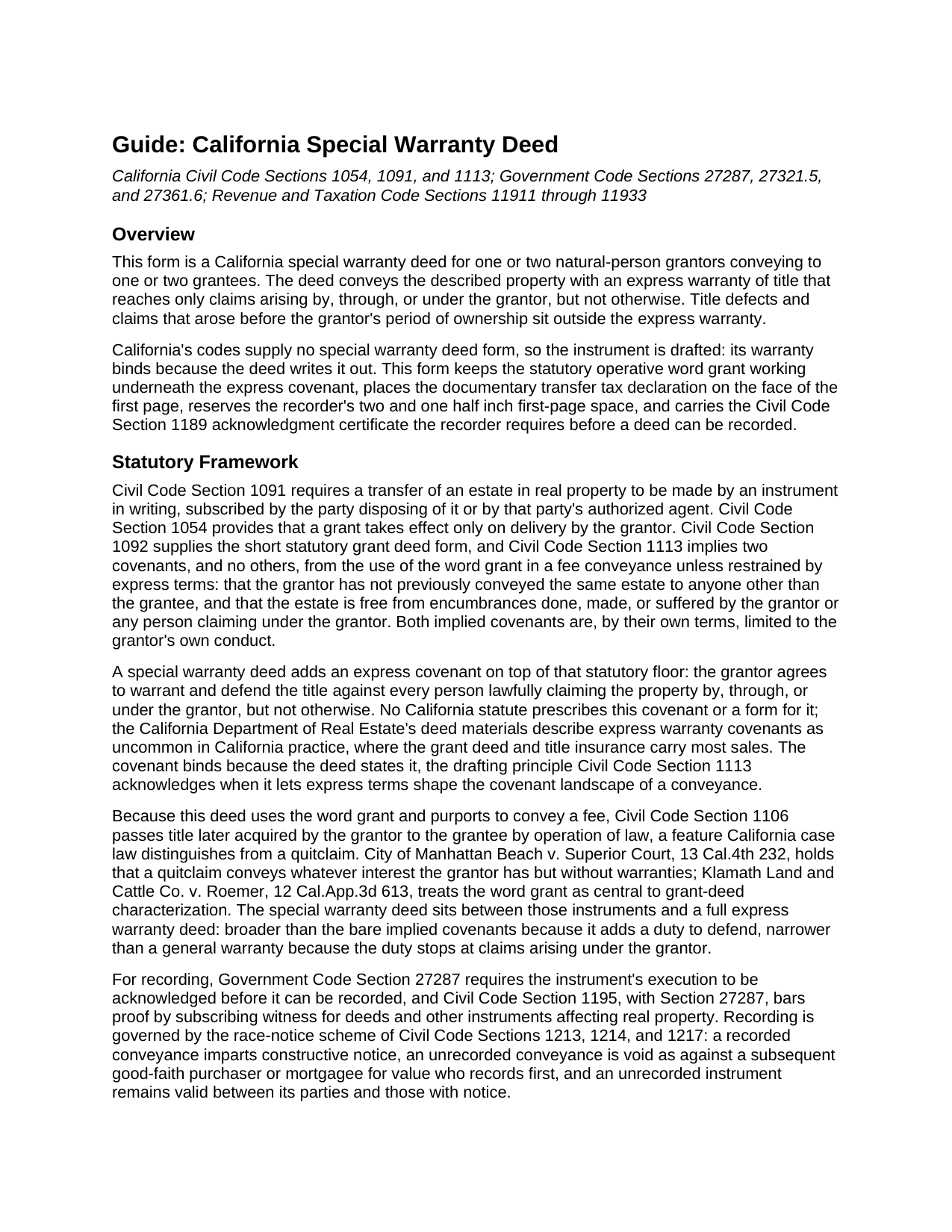
San Diego County Special Warranty Deed Guide
Line by line guide explaining every blank on the Special Warranty Deed form.
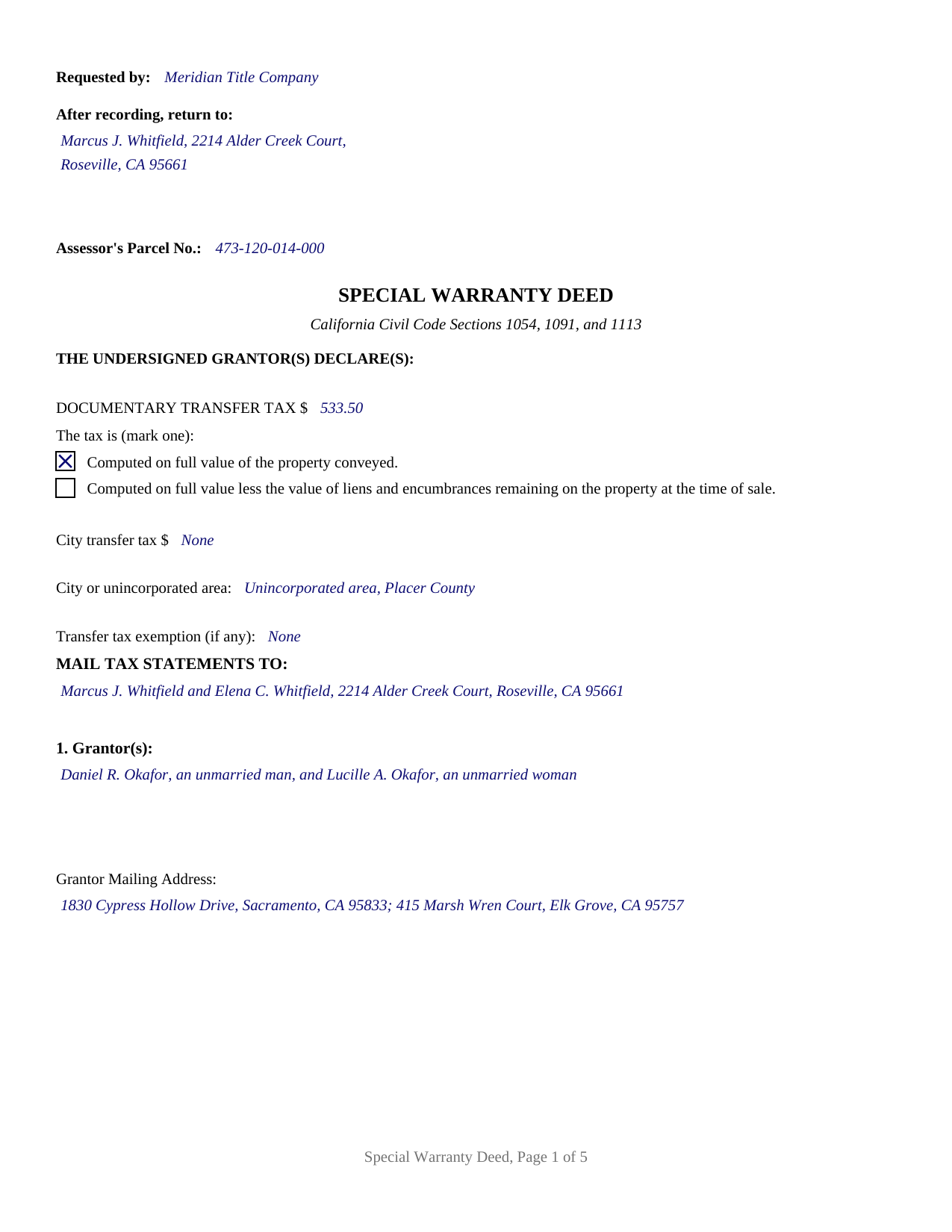
San Diego County Completed Example of the Special Warranty Deed Document
Example of a properly completed California Special Warranty Deed document for reference.
All 3 documents above included • One-time purchase • No recurring fees
Immediate Download • Secure Checkout
Additional California and San Diego County documents included at no extra charge:
Where to Record Your Documents
San Diego Clerk/Recorder Main Office
San Diego, California 92101
Hours: Monday to Friday 8:00am - 5:00pm
Phone: (619) 236-3771, 238-8158; (760) 630-1219 North County
Mail to: San Diego Assessor/Recorder/Clerk
San Diego, California 92112-1750
Hours: N/A
Phone: mailing address
El Cajon Branch Office
El Cajon, California 92020
Hours: Monday through Friday 8:00am - 5:00pm
Phone: (619) 238-8158 or (619) 236-3771 Assessor
San Marcos Branch Office
San Marcos, California 92078
Hours: Monday through Friday 8:00am - 5:00pm
Phone: (619) 238-8158 or (760) 630-1219 North County
Chula Vista Branch Office
Chula Vista, California 91910
Hours: 8:00 a.m. to 5:00 p.m., Monday through Friday, except holidays.
Phone: (619) 238-8158
Recording Tips for San Diego County:
- Bring your driver's license or state-issued photo ID
- Ensure all signatures are in blue or black ink
- Make copies of your documents before recording - keep originals safe
- Recorded documents become public record - avoid including SSNs
- Recording fees may differ from what's posted online - verify current rates
Cities and Jurisdictions in San Diego County
Properties in any of these areas use San Diego County forms:
- Alpine
- Bonita
- Bonsall
- Borrego Springs
- Boulevard
- Camp Pendleton
- Campo
- Cardiff By The Sea
- Carlsbad
- Chula Vista
- Coronado
- Del Mar
- Descanso
- Dulzura
- El Cajon
- Encinitas
- Escondido
- Fallbrook
- Guatay
- Imperial Beach
- Jacumba
- Jamul
- Julian
- La Jolla
- La Mesa
- Lakeside
- Lemon Grove
- Lincoln Acres
- Mount Laguna
- National City
- Oceanside
- Pala
- Palomar Mountain
- Pauma Valley
- Pine Valley
- Potrero
- Poway
- Ramona
- Ranchita
- Rancho Santa Fe
- San Diego
- San Luis Rey
- San Marcos
- San Ysidro
- Santa Ysabel
- Santee
- Solana Beach
- Spring Valley
- Tecate
- Valley Center
- Vista
- Warner Springs
Hours, fees, requirements, and more for San Diego County
How do I get my forms?
Forms are available for immediate download after payment. The San Diego County forms will be in your account ready to download to your computer. An account is created for you during checkout if you don't have one. Forms are NOT emailed.
Are these forms guaranteed to be recordable in San Diego County?
Yes. Our form blanks are guaranteed to meet or exceed the applicable formatting requirements used for recording in San Diego County, including margin requirements, font requirements, and other layout standards. This guarantee applies to formatting, not to the legal sufficiency of information entered by the user or the suitability of a form for a particular transaction.
Can I reuse these forms?
Yes. You can reuse the forms for your personal use. For example, if you have multiple properties in San Diego County you only need to order once.
What do I need to use these forms?
The forms are PDFs that you fill out on your computer. The free Adobe Acrobat Reader is recommended, and most PDF apps also work. You do NOT enter your property information online - you download the blank forms and complete them privately on your own computer.
Are there any recurring fees?
No. This is a one-time purchase. Nothing to cancel, no memberships, no recurring fees.
How much does it cost to record in San Diego County?
Recording fees in San Diego County vary. Contact the recorder's office at (619) 236-3771, 238-8158; (760) 630-1219 North County for current fees.
Questions answered? Let's get started!
California's codes never name a special warranty deed. The Civil Code prints a short grant deed form and implies two narrow covenants from the word grant; everything beyond that is drafted. This California special warranty deed writes the missing piece out: an express covenant by which the grantor warrants and defends the title, limited to claims arising by, through, or under the grantor, but not otherwise. The deed promises the grantor's own chapter of the chain of title and leaves the earlier chapters where a title search and title insurance address them.
A warranty that stops at the grantor's tenure
Civil Code Section 1113 implies two covenants from the word grant in a fee conveyance: no prior conveyance of the same estate by the grantor, and no encumbrance done, made, or suffered by the grantor. Both are already confined to the grantor's own acts, which is why California practice treats the grant deed as this state's counterpart to other states' special warranty instruments. What the bare grant deed lacks is a stated duty to defend. This form adds it expressly: the grantor binds the grantor and the grantor's heirs, successors, and assigns to warrant and forever defend the title against every person lawfully claiming the property by, through, or under the grantor, but not otherwise. The deed also states that the express covenant does not restrain the Section 1113 implied covenants, so the express and implied promises run together, each confined to the grantor's period of ownership. And because the deed uses the word grant, title the grantor later acquires passes to the grantee under Civil Code Section 1106.
Built for the California recording counter
The first page reserves the recorder's two and one half inch space with the requester, return address, and assessor parcel number lines the county reads first, and carries the documentary transfer tax declaration that Revenue and Taxation Code Sections 11932 and 11933 require on the face of a taxable deed: the amount, one of the two computation statements, the city or unincorporated location, and an exemption line for a transfer the code exempts. A mail tax statements block satisfies Government Code Section 27321.5, and the acknowledgment certificates print the Civil Code Section 1189 text in full, boxed notice included, the certificate completed for every acknowledgment taken in California.
One or two grantors, one or two grantees
The face of this form carries no marital status, no capacity, and no form of co-ownership. Section 1 takes one or two grantor names on open lines with whatever status wording the transaction carries; Section 2 takes one or two grantees followed by the vesting designation they take under, written in rather than preprinted, from tenancy in common to joint tenancy to community property with right of survivorship. Two signature blocks follow, each with its own acknowledgment certificate, so co-owner grantors may sign on different dates or before different notaries; a sole grantor uses the first block and leaves the second blank. A sole owner selling to a purchasing couple, and two heirs passing an inherited house to a single buyer, both present the pattern this deed recites. The form is not set up as an entity, trustee, or power of attorney conveyance, and it recites at most two owners on each side.
What the record shows afterward
California runs a race-notice system: a recorded conveyance imparts constructive notice under Civil Code Section 1213, and Section 1214 makes an unrecorded deed void as against a later good-faith purchaser for value who records first, so the deed is built to go of record cleanly the day it is signed. Buyers and sellers searching for a limited warranty deed, or for a grant deed with an express defense covenant, are describing the same instrument this form prepares under its traditional name.
The purchase delivers the fillable special warranty deed formatted to California's recording statutes, a completed example filled for a two-grantor Placer County sale from the transfer tax figures through both notary certificates, and a guide that walks the form section by section, including the vesting menu, the signing formalities, and the county recorder's fees. The materials are informational and are not legal advice.
Important: Your property must be located in San Diego County to use these forms. Documents should be recorded at the county recording office listed above.
This Special Warranty Deed meets all recording requirements specific to San Diego County.
Our Promise
The documents you receive here are guaranteed to meet or exceed the applicable San Diego County recording format requirements. If there is a rejection caused by our formatting, we will correct the issue or refund your payment. This guarantee applies to document formatting only and does not extend to information entered by the user, the selection of the form, or the legal effect of the completed document.
Save Time and Money
Get your San Diego County Special Warranty Deed form done right the first time with Deeds.com Uniform Conveyancing Blanks. At Deeds.com, we understand that your time and money are valuable resources, and we don't want you to face a penalty fee or rejection imposed by a county recorder for submitting nonstandard documents. We constantly review and update our forms to meet rapidly changing state and county recording requirements for roughly 3,500 counties and local jurisdictions.
4.8 out of 5 - ( 4,837 Reviews )
John v. 4 out of 5 stars
Process is well laid out, clear and concise. Check out is easy. Recommendations: * Assign names to the downloadable files that are meaningful, such as: WARRANTY DEED instead of the useless and cryptic 1420490866F11417.pdf. * Provide a ONE BUTTON DOWNLOAD for all forms ordered. It's aggravating to have to click on each of the 20 documents and download them individually.
Thank you for your feedback. We really appreciate it. Have a great day!
Mary B. 5 out of 5 stars
Thank you for making these forms available at affordable prices and with lots of information.
Thank you for your positive words! We’re thrilled to hear about your experience.
brian p. 4 out of 5 stars
Good, easy to use, quit claim form worked as expected.
We appreciate your business and value your feedback. Thank you. Have a wonderful day!
Sheneda A. 5 out of 5 stars
Great!
Thank you!
Robert G. 5 out of 5 stars
Excellent. I needed a NOC recorded immediately and you guys made it happen when all other avenues looked like they were not going to be possible. Thank you very much.
Thank you for your feedback. We really appreciate it. Have a great day!
Deborah P. 5 out of 5 stars
Very helpful! Easy and clear guidance. Good examples on sample forms.
We appreciate your business and value your feedback. Thank you. Have a wonderful day!
Gary Steve N. 5 out of 5 stars
Very user-friendly and easy to understand directions.
Thank you for your feedback. We really appreciate it. Have a great day!
Audrey T. 4 out of 5 stars
The info was good for the money, but not all that I needed.
Thank you for your feedback. We really appreciate it. Have a great day!
William /. 5 out of 5 stars
Great service would use again
Thank you!
Christopher B. 5 out of 5 stars
great
Thanks for your feedback. We’re glad we could help.
Mary S. 5 out of 5 stars
Very helpful and an easy site to use so far.
Thank you for your feedback. We really appreciate it. Have a great day!
WILLIAM H. 5 out of 5 stars
i also need a "NOTE" and this trust deed is not exactly what i wanted. it may work but not to well.
Thank you for your feedback. We really appreciate it. Have a great day!
Kathleen H. 5 out of 5 stars
EASY!!
Thank you!
Phyllis B. 5 out of 5 stars
I saved a ton of money doing it on my own versus through legal counsel. When I took it to the auditor/recorder today, there was absolutely no problems.
Thank you for your feedback. We really appreciate it. Have a great day!
Joanne H. 5 out of 5 stars
easy to download and use. this document. thank you
Thank you!