Gilpin County Easement Deed Form
Last validated October 19, 2026 by our Forms Development TeamFormatted for recording in Gilpin County, for property anywhere in the county: rural and unincorporated areas as well as Black Hawk, Central City, Rollinsville.
- 4 documents included
- Immediate PDF download
- Formatting guarantee
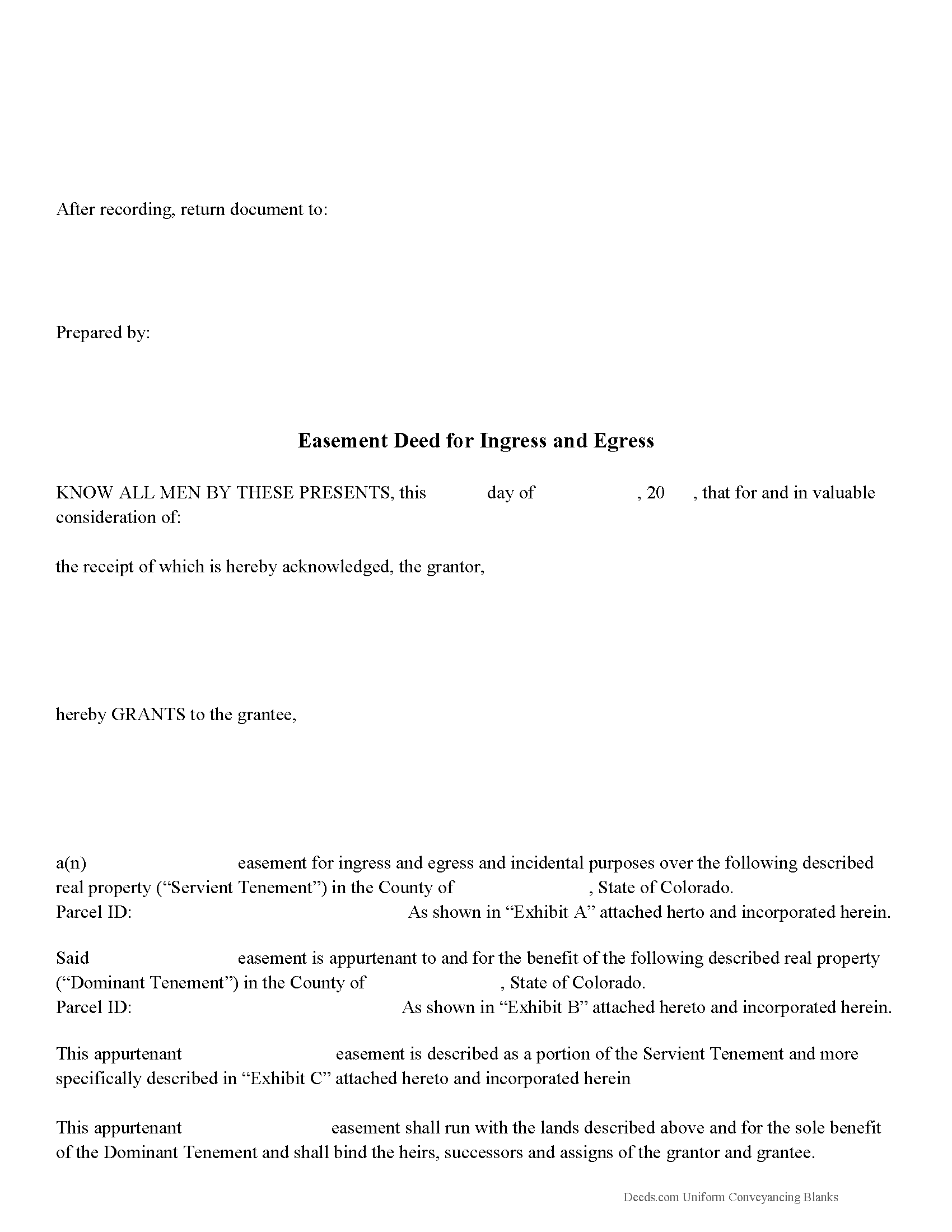
Gilpin County Easement Deed Form
Fill in the blank form formatted to comply with all recording and content requirements.
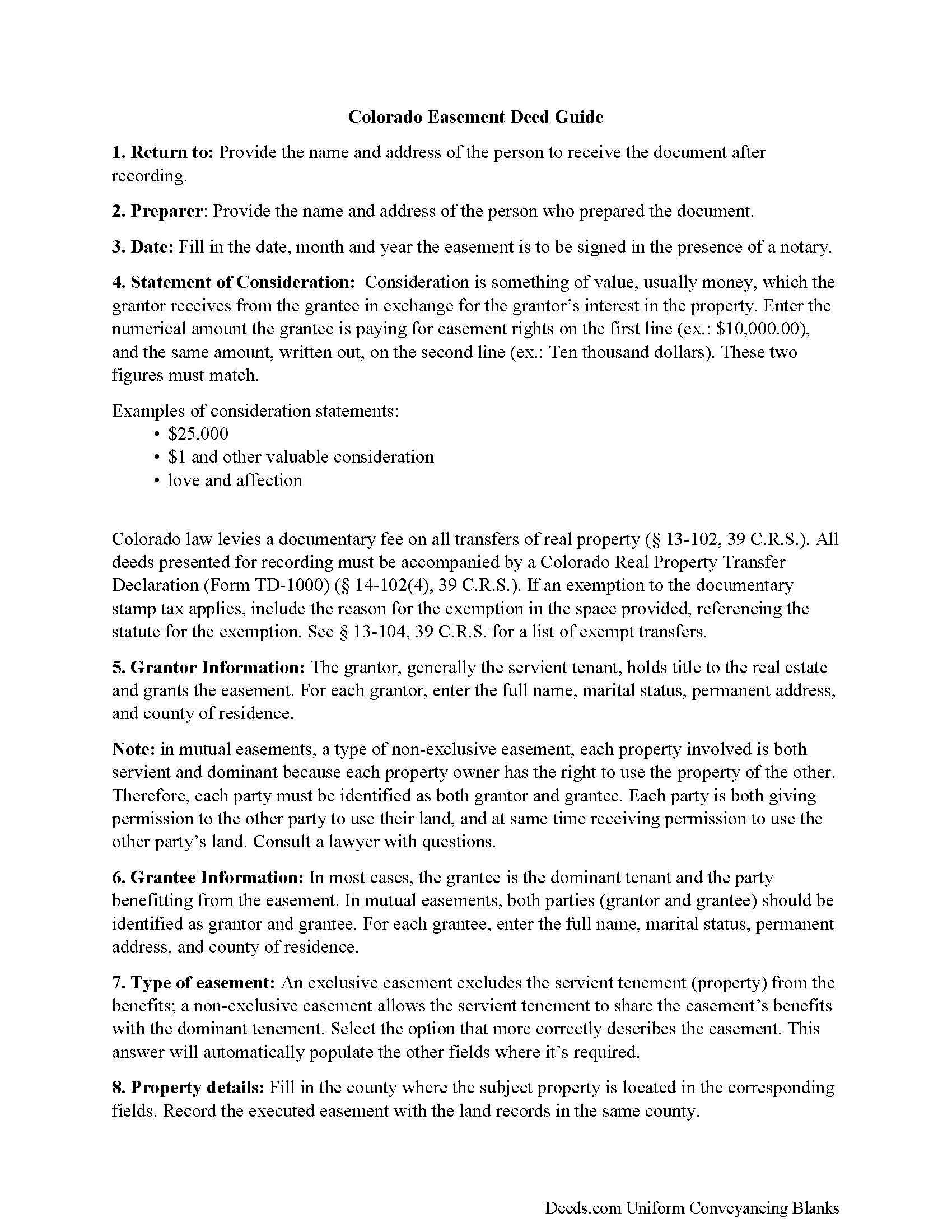
Gilpin County Easement Deed Guide
Line by line guide explaining every blank on the form.
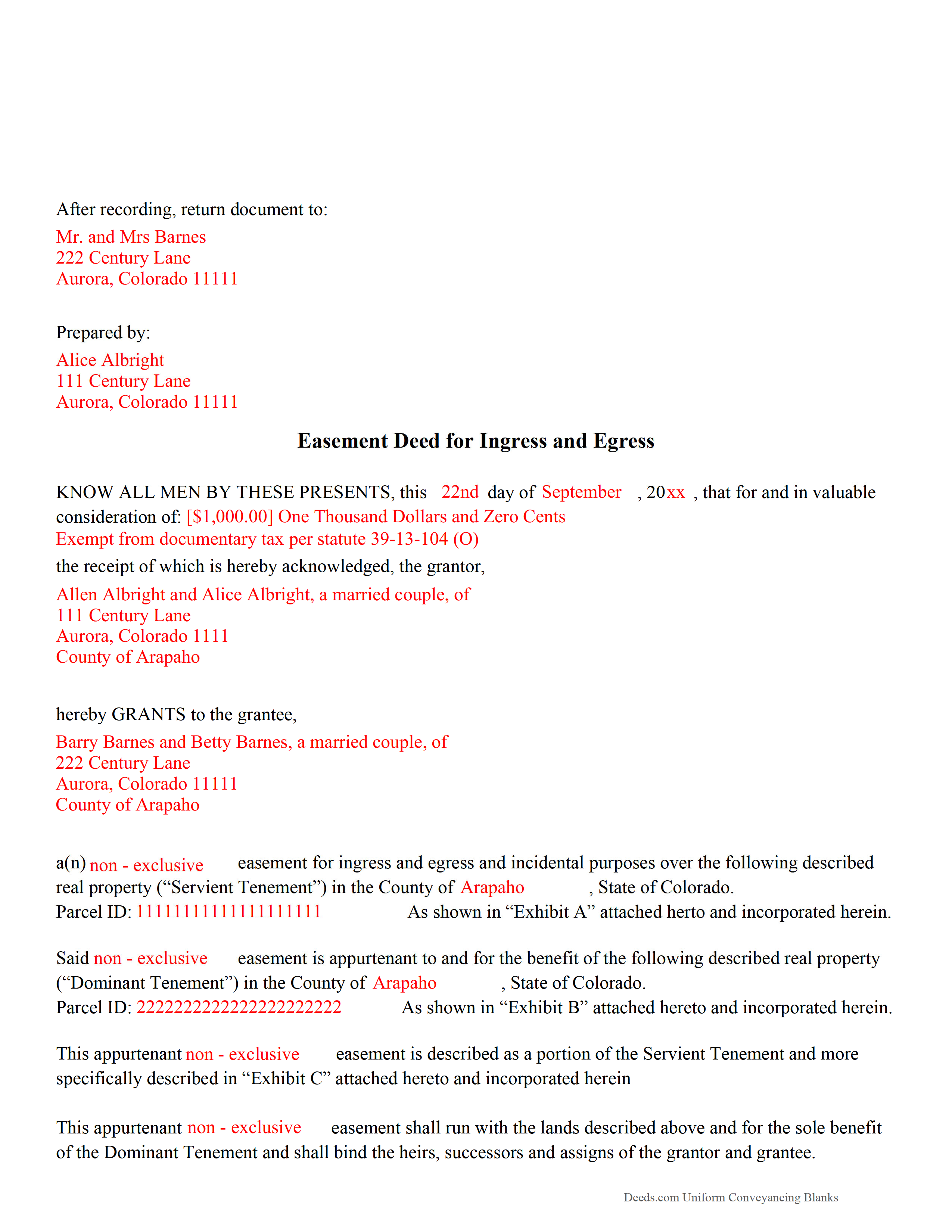
Gilpin County Completed Example of the Easement Deed Document
Example of a properly completed form for reference.
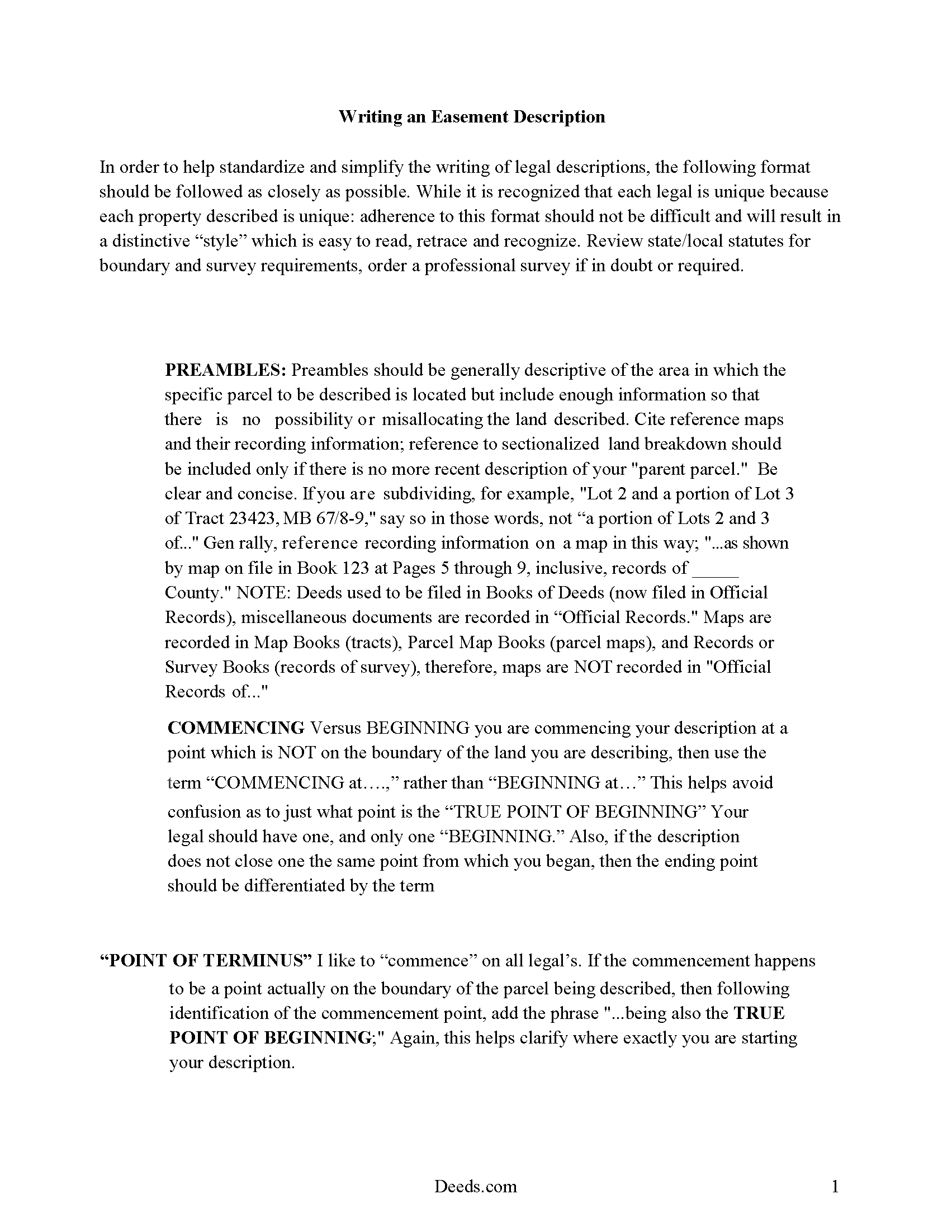
Gilpin County Guide to Writing an Easement Description
A Description of the Easement will be required, apply this guide to write an acceptable description of an easement/right of way, which gives access, to and from - point A to point B.
All 4 documents above included • One-time purchase • No recurring fees
Immediate Download • Secure Checkout
Additional Colorado and Gilpin County documents included at no extra charge:
Where to Record Your Documents
Gilpin County Clerk & Recorder
Central City, Colorado 80427
Hours: 8:00am to 4:30pm M-F
Phone: (303) 582-5321
Recording Tips for Gilpin County:
- Bring your driver's license or state-issued photo ID
- Ensure all signatures are in blue or black ink
- Ask for certified copies if you need them for other transactions
- Ask if they accept credit cards - many offices are cash/check only
- Check that your notary's commission hasn't expired
Cities and Jurisdictions in Gilpin County
Properties in any of these areas use Gilpin County forms:
- Black Hawk
- Central City
- Rollinsville
Hours, fees, requirements, and more for Gilpin County
How do I get my forms?
Forms are available for immediate download after payment. The Gilpin County forms will be in your account ready to download to your computer. An account is created for you during checkout if you don't have one. Forms are NOT emailed.
Are these forms guaranteed to be recordable in Gilpin County?
Yes. Our form blanks are guaranteed to meet or exceed the applicable formatting requirements used for recording in Gilpin County, including margin requirements, font requirements, and other layout standards. This guarantee applies to formatting, not to the legal sufficiency of information entered by the user or the suitability of a form for a particular transaction.
Can I reuse these forms?
Yes. You can reuse the forms for your personal use. For example, if you have multiple properties in Gilpin County you only need to order once.
What do I need to use these forms?
The forms are PDFs that you fill out on your computer. The free Adobe Acrobat Reader is recommended, and most PDF apps also work. You do NOT enter your property information online - you download the blank forms and complete them privately on your own computer.
Are there any recurring fees?
No. This is a one-time purchase. Nothing to cancel, no memberships, no recurring fees.
How much does it cost to record in Gilpin County?
Recording fees in Gilpin County vary. Contact the recorder's office at (303) 582-5321 for current fees.
Questions answered? Let's get started!
An easement is a right or agreement in writing to use all or part of the real property of another person for a specific purpose. It is considered to be an interest in real property, but is not an ownership or possessory interest. An owner of real property in Colorado may create an easement by a written document, which can be in the form of a deed, easement agreement, or other document including the language of a conveyance or grant. An easement must be classified as affirmative or negative. The deed or other instrument creating the easement must follow the normal rules that apply to a conveyance of land in Colorado.
Colorado also has a conservation easement, which is a legal agreement between a landowner and a qualified conservation organization or government agency that permanently limits a property's uses to protect its conservation values. Conservation easements can protect the land while still leaving it in private ownership (38-30.5-102). Solar easements can also be created in this state, and such a right can be stated in any deed, will, or other instrument executed by or on behalf of any owner of land or sky space (38-32.5-100.3). Both conservation easements and solar easements are subject to the same conveyancing recording requirements as other easements; however, a solar easement cannot be acquired by prescription.
The owner of the dominant tenement (the granting party) must sign an easement deed created in this state, and must have his or her signature acknowledged. Acknowledgements must be in accordance with the provisions of 38-35-101 of the Colorado Revised Statutes, which state that no officer who is authorized to take acknowledgments of deeds or other instruments of conveyance should take or certify such acknowledgements unless the person making the same is personally known to such officer to be the person he represents himself to be in the deed or is proved to be such person by at least one credible person known to such officer. However, it is not necessary to sate such fact in the certificate of acknowledgment attached to the easement.
To impart notice of the interest in real property, the easement must be recorded in the office of the clerk and recorder in the county where the property is located. Colorado has a race notice recording act. An unrecorded easement deed is not valid against any person with any kind of rights in or to such real property who records first and those holding rights under such person, except between the parties to the easement and those having notice of it prior to the acquisition of such rights (38-35-109).
(Colorado Easement Deed Package includes form, guidelines, and completed example)
Important: Your property must be located in Gilpin County to use these forms. Documents should be recorded at the county recording office listed above.
This Easement Deed meets all recording requirements specific to Gilpin County.
Our Promise
The documents you receive here are guaranteed to meet or exceed the applicable Gilpin County recording format requirements. If there is a rejection caused by our formatting, we will correct the issue or refund your payment. This guarantee applies to document formatting only and does not extend to information entered by the user, the selection of the form, or the legal effect of the completed document.
Save Time and Money
Get your Gilpin County Easement Deed form done right the first time with Deeds.com Uniform Conveyancing Blanks. At Deeds.com, we understand that your time and money are valuable resources, and we don't want you to face a penalty fee or rejection imposed by a county recorder for submitting nonstandard documents. We constantly review and update our forms to meet rapidly changing state and county recording requirements for roughly 3,500 counties and local jurisdictions.
4.8 out of 5 - ( 4,836 Reviews )
Ralph E. 5 out of 5 stars
I wish I had found this site earlier!!! Not only was it helpful and just what I needed but I got my information so fast AND on the weekend. I would recommend this site to everyone. I plan on using it more. Its cheap and I can get my information while sitting at home. Very impressed!
Thank you for the kinds words Ralph. Have a great day!
Frank C. 3 out of 5 stars
Great experience and online account service
Thank you for your feedback. We really appreciate it. Have a great day!
irene a. 5 out of 5 stars
good forms thanks, irene
Thank you Irene.
Jin L. 5 out of 5 stars
Your service is pretty awesome! I needed to get my docs recorded before year end, and you guys were on it. Thank you very much for the quick turnaround!
We appreciate your business and value your feedback. Thank you. Have a wonderful day!
gary c. 5 out of 5 stars
process was easy and simple to do
Thank you for your feedback. We really appreciate it. Have a great day!
Andrew H. 5 out of 5 stars
Very efficient does what it says on the box.
Thank you!
karen w. 5 out of 5 stars
outstanding forms and information. stay safe and healthy everyone.
Thank you Karen, you do the same please.
Camesha Y. 5 out of 5 stars
Was working with a notary client that need to do a deed. We got on this site, ordered the blank forms, he filled them out and we printed them so he could sign. Really clean forms, easy to understand and complete in a hurry. I will be letting all my clients know about this site.
That's terrific Camesha, glad to hear. Have a great day!
R Rodney H. 5 out of 5 stars
Excellent service--I got just the information I needed quickly and reasonably priced. I am glad to know of this service for future needs, as an individual, in this sector. Cheers, RRH
We appreciate your business and value your feedback. Thank you. Have a wonderful day!
Brenda B. 5 out of 5 stars
Excellent transaction.
Thank you Brenda.
Larry G. 5 out of 5 stars
After purchasing the Quit Claim Deed, I felt I had purchased something I could have gotten free somewhere else. But after reviewing all the other information Deed.com provided, I realized you saved me a lot of time that would have been wasted on research. Money well spent.
Thank you for your feedback. We really appreciate it. Have a great day!
Tammy C. 5 out of 5 stars
Was very easy to use and i would recommend it
Thank you!
Norma M. 5 out of 5 stars
this is great because it saves money and gets the job done
Thank you for your feedback. We really appreciate it. Have a great day!
Bernardo M. 3 out of 5 stars
You think you're purchasing 1 form for $25 but you are getting several which explains the $25. My printer ran out of black ink and I couldn't change the color of the text so that it would print. I couldn't copy and paste it to Word and work on it there. I'm going to purchase ink today so that it will at least print right. I will have to retype the text in Word; not good.
Thank you for your feedback. We really appreciate it. Have a great day!
Jennifer K. 5 out of 5 stars
User friendly!
Thank you!