Gilpin County Revocation of Beneficiary Deed Form
Last validated November 3, 2026 by our Forms Development TeamFormatted for recording in Gilpin County, for property anywhere in the county: rural and unincorporated areas as well as Black Hawk, Central City, Rollinsville.
- 3 documents included
- Immediate PDF download
- Formatting guarantee
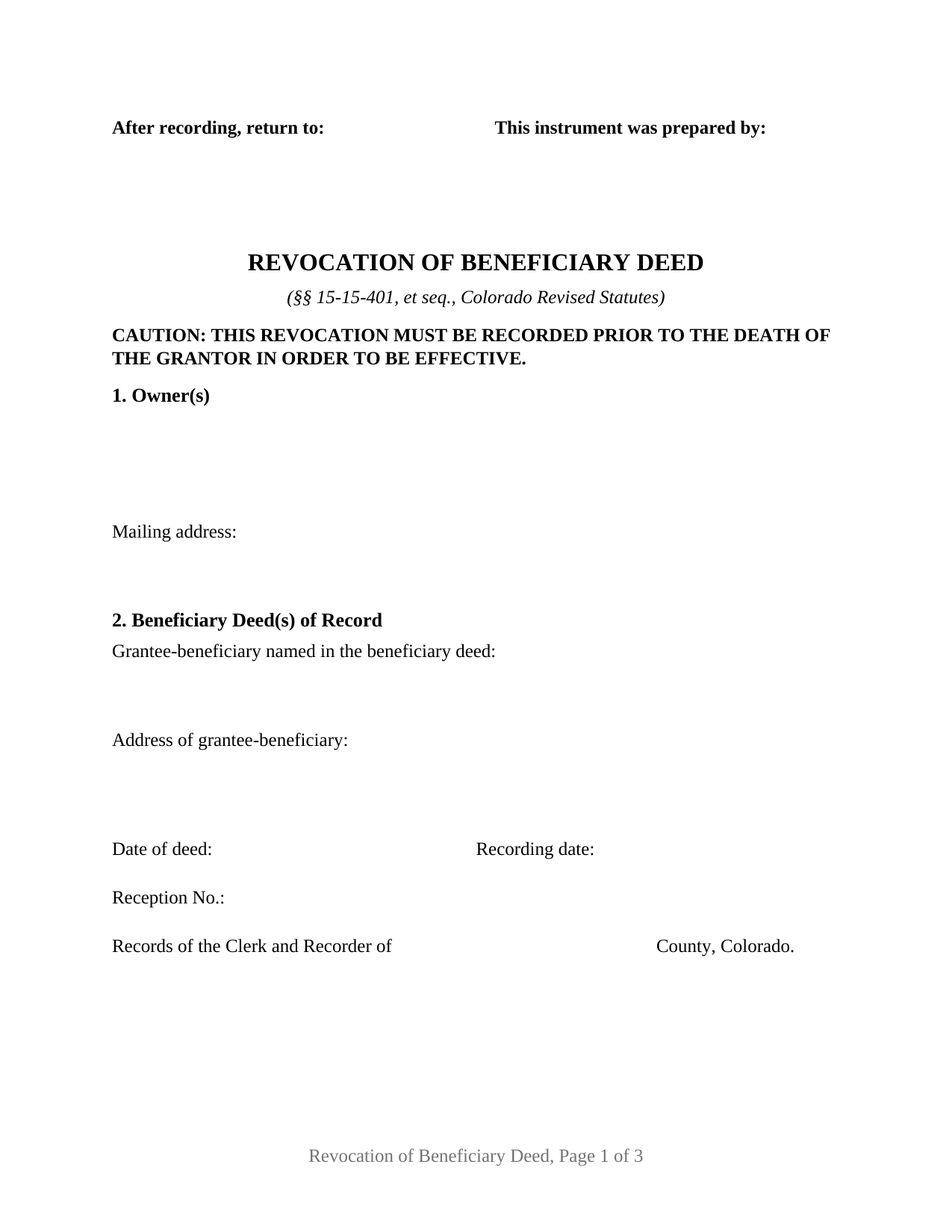
Gilpin County Revocation of Beneficiary Deed Form
Fill in the blank Revocation of Beneficiary Deed form formatted to comply with all Colorado recording and content requirements.
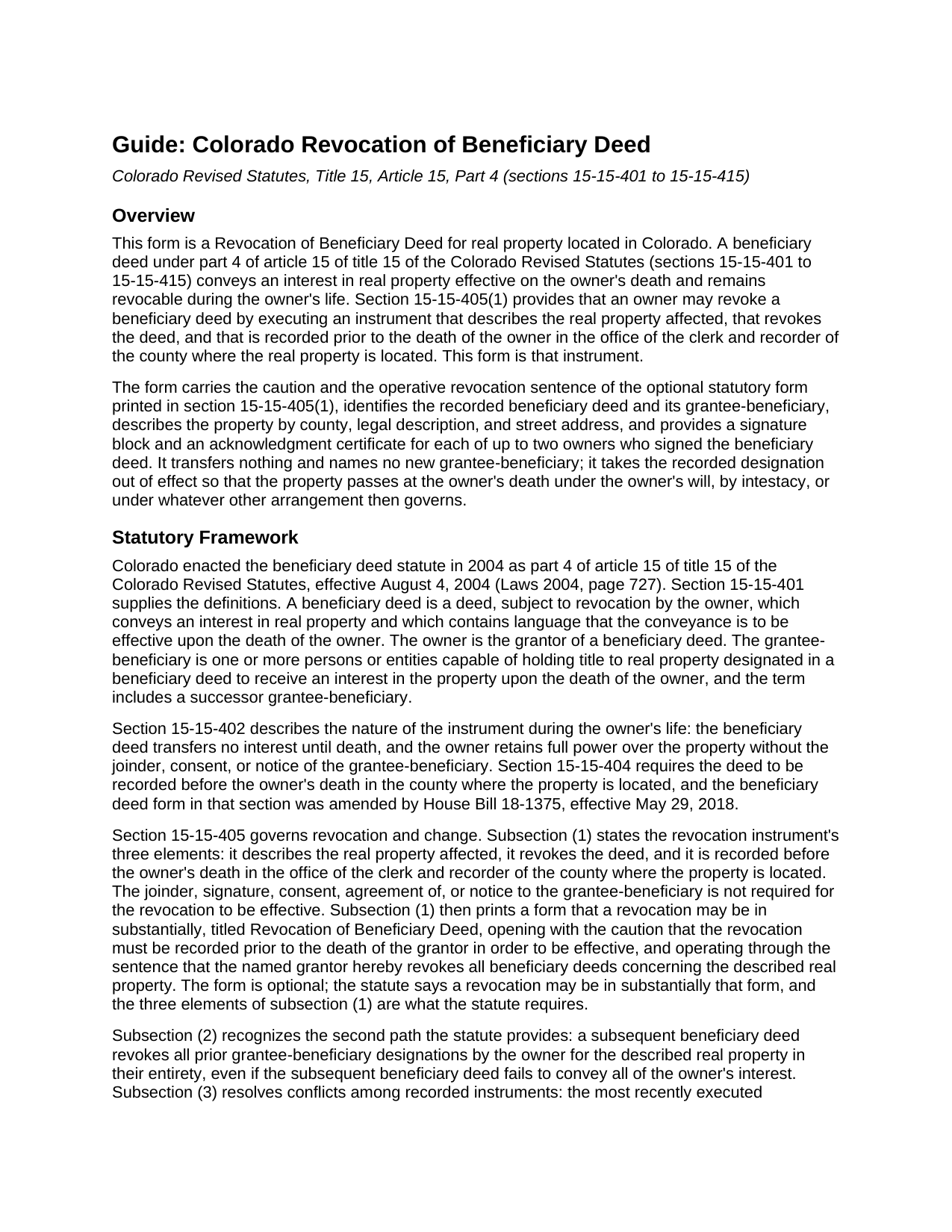
Gilpin County Revocation of Beneficiary Deed Guide
Line by line guide explaining every blank on the Revocation of Beneficiary Deed form.
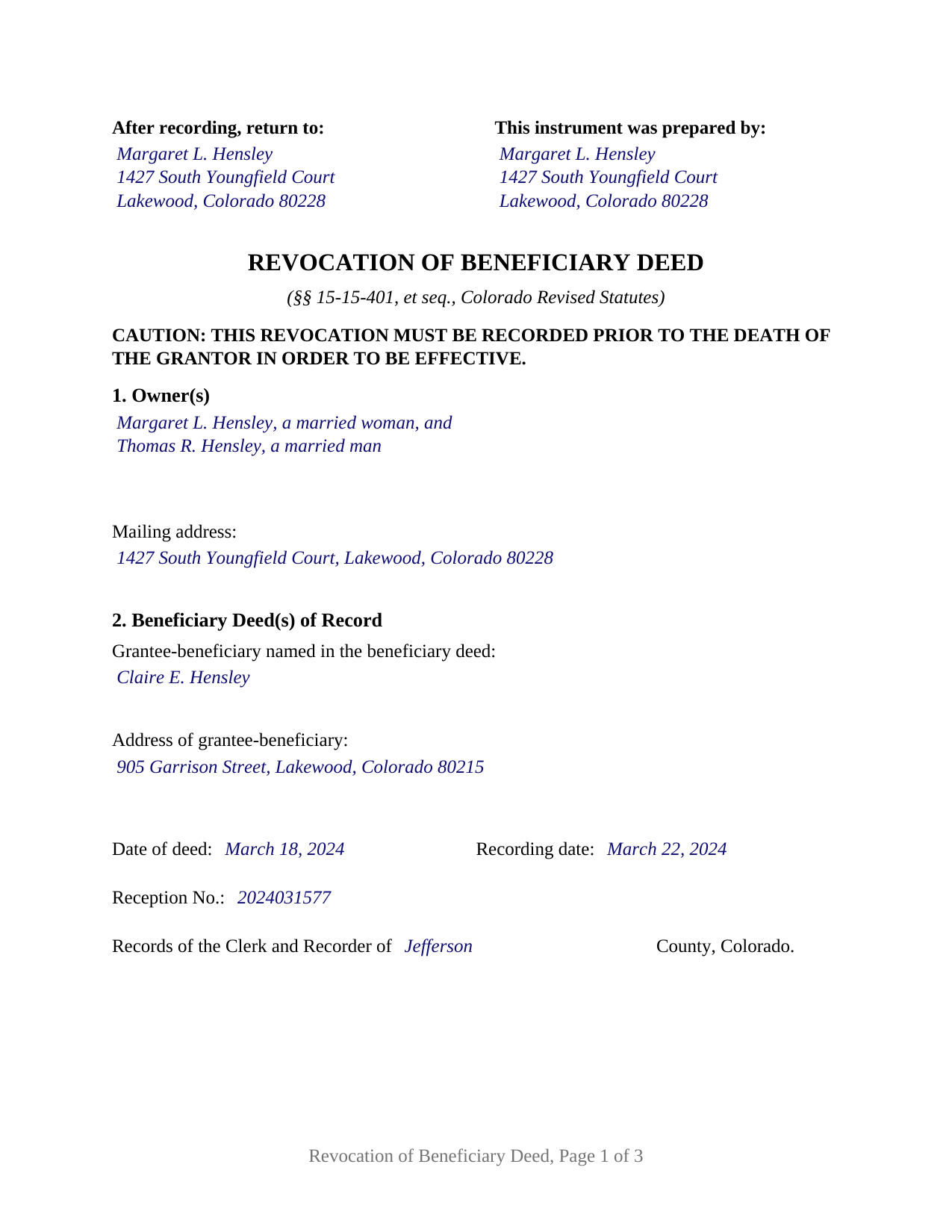
Gilpin County Completed Example of the Revocation of Beneficiary Deed Document
Example of a properly completed Colorado Revocation of Beneficiary Deed document for reference.
All 3 documents above included • One-time purchase • No recurring fees
Immediate Download • Secure Checkout
Additional Colorado and Gilpin County documents included at no extra charge:
Where to Record Your Documents
Gilpin County Clerk & Recorder
Central City, Colorado 80427
Hours: 8:00am to 4:30pm M-F
Phone: (303) 582-5321
Recording Tips for Gilpin County:
- Bring your driver's license or state-issued photo ID
- Ensure all signatures are in blue or black ink
- Both spouses typically need to sign if property is jointly owned
- Bring extra funds - fees can vary by document type and page count
- Check margin requirements - usually 1-2 inches at top
Cities and Jurisdictions in Gilpin County
Properties in any of these areas use Gilpin County forms:
- Black Hawk
- Central City
- Rollinsville
Hours, fees, requirements, and more for Gilpin County
How do I get my forms?
Forms are available for immediate download after payment. The Gilpin County forms will be in your account ready to download to your computer. An account is created for you during checkout if you don't have one. Forms are NOT emailed.
Are these forms guaranteed to be recordable in Gilpin County?
Yes. Our form blanks are guaranteed to meet or exceed the applicable formatting requirements used for recording in Gilpin County, including margin requirements, font requirements, and other layout standards. This guarantee applies to formatting, not to the legal sufficiency of information entered by the user or the suitability of a form for a particular transaction.
Can I reuse these forms?
Yes. You can reuse the forms for your personal use. For example, if you have multiple properties in Gilpin County you only need to order once.
What do I need to use these forms?
The forms are PDFs that you fill out on your computer. The free Adobe Acrobat Reader is recommended, and most PDF apps also work. You do NOT enter your property information online - you download the blank forms and complete them privately on your own computer.
Are there any recurring fees?
No. This is a one-time purchase. Nothing to cancel, no memberships, no recurring fees.
How much does it cost to record in Gilpin County?
Recording fees in Gilpin County vary. Contact the recorder's office at (303) 582-5321 for current fees.
Questions answered? Let's get started!
A Colorado beneficiary deed stays revocable for the owner's entire life, and section 15-15-405 of the Colorado Revised Statutes says exactly how the revocation is done: an instrument, executed by the owner, that describes the real property, revokes the deed, and is recorded with the county clerk and recorder before the owner dies. This fillable Colorado Revocation of Beneficiary Deed prepares that instrument for one or two owners who signed a recorded beneficiary deed in their own names.
A revocation that reaches every beneficiary deed on the property
Colorado's optional statutory revocation form does something many other states' forms do not. Its operative sentence does not cancel one identified deed; the grantor revokes all beneficiary deeds concerning the described real property. This form carries that sentence verbatim, so an owner who recorded a beneficiary deed and later a replacement clears the record for the described parcel in one instrument. The form still identifies the beneficiary deed of record by date, recording date, reception number, and county, with the grantee-beneficiary's name and address, and a closing sentence states that the identification does not narrow the revocation.
The grantee-beneficiary has no role in the process; section 15-15-405(1) provides that the grantee-beneficiary's joinder, signature, consent, agreement, or notice is not required for the revocation to be effective.
Recorded before death, ranked by the date signed
Two timing rules shape this instrument. The first is the caution printed at the top of the form in the statute's own capital letters: the revocation must be recorded prior to the death of the grantor in order to be effective. A signed revocation left unrecorded at the owner's death revokes nothing, and section 15-15-405(4) provides that a beneficiary deed cannot be revoked, altered, or amended by the owner's will.
The second rule is less familiar. Under section 15-15-405(3), among all beneficiary deeds and revocations recorded before the owner's death, the most recently executed one controls regardless of the order of recording. The date each owner writes in the signature block is therefore the date that ranks this revocation against any beneficiary deed signed before or after it.
One or two owners on a single instrument
The form is built for a natural-person owner or two natural-person owners signing in their own right. Section 1 is an open block that receives one name or two, each with whatever marital-status recital the owner writes, and the signature section carries a block headed OWNER and a block headed SECOND OWNER (if applicable), each followed by its own acknowledgment certificate. Two spouses or two siblings who signed one beneficiary deed as joint tenants, and co-owners who signed as tenants in common, present the two-owner pattern this form accommodates; a sole owner leaves the second block and its certificate blank. The form is not set up as a revocation by a trustee, an entity, an attorney-in-fact, or three or more owners.
What the Colorado recording statutes ask of it
Because section 15-15-406 makes a revocation subject to the grantee-address rule of section 38-35-109(2), the form carries the grantee-beneficiary's address, the item a clerk is directed to look for before accepting a deed for record. It also carries the statutory form's Known and numbered as line for the street address beside the legal description, which section 38-35-122 asks of every document of title, and its margins follow section 30-10-406(3)(a). No state documentary fee is due on a revocation, because it conveys no title and recites no consideration, and the transfer declaration that accompanies a conveyance document does not reach it.
Recording and what follows
The signed and acknowledged revocation is recorded in the office of the clerk and recorder of the county where the property is located, for the per-document fee the county publishes. Once it is of record, the property passes at the owner's death under the owner's will, by intestacy, or under a survivorship estate. A new beneficiary deed naming a different grantee-beneficiary is a separate instrument, prepared and recorded separately and not included in this package, and under section 15-15-405(2) it revokes the earlier designation on its own.
The package includes the fillable revocation form, a completed example filled in for a Jefferson County fact pattern, and the guide that walks through every numbered section, the signing and notarization rules, and the recording process. This description and the guide describe the form and the governing Colorado statutes in general terms; they are not legal advice.
Important: Your property must be located in Gilpin County to use these forms. Documents should be recorded at the county recording office listed above.
This Revocation of Beneficiary Deed meets all recording requirements specific to Gilpin County.
Our Promise
The documents you receive here are guaranteed to meet or exceed the applicable Gilpin County recording format requirements. If there is a rejection caused by our formatting, we will correct the issue or refund your payment. This guarantee applies to document formatting only and does not extend to information entered by the user, the selection of the form, or the legal effect of the completed document.
Save Time and Money
Get your Gilpin County Revocation of Beneficiary Deed form done right the first time with Deeds.com Uniform Conveyancing Blanks. At Deeds.com, we understand that your time and money are valuable resources, and we don't want you to face a penalty fee or rejection imposed by a county recorder for submitting nonstandard documents. We constantly review and update our forms to meet rapidly changing state and county recording requirements for roughly 3,500 counties and local jurisdictions.
4.8 out of 5 - ( 4,842 Reviews )
Wendy S. 5 out of 5 stars
Very easy and affordable.
We appreciate your business and value your feedback. Thank you. Have a wonderful day!
Marcus V. 5 out of 5 stars
Awesome and perfect.
We are thankful for your continued support and feedback, which inspire us to continuously improve. Thank you..
Dorothy O. 5 out of 5 stars
This would be a great form but I couldn’t tell what size the font was. Also, I didn’t know how to save it so I will have to type it all over again. I’m sure I did it incorrectly.
Your feedback is a crucial part of our dedication to ongoing improvement. Thank you for your insightful comments.
Robert R. 5 out of 5 stars
Big savings and easy to use. Thanks so much.
We appreciate your business and value your feedback. Thank you. Have a wonderful day!
Francisco C. 5 out of 5 stars
well first time my company is using and this what can say. excellent service im very happy, you guys did my job very professional and quickly so congratulations... i will recommend to every one.
We appreciate your business and value your feedback. Thank you. Have a wonderful day!
Pat K. 5 out of 5 stars
It has been very easy. Like that the recording is so fast.
Thank you for your feedback. We really appreciate it. Have a great day!
Audra P. 5 out of 5 stars
Deeds.com was so easy to use and understand. So fairly priced too in my opinion, worth every penny! Thank you deeds.com and I'm grateful my county uses and encourages using them.
We appreciate your business and value your feedback. Thank you. Have a wonderful day!
Katherine W. 5 out of 5 stars
I was impressed by the completeness of the package of forms PLUS instructions. Particularly helpful is the filled in sample, which enables you to see what a correct, completed deed ought to look like.
We appreciate your business and value your feedback. Thank you. Have a wonderful day!
Van S. 5 out of 5 stars
Easy to use...very informative...ttook care of exactly what I was looking for.
Thank you for your feedback. We really appreciate it. Have a great day!
Joseph D. 5 out of 5 stars
Easy to use and a quick turnaround Deed was recorded and retuned within 24 hours
We are grateful for your engagement and feedback, which help us to serve you better. Thank you for being an integral part of our community.
Cheryl G. 5 out of 5 stars
Everyhing went smoothly
Thank you for your feedback. We really appreciate it. Have a great day!
Priscilla M. 5 out of 5 stars
Instructions are easy to follow which make filling out the forms easy and simple. I would definitely recommend Deeds.com.
Thank you!
Amber H. 3 out of 5 stars
after typing in the information, the printing is not in alignment - looks disorganized on the page and hard to read
Thank you for your feedback. We will flag the document for review.
Sera E. 5 out of 5 stars
East, fast, reliable. Great service!
Thank you!
Dana G. 5 out of 5 stars
This service is WONDERUL. I spent 14 years trying to get a deed recorded properly. Deeds.com kept submitting and resubmitting after corrections until it was finally accepted. They did in one day what I couldn't get done in 14 years!
Thank you!