Chaffee County Quitclaim Deed (Corrective) Form
Last validated October 20, 2026 by our Forms Development TeamFormatted for recording in Chaffee County, for property anywhere in the county: rural and unincorporated areas as well as Buena Vista, Granite, Monarch, Nathrop, Poncha Springs, Salida.
- 3 documents included
- Immediate PDF download
- Formatting guarantee
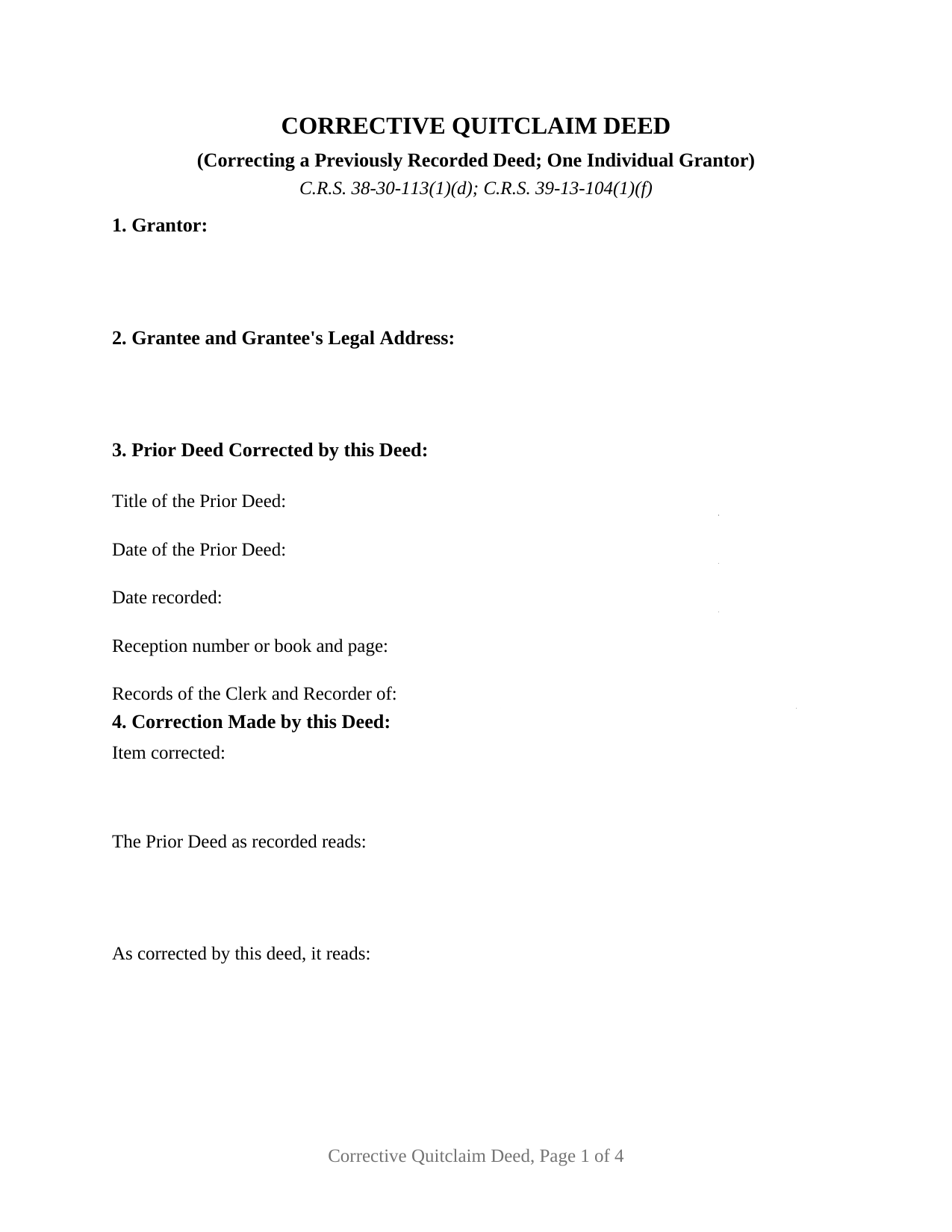
Chaffee County Quitclaim Deed (Corrective) Form
Fill in the blank Quitclaim Deed (Corrective) form formatted to comply with all Colorado recording and content requirements.
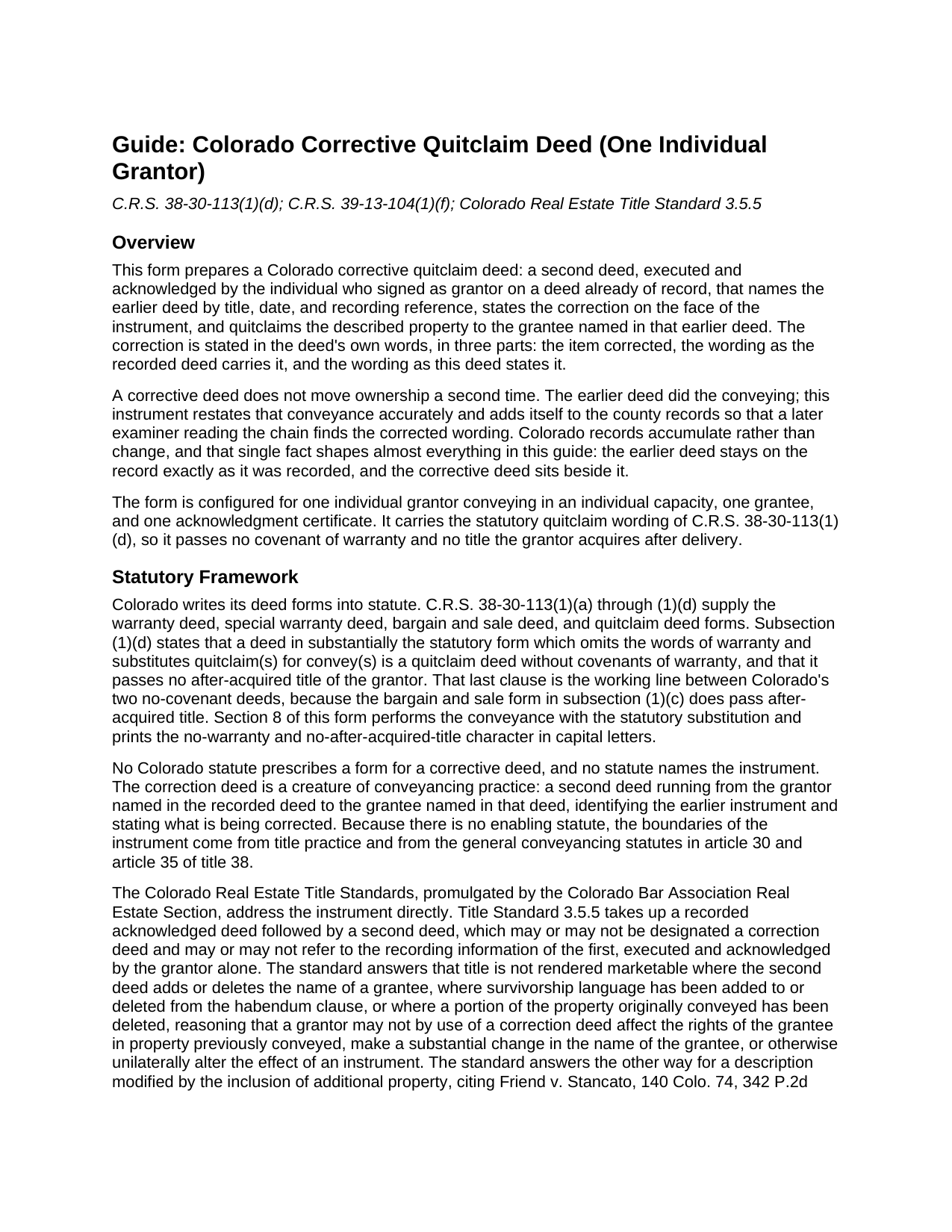
Chaffee County Quitclaim Deed (Corrective) Guide
Line by line guide explaining every blank on the Quitclaim Deed (Corrective) form.
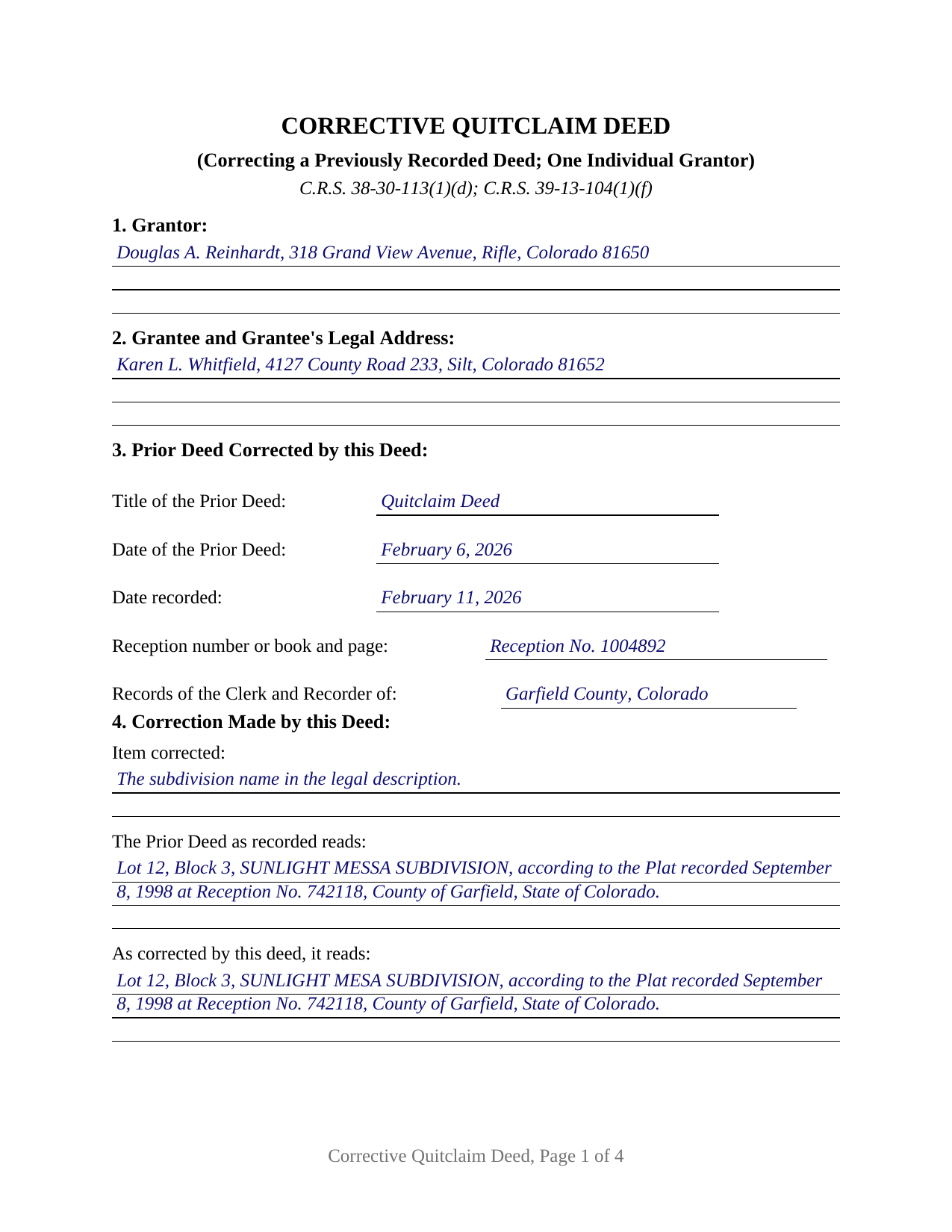
Chaffee County Completed Example of the Quitclaim Deed (Corrective) Document
Example of a properly completed Colorado Quitclaim Deed (Corrective) document for reference.
All 3 documents above included • One-time purchase • No recurring fees
Immediate Download • Secure Checkout
Additional Colorado and Chaffee County documents included at no extra charge:
Where to Record Your Documents
Chaffee County Clerk and Recorder
Salida, Colorado 81201
Hours: 8:00 - 5:00 M-F
Phone: 719-539-4004
Buena Vista Office
Buena Vista , Colorado 81211
Hours: 8:00 - 4:00 M-F
Phone: 719-395-8296
Recording Tips for Chaffee County:
- Bring your driver's license or state-issued photo ID
- Ensure all signatures are in blue or black ink
- Recording fees may differ from what's posted online - verify current rates
- Request a receipt showing your recording numbers
- Ask about accepted payment methods when you call ahead
Cities and Jurisdictions in Chaffee County
Properties in any of these areas use Chaffee County forms:
- Buena Vista
- Granite
- Monarch
- Nathrop
- Poncha Springs
- Salida
Hours, fees, requirements, and more for Chaffee County
How do I get my forms?
Forms are available for immediate download after payment. The Chaffee County forms will be in your account ready to download to your computer. An account is created for you during checkout if you don't have one. Forms are NOT emailed.
Are these forms guaranteed to be recordable in Chaffee County?
Yes. Our form blanks are guaranteed to meet or exceed the applicable formatting requirements used for recording in Chaffee County, including margin requirements, font requirements, and other layout standards. This guarantee applies to formatting, not to the legal sufficiency of information entered by the user or the suitability of a form for a particular transaction.
Can I reuse these forms?
Yes. You can reuse the forms for your personal use. For example, if you have multiple properties in Chaffee County you only need to order once.
What do I need to use these forms?
The forms are PDFs that you fill out on your computer. The free Adobe Acrobat Reader is recommended, and most PDF apps also work. You do NOT enter your property information online - you download the blank forms and complete them privately on your own computer.
Are there any recurring fees?
No. This is a one-time purchase. Nothing to cancel, no memberships, no recurring fees.
How much does it cost to record in Chaffee County?
Recording fees in Chaffee County vary. Contact the recorder's office at 719-539-4004 for current fees.
Questions answered? Let's get started!
A recorded Colorado deed cannot be edited. The clerk and recorder keeps the image as filed, so an error in a deed already on the record is answered by a second deed recorded beside it, naming the first instrument, stating the correction in the deed's own words, and quitclaiming the same property to the same grantee. This fillable corrective quitclaim deed prepares that second instrument for the individual who signed the deed being corrected.
A record that adds rather than edits
Colorado's real property records accumulate. An endorsed deed keeps its own date and its own rank in the priority order C.R.S. 38-35-109 sets for whoever records first without notice. A corrective deed, often written correction deed, works inside that structure: a later deed from the same grantor to the same grantee over the same land, placing accurate wording where a title examiner reading forward will meet it.
The correction, printed in three parts
Section 3 ties the two filings together with the earlier deed's title, its signing date, its recording date, its reception number or book and page, and the office of record. That reference does real work, because under C.R.S. 38-35-108 a reference in a recorded deed to another instrument is not notice to a stranger to it unless that instrument is itself recorded in the county. Section 4 then prints the correction in three entries: the item corrected, the wording the recorded deed carries, and the wording this deed states. A misspelled subdivision name, a miskeyed plat reception number, an omitted signing date, a defective acknowledgment: a scrivener's error of that scale is what the arrangement exists to place on the record.
Statutory quitclaim wording doing corrective work
The conveyance is Colorado's statutory quitclaim, reached under C.R.S. 38-30-113(1)(d) by leaving the warranty words out and putting quitclaim where convey would stand, yielding a deed with no covenant of title and no interest the grantor picks up later. Section 8 performs it for a stated purpose, correcting the deed identified in Section 3 and confirming the conveyance that deed made, then draws its boundary: the correction stated in Section 4 and nothing further, every other term standing as recorded, no new consideration.
How far one grantor's signature reaches
The Colorado Real Estate Title Standards mark the instrument's outer edge, and the guide walks them with citations. Standard 3.5.5 takes up a second deed executed and acknowledged by the grantor alone, answering that title is not rendered marketable where a grantee's name has been added or deleted, where survivorship language has entered or left the habendum clause, or where part of the property already conveyed has been deleted, since a grantor may not unilaterally alter the effect of a delivered instrument. It answers the other way where the description takes in additional property, citing Friend v. Stancato.
One grantor, one grantee, one certificate
The form recites exactly one grantor, a natural person signing in an individual capacity who is named as grantor on the deed being corrected, and exactly one grantee, that deed's own grantee. The grantee entry takes a complete legal address, an omission C.R.S. 38-35-109(2) answers by sending the deed back unrecorded. One signature line and one acknowledgment certificate follow, on the individual short form at C.R.S. 24-21-516(1)(a). A release carrying a misspelled subdivision name, a description pointing at the wrong plat reception number, and a deed whose acknowledgment came back defective present the posture this deed addresses. The form is not set up for two grantors on the earlier deed, for a joinder signature by the grantee, for an entity or trustee grantor, or for an attorney-in-fact signature.
No documentary fee on a correction
Recording happens with the clerk and recorder of the county holding the land, at the flat statutory charge quoted as 43 dollars on county fee schedules since July 2025. C.R.S. 39-13-104(1)(f) exempts any instrument which confirms or corrects a deed previously recorded, and C.R.S. 39-13-104(2) has an exemption claimed as the instrument reaches the counter, which Section 6 holds. The transfer declaration accompanies a conveyance document, defined at C.R.S. 39-14-101(2) as a document on which the fee is imposed, so county practice on exempt corrective filings varies.
Three files arrive with the purchase: the corrective quitclaim deed as a fillable PDF, a worked Garfield County example correcting a misspelled subdivision name, and a guide covering the numbered sections, the title standard limits, the notarization, and the trip to the recorder. The materials are informational and are not legal advice.
Important: Your property must be located in Chaffee County to use these forms. Documents should be recorded at the county recording office listed above.
This Quitclaim Deed (Corrective) meets all recording requirements specific to Chaffee County.
Our Promise
The documents you receive here are guaranteed to meet or exceed the applicable Chaffee County recording format requirements. If there is a rejection caused by our formatting, we will correct the issue or refund your payment. This guarantee applies to document formatting only and does not extend to information entered by the user, the selection of the form, or the legal effect of the completed document.
Save Time and Money
Get your Chaffee County Quitclaim Deed (Corrective) form done right the first time with Deeds.com Uniform Conveyancing Blanks. At Deeds.com, we understand that your time and money are valuable resources, and we don't want you to face a penalty fee or rejection imposed by a county recorder for submitting nonstandard documents. We constantly review and update our forms to meet rapidly changing state and county recording requirements for roughly 3,500 counties and local jurisdictions.
4.8 out of 5 - ( 4,847 Reviews )
Irma G. 5 out of 5 stars
Although I did not use the forms yet, it appears very easy to understand and navigate.
Thank you for your feedback. We really appreciate it. Have a great day!
Rip V. 1 out of 5 stars
Found the forms I needed but had to type these out my self in Word since these forms do not allow any information to be saved. I understand you want this to be proprietary information but you failed to deliver a usable product. I printed this template and built my own in microsoft word. Good examples and instructions with poor execution. I lost hours of typing and nearly lost real estate deals due to these documents not being in a format ready to use. Will be using another service next time or buying these as guides alone.
Thank you for taking the time to leave your feedback. Sorry to hear of the struggle you had using our forms. We will look into the issues you reported to see what we can do to provide a better product. For your trouble we have provided a full refund of your order.
Diane O. 5 out of 5 stars
Filling out forms was easy....so far, I am happy !
We appreciate your business and value your feedback. Thank you. Have a wonderful day!
JOANNE W. 5 out of 5 stars
Excellent product and so easily obtained. Well worth the price.
Thank you for your feedback. We really appreciate it. Have a great day!
CHRISTINE M. 5 out of 5 stars
It was all I needed and guided me to fill it out.
Thank you!
Barb S. 5 out of 5 stars
if i could give this site ten stars i would
Thank you!
Evelyn A. 5 out of 5 stars
Was easy to use. Just didnt find what i needed
Thank you for your feedback. We really appreciate it. Have a great day!
Jianxing L. 5 out of 5 stars
This is my first time using this website and was impressed for the simple and clear web design and exploring. Now I am anxiously waiting for the e-recording up running to start my deed process.
Thank you for taking a moment to share your thoughts.
Sarah K. 1 out of 5 stars
I was annoyed when I realized I couldn't put the document into Word or WordPerfect. I had to retype the entire document. What a waste of time and money.
Sorry to hear of your annoyance. We have canceled your order and payment. We do hope that you find something more suitable to your needs elsewhere. Have a wonderful day.
Emili C. 5 out of 5 stars
Thank you! I received my forms promptly and they are easy to follow along for filling out. The examples gave me confidence that they were done correctly.
Thank you for your feedback. We really appreciate it. Have a great day!
Deborah B. 5 out of 5 stars
EVERYTHING WENT WELL, HAD NO PROBLEMS DOWNLOADING MY FORMS. THE ORDER QUICK AND EASY. THANKS IF I EVER NEED AND OF THESES FORMS AGAIN I WILL BE BACK.
Thanks Deborah, we really appreciate your feedback.
Beth O. 5 out of 5 stars
Easy peasy! Thank y'all so much.
Thank you!
Richard A. 5 out of 5 stars
Great product. It would be better if the document files were not embedded within other files. It made downloading a little confusing. The titles of the forms did not match exactly word for word, which required a lot of back and forth to make sure I had downloaded the proper document. What would be great is if once you download a document, the hyperlink changed color, or somehow denoted the document had been downloaded. Just a suggestion. You have my email address if you have questions. STILL! Five stars for you guys. I would not let that hiccup dissuade me from buying any form package from you guys. Thanks!
Thank you for your feedback. We really appreciate it. Have a great day!
Monte J. 5 out of 5 stars
Very helpful.
Thank you!
Cecil S. 5 out of 5 stars
Fast service done well
We appreciate your business and value your feedback. Thank you. Have a wonderful day!