Highlands County Notice of Contest of Lien Form
Last validated October 19, 2026 by our Forms Development TeamFormatted for recording in Highlands County, for property anywhere in the county: rural and unincorporated areas as well as Avon Park, Lake Placid, Lorida, Sebring, Venus.
- 3 documents included
- Immediate PDF download
- Formatting guarantee
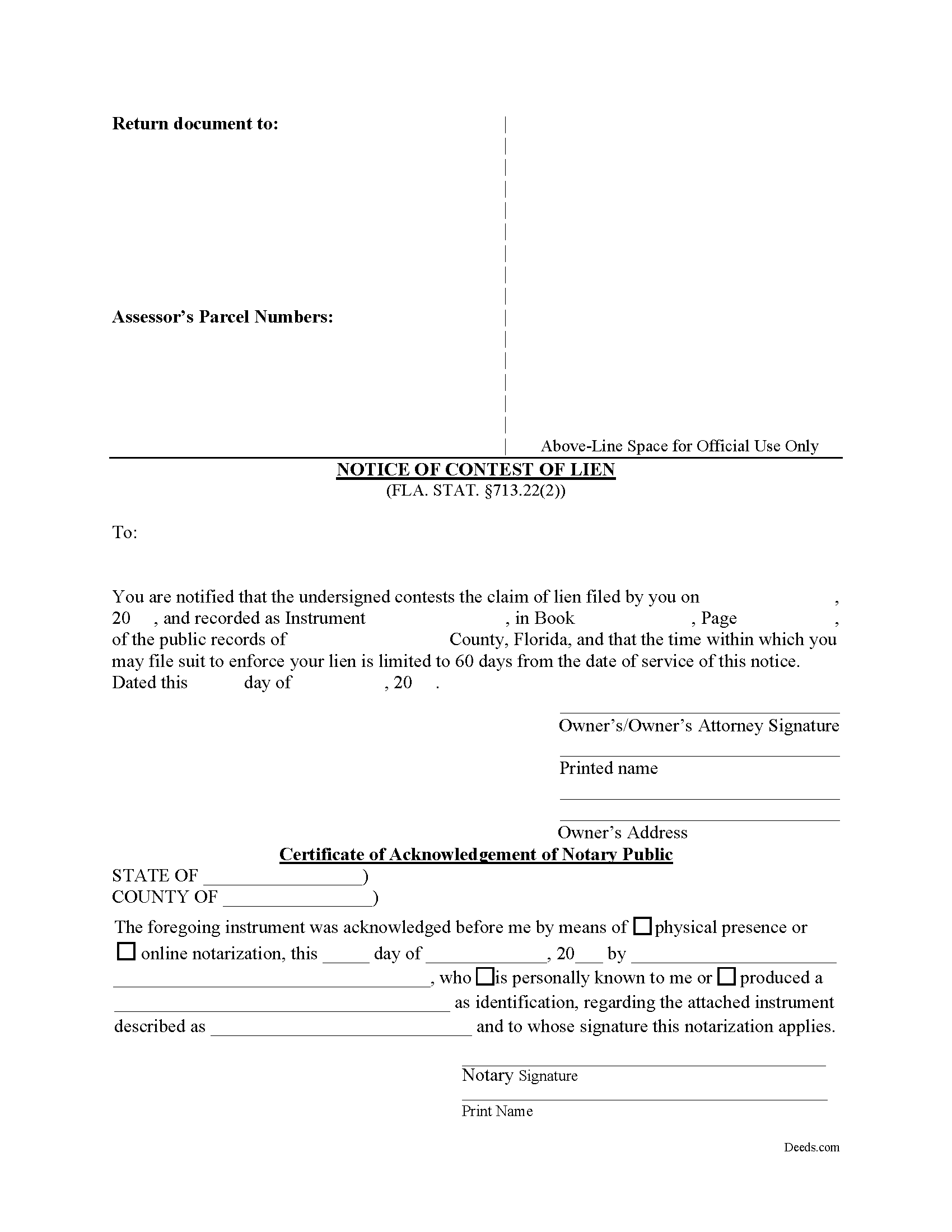
Highlands County Notice of Contest of Lien Form
Fill in the blank form formatted to comply with all recording and content requirements.
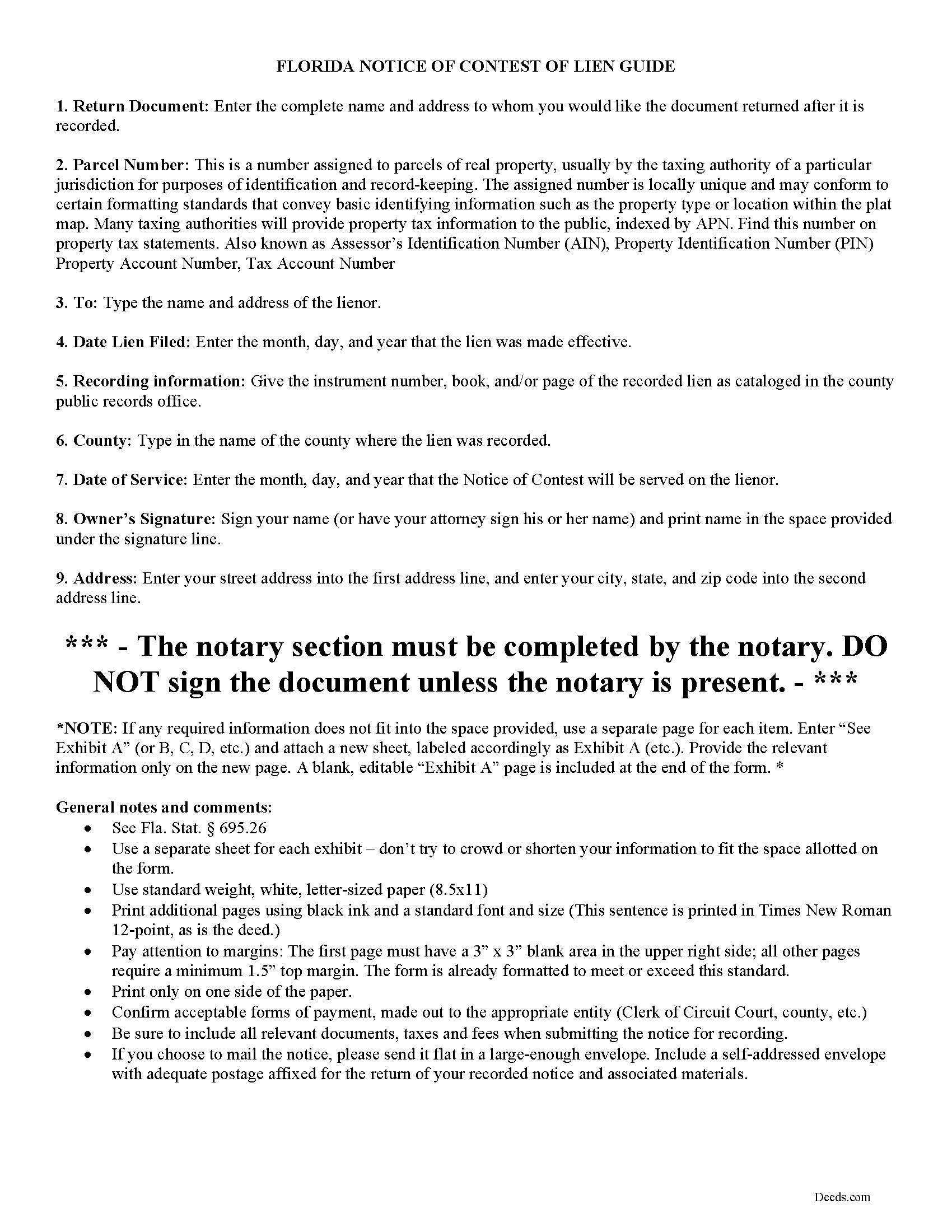
Highlands County Notice of Contest of Lien Guide
Line by line guide explaining every blank on the form.
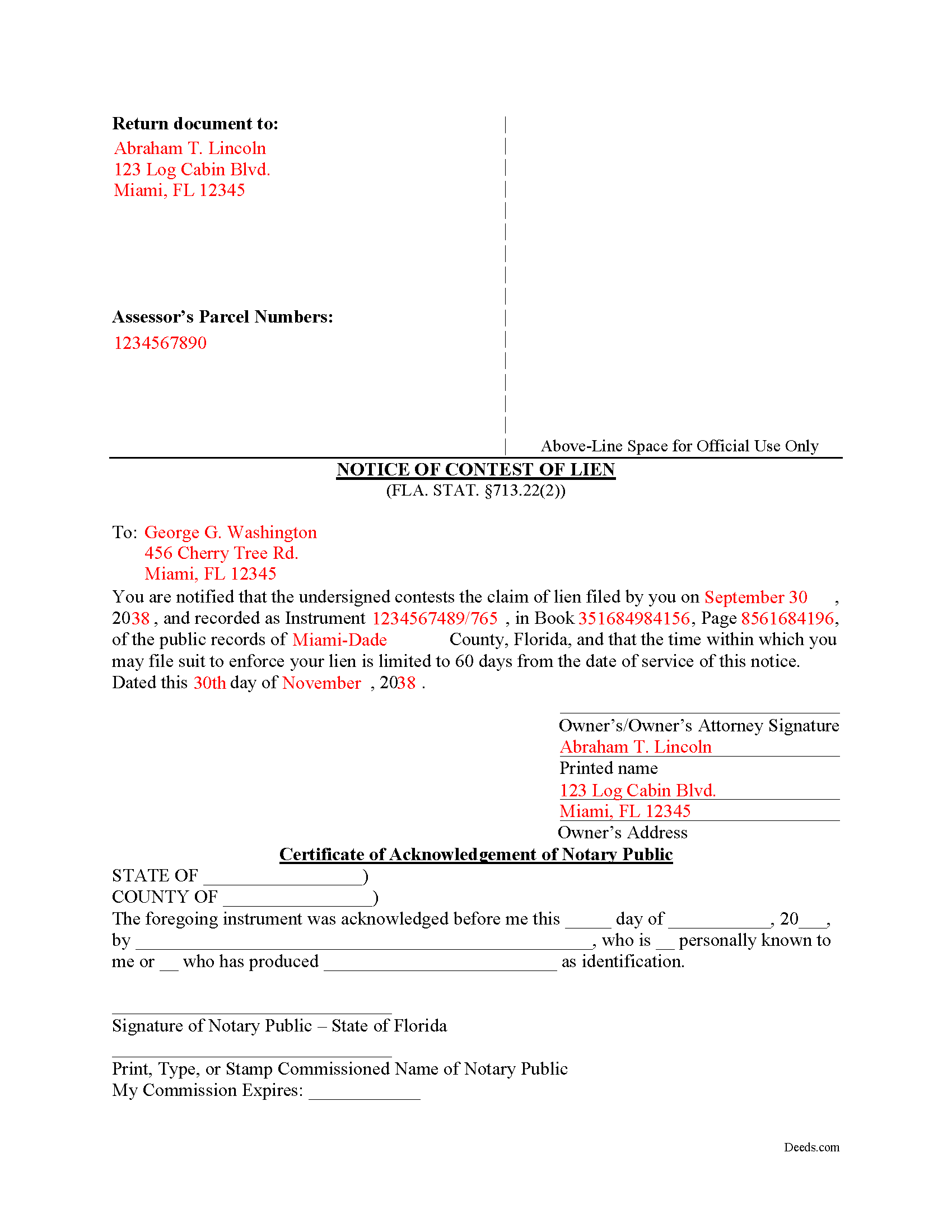
Highlands County Completed Example of the Notice of Contest of Lien Document
Example of a properly completed form for reference.
All 3 documents above included • One-time purchase • No recurring fees
Immediate Download • Secure Checkout
Additional Florida and Highlands County documents included at no extra charge:
Where to Record Your Documents
Highlands County Clerk of Courts
Sebring, Florida 33870-3867
Hours: 8:00am to 5:00pm M-F
Phone: (863) 402-6596
Recording Tips for Highlands County:
- Bring your driver's license or state-issued photo ID
- Ensure all signatures are in blue or black ink
- Recorded documents become public record - avoid including SSNs
- Recording fees may differ from what's posted online - verify current rates
- Request a receipt showing your recording numbers
Cities and Jurisdictions in Highlands County
Properties in any of these areas use Highlands County forms:
- Avon Park
- Lake Placid
- Lorida
- Sebring
- Venus
Hours, fees, requirements, and more for Highlands County
How do I get my forms?
Forms are available for immediate download after payment. The Highlands County forms will be in your account ready to download to your computer. An account is created for you during checkout if you don't have one. Forms are NOT emailed.
Are these forms guaranteed to be recordable in Highlands County?
Yes. Our form blanks are guaranteed to meet or exceed the applicable formatting requirements used for recording in Highlands County, including margin requirements, font requirements, and other layout standards. This guarantee applies to formatting, not to the legal sufficiency of information entered by the user or the suitability of a form for a particular transaction.
Can I reuse these forms?
Yes. You can reuse the forms for your personal use. For example, if you have multiple properties in Highlands County you only need to order once.
What do I need to use these forms?
The forms are PDFs that you fill out on your computer. The free Adobe Acrobat Reader is recommended, and most PDF apps also work. You do NOT enter your property information online - you download the blank forms and complete them privately on your own computer.
Are there any recurring fees?
No. This is a one-time purchase. Nothing to cancel, no memberships, no recurring fees.
How much does it cost to record in Highlands County?
Recording fees in Highlands County vary. Contact the recorder's office at (863) 402-6596 for current fees.
Questions answered? Let's get started!
Florida is one of the few states whose construction lien statute gives a property owner an affirmative tool to compress a lienor's enforcement window without filing a lawsuit. A recorded claim of lien is generally valid for one year, but an owner who records a Florida Notice of Contest of Lien can shrink that period to 60 days from the date the clerk serves the lienor (Fla. Stat. 713.22). If the lienor does not file an action to enforce the lien within those 60 days, the lien is extinguished by operation of law. The mechanism is owner-initiated, clerk-served, and self-executing — a creature of Florida's Construction Lien Law that has no direct equivalent in most states, where an owner must typically bring an action to discharge a stale lien rather than start a clock running.
When a Florida Notice of Contest of Lien Is Used
A Notice of Contest of Lien is a defensive instrument. Owners record it after a contractor, subcontractor, laborer, supplier, or other lienor has filed a claim of lien against the property and the owner wants to force the lienor to either bring suit promptly or lose the lien. Typical situations include stale claims of lien left on title after a project closes out, disputed claims where the lienor has not moved to enforce, encumbrances that complicate a planned sale or refinance, and recorded claims the owner believes lack a factual or contractual basis. Filing the notice does not adjudicate whether the lien is valid — it sets a deadline.
Florida Statutory Requirements
The form and procedure are governed by Fla. Stat. 713.22(2), which prescribes a notice that is substantially in the form set out in the statute itself. The notice must include the following information:
- The name and address of the lienor as shown in the recorded claim of lien
- The official records book and page where the claim of lien is recorded
- The legal description of the property
- The name of the owner
- The date of execution
The notice must be signed by the owner or the owner's attorney. Departures from the statutory form risk a finding that the notice is ineffective, which would leave the lienor's full one-year enforcement window intact.
Execution and Recording Format
The notice is signed by the owner (or the owner's attorney) and acknowledged before a notary so it can be accepted for recording. Florida's recording-format standards under Fla. Stat. 695.26 apply to instruments affecting interests in real property and require: the signer's name typed or legibly printed beneath the signature, the post office address of each natural person who executes the instrument, and the name and address of the person who prepared the document. Clerks also expect a 3-inch-by-3-inch blank space at the top right of the first page for the recording stamp, with consistent margins on subsequent pages. Documents that fail these formatting requirements can be rejected or returned, costing time on a clock that has not yet started.
How the 60-Day Clock Works
Once the notice is recorded, the clerk serves it on the lienor at the address shown in the claim of lien. Service by the clerk — not by the owner — is what triggers the 60-day deadline (Fla. Stat. 713.22(2)). The lienor must commence an action to enforce the lien within 60 days of service, or the lien is extinguished. The owner does not need to file anything further. If the lienor has already filed an enforcement action before the notice is recorded, the notice has no shortening effect. The procedure also does not extinguish any underlying contract claim the lienor may have for the unpaid amount — it only affects the lien against the real property.
Recording Process
The notice is recorded in the official records of the county where the property is located, with the same clerk that recorded the original claim of lien. Recording fees follow the schedule in Fla. Stat. 28.24. Documentary stamp tax does not apply because the notice does not convey an interest in real property. Prompt recording matters when the property is under contract, in refinance, or otherwise needs clean title within a known timeframe — the 60 days does not begin to run until the clerk completes service on the lienor.
Florida-Specific Traps
- The lienor's name and address in the notice must match what appears in the recorded claim of lien — a mismatch can frustrate service by the clerk and prevent the 60-day clock from starting
- The notice must reference the specific official records book and page of the claim of lien being contested; a vague reference is grounds to challenge effectiveness
- If the lienor has already filed suit to enforce the lien before the notice is recorded, the procedure provides no benefit
- The owner does not serve the notice — the clerk does. Self-service by the owner short-circuits the statute
- The procedure does not address the underlying debt; it only affects the encumbrance on the real property
- Preparer identification under Fla. Stat. 695.26 is required, and an unidentified preparer can cause the clerk to refuse the recording
- The notice does not relieve the owner of separate obligations under the Construction Lien Law, including any responsibilities tied to a Notice of Commencement that may still be open on the project
- Recording a Notice of Contest of Lien does not waive defenses or counterclaims the owner may have if the lienor does file suit within the 60 days
What's Included in the Download Package
The download package includes the Florida Notice of Contest of Lien form, a completed example for reference, and a guide explaining how to fill in each section, where to record, and what happens once the clerk serves the lienor. Files are delivered as instant downloads in standard formats compatible with common word processors and PDF readers.
Important: Your property must be located in Highlands County to use these forms. Documents should be recorded at the county recording office listed above.
This Notice of Contest of Lien meets all recording requirements specific to Highlands County.
Our Promise
The documents you receive here are guaranteed to meet or exceed the applicable Highlands County recording format requirements. If there is a rejection caused by our formatting, we will correct the issue or refund your payment. This guarantee applies to document formatting only and does not extend to information entered by the user, the selection of the form, or the legal effect of the completed document.
Save Time and Money
Get your Highlands County Notice of Contest of Lien form done right the first time with Deeds.com Uniform Conveyancing Blanks. At Deeds.com, we understand that your time and money are valuable resources, and we don't want you to face a penalty fee or rejection imposed by a county recorder for submitting nonstandard documents. We constantly review and update our forms to meet rapidly changing state and county recording requirements for roughly 3,500 counties and local jurisdictions.
4.8 out of 5 - ( 4,839 Reviews )
Laureen M. 5 out of 5 stars
This service was extremely helpful. I truly appreciated the way I was communicated with every step of the way in getting my Deed recorded.
Thank you!
Heather A. 5 out of 5 stars
quick response to e-mail. the forms are easy to use, fully explained.
Thank you for your feedback Heather, glad we could help.
Richard P. 5 out of 5 stars
Excellent source and easy to use site.
Thank you!
Candace K. 5 out of 5 stars
I was able to find the Certificate of Trust after a little searching. Once found, the remainder of the process was easy. My task was done in no time. It's a great site.
Thank you for your feedback. We really appreciate it. Have a great day!
harry S. 4 out of 5 stars
Just created account. Very easily done. have not recorded anything yet. Hope to do so soon.
Thank you for your feedback. We really appreciate it. Have a great day!
Larry B. 1 out of 5 stars
Poor quality document. Deed did not contain space for mandatory rax info required.
Thank you for your feedback Larry. We do hope that you found something more suitable to your needs elsewhere. Have a wonderful day.
Randal R. 5 out of 5 stars
While disappointed that my request could not be filled, I understand the issue, and appreciate the attempt and the responsiveness. I certainly will be back if the occasion arises!
Thank you!
Steven M. 5 out of 5 stars
They always get me the information I need, in a timely manner.
We appreciate your business and value your feedback. Thank you. Have a wonderful day!
Curley B. 5 out of 5 stars
So far, I'm pleased. I am a first-time user, as most of my clients are in California. I look forward to working with you more in the future.
Thank you for your feedback. We really appreciate it. Have a great day!
MIchelle S. 4 out of 5 stars
You had the generic document that I was looking for Yay! The "example" page was helpful and reassuring. The auto input sections of my document looked ok until i printed it and then it appeared to be out of alignment which is why my rating is lowered to 4 stars it would be nice to have the ability to correct the title (created by me) when downloading PDFs for an e-filing
Thank you for your feedback. We really appreciate it. Have a great day!
Steven C. 5 out of 5 stars
Easy but a little overpriced
We appreciate your business and value your feedback. Thank you. Have a wonderful day!
Ann H. 5 out of 5 stars
Excellent program, easy to access and download.
Thank you!
Shirley S. 3 out of 5 stars
Laborious process to gain access; need to indicate PRIINT when complete and inform that if page is backspaced, entered info disappears, necessitating starting all over again. There is only one “A” provision, when some documents have several more. Space is too limited in some instances to provide what is necessary for recording. Thank you
Your feedback is valuable to us and helps us improve. Thank you for sharing your thoughts!
Jill R. 5 out of 5 stars
So helpful and extremely responsive. Such a convenient way to record deeds.
We appreciate your business and value your feedback. Thank you. Have a wonderful day!
RICK M. 5 out of 5 stars
great
Thank you!