Indian River County Notice to Contractor Form
Last validated October 16, 2026 by our Forms Development TeamFormatted for recording in Indian River County, for property anywhere in the county: rural and unincorporated areas as well as Fellsmere, Roseland, Sebastian, Vero Beach, Wabasso, Winter Beach.
- 3 documents included
- Immediate PDF download
- Formatting guarantee
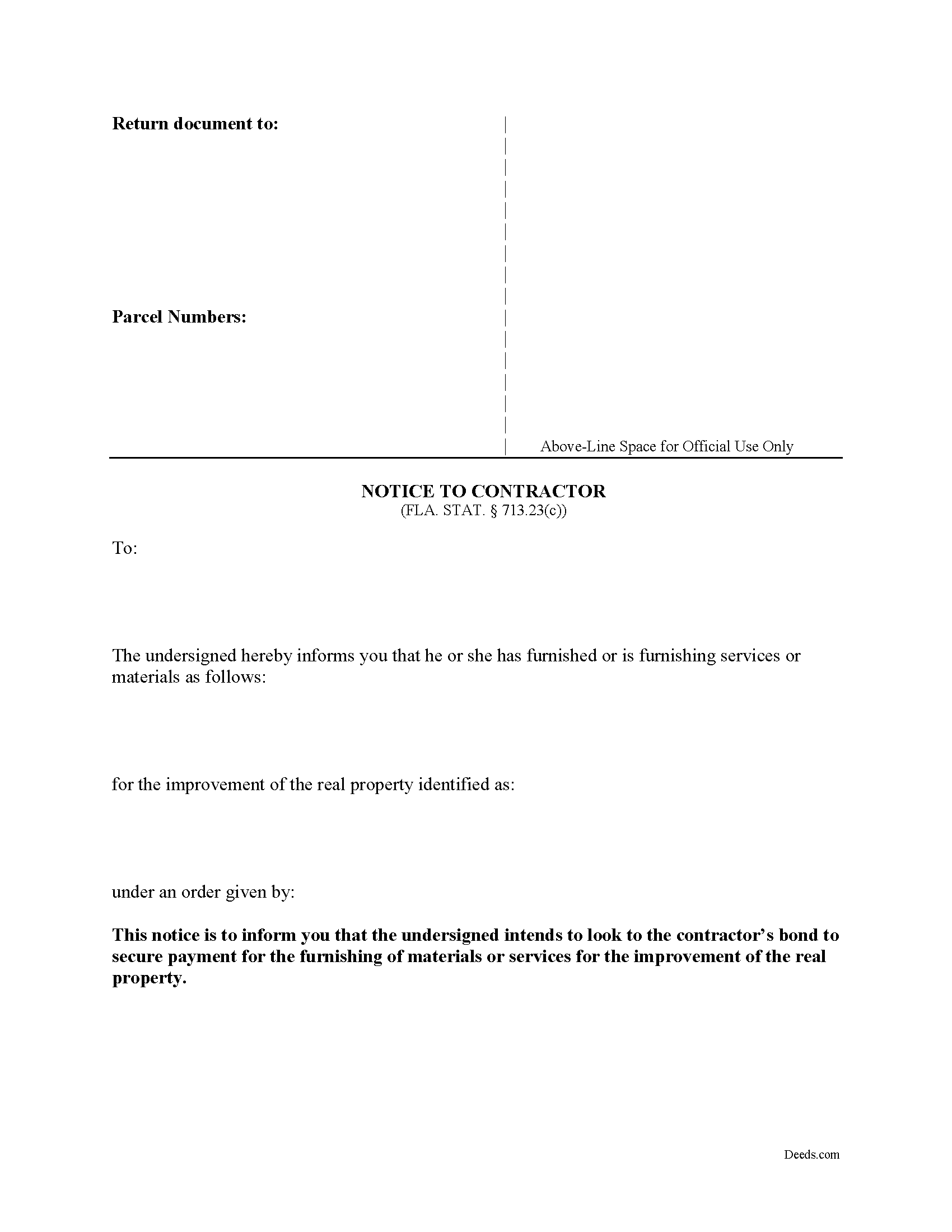
Indian River County Notice to Contractor Form
Fill in the blank form formatted to comply with all recording and content requirements.
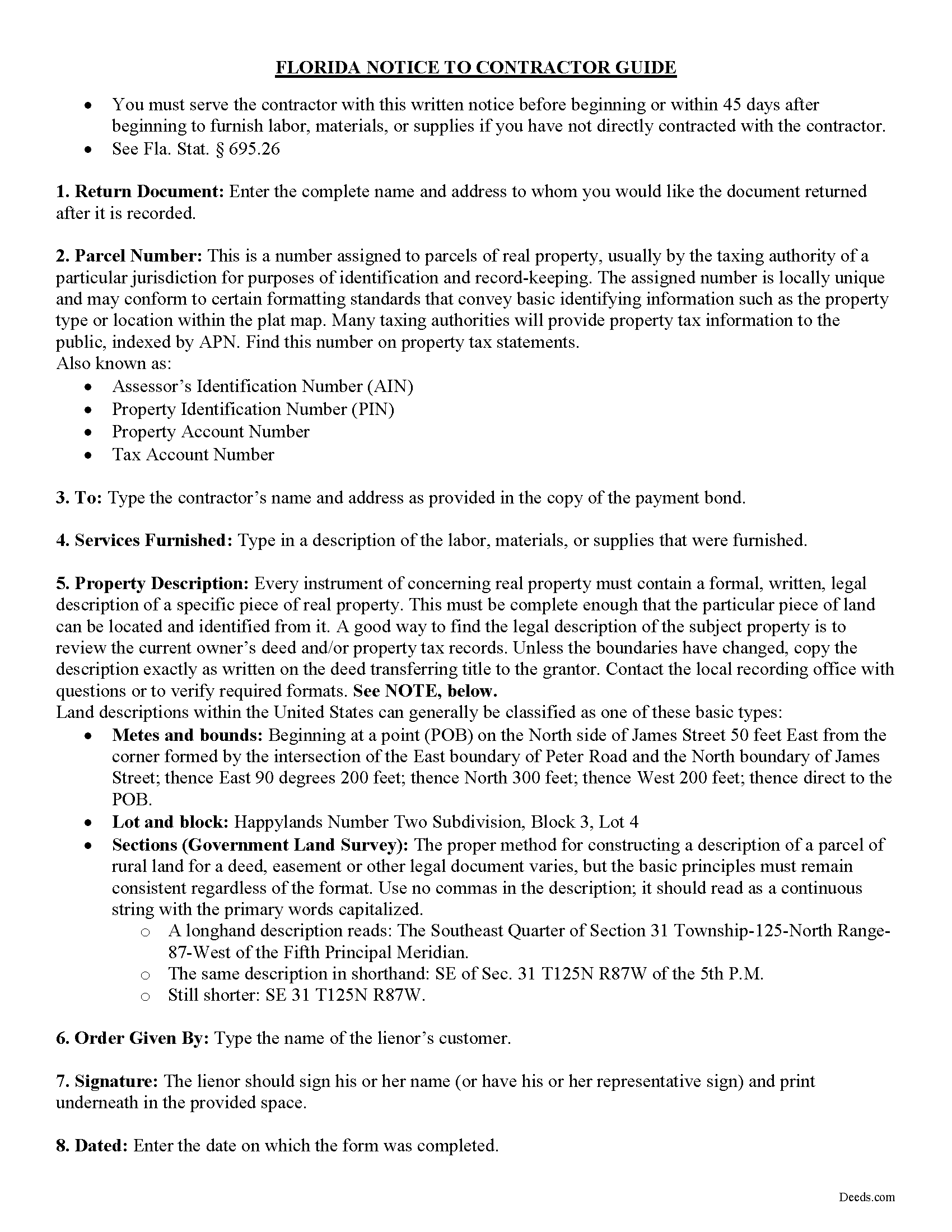
Indian River County Notice to Contractor Guide
Line by line guide explaining every blank on the form.
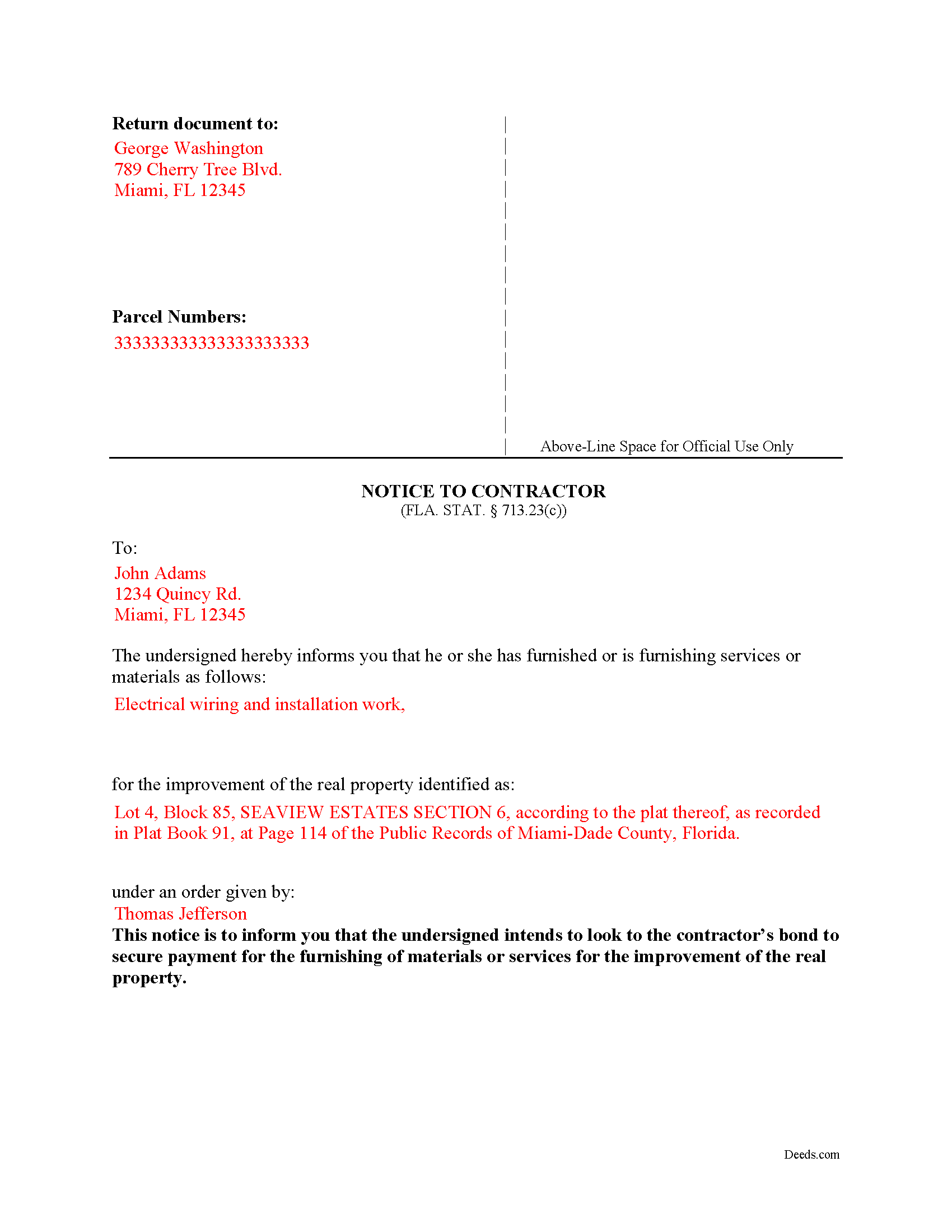
Indian River County Completed Example of the Notice to Contractor Document
Example of a properly completed form for reference.
All 3 documents above included • One-time purchase • No recurring fees
Immediate Download • Secure Checkout
Additional Florida and Indian River County documents included at no extra charge:
Where to Record Your Documents
Recording - County Courthouse
Vero Beach, Florida 32960
Hours: 8:30am to 4:30pm M-F
Phone: (772) 770-5185, Ext 3175 and 3135
Recording Tips for Indian River County:
- Bring your driver's license or state-issued photo ID
- Ensure all signatures are in blue or black ink
- Ask for certified copies if you need them for other transactions
- Ask if they accept credit cards - many offices are cash/check only
- Check that your notary's commission hasn't expired
Cities and Jurisdictions in Indian River County
Properties in any of these areas use Indian River County forms:
- Fellsmere
- Roseland
- Sebastian
- Vero Beach
- Wabasso
- Winter Beach
Hours, fees, requirements, and more for Indian River County
How do I get my forms?
Forms are available for immediate download after payment. The Indian River County forms will be in your account ready to download to your computer. An account is created for you during checkout if you don't have one. Forms are NOT emailed.
Are these forms guaranteed to be recordable in Indian River County?
Yes. Our form blanks are guaranteed to meet or exceed the applicable formatting requirements used for recording in Indian River County, including margin requirements, font requirements, and other layout standards. This guarantee applies to formatting, not to the legal sufficiency of information entered by the user or the suitability of a form for a particular transaction.
Can I reuse these forms?
Yes. You can reuse the forms for your personal use. For example, if you have multiple properties in Indian River County you only need to order once.
What do I need to use these forms?
The forms are PDFs that you fill out on your computer. The free Adobe Acrobat Reader is recommended, and most PDF apps also work. You do NOT enter your property information online - you download the blank forms and complete them privately on your own computer.
Are there any recurring fees?
No. This is a one-time purchase. Nothing to cancel, no memberships, no recurring fees.
How much does it cost to record in Indian River County?
Recording fees in Indian River County vary. Contact the recorder's office at (772) 770-5185, Ext 3175 and 3135 for current fees.
Questions answered? Let's get started!
Florida's construction lien law splits payment-protection notices into two parallel tracks, and the Florida Notice to Contractor belongs to one of them. When a general contractor has furnished a statutory payment bond under FLA. STAT. 713.23 — recorded with the notice of commencement before work begins — a subcontractor or supplier not in direct contract with the general contractor cannot rely on the standard Notice to Owner. The bond replaces the property as the security for payment, and the document that perfects a claim against that bond is the Notice to Contractor. Sending the wrong notice, or sending the right notice late, eliminates the bond as a payment source.
What the Florida Notice to Contractor Does and When It Is Used
This notice tells the general contractor — and, in practice, the surety — that the lienor intends to look to the payment bond for protection on the work being supplied. It applies to private Florida construction projects where a 713.23 statutory payment bond has been recorded along with the notice of commencement. Material suppliers, sub-subcontractors, equipment lessors, and other lienors who are not contractually connected to the general contractor must serve this notice to preserve a claim. Laborers and parties in privity with the general contractor are excepted. Federal projects fall under the Miller Act and use a different mechanism entirely.
Statutory Requirements Under FLA. STAT. 713.23
The form identifies the parties and the project. At a minimum it names the owner who ordered the work, the general contractor coordinating the project, and the lienor furnishing labor or materials. It describes the real property where the improvement is being made and identifies the type of work or materials being supplied. The notice substantially follows the form set out in the statute (FLA. STAT. 713.23(1)(c)). Florida courts construe lien-law compliance strictly, and homemade variations risk being held insufficient.
The 45-Day Clock and Its Alternative
Timing is the trap that ends most bond claims. A lienor not in privity with the contractor — except a laborer — must serve the notice before beginning, or within 45 days after beginning, to furnish labor, materials, or supplies (FLA. STAT. 713.23(1)(c)). The clock runs from the first day of furnishing — not from the contract date and not from the purchase order.
An alternative window applies when the notice of commencement with the bond attached is not recorded before construction begins. In that situation, the lienor may serve the notice up to 45 days after being served with a copy of the bond (FLA. STAT. 713.23(1)(c)). A lienor who has not been provided a copy of the bond is entitled to demand one, and the statute imposes consequences on a party who refuses to furnish it.
Notice of Nonpayment — The Second Required Notice
The Notice to Contractor preserves the right to claim, but it is not the only notice the statute requires. Before bringing an action against the bond, the lienor must also serve a written notice of nonpayment on the contractor and the surety not later than 90 days after final furnishing of labor, services, or materials by the lienor (FLA. STAT. 713.23(1)(d)). The 90-day notice of nonpayment is a separate document with its own deadline; missing it eliminates the bond claim even when the initial Notice to Contractor was timely and correctly served.
How the Notice Must Be Served
Unlike many lien-related documents in Florida, the Notice to Contractor is served — not recorded with the county clerk. Service follows the methods authorized by FLA. STAT. 713.18: actual delivery to the person being served, or by common carrier delivery service or U.S. mail (registered, certified, or first-class with a certificate of mailing). Proof of service must be retained, because a bond claim that proceeds to litigation will turn on it.
Florida-Specific Traps
- Confusing the Notice to Contractor with the Notice to Owner. The Notice to Owner under FLA. STAT. 713.06 perfects a lien against real property on non-bonded jobs. The Notice to Contractor under 713.23 perfects a claim against a payment bond. They are not interchangeable, and using the wrong one on a bonded job is fatal to the claim.
- Statutory bond versus common law bond. Section 713.23 governs statutory payment bonds that meet the section's requirements. A bond that does not conform to 713.23 may be treated as a common law bond, and the statutory notice rules may not apply in the same way.
- The 45-day clock runs from first furnishing. Not from contract execution, not from a purchase order, not from delivery to the jobsite — the clock starts when the lienor first furnishes materials or services to the project.
- One-year limit on action against the bond. An action on the payment bond must be brought within one year (FLA. STAT. 713.23(1)(e)). This deadline is measured from the statutory trigger and cannot be casually extended.
- Strict construction against the lienor. Florida courts read the lien and bond statutes strictly against the party claiming the right. Defects that might be excused in other states are routinely fatal here.
- Identifying the correct bond and surety. The lienor must look to the specific bond recorded with the notice of commencement. Naming the wrong surety, or relying on a non-conforming bond document, undermines the claim before it begins.
What Is Included in the Download Package
The Florida Notice to Contractor download includes the fillable form prepared by the Deeds.com forms development team, completed-example pages illustrating typical entries, and a guide outlining the statutory framework, deadlines, and service requirements under FLA. STAT. 713.23. Files are delivered as instant downloads after checkout.
Important: Your property must be located in Indian River County to use these forms. Documents should be recorded at the county recording office listed above.
This Notice to Contractor meets all recording requirements specific to Indian River County.
Our Promise
The documents you receive here are guaranteed to meet or exceed the applicable Indian River County recording format requirements. If there is a rejection caused by our formatting, we will correct the issue or refund your payment. This guarantee applies to document formatting only and does not extend to information entered by the user, the selection of the form, or the legal effect of the completed document.
Save Time and Money
Get your Indian River County Notice to Contractor form done right the first time with Deeds.com Uniform Conveyancing Blanks. At Deeds.com, we understand that your time and money are valuable resources, and we don't want you to face a penalty fee or rejection imposed by a county recorder for submitting nonstandard documents. We constantly review and update our forms to meet rapidly changing state and county recording requirements for roughly 3,500 counties and local jurisdictions.
4.8 out of 5 - ( 4,830 Reviews )
Craig W. 5 out of 5 stars
This is a great way to get paper work to the land love it
We appreciate your business and value your feedback. Thank you. Have a wonderful day!
Melissa S. 5 out of 5 stars
Simple & easy to navigate. At time of writing this, guide & example of purchased deed is included. Plus lots of extra information to help secure your property. Would recommend to anyone.
We appreciate your business and value your feedback. Thank you. Have a wonderful day!
richard s. 5 out of 5 stars
had exactly what i needed and good price
Thank you Richard! Have an amazing day.
Jamie P. 5 out of 5 stars
The forms are easy to download. Easy to fill out. The information on the site and on the web provided by Deeds.com have been immensely helpful.
Thank you!
Sharon S. 5 out of 5 stars
very satisfied...
Thank you!
Mary B. 5 out of 5 stars
Your information was orderly and very clear and helpful. Thanks!
Thank you for your feedback. We really appreciate it. Have a great day!
Barbara C. 5 out of 5 stars
I have used these forms now at least 3 times in order to sell the same parcel of land. The forms are great and I'm happy that I could use them more than once. To no fault of Deeds.com I used them many times to sell the same land. First the man died that was buying, before it got recorded. Then his wife was going to finish it, but then decided it should be sold to another party who was a friend of hers.
We appreciate your business and value your feedback. Thank you. Have a wonderful day!
GAYNELL G. 5 out of 5 stars
THANKS
Thank you!
Dorothy S. 4 out of 5 stars
Great service and documents that solved my legal issues I was frustrated with my inability to safe my information on the template and add an extra field box. Please make those instructions more clear for future customers.
Thank you for your feedback. We really appreciate it. Have a great day!
Connie P. 5 out of 5 stars
Easy, fast, responsive. My document was filed and posted in just a matter of days.
Your feedback is valuable to us and helps us improve. Thank you for sharing your thoughts!
Thomas W. 5 out of 5 stars
A great way to access form knowledge
Thank you!
Steven B. 5 out of 5 stars
County accepted the TODD form. Easy to understand and don’t have to hire an attorney! Excellent
Appreciate this, Steven. That's exactly the outcome we're aiming for. Wishing you well.
KAREN S. 5 out of 5 stars
Easy to use this app and I was able to print my forms immediately! Great service and I would use it again.
Thank you for your feedback. We really appreciate it. Have a great day!
Joanne D. 5 out of 5 stars
Loved your easy to follow instructions along with the paperwork forms that I was looking for. Would highly suggest this service to everyone. You should share this platform with other counties!! Extremely helpful
Thank you!
Jon G. 5 out of 5 stars
Excellent service and professionalism
Thank you!